

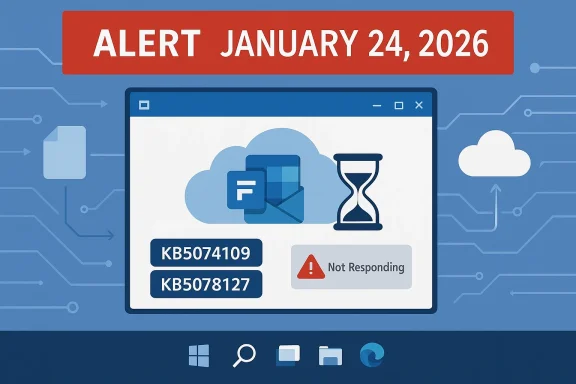
Microsoft's January Patch Tuesday created more work for IT teams than it solved: within days of the January 13, 2026 cumulative update, users and administrators began reporting that Outlook — particularly classic Win32 profiles using local PST files stored in cloud‑synced folders — would hang, refuse to close, or show missing mail items. Microsoft responded with two emergency out‑of‑band patches in rapid succession, culminating in the January 24, 2026 cumulative OOB update that restored normal file I/O behavior for many affected systems and provided enterprise rollback controls to limit further damage.
The trouble began with Microsoft’s routine January 13, 2026 Patch Tuesday release: the Windows cumulative update delivered as KB5074109 for Windows 11 branches. That monthly bundle included both the Latest Cumulative Update (LCU) and a Servicing Stack Update (SSU) for affected builds, but several configuration‑dependent regressions surfaced quickly after distribution.
Within days, reports surfaced of three distinct problem classes:
Microsoft’s mitigations were rapid but iterative: an initial emergency out‑of‑band (OOB) package was issued on January 17 to remove some urgent regressions, and when cloud‑file I/O issues persisted a second cumulative OOB update followed on January 24 — released as KB5078127 for Windows 11 versions 24H2 and 25H2 (with parallel KBs for other branches). The January 24 package consolidated the January 13 baseline and prior emergency fixes while introducing targeted corrections for cloud file interactions.
When a servicing change in the January update altered these underlying file‑system or provider interactions — even by milliseconds or by changing handle semantics — Outlook could:
Key technical takeaways:
For organizations that still rely on PSTs or other monolithic local artifacts:
For users and administrators the guidance is simple and practical: back up PSTs, move them out of synced folders, apply the January 24 cumulative OOB (or deploy the KIR policy if patching isn’t immediately possible), and treat this as a prompt to reassess dependency on legacy local data stores. For Microsoft and the broader ecosystem, the event should accelerate improvements to pre‑release validation and telemetry that catch these real‑world, cross‑component interactions before they reach production fleets. The emergency fix worked — but the underlying lesson remains: cloud convenience plus legacy file models is a brittle mix, and the next servicing cycle must learn from this one.
Source: PCQuest Outlook crashed after a Windows 11 update and Microsoft rushed an emergency fix
 Background / Overview
The trouble began with Microsoft’s routine January 13, 2026 Patch Tuesday release: the Windows cumulative update delivered as KB5074109 for Windows 11 branches. That monthly bundle included both the Latest Cumulative Update (LCU) and a Servicing Stack Update (SSU) for affected builds, but several configuration‑dependent regressions surfaced quickly after distribution.Within days, reports surfaced of three distinct problem classes:
- applications freezing or crashing when opening or saving files from cloud‑synced folders such as OneDrive or Dropbox;
- Remote Desktop and Cloud PC sign‑in failures on certain configurations; and
- shutdown/hibernate failures on Secure Launch‑enabled systems.
Microsoft’s mitigations were rapid but iterative: an initial emergency out‑of‑band (OOB) package was issued on January 17 to remove some urgent regressions, and when cloud‑file I/O issues persisted a second cumulative OOB update followed on January 24 — released as KB5078127 for Windows 11 versions 24H2 and 25H2 (with parallel KBs for other branches). The January 24 package consolidated the January 13 baseline and prior emergency fixes while introducing targeted corrections for cloud file interactions.
Timeline: January 2026, step by step
- January 13, 2026 — Microsoft releases the monthly security and quality rollup for Windows 11, delivered under KB5074109 (LCU+SSU). This update increased affected OS builds to versions such as 26100.7623 and 26200.7623 depending on the branch.
- January 14–16, 2026 — Early reports and telemetry show a mix of regressions: app hangs with cloud‑backed files, Remote Desktop sign‑in problems, and some shutdown/hibernate failures.
- January 17, 2026 — Microsoft ships an initial out‑of‑band package (KB5077744) to address the most immediate issues (notably Remote Desktop and power‑state regressions).
- January 18–23, 2026 — Community and enterprise support channels continue to report file I/O and Outlook-specific failures; the Outlook problem remains unresolved for many.
- January 24, 2026 — Microsoft publishes a second out‑of‑band cumulative update for Windows 11 — KB5078127 — which consolidates previous fixes and explicitly targets the cloud file I/O regression that impacted Outlook PST scenarios. This update advances the build numbers (for example to 26200.7628 for some 25H2 builds).
- Late January 2026 — Microsoft updates support guidance, marks the PST/Outlook scenario as fixed with the January 24 OOB, and publishes Group Policy/KIR artifacts to help enterprise admins accelerate remediation or rollback specific behavioral changes.
What actually broke: a technical unpacking
At a high level, the regression was not an Outlook code defect per se but an emergent interoperability failure between Windows file‑I/O semantics and cloud‑sync providers’ placeholder/hydration behaviors. Classic Outlook’s PST model expects a monolithic file with consistent, low‑latency, synchronous access and predictable locking semantics. When a PST is stored inside a folder managed by a sync client (for example, OneDrive), the sync client and the OS may interpose transient handles, placeholder entries, or background uploads that subtly alter timing and lock behavior.When a servicing change in the January update altered these underlying file‑system or provider interactions — even by milliseconds or by changing handle semantics — Outlook could:
- block waiting on I/O that never completed, producing a “Not Responding” state;
- leave OUTLOOK.EXE running in the background after UI closure, preventing restart; or
- produce inconsistent index states (missing Sent Items, redownload of messages).
Key technical takeaways:
- The regression was configuration dependent — you were most likely to be affected if you used classic Outlook with PSTs inside a synced folder (including environments using Known Folder Move to OneDrive).
- The update package architecture (LCU bundled with SSU) complicated rolling back just the LCU for some systems, increasing remediation overhead.
- The fix path required OS patching rather than an Outlook update alone because the fault resided in file I/O interactions at the OS/sync driver boundary.
Microsoft’s response: emergency patches and enterprise controls
Microsoft’s triage and remediation followed a compressed cadence:- The January 17 OOB addressed obvious high‑impact failures (Remote Desktop and shutdown regressions) but left cloud file I/O problems unresolved in many environments.
- The January 24 cumulative OOB (KB5078127) consolidated the January 13 baseline and prior emergency fixes while including targeted corrections for the cloud file and PST issues.
- For enterprise customers, Microsoft provided Known Issue Rollback (KIR) and Group Policy artifacts so admins could disable the single behavioral change causing the problem without uninstalling the entire security rollup. These Group Policy/KIR packages were published specifically for affected Windows 11 versions and servers, enabling a more controlled mitigation path for large fleets.
- Microsoft’s official support articles were updated to reflect fixed status for the Outlook PST hang scenario once the January 24 update was publicly available.
- The initial problematic baseline was KB5074109 (January 13, 2026).
- The corrective cumulative OOB for Windows 11 24H2/25H2 is KB5078127, released January 24, 2026.
- Microsoft described filesystem and cloud‑sync file fixes in the KB release notes and provided KIR as an enterprise mitigation.
How to tell if you’re affected (quick checklist)
- Do you run the classic Outlook (Win32) client with local .pst files?
- Are those PST files located inside a folder synchronized by OneDrive, Dropbox, or similar?
- Did the device install the January 13, 2026 cumulative update (KB5074109) before symptoms began?
- Are you seeing Outlook hangs, OUTLOOK.EXE processes that persist after closing the UI, missing Sent Items, or repeated re‑downloads of messages?
Immediate mitigations: what end users should do now
- If Outlook has ever hung, back up your PST files immediately. Copy the PST to an external drive or another non‑synced folder before attempting any updates or rollbacks.
- Temporarily move PST files out of OneDrive or pause OneDrive syncing while you use Outlook. Moving PSTs to a local-only folder removes the cloud sync layer from the equation.
- Use Outlook on the web or mobile clients for urgent mail access while you stabilize the desktop environment.
- If your device is already patched with the January 24 OOB, verify that Windows updates are current and test Outlook behavior before changing PST locations.
- If you still experience issues after installing the January 24 OOB, stop and escalate to your helpdesk — do not repeatedly kill OUTLOOK.EXE without a backup of PST files.
For IT administrators: prioritized remediation steps
- Inventory and prioritize:
- Identify devices with PSTs stored inside OneDrive or other synced locations.
- Query your update management platform for devices that installed KB5074109 or that have not yet received KB5078127.
- Deploy targeted fixes:
- Install KB5078127 (or the branch‑appropriate OOB) in a pilot ring first.
- If patching is delayed or impossible, deploy the Known Issue Rollback Group Policy provided by Microsoft to neutralize the behavioral change causing the outage.
- Backup and recovery planning:
- Ensure PST files are backed up before attempting rollbacks or DISM package removals.
- Prepare DISM-based remove-package steps for LCUs where uninstall is required — be aware that combined SSU+LCU packages complicate simple uninstalls.
- Communication and user guidance:
- Inform affected users about the temporary mitigations (move PSTs, use webmail).
- Provide clear instructions for backing up PSTs and pausing OneDrive.
- Post‑incident postmortem:
- Expand pre‑release test coverage to include cloud‑sync scenarios and legacy file formats like PST.
- Reassess rollout rings and telemetry thresholds to detect regressions earlier, especially around file system and sync interactions.
Strengths in Microsoft’s response — and where it fell short
Notable strengths:- Speed: Microsoft issued emergency fixes within days, showing capable incident response and cross‑team coordination for a high‑impact, cross‑component regression.
- Granularity: Providing KIR and Group Policy artifacts allowed enterprises to limit the blast radius without uninstalling security updates — an important operational option.
- Transparency: Microsoft acknowledged the problem publicly and updated support documentation with practical workarounds while engineering proceeded.
- Rollback fragility: Combining SSUs with LCUs in a single package made targeted rollback harder in some scenarios; the DISM remove-package path can be error‑prone for admins unfamiliar with servicing stack intricacies.
- Insufficient real‑world testing surface: Cloud sync scenarios — particularly legacy patterns like PSTs inside OneDrive — are clearly still under‑represented in pre‑release validation. The incident underscores the need to broaden QA to cover synchronized files, placeholder hydration, and overlay provider interactions.
- Data exposure risk: While Microsoft’s notes point to behavioral regression rather than deliberate data loss, inconsistent PST writes or interrupted file operations carry a real risk of corruption. Without robust backups, some users could face permanent mailbox inconsistencies.
- Communication lag: Early advisories recommended uninstalling the January 13 update in some cases; that guidance left many admins balancing security vs. availability without clear, low‑risk rollback instructions until KIR artifacts became widely available.
Broader implications: cloud sync + legacy file formats is a brittle pattern
This incident is a practical illustration of a larger architectural tension: legacy desktop apps and file formats were built around synchronous, exclusive access to local files. Cloud sync clients evolved to provide convenience — background upload, placeholder files, selective sync — and those conveniences interpose additional behaviors into the local file‑I/O stack. When OS‑level servicing changes perturb the timing or semantics of file operations, old assumptions break in ways that can be hard to simulate in lab QA.For organizations that still rely on PSTs or other monolithic local artifacts:
- Treat PSTs stored in cloud sync scopes as a high‑risk anti‑pattern.
- Accelerate migrations to server‑side mail (Exchange Online) or modern OST/IMAP workflows where the mailbox lives in the cloud and local files are not critical single points of failure.
- Make surgical changes to configuration policies (Known Folder Move, redirect of Documents to OneDrive) only after validating legacy app behaviors.
Practical recommendations (short and long term)
Short term (next 30 days):- Apply the January 24 OOB (KB5078127) on pilot devices and expand to wider rings after verification.
- Back up PSTs and move them out of synced folders where feasible.
- Deploy Microsoft’s KIR Group Policy if immediate neutralization of the change is necessary and patching is not yet feasible.
- Pause automatic updates for critical endpoints until you confirm the fix in your pilot ring.
- Audit endpoints for local PST usage and create migration plans for users still relying on PSTs.
- Expand pre‑release testing to include cloud sync scenarios and legacy file workflows.
- Improve telemetry and automation to detect file‑I/O regressions faster after patch deployment.
- Reduce organizational reliance on legacy file containers (PSTs) and single‑file local archives.
- Work with vendors (OneDrive, Dropbox, application vendors) to define stronger integration test suites for platform updates.
- Revisit update governance policies: security vs. availability tradeoffs should be clearly articulated and enforced via pilot rings and phased rollouts.
What we still don’t know — and what to treat cautiously
- Microsoft’s public notes and KB entries confirm the fix and provide KIR artifacts, but precise counts for how many devices or users experienced data loss or corruption are not published. Any claim about “millions affected” or similar volume metrics should be treated as speculative unless Microsoft discloses official telemetry.
- Root cause depth: Microsoft described the behavior and shipped a fix, but a line‑by‑line root cause post‑mortem detailing which subsystem changes introduced the regression has not been published as of the January 24 update. Until an engineering postmortem appears, specific causal attributions (for example, naming a single driver or a single internal API change) are tentative.
- Residual edge cases: Microsoft’s emergency updates and KIR are intended to address the broad regression, but complex environments with third‑party sync clients, anti‑virus / filter drivers, or unusual storage drivers may still see residual behaviors. Test in a controlled ring before broad deployment.
Conclusion
The January Patch Tuesday episode is a textbook case study for modern platform servicing: even routine security fixes can have outsized consequences when they alter subtle system behaviors that legacy applications depend upon. Microsoft’s response — fast emergency patches, a cumulative OOB that consolidated fixes, and enterprise KIR controls — reduced the immediate pain and restored functionality for many. Yet the incident also exposed structural fragilities: rollback complexity when SSUs are bundled, under‑tested cloud‑sync scenarios, and the persistent operational risk of keeping monolithic legacy data files inside synchronized folders.For users and administrators the guidance is simple and practical: back up PSTs, move them out of synced folders, apply the January 24 cumulative OOB (or deploy the KIR policy if patching isn’t immediately possible), and treat this as a prompt to reassess dependency on legacy local data stores. For Microsoft and the broader ecosystem, the event should accelerate improvements to pre‑release validation and telemetry that catch these real‑world, cross‑component interactions before they reach production fleets. The emergency fix worked — but the underlying lesson remains: cloud convenience plus legacy file models is a brittle mix, and the next servicing cycle must learn from this one.
Source: PCQuest Outlook crashed after a Windows 11 update and Microsoft rushed an emergency fix
