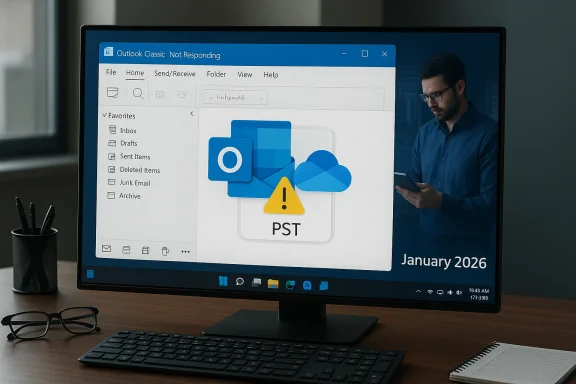
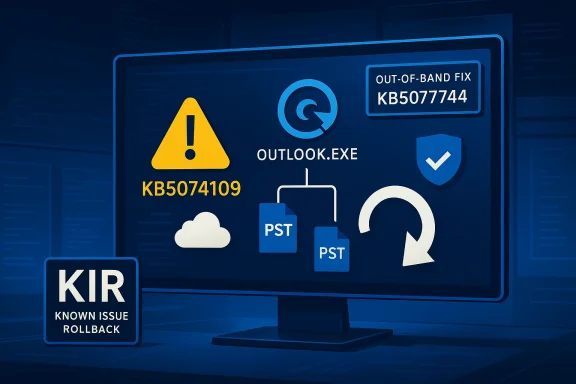
A routine January Patch Tuesday rollup (KB5074109) accidentally left parts of Microsoft’s classic Outlook experience unstable for a measurable number of users, triggering freezes, lingering OUTLOOK.EXE processes, lost Sent Items and a rapid sequence of follow‑up fixes and mitigations from Microsoft. The problem primarily affected Windows 11 versions 24H2 and 25H2 after the January 13, 2026 cumulative update, and was acknowledged by Microsoft as “investigating” before the company pushed out out‑of‑band updates and Known Issue Rollback options to limit impact.
Microsoft’s January 13, 2026 cumulative update for Windows 11—delivered as KB5074109 for 24H2 and 25H2—was billed as a standard Patch Tuesday rollup containing security patches, quality improvements and a servicing‑stack update. Among the stated fixes were improvements addressing Neural Processing Unit (NPU) idle power usage and a safer, phased delivery of Secure Boot certificate updates. The update’s content and release date are documented in Microsoft’s official KB summary. Despite those benign goals, multiple regressions surfaced very quickly after the roll‑out. They ranged from configuration‑dependent power state regressions (devices restarting instead of shutting down when System Guard Secure Launch was enabled) to Remote Desktop and Cloud PC authentication failures. Crucially for end users and administrators, classic Outlook (the Win32 desktop client used with POP/PST profiles) began to exhibit hangs and improper shutdown behavior on systems that installed KB5074109. Microsoft published support advisories for the Outlook failures and marked the situation as under investigation.
For most organizations, the immediate lesson is operational: stage, test, and keep a rollback/mitigation path ready that does not compromise security. For Microsoft, the challenge is to keep up the cadence of fixes while further tightening pre‑release testing to catch interactions between servicing stack changes and common desktop workloads.
A measured closing point: the observable facts—Microsoft’s KB pages, the OOB KBs and the company’s public advisories—document the timeline and the mitigations available; what remains opaque is the exact internal root cause line in the servicing code that caused Outlook’s POP hang. Until Microsoft publishes a detailed post‑mortem, operators must rely on the documented workarounds (KIR, OOB packages) and cautious patch governance to reduce the chance of similar disruptions in future.
Source: Inbox.lv Windows Update Accidentally Broke Microsoft Program
 Background / Overview
Microsoft’s January 13, 2026 cumulative update for Windows 11—delivered as KB5074109 for 24H2 and 25H2—was billed as a standard Patch Tuesday rollup containing security patches, quality improvements and a servicing‑stack update. Among the stated fixes were improvements addressing Neural Processing Unit (NPU) idle power usage and a safer, phased delivery of Secure Boot certificate updates. The update’s content and release date are documented in Microsoft’s official KB summary. Despite those benign goals, multiple regressions surfaced very quickly after the roll‑out. They ranged from configuration‑dependent power state regressions (devices restarting instead of shutting down when System Guard Secure Launch was enabled) to Remote Desktop and Cloud PC authentication failures. Crucially for end users and administrators, classic Outlook (the Win32 desktop client used with POP/PST profiles) began to exhibit hangs and improper shutdown behavior on systems that installed KB5074109. Microsoft published support advisories for the Outlook failures and marked the situation as under investigation. What broke: the Outlook symptoms (and a concurrent Outlook client regression)
The KB5074109 Outlook failure (classic Outlook / POP profiles)
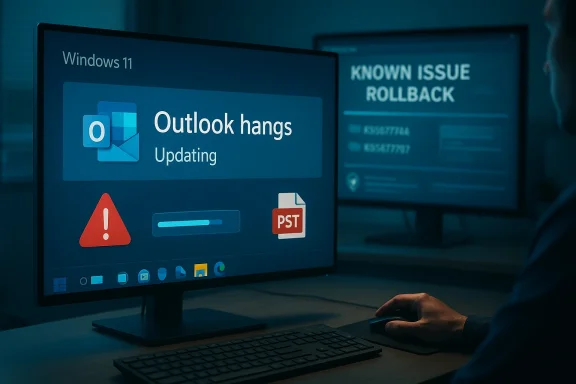
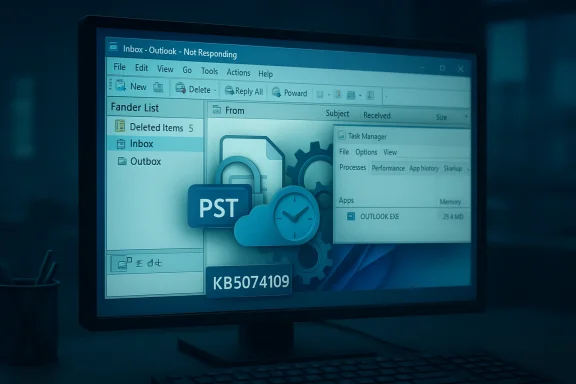
The core, confirmed issue tied to KB5074109 is straightforward in its symptoms: for some users running the classic Win32 Outlook client configured with POP3 accounts or local PST stores, Outlook would not exit cleanly after the user closed the UI. Background Outlook processes persisted (OUTLOOK.EXE remained running), subsequent restarts failed or hung, sent messages sometimes failed to be recorded in Sent Items, and users experienced intermittent freezes while sending or navigating mail. Microsoft explicitly listed this behavior in an advisory and labeled it “investigating.” These are not cosmetic failures. They break fundamental mail‑flow operations—users cannot rely on the desktop client to send messages reliably or to restart without rebooting the machine—making the application effectively unusable for the affected subset of users until remediation is applied. Community reports and support threads show that many victims resorted to uninstalling the KB, pausing updates, or switching to Outlook on the web while Microsoft triaged.A separate but related Outlook client issue: “Encrypt Only” emails
Independently of the KB5074109 servicing regression, a Current Channel Outlook client update (Version 2511, Build 19426.20218) introduced a client‑side bug that prevents recipients from opening emails sent with the Encrypt Only option. In affected builds, the message appears as an unreadable message_v2.rpmsg attachment and the reading pane prompts for credential verification. Microsoft’s Outlook team published a support article confirming the problem and suggested short‑term workarounds (for example, saving the message after applying encryption before sending, or using alternate encrypt paths). This was a separate client regression—not directly caused by KB5074109—but the problems arrived at roughly the same time, deepening the practical impact on users.Timeline: release, complaints, acknowledgement and out‑of‑band fixes
- January 13, 2026 — Microsoft released the January cumulative updates; KB5074109 (24H2/25H2) is published with OS builds 26200.7623 and 26100.7623. The package included security and quality fixes (NPU power behavior, Secure Boot certificate handling), plus an updated servicing stack.
- Within days — Users and enterprise telemetry begin reporting multiple, configuration‑dependent regressions including Outlook POP hangs, Secure Launch shutdown regressions and Remote Desktop authentication failures. Community posts and IT forums document repeated symptoms and remediation attempts (including uninstalling the January cumulative).
- January 15, 2026 — Microsoft published a dedicated support advisory for the Outlook POP profile hangs and marked the issue as Investigating. That page lists the observable symptoms, affected client (Outlook for Microsoft 365 with POP profiles) and the current status.
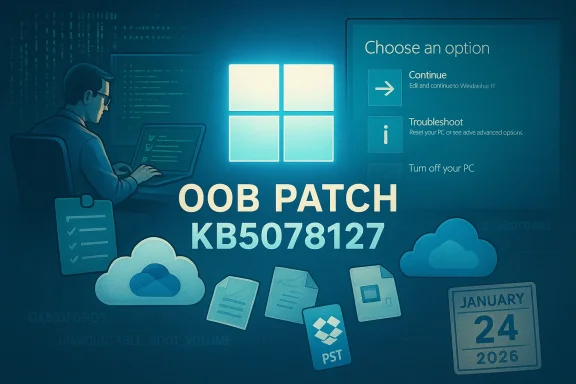
- January 17, 2026 — Microsoft issued targeted out‑of‑band (OOB) cumulative packages (notably KB5077744 and KB5077797) to correct the most disruptive regressions (Remote Desktop sign‑in failures, Secure Launch restart behaviour for some SKUs) and included Known Issue Rollback (KIR) guidance for enterprises. Those OOB KBs are cumulative and bundle a servicing stack update as well.
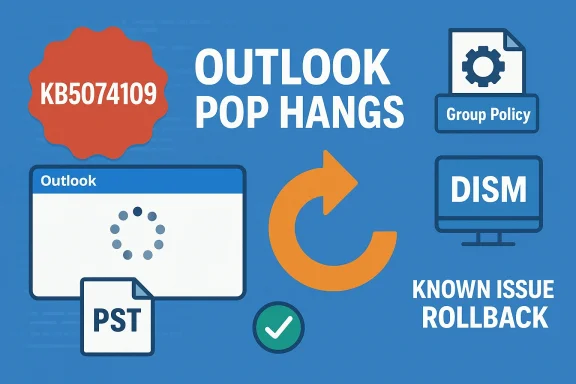
- Mid‑ to late‑January 2026 — Microsoft continued investigating the Outlook POP hang; short‑term mitigations (KIR, Group Policy deployment for enterprises, uninstalling the LCU via DISM where necessary) were documented while engineering pursued a permanent fix. Many administrators advised using web fallbacks (Outlook on the web) and updating third‑party sync clients (for example, Google Workspace Sync for Microsoft Outlook) where interactions were suspected.
Who was affected — scope and patterns
- Primary impact: classic Outlook (Win32) profiles using POP3 and local PST stores. Those setups remain common in small businesses and ISPs that host mailboxes with POP/SMTP access. Microsoft’s advisory specifically calls out POP account profiles as the principal surface for the hang behavior.
- Secondary / related problems: interactions with third‑party sync tools (for example, older Google Workspace Sync for Microsoft Outlook versions), which in other threads caused Outlook to fail to start after OS upgrades; and separate Outlook client build regressions that hindered opening Encrypt Only messages. These show the update damage was not purely internal to Windows code but exposed fragile boundaries between OS servicing, Outlook client builds and third‑party add‑ins.
- Device types and branches: while the POP hang was concentrated in 24H2/25H2 installs of KB5074109, other regressions (Secure Launch restart) were concentrated on specific SKUs and configurations—especially enterprise images that enforce Secure Launch and other System Guard protections. The pattern is configuration dependent: not all users who installed KB5074109 experienced failures.
Technical analysis: how an update like KB5074109 can break Outlook
Modern Windows servicing practices bundle changes in ways that raise the risk surface for regressions that appear unrelated to the update’s stated goals. Several technical realities help explain why an update designed to fix NPU power and Secure Boot handling could affect a desktop mail client:- SSU + LCU bundling changes uninstall semantics. Microsoft now commonly packages Servicing Stack Updates (SSUs) together with Latest Cumulative Updates (LCUs). SSUs modify the very mechanics of how updates are applied and cannot be removed independently via the usual wusa.exe uninstall path. As Microsoft’s KB notes, removing the LCU after an SSU‑LCU combined package can require DISM with the explicit package name; the SSU itself cannot be uninstalled via wusa. That complicates rollback strategies and means residual servicing stackhanges may persist even after partial removal attempts.
- Low‑level service and timing interactions. Classic Outlook’s MAPI stack, PST file handling and add‑in hooks interact with kernel and user‑mode services (antivirus scanners, cloud sync agents, device drivers). A servicing change that alters timing, file handle semantics or authentication flows can in practice create a deadlock or resource contention that prevents proper MAPI unload or profile closure. Community debugging pointed at AV hooks and third‑party sync agents as amplifiers for some failures, though the definitive root cause inside Microsoft’s servicing code was not published publicly at the time of the advisory. That means the exact single line of code responsible remained internal to Microsoft’s triage.
- Third‑party dependencies and vendor interactions. The separate GWSMO (Google Workspace Sync for Microsoft Outlook) compatibility failures that blocked the 24H2 upgrade underscore that update safety is an ecosystem problem. An OS change can make old vendor agents incompatible, leaving Outlook non‑functional, and a purely Microsoft patch might look at fault while the root cause involves an external client’s assumptions. Microsoft’s response in that case was to apply a safeguard hold until vendors delivered compatible updates.
- Parallel client regressions multiply the pain. Even if KB5074109 had no direct code path into Outlook’s encryption handling, a concurrent Outlook Current Channel regression (Encrypt Only messages) meant that organizations using the desktop client and relying on encrypted mail faced multiple independent failure modes at once. That increased support load and confusion.
Mitigations and practical guidance (what users and admins should do now)
The trade‑off is stark: restoring productivity quickly vs. preserving a device’s security posture. These steps aim to minimize both risk and downtime.Immediate steps for home users and small offices
- Confirm whether KB5074109 is installed: run winver or check Settings → Windows Update → Update history. Look for OS build numbers 26100.7623 or 26200.7623.
- If you suffer Outlook hangs, try the least invasive remediation first:
- Run Outlook in Safe Mode (outlook.exe /safe) to test for add‑in conflicts.
- Kill lingering OUTLOOK.EXE processes manually (Task Manager → Details or taskkill /f /im outlook.exe) and then restart Outlook.
- Use Outlook on the web (OWA) or a mobile client as a stopgap while desktop issues are resolved.
- If other mitigations fail and desktop Outlook must be restored immediately, note that uninstalling the LCU may remediate the immediate usability problem—user reports show this works—but it reduces installed security updates and may not remove the SSU. If you choose to uninstall, follow Microsoft’s guidance carefully and pause updates until a confirmed fix is installed.
Recommended actions for IT administrators and MSPs
- Inventory and impact analysis:
- Identify devices that installed KB5074109 and locate users with POP/PST profiles or outdated sync agents such as older GWSMO builds.
- Determine which devices enforce Secure Launch or other enterprise policies that can produce configuration‑specific regressions.
- Known Issue Rollback (KIR) and Group Policy:
- Microsoft published KIR artifacts and documented specific Group Policy package names for affected Windows branches; deploy KIR selectively into affected rings to avoid wholesale rollback. Using KIR avoids removing the LCU and is the preferred enterprise mitigation for many scenarios.
- Staged remediation:
- Apply Microsoft’s out‑of‑band KBs (for example KB5077744 / KB5077797) to resolve Remote Desktop and Secure Launch regressions where applicable.
- If Outlook POP hangs persist, coordinate with the security team before uninstalling the LCU—consider isolating affected endpoints and applying temporary workarounds (web clients, remote mail relays) while managing the security tradeoffs.
- Update third‑party agents:
- Ensure sync clients and AV/EDR agents are updated to vendor‑supported versions; for GWSMO, Microsoft documented a compatibility hold that was resolved after updating the sync client. Vendor updates can remove incompatibilities without sacrificing Windows updates.
- Communication:
- Inform users about the expected behavior (use web clients, save drafts locally, don’t force‑kill PST files unless necessary) and maintain an incident playbook for rollback and recovery actions.
Microsoft’s response and the emergency updates
Microsoft’s public reactions followed a standard pattern: acknowledge, investigate, advise short‑term mitigations and then ship corrective code. The vendor acknowledged the Outlook POP hangs via a support advisory on January 15, 2026 and identified KIR / Group Policy mitigations and the ongoing investigation. For the Remote Desktop and Secure Launch regressions, Microsoft released two out‑of‑band cumulative packages on January 17, 2026—KB5077744 for 24H2/25H2 and KB5077797 for 23H2—which explicitly list fixes for Remote Desktop sign‑in failures and Secure Launch restart behaviour. The KB pages also describe that these OOB updates are cumulative and include updated servicing stacks. That said, not all regressions were instantly fixed by the first round of OOB packages: the Outlook POP hang was catalogued as an ongoing investigation and Microsoft continued to gather telemetry and community reports. The vendor’s approach—combining SSU and LCU, then offering KIR and OOB packages—reflects a pragmatic response but also underscores the operational friction introduced by modern servicing mechanics.Strengths, weaknesses and risks exposed by this incident
Notable strengths
- Rapid detection and public acknowledgment. Microsoft publicly documented the Outlook symptoms and marked the behavior as investigating within days, giving admins official status to guide mitigations.
- Out‑of‑band fixes for critical regressions. The company pushed cumulative OOB KBs quickly to address the highest‑impact issues—Remote Desktop and Secure Launch—reducing operational exposure for many enterprise use cases.
- KIR tooling reduces the need for dangerous uninstalls. Known Issue Rollback provides an enterprise‑friendly path for reversing problematic changes without removing security updates.
Notable weaknesses and risks
- Bundled SSU + LCU complicates rollback. Because SSUs modify servicing behavior and are now commonly bundled with LCUs, administrators may find simple uninstall strategies ineffective or risky. The inability to remove an SSU via wusa means rollback often requires more invasive DISM operations or reliance on KIR.
- Ecosystem fragility. The interaction between OS changes and third‑party agents (AV, sync clients) remains a major source of breakage. Filesystem and authentication timing changes can cascade into widely used desktop apps like Outlook, where thousands of small client configurations exist.
- Perception and operational cost. Frequent high‑impact regressions erode trust in monthly rollups and increase the burden on help desks, particularly for smaller organizations that rely on the desktop Outlook client and have fewer IT resources. Community sentiment showed many users electing to uninstall updates despite the security risk.
Recommendations for a more resilient patching strategy
- Adopt a layered staging approach: pilot updates in small, representative rings (including machines with legacy clients and PST files) before broad deployment.
- Keep vendor‑provided agents (GWSMO, AV/EDR, backup agents) current and test them in pilot rings against combined SSU + LCU packages.
- Use Known Issue Rollback and Group Policy deployment rather than wholesale uninstall when possible; KIR is less likely to strip security fixes and is quicker to deploy to affected rings.
- Build and maintain a clear incident playbook: how to check winver/build, capture logs (CBS/DISM), and fall back to web clients or alternate access methods while fixes are rolled out.
- Automated telemetry and health signals should include application‑level probes for business‑critical apps like Outlook, so regressions can be detected by functional monitoring before broad rollouts.
Final analysis and outlook
This incident is a cautionary tale about the complex trade‑offs of fast, cumulative servicing models. Microsoft moved quickly to remediate the worst regressions and offered enterprise mitigations, but the event highlighted the fragility of legacy desktop setups (POP/PST profiles), the practical consequences of SSU packaging changes and the danger posed by third‑party integrations that weren’t re‑validated against a modified servicing stack.For most organizations, the immediate lesson is operational: stage, test, and keep a rollback/mitigation path ready that does not compromise security. For Microsoft, the challenge is to keep up the cadence of fixes while further tightening pre‑release testing to catch interactions between servicing stack changes and common desktop workloads.
A measured closing point: the observable facts—Microsoft’s KB pages, the OOB KBs and the company’s public advisories—document the timeline and the mitigations available; what remains opaque is the exact internal root cause line in the servicing code that caused Outlook’s POP hang. Until Microsoft publishes a detailed post‑mortem, operators must rely on the documented workarounds (KIR, OOB packages) and cautious patch governance to reduce the chance of similar disruptions in future.
Source: Inbox.lv Windows Update Accidentally Broke Microsoft Program

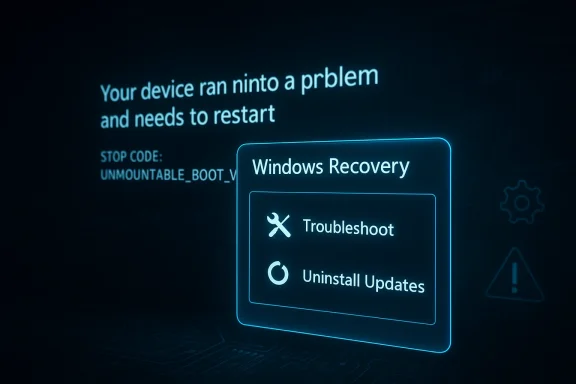
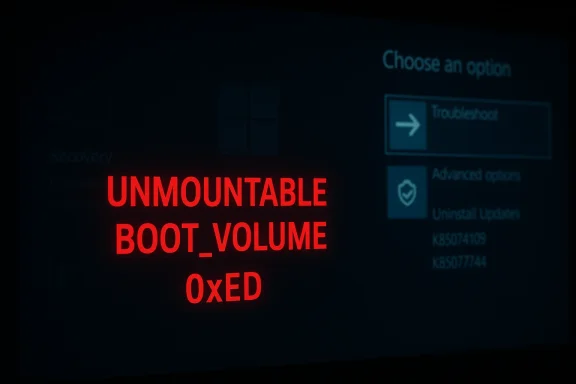
 , or BCD repair commands (bootrec /fixmbr, bootrec /fixboot, bootrec /rebuildbcd). These are standard recovery steps but may not always succeed depending on root cause.