Microsoft has quietly closed a years‑old hole in Windows shortcut handling that security researchers say was being steadily abused by nation‑state espionage groups and cybercriminals to hide malicious commands in plain sight. The issue, tracked as CVE‑2025‑9491 (also published earlier as ZDI‑CAN‑25373 by Trend Micro’s Zero Day Initiative), lets crafted .lnk shortcut files conceal harmful command‑line arguments by padding them with whitespace or non‑printing characters so the Windows Properties UI displays a benign or truncated Target field — a deceptively simple trick that turns everyday shortcuts into delivery vehicles for multi‑stage malware.
Windows shortcuts (.lnk files) are a long‑standing convenience feature in the OS, designed to store a pointer and optional command‑line arguments that run when the user double‑clicks the file. The weakness behind CVE‑2025‑9491 is not a buffer overflow or a memory corruption — it’s a user‑interface misrepresentation. Attackers discovered they could craft extraordinarily long Target strings (the file format supports very large argument fields) and then hide the malicious portion from the shell’s Properties dialog by padding with whitespace or other invisible characters. Casual inspection would show an innocuous binary or nothing at all, while double‑clicking executed the full, malicious command. Trend Micro’s ZDI team documented almost a thousand malicious samples dating back to 2017, and traced reuse of the technique across a wide set of actors and campaigns. This is a pure social‑engineering amplifier: the exploit requires a user action (opening the shortcut) but dramatically increases the likelihood of user error because the UI is designed to help — not to be a forensic viewer. Attackers often delivered .lnk files inside ZIP archives or via web downloads (bypassing some mail filters) and wrapped the payload in diplomatic‑themed or otherwise trustworthy lures to encourage interaction. Arctic Wolf Labs observed a notable case in late 2025 where a China‑linked group known as UNC6384 (Mustang Panda) used the weakness in spear‑phishing campaigns against European diplomatic entities and delivered PlugX via DLL sideloading.
Fixing such issues means marrying UX with threat modeling: make dangerous conditions visible, but also enforce protective defaults — warnings, truncation, or outright blocking for suspicious constructs. Microsoft’s UI change helps, but defenders and vendors should aim for broader mitigations that do not depend solely on user vigilance. The 0patch micropatch’s more assertive approach highlights one operational path: automated enforcement paired with clear warnings.
The CVE‑2025‑9491 saga highlights three enduring truths about enterprise security: attackers will weaponize even small usability gaps; vendor classifications (vulnerability vs. bug) matter operationally because they determine how fixes are delivered; and layered defenses — proactive blocking, robust detection, and fast patching — remain the only reliable way to keep targeted espionage campaigns from turning into long‑term compromises. Agencies and organizations that handle high‑value, sensitive information should assume past exposure is possible, hunt accordingly, and prioritize the combination of patching, policy enforcement and telemetry hunts until the window of compromise has closed across their fleets.
Source: theregister.com Microsoft fixes Windows shortcut flaw exploited for years
 Background / Overview
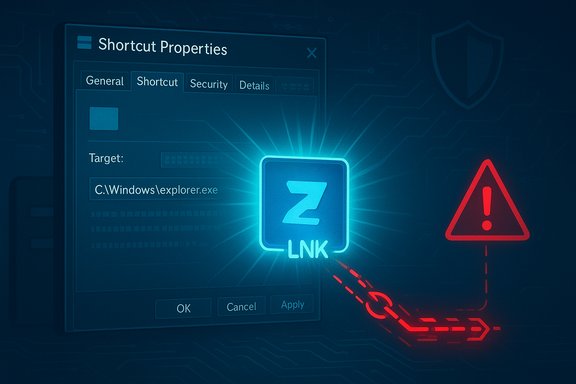
Windows shortcuts (.lnk files) are a long‑standing convenience feature in the OS, designed to store a pointer and optional command‑line arguments that run when the user double‑clicks the file. The weakness behind CVE‑2025‑9491 is not a buffer overflow or a memory corruption — it’s a user‑interface misrepresentation. Attackers discovered they could craft extraordinarily long Target strings (the file format supports very large argument fields) and then hide the malicious portion from the shell’s Properties dialog by padding with whitespace or other invisible characters. Casual inspection would show an innocuous binary or nothing at all, while double‑clicking executed the full, malicious command. Trend Micro’s ZDI team documented almost a thousand malicious samples dating back to 2017, and traced reuse of the technique across a wide set of actors and campaigns. This is a pure social‑engineering amplifier: the exploit requires a user action (opening the shortcut) but dramatically increases the likelihood of user error because the UI is designed to help — not to be a forensic viewer. Attackers often delivered .lnk files inside ZIP archives or via web downloads (bypassing some mail filters) and wrapped the payload in diplomatic‑themed or otherwise trustworthy lures to encourage interaction. Arctic Wolf Labs observed a notable case in late 2025 where a China‑linked group known as UNC6384 (Mustang Panda) used the weakness in spear‑phishing campaigns against European diplomatic entities and delivered PlugX via DLL sideloading. What was the practical impact?
How an attacker weaponized .lnk files
- Attackers created a .lnk with a long Target string that included benign path fragments visible in the UI and hidden, padded malicious command‑line arguments.
- The victim receives the file — commonly inside a ZIP or via a crafted link — and inspects the file properties (or merely opens it).
- When executed, the full argument string runs (PowerShell decode/execute chains are common), dropping obfuscated scripts and additional stages that fetch and load a final payload (PlugX, Gh0st, Ursnif, Trickbot, etc..
- DLL sideloading of legitimate, signed binaries (printer utilities, helper apps) gives the malware a stealthy execution path and persistence.
Why standard defenses failed
- Many email gateways and consumer email clients block or flag direct .lnk attachments, so attackers moved them into archives or remote links to evade filters.
- The Properties UI truncation or hiding behavior meant even security‑conscious users who checked the Target field could be misled.
- Signature‑based AV can miss obfuscated PowerShell or multi‑stage loaders that unfold only at runtime.
- The attack chain typically used legitimate, signed binaries for DLL sideloading — a classic living‑off‑the‑land approach that reduces noisy artifacts and detection signals.
What changed — Microsoft’s silent mitigation
In November 2025 Patch Tuesday updates Microsoft altered the behavior of the Explorer Properties dialog so the full Target string (including previously hidden characters) is shown rather than being quietly truncated. Multiple vendors and watchers picked up that this change effectively reveals previously concealed arguments when a user inspects a shortcut, closing the primary avenue of obfuscation attackers relied upon. The change arrived without fanfare in the cumulative updates and was described by third parties as a “silent mitigation.” Third‑party micropatch vendor ACROS Security — the team behind the 0patch platform — had already released an unofficial countermeasure that goes further: it trims or blocks Target strings longer than 260 characters when Explorer is the process opening the file and raises an explicit warning to the user. 0patch argues this approach more directly neutralizes the hundreds-to‑thousands of malicious LNK files Trend Micro documented, while Microsoft’s UI change merely makes the hidden data visible (which helps a vigilant user but leaves many practical gaps).Microsoft’s position
Microsoft initially regarded the condition as a UI issue rather than a security bug requiring urgent servicing, noting that user interaction is required and that Defender, Smart App Control, and file warnings provide mitigations. The company’s public messaging emphasized that its telemetry and Defender detections were focused on this threat activity while promising to “consider addressing” the UI behavior in feature updates. After the November update, Microsoft told reporters that it regularly improves product and UI behavior to reduce risk and encourages caution when handling files from unknown sources. Several security outlets quote Microsoft’s advisory language and echo that Microsoft did not classify the issue as a vulnerability in the same way other severe memory corruption bugs get handled.Cross‑verification and what’s been confirmed
Key, verifiable facts supported by multiple independent sources:- ZDI / Trend Micro first documented this .lnk abuse and assigned it ZDI‑25‑148 (ZDI‑CAN‑25373), later tracked as CVE‑2025‑9491. ZDI published an advisory describing the UI misrepresentation and providing the technical details.
- Trend Micro’s analysis discovered nearly 1,000 malicious .lnk samples dating back to 2017 and reported that 11 state‑sponsored groups (from North Korea, Iran, Russia, China, and others) reused the technique. Multiple industry writeups repeated these figures.
- Arctic Wolf Labs published a detailed case study showing UNC6384 (Mustang Panda) weaponized the LNK method to deploy PlugX against European diplomatic targets in fall 2025. That campaign used spear‑phishing, obfuscated PowerShell, and DLL sideloading via legitimate signed binaries.
- Independent observers (0patch, BleepingComputer, The Hacker News, The Register) identified that Microsoft’s November 2025 cumulative updates modified the LNK Properties UI to expose the full Target string and that 0patch already offered an alternate, more intrusive micropatch.
- Microsoft maintained that Defender and Smart App Control provide layered mitigations and that the issue did not merit a conventional, headline security bulletin at the time it was raised — a stance it reiterated in communications quoted by multiple outlets.
Technical analysis — strengths and limitations of the mitigation
What the November change accomplishes
- Visibility: Explorer’s properties dialog now displays the full Target string so hidden payloads are no longer purposely unseen by anyone who inspects the field.
- Operational friction for attackers: The basic obfuscation trick no longer reliably hides malicious arguments from casual, manual inspection.
- Low deployment friction: Because it was included in cumulative updates, many enterprise devices will receive the behavior change via normal update plumbing.
What the change does not solve
- It does not remove the malicious arguments. The arguments remain present in the file and will execute if the user double‑clicks the shortcut. Visibility helps only if a user inspects the field and notices the danger.
- User behavior gap: Most users do not open Properties or inspect the full command before double‑clicking. Even skilled users may miss long single‑line command strings that require manual scrolling to read. The UX remains poor for long command strings.
- No automatic warning or block: Microsoft’s change stops short of forcibly truncating, blocking, or warning on unusually long Target fields; the 0patch micropatch does that, but it’s a third‑party solution and not an official Microsoft fix.
- Existing compromises: Systems already compromised by campaigns using this trick remain at risk independent of the UI change. The mitigation is preventative for new user‑facing deception, not a forensic disinfector for already‑infected hosts.
Security tradeoffs and practicality
The vendor calculus here is instructive. Microsoft’s servicing policy weighs the severity, exploitability, and the requirement for user interaction. That bar influences whether a bug becomes an urgent, out‑of‑band security bulletin or is addressed as a functional/UX change in routine updates. The practical result: a partial fix arrived under the guise of product quality, not as a security emergency. That can be appropriate operationally, but defenders must not treat the change as a full remediation.Operational guidance for admins and defenders
The remediation and hardening checklist below prioritizes immediacy and detection; it assumes the Microsoft UI change will roll out but warns that the threat persists until all endpoints are updated and past compromises are hunted for.Immediate (first 24–72 hours)
- Patch urgently: deploy Microsoft’s November cumulative updates across your estate and confirm update history for critical hosts (workstations, diplomatic/off‑sensitive user groups). Treat the change as an immediate configuration improvement.
- Quarantine .lnk attachments: update mail gateway rules to block or quarantine .lnk files and archives that contain them. Convert or strip .lnk attachments at the gateway when possible.
- Disable preview panes and thumbnailing: turn off automatic preview panes in Outlook/File Explorer on sensitive endpoints to reduce accidental triggering.
- Enable ASR rules and App Control: apply Microsoft Defender Attack Surface Reduction rules and consider enforcing AppLocker/WDAC policies for high‑value users to block PowerShell or Explorer spawns of suspicious child processes.
Hunting and detection
- Hunt for Explorer → PowerShell chains where Explorer.exe spawns powershell.exe with base64‑encoded or obfuscated scripts.
- Search for DLL sideloading patterns involving legitimate signed binaries invoking unusual module loads (Canon utilities have been observed in some campaigns).
- Look for outbound C2 metadata and staging activity involving tar/decoder sequences, certutil/curl/cmd patterns, and scheduled task creation following .lnk execution.
Medium term (weeks)
- Deploy 0patch or other micropatch solutions if you cannot rely on vendor updates or have legacy systems out of support, but evaluate compatibility carefully. 0patch’s approach actively limits the attack surface by truncating or warning on overly long Targets in Explorer processes.
- Expand EDR telemetry retention and memory capture for suspected targets to enable post‑exploit artifact analysis.
- Provide targeted user education for groups more likely to receive spear‑phishing (diplomatic, legal, procurement teams): treat .lnk‑in‑archives as high‑risk and verify invites/attachments through alternate channels.
Incident response
- If compromise is suspected, isolate the host, collect volatile memory, and examine scheduled tasks, Service creation, and persistence artifacts associated with PlugX and similar RAT families.
- Rebuild if evidence of stealthy DLL sideloading or in‑memory persistence is present; these artifacts are hard to reliably clean without full reimage and credential rotation.
Attribution, scale and unverified claims — cautionary flags
Several public reports and vendor write‑ups attribute use of the LNK technique to a long list of APTs and criminal groups. Trend Micro’s discovery cited reuse by 11 state‑sponsored groups since 2017; Arctic Wolf’s later research tied UNC6384/Mustang Panda to targeted PlugX deployments in Europe. These attributions are credible when corroborated by malware telemetry, infrastructure overlaps and TTPs — but attribution details often evolve as new forensic evidence emerges. Treat long‑tail actor lists as likely but keep an appetite for further forensic confirmation in each incident. A second caution: public sample counts (e.g., “nearly 1,000 samples”) are useful signals but are not a complete measure of operational prevalence. Sample counts depend on who’s collecting telemetry, what feeds they have, and how samples are classified. Use such numbers as directional indicators of scale rather than precise prevalence measures.The policy lesson — UI, usability and security
CVE‑2025‑9491 is an instructive example of how usability decisions can become security problems when adversaries rely on human assumptions. The shell’s Properties dialog was never intended as a security control; it’s an interface convenience. When attackers rely on user heuristics (e.g., “I checked the Target and it looked safe”), the resulting failure is a human‑machine interface (HMI) vulnerability.Fixing such issues means marrying UX with threat modeling: make dangerous conditions visible, but also enforce protective defaults — warnings, truncation, or outright blocking for suspicious constructs. Microsoft’s UI change helps, but defenders and vendors should aim for broader mitigations that do not depend solely on user vigilance. The 0patch micropatch’s more assertive approach highlights one operational path: automated enforcement paired with clear warnings.
Final assessment: what defenders should take away
- The primary LNK concealment technique that powered years of stealthy espionage and crime is substantially less effective now that Explorer reveals full Target strings; this reduces the ease of social‑engineering success.
- The risk is not eliminated. Attackers can adapt; the malicious arguments still execute unless the file is blocked, truncated, or the user is prevented from double‑clicking. Legacy and unpatched endpoints remain a major vector.
- Detection, email gateway hardening, and incident hunting are still essential. Because many intrusions using this technique led to persistent footholds (PlugX via DLL sideloading), organizations should treat suspicious LNK activity as potentially indicative of follow‑on compromise and investigate thoroughly.
- Third‑party micropatches are a viable interim tool for environments that cannot update immediately, but they carry their own operational and compatibility tradeoffs. Evaluate them against risk tolerances and test in staging first.
The CVE‑2025‑9491 saga highlights three enduring truths about enterprise security: attackers will weaponize even small usability gaps; vendor classifications (vulnerability vs. bug) matter operationally because they determine how fixes are delivered; and layered defenses — proactive blocking, robust detection, and fast patching — remain the only reliable way to keep targeted espionage campaigns from turning into long‑term compromises. Agencies and organizations that handle high‑value, sensitive information should assume past exposure is possible, hunt accordingly, and prioritize the combination of patching, policy enforcement and telemetry hunts until the window of compromise has closed across their fleets.
Source: theregister.com Microsoft fixes Windows shortcut flaw exploited for years