

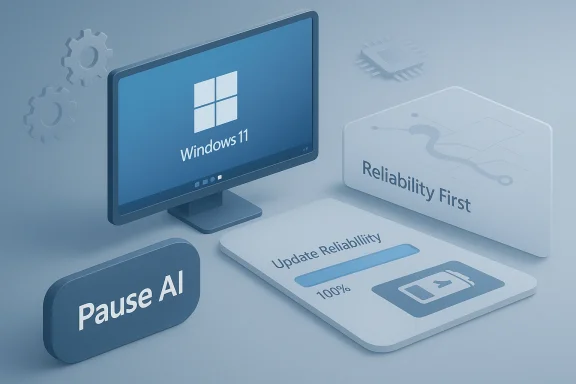
Microsoft's recent internal pivot — asking Windows 11 engineering teams to pause or de-prioritize new AI-centric features and instead concentrate on fixing long-standing reliability and performance problems — marks a notable recalibration in the company's desktop strategy and raises important questions about product priorities, engineering trade-offs, and the path forward for a flagship operating system used by billions.
Background
Over the past two years Microsoft has made AI a central narrative across product lines, promising to bring generative capabilities, assistant-driven workflows, and context-aware features directly into Windows. Those announcements dovetailed with a broader industry surge in AI-powered consumer features, and Microsoft invested heavily in marketing, previews, and developer tooling that suggested Windows would evolve into an AI-first platform.At the same time, a significant portion of the Windows user base — from individual consumers on older laptops to enterprise fleets managed by IT teams — has continued to experience persistent issues: unpredictable update behavior, sporadic performance regressions, inconsistent battery life on mobile devices, and UI regressions introduced after major releases. The combination of rising expectations around AI and the steady stream of user complaints about core OS stability appears to have precipitated an internal course correction. Engineering teams are now being directed to prioritize foundational fixes that directly affect day-to-day user experience over rolling out experimental AI surface areas.
This article examines what that shift means technically and strategically, evaluates likely impacts for consumers and enterprise customers, and highlights potential risks and trade-offs Microsoft will face as it rebalances the roadmap.
Why "Back to Basics" — The practical drivers
Microsoft's move is pragmatic. Several operational realities likely drove the decision to stop adding, or to postpone, certain AI-first features in favor of improving fundamentals:- User sentiment and trust: When baseline reliability is in question, introducing new, high-visibility AI features can come across as tone-deaf. Users who experience crashes, slowdowns, or interrupted workflows are unlikely to welcome novelty until core behaviors are predictable.
- Enterprise procurement sensitivity: Enterprises prize stability, manageability, and predictability. If Windows 11 releases create more help-desk tickets or complicate patch cycles, IT decision-makers may delay or avoid upgrades — an outcome that harms Microsoft’s long-term platform adoption.
- Engineering resource constraints: Building and integrating AI features—especially tightly coupled system-level ones—consumes significant engineering, QA, and telemetry bandwidth. Prioritizing AI while unresolved regressions persist can increase support costs and degrade long-term product health.
- Reputational risk: High-profile AI launches that under-deliver or expose users to privacy/performance issues can have outsized reputational damage compared with steady incremental improvements to reliability.
What Microsoft wants fixed — the technical priorities
According to reports and internal signals, Microsoft has asked developers to focus on a set of concrete areas. Each of these is both technically complex and materially important to daily use.1. System performance and responsiveness
Windows sits on an enormous variety of hardware, from ultrabooks and ARM-based devices to multi-core desktops. Performance complaints often relate to:- Slow app launch times
- Long or erratic background task behavior
- Memory-pressure handling and paging
- Latency spikes during I/O-heavy operations
2. Update reliability and stability
Windows cumulative and feature updates remain a primary vector of user frustration. Key failure modes include:- Installation failures and rollbacks after feature updates
- Partial updates leaving systems in inconsistent states
- Unscheduled reboots that interrupt workflows
- Incompatibilities with OEM drivers or third-party security software
3. Battery and power management
Battery life remains a critical differentiator for laptops and convertibles. Users have reported inconsistent battery behavior after OS updates or in specific scenarios (e.g., background sync, modern standby). Improvements will likely target:- Power scheduler enhancements to reduce wakeups and background CPU use
- Tighter integration with hardware power states and firmware hints
- Power-aware scheduler decisions for mixed workloads
- Better telemetry to identify apps and drivers that cause excessive drain
4. Core UI and usability polish
Rather than adding more AI widgets and assistant surfaces, the directive emphasizes polishing existing UI flows: context menus, settings discoverability, consistent animations, accessibility regressions, and keyboard/mouse responsiveness. These details directly affect daily productivity and accessibility, and fixing them improves the perceived quality of the platform across millions of interactions.Strategic implications: short-term and long-term
This reprioritization has wider strategic implications for Microsoft, partners, and users.For Microsoft’s product strategy
Short-term, the shift reduces the risk of feature-bloat and public missteps tied to nascent AI integrations. It signals a more conservative posture that privileges reliability — an appealing message to corporate customers and to users on older hardware.Long-term, the company faces a genuine balance: delivering convincing AI functionality that materially improves workflows will require deep integration with the OS. If Microsoft delays the AI surface too long, it risks ceding innovation leadership (or at least the perception of it) to competitors who ship AI features faster. Conversely, shipping AI before core stability is achieved risks adding new attack surfaces and bigger customer support headaches.
For OEMs and hardware partners
OEMs will welcome a stronger stability focus. Hardware vendors bear much of the support burden when updates create regressions, and they rely on Microsoft to maintain a stable baseline. Better update reliability and power management improvements reduce return rates and support overhead.At the same time, OEMs that invested in AI-capable silicon or co-engineered features with Microsoft may face delays in seeing benefits materialize to end users.
For enterprise buyers and IT operations
Enterprise customers often prioritize security, manageability, and lifecycle predictability. A Microsoft that takes time to address core issues improves enterprise confidence in upgrade schedules, patch management, and device servicing. This will likely smooth Windows adoption cycles in corporate environments and could reduce help-desk workload — a measurable ROI for IT budgets.However, administrators who planned to leverage AI features for productivity gains may see that roadmap shift, requiring reassessment of expected timelines and training plans.
Benefits users are most likely to see
If Microsoft follows through on these engineering priorities, end users should experience tangible improvements that matter in everyday use:- Faster app launches and snappier UI interactions, especially on older hardware.
- Fewer failed updates and unwanted reboots, reducing downtime and lost productivity.
- Improved battery life on laptops, leading to longer real-world use between charges.
- More consistent UI behavior and fewer regressions, assisting accessibility and discoverability.
- Lower incidence of system crashes and application hangs, with clearer recovery paths.
Risks and trade-offs
Pausing AI feature rollouts is not without consequence. Microsoft will need to manage several risks carefully.1. Momentum loss in AI innovation
AI development in OS context requires continuous iteration. A prolonged pause could slow progress, complicate integrations with cloud services, and give competitors breathing room. Time-to-market matters, and delaying features can create perception gaps even if the final product is more polished.2. Organizational friction and morale
Shifting engineering priorities at scale can create friction. Teams working on novel AI experiences may be disappointed or demoralized if their work is deprioritized. Reallocating resources requires careful communication and leadership to keep long-term projects aligned and preserve institutional knowledge.3. Expectations management with customers and press
Microsoft must manage external narratives: it touted AI heavily, and reversing course risks seeming inconsistent. The company will need to be transparent about timelines and concrete about what fixes are being made, while avoiding overstating impact or promising immediate miracles.4. Security and privacy of deferred AI features
Some AI features might include stronger privacy protections baked into design. Delaying them could postpone privacy-preserving capabilities, leaving users dependent on older, less-protected workflows. Conversely, rushing AI without the right safeguards would heighten privacy risk.5. Complexity of root-cause fixes
Many user-facing problems stem from third-party drivers, firmware, and kernel interactions beyond a single team’s control. Fixing these requires collaboration across a vast partner ecosystem, and not all regressions are straightforward to resolve. Microsoft will need to invest in telemetry, partner engineer outreach, and richer test matrices to ensure durable gains.How Microsoft should execute this shift — practical recommendations
If the goal is to restore trust and deliver measurable improvements, the execution must be disciplined and transparent. The following are practical steps that would increase the probability of success:- Establish a clear, measurable set of reliability KPIs that teams can report against (e.g., update success rate, crash-free user percentage, median app-launch time).
- Prioritize fixes that benefit the broadest user population rather than edge-case scenarios.
- Expand real-world telemetry sampling to catch regressions on diverse hardware configurations early.
- Strengthen OEM/driver partnerships with a formalized compatibility and certification process tied to feature rollout staging.
- Provide a transparent public roadmap and status updates for the most visible issues to rebuild trust with users and enterprises.
- Carve out a fast-track process for critical security and stability fixes that avoids being crowded out by feature work.
- Maintain parallel R&D lanes for AI features but gate their rollout behind explicit reliability milestones.
What this means for Windows as a platform and for AI in the OS
The decision to slow AI features in favor of fixes does not mean Microsoft is abandoning AI on Windows. Rather, it signals a more cautious integration strategy: build the plumbing right, then layer AI experiences that are reliable, performant, and genuinely useful.Two longer-term forces will influence how this plays out:
- Hardware evolution: AI experiences on-device rely on specialized silicon and power-efficient inference. As OEMs ship more AI-capable processors, Microsoft will increasingly be able to offer local, private, high-performance AI features that align with battery and performance goals.
- Cloud-edge balance: Many generative or assistant experiences depend on cloud models for heavy lifting. Ensuring smooth hybrid execution (local responsiveness with cloud-powered heavy tasks) requires robust networking fallbacks, graceful degradation when offline, and bandwidth-aware features that do not degrade device performance.
How users and IT admins should prepare
For users: Expect a series of cumulative quality-of-life improvements rather than a single spectacular release. Keep devices updated but pay attention to staged rollouts and opt into release preview channels if you want earlier fixes with some risk. For battery-sensitive users, watch for power-management updates and change logs that specify scheduler and standby improvements.For IT admins: Re-evaluate update policies and device baselines. If Microsoft focuses on update reliability, pilot programs should accelerate with a careful staging plan to leverage improved stability. Maintain vigilance for driver compatibility notices from OEMs and security software vendors, and be ready to coordinate with those vendors when updates touch platform components.
The bigger picture: usability over hype
This move reflects a broader theme in tech: after a wave of hype-driven feature launches, users and enterprises increasingly reward dependable, well-engineered products that solve day-to-day pain. AI is powerful and exciting, but if it is delivered on a shaky foundation the net effect can be negative — increasing support costs, diminishing trust, and creating friction where simplicity should reign.Microsoft’s challenge is to adopt a dual mindset: be patient and methodical about platform reliability while continuing to innovate responsibly in AI. Done well, that balance can make AI feel like a natural productivity multiplier rather than a distracting novelty.
Conclusion
Microsoft pausing or slowing visible AI rollouts for Windows 11 to prioritize core reliability and performance is a strategic recalibration that reflects both user feedback and practical engineering realities. Fixes to update reliability, power management, performance, and UI polish may not garner headlines, but they directly improve daily user experience and enterprise manageability.The decision carries trade-offs — notably potential slowing of AI momentum and internal resource friction — but it also offers a path to rebuild trust and create a firmer foundation for future AI capabilities. For users and IT teams, the next months should bring tangible improvements if Microsoft pursues disciplined, measurable engineering and transparent communication.
Ultimately, the smartest approach is not to choose between AI and reliability but to treat them as mutually reinforcing goals: a stable, performant Windows makes AI features more usable and valuable; conversely, thoughtfully integrated AI can help surface problems and optimize resource use when built on a robust platform. If Microsoft follows through, Windows 11 will be a better OS not because it added flashy features, but because it made the things users rely on every day work better — and that will make future innovations truly meaningful.
Source: Trak.in Microsoft Slows Down On AI Upgrade For Windows 11 OS - Trak.in - Indian Business of Tech, Mobile & Startups
