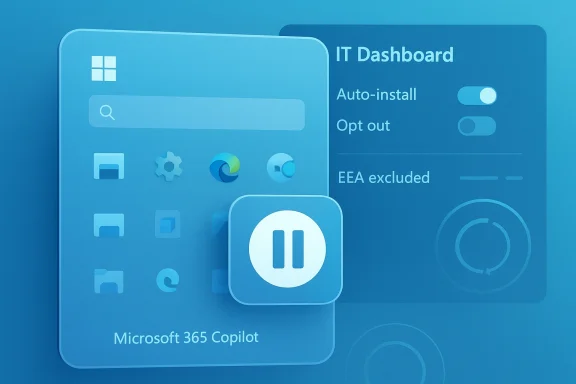
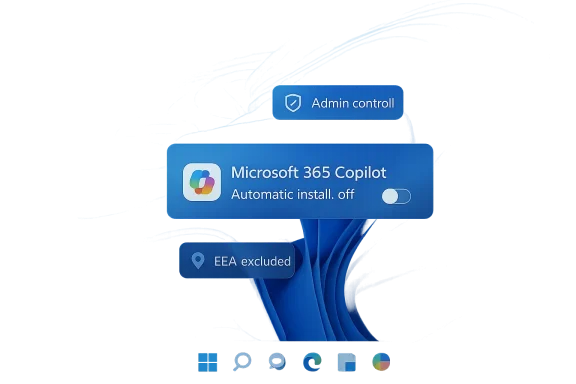
Microsoft’s decision to pause automatic deployment of the Microsoft 365 Copilot app on Windows 11 is a small operational change with outsized symbolic value. It suggests the company is still committed to making Copilot a central part of the Microsoft 365 experience, but it also shows that the “push it everywhere” strategy has collided with real-world admin resistance, especially in commercial environments where software rollout control matters. Microsoft’s own documentation confirms that Windows devices with commercial Microsoft 365 desktop apps were set to install the app automatically, with eligibility tied to Microsoft 365 Apps version 2511 or later, while admins retained an opt-out in the Microsoft 365 Apps admin center. (learn.microsoft.com)
The backlash makes more sense when you separate Microsoft 365 Copilot from the consumer-facing Copilot app bundled into Windows. The Microsoft 365 version is positioned as a work-focused launcher and assistant layer for Office productivity tasks: summarizing documents, helping build PowerPoint presentations, searching cloud files, creating content, and surfacing AI tools for spreadsheets, notes, and meeting workflows. Microsoft also describes the app as the entry point for Microsoft 365 Copilot experiences across the suite, which is why it has become more than just a standalone icon in the Start menu. (learn.microsoft.com)
That distinction matters because enterprise users evaluate software differently from consumers. A casual user may welcome a new AI shortcut, but an IT department sees another managed application, another update path, another policy surface, and another possible source of support tickets. Microsoft’s documentation even notes that the automatic install happens in the background, does not interrupt the user, and is system-wide once provisioned. That may be technically elegant, but it is precisely the sort of silent change that administrators tend to dislike when they did not explicitly ask for it. (learn.microsoft.com)
That strategy may work for Microsoft’s product metrics, but it can trigger a very different reaction from the people who maintain fleets of PCs. The issue is not merely the app itself; it is the precedent. Once one Microsoft app is silently deployed through the Microsoft 365 suite, administrators have to ask what comes next, how it is updated, whether it can be cleanly removed, and whether user choice is shrinking in favor of vendor preference. Microsoft’s own guidance says the automatic install occurs only once and will not reinstall if a user later removes it, which is a useful safeguard, but it does not erase the initial perception of being steamrolled. (learn.microsoft.com)
This is classic Microsoft playbook territory: push aggressively, watch the backlash, then soften the rollout language while preserving the long-term product direction. The company has done similar things around Windows feature changes, taskbar behavior, and AI integration in recent years. The current pause likely reflects the reality that enterprise customers are more influential than internet ridicule, even if the ridicule is memorable. The “Microslop” label may be mocking, but the underlying complaint is serious: too much AI, too quickly, and too often without a clear business need. (learn.microsoft.com)
The most notable technical details are worth spelling out:
That integration-first philosophy is understandable. Microsoft wants Copilot to feel like part of the operating environment, not an app users consciously open once a month. But there is a risk: when every surface becomes an AI surface, the product starts to feel less like productivity software and more like a marketing campaign. For users already skeptical of AI value, that can create fatigue, distrust, and the suspicion that Microsoft is optimizing for adoption statistics rather than actual usefulness. (learn.microsoft.com)
Microsoft is also facing a communications challenge. The company has framed Copilot as a productivity enhancer and a simpler access path to AI features, yet many users experience it as another default app they did not request. Those two realities can coexist, but they produce very different reactions. In consumer software, “more features” can be a selling point. In enterprise software, “more features by default” often feels like an administrative burden. (learn.microsoft.com)
A better approach would be to let organizations opt into Copilot through policy, licensing, or a guided onboarding flow tied to actual usage scenarios. That would align the app with the way enterprise software is typically adopted: not by surprise, but by deliberate business case. Microsoft’s own admin tooling and distribution channels are already capable of that model, which makes the forced-install experiment feel even more unnecessary. (learn.microsoft.com)
That does not mean AI has no place in Windows. It clearly does, particularly in commercial productivity scenarios where document summarization, meeting notes, and content generation can save time. But the delivery mechanism matters. Microsoft seems to be learning that “helpful” only stays helpful when users believe they remain in control. Once the control story breaks, the feature story becomes harder to sell. (learn.microsoft.com)
For businesses evaluating Copilot, the pause is an opportunity. It gives them time to assess whether the app genuinely improves employee productivity or merely adds another layer of interface clutter. The most valuable deployments will be the ones tied to clear use cases, measured outcomes, and user training—not the ones that rely on quiet installation and hope. Microsoft may still make Copilot a core part of the Windows and Microsoft 365 story, but this week’s retreat is a reminder that even a giant company cannot fully automate acceptance.
Source: Windows Latest Microsoft says it won't auto install Microsoft 365 Copilot app on Windows 11, likely due to outrage over 'Microslop'
 Background: what Microsoft 365 Copilot actually is
The backlash makes more sense when you separate Microsoft 365 Copilot from the consumer-facing Copilot app bundled into Windows. The Microsoft 365 version is positioned as a work-focused launcher and assistant layer for Office productivity tasks: summarizing documents, helping build PowerPoint presentations, searching cloud files, creating content, and surfacing AI tools for spreadsheets, notes, and meeting workflows. Microsoft also describes the app as the entry point for Microsoft 365 Copilot experiences across the suite, which is why it has become more than just a standalone icon in the Start menu. (learn.microsoft.com)That distinction matters because enterprise users evaluate software differently from consumers. A casual user may welcome a new AI shortcut, but an IT department sees another managed application, another update path, another policy surface, and another possible source of support tickets. Microsoft’s documentation even notes that the automatic install happens in the background, does not interrupt the user, and is system-wide once provisioned. That may be technically elegant, but it is precisely the sort of silent change that administrators tend to dislike when they did not explicitly ask for it. (learn.microsoft.com)
Why the rollout became controversial
Microsoft’s plan was not happening in a vacuum. The company has spent the past year weaving Copilot more deeply into Windows 11, Microsoft 365, and related admin surfaces, including changes to the Copilot key behavior and taskbar access points on managed devices. Microsoft also states that the Microsoft 365 Copilot app can be enabled automatically after certain Windows updates if a group policy has not already prevented installation. In other words, the product has been moving from “available” to “present by default” in ways many organizations interpret as forced adoption. (learn.microsoft.com)That strategy may work for Microsoft’s product metrics, but it can trigger a very different reaction from the people who maintain fleets of PCs. The issue is not merely the app itself; it is the precedent. Once one Microsoft app is silently deployed through the Microsoft 365 suite, administrators have to ask what comes next, how it is updated, whether it can be cleanly removed, and whether user choice is shrinking in favor of vendor preference. Microsoft’s own guidance says the automatic install occurs only once and will not reinstall if a user later removes it, which is a useful safeguard, but it does not erase the initial perception of being steamrolled. (learn.microsoft.com)
Microsoft’s pause is a tactical retreat, not a cancellation
The most important detail is that Microsoft has temporarily disabled the automatic installation rather than ending it. Microsoft’s guidance still describes the feature as part of the Microsoft 365 Apps experience, and the deployment documentation remains live. The company also continues to document opt-out steps, manual deployment options, CDN-based distribution, Store-based installation, and admin controls for organizations that want the app without the silent rollout. That points to a pause for recalibration, not a reversal of strategy. (learn.microsoft.com)This is classic Microsoft playbook territory: push aggressively, watch the backlash, then soften the rollout language while preserving the long-term product direction. The company has done similar things around Windows feature changes, taskbar behavior, and AI integration in recent years. The current pause likely reflects the reality that enterprise customers are more influential than internet ridicule, even if the ridicule is memorable. The “Microslop” label may be mocking, but the underlying complaint is serious: too much AI, too quickly, and too often without a clear business need. (learn.microsoft.com)
The admin problem Microsoft cannot ignore
Enterprise software succeeds when it is predictable. Microsoft’s own documentation shows that the Microsoft 365 Copilot app can be deployed automatically with Microsoft 365 Apps, can also be installed through Intune, Configuration Manager, Group Policy, or other management tools, and can update through either the Microsoft Store or a built-in updater. That flexibility is useful for Microsoft, but it also increases the number of control points administrators must understand and police. (learn.microsoft.com)The most notable technical details are worth spelling out:
- Automatic installation applies to commercial Microsoft 365 desktop apps. (learn.microsoft.com)
- The feature requires Microsoft 365 Apps version 2511 or later. (learn.microsoft.com)
- Devices on the Semi-Annual Enterprise Channel do not automatically install it. (learn.microsoft.com)
- Customers in the European Economic Area are excluded from this automatic installation path. (learn.microsoft.com)
- Admins can opt out through the Microsoft 365 Apps admin center. (learn.microsoft.com)
What this says about Microsoft’s AI strategy
The Copilot pause also says something broader about Microsoft’s current AI posture. The company clearly believes AI should be embedded into workflows rather than launched as a separate optional tool. That is why Microsoft has integrated Copilot into Windows key actions, Microsoft 365 entry points, voice chat, and document-centric workflows. Microsoft’s documentation even describes Copilot voice as a real-time work assistant grounded in Microsoft Graph and the web, with transcript handling tied into retention, eDiscovery, and audit controls. (learn.microsoft.com)That integration-first philosophy is understandable. Microsoft wants Copilot to feel like part of the operating environment, not an app users consciously open once a month. But there is a risk: when every surface becomes an AI surface, the product starts to feel less like productivity software and more like a marketing campaign. For users already skeptical of AI value, that can create fatigue, distrust, and the suspicion that Microsoft is optimizing for adoption statistics rather than actual usefulness. (learn.microsoft.com)
The reputational damage is real
The Windows ecosystem has always had a complicated relationship with Microsoft’s bundling decisions, but AI has sharpened the tension. When users complain that Copilot is being forced into Windows, they are not always rejecting AI as a concept. Often, they are rejecting the feeling that product design is being driven by business imperatives rather than user choice. The negative “Microslop” chatter is a symptom of that broader frustration, not just a meme.Microsoft is also facing a communications challenge. The company has framed Copilot as a productivity enhancer and a simpler access path to AI features, yet many users experience it as another default app they did not request. Those two realities can coexist, but they produce very different reactions. In consumer software, “more features” can be a selling point. In enterprise software, “more features by default” often feels like an administrative burden. (learn.microsoft.com)
Why the pause may actually help Microsoft
Paradoxically, temporarily disabling the rollout could improve the long-term outlook for Microsoft 365 Copilot. A forced install can get the app onto more devices, but it does not guarantee goodwill, usage, or trust. A slower, more transparent rollout gives Microsoft time to make the app’s value proposition clearer and lets admins plan deployments on their own terms. That is especially important because Microsoft already provides multiple sanctioned deployment methods for the app. (learn.microsoft.com)A better approach would be to let organizations opt into Copilot through policy, licensing, or a guided onboarding flow tied to actual usage scenarios. That would align the app with the way enterprise software is typically adopted: not by surprise, but by deliberate business case. Microsoft’s own admin tooling and distribution channels are already capable of that model, which makes the forced-install experiment feel even more unnecessary. (learn.microsoft.com)
The bigger Windows question: how much AI is too much?
This episode also feeds into a much larger debate about Windows 11 itself. Microsoft has been steadily pushing AI deeper into the operating system and adjacent apps, while users keep asking for more basic improvements: better performance, cleaner defaults, fewer intrusive prompts, and long-requested customization options such as moving the taskbar. When a company emphasizes AI at the same time users are asking for polish, the disconnect becomes hard to ignore. (learn.microsoft.com)That does not mean AI has no place in Windows. It clearly does, particularly in commercial productivity scenarios where document summarization, meeting notes, and content generation can save time. But the delivery mechanism matters. Microsoft seems to be learning that “helpful” only stays helpful when users believe they remain in control. Once the control story breaks, the feature story becomes harder to sell. (learn.microsoft.com)
What organizations should take away
For IT admins, the immediate lesson is simple: do not assume Microsoft’s current pause changes the broader deployment model. The official documentation still describes automatic installation paths, admin opt-out controls, update behavior, and multiple distribution methods. Organizations that do not want the Microsoft 365 Copilot app should continue to enforce their policies through the Microsoft 365 Apps admin center and related device-management systems rather than waiting for a consumer-facing reversal that may never come. (learn.microsoft.com)For businesses evaluating Copilot, the pause is an opportunity. It gives them time to assess whether the app genuinely improves employee productivity or merely adds another layer of interface clutter. The most valuable deployments will be the ones tied to clear use cases, measured outcomes, and user training—not the ones that rely on quiet installation and hope. Microsoft may still make Copilot a core part of the Windows and Microsoft 365 story, but this week’s retreat is a reminder that even a giant company cannot fully automate acceptance.
Source: Windows Latest Microsoft says it won't auto install Microsoft 365 Copilot app on Windows 11, likely due to outrage over 'Microslop'
Last edited: