

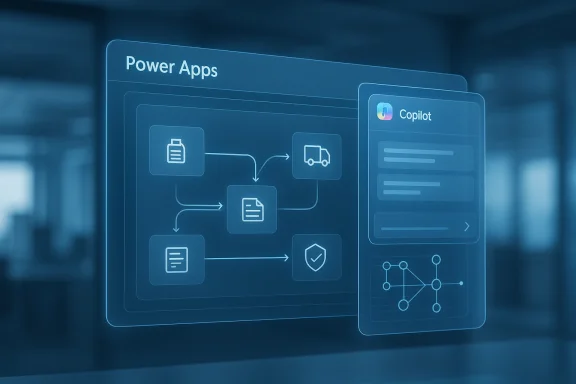
Microsoft’s latest Power Platform wave is less about adding another chatbot and more about turning Copilot into part of the application fabric itself. By embedding Microsoft 365 Copilot inside model-driven Power Apps and extending AI-driven automation across Power Automate, Copilot Studio, and Dynamics 365, Microsoft is pushing workflow AI from a side panel into the center of enterprise work. The company’s own documentation now frames Microsoft 365 Copilot as the new standard for model-driven apps, while the older Copilot chat experience is being phased out in favor of a more unified and contextual model (learn.microsoft.com).
That matters because the strategic question is no longer whether AI can answer questions. It is whether AI can help people complete work, in place, with enough context to reduce app switching, manual handoffs, and process friction. Microsoft’s March 2026 messaging makes that ambition explicit: users can ask questions, summarize records, generate documents, and initiate actions without leaving the app, while the company’s roadmap extends those capabilities into agent collaboration and broader workflow execution (microsoft.com).
The bigger shift is architectural. Microsoft is trying to make workflow AI feel native rather than bolted on, and that has implications for governance, app design, process mining, and the competitive landscape for enterprise software. If Microsoft can make Copilot feel like an execution layer rather than a conversational accessory, it could reshape how companies think about low-code apps, business process management, and the return on their AI investments (microsoft.com).
For the last few years, enterprise AI has largely followed a familiar pattern: a user asks a question, the assistant provides a response, and the user then jumps into the application to act on that response. That model was useful, but it still left a gap between knowing and doing. Microsoft’s Power Platform, especially model-driven apps in Dataverse, has been one of the clearest places where the company has tested how far conversational AI can go inside a business workflow (learn.microsoft.com).
The February 2026 Power Platform update already showed where this was heading. Microsoft described Microsoft 365 Copilot chat as being directly available inside Power Apps, letting users reason over in-app data and connect insights from documents, communications, and collaboration without leaving the application. That update still emphasized conversational intelligence, but it marked a decisive move away from isolated assistant experiences toward context-aware business applications (microsoft.com).
By March 2026, Microsoft had sharpened the story further. In its Dynamics 365 and Power Apps announcements, the company said Microsoft 365 Copilot and agents like Researcher and Analyst would be accessible directly inside Dynamics 365 Sales, Dynamics 365 Customer Service, and custom apps built with Power Apps. It also said the “business application stack is entering a significant architectural shift,” with applications, intelligence, and execution converging into a system of work (microsoft.com).
This is not occurring in a vacuum. Microsoft’s 2025 release wave 2 planning document already hinted that governance and administration would become the unified hub for managing intelligent agents, agent-driven apps, and automated workflows across the Microsoft ecosystem. In other words, Microsoft has been laying the groundwork for a platform where AI is not an isolated feature but a managed, enterprise-wide layer of work orchestration (learn.microsoft.com).
It also means Microsoft is now competing on workflow integration, not just model quality. If the assistant is native to the app, has access to structured business data, and can trigger approved actions, it becomes part of the user’s daily operating environment rather than an optional overlay.
The important nuance is that Microsoft is not just surfacing summaries. It is using the app’s business context to steer the interaction. In the company’s February blog, Copilot chat was described as helping users reason over in-app data and connect those insights to documents and communications, reducing the need to bounce between tools. That is a significant step because context is what turns generative AI from a novelty into a workflow accelerator (microsoft.com).
There is still an important limitation, though: Microsoft Learn states that Microsoft 365 Copilot for model-driven apps is read-only by default. Users can view Dataverse data and ask questions, but they cannot make changes unless the experience is customized with an agent. That means the “native” workflow claim is real, but it is not yet universal; the action path still depends on how much of the process has been explicitly engineered into the app (learn.microsoft.com).
The February documentation also shows that Microsoft 365 Copilot for model-driven apps depends on Dataverse Search, and that enabling the feature may increase Dataverse capacity consumption. That detail is easy to overlook, but it matters because AI experiences are never free in infrastructure terms. The more native the AI becomes, the more tightly it is bound to indexing, capacity planning, and tenant-level configuration (learn.microsoft.com).
This also changes the buyer conversation. Instead of asking whether a copilot is available, enterprises must ask whether their data is indexed properly, whether the right environments are configured, and whether enough capacity exists to support semantic search and Copilot operations. In other words, AI workflow becomes an architecture question as much as a feature question.
That may be especially appealing to enterprises already standardized on Microsoft tools. They can adopt a familiar AI experience while keeping data and workflows inside governed boundaries. The tradeoff is that the more tightly the workflow is coupled to Microsoft’s stack, the harder it may be to extract or replace later.
That shift matters because many enterprise tasks are not solved by one AI response. They require gathering data, validating assumptions, drafting content, checking policy, and then moving through an approval or execution step. A multi-agent model is a better fit for that reality, especially if the agents can be invoked directly from the same interface that contains the business data.
Microsoft has also been clear that this broader agent story is tied to governance and administration. Its release planning document describes Power Platform governance as the unified hub for intelligent agents and automated workflows. That suggests Microsoft understands that agent collaboration only scales if administrators can manage permissions, capacity, and policy consistently (learn.microsoft.com).
That is a meaningful methodological shift. Many enterprise processes do not run in neat linear paths. They span systems, departments, and object types, and the inability to represent those connections can obscure bottlenecks or compliance gaps. Object-centric mining is better aligned with how business actually works, especially in environments with overlapping records and long-lived transactions.
Microsoft’s March positioning also makes clear that the output of this analysis is meant to feed action. If process mining surfaces a problem, and Copilot or agents are present in the app layer, organizations can more quickly turn diagnosis into intervention. That closes the loop between insight and execution, which is exactly the broader strategic theme of the announcement (microsoft.com).
The enterprise impact will differ sharply from the consumer-style AI story. In consumer apps, AI value is often measured in convenience. In enterprise workflows, value is measured in throughput, compliance, and decision quality. Microsoft’s design is clearly aimed at the latter, where the AI experience must be tied to business data and governed actions rather than general-purpose conversation (microsoft.com).
For consumers, this is mostly invisible. But for enterprise buyers, the distinction between “chat” and “workflow-native AI” is huge. One is a feature. The other is part of the operating model.
That pressure will affect the broader ecosystem. Vendors in business process management, robotic process automation, enterprise search, and analytics will all have to show how they integrate AI into execution rather than merely augmenting it. The benchmark is shifting from “Can the assistant answer?” to “Can the assistant help complete the work safely and measurably?”
The risk for competitors is that they may be forced into point solutions. A standalone copilot can still be useful, but a contextual execution layer inside the app is harder to beat. If Microsoft keeps improving governance and actionability, its stack could become the default choice for organizations already committed to the Microsoft ecosystem.
Microsoft has already pointed to early April 2026 as the public preview and general availability window for key Copilot capabilities in Power Apps and Dynamics 365, so the near-term story will be about rollout quality, not just roadmap ambition (microsoft.com).
The deeper story here is not that Microsoft embedded Copilot into Power Platform. It is that Microsoft is redefining what it means for enterprise software to be intelligent at all. If the company can deliver that promise at scale, with enough governance to satisfy IT and enough utility to satisfy business users, workflow AI will not just be native in name. It will be native in the way modern enterprise work is actually done.
Source: The Futurum Group Is Workflow AI Now Native After Microsoft Embeds Copilot in Power Platform?
That matters because the strategic question is no longer whether AI can answer questions. It is whether AI can help people complete work, in place, with enough context to reduce app switching, manual handoffs, and process friction. Microsoft’s March 2026 messaging makes that ambition explicit: users can ask questions, summarize records, generate documents, and initiate actions without leaving the app, while the company’s roadmap extends those capabilities into agent collaboration and broader workflow execution (microsoft.com).
The bigger shift is architectural. Microsoft is trying to make workflow AI feel native rather than bolted on, and that has implications for governance, app design, process mining, and the competitive landscape for enterprise software. If Microsoft can make Copilot feel like an execution layer rather than a conversational accessory, it could reshape how companies think about low-code apps, business process management, and the return on their AI investments (microsoft.com).
 Background
For the last few years, enterprise AI has largely followed a familiar pattern: a user asks a question, the assistant provides a response, and the user then jumps into the application to act on that response. That model was useful, but it still left a gap between knowing and doing. Microsoft’s Power Platform, especially model-driven apps in Dataverse, has been one of the clearest places where the company has tested how far conversational AI can go inside a business workflow (learn.microsoft.com).The February 2026 Power Platform update already showed where this was heading. Microsoft described Microsoft 365 Copilot chat as being directly available inside Power Apps, letting users reason over in-app data and connect insights from documents, communications, and collaboration without leaving the application. That update still emphasized conversational intelligence, but it marked a decisive move away from isolated assistant experiences toward context-aware business applications (microsoft.com).
By March 2026, Microsoft had sharpened the story further. In its Dynamics 365 and Power Apps announcements, the company said Microsoft 365 Copilot and agents like Researcher and Analyst would be accessible directly inside Dynamics 365 Sales, Dynamics 365 Customer Service, and custom apps built with Power Apps. It also said the “business application stack is entering a significant architectural shift,” with applications, intelligence, and execution converging into a system of work (microsoft.com).
This is not occurring in a vacuum. Microsoft’s 2025 release wave 2 planning document already hinted that governance and administration would become the unified hub for managing intelligent agents, agent-driven apps, and automated workflows across the Microsoft ecosystem. In other words, Microsoft has been laying the groundwork for a platform where AI is not an isolated feature but a managed, enterprise-wide layer of work orchestration (learn.microsoft.com).
Why this moment matters
The timing is important because enterprise buyers are moving past AI demos and into operational scrutiny. They want to know whether AI can shorten cycle times, improve conversion rates, reduce swivel-chair work, and operate safely inside governed environments. That means the value proposition for Copilot is changing from interesting to measurable.It also means Microsoft is now competing on workflow integration, not just model quality. If the assistant is native to the app, has access to structured business data, and can trigger approved actions, it becomes part of the user’s daily operating environment rather than an optional overlay.
- The old model answered questions.
- The new model should complete tasks.
- The winning platform will do both, in context.
- Governance is now a product feature, not a back-office afterthought.
- Business value depends on how much work can stay inside the app.
What Microsoft Actually Changed
Microsoft’s most visible change is the embedding of Microsoft 365 Copilot directly into model-driven Power Apps. According to Microsoft Learn, users can open Copilot from the upper-right corner, ask questions in natural language, and receive contextual answers based on app data. The feature is now positioned as the replacement path for the older Copilot chat experience in model-driven apps, which signals a product consolidation rather than a one-off experiment (learn.microsoft.com).The important nuance is that Microsoft is not just surfacing summaries. It is using the app’s business context to steer the interaction. In the company’s February blog, Copilot chat was described as helping users reason over in-app data and connect those insights to documents and communications, reducing the need to bounce between tools. That is a significant step because context is what turns generative AI from a novelty into a workflow accelerator (microsoft.com).
The shift from assistant to action layer
The strongest part of Microsoft’s new framing is that Copilot is increasingly being presented as an action layer embedded in the flow of work. The March Dynamics 365 post says users will be able to ask questions, get answers, and then act on those answers without leaving the app. That is a meaningful difference from a classic chat interface, where users often had to manually translate advice into action (microsoft.com).There is still an important limitation, though: Microsoft Learn states that Microsoft 365 Copilot for model-driven apps is read-only by default. Users can view Dataverse data and ask questions, but they cannot make changes unless the experience is customized with an agent. That means the “native” workflow claim is real, but it is not yet universal; the action path still depends on how much of the process has been explicitly engineered into the app (learn.microsoft.com).
Key implications
- Contextual AI is now a core app feature.
- Read-only insight is being replaced by guided execution.
- Agents become the bridge between answer and action.
- Dataverse Search and indexing are part of the AI stack.
- App makers now shape how far Copilot can go.
Why This Is More Than a UI Update
The temptation is to treat these changes as a simple user-interface refresh. That would understate the significance. Microsoft is reorganizing the relationship between data, interaction, and execution, and that has consequences for app design, governance, and enterprise adoption. When AI becomes part of the app shell, it influences how business logic is exposed and how users expect software to behave (learn.microsoft.com).The February documentation also shows that Microsoft 365 Copilot for model-driven apps depends on Dataverse Search, and that enabling the feature may increase Dataverse capacity consumption. That detail is easy to overlook, but it matters because AI experiences are never free in infrastructure terms. The more native the AI becomes, the more tightly it is bound to indexing, capacity planning, and tenant-level configuration (learn.microsoft.com).
This also changes the buyer conversation. Instead of asking whether a copilot is available, enterprises must ask whether their data is indexed properly, whether the right environments are configured, and whether enough capacity exists to support semantic search and Copilot operations. In other words, AI workflow becomes an architecture question as much as a feature question.
The platform effect
Microsoft’s strategy appears to be reducing the distance between conversational AI and business application logic. That suggests a broader platform effect where Copilot is not just an assistant but a standard interface pattern across Power Apps, Dynamics 365, and eventually other Microsoft surfaces. The March announcement explicitly says the company will expand these capabilities across the Microsoft 365, Dynamics 365, and Power Platform stack (microsoft.com).That may be especially appealing to enterprises already standardized on Microsoft tools. They can adopt a familiar AI experience while keeping data and workflows inside governed boundaries. The tradeoff is that the more tightly the workflow is coupled to Microsoft’s stack, the harder it may be to extract or replace later.
- Convenience rises as context lives inside the app.
- Complexity rises because infrastructure prerequisites increase.
- Lock-in risk grows as workflows become platform-specific.
- Adoption is easier for Microsoft-centric enterprises.
- Migration becomes harder once agents and logic are embedded.
Agent Collaboration Becomes Part of the Workflow
Another key part of the story is that Microsoft is no longer talking only about one assistant. The March 2026 announcement explicitly references agents like Researcher and Analyst, along with custom agents, working alongside users inside business applications. This is where Microsoft’s vision moves from a single copilot to a coordinated agent ecosystem (microsoft.com).That shift matters because many enterprise tasks are not solved by one AI response. They require gathering data, validating assumptions, drafting content, checking policy, and then moving through an approval or execution step. A multi-agent model is a better fit for that reality, especially if the agents can be invoked directly from the same interface that contains the business data.
Collaboration versus delegation
The emerging model is not just “AI does the work.” It is “AI collaborates on the work.” That distinction is important because it implies a human-in-the-loop design where users remain accountable while agents handle parts of the task. In practical terms, that could mean one agent compiles context, another drafts a response, and a workflow agent triggers the next approved step (microsoft.com).Microsoft has also been clear that this broader agent story is tied to governance and administration. Its release planning document describes Power Platform governance as the unified hub for intelligent agents and automated workflows. That suggests Microsoft understands that agent collaboration only scales if administrators can manage permissions, capacity, and policy consistently (learn.microsoft.com).
What enterprises will need to solve
- Which agent is allowed to do what.
- How users know when an AI action is trustworthy.
- How multi-agent workflows are audited.
- How custom agents are governed at scale.
- How business outcomes are measured across agent chains.
Object-Centric Process Mining Is a Bigger Deal Than It Looks
Microsoft’s Object-Centric Process Mining update in Power Automate may be the most technically interesting part of the package. Traditional process mining often forces events into a single case model, which can flatten real-world enterprise complexity. Microsoft’s approach allows events to be associated with multiple business objects such as orders, invoices, deliveries, and payments at the same time, preserving relationships that matter operationally.That is a meaningful methodological shift. Many enterprise processes do not run in neat linear paths. They span systems, departments, and object types, and the inability to represent those connections can obscure bottlenecks or compliance gaps. Object-centric mining is better aligned with how business actually works, especially in environments with overlapping records and long-lived transactions.
Why object-centric analysis matters
By preserving cross-object relationships, Microsoft can help organizations see how a delayed invoice affects an order lifecycle, or how a payment exception propagates through fulfillment and reconciliation. The value is not just prettier dashboards. It is better visibility into the mechanics of enterprise work, which is often where automation projects succeed or fail.Microsoft’s March positioning also makes clear that the output of this analysis is meant to feed action. If process mining surfaces a problem, and Copilot or agents are present in the app layer, organizations can more quickly turn diagnosis into intervention. That closes the loop between insight and execution, which is exactly the broader strategic theme of the announcement (microsoft.com).
Practical benefits
- Better representation of interconnected enterprise workflows.
- More accurate visibility into bottlenecks and dependencies.
- Stronger support for compliance and audit analysis.
- More useful process maps for real-world operations.
- Better foundations for automation prioritization.
What This Means for Power Platform Customers
For current Power Platform customers, the immediate implication is that Copilot is becoming less optional and more central. Microsoft Learn already says Microsoft 365 Copilot is gradually replacing Copilot chat in model-driven apps, and that makers may need to choose one or both experiences during the transition period. That alone suggests a period of coexistence, migration, and configuration work for administrators and app makers (learn.microsoft.com).The enterprise impact will differ sharply from the consumer-style AI story. In consumer apps, AI value is often measured in convenience. In enterprise workflows, value is measured in throughput, compliance, and decision quality. Microsoft’s design is clearly aimed at the latter, where the AI experience must be tied to business data and governed actions rather than general-purpose conversation (microsoft.com).
Enterprise versus consumer impact
For enterprises, the biggest upside is workflow compression. Users can stay inside the app, get contextual answers, and potentially move into action without opening five other tools. That can reduce friction in sales, service, operations, and back-office scenarios where the cost of context switching is high.For consumers, this is mostly invisible. But for enterprise buyers, the distinction between “chat” and “workflow-native AI” is huge. One is a feature. The other is part of the operating model.
Deployment realities
Microsoft’s documentation also reminds us that these features depend on licensing, environment settings, and Dataverse Search. That means the rollout will be shaped by practical admin work, not just enthusiasm from business users. Organizations that treat Copilot as a toggle will likely be disappointed; organizations that treat it as a platform capability will get further (learn.microsoft.com).- AI must align with licensing.
- Data indexing must be planned.
- Admin controls must be configured.
- User training will still matter.
- Custom agents may be required for action.
Competitive Implications for the Market
Microsoft’s move raises the bar for competitors in low-code, workflow automation, and enterprise AI. If Copilot is embedded natively into business applications, rivals cannot just offer a better chatbot. They need to offer a comparable end-to-end model in which data, reasoning, and action happen inside the workflow layer itself (microsoft.com).That pressure will affect the broader ecosystem. Vendors in business process management, robotic process automation, enterprise search, and analytics will all have to show how they integrate AI into execution rather than merely augmenting it. The benchmark is shifting from “Can the assistant answer?” to “Can the assistant help complete the work safely and measurably?”
The strategic advantage Microsoft is building
Microsoft has several advantages here. It owns the productivity layer, the application layer, the low-code platform, and the agent platform. That creates a natural advantage in orchestrating AI across documents, meetings, chats, business records, and workflow automation. The company’s own language about Work IQ and system-wide intelligence reinforces that integrated vision (microsoft.com).The risk for competitors is that they may be forced into point solutions. A standalone copilot can still be useful, but a contextual execution layer inside the app is harder to beat. If Microsoft keeps improving governance and actionability, its stack could become the default choice for organizations already committed to the Microsoft ecosystem.
Strengths and Opportunities
Microsoft’s approach has real strengths, and the opportunity is bigger than a single feature release. The company is making AI more context-aware, more actionable, and more tightly integrated with business systems that already hold the operational truth for many enterprises.- Reduced app switching keeps users in flow.
- Stronger context improves answer quality.
- Native execution makes AI more operationally useful.
- Unified governance should help large enterprises scale safely.
- Agent collaboration opens the door to richer automation.
- Object-centric process mining improves visibility into complex work.
- Platform coherence makes Microsoft’s AI story easier to buy and deploy.
Risks and Concerns
The promise is substantial, but so are the risks. Native workflow AI introduces governance, cost, and usability challenges that will surface quickly if Microsoft or its customers oversell the maturity of the experience.- Read-only limits still constrain true actionability in some scenarios.
- Capacity consumption may rise as search and indexing expand.
- Licensing complexity could slow adoption or create confusion.
- Agent sprawl may become hard to govern at scale.
- Overreliance on Microsoft’s stack increases platform lock-in.
- Process mining changes may require significant data-model rework.
- User trust could erode if AI suggestions are inconsistent or opaque.
What to Watch Next
The next phase will determine whether this is a genuine operating-model shift or just a sophisticated UI evolution. The most important signal will be whether organizations can move from contextual answers to reliable, governed execution in real production workflows.Microsoft has already pointed to early April 2026 as the public preview and general availability window for key Copilot capabilities in Power Apps and Dynamics 365, so the near-term story will be about rollout quality, not just roadmap ambition (microsoft.com).
Watch these indicators closely
- Whether model-driven app users adopt Copilot as a daily habit.
- Whether custom agents materially expand action-taking beyond read-only insights.
- Whether object-centric process mining produces operationally useful findings.
- Whether admins can govern agents without excessive complexity.
- Whether Microsoft keeps unifying Copilot experiences across Power Platform and Dynamics 365.
The deeper story here is not that Microsoft embedded Copilot into Power Platform. It is that Microsoft is redefining what it means for enterprise software to be intelligent at all. If the company can deliver that promise at scale, with enough governance to satisfy IT and enough utility to satisfy business users, workflow AI will not just be native in name. It will be native in the way modern enterprise work is actually done.
Source: The Futurum Group Is Workflow AI Now Native After Microsoft Embeds Copilot in Power Platform?
