

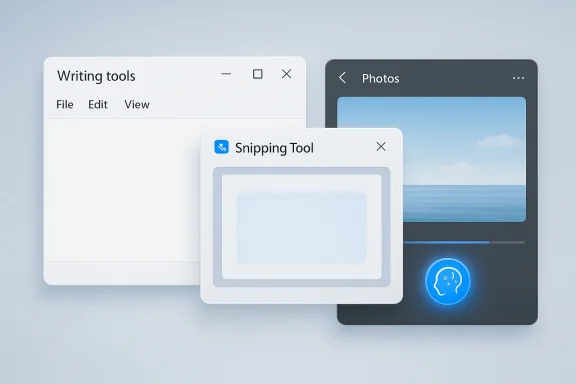
Microsoft is not exactly pulling Copilot out of Windows 11, but it is clearly changing how prominently the brand appears inside the operating system’s built-in apps. What started as a broad push to seed Copilot buttons across Notepad, Snipping Tool, Photos and Widgets is now evolving into a more selective, less intrusive approach. That shift matters because it marks an important recalibration in Microsoft’s Windows AI strategy: the company still wants AI in the flow of work, but it no longer seems eager to plaster the Copilot name everywhere. The result is a more subtle user experience — and a louder signal that Microsoft is trying to balance ambition with restraint.
Microsoft’s relationship with Copilot in Windows has moved quickly, and the pace has sometimes outstripped the clarity of the product story. In 2024 and 2025, the company repeatedly added Copilot-related entry points to inbox apps and Windows features, making the assistant feel like a foundational layer of Windows 11 rather than a separate app. That included AI writing in Notepad, AI-powered image and capture workflows in Paint and Snipping Tool, and Copilot integration in Photos and Windows widgets.
The pattern was easy to see: Microsoft wanted users to encounter Copilot everywhere they worked. In Notepad, Microsoft introduced AI text features such as Write, Rewrite, and Summarize, with options exposed through a Copilot menu and even a keyboard shortcut. In Snipping Tool, Microsoft added buttons such as Ask Copilot, Visual Search with Bing and sharing flows designed to move users from a screenshot to an AI-assisted next step. In Photos, Microsoft introduced a Copilot button for editing guidance and image insights. These were not fringe experiments; they were part of a broader Windows 11 identity project.
By March 2026, however, Microsoft was publicly describing a more deliberate posture. In its “Our commitment to Windows quality” post, the Windows team said it was being more intentional about where Copilot integrates across Windows and explicitly noted that it was reducing unnecessary Copilot entry points in apps such as Snipping Tool, Photos, Widgets and Notepad. That language is significant because it frames the change as an intentional redesign rather than a retreat. Microsoft is not abandoning AI features; it is re-shelving some of the branding and surface clutter around them. (blogs.windows.com)
This is also happening against a backdrop of years of user feedback about Windows bloat, intrusive UI, and confusing duplication of features. Windows enthusiasts have long complained when Microsoft adds buttons before it explains the workflow, or ships overlapping surfaces that appear to do the same thing. Copilot’s sudden ubiquity created a kind of branding inflation problem. The more Microsoft placed the Copilot name in front of users, the more the term risked becoming generic, noisy, or even annoying rather than aspirational.
The broader context matters too. Microsoft’s Windows strategy has shifted toward a more polished and quality-focused release cadence, with an emphasis on reliability, responsiveness and deeper validation before features appear broadly. That’s a subtle but important change from the earlier “move fast with AI” era. The company still wants to lead in AI on the desktop, but it now seems more conscious of where AI belongs and how much user interface it should occupy. (blogs.windows.com)
This is more than a cosmetic rename. Notepad was one of the most visible places where Microsoft tried to normalize Copilot as a daily companion. The app’s AI features were tied to Microsoft accounts, AI credits and, in some cases, subscription tiers. By moving the feature name away from Copilot and into a more neutral “Writing tools” label, Microsoft appears to be decoupling the utility from the brand. That makes the feature easier to understand as a built-in productivity tool, rather than a branded AI showcase.
The settings side matters too. Reports indicate that the Copilot branding has also been removed from Notepad settings, with AI tools shifted into the Advanced Features section. That is a classic software-UX move: when a feature becomes mature enough, it moves from a promotional layer into a utility layer. It suggests Microsoft wants users to think less about the assistant and more about the task.
That last point is especially important. If the company succeeds, users stop asking, “Where is Copilot?” and start asking, “What can this tool do for me?” That is a healthier product question. It is also a much easier one for Microsoft to sustain as Windows evolves.
That matters because Snipping Tool is not a playground app. It is a utility that people reach for when they need to capture something quickly, annotate it, crop it, or send it onward. Adding AI there made conceptual sense, but it also risked slowing down a fast task. The moment a user is trying to grab a screenshot, every extra button feels like friction. Microsoft seems to have recognized that the capture path should stay lean.
This is one of those cases where restraint can improve the product. A screenshot tool succeeds when it is predictable, quick, and almost invisible. If AI is presented too early or too prominently, it can feel like the app is trying to turn a simple act into a full workflow decision. Microsoft’s revised approach suggests it may be learning that not every task benefits from a Copilot invitation at the point of capture.
The timing also suggests Microsoft wants to preserve Snipping Tool as a lightweight utility while still keeping AI adjacent to it. In other words, the company may be trying to turn Copilot from a front-door banner into a backstage assistant. That is a better fit for a tool built around speed.
Photos is a particularly interesting case because the app sits at the intersection of consumer creativity and AI assistance. Microsoft has used Photos to show off advanced capabilities such as relight and other editing enhancements on Copilot+ PCs, while also tying the app into broader image workflows. In that environment, the Copilot brand can either feel empowering or overbearing depending on how often users are prompted to invoke it. Pulling back from visible Copilot entry points may help the app feel more like a photo editor and less like an ad for Microsoft AI.
Widgets is a different story. Widgets are ambient by design, which makes them a poor place for repeated sales-style prompts. If the interface is meant to be glanceable, then overbranding it with Copilot can undermine the very purpose of the surface. Microsoft’s decision to reduce unnecessary entry points there suggests it is thinking about context, not just capability. That is a healthy sign.
That matters because Windows AI has often been introduced through visible, user-facing hooks rather than through invisible plumbing. The company has spent the last two years teaching users where Copilot lives and how it can be invoked. But there is a risk in overteaching. If the product starts to feel like it is constantly reintroducing itself, users may begin to tune it out. A quality-first posture gives Microsoft a chance to reduce that fatigue.
The quality message also reflects a broader reality: Windows is still judged first as an operating system, not as a showcase for AI branding. Users notice if Notepad launches slowly, if Snipping Tool feels bloated, if Photos gets in the way, or if Widgets become noisy. A lighter touch around Copilot may help Microsoft protect the fundamentals while still shipping AI improvements.
The strategy also helps Microsoft avoid a common platform mistake: making every app look like a showcase demo. A mature operating system should feel coherent, not experimental. The shift away from Copilot buttons in inbox apps is consistent with that principle.
That said, consumer reactions will likely be split. Power users and enthusiasts may welcome the simplification, especially if they found the Copilot buttons distracting. More casual users, by contrast, may not care about the branding at all as long as the tools are still easy to find. The real issue is discoverability: if Microsoft hides the features too deeply, it risks making useful tools harder to notice.
The best consumer outcome is a balance: AI tools that are available when needed, but not shoved into every interaction. That is especially important in light of the way users interact with inbox apps. Notepad should stay quick. Snipping Tool should stay immediate. Photos should stay focused on image work. If Microsoft can preserve that character while still offering AI when appropriate, most consumers will come out ahead.
Enterprise users also tend to care about feature governance. If AI capabilities are bundled into inbox apps, administrators need to understand whether those features are locally processed, cloud-backed, subscription-gated or tied to Microsoft accounts. Microsoft’s recent Windows quality messaging suggests it knows that broader deployment requires clearer positioning, not just more features. That is especially true when organizations are balancing security, compliance and user training.
The more Microsoft hides AI branding behind neutral labels and settings categories, the more it can present the features as part of standard productivity tooling rather than as consumer-centric add-ons. That may help adoption in organizations that are already wary of shadow AI. On the other hand, reducing visible Copilot entry points could make it harder for enterprises to spotlight Microsoft’s AI value proposition during rollout and training.
This is where Apple, Google and even third-party AI tools matter. Each company is trying to define what “AI on the desktop” should feel like. Microsoft’s prior strategy was to make Copilot unmistakable. The new strategy appears to be making Copilot useful without always calling attention to itself. That could be a smarter long-term play, especially if users increasingly prefer AI features that disappear into the workflow.
It is also a reminder that product maturity often looks like simplification, not expansion. Microsoft may have started by adding buttons, but it could finish by removing them from places where they do not belong. That is not a retreat from AI leadership. It is a sign that the company is learning how to make AI feel native rather than invasive.
Windows users have limited patience for interface churn. They want tools to appear where they expect them, with minimal distraction. If an AI button appears in every corner, the interface starts to feel like it is designed for Microsoft’s roadmap rather than the user’s task. That tension is exactly what the new Copilot reduction seems aimed at solving.
Microsoft’s latest direction hints at a more mature philosophy: let the AI be powerful, but let the app remain primary. In other words, make the tool serve the workflow, not the other way around. That is a subtle but meaningful shift, and it may be the difference between AI that users tolerate and AI that users actually embrace.
What to watch is whether the company pairs this visual simplification with better in-product guidance. If the AI tools remain easy to find, the change could be a genuine upgrade. If not, Microsoft risks repeating a familiar Windows problem: moving features around faster than users can follow. In a platform as widely used as Windows 11, clarity is not a cosmetic issue; it is a product strategy.
Source: Pakistan Connect Microsoft starts removing Copilot from Windows 11 apps
 Background
Microsoft’s relationship with Copilot in Windows has moved quickly, and the pace has sometimes outstripped the clarity of the product story. In 2024 and 2025, the company repeatedly added Copilot-related entry points to inbox apps and Windows features, making the assistant feel like a foundational layer of Windows 11 rather than a separate app. That included AI writing in Notepad, AI-powered image and capture workflows in Paint and Snipping Tool, and Copilot integration in Photos and Windows widgets.The pattern was easy to see: Microsoft wanted users to encounter Copilot everywhere they worked. In Notepad, Microsoft introduced AI text features such as Write, Rewrite, and Summarize, with options exposed through a Copilot menu and even a keyboard shortcut. In Snipping Tool, Microsoft added buttons such as Ask Copilot, Visual Search with Bing and sharing flows designed to move users from a screenshot to an AI-assisted next step. In Photos, Microsoft introduced a Copilot button for editing guidance and image insights. These were not fringe experiments; they were part of a broader Windows 11 identity project.
By March 2026, however, Microsoft was publicly describing a more deliberate posture. In its “Our commitment to Windows quality” post, the Windows team said it was being more intentional about where Copilot integrates across Windows and explicitly noted that it was reducing unnecessary Copilot entry points in apps such as Snipping Tool, Photos, Widgets and Notepad. That language is significant because it frames the change as an intentional redesign rather than a retreat. Microsoft is not abandoning AI features; it is re-shelving some of the branding and surface clutter around them. (blogs.windows.com)
This is also happening against a backdrop of years of user feedback about Windows bloat, intrusive UI, and confusing duplication of features. Windows enthusiasts have long complained when Microsoft adds buttons before it explains the workflow, or ships overlapping surfaces that appear to do the same thing. Copilot’s sudden ubiquity created a kind of branding inflation problem. The more Microsoft placed the Copilot name in front of users, the more the term risked becoming generic, noisy, or even annoying rather than aspirational.
The broader context matters too. Microsoft’s Windows strategy has shifted toward a more polished and quality-focused release cadence, with an emphasis on reliability, responsiveness and deeper validation before features appear broadly. That’s a subtle but important change from the earlier “move fast with AI” era. The company still wants to lead in AI on the desktop, but it now seems more conscious of where AI belongs and how much user interface it should occupy. (blogs.windows.com)
What Changed in Notepad
The clearest sign of the change is in Notepad, where the Copilot label has reportedly been replaced with Writing tools in the latest Insider build. Functionally, the experience appears to remain the same: users can still write from scratch, rewrite existing text, alter tone and perform other AI-assisted tasks. What changed is the framing, and in Windows product design, framing is often half the battle.This is more than a cosmetic rename. Notepad was one of the most visible places where Microsoft tried to normalize Copilot as a daily companion. The app’s AI features were tied to Microsoft accounts, AI credits and, in some cases, subscription tiers. By moving the feature name away from Copilot and into a more neutral “Writing tools” label, Microsoft appears to be decoupling the utility from the brand. That makes the feature easier to understand as a built-in productivity tool, rather than a branded AI showcase.
The settings side matters too. Reports indicate that the Copilot branding has also been removed from Notepad settings, with AI tools shifted into the Advanced Features section. That is a classic software-UX move: when a feature becomes mature enough, it moves from a promotional layer into a utility layer. It suggests Microsoft wants users to think less about the assistant and more about the task.
Why the rename matters
There are at least three reasons the rename is strategically important. First, lower visual clutter can make a core app feel faster and more dependable. Second, the more generic “Writing tools” name may reduce perceived dependency on a broader Copilot subscription story. Third, Microsoft may be trying to make AI feel like a normal function of Windows rather than a branded destination.That last point is especially important. If the company succeeds, users stop asking, “Where is Copilot?” and start asking, “What can this tool do for me?” That is a healthier product question. It is also a much easier one for Microsoft to sustain as Windows evolves.
- The feature seems to retain the same AI capabilities.
- The Copilot label is being reduced, not necessarily the functionality.
- AI options are being moved deeper into app settings.
- The change makes Notepad feel less promotional and more utilitarian.
Snipping Tool’s New Direction
The Snipping Tool change appears more dramatic because the app’s Copilot button has been removed from the screenshot selection flow. In earlier versions, the button was visible when users chose a capture area, placing Copilot directly in the user’s path. In the updated experience, that surface is gone, which means Microsoft is removing one of its most aggressive AI prompts from a very practical workflow.That matters because Snipping Tool is not a playground app. It is a utility that people reach for when they need to capture something quickly, annotate it, crop it, or send it onward. Adding AI there made conceptual sense, but it also risked slowing down a fast task. The moment a user is trying to grab a screenshot, every extra button feels like friction. Microsoft seems to have recognized that the capture path should stay lean.
This is one of those cases where restraint can improve the product. A screenshot tool succeeds when it is predictable, quick, and almost invisible. If AI is presented too early or too prominently, it can feel like the app is trying to turn a simple act into a full workflow decision. Microsoft’s revised approach suggests it may be learning that not every task benefits from a Copilot invitation at the point of capture.
The workflow tradeoff
The challenge for Microsoft is not whether AI belongs in Snipping Tool, but where the handoff should occur. A button inside the capture selection UI may be too early. A contextual action after the capture might be more natural. That distinction is subtle, but it is exactly the sort of design detail that determines whether a feature feels helpful or distracting.The timing also suggests Microsoft wants to preserve Snipping Tool as a lightweight utility while still keeping AI adjacent to it. In other words, the company may be trying to turn Copilot from a front-door banner into a backstage assistant. That is a better fit for a tool built around speed.
- The capture flow is now cleaner.
- The app likely feels less cluttered and more immediate.
- AI may still be available through downstream workflows.
- Microsoft is prioritizing task completion over brand visibility.
Photos and Widgets: Copilot Without the Spotlight
The changes in Photos and Widgets are part of the same pattern, even if they are less immediately visible than the Snipping Tool shift. Microsoft had already been building Copilot into the Photos app, including a prominent button introduced in 2025 to surface image insights and editing guidance. The new direction suggests that Microsoft wants those capabilities to remain, but not necessarily with a loud Copilot badge attached.Photos is a particularly interesting case because the app sits at the intersection of consumer creativity and AI assistance. Microsoft has used Photos to show off advanced capabilities such as relight and other editing enhancements on Copilot+ PCs, while also tying the app into broader image workflows. In that environment, the Copilot brand can either feel empowering or overbearing depending on how often users are prompted to invoke it. Pulling back from visible Copilot entry points may help the app feel more like a photo editor and less like an ad for Microsoft AI.
Widgets is a different story. Widgets are ambient by design, which makes them a poor place for repeated sales-style prompts. If the interface is meant to be glanceable, then overbranding it with Copilot can undermine the very purpose of the surface. Microsoft’s decision to reduce unnecessary entry points there suggests it is thinking about context, not just capability. That is a healthy sign.
What this says about Microsoft’s product philosophy
The message here is not anti-AI. It is anti-sprawl. Microsoft seems to be saying that AI should be embedded where it solves a problem, but not broadcast everywhere just because the company wants the brand to be visible. That is an important distinction, and one that could improve the coherence of Windows 11.- Photos remains a candidate for AI-enhanced editing.
- Widgets likely benefit from less visual noise.
- Copilot branding may be getting pushed into the background.
- Context now appears more important than uniformity.
The Quality Push Behind the Scenes
Microsoft’s public explanation gives away the deeper story. In the March 2026 Windows Insider post, Pavan Davuluri and the Windows team talked about quality, responsiveness, reliability, and a more intentional approach to introducing new capabilities. That framing suggests the company is not only changing surface-level branding, but also rethinking the release philosophy behind Windows 11. (blogs.windows.com)That matters because Windows AI has often been introduced through visible, user-facing hooks rather than through invisible plumbing. The company has spent the last two years teaching users where Copilot lives and how it can be invoked. But there is a risk in overteaching. If the product starts to feel like it is constantly reintroducing itself, users may begin to tune it out. A quality-first posture gives Microsoft a chance to reduce that fatigue.
The quality message also reflects a broader reality: Windows is still judged first as an operating system, not as a showcase for AI branding. Users notice if Notepad launches slowly, if Snipping Tool feels bloated, if Photos gets in the way, or if Widgets become noisy. A lighter touch around Copilot may help Microsoft protect the fundamentals while still shipping AI improvements.
Why “intentional” is the key word
Microsoft used the word intentional for a reason. It implies the company is choosing the right surface for AI instead of simply sprinkling it everywhere. That can improve trust, especially among users who are skeptical of AI in everyday apps or frustrated by constant prompts.The strategy also helps Microsoft avoid a common platform mistake: making every app look like a showcase demo. A mature operating system should feel coherent, not experimental. The shift away from Copilot buttons in inbox apps is consistent with that principle.
- Quality and trust are now being foregrounded.
- AI is being repositioned as a background capability.
- Windows 11 is being treated more like a platform than a demo.
- Smaller UI surfaces may improve user confidence.
Consumer Impact
For consumers, the immediate impact is mostly about how Windows feels. If Microsoft removes noisy Copilot labels and preserves the underlying functions, many users will probably experience the change as a mild improvement. The apps should feel cleaner, faster to parse, and less like they are trying to sell a feature the user has not asked for.That said, consumer reactions will likely be split. Power users and enthusiasts may welcome the simplification, especially if they found the Copilot buttons distracting. More casual users, by contrast, may not care about the branding at all as long as the tools are still easy to find. The real issue is discoverability: if Microsoft hides the features too deeply, it risks making useful tools harder to notice.
The best consumer outcome is a balance: AI tools that are available when needed, but not shoved into every interaction. That is especially important in light of the way users interact with inbox apps. Notepad should stay quick. Snipping Tool should stay immediate. Photos should stay focused on image work. If Microsoft can preserve that character while still offering AI when appropriate, most consumers will come out ahead.
Consumer-facing implications
The consumer side of this change is likely to look modest at first, but it could be meaningful over time. It may reduce confusion, lower interface fatigue, and make Windows 11 feel less chaotic. It may also reduce the perception that Microsoft is using every built-in app as a billboard for Copilot.- Less branding can mean less friction.
- Simpler interfaces can feel faster.
- Useful AI may remain available with fewer interruptions.
- Discoverability could become the main challenge.
Enterprise Impact
The enterprise angle is more nuanced. Businesses rarely care about whether a feature is called Copilot or Writing tools, but they care a great deal about predictability, policy control and user trust. If Microsoft is toning down consumer-facing Copilot branding while keeping the underlying functionality, that could make Windows feel less noisy in managed environments. It may also reduce some of the internal pushback from IT teams that prefer clear, minimal interfaces.Enterprise users also tend to care about feature governance. If AI capabilities are bundled into inbox apps, administrators need to understand whether those features are locally processed, cloud-backed, subscription-gated or tied to Microsoft accounts. Microsoft’s recent Windows quality messaging suggests it knows that broader deployment requires clearer positioning, not just more features. That is especially true when organizations are balancing security, compliance and user training.
The more Microsoft hides AI branding behind neutral labels and settings categories, the more it can present the features as part of standard productivity tooling rather than as consumer-centric add-ons. That may help adoption in organizations that are already wary of shadow AI. On the other hand, reducing visible Copilot entry points could make it harder for enterprises to spotlight Microsoft’s AI value proposition during rollout and training.
Why IT teams may care
For IT departments, the practical question is whether the change simplifies support. Fewer visible buttons can reduce support tickets, especially when users accidentally trigger features they do not understand. But it can also create where did it go? questions if Microsoft moves things around without clear documentation.- Cleaner apps may reduce accidental usage.
- Neutral labels may be easier to document.
- Policy and licensing clarity remain essential.
- Support teams will need updated internal guidance.
A Competitive Repositioning in the AI Desktop Race
Microsoft’s move also makes sense when viewed through the lens of competition. The AI desktop space has become crowded, and the early phase of broad branding saturation may be giving way to a more selective phase of product refinement. Microsoft still has an advantage because it controls the platform, but platform control alone does not guarantee user affection. If the Copilot name appears too often, it can stop feeling premium and start feeling repetitive.This is where Apple, Google and even third-party AI tools matter. Each company is trying to define what “AI on the desktop” should feel like. Microsoft’s prior strategy was to make Copilot unmistakable. The new strategy appears to be making Copilot useful without always calling attention to itself. That could be a smarter long-term play, especially if users increasingly prefer AI features that disappear into the workflow.
It is also a reminder that product maturity often looks like simplification, not expansion. Microsoft may have started by adding buttons, but it could finish by removing them from places where they do not belong. That is not a retreat from AI leadership. It is a sign that the company is learning how to make AI feel native rather than invasive.
Market implications
If Microsoft gets this right, it could set a new standard for invisible AI integration in Windows. If it gets it wrong, it risks making Copilot feel inconsistent across apps. Either outcome has competitive consequences because users compare the overall experience, not just the feature list.- The company is moving from loud branding to subtle utility.
- Native-feeling AI may be more durable than prominent AI.
- Competitors will watch whether this improves satisfaction.
- The desktop AI race is now as much about polish as power.
The User Experience Problem Copilot Had to Solve
Copilot’s original challenge in Windows was never just technical; it was psychological. Microsoft needed users to trust that AI could help without hijacking the experience. In practice, many of the early integrations asked users to notice Copilot first and benefits second. That approach is fine for a launch campaign, but it can wear thin inside daily-use applications.Windows users have limited patience for interface churn. They want tools to appear where they expect them, with minimal distraction. If an AI button appears in every corner, the interface starts to feel like it is designed for Microsoft’s roadmap rather than the user’s task. That tension is exactly what the new Copilot reduction seems aimed at solving.
Microsoft’s latest direction hints at a more mature philosophy: let the AI be powerful, but let the app remain primary. In other words, make the tool serve the workflow, not the other way around. That is a subtle but meaningful shift, and it may be the difference between AI that users tolerate and AI that users actually embrace.
The design lesson
The big lesson here is that utility beats novelty. Users may briefly notice a bright Copilot button, but they will remember whether the app helped them finish the task. If Microsoft can preserve the functionality while reducing the branding burden, it could come away with a stronger product identity overall.- User trust depends on restraint.
- The app should be the star, not the assistant badge.
- AI should feel contextual, not compulsory.
- Simplicity often improves feature adoption.
Strengths and Opportunities
Microsoft’s adjustment has several clear upsides. It may improve clarity, make Windows 11 feel less cluttered, and help the company position AI as a mature capability rather than a marketing campaign. Just as importantly, it gives Microsoft room to refine Copilot without forcing every app to act like a billboard.- Cleaner interfaces can make inbox apps feel faster and more focused.
- Better contextual design may improve user trust in AI features.
- Reduced branding fatigue could help Copilot feel more premium.
- More intentional placement opens the door to smarter workflows.
- Enterprise acceptance may improve if AI feels less intrusive.
- Quality-first messaging aligns with broader Windows reliability goals.
- Feature discoverability can still be preserved through settings and menus.
Risks and Concerns
The biggest risk is that Microsoft may swing too far in the other direction. If the Copilot label disappears from too many places, users may not realize the features still exist, and that could slow adoption. There is also a documentation challenge: moving features around without clear guidance can create confusion, especially for less technical users and IT admins.- Discoverability problems could leave useful features underused.
- Inconsistent naming may confuse users across different apps.
- Support burden could rise if features are relocated without explanation.
- Brand dilution might weaken Copilot’s identity in Windows.
- Enterprise messaging gaps could complicate rollout and training.
- Feature fragmentation risks making Windows feel less cohesive.
- User skepticism may increase if changes feel abrupt or unexplained.
Looking Ahead
The most likely next step is not a wholesale removal of Copilot from Windows, but a continued refinement of where the brand appears. Expect Microsoft to keep AI features inside inbox apps while dialing back visible entry points that do not add enough value. That approach would let the company preserve the functionality while reducing the sense that Windows is trying too hard to sell it. It also fits the broader Windows quality narrative Microsoft is now emphasizing. (blogs.windows.com)What to watch is whether the company pairs this visual simplification with better in-product guidance. If the AI tools remain easy to find, the change could be a genuine upgrade. If not, Microsoft risks repeating a familiar Windows problem: moving features around faster than users can follow. In a platform as widely used as Windows 11, clarity is not a cosmetic issue; it is a product strategy.
- Whether more apps adopt neutral names instead of Copilot branding.
- Whether AI features move deeper into settings and context menus.
- Whether Microsoft updates documentation to match the new surfaces.
- Whether users report less friction and fewer accidental prompts.
- Whether enterprise admins see improved clarity in management and training.
Source: Pakistan Connect Microsoft starts removing Copilot from Windows 11 apps
