

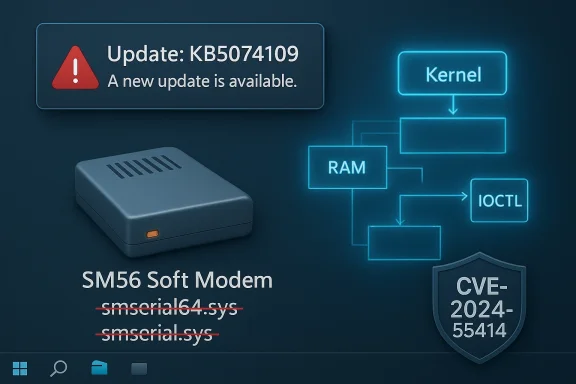
Microsoft has removed legacy Motorola Soft Modem drivers (smserl64.sys and smserial.sys) from supported Windows releases as part of the January cumulative update after a critical kernel‑level vulnerability — tracked as CVE‑2024‑55414 — was disclosed that permits user‑level actors to map physical memory via crafted IOCTL calls and escalate privileges. This change, implemented in KB5074109, disables modem hardware that depends on these specific drivers and forces IT teams to choose between immediate mitigation and operational impact.
Kernel drivers have direct access to sensitive operating system mechanisms and devices. A malformed IOCTL or insufficiently checked input inside a kernel driver can lead to arbitrary memory operations, which is precisely the attack class observed in CVE‑2024‑55414. Because kernel drivers run with high privileges, any vulnerability that allows untrusted user code to read, write, or map physical memory is inherently dangerous.
Signed drivers that contain exploitable kernel bugs are particularly pernicious because signing confers a measure of trust that can sometimes enable bypasses of defensive controls. The CVE notes the possibility that these signed drivers could be misused to bypass driver‑signing policies to deploy malicious code, which amplifies the supply‑chain and persistence risk on fleets where admins rely heavily on signature checks.
This removal approach signals a pragmatic shift: for certain third‑party drivers that are both insecure and no longer maintained or widely used, the platform vendor may opt for removal rather than working with the legacy vendor to develop a secure replacement — especially when the cost and risk of leaving the component in place outweigh continued support. For administrators, that means the security advantage is immediate but must be balanced against the need for hardware replacement and remediation planning.
Microsoft’s disclosure and the accompanying cumulative update together deliver a precautionary — if disruptive — corrective step: where legacy signed code compromises system security, platform vendors may choose removal over indefinite accommodation. The most prudent response for organizations is immediate triage followed by systematic remediation: patch, inventory, isolate where necessary, and replace legacy modems with supported alternatives as part of a broader endpoint lifecycle and risk‑management program.
Source: MSRC Security Update Guide - Microsoft Security Response Center
 Background
What changed and why it matters
Microsoft’s January cumulative update explicitly removes four legacy modem drivers — agrsm64.sys (x64), agrsm.sys (x86), smserl64.sys (x64) and smserial.sys (x86) — and warns that hardware dependent on those drivers will no longer function on Windows after the removal. That behavior is not a simple patch; it is an effective removal of platform support for those drivers in shipping Windows builds. Administrators who still rely on soft modem devices — particularly older dial‑up modems, specialized embedded modems, or point‑of‑sale (POS) peripherals — will find devices that used the Motorola SM56/Soft Modem WDM drivers either degraded or entirely non‑functional.The vulnerability in brief
CVE‑2024‑55414 is a kernel driver vulnerability in the Motorola SM56 Modem WDM driver (SmSerl64.sys) that allows low‑privileged users to perform physical memory mapping through specially crafted IOCTL requests. Physical memory mapping at user privilege can enable a range of post‑exploitation effects — from kernel memory disclosure and tampering to local privilege escalation and arbitrary code execution at elevated privilege — depending on the attacker’s goals and the system’s state. Multiple vulnerability trackers classify the flaw as critical with a CVSS v3.1 score of 9.8.Overview: technical context and attack surface
What is a soft modem driver, and why is it sensitive?
A soft modem (also called a software modem) implements much of its modem functionality in software running on the host CPU rather than in dedicated modem hardware. Soft modem drivers like Motorola’s SM56 include kernel components that interact with hardware and expose control interfaces (IOCTLs) to userland applications and management utilities.Kernel drivers have direct access to sensitive operating system mechanisms and devices. A malformed IOCTL or insufficiently checked input inside a kernel driver can lead to arbitrary memory operations, which is precisely the attack class observed in CVE‑2024‑55414. Because kernel drivers run with high privileges, any vulnerability that allows untrusted user code to read, write, or map physical memory is inherently dangerous.
IOCTL abuse and physical memory mapping — the risk model
IOCTLs (Input/Output Control codes) are the primary mechanism for userland applications to instruct Windows drivers to perform device‑specific operations. A vulnerable driver that handles IOCTL inputs without proper validation can be coaxed into executing driver code paths that invoke memory mapping primitives (e.g., calls that end up mapping physical frames into virtual address space). If an attacker can control parameters used by such primitives, they may map kernel or physical addresses into user space, enabling:- Information disclosure (reading kernel memory, secrets, or credential tokens).
- Privilege escalation (overwriting kernel structures to escalate process privileges).
- Code execution in kernel context or seeding persistent malicious drivers.
Verifiable facts and cross‑references
- Microsoft’s cumulative update (KB5074109, January release) removes the Motorola soft modem drivers and warns that dependent devices will stop working. Administrators must account for that operational impact.
- The canonical CVE record identifies SmSerl64.sys in Motorola SM56 Modem WDM Driver v6.12.23.0 as vulnerable to physical memory mapping via IOCTL, enabling high‑impact exploitation (privilege escalation, code execution, and data disclosure).
- Multiple vulnerability aggregators and trackers list this issue as critical with a CVSS v3.1 vector of AV:N/AC:L/PR:N/UI:N/S:U/C:H/I:H/A:H (base score 9.8), reflecting remote exploitable, low‑complexity risk with full impact on confidentiality, integrity, and availability.
- A public GitHub repository and forensic write‑ups referencing the driver and exploit techniques are already present in the wild, indicating that proof‑of‑concept information may be available publicly. This raises the urgency for defenders to act quickly. Readers should treat PoC repositories as high‑risk resources and avoid executing or distributing exploit artifacts.
Impact analysis: operational and security consequences
Immediate security implications
The vulnerability represents a classic local kernel‑level escalation chain: an attacker who can execute code at user privilege on a system — which could arise from many initial access vectors, including malicious attachments, web exploits, or compromised accounts — can leverage the driver to gain full system control. Because the vulnerable drivers are signed and shipped for legitimate hardware, they may be present on otherwise up‑to‑date systems and trusted by driver verification policies, increasing the attack surface.Signed drivers that contain exploitable kernel bugs are particularly pernicious because signing confers a measure of trust that can sometimes enable bypasses of defensive controls. The CVE notes the possibility that these signed drivers could be misused to bypass driver‑signing policies to deploy malicious code, which amplifies the supply‑chain and persistence risk on fleets where admins rely heavily on signature checks.
Operational disruption: hardware disabled by design
Microsoft’s removal approach trades immediate security assurance for functional availability of affected hardware. Removing the driver binary from the operating system stops the vulnerability from being exploited on patched systems, but as Microsoft clearly states, it also means dependent modem hardware will no longer work. For organizations still operating legacy modems — for example in certain industrial control systems, older POS terminals, or remote access gateways — this is an operational risk that can have real business impact if not planned for in advance.Who is most at risk?
- Environments with unmanaged or legacy endpoint inventory where soft modems were deployed historically.
- Industrial or embedded systems relying on older external or internal modem hardware and drivers.
- Organizations that allow local user execution without strong endpoint controls (e.g., restricted standard accounts that still run untrusted applications).
- Administrations that still permit legacy signed drivers without additional hardening (WDAC, driver block lists).
What IT teams must do now — immediate checklist
- Treat this as high priority: apply the Microsoft cumulative update that removes the vulnerable drivers (or confirm it has already been applied via your update management system). Deploy on a prioritized schedule: internet‑exposed or high‑risk hosts first, then general endpoints.
- Inventory endpoints for affected drivers/devices:
- Use Device Manager to search for modem entries or legacy serial‑modem classes.
- Enumerate installed third‑party driver packages: run driver inventory tools or pnputil to list installed OEM drivers.
- Search for service entries and INF references: check HKLM\SYSTEM\CurrentControlSet\Services for service names related to Motorola or SM56.
- Identify business processes dependent on soft modems:
- Catalog systems that rely on analog dial‑up, fax/modem communications, or hardware where modems provide connectivity.
- Communicate to business owners where functionality will be impacted by driver removal.
- Plan replacements or workarounds:
- Replace legacy soft modems with modern devices supported by vendors and actively maintained driver stacks.
- Where possible, move to network/ethernet/SIP‑based solutions that do not rely on legacy kernel drivers.
- For isolated systems that cannot be updated, consider network isolation, compensating controls, or migration planning.
- Remove residual driver packages where required:
- After verification and scheduling, remove orphaned or vulnerable driver packages from driver store to prevent reinstall on reboots or hardware re‑attach (use pnputil or driver store management tools).
- Note: driver removal steps should be tested on a non‑production image first to prevent unintended breakage.
- Harden endpoint policies:
- Enforce least privilege: standard users should not be able to install drivers or run unsigned kernel‑mode components.
- Consider WDAC/Device Guard or Group Policy restrictions on driver installation for long‑term mitigation of legacy signed driver abuse.
How to detect affected devices and drivers
- Use pnputil to enumerate third‑party drivers and identify OEM INF packages that reference smserl64.sys or smserial.sys.
- Use PowerShell to query Win32_PnPSignedDriver or Win32_SystemDriver to extract driver binaries and paths. Sample high‑level approach:
- Enumerate PnP signed drivers and filter for "Motorola" or "SM56".
- Check Device Manager entries for Modems or Ports (COM & LPT) classes.
- Search system directories and the driver store for files named smserl64.sys or smserial.sys.
Why Microsoft removed the drivers — policy and tradeoffs
Microsoft’s choice to remove the drivers directly from the OS via a cumulative update is a forceful mitigation method that eliminates the vulnerable kernel component from Windows systems that receive the update. The benefits are clear: removing the binary removes the attack vector and prevents exploitation on updated systems. However, the tradeoff is the loss of backward‑compatibility and device functionality for organizations that still rely on those drivers.This removal approach signals a pragmatic shift: for certain third‑party drivers that are both insecure and no longer maintained or widely used, the platform vendor may opt for removal rather than working with the legacy vendor to develop a secure replacement — especially when the cost and risk of leaving the component in place outweigh continued support. For administrators, that means the security advantage is immediate but must be balanced against the need for hardware replacement and remediation planning.
Security analysis: strengths and new risks
Strengths of Microsoft’s response
- High assurance mitigation: Eliminating the vulnerable driver is a definitive way to remove the attack surface from updated systems.
- Automated distribution: Cumulative updates delivered through Windows Update allow broad and rapid deployment across managed estates.
- Clear messaging: The KB makes the functional impact explicit, enabling administrators to prepare for device failure instead of being surprised by silent protection changes.
New or residual risks
- Operational disruption: Systems and workflows still dependent on affected modems can break, causing business continuity issues.
- Pre‑patch exploitation window: Public PoC references exist; unpatched endpoints remain at high risk for local compromise.
- Signed driver abuse: The fact that signed drivers are implicated in this vulnerability is a reminder that signature status does not guarantee security; legacy signed drivers can be weaponized or misapplied to bypass controls.
- Supply‑chain and legacy asset risk: Organizations that tolerate long‑tail legacy hardware increase both their maintenance burden and exposure to such disruptive remediation actions.
Technical deep dive (concise)
How IOCTL-based kernel bugs are typically exploited
- A user process opens a handle to the driver device object (via CreateFile on the device interface).
- The process sends a crafted IOCTL (DeviceIoControl) with specially constructed payloads that the driver mishandles.
- The mishandled payload may result in the driver calling kernel APIs that map physical pages into the caller’s address space or perform out‑of‑bounds reads/writes.
- Once kernel memory read/write primitives are achieved, the attacker can manipulate process tokens, system service dispatch tables, or other kernel objects to escalate privileges or persist.
Practical migration and remediation plan (recommended timeline)
Immediate (within 48–72 hours)
- Confirm deployment of the January cumulative update (or applicable LCU) on all endpoints and servers; prioritize internet‑facing and high‑value systems.
- Identify systems still running the vulnerable drivers and isolate them from sensitive networks if replacement cannot happen immediately.
Short term (7–30 days)
- Communicate with business stakeholders about potential device failures and schedule maintenance windows.
- Procure replacement hardware for critical systems and plan migration testing.
- Remove vulnerable driver packages from images and provisioning pipelines.
Medium term (1–3 months)
- Replace or retire legacy systems and integrate proven vendor‑supported hardware.
- Harden driver installation policies and implement monitoring for unauthorized kernel modules.
- Update asset lifecycle policies to reduce long tail of legacy device dependencies.
Long term (3–12 months)
- Integrate driver risk into procurement & testing checklists.
- Adopt application control and driver enforcement strategies (e.g., WDAC).
- Maintain visibility into signed third‑party drivers across the estate.
Cautionary notes and verification guidance
- Confirm patch applicability and driver removal behavior on representative test machines before deploying widely. The KB explicitly lists the drivers removed; behavior for older or highly customized OEM images may vary.
- Public PoC artifacts and vulnerable driver tests may exist online; treat those as high‑risk. Do not run untrusted driver code on production systems and confine any experimentation to isolated, air‑gapped labs.
- The CVE metadata and scoring have been aggregated by multiple vulnerability repositories; while the CVSS 3.1 score of 9.8 is widely reported, follow your organization’s risk scoring and prioritization workflows for scheduling remediation actions.
Common scenarios and specific guidance
If you rely on legacy dial‑up modems
- Expect loss of function after the update. Replace with modern, vendor‑supported hardware or transition to network‑based services where possible.
- If migration is not immediately possible, plan for a controlled rollback on isolated systems (note: uninstalling cumulative updates that remove driver binaries can be complex and may not be supported without impacting servicing stacks).
If you maintain mixed legacy and modern fleets
- Use targeted update rings: apply the update broadly to modern fleets first while scheduling testing and remediation windows for systems that still require legacy modem functionality.
- Inventory dev/test images to ensure driver packages are not embedded in provisioning artifacts.
If you are a security operations team
- Prioritize detection rules for local exploit indicators, such as suspicious calls to DeviceIoControl against modem device interfaces, unexpected creation of signed driver service entries, or anomalous kernel memory access patterns.
- Flag endpoints that report smserl64.sys, smserial.sys, agrsm64.sys, or agrsm.sys in driver inventories for immediate attention.
Final assessment
Microsoft’s removal of Motorola soft modem drivers in the January cumulative update is a blunt but effective mitigation for a critical kernel vulnerability (CVE‑2024‑55414) that permits physical memory mapping via IOCTLs and exposes systems to kernel‑level compromise. The action reduces immediate exploitability on patched systems while imposing meaningful operational costs for organizations that still depend on legacy modem hardware. Administrators must balance the security benefit (eliminating a dangerous local kernel exploit vector) against the real business impact (device failures and replacement costs). The practical path forward is clear: verify update deployment, inventory systems, plan migrations off unsupported hardware, and harden driver and installation policies to prevent similar long‑tail risks in the future.Microsoft’s disclosure and the accompanying cumulative update together deliver a precautionary — if disruptive — corrective step: where legacy signed code compromises system security, platform vendors may choose removal over indefinite accommodation. The most prudent response for organizations is immediate triage followed by systematic remediation: patch, inventory, isolate where necessary, and replace legacy modems with supported alternatives as part of a broader endpoint lifecycle and risk‑management program.
Source: MSRC Security Update Guide - Microsoft Security Response Center
