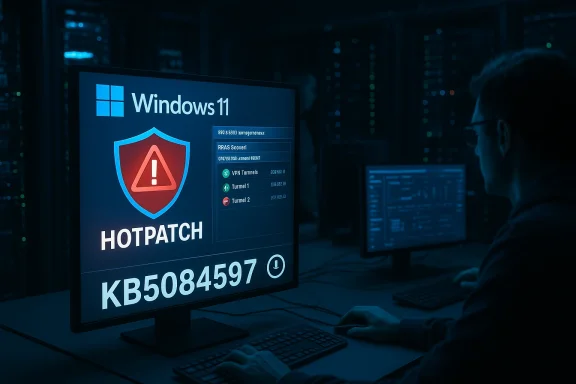
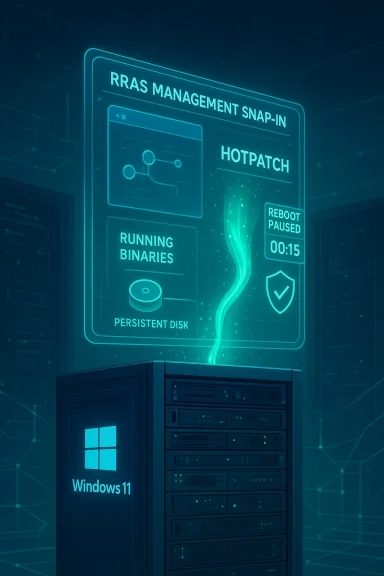
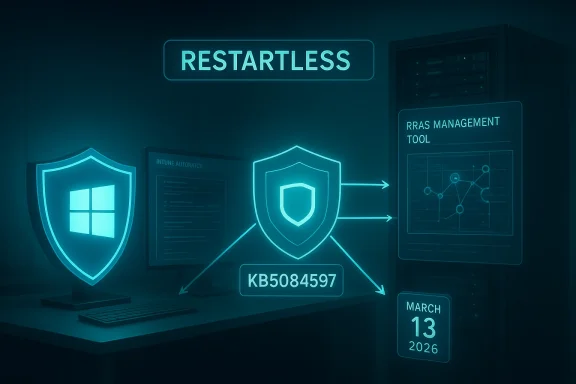
Microsoft released an out‑of‑band hotpatch on March 13, 2026 that fixes a set of remote network‑service vulnerabilities in the Windows Routing and Remote Access Service (RRAS) management tool — and, crucially for enterprises, the package is delivered as a restartless hotpatch to devices enrolled in Microsoft’s hotpatch program. (support.microsoft.com)
Hotpatch updates are Microsoft’s low‑disruption servicing model for eligible Windows 11 Enterprise clients and server SKUs that lets administrators apply certain security fixes without forcing immediate device restarts. The hotpatch model requires specific enrollment and platform prerequisites (for example, Virtualization‑Based Security must be enabled and devices must be on a current baseline), and it is managed through Microsoft Intune or Autopatch quality update policies. Microsoft’s March 13 hotpatch (KB5084597) is a targeted, out‑of‑band release that addresses RRAS management tool security issues and installs without requiring a reboot on devices that are hotpatch‑enabled. (support.microsoft.com)
Hotpatch technology has moved from preview into broader availability for Windows 11 Enterprise, and Microsoft has made the mechanism a managed, policy‑driven option intended for business environments that value continuity and uptime. Administrators should understand that hotpatching does not replace the normal cumulative update and baseline process; it complements it by reducing scheduled reboots and enabling faster mitigation for selected security issues.
d caveats — what keeps me awake at night
Actionable priorities for IT teams today:
In short: apply the hotpatch where eligible, verify it in a controlled pilot, and use this event to harden your hotpatching playbook—because restartless fixes reduce downtime, but they do not remove the need for good patch governance, vendor coordination, and clear rollback plans. (support.microsoft.com)
Source: Microsoft - Message Center March 13, 2026—Hotpatch KB5084597 (OS Builds 26200.7982 and 26100.7982) Out-of-band - Microsoft Support
 Background / Overview
Hotpatch updates are Microsoft’s low‑disruption servicing model for eligible Windows 11 Enterprise clients and server SKUs that lets administrators apply certain security fixes without forcing immediate device restarts. The hotpatch model requires specific enrollment and platform prerequisites (for example, Virtualization‑Based Security must be enabled and devices must be on a current baseline), and it is managed through Microsoft Intune or Autopatch quality update policies. Microsoft’s March 13 hotpatch (KB5084597) is a targeted, out‑of‑band release that addresses RRAS management tool security issues and installs without requiring a reboot on devices that are hotpatch‑enabled. (support.microsoft.com)Hotpatch technology has moved from preview into broader availability for Windows 11 Enterprise, and Microsoft has made the mechanism a managed, policy‑driven option intended for business environments that value continuity and uptime. Administrators should understand that hotpatching does not replace the normal cumulative update and baseline process; it complements it by reducing scheduled reboots and enabling faster mitigation for selected security issues.
What this specific hotpatch does
The technical fix, in plain language
- The March 13, 2026 hotpatch (KB5084597) contains a fix for a security flaw in the Windows Routing and Remote Access Service (RRAS) management tool. Microsoft’s advisory warns that connecting to a malicious RRAS management server could allow an attacker to crash the management tool or execute code on the affected device. That threat is tracked under three CVE identifiers: CVE‑2026‑25172, CVE‑2026‑25173, and CVE‑2026‑26111. (support.microsoft.com)
- The vendor states the patch is targeted at hotpatch‑enabled devices only — devices receiving the standard Windows maintenance channel (the usual Latest Cumulative Update route) do not need to take action to receive this specific package. The hotpatch will apply and take effect without an immediate restart. (support.microsoft.com)
What the CVEs represent (summary)
- The CVEs tied to this hotpatch are network‑facing RRAS issues that Microsoft classifies as remote code execution or service disruption vectors in the RRAS management stack. Independent vulnerability trackers and CVE databases list these as high‑severity remote issues affecting multiple Windows client and server versions; details published by vulnerability aggregators confirm Microsoft’s characterization and the availability of patches. Administrators should assume these are material risks for any environment that uses RRAS management capabilities or connects to RRAS consoles over a network.
Why Microsoft chose hotpatch / why this matters now
Hotpatching is intended to reduce operational friction: when a security issue requires immediate mitigation but does not mandate a full LCU replacement or baseline bump, delivering the fix via hotpatch can sharply reduce attacker dwell time while avoiding the mass reboot coordination that often delays enterprise patching.- For a vulnerability that can be triggered by connecting to a malicious remote server (as Microsoft describes for the RRAS management tool), speed matters. An out‑of‑band hotpatch shortens the window in which unpatched, reachable endpoints are exposed. (support.microsoft.com)
- Microsoft’s enterprise update controls — Windows Autopatch and Intune quality update policies — now make hotpatching a policy option and, beginning with the May 2026 security baseline changes, Microsoft has signaled hotpatch will be enabled by default for eligible devices managed by Windows Autopatch unless administrators opt out. That operational change increases the likelihood that affected devices will receive hotpatches automatically, which is good for security but places new emphasis on readiness and testing.
- Community and operational reporting show admins already rely on hotpatches to resolve urgent break‑fix scenarios without disrupting end users; conversations and forum threads since hotpatch’s broader rollout include real‑world examples of both success cases and hiccups. Those community reports underscore the practical upside — and the areas where admin attention is required.
Practical impact for enterprise admins: what to check now
If you manage an enterprise Windows fleet, treat this hotpatch as both a security priority and an operational test of your hotpatch readiness. The following checklist is a prioritized sequence you can follow to confirm devices are enrolled and protected.- Verify hotpatch eligibility and enrollment
- Confirm devices are running supported Windows 11 Enterprise builds and are on the required baseline. Hotpatch requires a current baseline build and platform prerequisites to be met. (support.microsoft.com)
- Ensure Intune / Windows quality update policy configuration
- Confirm your Windows quality update policy in Intune (or Windows Autopatch settings) has Hotpatch enabled for the targeted device groups. If you rely on Autopatch, be aware of the default flip coming in May 2026 and decide whether to opt out for test rings.
- Validate Virtualization‑Based Security (VBS)
- VBS must be enabled and running for hotpatch eligibility; check group policy, firmware, and platform configuration across sample devices. (support.microsoft.com)
- Disable CHPE on Arm64 devices where applicable
- Arm64 devices must have Compiled Hybrid PE (CHPE) disabled to be hotpatch eligible; this is a one‑time configuration change requiring a restart. Schedule that restart during maintenance windows. (support.microsoft.com)
- Confirm update deployment and history
- Check Windows Update / Intune update status for target devices to confirm KB5084597 (or its hotpatch identifier) has applied. Hotpatch installs show as hotpatch updates in update history and will indicate no immediate reboot was required. (support.microsoft.com)
- Test targeted rollback/uninstall procedures
- Although hotpatches apply without a restart, uninstalling a hotpatch typically requires a restart. Validate rollback steps in a lab to ensure you can revert if a compatibility issue arises.
Deployment guidance: best practices and recommended sequence
- Start with a small pilot ring (10–20 devices) representing the diversity of your fleet: different OEM images, device drivers, EDR/AV stacks, and VPN/RRAS management tools. Monitor telemetry and Windows Update reporting for unexpected behaviors.
- Keep a short slated window for manual baseline restarts: although hotpatches avoid immediate restarts, Microsoft still requires quarterly baseline restarts for cumulative baselines. Plan quarterly maintenance windows to reconcile hotpatches, baselines, and SSU/LCU sequencing.
- Do not rely on hotpatching as a substitute for layered defenses: enforce network segmentation, treat RRAS consoles as sensitive management endpoints, and harden access controls and MFA for administrative sessions.
- Coordinate with endpoint security vendors: some EDR or kernel‑level security products can interact with in‑memory patches. Validate with vendor support whether hotpatches require special handling or driver updates.
- Keep a documented rollback plan: hotpatch uninstall may require a restart and, in some cases, re‑installation of an LCU. Test the whole sequence in an isolated environment before broad deployment.
Strengths of Microsoft’s approach (what administrators should appreciate)
- Speed of mitigation: Hotpatching shortens the time from vulnerability disclosure to patch deployment for eligible devices, an operational advantage in high‑risk scenarios where attacker tactics include scanning for reachable administrative consoles. The March 13 hotpatch is a textbook example — a focused, urgent fix delivered rapidly to protect management tools. (support.microsoft.com)
- Reduced user disruption: By avoiding forced restarts on the majority of affected devices, organizations preserve productivity and reduce helpdesk tickets related to reboot‑related downtime. This matters most in customer‑facing or distributed shift work environments.
- Policy control through Intune/Autopatch: Hotpatches are controllable via established device‑management tooling, enabling admins to opt devices in or out and to manage readiness at scale. Microsoft’s management integration is a practical benefit for large commercial fleets.
d caveats — what keeps me awake at night
- Eligibility complexity and configuration gaps: Hotpatch eligibility depends on baseline versions, VBS, licensing, and (for Arm64) CHPE settings. Organizations with heterogeneous device configurations may find unpredictable eligibility or partial coverage across their fleet, creating gaps in protection. Administrators must inventory and remediate misconfigurations proactively. (support.microsoft.com)
- Third‑party integration risk: In‑memory updates can interact with security drivers, EDR agents, and custom device provisioning scripts in unanticipated ways. Community reports show both clean installs and interoperability hiccups; the latter demand close coordination with security vendors. Validate any blocking or alert behavior with your security vendor before wide deployment.
- False sense of completeness: Hotpatches currently apply to a subset of update types (mainly targeted security fixes)—they do not eliminate the need for regular cumulative updates, feature update planning, driver updates, or quarterly baseline restarts. Treat hotpatch as complementary, not a replacement for a comprehensive update lifecycle.
- Telemetry blind spots and reporting delays: Some enterprise reporting systems and legacy WSUS configurations do not reflect hotpatch states in familiar ways. Expect a learning curve in how hotpatch coverage is reported in your compliance dashboards and inventory tooling. Test reporting pipelines and update‑inventory queries to avoid surprises.
- Unverifiable exploit activity: Microsoft’s support note for the hotpatch does not always include attribution about whether a vulnerability is being actively exploited in the wild. Where exploit activity is ambiguous, prioritize patching based on exposure — services reachable from untrusted networks, administrative consoles, and internet‑facing management tools should get the highest priority. Note that independent trackers classify the RRAS CVEs as high risk; however, specific exploit telemetry may be restricted or temporally variable. Treat those telemetry gaps with caution.
Quick reference: how to confirm a device received the hotpatch
- Open Settings → Windows Update → Update history. Hotpatch entries will show as a hotpatch or as a March 13, 2026 hotpatch entry with KB5084597 in the update history for eligible Windows 11 Enterprise builds. (support.microsoft.com)
- Use Intune (or Autopatch) reporting: the Windows quality update policy status and hotpatch deployment report will show enrollment, readiness, successful installs, and error codes for the hotpatch rollout. Validate that devices reporting “hotpatch ready” meet the VBS baseline and that no pending baseline restarts block hotpatching.
- For deeper verification, Microsoft documents methods for inspecting specific DLLs or patched functions — use the guidance in the hotpatch FAQ and MSRC update guide to confirm individual mitigations where necessary. If you require per‑binary verification for compliance purposes, plan to perform those checks on a small sample before scaling.
Response scenarios and action plans
- High‑risk environment (internet‑accessible management endpoints / VPN concentrators / remote admin consoles)
- Immediately verify Intune / Autopatch readiness and confirm KB5084597 applied to pilot devices. If any servers or jump hosts manage RRAS instances, ensure those hosts are patched or isolated until confirmed patched.
- Mixed fleet with partial hotpatch eligibility
- Prioritize non‑hotpatchable devices for the standard LCU path (download and install the latest cumulative update and plan a restart). Run a parallel hotpatch pilot on eligible devices to reduce the attack window where possible.
- Managed service providers (MSPs) and service desks
- Command internal teams that the hotpatch is non‑disruptive for enrolled devices but that some endpoints may still require standard cumulative update runbooks that handle update verification and rollback for hotpatches.
How this fits into the bigger picture: hotpatch as a strategic change
Hotpatching is more than a cosmetic convenience; it represents a servicing‑model shift that changes the operational calculus for vulnerability response. With hotpatch availability expanding and Autopatch default‑enabling the setting for eligible devices, enterprises face three strategic choices:- Embrace hotpatching and invest in readiness — inventory, baseline compliance, VBS enablement, and policy automation — to gain faster time‑to‑remediation with less disruption.
- Maintain conservative control by opting out of default hotpatching for production rings until comprehensive testing and vendor validation are completed; use hotpatch for pilot and recovery rings only.
- Hybrid approach: let hotpatch protect the perimeter and well‑tested endpoint types while preserving traditional LCU cycles and intensive validation for mission‑critical servers, legacy apps, and hardware with third‑party driver dependencies.
Final assessment and recommendations
Microsoft’s March 13, 2026 hotpatch (KB5084597) is an appropriate, low‑friction response to a tangible RRAS management vulnerability. Its release highlights the practical utility of the hotpatch model: a security fix delivered quickly to reduce exposure while minimizing the operational pain of forced reboots. At the same time, hotpatching raises operational requirements and integration questions that every enterprise must address before relying on restartless updates at scale. (support.microsoft.com)Actionable priorities for IT teams today:
- Confirm hotpatch readiness: baseline, VBS, Intune policy, licensing, CHPE (Arm64) configuration. (support.microsoft.com)
- Deploy KB5084597 to a representative pilot and validate compatibility with security agents, network management tools, and RRAS consoles.
- Update monitoring and inventory tooling to reflect hotpatch states and to detect any devices that remain unpatched due to eligibility gaps.
- Coordinate with EDR and security vendors to ensure hotpatches do not trigger blocking or telemetry noise that could obscure real incidents. Validate rollback procedures in a lab.
- Treat hotpatch as a complementary tool — continue to schedule quarterly baseline restarts and maintain comprehensive patch lifecycle discipline.
In short: apply the hotpatch where eligible, verify it in a controlled pilot, and use this event to harden your hotpatching playbook—because restartless fixes reduce downtime, but they do not remove the need for good patch governance, vendor coordination, and clear rollback plans. (support.microsoft.com)
Source: Microsoft - Message Center March 13, 2026—Hotpatch KB5084597 (OS Builds 26200.7982 and 26100.7982) Out-of-band - Microsoft Support