

Microsoft’s sudden retreat from an “AI everywhere” push inside Windows 11 — trimming visible Copilot surfaces, shelving intrusive UI experiments, and re‑gating a controversial “Recall” memory feature — marks a significant course correction in how Microsoft plans to deliver generative AI on the desktop.
Microsoft spent 2024 and 2025 aggressively embedding Copilot into the Windows 11 shell, repositioning the assistant from a sidebar utility into a system‑level interaction model that can listen, see, and (in tightly controlled previews) act on users’ behalf. That wave introduced Copilot Voice, Copilot Vision, and early Copilot Actions, and Microsoft framed part of this push around a new hardware tier, Copilot+, for the fastest on‑device experiences.
The timing amplified friction. Microsoft used the moment Windows 10 reached its lifecycle cutoff to accelerate Windows 11’s AI positioning, making the transition more visible and more urgent for consumers and IT teams alike. That urgency, combined with rapid UI changes and preview rollouts, seeded a multi‑front backlash: complaints about AI bloat, unexpected notifications and prompts, privacy alarms over a proposed local “photographic memory” called Recall, and outright quality regressions in some early integrations.
Taken together, those pressure points prompted internal reprioritization: product teams are reportedly being instructed to stop expanding Copilot’s surface area across lightweight system apps, focus on reliability and performance fixes, and take a more measured, feedback‑driven approach to rolling out generative AI in the OS.
Privacy sensitivity runs deeper when features attempt to index local content or take unsupervised actions on the desktop. Even well‑intentioned features that promise convenience — like a searchable, contextual Recall — carry a higher bar for explainability and control. Microsoft’s reported decision to slow and redesign these features suggests the company is internalizing that bar.
User experience was an equally visible driver. Many complaints centered on unexpected interruptions — Copilot suggestions that arrived in notification trays, subtle UI changes that displaced familiar workflows, or assistants that surfaced when they weren’t needed. The current reset is therefore as much about ergonomics as it is about privacy.
If Microsoft follows through, the outcome could be healthier: a Windows 11 that offers powerful, optional AI capabilities that are verifiable, controllable, and modular, rather than an environment where convenience was traded for surprise. Yet the path is narrow; the company must show measurable steps — not just design tweaks — to restore confidence.
However, fixes must be substantive. Visual rollbacks and disabled suggestions only address symptoms. For the trust deficit to close, Microsoft must produce durable improvements: transparent telemetry, auditable action logs, clearer opt‑in mechanics, and documented data flows for any feature that indexes local content. Enterprises will expect those controls before enabling agentic features broadly; everyday users will demand predictable, non‑intrusive defaults.
If executed well, the reset could be a necessary course correction that leads to more responsible, useful AI on the desktop. If mishandled or if progress stalls, Microsoft risks both losing momentum in the next wave of compute paradigms and reinforcing the perception that AI in everyday software is more of a nuisance than a help. The company’s next moves — the mechanics of gating, the clarity of admin controls, and the transparency of data practices — will determine whether Copilot becomes a trusted assistant or a perennial UX liability.
In short: Microsoft has stepped back from a high‑visibility AI sprint and is now in the precarious phase of translating lessons from backlash into durable product and governance changes. The eventual outcome will shape whether Windows 11’s AI story is remembered as a hasty experiment or the start of a responsibly integrated new interaction model.
Source: PCWorld Report: Microsoft rethinks AI ambitions in Windows 11 after pushback
Source: TechSpot https://www.techspot.com/news/11169...ck-copilot-integration-across-windows-11.html
Source: Gadgets 360 https://www.gadgets360.com/ai/news/...i-bloat-reduction-windows-11-report-11222152/
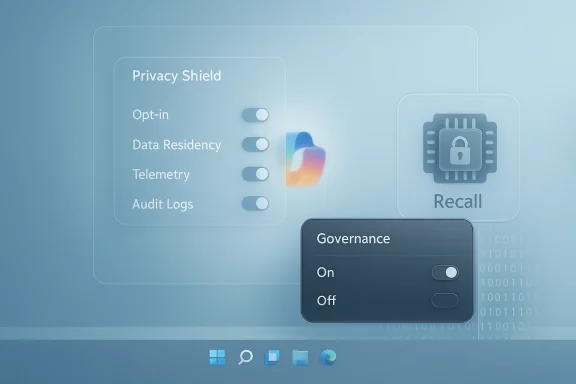 Background / Overview
Microsoft spent 2024 and 2025 aggressively embedding Copilot into the Windows 11 shell, repositioning the assistant from a sidebar utility into a system‑level interaction model that can listen, see, and (in tightly controlled previews) act on users’ behalf. That wave introduced Copilot Voice, Copilot Vision, and early Copilot Actions, and Microsoft framed part of this push around a new hardware tier, Copilot+, for the fastest on‑device experiences.The timing amplified friction. Microsoft used the moment Windows 10 reached its lifecycle cutoff to accelerate Windows 11’s AI positioning, making the transition more visible and more urgent for consumers and IT teams alike. That urgency, combined with rapid UI changes and preview rollouts, seeded a multi‑front backlash: complaints about AI bloat, unexpected notifications and prompts, privacy alarms over a proposed local “photographic memory” called Recall, and outright quality regressions in some early integrations.
Taken together, those pressure points prompted internal reprioritization: product teams are reportedly being instructed to stop expanding Copilot’s surface area across lightweight system apps, focus on reliability and performance fixes, and take a more measured, feedback‑driven approach to rolling out generative AI in the OS.
What Microsoft is reported to be changing
Scaling back visible Copilot placements
Multiple internal and community reports indicate Microsoft is pulling back front‑facing Copilot UI elements — the extra Copilot buttons, aggressive taskbar nudges, and in‑app suggestions that many users found intrusive — and is reconsidering where and when those elements should appear by default. The intent is to reduce perceived clutter and lower friction for users who don’t want an assistant aggressively surfacing suggestions in every built‑in app.Pausing or re‑gating Recall and other high‑risk experiments
Windows Recall — a proposed system memory that would index snapshots and other ephemeral user content to provide contextual help later — drew particularly sharp criticism because of privacy and governance implications. Reports show Microsoft is re‑gating this feature, slowing the preview timeline and rethinking the implementation to harden privacy controls before any broad release. That pause is emblematic of a broader shift from feature spectacle to getting the fundamentals right.Removing Copilot suggestions from notification surfaces
A narrower but telling change: Microsoft reportedly dropped Copilot suggestions from the system notification stream after internal and external feedback labeled the behavior as “AI bloat” — suggestions appearing where users expect actionable system messages, not AI hints. The change reduces interruption and the sense that the OS is monetizing attention through assistant prompts.Reprioritizing performance, reliability and admin controls
Instead of prioritizing rapid UI proliferation, Microsoft is said to be telling engineering teams to prioritize performance, stability, and enterprise governance — fixing regressions and restoring baseline expectations before layering on more AI capabilities. This includes stronger administrative controls for enterprises and clearer opt‑in mechanics so organizations can manage where Copilot surfaces appear.Why this matters: trust, privacy, and the user experience
The shift is not merely tactical product management: it’s an attempt to arrest an erosion of user trust that can quickly become structural. When an operating system starts to feel like an always‑on assistant, people ask tough questions: who sees my data, where is it stored, and how easy is it to opt out? Those are not hypothetical concerns — they were central to the pushback that triggered these changes.Privacy sensitivity runs deeper when features attempt to index local content or take unsupervised actions on the desktop. Even well‑intentioned features that promise convenience — like a searchable, contextual Recall — carry a higher bar for explainability and control. Microsoft’s reported decision to slow and redesign these features suggests the company is internalizing that bar.
User experience was an equally visible driver. Many complaints centered on unexpected interruptions — Copilot suggestions that arrived in notification trays, subtle UI changes that displaced familiar workflows, or assistants that surfaced when they weren’t needed. The current reset is therefore as much about ergonomics as it is about privacy.
What this looks like for different audiences
For everyday consumers
- Fewer intrusive Copilot prompts in the notification area and system apps, at least in default configurations.
- A more conservative rollout of new AI experiences; incremental features will likely arrive behind clearer opt‑in flows and banners explaining data usage.
- Continued presence of Copilot as a usable assistant, but with a less aggressive default posture until Microsoft proves reliability and privacy guardrails.
For power users and privacy advocates
- More clarity and control over what Copilot can index and when the assistant can act — especially if Recall returns in a redesigned, opt‑in, and auditable form.
- Possible expansion of third‑party, community alternatives that intentionally omit AI features (examples within the ecosystem already surfaced as community responses to perceived “Copilotification”).
For IT professionals and enterprise buyers
- Stronger admin controls and slower, staged rollouts that provide time to assess compliance and security impacts before enabling new AI features at scale.
- The likelihood that the richest on‑device Copilot experiences will remain gated behind Copilot+ hardware or additional licensing tiers, preserving a separation between mainstream and premium deployments.
Strengths of Microsoft’s course correction
- Listening to feedback — The decision to slow down visible integrations demonstrates responsiveness to user and enterprise feedback, which is necessary to rebuild trust after perceived overreach.
- Prioritizing fundamentals — Focusing on performance and reliability before expanding AI surfaces will reduce regressions and improve the baseline experience for all users.
- Hardening governance — Re‑gating Recall and improving admin controls reduces regulatory and compliance exposure for enterprise customers and gives IT teams time to craft policies.
- Reducing AI bloat — Removing suggestions from notification surfaces and dialing back ubiquitous prompts addresses fatigue and makes the assistant feel optional again rather than omnipresent.
Risks and downsides to the pivot
- Momentum loss and perceived retreat. When a platform signals a major slowdown, it risks eroding developer and OEM momentum behind the new interaction model. Partners who invested in Copilot‑centric workflows may see returns delayed or reduced.
- Fragmentation risk. A cautious, gated rollout can produce a split experience across devices and channels: some users on Insider rings may see fully agentic Copilot features, while the general public sees a conservative, pared‑down assistant. That divergence complicates developer expectations and UX consistency.
- Trust gap remains. Pausing features addresses symptoms, not root causes. Rebuilding trust requires not only toggles and clearer messaging but measurable changes in telemetry transparency, auditability, and third‑party verification. If Microsoft stops at visual changes, skepticism will persist.
- Opportunity cost. Slowing integration may cede early innovation advantages to competitors who pursue more aggressive on‑device or cloud‑assisted workflows, or to smaller players who build less controversial AI tooling. Microsoft must balance caution with forward momentum.
Technical and product realities behind the headlines
Feature gating and staged rollouts
Microsoft’s strategy for Copilot features has relied heavily on staged launches — Insider channels, server‑side feature flags, and Copilot Labs previews — to iterate rapidly while limiting blast radius. The current pause is consistent with that approach: rather than a wholesale rollback, we’re likely to see features turned off server‑side or restricted to preview audiences while engineering teams harden the product.Local vs. cloud processing tradeoffs
Some Copilot capabilities are optimized for cloud inference, while others leverage on‑device models (especially on Copilot+ hardware). Tradeoffs among latency, privacy, and cost will continue to shape design decisions; features that require indexing local content (like Recall) are especially sensitive and may require hybrid approaches or stronger local‑first options.Admin controls and enterprise telemetry
Enterprises asked for stronger governance, and Microsoft appears to be responding by emphasizing admin toggles and clearer policies around telemetry and data residency. Expect future updates to include centralized tenant controls, audit logs for agentic actions, and more explicit documentation that maps features to compliance frameworks.Practical steps users and IT teams can take now
- Check feature preview and Insider settings: Opt out of preview rings if you want a conservative experience, or join them selectively to evaluate changes in a controlled environment.
- For enterprises: review and tighten tenant policies for Copilot features; disable or gate new AI features until you have reviewed data flows and audit requirements.
- For privacy‑minded users: look for local controls that prevent indexing of documents or persistence of snapshots, and prefer opt‑in choices over defaults that enable memory features.
- For power users: adopt community alternatives or lightweight apps where appropriate; the ecosystem is already showing projects that deliberately omit AI to preserve low resource use and predictability.
How this reshapes the Windows AI narrative
Microsoft’s original narrative — move the operating system toward an AI‑first interaction paradigm — is long‑term, but the present pivot signals an important recalibration. Rather than forcing a universal Copilot presence, Microsoft appears to be acknowledging that AI must prove its value without compromising baseline expectations for a modern OS: speed, clarity, and user control.If Microsoft follows through, the outcome could be healthier: a Windows 11 that offers powerful, optional AI capabilities that are verifiable, controllable, and modular, rather than an environment where convenience was traded for surprise. Yet the path is narrow; the company must show measurable steps — not just design tweaks — to restore confidence.
What to watch next
- Whether Microsoft publishes clear, granular admin and telemetry controls for Copilot features and a public privacy roadmap for high‑risk experiments like Recall.
- How Microsoft communicates default settings in stable channels: will defaults lean conservative and opt‑in, or will the company reintroduce visible prompts once the feature passes internal audits?
- Whether Copilot+ hardware and premium licensing remain central to delivering the richest experiences, potentially widening a capability gap between budget and premium devices.
- The reaction of OEMs, ISVs, and the broader Windows developer community: their willingness to design for a conservative default experience or to push toward agentic scenarios will influence adoption dynamics.
Final analysis and assessment
Microsoft’s decision to pare back visible Copilot integrations and to rethink Recall reflects a pragmatic response to real user, enterprise, and regulatory pressure. The move is a win for clarity: it prioritizes stability, privacy, and governance over a headline‑driven expansion of AI features. That posture should reduce immediate friction and give Microsoft time to harden the underlying systems that make generative AI useful at scale.However, fixes must be substantive. Visual rollbacks and disabled suggestions only address symptoms. For the trust deficit to close, Microsoft must produce durable improvements: transparent telemetry, auditable action logs, clearer opt‑in mechanics, and documented data flows for any feature that indexes local content. Enterprises will expect those controls before enabling agentic features broadly; everyday users will demand predictable, non‑intrusive defaults.
If executed well, the reset could be a necessary course correction that leads to more responsible, useful AI on the desktop. If mishandled or if progress stalls, Microsoft risks both losing momentum in the next wave of compute paradigms and reinforcing the perception that AI in everyday software is more of a nuisance than a help. The company’s next moves — the mechanics of gating, the clarity of admin controls, and the transparency of data practices — will determine whether Copilot becomes a trusted assistant or a perennial UX liability.
In short: Microsoft has stepped back from a high‑visibility AI sprint and is now in the precarious phase of translating lessons from backlash into durable product and governance changes. The eventual outcome will shape whether Windows 11’s AI story is remembered as a hasty experiment or the start of a responsibly integrated new interaction model.
Source: PCWorld Report: Microsoft rethinks AI ambitions in Windows 11 after pushback
Source: TechSpot https://www.techspot.com/news/11169...ck-copilot-integration-across-windows-11.html
Source: Gadgets 360 https://www.gadgets360.com/ai/news/...i-bloat-reduction-windows-11-report-11222152/
