

Microsoft’s recent, quiet course correction on Windows 11 — dialing back ubiquitous Copilot placements and rethinking the ambitious Recall feature — is the clearest evidence yet that the company’s “AI everywhere” experiment ran into real-world friction: privacy alarms, UX fatigue, reliability concerns, and growing enterprise unease. What began as a bold attempt to make the PC an always-available, context-aware assistant has been pulled back from several consumer-facing edges and moved into a longer, more conservative development cycle. The change is tactical, not existential: Microsoft still sees AI as central to Windows’s future, but the emphasis is shifting toward fewer high-value integrations, stronger safeguards, and clearer user control.
That push accelerated both visibility and controversy. On one hand, the company framed Copilot as productivity amplification. On the other, users and administrators began to push back — not necessarily against AI itself, but against how it was placed and implemented.
These concerns prompted Microsoft to slow Recall’s rollout, gate it behind Windows Insider previews, and rework its security posture before a broader launch.
Key elements being rethought include:
In the end, the lesson for any platform steward is simple and timeless: powerful capability needs equally powerful governance. For Windows 11, that governance is now being rewritten in public — and the outcome will shape how millions of users experience AI on their PCs for years to come.
Source: Digg Microsoft is quietly walking back Windows 11’s AI overload — scaling down Copilot and rethinking Recall in a major shift for the OS | technology
 Background
The “Copilot everywhere” push
Over the last two years, Microsoft has layered Copilot — its conversational, model-assisted assistant — into the Windows 11 shell and first-party apps. The intent was straightforward: make assistance ambient and immediate. Copilot buttons and prompts appeared in the taskbar, in apps like Notepad and Paint, in context menus, and as inline assistants that could suggest actions or automate tasks. Microsoft’s platform push extended to hardware partners with a Copilot+ PC designation, which promised hardware acceleration for on-device AI workloads.That push accelerated both visibility and controversy. On one hand, the company framed Copilot as productivity amplification. On the other, users and administrators began to push back — not necessarily against AI itself, but against how it was placed and implemented.
Recall: an ambitious memory, a privacy lightning rod
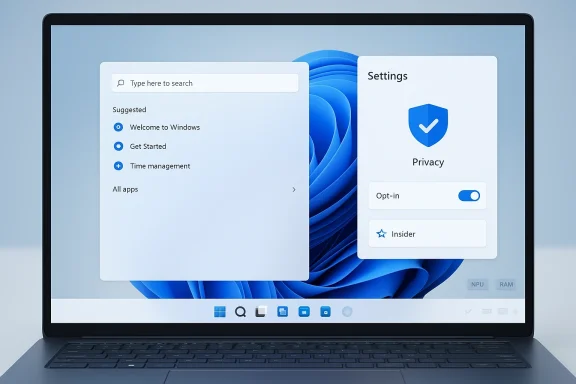
Recall was the most ambitious and most controversial of the new features. Designed to act like a local “photographic memory,” Recall periodically indexed a user’s activity and on-device content so that past actions, screenshots, and text could be searched and revisited. Technically powerful, Recall raised immediate and predictable privacy and security concerns: what is captured, where it’s stored, who can access it, and how well it’s protected.These concerns prompted Microsoft to slow Recall’s rollout, gate it behind Windows Insider previews, and rework its security posture before a broader launch.
What Microsoft is changing — the observable shifts
1) Pausing low-value Copilot placements
The most visible change is a pause on expanding Copilot UI affordances into small, lightweight apps and toolbars. Microsoft appears to be removing or de-emphasizing Copilot buttons and persistent icons in utilities where the benefit was marginal and the disruption noticeable.- Notepad and Paint: Copilot icons and inline prompts are reportedly being reevaluated or removed.
- Suggested Actions: the contextual helper that surfaced miniactions (call, schedule, search) when users copied phone numbers, dates, or URLs has been de-emphasized and appears slated for removal or rework.
- Taskbar and shell nudges: ubiquitous, decorative placements that produced little measurable productivity gain are being trimmed.
2) Reworking Recall and similar experiments
Recall’s initial design — an always-on snapshotting and indexing system — was moved back into Insider builds while Microsoft hardens security, tightens defaults, and reconsiders how the feature is presented and controlled.Key elements being rethought include:
- Default opt-in behavior (moving to conservative, opt-in defaults).
- Security gating: stronger authentication and encryption requirements before recall data can be accessed.
- Hardware and platform scope: restricting full Recall functionality to Copilot+ certified hardware that meets specific RAM, storage, and NPU performance baselines.
- Renaming or rebranding: Microsoft may rename the capability if its scope and purpose significantly change.
3) Emphasis on selective value and reliability
The broader product signal is clear: stop spreading Copilot thin. Microsoft is redirecting efforts to ensure that the most visible AI experiences deliver consistent value, behave reliably across the installed base, and do not erode platform trust.- Fewer, higher-value surfaces.
- More rigorous testing in Insider channels before public exposure.
- Increased focus on performance and update reliability as prerequisites for consumer-facing AI.
Why this matters: trust, ergonomics, and enterprise risk
Trust and privacy are non-negotiable
A system that “remembers everything” demands airtight security and transparent user control. Recall crystallized that principle: capturing on-screen content — even if processed locally — stokes user fear unless defaults are conservative and safeguards are visible and verifiable.- Opt-in defaults matter: features that index local content should require explicit user consent, clear explanations, and easy, reliable ways to delete or pause history.
- Access controls must be robust: hardware-backed authentication (Windows Hello), virtualization-based protection, and encrypted storage are necessary to reduce attack surface.
- Auditability and transparency: users and enterprise admins need logs and controls to confirm who accessed what and when.
UX bloat undermines product value
Small, ubiquitous Copilot affordances can feel intrusive when they don’t reliably save users’ time. Microsoft’s mistake was not that it added AI — it was that it introduced too many marginal affordances, creating cognitive friction in daily workflows.- Visual clutter: excess icons and prompts reduce clarity.
- Interruption cost: ill-timed suggestions interrupt flow and create perceived slowness.
- Brand dilution: when every minor feature is labeled “Copilot,” the brand loses meaning and users ignore genuinely helpful prompts.
Enterprise and IT management concerns
Admins need predictability. Rapidly changing, deeply integrated features complicate deployment planning, security baselines, and compliance efforts.- Heterogeneous hardware: AI features that require NPUs or other silicon variants complicate large-scale rollouts.
- Policy and update management: enterprises require administrative policies that can disable or control AI surfaces centrally.
- Reputational risk: data-exfiltration concerns associated with features like Recall can trigger bans or restrictive policies in sensitive organizations.
Technical constraints and platform realities
Hardware fragmentation and performance
Not all PCs are equal. Some AI experiences — especially those designed to run on-device for latency and privacy — rely on NN accelerators (NPUs) and significant RAM. Microsoft’s Copilot+ designation and suggested hardware minima (for Copilot+ features) highlight this divide.- Proposed baseline for Copilot+ experiences typically includes:
- 16 GB or more of RAM
- 256 GB or more storage
- An NPU capable of meaningful TOPS (trillions of operations per second) to accelerate local models
Security hardening approaches
Microsoft’s tactical retreat is accompanied by concrete security measures being baked into reworked features:- Virtualization-Based Security (VBS) and other isolation primitives to protect indexed recall data.
- Windows Hello authentication gating to reduce the risk of unauthorized access.
- Encrypted on-disk storage and clear data lifecycle controls to allow deletion and export.
The community response: opt-out tooling and the political economy of features
A vocal segment of Windows users pushed back by building opt-out tooling that removes or hides AI shells from the OS. Community projects — scripts and debloat tools — proliferated, signaling user impatience with vendor-controlled toggles.- These tools vary: some use supported APIs and policy flips; others surgically remove packages and manipulate servicing inventories.
- Their popularity matters: when the community builds easy ways to opt out, it signals that default controls are insufficient and that vendor trust is low.
Strengths in Microsoft’s approach (what’s working)
- Strategic patience: shifting from rapid ubiquity to targeted value-first placement reduces the chance of feature fatigue and brand erosion.
- Platform continuity: despite trimming visible surfaces, Microsoft continues to invest in underlying AI APIs, Windows ML, and developer tooling — ensuring partners and ISVs can build on stable foundations.
- Security-first posture for sensitive features: moving Recall into Insider channels and adding VBS/Windows Hello protections demonstrates responsiveness to legitimate concerns.
- Use of Insider channels for iterative feedback: Keeping controversial features in Insiders allows real-world testing and reduces the risk of a broadly disruptive rollout.
Risks and unresolved issues (what still worries users and admins)
- Incomplete transparency: users still lack a simple, centralized view of what Copilot or Recall may access and why. Transparency won’t be fixed overnight.
- Default choices vs. nudges: Microsoft historically designs for adoption; balancing nudges with respect for user autonomy remains an open challenge.
- Update and regression risks: prior months showed emergency remediation and regressions; until update reliability improves, users will judge new features harshly.
- Enterprise fragmentation: feature gating by hardware could create uneven experiences across a fleet, complicating support and training.
- Legal and regulatory exposure: governments and regulators are increasingly attentive to data collection on endpoints. Aggressive local indexing features risk regulatory scrutiny in some jurisdictions.
What users and IT should do now
- Audit current systems
- Review which Copilot and AI features are enabled by default across your fleet.
- Use group policy and management tooling to enforce opt-in behavior where appropriate.
- Harden endpoints
- Ensure Windows Hello and device encryption are mandatory for machines where sensitive data resides.
- Enable VBS and other hardware-backed protections where available and compatible.
- Communicate with users
- Explain what features store local activity and provide clear instructions for opting out or for deleting stored histories.
- Provide guidance on when AI features are optional versus when they are supported by your helpdesk.
- Test updates before broad deployment
- Use phased or ringed deployment strategies to validate that new AI integrations do not degrade performance or stability.
- Monitor feedback from pilot users and collect telemetry focused on reliability, not just feature usage.
The product lesson: discipline beats ubiquity
The Windows 11 Copilot/Recall episode is a textbook case of product discipline vs. feature ubiquity. Users reward features that reliably save time with predictable behavior and transparent controls. When companies race to expose AI in every conceivable surface, they risk:- User fatigue and distrust.
- Brand dilution of the AI assistant itself.
- Security and compliance complications.
- A negative cycle where community opt-out tooling becomes mainstream, undermining the vendor’s authority.
Where this leaves Windows’s AI future
- Core platform investment will continue. Microsoft has long-term strategic reasons to embed AI in Windows: developer ecosystems, OEM partnerships, and a differentiated offering in a world where chips and models matter.
- Visible AI will be more selective. Expect Copilot to surface in places that demonstrably improve workflows: deeper Office/Edge integrations, contextually useful assistance in productivity tools, and hardware-targeted experiences on Copilot+ systems.
- Privacy and governance will move from afterthought to design principle. Future features will likely ship with explicit opt-ins, stronger device authentication, and clearer user-facing settings to inspect and control what’s stored.
- Enterprise controls will be front and center. Administrators will get more authoritative policies to restrict, configure, and audit AI features across devices.
Final analysis: a necessary self-correction, not a retreat
Microsoft’s quiet rollback and recalibration is not a defeat for on-device AI. It is a course correction that acknowledges a crucial reality: the technical ability to capture and process user activity does not automatically translate into product acceptance. The company’s next challenge is behavioral and social as much as it is technical. Restoring confidence requires:- Clear, simple controls for users.
- Stronger, verifiable security protections for sensitive features.
- Measured, evidence-driven product expansion that privileges reliability over novelty.
- Transparent communication with users and administrators about data handling.
In the end, the lesson for any platform steward is simple and timeless: powerful capability needs equally powerful governance. For Windows 11, that governance is now being rewritten in public — and the outcome will shape how millions of users experience AI on their PCs for years to come.
Source: Digg Microsoft is quietly walking back Windows 11’s AI overload — scaling down Copilot and rethinking Recall in a major shift for the OS | technology
