

Microsoft’s decision to quietly reassess and, in some cases, pull back certain AI integrations from Windows 11 has moved from rumor to reality — and the conversation has shifted from curiosity to a broader debate about product design, privacy, and user control. Neowin’s recent reporting that Microsoft may “finally” remove or scale back AI features found little love from users is the latest data point in a story that’s now generating community-built “nuke” tools, enterprise caution, and product-level soul‑searching at Redmond.
Windows 11’s transition into what Microsoft increasingly calls the “AI PC” has been rapid and highly visible: Copilot, Recall (the local activity-indexing feature), AI Actions in context menus, and model‑assisted capabilities inside first‑party apps such as Notepad, Paint, and File Explorer have been layered into both the shell and inbox apps. Some of those features — notably Recall and pervasive Copilot affordances — drew immediate scrutiny from privacy-minded users and security researchers. Microsoft adjusted course in response: Recall’s rollout was delayed for security hardening and moved into the Windows Insider program for additional testing, while other Copilot experiments have been paused and iterated on.
At the same time, a vocal segment of the Windows community has taken matters into its own hands. Open-source projects and debloat tools now offer ways to remove or hide many on‑device AI surfaces — some doing so via supported settings and policy flips, others by surgically uninstalling Appx packages and manipulating the Windows servicing inventory. Those community actions have forced a more public reckoning about what “AI in the OS” should mean, who gets to decide, and how reversibility, privacy, and update reliability are preserved.
Recall’s design — periodic local snapshots of app and screen state to help users “remember” past activity — triggered immediate privacy and security questions, especially around storage, encryption, and exposure. Microsoft delayed Recall and moved broader testing behind the Insider channel while it strengthened safeguards and clarified opt‑in behavior. The company’s public statements and independent reporting confirm that Recall is optional and must be explicitly enabled; its rollout has been conservative given legitimate concerns.
If you’re a typical user:
Conclusion: Microsoft’s recent moves reflect a pragmatic middle ground. AI remains an aspiration for Windows, but not at the cost of trust or fragility. For users and admins alike, the safest posture today is cautious experimentation: prefer supported controls, test before you alter servicing, and treat community scripts as powerful but high‑risk tools that require informed use.
Source: Neowin https://www.neowin.net/news/microso...atures-in-windows-11-following-user-backlash/
 Background / Overview
Windows 11’s transition into what Microsoft increasingly calls the “AI PC” has been rapid and highly visible: Copilot, Recall (the local activity-indexing feature), AI Actions in context menus, and model‑assisted capabilities inside first‑party apps such as Notepad, Paint, and File Explorer have been layered into both the shell and inbox apps. Some of those features — notably Recall and pervasive Copilot affordances — drew immediate scrutiny from privacy-minded users and security researchers. Microsoft adjusted course in response: Recall’s rollout was delayed for security hardening and moved into the Windows Insider program for additional testing, while other Copilot experiments have been paused and iterated on. At the same time, a vocal segment of the Windows community has taken matters into its own hands. Open-source projects and debloat tools now offer ways to remove or hide many on‑device AI surfaces — some doing so via supported settings and policy flips, others by surgically uninstalling Appx packages and manipulating the Windows servicing inventory. Those community actions have forced a more public reckoning about what “AI in the OS” should mean, who gets to decide, and how reversibility, privacy, and update reliability are preserved.
What Neowin reported — a concise, verifiable summary
Neowin’s coverage frames the latest moves as Microsoft responding to a wave of user backlash against what many consider needless or intrusive AI prompts and affordances inside Windows 11. The article highlights three practical signals:- Microsoft is reviewing and pulling back some Copilot UI integrations — especially lightweight, ubiquitous affordances in simple apps such as Notepad and Paint.
- The “Suggested Actions” feature — a contextual helper introduced earlier that suggested actions (call, schedule, search) when users copied phone numbers, dates, or URLs — has been deprecated or marked for removal in upcoming updates.
- A broader internal reassessment extends to Recall and other high‑visibility experiments, with Microsoft preferring iterative refinement over continued expansion while it stabilizes the core OS experience.
The features at the center of the storm
Suggested Actions: small idea, outsized frustration
Suggested Actions attempted to provide smartphone‑style contextual shortcuts when users copied text. In practice it was inconsistent and, to some users, redundant or jarring — especially when it surfaced for trivial or irrelevant selections. Microsoft has marked it for deprecation, and reporting suggests the feature will be removed in a future update rather than reworked in place. That deprecation is emblematic: even modest features that fail to deliver consistent value get prioritized for removal in a leaner OS.Copilot ubiquity: helper or harbinger?
Copilot is now more than a single assistant; it’s a platform brand being applied to multiple entry points across the shell and apps. Users complained that taskbar icons, persistent “Ask Copilot” affordances inside basic tools, and an expanding constellation of Copilot buttons created UI noise. Microsoft’s response — pull back experimental placements and iterate in Insiders — is intended to restore product discipline while preserving the underlying investment in assistant tech. ([neowin.net](https://www.neowin.net/news/windows...aw1ZHVJMCiRw1Ks__Fr7Fka8/?utm_source=opeivacy, encryption, and gatingRecall’s design — periodic local snapshots of app and screen state to help users “remember” past activity — triggered immediate privacy and security questions, especially around storage, encryption, and exposure. Microsoft delayed Recall and moved broader testing behind the Insider channel while it strengthened safeguards and clarified opt‑in behavior. The company’s public statements and independent reporting confirm that Recall is optional and must be explicitly enabled; its rollout has been conservative given legitimate concerns.
The community counterpunch: RemoveWindowsAI, Winslop, FlyOOBE and friends
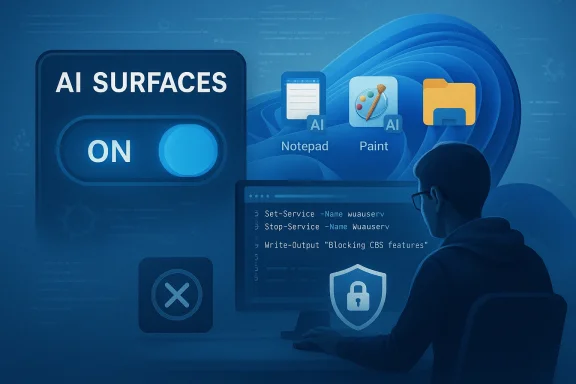
When users feel features are intrusive or hard to opt out of, community developers often build tools to restore control — and this story is no different.- RemoveWindowsAI (GitHub) is a PowerShell-based project that automates toggles, Appx removals, scheduled task cleanup, and even the installation of a custom “blocker” entry into the Component‑Based Servicing (CBS) store to prevent re‑provisioning of AI packages. The repository is explicit about aims (privacy, control), includes a “revert mode,” and warns users about antivirus false positives and the risks of servicing changes.
- Winslop and other GUI front‑ends package similar actions into user‑friendly forms, focusing on reversible toggles and a visible checklist. These projects emphasize transparency, but vary in technical depth and risk tolerance.
- Popular debloat tools such as FlyOOBE have integrated AI removal modules (or “deep cleanup” pathways) and link to or incorporate the RemoveWindowsAI logic for users who want an aggressive cleanup. Tech outlets have covered FlyOOBE adding AI‑cleanup integrations and urged caution for users unfamiliar with servicing fragility.
The technical mechanics — what these removal tools actually do (and why that matters)
It’s useful to think about these interventions in layers:- Registry and Group Policy flips (low risk): These hide UI elements and gate activation. They’re generally reversible and similar to supported admin controls.
- Appx / MSIX removal (moderate risk): Tools uninstall inbox packages for Copilot front ends, Paint/Notepad AI components, and provisioned manifests. Removing provisioned packages prevents new user profiles from receiving them, but on OEM images packages may be shared across features and dependencies.
- Scheduled task and local data cleanup (destructive): Features like Recall maintain local indices and scheduled snapshot tasks. Removing them deletes historical data and can be irreversible without backups.
- Component‑Based Servicing (CBS) edits and blocker packages (high risk): The most controversial technique is installing a custom blocking package or altering the servicing inventory so Windows Update does not re‑provision a feature. That intentionally diverges from the stock servicing inventory and can cause cumulative update failures, upgrade fragility, or forced repair operations down the line. Many community authors warn that this is the riskiest action and recommend careful backups and testing in a virtual machine first.
Strengths of Microsoft’s current approach (what the company gets right)
- Iterative restraint in response to feedback: Pausing experiments and iterating in the Windows Insider channel shows Microsoft is listening and willing to adjust placement and defaults when features trigger privacy or UX concerns. That’s a mature product practice.
- Opt‑in and encryption defaults for sensitive features: For features like Recall, Microsoft’s decision to require explicit opt‑in and to encrypt local datasets with Windows Hello where appropriate reduces many legitimate threat vectors and addresses a core user fear.
- Gradual rollouts and Copilot+ hardware gating: Some high‑impact features are limited to Copilot+ PCs or newer hardware, which reduces the blast radius on older devices and provides a clearer upgrade path for heavy AI usage. This preserves a baseline experience for non‑Copilot customers.
Real risks and downsides (what keeps IT pros and security teams up at night)
- Update and upgrade fragility: Altering the servicing inventory or installing blocker packages can make future cumulative or feature updates fail, leave a system in a partially serviced state, or require repair installs. For managed fleets, this can create costly support incidents and lengthy remediation. The community‑built installer that modifies CBS is explicitly called out as high‑risk by multiple analysts.
- Broken dependencies and collateral damage: Some inbox packages serve multiple features. Removing an “AI” package might inadvertently break unrelated shell functionality or OEM extensions. That’s particularly problematic on vendor images where support expectations assume the stock servicing inventory.
- Permanently lost local data: Deleting Recall indices or scheduled snapshots erases local histories that cannot be recovered unless users back them up proactively — a real and tangible loss of user data for the sake of “de‑AIing.”
- Security and supply‑chain exposure: Running arbitrary PowerShell from community repos introduces supply‑chain risk. Forks and mirrors proliferate quickly; a widely downloaded tool may diverge from its audited origin. Independent code audits and checksum verification are best practice before any broad use. (forbes.com)
- Supportability and warranty issues: Aggressive servicing changes may complicate vendor diagnostics and warranty interactions, especially on OEM devices that ship with custom drivers and utilities. Vendors and enterprise support desks may require a stock servicing inventory before offering warranty or troubleshooting help.
Recommended paths for different audiences
For everyday Windows users who dislike intrusive AI features
- Use built‑in Settings and Privacy controls first. Many AI affordances can be hidden or disabled via official toggles and Copilot settings without resorting to external tools. Try the supported path before attempting invasive changes.
- If you decide to use community tools, test in a virtual machine first and create full backups. Follow project instructions exactly and prefer tools that offer a clear “revert” path and minimal servicing edits.
For power users and enthusiasts
- Audit what you want to remove (UI only vs. full servicing changes).
- Take an image-level backup (for example, a full system image) before running removal scripts.
- Prefer registry or policy-only toggles for less risk. Avoid installing CBS blockers unless you fully understand servicing implications.
- Keep a recovery plan and know how to repair Windows using official media.
For IT admins and enterprises
- Avoid community hacks on production fleets. Use Group Policy, Microsoft Intune configuration profiles, and supported policy templates to control Copilot/AI affordances. Test any user‑driven requests in a lab environment and consult Microsoft documentation for supported opt‑outs.
- If large numbers of users demand an “AI‑free” baseline, coordinate with Microsoft support channels and consider imaging and provisioning strategies that remove opt‑in features at image time servicing store.
What the trend means for Microsoft’s product discipline
The public backlash and the proliferation of removal tools send a few clear signals to Microsoft:- Surface discipline matters: The way an assistant is surfaced — persistent icons, ubiquitous buttons in simple utilities — has an outsized impact on perceptions of intrusiveness. If an AI feature doesn’t clearly reduce friction, it becomes noise. Microsoft’s decision to pause or remove certain affordances reflects that lesson.
- Trust trumps novelty: Users are willing to use AI when it’s clearly helpful and properly gated. When the feature appears to collect or index personal data (even locally), trust issues become primary. Conservative defaults and transparent opt‑ins reduce backlash.
- Community agency will influence product design: When enough users build and adopt tools to excise features, vendors are forced to consider the feature’s lifecycle and the supported opt‑out story. In that sense, the community backlash has become an extension of product feedback loops — just louder and more technical.
A sober assessment: will Microsoft “get rid of useless AI features”?
“Get rid” is too absolute. The evidence indicates Microsoft is reassessing placement, defaults, and rollout strategies rather than abandoning AI on the platform. Expect:- Deprecation of small, poorly adopted features (Suggested Actions is an example).
- Rebranding or repositioning of Copilot affordances to reduce UI clutter and ensure value-first placements.
- Stronger opt‑in controls, encryption, and privacy messaging for features such as Recall.
- Continued investment in AI that demonstrably improves productivity on supported hardware (Copilot+ scenarios), but with a more careful, user‑centric rollout plan.
Final verdict and practical guidance
The latest wave of reporting — including Neowin’s piece and corroborating coverage by security researchers, mainstream tech outlets, and community forums — shows a pivot rather than a retreat. Microsoft is listening: some AI features will be pulled or reworked, others will remain but under tighter controls, and the community will continue to demand more transparent, durable opt‑out paths.If you’re a typical user:
- Use official settings first, and be cautious about third‑party removal scripts.
- Back up before experimenting, and prefer reversible changes.
- Use supported policies and test any aggressive changes in lab environments.
- Treat community removal tools as a signal of user sentiment, not a production strategy.
- Keep iterating on placement and defaults.
- Offer durable, documented, supported opt‑outs that match what power users are resorting to community tools to achieve — without forcing risky servicing hacks.
Conclusion: Microsoft’s recent moves reflect a pragmatic middle ground. AI remains an aspiration for Windows, but not at the cost of trust or fragility. For users and admins alike, the safest posture today is cautious experimentation: prefer supported controls, test before you alter servicing, and treat community scripts as powerful but high‑risk tools that require informed use.
Source: Neowin https://www.neowin.net/news/microso...atures-in-windows-11-following-user-backlash/
