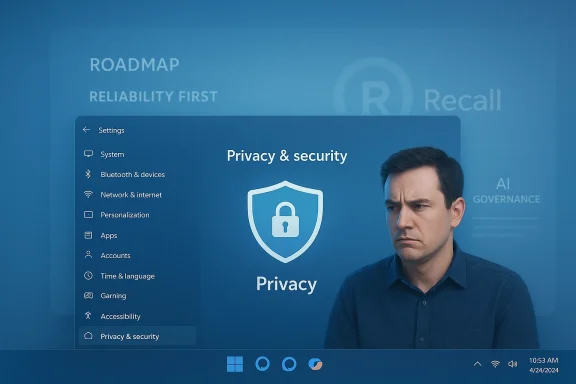
Microsoft’s visible AI push in Windows 11 is slowing down: after months of public complaints, privacy headlines, and usability gripes, the company is reportedly rethinking several high-profile, user-facing AI features — notably the Copilot buttons littering first‑party apps and the ambitious Windows Recall feature — while continuing to invest in under‑the‑hood AI infrastructure and developer APIs. (windowscentral.com)
Windows 11’s recent strategy placed artificial intelligence at the center of the user experience. Microsoft promoted Copilot as the conversational assistant that would be “everywhere” on the desktop, and it positioned Windows Recall — a local, searchable record of your past onscreen activity — as a marquee capability for Copilot+ PCs. That aggressive positioning, combined with copies of Copilot controls appearing across lightweight apps, created a visible footprint that users and security experts quickly scrutinized. (windowscentral.com)
Recall’s development was marred by a high‑profile delay. Announced in 2024, its initial rollout was postponed after researchers and journalists flagged how Recall’s initial architecture could expose sensitive screenshots and parsed text to attackers or curious administrators. Microsoft pulled Recall from broad availability and committed to redesigning its protections before returning the feature to preview channels.
At the same time, Microsoft began embedding Copilot affordances — small buttons, “Ask Copilot” entries, and taskbar nudges — into in‑box apps like Notepad, Paint, and File Explorer. For many users those additions felt intrusive, redundant, or incomplete; the marquee “Copilot everywhere” approach increasingly looked like visibility-first product placement rather than a measured rollout of features that solve tangible problems. (windowscentral.com)
Finally, a public messaging misstep crystallized user anger: a November post by Windows leadership describing a pathway to an “agentic OS” — one that could act on behalf of users — drew thousands of negative replies and amplified an already simmering backlash. That outcry, combined with persistent complaints about bugs, intrusive prompts, and perceived bloat, appears to have moved internal thinking at Microsoft. (windowscentral.com)
This pause is not a total abandonment of the assistant concept; rather, insiders say Microsoft is triaging where visible Copilot elements actually deliver measurable benefit and where they merely consume screen real estate. The company is reportedly favoring tactical restraint: keep what helps, prune what irritates. (windowscentral.com)
For users and IT administrators, the immediate implications are pragmatic rather than existential: expect less Copilot clutter, more granular controls, and continued platform investment. For Microsoft, the hard work is just beginning. Rebuilding trust will require not just better encryption or renamed features, but demonstrable, user‑centered design and enterprise‑grade governance that signals the company truly understands the boundaries of useful, respectful AI on the desktop. (windowscentral.com)
Source: WinBuzzer Microsoft Considers Scaling Back Windows 11 AI Integration After User Backlash - WinBuzzer
 Background
Windows 11’s recent strategy placed artificial intelligence at the center of the user experience. Microsoft promoted Copilot as the conversational assistant that would be “everywhere” on the desktop, and it positioned Windows Recall — a local, searchable record of your past onscreen activity — as a marquee capability for Copilot+ PCs. That aggressive positioning, combined with copies of Copilot controls appearing across lightweight apps, created a visible footprint that users and security experts quickly scrutinized. (windowscentral.com)Recall’s development was marred by a high‑profile delay. Announced in 2024, its initial rollout was postponed after researchers and journalists flagged how Recall’s initial architecture could expose sensitive screenshots and parsed text to attackers or curious administrators. Microsoft pulled Recall from broad availability and committed to redesigning its protections before returning the feature to preview channels.
At the same time, Microsoft began embedding Copilot affordances — small buttons, “Ask Copilot” entries, and taskbar nudges — into in‑box apps like Notepad, Paint, and File Explorer. For many users those additions felt intrusive, redundant, or incomplete; the marquee “Copilot everywhere” approach increasingly looked like visibility-first product placement rather than a measured rollout of features that solve tangible problems. (windowscentral.com)
Finally, a public messaging misstep crystallized user anger: a November post by Windows leadership describing a pathway to an “agentic OS” — one that could act on behalf of users — drew thousands of negative replies and amplified an already simmering backlash. That outcry, combined with persistent complaints about bugs, intrusive prompts, and perceived bloat, appears to have moved internal thinking at Microsoft. (windowscentral.com)
What Microsoft is reportedly changing
Copilot buttons: visibility paused, integrations under review
According to reporting from multiple outlets, Microsoft has paused work on adding new Copilot buttons across additional in‑box apps. Existing Copilot affordances in apps such as Notepad and Paint are under review and may be removed, rebranded, or redesigned to present a simpler, less obtrusive experience. These moves appear intended to reverse the “slap‑a‑Copilot‑icon‑everywhere” approach that drew user ire. (windowscentral.com)This pause is not a total abandonment of the assistant concept; rather, insiders say Microsoft is triaging where visible Copilot elements actually deliver measurable benefit and where they merely consume screen real estate. The company is reportedly favoring tactical restraint: keep what helps, prune what irritates. (windowscentral.com)
Windows Recall: rework, not total cancelation
Recall is being described internally as “failed in its current form” and is under active reconsideration. Microsoft is exploring ways to evolve the concept rather than discard the engineering work entirely; that could include renaming the feature, narrowing its scope, or moving more processing and controls to local, encrypted silos with stricter authentication. But the broader lesson is clear: a marquee AI capability that inspires security concerns can quickly become a reputational liability. (windowscentral.com)What’s staying: under‑the‑hood AI investments
While consumer‑facing elements are being trimmed, several foundational investments reportedly continue: Semantic Search, Agentic Workspace (as a developer concept), Windows ML, and Windows AI APIs remain on Microsoft’s roadmap. Those components are less visible to end users but are crucial to the company’s longer‑term strategy for enabling third‑party apps, enterprise scenarios, and device‑level AI acceleration. In short, Microsoft looks to be separating surface UI experiments from platform-level AI tooling. (windowscentral.com)Why this pivot matters
1. Trust is fragile — and expensive to repair
Windows is an ecosystem built on scale: billions of devices, enterprise footprints, and countless third‑party apps. When a high‑profile feature like Recall triggers privacy and security concerns, it damages trust not only for the feature itself but for the platform. Microsoft’s year‑long delay and the resulting limited adoption illustrate how a single security misstep can dramatically reduce uptake even after technical fixes. Multiple security researchers warned that even encrypted local snapshots could be exfiltrated by attackers who obtain sufficient privileges, and critics noted that reliance on fallbacks like Windows Hello PINs left room for abuse. These criticisms stuck.2. Visibility-first product design can backfire
There’s a product design principle here: prominence without value creates friction. When Copilot icons appeared in minimal, utility apps, users reacted negatively because the feature felt added to sell Copilot rather than to solve a real problem. That tension — between marketing visibility and functional value — is fatal in platform UI. For a widely used OS, surface clutter is perceived as a systemic problem, not a harmless addition. (windowscentral.com)3. Enterprise concerns amplify consumer backlash
Businesses care deeply about privacy, manageability, and compliance. Features that index local user activity or change authentication flows raise flags for IT teams. Microsoft’s decision to put Recall and other AI features through preview channels and require opt‑in demonstrates an awareness of enterprise sensitivity, but the initial public controversy widened scrutiny and weakened Microsoft’s negotiating position with security‑sensitive customers.4. Economics and optics collide
AI is expensive to develop and operate, and cloud compute only returns revenue when customers use it. That creates an economic pressure to place AI where users will encounter it. But if visibility sacrifices user experience and trust, the business case dissolves. Microsoft’s reported move to prioritize developer‑facing AI tooling while pulling back consumer UI experiments is a recognition that forcing adoption through ubiquitous UI placement is a risky way to generate volume. (windowscentral.com)Critical analysis: strengths, weaknesses, and risks
Strengths of Microsoft’s strategic reset
- Listening and course correction: The reported pause shows Microsoft is responsive to user feedback and telemetry — a necessary corrective when product experiments backfire publicly. (windowscentral.com)
- Focus on core platform investments: Continuing to build Windows ML and AI APIs helps Microsoft preserve long‑term developer value while reducing short‑term UI risk. This layered approach decouples user experience choices from platform capabilities.
- Practical rebranding potential: Dropping the Recall name while reusing technical work could salvage real user value without the baggage of a tainted brand, if the reworked feature addresses the identified vulnerabilities and improves transparency. (windowscentral.com)
Weaknesses and ongoing challenges
- Trust deficit is hard to fix: Even robust technical fixes (e.g., encryption, Windows Hello gating) can’t entirely erase memories of earlier design failures. Security messaging must be backed by independent audits and clear, user‑actionable controls.
- Execution and coherence risk: Microsoft has a history of ambitious pivots and feature toggles; repeated starts and stops can frustrate users and developers. If Copilot features are removed and reintroduced repeatedly, the brand may become synonymous with unstable UX. (windowscentral.com)
- Balancing enterprise vs. consumer use cases: Narrowing features to meet enterprise standards can make them less accessible or compelling for consumers. Conversely, consumer‑friendly features that ignore enterprise constraints will struggle to gain business adoption. Finding the right scope is nontrivial.
Strategic risk scenarios
- Half‑measures that please nobody: Microsoft could trim visible Copilot elements but keep underpowered AI helpers, delivering neither enterprise assurances nor meaningful consumer value.
- Developer disillusionment: If Microsoft deprioritizes consumer integrations while continuing API work, developers building user‑facing experiences may find platform adoption slower than expected.
- Competitive exposure: Rivals that embed well‑scoped, privacy‑respecting AI features might win users and developers who judge Microsoft’s offerings as inconsistent or untrustworthy.
What Microsoft should do next (recommended roadmap)
- Adopt a “privacy by default, transparency by design” posture:
- Make all AI features opt‑in and provide clear, granular toggles.
- Publish independent security audits and an accessible data‑flow diagram for every major AI feature.
- Prioritize value demonstration over brand placement:
- Only place visible Copilot affordances in contexts with measurable task benefits (e.g., summarization in Notepad for long documents).
- A/B test features with clear success metrics tied to user productivity.
- Improve enterprise controls:
- Provide group policy templates, MDM controls, and compliance guidance for administratively managed devices.
- Offer an enterprise UI mode that suppresses consumer‑oriented prompts and retains secure, controlled AI tooling.
- Reintroduce reworked features with an “explainable rollout”:
- Ship limited previews, publish telemetry goals, and set fixed review windows so users can judge adoption progress.
- Consider rebranding contentious features only after substantial UX and security improvements are publicly demonstrable.
What this means for users and IT admins
For individual users
- You can expect fewer intrusive Copilot icons and nudges in upcoming Windows 11 updates if the reported changes roll out.
- If you’re concerned about Recall or any AI feature, look for opt‑in settings and Windows Hello protections; disable or avoid enabling features that index local activity until you’re satisfied with safeguards.
- Practical immediate steps:
- Review Installed Apps > Copilot and remove the app if you don’t want cloud‑assisted features.
- Audit privacy settings and local device security (Windows Hello, BitLocker, account controls).
For IT administrators
- Expect Microsoft to publish additional controls and group policies for administrators to manage AI features centrally; prioritize testing these in a lab environment before broad deployment.
- Review update channels (Insider, Beta, Release Preview) to control when and whether new AI integrations reach managed devices.
- Communicate with end users proactively about which AI features are allowed and why, to reduce confusion and perceived "forced" changes.
Timeline and what to watch
- Immediate (weeks): Microsoft may ship UI adjustments or server‑side flags that mute some Copilot prompts and stop new button placements while the company finalizes a redesign. (windowscentral.com)
- Near term (months): Expect patch notes and Insider builds that reflect rebranded or removed Copilot affordances in Notepad, Paint, and similar utilities. Microsoft may also publish guidance on Recall’s future or a rebranded preview.
- Medium term (6–12 months): Platform investments (Windows ML, Windows AI APIs) should mature, along with clearer developer patterns for responsibly integrating AI into apps.
- Long term: The real test will be whether Microsoft can regain user trust enough to make visible AI a routine, welcomed part of Windows rather than an occasional source of controversy.
Lessons for platform vendors
Microsoft’s experience is instructive for any company embedding AI into an OS:- Design first for privacy: features that index or record user behavior must assume worst‑case attack scenarios and ameliorate them through hardened access controls, limited retention, and transparent opt‑in models.
- Avoid marketing hooks masquerading as UX: putting branding-first elements into minimal tools damages user trust far faster than incremental rollout and careful user research can repair.
- Communicate early and often: publish threat models, independent audits, and concrete mitigation steps before features reach broad audiences.
Practical how‑tos (short checklist)
- If you want to remove Copilot now:
- Open Settings > Apps > Installed Apps.
- Locate Copilot (Microsoft.Windows.Copilot) and choose Uninstall for the current user.
- For multiple users or provisioning images, remove the provisioned package with PowerShell commands (administrator privileges required).
- If you’re evaluating Recall or similar features:
- Check whether the feature is opt‑in on your device and if it requires Windows Hello biometrics.
- Verify encryption status and whether local files are accessible to other accounts or administrators.
- Delay enabling features that capture screen content until you confirm enterprise policy and threat mitigations.
Conclusion
Microsoft’s reported pullback on visible AI integrations in Windows 11 is both a pragmatic reaction to user backlash and a sign that the company is recalibrating how it balances innovation with trust. The core engineering work — Windows ML, AI APIs, and other platform investments — remains intact, but the company appears to be learning a costly lesson: visibility without clear user value and airtight privacy guarantees erodes trust quickly.For users and IT administrators, the immediate implications are pragmatic rather than existential: expect less Copilot clutter, more granular controls, and continued platform investment. For Microsoft, the hard work is just beginning. Rebuilding trust will require not just better encryption or renamed features, but demonstrable, user‑centered design and enterprise‑grade governance that signals the company truly understands the boundaries of useful, respectful AI on the desktop. (windowscentral.com)
Source: WinBuzzer Microsoft Considers Scaling Back Windows 11 AI Integration After User Backlash - WinBuzzer