

Microsoft’s Windows team has quietly shifted into emergency mode, redirecting engineering resources to fix core Windows 11 problems after a wave of high‑impact regressions and rising user frustration made reliability the company’s top priority for 2026.
Windows 11 began as a design and architecture push—modern UI, deeper cloud integrations, and broad on‑device AI ambitions under the Copilot umbrella. That ambition produced meaningful features but also a growing list of day‑to‑day regressions: sluggish shell responsiveness, update‑induced failures, inconsistent theming, and occasional system instability. Those technical problems, amplified by visible missteps in recent cumulative updates, pushed Microsoft to publicly acknowledge the situation and to announce a reorientatio, reliability, and “addressing pain points.”
Why this matters now: mainstream support for Windows 10 ended in October 2025, which increased the urgency for a stable Windows 11 as organizations and consumers complete migrations. Microsoft’s leadership says 2026 will be adiation rather than feature spectacle — an operational posture internally described as “swarming”* on the most disruptive issues.
Key elements Microsoft is emphasizing:
That said, the company has the tools and scale to fix these problems. The swarming model—if implemented with rigorous validation guardrails, expanded test matrices, and transparent progress metrics—can succeed. The essential condition is follow‑through: measurable, sustained improvement in reliability metrics and a clear change in defaults and telemetry governance to rebuild user trust.
Watch for these short‑term signals over the next months:
Microsoft’s engineering resources are now publicly committed to fixing the pains users have long described. That commitment is a necessary first step; the hard work is turning public promises into measurable, repeatable improvements that make the everyday Windows experience reliably fast, stable, and respectful of user choice.
Source: TweakTown Microsoft is reportedly working hard to 'urgently fix' Windows 11
 Background / Overview
Windows 11 began as a design and architecture push—modern UI, deeper cloud integrations, and broad on‑device AI ambitions under the Copilot umbrella. That ambition produced meaningful features but also a growing list of day‑to‑day regressions: sluggish shell responsiveness, update‑induced failures, inconsistent theming, and occasional system instability. Those technical problems, amplified by visible missteps in recent cumulative updates, pushed Microsoft to publicly acknowledge the situation and to announce a reorientatio, reliability, and “addressing pain points.” Why this matters now: mainstream support for Windows 10 ended in October 2025, which increased the urgency for a stable Windows 11 as organizations and consumers complete migrations. Microsoft’s leadership says 2026 will be adiation rather than feature spectacle — an operational posture internally described as “swarming”* on the most disruptive issues.
What triggered the pivot: January 2026 update fallout
The January Patch Tuesday cascade
On January 13, 2026 Microsoft shipped the regular Patch Tuesday cumulative update (KB5074109 for Windows 11), intended primarily to deliver security fixes and quality improvements. Instead, telemetry and widespread field reports flagged several severe regressions within days: unexpected reboot behavior on shutdown/hibernate for some Secure Launch–enabled devices, Remote Desktop and Azure Virtual Desktop authentication failures, and applications becoming unresponsive when accesss (OneDrive/Dropbox) — notably Outlook in certain PST/OneDrive scenarios. Microsoft confirmed the problems and issued out‑of‑band (OOB) emergency updates (for example KB5077744 and related packages) to remediate the most critical symptoms.The scale and impact
These were not cosmetic glitches. The issues affected core productivity workflows (remote access, mail, shutdown behavior and file I/O), produced support spikes for IT teams, and forced some administrators to pause or roll back updates. In isolated cases where devices were left in a partially updated state, users experienced boot failures that required recovery. The visible, rapid sequence of Patch Tuesday → OOB patch → consolidated OOB rollup created the impression of an emergency triage rather than a routine servicing cadence.Microsoft’s public response and the “swarming” model
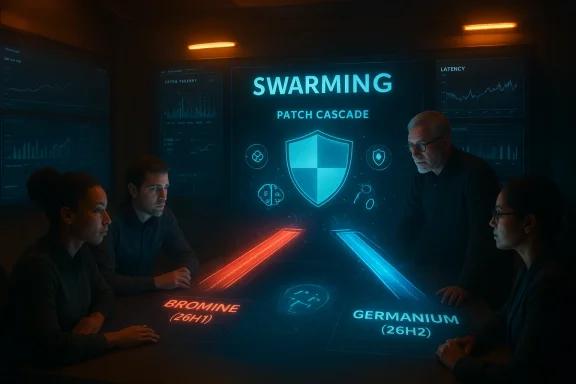
Pavan Davuluri, president of Windows and Devices, publicly summarized the change in approach: Microsoft will focus on the problems customers report consistently — primarily system performance, reliability, and the everyday experience of Windows. He described the year ahead as one of prioritizing practical fixes, with internal teams redirected to concentrated, cross‑disciplinary efforts often referred to as swarming. This means small, focused engineering squads converge on a bug or a class of regressions until they are resolved.Key elements Microsoft is emphasizing:
- Reprioritizing engineering resources from feature velocity to stability and remediation.
- Using telemetry and Insider channels to reproduce and validate fixes faster.
- Adopting device‑gated releases to limit the blast radius of platform changes (more on this below).
The technical picture: what actually broke, and why
1) Update servicing fragility and blast radius
Windows’ servicing model is powerful but complex: cumulative updates include many bundles (SSU/LCU, component updates, driver/firmware interactions). When assumptions about a device’s baseline state are violated—due to a failed prior update, OEM firmware quirks, or exotic driver interactions—one patch can cascade into several failures. The January events show how a security rollup can touch boot and I/O paths and produce unpredictable outcomes across a diverse hardware matrix. Microsoft’s emergency responses (OOB patches and Knowols) are necessary mitigations but also signal shortcomings in pre‑release validation at scale.2) Shell performance and micro‑latency regressions
Many users cited perceived sluggishness — File Explorer hitches, context‑menu lag, delays opening Start or switching windows. These micro‑latencies (tens to low hundreds of milliseconds per action) compound into a noticeably degraded daily them requires both instrumentation (measurable SLOs for responsiveness) and engineering fixes such as reducing blocking I/O on UI threads, caching metadata aggressively, and providing visible performance modes for users who prioritize responsiveness over fancy effects. Insider experiments already show Microsoft exploring background preloading and reorganized context menus to improve first‑paint latency.3) Driver, firmware, and gaming regression complexity
Windows 11’s expanded gaming stack (DirectStorage, Auto HD tighter OS‑level power and scheduler changes interact with vendor drivers and anti‑cheat code. Those interactions can produce stutters, shader‑compile stalls, or crashes. The fix is rarely a single patch; it requires coordinated work with GPU vendors, anti‑cheat developers, and OEMs. Microsoft’s roadmap includes OS‑level mitigations (session gating, precompiled shader delivery) but these depend on partner alignment and careful rollout.4) Privacy and AI consent friction
AI features that capture desktop context or persistent snapshots (e.g., Recall-like features) raised privacy and consent concerns. Microsoft has reworked some features to be opt‑in and to use stronger platform protections (TPM, Windows Hello, VBS enclaves), but early rollout decisions left a perception problem. Rebuilding trust will require concrete telemetry governance (clear defaults, user‑accessible telemetry logs, enterprise policies) in addition to the technical protections.The Brompent
To limit the risk of pushing low‑level platform changes to the entire install base, Microsoft is reportedly splitting platform branches in 2026:- Bromine (26H1) — a platform branch targeted at next‑generation Arm/Copilot+ devices and hardware that can benefit from aggressive silicon‑specific optimizations.
- Germanium (26H2) — the mass‑market branch for the broader installed base, intended to be conservative and stable for the majority of PCs.
Cross‑checking the facts (what’s verified vs. what’s reported)
- Verified: KB5074109 was released on January 13, 2026 and produced multiple documented regressions; Microsoft published support notes and issued OOB updates such as KB5077744 to address Remote Desktop and Secure Launch regressions. These details are available on Microsoft’s support pages and in update history entries. ([support.microsoft.com](January 13, 2026—KB5074109 (OS Builds 26200.7623 and 26100.7623) - Microsoft Support: Microsoft leadership (Pavan Davuluri) publicly stated 2026 would prioritize improvements in system performance, reliability, and the Windows experience. This public messaging was reported in major outlets.
- Reported / Corroborated: The internal operational term “swarming” and the Bromine/Germanium platform split have appeared in reporting and community analysis; these have been discussed in Insider circles and trade press coverage but represent Microsoft’s internal deployment strategy that may evolve with time. Readers should treat internal‑source descriptions as operational signals rather than promises of fixed timelines.
Strengths of Microsoft’s pivot — why it can work
- Speed and focus: Swarming concentrates expert engineers on a single problem until it’s fixed. When it works, this reduces detection‑to‑fix time and limits user impact.
- Telemetry‑driven validation: Expanded, targeted traces from Insider rings and consented telemetry provide faster root causes for real‑world failures (if telemetry governance is transparent).
- Device‑gated risk reduction: The Bromine/Germanium split is a pragmatic way to let new silicon and device features mature without exposing older hardware to risky low‑level changes.
- Operational tooling already in place: Microsoft’s existing Known Issue Rollback (KIR), emergency hotpatch mechanisms and Windows release‑health dashboard give admins immediate mitigation options while fixes are validated.
Risks and limitations — what could still go wrong
- Band‑aid hotfix risk: Rapid OOB fixes can introduce new regressions if validation is skimpy. The January sequence showed how one emergency update can force further rollbacks and additional patches.
- Resource trade‑offs: Redirecting engineers to firefighting may delay deeper architectural work (test automation, end‑to‑end validation scenarios) that would prevent similar problems long term.
- Optics and trust deficit: Public commitments only matter if translated into measurable outcomes (fewer emergency patches, shorter mean time to resolution, published SLOs). Without transparency, swarming risks becoming PR rather than remediation.
- Fragmentation and management complexity: Device‑gated releases complicate enterprise patching and lifecycle planning; different hardware cohorts receiving different platform branches increase testing workload for IT.
- Telemetry and privacy backlash: If Microsoft expands diagnostic telemetry to chase regressions, it must ensure clear opt‑ins and enterprise controls; otherwise, privacy concerns will undermine trust gains.
Practical recommendations for users and administrators
For home users (short checklist)
- Pause non‑critical updates for a short period if your machine is business‑critical or contains legacy software that’s hard to restore. Use Windows Update’s “Pause updates” control.
- Create a recovery checkpoint or system image before installing mass updates if you rely on the device for critical tasks.
- If you see odd behavior after an update (failed shutdown, RDP auth failures, Outlook hangs), check Microsoft’s update history and support notes for any known issues and OOB fixes. Microsoft’s KB pages list workarounds and remediation packages.
For IT administrators (rece phased deployment: stage updates to a pilot group, then to broader rings only after monitoring for regressions.
- Make use of Known Issue Rollback (KIR) and the release‑health dashboard to apply targeted mitigations without uninstalling security updates.
- Maintain up‑to‑date device images for recovery and validate patching processes in a hardware‑representative lab that includes OEM firmware variations.
- Communicate to your users: set expectations about scheduled maintenance windows and provide quick remediation steps (how to uninstall an update via WinRE) so help desks aren’t overwhelmed.
How to judge progress: measurable signals Microsoft should publish
If Microsoft is serious about restoring trust, these are the metrics and behaviors the community should expect and track:- Reduced emergency patch frequency: fewer OOB hotfixes per quarter.
- Faster mean time to resolution (MTTR): measurable drop in time from bug discovery to public fix.
- Public SLOs for responsiveness: telemetry‑backed claims such as median UI action latency (with privacy‑preserving traces).
- Transparent rollout telemetry: publish phased rollout percentages and telemetry trends for major regressions (with privacy protections).
- Partner coordination reports: visible vendor alignment on driver/anti‑cheat updates for gaming stability.
Critical analysis: why this matters to Windows enthusiasts and enterprises
Windows is both a consumer ise platform. When routine security updates disrupt remote access, boot paths, or file I/O, the damage scal see spikes, admins delay deployments, and consumers lose faith in automatic updates. The January 2026 cadence was a clear wake‑up call: Microsoft’s faster cadence and AI ambitions collided with the hard reality of a vast, heterogeneous ecosystem.That said, the company has the tools and scale to fix these problems. The swarming model—if implemented with rigorous validation guardrails, expanded test matrices, and transparent progress metrics—can succeed. The essential condition is follow‑through: measurable, sustained improvement in reliability metrics and a clear change in defaults and telemetry governance to rebuild user trust.
Final verdict and what to watch next
Microsoft’s pledge to “focus on system performance, reliability, and the overall experience of Windows” is the correct strategic pivot after months of visible regressions and community unease. The combination of concentrated engineering (“swarming”), device‑gated platform branches (Bromine/Germanium), and improved emergency tooling gives Microsoft a credible path to repair Windows 11’s perception and technical posture — but execution is everything.Watch for these short‑term signals over the next months:
- A downward trend in emergency OOB updates and rollback incidents.
- Concrete performance improvements in Insider builds (measured SLOs for Explorer, Start, and window switching).
- Clear telemetry/consent defaults for AI features and an auditable privacy ledger for diagnostic data.
Microsoft’s engineering resources are now publicly committed to fixing the pains users have long described. That commitment is a necessary first step; the hard work is turning public promises into measurable, repeatable improvements that make the everyday Windows experience reliably fast, stable, and respectful of user choice.
Source: TweakTown Microsoft is reportedly working hard to 'urgently fix' Windows 11
