Microsoft's Microsoft Store on Windows 11 has come a long way from its early, awkward days, but the recent Neowin critique that lists “five things Microsoft should improve” is a useful reminder that the Store still has important gaps to close if it wants to be a genuinely competitive app marketplace. The article calls out shortcomings ranging from discovery and curation to update controls, and the broader conversation around the Store’s evolution — including Microsoft’s recent push to support Win32 apps and claims of faster load and download reliability — shows a product in transition that still needs sharper focus and clearer trade-offs.
The Microsoft Store’s modern renaissance began as Microsoft relaxed platform constraints and opened the storefront to a wider variety of app technologies — Win32, .NET, Electron, Progressive Web Apps and more — and started courting third-party storefronts and major publishers. Those changes were meant to fix the Store’s core weakness: a limited catalog and poor developer uptake. Recently Microsoft has also rolled out UI and backend tweaks that it says make the Store faster and more reliable, and the company introduced new features like a separated Library and an Updates & Downloads area to make app management less confusing.
At the same time, criticism persists. Users and independent outlets point to uneven app quality, sluggish discovery, rough edges in Win32 support, and contentious policy changes — notably, a recent removal of the option to permanently turn off automatic app updates in the Store, now apparently limited to a temporary pause of up to five weeks. Those are the fault lines that the Neowin piece highlights and that this feature will analyze.
Neowin’s “five things” critique is a practical prescription for how Microsoft can convert infrastructure wins into everyday value for users and developers alike. The Store’s future depends not only on what Microsoft builds under the hood, but on whether it can translate those investments into a trustworthy, convenient, and developer-friendly marketplace that draws users back day after day.
Conclusion
The Microsoft Store’s trajectory is encouraging: support for Win32, performance claims, and updated UX elements show momentum. But momentum alone won’t move users who still see the Store as optional or secondary. Restoring granular update controls, improving discovery and curation, resolving Win32 integration edge cases, fixing download transparency, and simplifying developer economics are pragmatic, high-impact steps Microsoft can take now. If Microsoft prioritizes those improvements — and communicates them clearly — the Store can legitimately become the secure, dependable, and vibrant app ecosystem it should have been all along.
Source: Neowin https://www.neowin.net/news/five-th...improve-in-the-microsoft-store-on-windows-11/
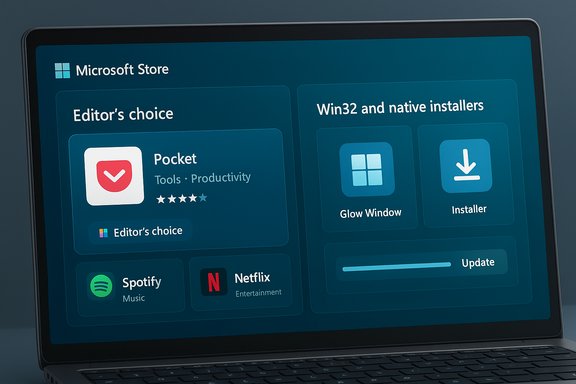 Background
The Microsoft Store’s modern renaissance began as Microsoft relaxed platform constraints and opened the storefront to a wider variety of app technologies — Win32, .NET, Electron, Progressive Web Apps and more — and started courting third-party storefronts and major publishers. Those changes were meant to fix the Store’s core weakness: a limited catalog and poor developer uptake. Recently Microsoft has also rolled out UI and backend tweaks that it says make the Store faster and more reliable, and the company introduced new features like a separated Library and an Updates & Downloads area to make app management less confusing.At the same time, criticism persists. Users and independent outlets point to uneven app quality, sluggish discovery, rough edges in Win32 support, and contentious policy changes — notably, a recent removal of the option to permanently turn off automatic app updates in the Store, now apparently limited to a temporary pause of up to five weeks. Those are the fault lines that the Neowin piece highlights and that this feature will analyze.
What Neowin flagged — the short summary
Neowin’s “five things” critique is shorthand for larger themes developers, power users, and everyday Windows customers care about:- Better app discovery and higher-quality curation so the Store doesn’t feel like a cluttered marketplace.
- More transparent update metadata and changelogs so users know what each update actually changes.
- Win32 app handling that is reliable and gives parity with native installers (including proper update delivery).
- Faster, more dependable downloads and clearer progress UI — Microsoft has claimed improvements here, but users still report occasional hangs.
- Better developer incentives, submission tooling, and storefront policies so flagship apps and suites will commit to the Store.
1. Restore sensible, user-centered update controls
Why this matters now
Automatic updates are a security plus — they keep apps patched against vulnerabilities — but users legitimately need control over when (and whether) updates install. Microsoft’s recent change that removes the ability to permanently disable automatic Store updates in favor of a temporary pause (up to five weeks) was framed as a security-minded decision, but it removes agency for users who require strict version stability for compatibility or testing. This policy shift has been widely reported and has already sparked debate.What Neowin and others pointed out
Neowin’s analysis emphasizes transparency and user choice: give power users, IT admins, and anyone running sensitive setups a clear and documented path to manage Store update behavior without resorting to registry hacks or outright avoidance of the Store. The Store’s ability to update Win32 apps is an important convenience — but it becomes a liability if users cannot opt into a stable release cadence when required.What Microsoft should do
- Reintroduce a granular update control panel with distinct modes:
- Automatic (default)
- Scheduled (user picks time window)
- Manual (user explicitly approves updates)
- Enterprise-managed (respect MDM / Group Policy overrides)
- Continue to encourage security patches, but allow trusted enterprise silhouettes and power users to opt for manual control with clear warnings.
- Expose update metadata (timestamp, version, signature, rollback notes) in-app so admins can make informed decisions.
Risk and verification
Microsoft’s change to limit permanent disabling of updates is documented by multiple outlets and appears to be rolling out incrementally; treat claims of exact rollout timing with caution because Microsoft sometimes phases policy changes across regions and release rings.2. Fix discovery and curation: make the Store feel worth visiting
The problem
A decade-old complaint remains: objectively useful apps often live outside the Microsoft Store, and the Store is cluttered with duplicates, low-quality entries, and incomplete developer metadata. This undermines discoverability and user trust. Neowin’s piece highlights the “app drought” problem — users simply don’t think to check the Store for many mainstream apps — and the risk is a self-fulfilling cycle: fewer users mean fewer incentives for developers.Concrete improvements Microsoft should implement
- Editorial and human-curated storefront sections that spotlight quality apps and trusted developers.
- Stronger quality gates: require minimum metadata, proper screenshots, verified developer identity, and enforce review policies that remove cruft.
- richer filters and category navigation (paid vs. free, offline-capable, enterprise-ready), plus a persistent top-bar category selector to avoid endless scrolling.
- Improve user reviews and signal quality through verified installs, contextualized ratings (e.g., “last updated 2 years ago”), and clear compatibility flags.
Why this matters for the ecosystem
A better-curated Store raises discoverability, increases daily active users, and gives Microsoft leverage to negotiate exclusive or early-release deals that might entice large publishers. It also reduces the attack surface for supply-chain problems by steering users to vetted packages.3. Win32 support: close the last-mile problems
Progress so far
Microsoft’s decision to allow Win32 apps into the Store and to support update delivery for them is one of the platform’s most consequential recent moves. Insiders have seen builds where the Store can update Win32 apps and where web-based “Get it from Microsoft” flows broker installations. That’s a major technical and policy win.Persisting pain points
Despite those advances, real-world Win32 integration is uneven. Users still report installation failures, permission errors, and inconsistent update behavior for some Win32 packages — particularly those that rely on external updaters or complex install-time services. The Store’s packaging and sandboxing model must handle installers that expect to run with elevated privileges, write to system locations, or manage drivers. Community reports and troubleshooting threads show this isn’t fully ironed out.What Microsoft should prioritize
- Provide a robust, well-documented packaging model for Win32 that covers:
- Service installers, drivers, and elevated components
- Dependency resolution for runtimes and shared libraries
- Clear guidance for background updaters and rollback strategies
- Offer deeper telemetry and error reporting in the Store for failed Win32 installs, with actionable remediation steps presented to end-users.
- Create a developer sandbox checklist and preflight validator so publishers can test Store packaging and update delivery before publishing.
- Encourage major publishers to adopt Store delivery by reducing friction (tooling, automated CI/CD hooks, and clear contract terms for updating).
Verification and risk
Microsoft’s Win32 Store improvements are real, but they vary by build channel and publisher implementation. Some user-reported installation errors predate the revamp and may persist until Microsoft tightens interoperability or publishers adapt.4. Make reliability and progress visible — download UX fixes
The claim vs. reality
Microsoft has publicly stated improvements to Store performance — claims include a roughly 25% faster launch time and a 50% reduction in botched or stalled downloads. Independent testing and reviewer notes echo better responsiveness in recent builds, but reports of stuck downloads, opaque progress indicators, and inconsistent speed reporting persist for some users. Those mixed signals create a perception gap that needs fixing.UX and engineering fixes to deliver
- A consistent, informative progress UI showing:
- current bytes downloaded / total size
- instantaneous speed using standard units (KB/s, MB/s)
- estimated time remaining and resumable download state
- Robust resume and partial-download recovery: if a download fails mid-way it should resume automatically without restarting.
- Active troubleshooting suggestions for failed downloads (e.g., “Try WSReset”, “Check proxy settings”, “Retry with Winget”), plus one-click diagnostics that gather logs for support.
- Bandwidth and CPU priority controls: allow users to throttle Store downloads or give them background-normal priority to avoid interfering with foreground apps.
Why this matters
Downloads and updates are the surface area of the Store experience. If installs are fast, resume reliably, and provide transparent progress, users will trust the Store more and prefer it over ad-hoc downloads from the web. Perception is as important as raw numbers — a 25% speed gain is helpful, but invisible improvements don’t convert skeptical users.5. Developer incentives, commerce, and policy clarity
The current situation
Microsoft has tried to win developer hearts by permitting third-party commerce systems and lowering revenue friction for some publishers. The company also advertises neutral revenue options to attract large app makers. Yet the Store still lacks many flagship apps that users expect, and that “app drought” stops casual audiences from visiting the Store routinely.Concrete steps Microsoft should take
- Transparent, tiered commerce incentives for top-tier, mid-tier, and indie developers: ensure enterprise SaaS and major desktop publishers have commercially viable options to sell via the Store.
- Faster review and certification cycles with clearer rejection reasons and automated diagnostic feedback to reduce friction during submissions.
- Promote Store-specific benefits (security hardening, frictionless deployment across organization devices, integration with Game Pass / PC Game Pass where relevant) in a developer-focused pitch.
- Create a migration guide and set of tools to help legacy Win32 installers be packaged for the Store with minimal code changes (shims, wrappers, and automated repackaging).
Why this matters to end-users
A Store with top-tier first-party and third-party apps is more compelling. Developers adopt platforms where they perceive clear ROI and a low operational cost to publish and update their products. Fixing submission friction and providing valuable distribution tools will grow the catalog and improve consumer perception.Cross-cutting technical suggestions
Improve telemetry and feedback loops
Collect better error telemetry (with user consent) and surface common failure classes inside the Store UI — e.g., “Your last install failed due to permission restrictions; click here to fix.” That reduces support friction and improves developer confidence.Respect enterprise and MDM policies
Build explicit MDM controls for Store behavior (update cadence, allowed apps, whitelists/blacklists). Enterprises should be able to manage the Store the same way they manage Windows Update.Prioritize accessibility and localization
Make the Store’s discovery experience accessible to assistive technology users and ensure metadata is well localized — discovery works only when language metadata and screenshots are accurate and localized.Offer a “restore previous state” rollback
When updates cause regressions, allow users to roll back to previous app versions for a limited time. This is critical in workflows that rely on predictable behavior.Strengths in Microsoft’s current approach
- Openness to multiple app frameworks — supporting Win32, PWAs, UWP, and other tech stacks is the right long-term move to capture developers.
- Infrastructure improvements — Microsoft’s claims about faster Store launches and reduced download failure rates indicate meaningful backend work that benefits users when it’s visible.
- Developer choice for commerce — allowing third-party commerce options helps reduce the friction that historically pushed developers away from the Store.
Risks and possible unintended consequences
- Forcing automatic updates without robust controls risks breaking enterprise apps and specialized workflows; it can also alienate power users who rely on pinned versions for reproducibility. Microsoft argues this is a security-first choice, but the loss of granular controls can have operational costs.
- Heavy-handed curation that removes “low-quality” apps without transparent standards could provoke developer backlash and create perception problems. Curation must be fair, predictable, and accompanied by clear remediation paths.
- Technical fixes for Win32 integration may require design trade-offs (e.g., enabling privileged operations for installers), which must be constrained and well-audited to avoid widening the attack surface.
A prioritized roadmap Microsoft could follow (practical and concrete)
- Reintroduce granular update controls and enterprise MDM hooks; make pause durations and policy overrides explicit.
- Ship clearer download/resume UI and a one-click diagnostics tool for failed installs.
- Publish a Win32 packaging and update-validation toolkit with CI integrations and preflight checks.
- Implement human editorial curation and boosted placement for high-quality apps, plus stricter metadata and screenshot requirements.
- Rework developer portal UX: faster reviews, transparent rejections, and tiered commerce incentives for major publishers.
Final assessment
The Microsoft Store is no longer the neglected catalog it once was. The technical foundations — broader app support, backend performance tuning, and new UI sections like separate Library and Updates pages — are positive signals. But technical improvements alone will not create trust or traffic. Microsoft must pair reliability with choice and clarity: let users control updates when necessary; make downloads predictable and transparent; give developers friction-free pathways to publish; and curate the storefront so that discovery is fast and meaningful.Neowin’s “five things” critique is a practical prescription for how Microsoft can convert infrastructure wins into everyday value for users and developers alike. The Store’s future depends not only on what Microsoft builds under the hood, but on whether it can translate those investments into a trustworthy, convenient, and developer-friendly marketplace that draws users back day after day.
Conclusion
The Microsoft Store’s trajectory is encouraging: support for Win32, performance claims, and updated UX elements show momentum. But momentum alone won’t move users who still see the Store as optional or secondary. Restoring granular update controls, improving discovery and curation, resolving Win32 integration edge cases, fixing download transparency, and simplifying developer economics are pragmatic, high-impact steps Microsoft can take now. If Microsoft prioritizes those improvements — and communicates them clearly — the Store can legitimately become the secure, dependable, and vibrant app ecosystem it should have been all along.
Source: Neowin https://www.neowin.net/news/five-th...improve-in-the-microsoft-store-on-windows-11/