

K-12 IT leaders have a deadline they can no longer ignore: Windows 10’s end of support has converted what used to be a multi‑year “if” into a near‑term “must” — and the pitch from Microsoft and OEMs that Windows 11 (especially on new Copilot+ and Lenovo education hardware) is the best path forward is now backed by hard security, management, and practical deployment guidance.
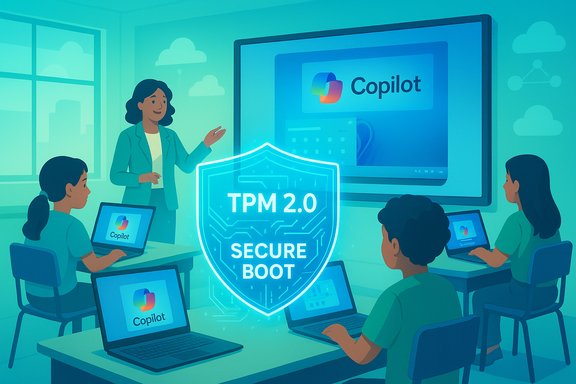
The calendar matters. Microsoft has publicly confirmed that routine security updates, quality fixes and technical assistance for Windows 10 ended on October 14, 2025. That date shifts the risk profile for any machine left on Windows 10: devices will continue to boot, but they will no longer receive vendor patches that close newly discovered vulnerabilities. For school districts that house student PII, assessment systems and tightly scheduled testing windows, that is not a hypothetical — it is an operational and compliance risk. At the same time, Windows 11 is not simply a visual refresh. Microsoft and OEM partners have repositioned the platform around three themes that matter to education: hardware‑anchored security (TPM 2.0, Secure Boot, virtualization‑based protections), cloud‑native lifecycle management (Windows Autopilot, Microsoft Intune/Intune for Education), and AI‑first features (Windows Copilot, Copilot+ PCs and on‑device AI capabilities). OEMs such as Lenovo have explicit education lines that claim ruggedness, warranty and the required hardware to realize these benefits — but the tradeoffs and costs are real and must be planned for. This feature synthesizes the ten core claims commonly used to justify rapid migration, verifies the most important technical points against vendor documentation and independent reporting, and outlines a pragmatic, risk‑aware migration playbook for school districts.
What’s verified: Microsoft has embedded Copilot experiences into Windows and Microsoft 365, and the company has created a distinct device class — Copilot+ PCs — designed to accelerate on‑device AI workloads (NPUs rated at ~40+ TOPS, hardware and OS integrations such as Recall and Cocreator). These features are rolling out and are tightly coupled to specific hardware and Windows feature updates. Independent corroboration: Coverage from multiple outlets and Microsoft’s own Windows Experience and press posts confirm Copilot’s deepening presence in Windows and the Copilot+ PC initiative with OEMs including Lenovo. However, real classroom value depends on tested workflows and teacher adoption. Caveat: Copilot is evolving quickly. Some Copilot deployments have produced friction (rollout timing differences, UI changes, and transient bugs), and administrators should pilot Copilot features with non‑sensitive data and clear governance before district‑wide adoption. Recent update incidents have caused temporary uninstalls or UI regressions for some users, underlining the need for staged testing.
What’s verified: Multiple independent analyses found a sharp uptick in ransomware and related incidents impacting schools. Threat intelligence analyses report K‑12 ransomware attack counts nearly doubling year‑over‑year in some datasets (e.g., a 92% rise reported by ThreatDown’s education analysis), and investigative and tracking efforts (Comparitech and others) logged record numbers of incidents in 2023 and 2024. These independent datasets draw different slices of the problem but agree on the trend: education is a high‑risk target. Why upgrading helps (but does not eliminate risk): Windows 11’s hardware‑rooted protections (TPM 2.0, Secure Boot, virtualization‑based security, HVCI) and improved integration with Defender services raise the cost for attackers to achieve the same outcomes — particularly attacks that rely on firmware manipulation, credential theft, or kernel compromise. But upgrading is one part of defense-in-depth; network segmentation, backups, incident response planning, phishing education, and endpoint detection remain essential.
What’s verified: Microsoft’s lifecycle pages explicitly state October 14, 2025 as the end of support for Windows 10 and describe Extended Security Updates (ESU) as a limited, time‑bound bridge. That makes migration planning urgent for districts that cannot refresh hardware immediately. Caveat: ESU options and costs vary; treat ESU as breathing room to execute a controlled migration rather than as a permanent alternative. Validate local ESU terms early in procurement cycles.
What’s verified: Microsoft documentation details the hardware requirements and recommended security posture for Windows 11 — TPM 2.0, Secure Boot, virtualization extensions (Intel VT‑x/AMD‑V) to enable Virtualization‑Based Security (VBS) and Hypervisor‑Protected Code Integrity (HVCI). Secured‑core devices and Microsoft Pluton provide additional firmware protections on supported platforms. These protections are validated as effective mitigations against many modern attack techniques in Microsoft’s security literature. Practical note: These protections only work if devices are shipped, configured and managed correctly (TPM enabled, Secure Boot on, up‑to‑date firmware). Inventory checks should verify firmware capabilities before procurement or mass upgrades.
What’s verified: Windows Autopilot, Microsoft Intune (including Intune for Education) and Windows Update for Business form a cloud‑native lifecycle that eliminates much of traditional imaging and in‑warehouse provisioning. Districts that centralize on Entra/Azure AD and Intune can provision, update and enforce policies remotely — a measurable operational advantage for geographically distributed school systems.
Caveat: This is an identity and process transformation. Expect training for staff, testing for curriculum apps, and a phased rollout to avoid service disruptions. Identity strategy (Azure AD/Entra) is a prerequisite.
What’s verified: Windows 11 added or improved features such as Live Captions, Voice Access, improved Narrator, and new assistive capabilities in Office and Learning Tools. These lower the cost of procurement for some assistive technologies and can help districts meet IDEA and accessibility commitments.
Caveat: Districts must still validate assistive tech compatibility with specific classroom tools and allow time for teacher training to realize benefits.
What’s verified: Windows 11 SE is a curated edition designed for education, limiting app installs, enforcing admin controls and promoting cloud storage like OneDrive. It is useful for younger grade bands and low‑friction 1:1 deployments.
Caveat: SE restricts some apps by design; prioritize validating required curriculum applications and test assessment software under SE conditions before committing at scale.
What’s verified: Microsoft’s Copilot+ PC specification and OEM announcements confirm a premium device tier: NPUs with high TOPS, larger RAM and storage — designed to enable features (Recall, Cocreator, local super‑resolution, Live Captions/translations) that either rely less on cloud roundtrips or combine local inference with cloud services. OEMs including Lenovo are shipping Copilot+ capable SKUs. Caveat: Copilot+ hardware is more expensive and the classroom ROI is situational. Districts should reserve Copilot+ devices for teachers, content creators, special programs and labs where on‑device AI demonstrably speeds workflows or preserves privacy, and use lower‑cost Windows 11 devices for the general student fleet.
What’s verified (qualified): Independent TEI/ROI analyses commissioned by Forrester for Microsoft show modeled productivity and management gains from Windows 11 device programs in enterprise contexts; those studies demonstrate plausible multi‑year returns under specific assumptions. Forrester found benefits in faster deployments, fewer helpdesk tickets, and measurable security incident cost reductions in modeled scenarios. These vendor‑commissioned studies can inform district models but must be adapted to local scale and constraints. Caveat: ROI is highly dependent on device refresh cadence, existing management practices, local labor costs, and the scope of security and backup programs. District finance teams should build a three‑year TCO model that includes procurement, trade‑ins, staff training, disposal, and incident‑response costs rather than relying on headline ROI claims.
What’s verified: Vendors, Microsoft Education, OEMs like Lenovo and several large trusts have published migration playbooks and case studies that outline inventory, pilot, staged rollouts, and teacher training. These practical guides reduce risk when followed and adapted for local constraints.
Caveat: No two districts are identical. Vendor playbooks must be customized for local LMS integrations, state testing requirements, special education assistive software and network constraints.
The evidence supports a clear takeaway: begin migration planning now, prioritize high‑risk endpoints and administrative systems, pilot Copilot and Copilot+ experiences where they solve real instructional problems, and model three‑year TCO scenarios that include procurement, training, disposal and incident response. Vendor ROI studies and Microsoft guidance are helpful starting points, but district decision‑makers must adapt assumptions to local realities.
The next 12 months are not just about replacing devices — they are an opportunity to harden the district’s security posture, reduce day‑to‑day operational burden, and thoughtfully trial AI tools that will reshape instruction. A phased, evidence‑driven upgrade to Windows 11 — paired with clear governance and teacher training — is the pragmatic path for districts that want to lower risk and harness new classroom capabilities without exposing students or staff to unnecessary operational surprises.
Source: eSchool News 10 reasons to upgrade to Windows 11 ASAP
 Background / Overview
The calendar matters. Microsoft has publicly confirmed that routine security updates, quality fixes and technical assistance for Windows 10 ended on October 14, 2025. That date shifts the risk profile for any machine left on Windows 10: devices will continue to boot, but they will no longer receive vendor patches that close newly discovered vulnerabilities. For school districts that house student PII, assessment systems and tightly scheduled testing windows, that is not a hypothetical — it is an operational and compliance risk. At the same time, Windows 11 is not simply a visual refresh. Microsoft and OEM partners have repositioned the platform around three themes that matter to education: hardware‑anchored security (TPM 2.0, Secure Boot, virtualization‑based protections), cloud‑native lifecycle management (Windows Autopilot, Microsoft Intune/Intune for Education), and AI‑first features (Windows Copilot, Copilot+ PCs and on‑device AI capabilities). OEMs such as Lenovo have explicit education lines that claim ruggedness, warranty and the required hardware to realize these benefits — but the tradeoffs and costs are real and must be planned for. This feature synthesizes the ten core claims commonly used to justify rapid migration, verifies the most important technical points against vendor documentation and independent reporting, and outlines a pragmatic, risk‑aware migration playbook for school districts.The 10 reasons schools are being told to upgrade — and what the evidence actually shows
Below are the ten reasons you’ll see in vendor messaging (and in the eSchool News summary). Each reason is accompanied by verification, independent corroboration where available, and the realistic caveats every IT leader should budget for.1) Harness AI‑powered educational innovation with Copilot — more than a gimmick
Claim: Windows 11 integrates Microsoft Copilot across the OS and opens new AI workflows for lesson planning, content creation, accessibility and classroom support.What’s verified: Microsoft has embedded Copilot experiences into Windows and Microsoft 365, and the company has created a distinct device class — Copilot+ PCs — designed to accelerate on‑device AI workloads (NPUs rated at ~40+ TOPS, hardware and OS integrations such as Recall and Cocreator). These features are rolling out and are tightly coupled to specific hardware and Windows feature updates. Independent corroboration: Coverage from multiple outlets and Microsoft’s own Windows Experience and press posts confirm Copilot’s deepening presence in Windows and the Copilot+ PC initiative with OEMs including Lenovo. However, real classroom value depends on tested workflows and teacher adoption. Caveat: Copilot is evolving quickly. Some Copilot deployments have produced friction (rollout timing differences, UI changes, and transient bugs), and administrators should pilot Copilot features with non‑sensitive data and clear governance before district‑wide adoption. Recent update incidents have caused temporary uninstalls or UI regressions for some users, underlining the need for staged testing.
2) Combat the explosive rise in K‑12 cyberattacks — the numbers are stark
Claim: Schools are being targeted at an accelerating rate; migrating reduces exposure.What’s verified: Multiple independent analyses found a sharp uptick in ransomware and related incidents impacting schools. Threat intelligence analyses report K‑12 ransomware attack counts nearly doubling year‑over‑year in some datasets (e.g., a 92% rise reported by ThreatDown’s education analysis), and investigative and tracking efforts (Comparitech and others) logged record numbers of incidents in 2023 and 2024. These independent datasets draw different slices of the problem but agree on the trend: education is a high‑risk target. Why upgrading helps (but does not eliminate risk): Windows 11’s hardware‑rooted protections (TPM 2.0, Secure Boot, virtualization‑based security, HVCI) and improved integration with Defender services raise the cost for attackers to achieve the same outcomes — particularly attacks that rely on firmware manipulation, credential theft, or kernel compromise. But upgrading is one part of defense-in-depth; network segmentation, backups, incident response planning, phishing education, and endpoint detection remain essential.
3) Windows 10 support is over — ESU is a bridge, not a solution
Claim: Windows 10’s support end forces action.What’s verified: Microsoft’s lifecycle pages explicitly state October 14, 2025 as the end of support for Windows 10 and describe Extended Security Updates (ESU) as a limited, time‑bound bridge. That makes migration planning urgent for districts that cannot refresh hardware immediately. Caveat: ESU options and costs vary; treat ESU as breathing room to execute a controlled migration rather than as a permanent alternative. Validate local ESU terms early in procurement cycles.
4) Hardware‑anchored security: TPM 2.0, Secure Boot, virtualization‑based protections
Claim: Windows 11 delivers meaningful security gains by raising the hardware baseline.What’s verified: Microsoft documentation details the hardware requirements and recommended security posture for Windows 11 — TPM 2.0, Secure Boot, virtualization extensions (Intel VT‑x/AMD‑V) to enable Virtualization‑Based Security (VBS) and Hypervisor‑Protected Code Integrity (HVCI). Secured‑core devices and Microsoft Pluton provide additional firmware protections on supported platforms. These protections are validated as effective mitigations against many modern attack techniques in Microsoft’s security literature. Practical note: These protections only work if devices are shipped, configured and managed correctly (TPM enabled, Secure Boot on, up‑to‑date firmware). Inventory checks should verify firmware capabilities before procurement or mass upgrades.
5) Simplified fleet management with Autopilot, Intune and Windows Update for Business
Claim: Windows 11 + cloud tools reduce hands‑on work and speed staging.What’s verified: Windows Autopilot, Microsoft Intune (including Intune for Education) and Windows Update for Business form a cloud‑native lifecycle that eliminates much of traditional imaging and in‑warehouse provisioning. Districts that centralize on Entra/Azure AD and Intune can provision, update and enforce policies remotely — a measurable operational advantage for geographically distributed school systems.
Caveat: This is an identity and process transformation. Expect training for staff, testing for curriculum apps, and a phased rollout to avoid service disruptions. Identity strategy (Azure AD/Entra) is a prerequisite.
6) Accessibility and inclusive learning tools are built into the OS
Claim: Windows 11 expands built‑in accessibility features that support diverse learners.What’s verified: Windows 11 added or improved features such as Live Captions, Voice Access, improved Narrator, and new assistive capabilities in Office and Learning Tools. These lower the cost of procurement for some assistive technologies and can help districts meet IDEA and accessibility commitments.
Caveat: Districts must still validate assistive tech compatibility with specific classroom tools and allow time for teacher training to realize benefits.
7) Windows 11 SE and classroom‑curated experiences for simplified K‑8 deployments
Claim: Windows 11 SE keeps student devices simple and manageable.What’s verified: Windows 11 SE is a curated edition designed for education, limiting app installs, enforcing admin controls and promoting cloud storage like OneDrive. It is useful for younger grade bands and low‑friction 1:1 deployments.
Caveat: SE restricts some apps by design; prioritize validating required curriculum applications and test assessment software under SE conditions before committing at scale.
8) Copilot+ PCs and on‑device AI: a path to privacy‑aware AI teaching tools
Claim: Copilot+ PCs deliver the fastest, most private AI experiences by running models locally on NPUs.What’s verified: Microsoft’s Copilot+ PC specification and OEM announcements confirm a premium device tier: NPUs with high TOPS, larger RAM and storage — designed to enable features (Recall, Cocreator, local super‑resolution, Live Captions/translations) that either rely less on cloud roundtrips or combine local inference with cloud services. OEMs including Lenovo are shipping Copilot+ capable SKUs. Caveat: Copilot+ hardware is more expensive and the classroom ROI is situational. Districts should reserve Copilot+ devices for teachers, content creators, special programs and labs where on‑device AI demonstrably speeds workflows or preserves privacy, and use lower‑cost Windows 11 devices for the general student fleet.
9) Potential for reduced total cost of ownership (TCO) when planned correctly
Claim: Upfront refresh costs are offset by lower long‑term incident, support and operational expenses.What’s verified (qualified): Independent TEI/ROI analyses commissioned by Forrester for Microsoft show modeled productivity and management gains from Windows 11 device programs in enterprise contexts; those studies demonstrate plausible multi‑year returns under specific assumptions. Forrester found benefits in faster deployments, fewer helpdesk tickets, and measurable security incident cost reductions in modeled scenarios. These vendor‑commissioned studies can inform district models but must be adapted to local scale and constraints. Caveat: ROI is highly dependent on device refresh cadence, existing management practices, local labor costs, and the scope of security and backup programs. District finance teams should build a three‑year TCO model that includes procurement, trade‑ins, staff training, disposal, and incident‑response costs rather than relying on headline ROI claims.
10) Playbooks and real‑world precedents make district‑scale rollouts feasible
Claim: Large‑scale migrations have been done; blueprints exist.What’s verified: Vendors, Microsoft Education, OEMs like Lenovo and several large trusts have published migration playbooks and case studies that outline inventory, pilot, staged rollouts, and teacher training. These practical guides reduce risk when followed and adapted for local constraints.
Caveat: No two districts are identical. Vendor playbooks must be customized for local LMS integrations, state testing requirements, special education assistive software and network constraints.
Critical analysis: strengths, tradeoffs and the real risks districts must manage
Strengths (what’s genuinely different)
- Hardware‑anchored security is structural — TPM 2.0, Secure Boot and VBS change the baseline adversary model; these are not just incremental anti‑malware features but architectural hardening that makes many attack techniques far harder to execute at scale.
- Cloud management scales stretched IT teams — Autopilot/Intune reduce repetitive staging work and accelerate recovery from incidents across distributed sites. For districts with limited technicians, this alone can justify a staged migration.
- On‑device AI on Copilot+ PCs creates privacy and latency options — teachers can run more sensitive processing locally and automate lesson prep in ways that lower reliance on third‑party cloud models if configured appropriately.
Tradeoffs and risks (what you must budget for)
- Hardware cost and device eligibility: Many existing Windows 10 machines will be incompatible. Firmware TPM or CPU limitations mean some devices must be replaced. Treat ESU as a bridge, not a destination.
- Vendor messaging vs. independent reality: ROI and “must‑have” features are supported by commissioned Forrester studies and OEM guidance; these are useful but not universal. Districts should run their own TEI/TCO analyses and build pilot evidence before large‑scale procurement.
- Privacy and governance for AI: Copilot and related features can be powerful but require explicit human review and data‑use policies. Unchecked AI adoption can run afoul of student data protection rules and lead to curricular misalignment. Pilot, document, and govern.
- Operational change management: Moving to cloud‑native device management is an identity and process shift. Plan time for admin training and a pilot that validates curriculum and assessment software under new management policies.
- Evolving feature set: Copilot and Copilot+ experiences will change. Administrators should expect feature churn and plan for staged OS updates and user communication when Copilot experiences alter workflows. Recent update incidents highlight this.
A pragmatic migration playbook for K‑12 IT (concise, actionable)
The migration can and should be staged. The steps below synthesize vendor playbooks, Microsoft guidance and field practice.- Inventory and triage (Weeks 0–4)
- Run PC Health Check and OEM diagnostic tools to classify devices: upgradeable in‑place, requiring firmware change (enable TPM/Secure Boot), or non‑upgradeable and scheduled for replacement.
- Catalog mission‑critical systems (assessment kiosks, AV controllers, admin servers) separately.
- Prioritize by risk and function (Weeks 4–8)
- Replace or upgrade administrative and security‑critical endpoints first.
- Reserve Copilot+ and higher‑tier devices for teachers, content authors, special‑ed and STEM labs where ROI is clear.
- Pilot (Weeks 8–12)
- Pilot Autopilot + Intune provisioning and test Win11 SE for K‑8 labs.
- Validate test‑delivery software, LMS integrations, and assistive tech under pilot conditions.
- Identity and management migration (Weeks 12–20)
- Finalize Azure AD/Entra strategy, enroll pilot devices in Intune, and define update rings and security policies.
- Enable BitLocker, Windows Hello and device health attestation as part of baseline images.
- Train teachers and run governance trials (Ongoing)
- Train educators on Learning Zone, Copilot workflows and accessibility features.
- Establish human‑in‑the‑loop review for AI‑generated materials and data retention rules.
- Phased roll‑out and continuous review (Months 6–18)
- Stagger by school or grade band, monitor telemetry and helpdesk metrics, and refine procurement for subsequent waves.
- Integrate vendor trade‑in/recycling to offset capital costs.
What to ask vendors — the procurement checklist
- Can the SKU be configured with TPM 2.0 and Secure Boot enabled by default?
- What is the exact NPU TOPS rating and RAM/storage configuration for any Copilot+ claim?
- Do you provide education SLAs, spare parts, and next‑business‑day on‑site service?
- Can you validate compatibility with our assessment suite, assistive tech and LMS under Windows 11 SE?
- What trade‑in or buy‑back programs are available to offset refresh costs?
Conclusion: act with purpose, not panic
The Windows 10 end‑of‑support date is a hard pivot that converts an optional upgrade into a planned modernization program for many districts. Windows 11 delivers meaningful architectural security improvements, cloud‑native management that scales limited IT teams, and an AI ecosystem that can materially help teachers — but only if districts plan carefully, pilot thoroughly, and govern responsibly.The evidence supports a clear takeaway: begin migration planning now, prioritize high‑risk endpoints and administrative systems, pilot Copilot and Copilot+ experiences where they solve real instructional problems, and model three‑year TCO scenarios that include procurement, training, disposal and incident response. Vendor ROI studies and Microsoft guidance are helpful starting points, but district decision‑makers must adapt assumptions to local realities.
The next 12 months are not just about replacing devices — they are an opportunity to harden the district’s security posture, reduce day‑to‑day operational burden, and thoughtfully trial AI tools that will reshape instruction. A phased, evidence‑driven upgrade to Windows 11 — paired with clear governance and teacher training — is the pragmatic path for districts that want to lower risk and harness new classroom capabilities without exposing students or staff to unnecessary operational surprises.
Source: eSchool News 10 reasons to upgrade to Windows 11 ASAP
