

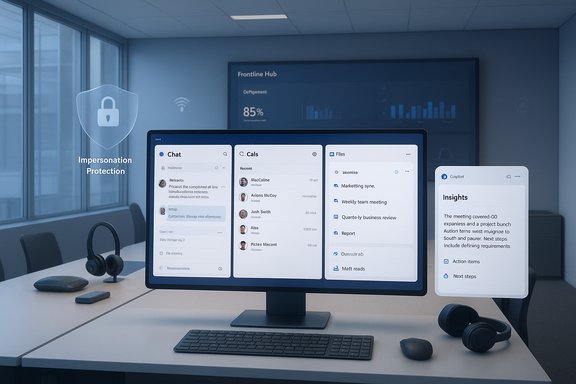
Microsoft’s December Teams refresh is deceptively simple on the surface — a set of pragmatic usability fixes, admin controls, and AI extensions — but taken together it signals a clear shift: Teams is moving from a feature‑heavy collaboration client to a governance‑aware, AI‑first platform that prioritizes operational polish, security, and follow‑through on work created inside meetings and calls. The update brings multi‑window workflows, smarter multilingual interpretation, Microsoft 365 Copilot integration in calling flows, tenant‑level impersonation defenses, new frontline management tools, and a fresh crop of Teams‑certified devices — changes that matter to both end users and IT pros as adoption, compliance, and clarity converge.
Microsoft’s December 2025 Teams rollup continues a pattern visible across the year: unify Copilot experiences across surfaces, remove long‑standing usability friction, and offer admins more precise guards for governance and security. Rather than a single blockbuster feature, this release bundles modest but high‑impact changes — pop‑out windows for core Teams modules, improved multilingual meeting flows, Copilot‑driven post‑call recaps, and new admin capabilities such as Tenant‑Owned Domain Impersonation Protection and a Frontline Hub in the Teams Admin Center. These shifts aim to make collaboration less brittle in large, regulated, and multilingual organizations while extending AI assistance deeper into day‑to‑day voice workflows.
Microsoft and independent coverage describe most items as generally available or rolling out now, but availability may be staged by tenant, client channel (desktop, web, mobile), and region. Admins should expect feature gating and tenant controls to influence when, and how, these capabilities appear.
Operational notes:
Why this matters:
Practical strengths:
The sensible path is straightforward: pilot the changes with representative users, confirm licensing and data residency requirements, harden policy and auditing around AI outputs, and codify user guidance for Copilot and Places usage. Do that, and Teams’ December refresh becomes a meaningful step forward — not just a collection of features, but a platform capable of turning conversations into verifiable, auditable work.
Source: Petri IT Knowledgebase What’s New in Microsoft Teams - December 2025
 Background / Overview
Microsoft’s December 2025 Teams rollup continues a pattern visible across the year: unify Copilot experiences across surfaces, remove long‑standing usability friction, and offer admins more precise guards for governance and security. Rather than a single blockbuster feature, this release bundles modest but high‑impact changes — pop‑out windows for core Teams modules, improved multilingual meeting flows, Copilot‑driven post‑call recaps, and new admin capabilities such as Tenant‑Owned Domain Impersonation Protection and a Frontline Hub in the Teams Admin Center. These shifts aim to make collaboration less brittle in large, regulated, and multilingual organizations while extending AI assistance deeper into day‑to‑day voice workflows.Microsoft and independent coverage describe most items as generally available or rolling out now, but availability may be staged by tenant, client channel (desktop, web, mobile), and region. Admins should expect feature gating and tenant controls to influence when, and how, these capabilities appear.
Chat & collaboration: multi‑window workflows and membership tightening
Pop‑out windows — a productivity gap closed
Power users and multi‑monitor professionals will welcome the new ability to open core Teams modules — Chat, Calls, Calendar, Activity, Files — in separate, resizable windows. This change removes a constant context switch inside a single client and restores an expected multi‑window workflow that many competing collaboration tools already offered. The new behaviour is exposed through right‑click app icons or the app flyout and requires no admin action for most tenants. Expect small but measurable productivity gains for roles that monitor chats while collaborating on documents or managing schedules concurrently.Operational notes:
- The experience may behave differently across the new Teams desktop client, web, and mobile; test across client channels before broad rollout.
- Update user documentation and training screenshots: UI placement and persistent window memory can differ by version.
Private team join codes now require owner approval
To close an access control gap, Microsoft now requires team owner approval when someone attempts to join a private team using a join code. This prevents surreptitious code distribution from eroding private membership and shifts the balance toward security over friction — a pragmatic trade for organizations that manage sensitive channels. Admins should update governance playbooks to reflect the new join flow.Meetings, webinars, and town halls: smarter interpretation and scaled events
Interpreter and multilingual meeting improvements
Interpreter — Microsoft’s live speech translation capability — now includes spoken language auto‑detection that keeps captions, live transcription and the Interpreter pipeline synchronized without requiring separate manual language selection. A new preparing status indicator also informs participants when the Interpreter is initializing, reducing confusion when services are still warming up. These are small UX refinements but they materially reduce setup errors in global, multilingual meetings.Why this matters:
- Reduces configuration errors in meetings with ad hoc multilingual participants.
- Lowers friction for frontline and distributed teams that rely on instant translation.
- Improves accessibility by aligning captions and transcript outputs with spoken language detection.
Town Halls at greater scale (conditional)
Microsoft signaled increased attendee ceilings for Town Halls under certain licensing conditions such as Teams Premium, and described thresholds where interactivity features may be disabled to preserve stability. That makes large, interactive events more viable but administrators should confirm exact limits and trade‑offs in their tenant documentation because availability and behavior may be conditional. Treat this as an operational change that requires planning for presenter controls and audience experience.Microsoft 365 Copilot moves into calling: post‑call insights and follow‑ups
Copilot in the Calls app — post‑call summaries
One of the most notable changes for knowledge workers is the general availability of Microsoft 365 Copilot Chat in the Calls app’s post‑call experience. After a call ends, a Copilot side panel can generate a structured summary, highlight key insights, and suggest follow‑up actions based on the call transcript and Microsoft Graph context. The goal is to turn ephemeral voice conversations into actionable artifacts that accelerate follow‑up work for sales, support, and customer‑facing roles.Practical strengths:
- Speeds recap creation and reduces manual note taking.
- Pulls relevant context from calendar invites, shared documents and contact records via Microsoft Graph.
- Extends to mobile and desktop Calls app experiences (carrier/operator integrations vary).
- AI summaries are helpful but not infallible; organization policies should require human verification before using generated summaries in compliance‑sensitive workflows.
- Many Copilot features require Microsoft 365 Copilot licensing; confirm tenant eligibility and licensing entitlements prior to enabling.
ISV compliance recording at the call‑queue level
Teams Phone now allows third‑party ISV compliance recording to be enabled at the call queue level instead of per representative. For regulated industries (finance, healthcare, customer care), this simplifies consistent recording capture as personnel change and reduces configuration drift. Admins should map call queues to regulatory retention policies and verify ISV compatibility before enabling.Fundamentals and security: impersonation protection, malicious URL scanning, and Places
Tenant‑Owned Domain Impersonation Protection for Teams messaging
December added Tenant‑Owned Domain Impersonation Protection, which inspects external senders on first contact to spot attempts at impersonating a tenant’s domain and alerts users to suspicious senders. This feature is a practical extension of existing anti‑phishing controls into the chat surface and helps reduce Business Email Compromise (BEC) vectors inside Teams. Admins should integrate these signals into their broader identity and threat detection workflows.Malicious URL detection and weaponizable file protections
As part of a secure‑by‑default push, Microsoft is enabling malicious URL scanning and blocking dangerous file types shared in Teams chats and channels. Enterprises should review admin center settings, test critical workflows that rely on external links or uncommon file types to identify false positives, and update acceptable use policies to prevent operational interruptions when defaults are tightened. Note that Microsoft indicated staged enforcement dates for default enablement, so plan for a window of adjustment.Places and automatic work‑location detection (privacy implications)
The Places feature can map Wi‑Fi SSIDs/BSSIDs and peripheral signals to physical workplaces and automatically mark a user’s location (for example, In the office) when configured. This behavior is tenant‑controlled and off by default; enabling it requires admin configuration and user opt‑in. While useful for desk booking and hybrid office telemetry, Places raises privacy and data‑collection concerns — especially around the granularity and retention of presence signals. Organizations must update privacy notices, ensure opt‑in and signage where required, and test the feature against local privacy regulations.Frontline admin tooling and device ecosystem
Frontline Hub — one page to deploy and monitor frontline experiences
The new Frontline Hub in the Teams Admin Center provides a unified interface to deploy, manage and monitor frontline worker scenarios and devices. It offers dynamic deployment guidance and centralized insights intended to accelerate setup and reduce administrative friction for high‑volume, distributed teams (retail, health, manufacturing). This consolidates common frontline tasks into a single operational surface and supports faster onboarding cycles.Teams‑certified devices added in December
Microsoft added several Teams‑certified devices in the December batch, including headsets and webcams from EPOS and Lenovo, plus new Yealink room systems and headsets. The certified list (example devices: EPOS IMPACT 500 MS UC, EPOS IMPACT 400 ANC, Lenovo FHD/QHD/4K Pro webcams, Yealink MVC S90, S50 and MVC S40) gives hardware buyers more options for secure, supported Teams endpoints. Device selection should align to the feature set required (wideband audio, ANC, multiple camera streams) and procurement teams must validate firmware management and lifecycle support.Governance, compliance, and risk analysis
The December rollup advances Teams along three axes — productivity, security, and AI — but each advancement brings trade‑offs. The responsible IT organization will evaluate and mitigate the following risks before broad enablement.Operational and governance risks
- Staged availability and client parity: Features may appear on desktop first, then web or mobile. Pilot groups must mimic production patterns to detect client disparities.
- Licensing and feature gating: Several capabilities are tied to Microsoft 365 Copilot, Teams Premium, or Rooms Pro. Assume gated availability and confirm entitlements before promising features to stakeholders.
- AI accuracy and auditability: Copilot’s summaries and action suggestions improve speed but can be incorrect or incomplete. Governance must require human validation, retention of original recordings/transcripts where regulation demands, and audit trails for AI‑generated outputs.
- Data residency and third‑party integrations: Post‑call Copilot and third‑party compliance recording can involve cross‑service data flows. Map data paths and check residency and retention implications before enabling globally.
Privacy and security trade‑offs
- Presence and Places: Automatically mapping device signals to physical desks is useful but increases location telemetry. Ensure user consent, policy transparency, and minimize retention.
- Impersonation alerts and link scanning: Helpful for anti‑phishing but can introduce false positives that interrupt workflows. Test exception paths for trusted partners and business processes.
- Agentic features and connectors: Copilot’s ability to access files, calendar, and chat history (when permitted) increases the scope of data surfaced to AI — tighten DLP, sensitivity labels, and audit logging to contain unwanted exposure.
Recommended rollout strategy — pilot, measure, govern
A staged, telemetry‑driven rollout reduces surprises and provides a defensible path to production:- Pick representative pilots: choose users who mirror production workflows (sales, support, frontline, executive assistants).
- Validate cross‑client behavior: test desktop, web and mobile parity; validate multi‑window memory and layout persistence.
- Confirm licensing: inventory tenants for Microsoft 365 Copilot, Teams Premium, and Teams Rooms Pro entitlements and budget for gaps.
- Test compliance workflows: validate transcription/recording retention, ISV compliance recording on call queues, and export paths for Copilot artifacts.
- Run security tests: check impersonation detection, malicious URL blocking, and weaponizable file type protections against critical external partners.
- Educate users: publish clear guidance on Copilot use, prompt content rules, and verification steps for AI outputs.
Strengths, caveats, and where IT should be cautious
Notable strengths
- Practical UX fixes (pop‑outs, preparing status) remove frequent friction points and improve daily productivity.
- Copilot in calling turns voice interactions into actionable artifacts, saving time on recaps and follow‑ups.
- Admin controls (tenant impersonation protection, Frontline Hub, queue‑level recording) address governance needs for regulated or distributed organizations.
Key caveats
- Feature rollout is staged and client parity is uneven — don’t assume universal availability across all platforms and regions.
- Copilot and advanced AI features often require paid entitlements; cost and privacy implications must be part of enabling decisions.
- AI outputs must be treated as assistive, not authoritative — enforce human review in compliance or customer communication scenarios.
Conclusion
December 2025’s Teams updates are a tidy, operationally oriented bundle: fix the friction, extend AI where it returns immediate value, and give admins more control over risk. For organizations that invest the time to pilot carefully, validate compliance and privacy controls, and educate users on how to use Copilot responsibly, the release offers tangible productivity and governance benefits. For those that rush to enable everything tenant‑wide without planning, the same changes create operational complexity, privacy exposure, and unexpected compliance gaps.The sensible path is straightforward: pilot the changes with representative users, confirm licensing and data residency requirements, harden policy and auditing around AI outputs, and codify user guidance for Copilot and Places usage. Do that, and Teams’ December refresh becomes a meaningful step forward — not just a collection of features, but a platform capable of turning conversations into verifiable, auditable work.
Source: Petri IT Knowledgebase What’s New in Microsoft Teams - December 2025
