

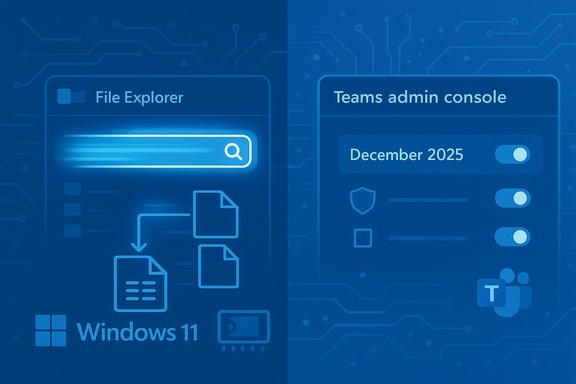
Microsoft’s quiet, surgical tweaks to Windows 11’s search plumbing and December’s steady stream of Microsoft Teams feature updates together illustrate a familiar pattern: incremental under‑the‑hood improvements and targeted collaboration features are being rolled out with telemetry and staged toggles rather than big, headline‑grabbing rewrites. The practical result is twofold — everyday responsiveness for File Explorer searches can improve for many users thanks to indexer deduplication in Insider Preview Build 26220.7523, and Teams continued to receive productivity, security, and admin enhancements throughout December 2025 that tighten collaboration and governance for hybrid work.
Microsoft ships many changes to Windows and Microsoft 365 in small, staged increments. For Windows 11, the December Insider Preview stream in the 26220.* family included a terse but meaningful fix: “Made some improvements to File Explorer search performance by eliminating duplicate file indexing operations,” explicitly calling the change out in Build 26220.7523. That phrasing anchors what engineers actually changed — not a new search engine inside Explorer, but an optimization inside the Windows Search Indexer.
At the same time, Teams received a December 2025 feature rollup emphasizing productivity features, admin controls, and security hardening tailored for hybrid workplaces. The December updates span user-facing conveniences, compliance and governance improvements for administrators, and feature gating to control exposure during staged deployments.
This article unpacks both items in practical terms: what changed, why it matters, who benefits, how to validate the claims, and how IT professionals should test and deploy these updates safely.
Multiple independent community writeups and forum traces corroborate the same conclusion: this is a deduplication optimization that coalesces identical indexing work items so the same physical file or path isn’t processed more than once concurrently. Those independent observations align with the Insider release note and community tests.
Operationally, the Teams updates underscore Microsoft’s staged rollout model: features may be visible only to a subset of tenants at first and are frequently gated behind administrative toggles or policy assignments to minimize organizational risk during adoption. This means organizations must actively manage feature visibility rather than assuming uniform availability.
The practical implication for organizations: assume features will be rolled out incrementally, keep pilot groups current, and centralize telemetry and feedback to detect early regressions.
Source: Neowin https://www.neowin.net/guides/indexing-in-windows-11-can-make-file-explorer-and-search-much-faster/
Source: Neowin https://www.neowin.net/news/here-are-all-the-new-features-microsoft-added-to-teams-in-december-2025/
 Background
Microsoft ships many changes to Windows and Microsoft 365 in small, staged increments. For Windows 11, the December Insider Preview stream in the 26220.* family included a terse but meaningful fix: “Made some improvements to File Explorer search performance by eliminating duplicate file indexing operations,” explicitly calling the change out in Build 26220.7523. That phrasing anchors what engineers actually changed — not a new search engine inside Explorer, but an optimization inside the Windows Search Indexer.At the same time, Teams received a December 2025 feature rollup emphasizing productivity features, admin controls, and security hardening tailored for hybrid workplaces. The December updates span user-facing conveniences, compliance and governance improvements for administrators, and feature gating to control exposure during staged deployments.
This article unpacks both items in practical terms: what changed, why it matters, who benefits, how to validate the claims, and how IT professionals should test and deploy these updates safely.
Windows 11: Indexer deduplication — what it is and why it matters
The change, in plain language
Microsoft’s Insider notes are succinct: the indexer now avoids duplicate file indexing operations, which should lead to faster File Explorer search responses and reduced system resource usage during file operations. That description is specific and scoped — the behavioral change is inside the Windows Search Indexer rather than in Explorer’s UI layer.Multiple independent community writeups and forum traces corroborate the same conclusion: this is a deduplication optimization that coalesces identical indexing work items so the same physical file or path isn’t processed more than once concurrently. Those independent observations align with the Insider release note and community tests.
Why duplicate indexing happens
Modern filesystems and real‑world user setups create many legitimate reasons for the indexer to be asked to do the same work multiple times:- Multiple logical access paths: junctions, symbolic links, library views, or different mount points can expose the same physical file under more than one path.
- Cloud placeholder churn: files appearing/disappearing from OneDrive Files On‑Demand or other provider placeholders can re‑enqueue indexing events.
- Transient mounts and network flakiness: external drives and network shares that come and go can trigger repeated processing.
- Concurrent subsystem requests: backup agents, antivirus scanners, third‑party shell extensions, or multiple system components may request indexing of the same targets at the same time.
- Queue‑coalescing gaps in the indexer: if the work queue logic doesn’t detect duplicates before spawning workers, parallel identical tasks run and waste CPU, RAM and disk I/O.
What the deduplication fix likely does (technical anatomy)
Microsoft’s public note is intentionally concise; the likely engineering steps behind the scenes include:- Canonicalization: determining a canonical identifier (file ID, inode, or robust path canonical form) that identifies the same file object even when accessed by multiple logical paths.
- Coalescing of work items: collapsing multiple concurrent requests for the same canonical target into a single indexing operation.
- Defensive checks: recognizing and throttling repeated enqueue events caused by cloud‑placeholder churn or volatile mount states.
- Short window dedupe policies: using a time window to merge near‑simultaneous requests and avoid race conditions.
These are standard, low‑risk approaches to trimming duplicate work in indexers and are consistent with the symptoms Microsoft aimed to resolve. Treat deep implementation details as informed inference until Microsoft publishes a developer‑level engineering note.
Who benefits and where gains are visible
The optimization is targeted and workload‑dependent. Systems that are most likely to see material improvement include:- Laptops and budget PCs with limited RAM (4–8 GB), where transient allocations are costly.
- Machines with slower storage (HDDs) where redundant reads create perceptible delays.
- Devices with hybrid storage: local drives combined with OneDrive Files On‑Demand, external drives, or many mounted volumes.
- Power users and developers who use multiple mounts, mirrored source trees, or heavy symlink/junction setups.
Limits of the optimization
Important boundaries to understand:- This is not a replacement for proper hardware or network tuning. Slow NAS performance, misbehaving third‑party shell extensions, or heavy AV scanning will still harm perceived responsiveness.
- The indexer still needs RAM and CPU to maintain large indexes; deduplication reduces transient peaks but does not make large indexes disappear.
- Some workloads may not benefit at all if duplicate indexing was not a significant factor on that machine.
- Internal canonicalization logic can introduce edge cases; complex filesystem setups should be validated in pilot rings.
How to try it now (Insider testing path)
The improvement is present in Windows 11 Insider Preview Build 26220.7523 (Dev & Beta channels) and is being rolled out as a controlled experiment behind staged toggles for Insiders. To evaluate it:- Join Windows Insider Program (Settings > Windows Update > Windows Insider Program).
- Enroll a test device in the Dev or Beta channel and enable “Get the latest updates as soon as they’re available.”
- Install the build (look for the 26220.* preview stream and the KB5072043 packaging for 26220.7523).
- Run representative search/indexing scenarios and capture telemetry: memory/CPU peaks, IOPS, query latency, and event traces.
- Report regressions through Feedback Hub and coordinate tests with third‑party vendors (antivirus, backup, storage) to check compatibility.
Risks and enterprise considerations
For administrators and IT pros, the improvement is low‑surface‑area but still deserves caution:- Staged rollouts can surface regressions on specific device classes or with incompatible third‑party index filters; pilot widely used scenarios first.
- Ensure backup and recovery playbooks are valid; while this is a runtime change, any systemic issue should be recoverable without relying on unsupported community fixes.
- Coordinate with security vendors and endpoint management teams; AV or endpoint agents that integrate with indexing could interact unexpectedly with canonicalization logic.
- Validate remote search and indexing policies (Intune, GPO) that may assume prior indexer behavior.
A conservative rollout plan — pilot, measure, then expand — is recommended.
Microsoft Teams: December 2025 rollup — what changed and why it matters
High‑level framing
December’s Teams updates were not a single blockbuster release but rather a bundle of user‑facing productivity tweaks, admin and security improvements, and staged feature gating to help organizations adopt new behaviors safely. The updates focused on streamlining hybrid collaboration, improving governance controls, and incremental usability wins for chat and meetings.Notable user‑facing additions
Among the December additions that matter for daily collaboration:- Improved chat and message behavior (streamlined views and better handling of hyperlinks and formatted messages), which reduces friction in mixed chat/channel workflows.
- Meeting and presenter refinements to improve content sharing and presenter controls, leading to fewer clicks and a more consistent presenter experience across devices.
- Visual and UX polish — small but cumulative improvements that reduce micro‑friction (e.g., more discoverable actions, context menus fine‑tuned for efficiency).
Admin and governance updates
December’s Teams changes emphasized admin controls that matter for hybrid work and compliance:- Additional admin visibility into feature rollout status and the ability to gate new features for tenant pilots before a wide rollout.
- Enhanced message and data retention controls to align Teams with organizational compliance policies.
- Back‑end updates that simplify tenant‑wide policy application and auditing inside the Microsoft 365 admin and compliance surfaces.
Security, compliance, and operational notes
Microsoft continued to tune Teams’ security posture with incremental hardening and auditing improvements. Those changes help security teams ensure that new collaboration features do not expand an organization’s attack surface unexpectedly.Operationally, the Teams updates underscore Microsoft’s staged rollout model: features may be visible only to a subset of tenants at first and are frequently gated behind administrative toggles or policy assignments to minimize organizational risk during adoption. This means organizations must actively manage feature visibility rather than assuming uniform availability.
Risks and rollout advice for Teams
- Test features with representative pilot groups that mirror production collaboration patterns.
- Use tenant‑level feature controls to pilot and evaluate feature interactions with retention/archiving workflows, compliance scans, and third‑party bots or integrations.
- Monitor client versioning and platform parity; Teams experiences can differ across desktop, web, mobile, and Teams Rooms, so multi‑client validation is essential.
Cross‑cutting strategy: staged experiments, telemetry, and hardware gating
Both topics — indexer deduplication and Teams feature updates — reflect Microsoft’s broader 2025 strategy: ship smaller, targeted improvements and gate more ambitious or hardware‑heavy features behind telemetry, controlled rollouts and hardware qualifications (Copilot+ device gating for some AI features). That approach reduces blast radius but places responsibility on IT and enthusiasts to pilot aggressively and report telemetry-driven regressions where they occur.The practical implication for organizations: assume features will be rolled out incrementally, keep pilot groups current, and centralize telemetry and feedback to detect early regressions.
Practical recommendations — how to evaluate and deploy these changes safely
For power users and enthusiasts
- If you’re curious, test on a secondary device first: join the Windows Insider Program and enroll a non‑critical machine in Dev or Beta so you can see how deduplication behaves on your real workloads.
- Record before/after metrics: measure search latency, Explorer memory usage, and IOPS during indexing runs. Use simple stress scenarios that reflect your real projects (multiple mounts, OneDrive placeholders, symlinked repos).
- Report findings via Feedback Hub and community forums; early, constructive telemetry helps Microsoft tune staged rollouts.
For IT administrators
- Pilot in a controlled ring: choose a set of representative devices (laptops with OneDrive sync, desktops with multiple mounted volumes, and virtualized clients).
- Validate third‑party dependencies: confirm antivirus, backup, and enterprise search filters behave correctly with the new indexer behavior.
- Monitor key metrics centrally: peak memory usage for Search/Explorer, indexing-related IOPS, search query latencies, and Feedback Hub/telemetry signals.
- Apply the same principle to Teams: pilot new Teams features with a tenant pilot before enabling them broadly, and validate retention and compliance workflows.
- Plan rollback or mitigation: keep baseline images and documented rollback steps; for Teams, maintain policy controls to disable or gate features tenant‑wide if necessary.
Metrics to monitor (minimum viable set)
- Search query median and 95th percentile latency under representative load.
- Explorer.exe and SearchIndexer.exe peak memory and CPU during indexing events.
- Storage IOPS and disk queue length during indexing windows.
- Teams client version parity across platforms and audit logs for policy‑controlled features.
Strengths, trade‑offs, and potential hidden costs
Notable strengths
- Low‑risk, high‑leverage engineering: Deduplication is a surgical fix that reduces waste without requiring a heavy architectural rewrite. That makes it easier to test and roll back if needed.
- Measurable gains for real users: For targeted workloads — multi‑mount, cloud‑backed, or low‑RAM devices — the optimization addresses a real pain point of transient memory and I/O spikes.
- Governance‑friendly Teams updates: Feature gating and admin controls give organizations time to validate behavior before broad exposure.
Trade‑offs and potential risks
- Edge regressions: Canonicalization rules can be tricky in complex filesystems; unexpected duplicates or missed updates could surface on niche setups. Pilot testing is essential.
- Anecdotal performance claims: Early “up to 2×” improvements are anecdotal; treat performance numbers as preliminary until reproducible tests from diverse hardware are published.
- Management overhead: Staged rollouts and tenant gating increase the operational burden: admins must track feature flags, pilot progress, and cross‑tenant behavior.
Conclusion
Small engineering changes and steady product updates are the backbone of a more usable, reliable platform. Microsoft’s indexer deduplication in Windows 11 Insider Preview Build 26220.7523 is a pragmatic fix that reduces redundant indexing work and improves search responsiveness in real‑world, messy filesystem scenarios — particularly for devices with constrained RAM or hybrid cloud/local storage patterns. Similarly, Teams’ December 2025 updates continued to nudge collaboration forward with productivity and governance improvements that are best adopted through pilot programs and tenant controls. Both developments highlight a conservative, telemetry‑driven approach: roll things out behind toggles, gather real‑world data, and then expand broadly once confidence is established. For power users and IT professionals, the immediate takeaway is straightforward: test on representative hardware, measure real workloads, and use staged rollouts and admin controls to adopt these improvements safely and deliberately.Source: Neowin https://www.neowin.net/guides/indexing-in-windows-11-can-make-file-explorer-and-search-much-faster/
Source: Neowin https://www.neowin.net/news/here-are-all-the-new-features-microsoft-added-to-teams-in-december-2025/
