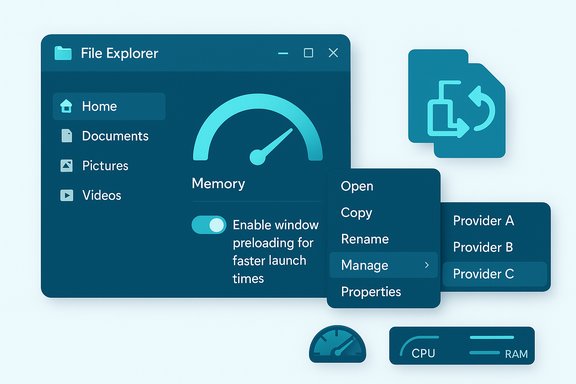
Microsoft’s latest Windows Insider experiments aim to make File Explorer feel faster and friendlier by deliberately trading a small, predictable background cost for improved perceived responsiveness — and by trimming the context menu and search indexer’s redundant work to lower resource use during file operations.
File Explorer is the most frequently used GUI surface in Windows, so even modest delays or clutter can compound into daily friction for millions of users. Microsoft has begun testing three tightly scoped updates in the Windows Insider 26220 preview stream: an optional background preload of Explorer to reduce cold‑start latency, a reorganized right‑click context menu (a “Manage file” flyout and provider‑specific submenus) to reduce visual clutter, and an indexer‑side deduplication that eliminates duplicate file indexing operations to reduce transient RAM, CPU and disk I/O during searches. These items are being validated in the Dev and Beta rings as explorations before any broader release. Microsoft surfaced the preload toggle in File Explorer’s Folder Options as “Enable window preloading for faster launch times,” and the indexer optimization appears in Insider release notes as “eliminating duplicate file indexing operations,” explicitly targeting search performance and system resource usage.
Conclusion
These Windows Insider experiments deliver pragmatic, user‑facing wins with explicit trade‑offs: a modest, measurable memory cost for faster perceived Explorer launches; a cleaner, more scannable context menu; and backend indexer improvements that reduce redundant work and transient resource spikes. The staged rollout, visible toggles, and telemetry‑driven posture are the right operational controls for such changes — they let Microsoft iterate while leaving administrators and users the final control. Test, measure, and choose the configuration that best fits your hardware profile and workload.
Source: VideoCardz.com https://videocardz.com/newz/microsoft-tweaks-file-explorer-to-use-reduced-system-resources/
 Background / Overview
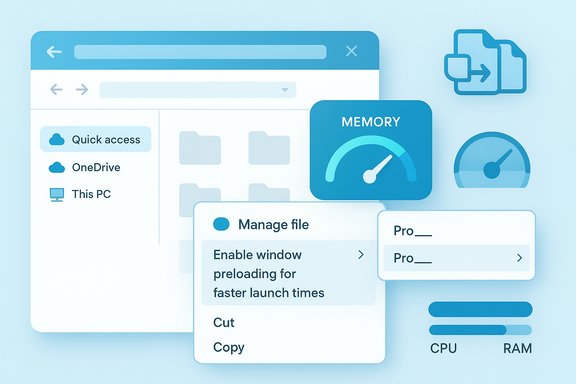
File Explorer is the most frequently used GUI surface in Windows, so even modest delays or clutter can compound into daily friction for millions of users. Microsoft has begun testing three tightly scoped updates in the Windows Insider 26220 preview stream: an optional background preload of Explorer to reduce cold‑start latency, a reorganized right‑click context menu (a “Manage file” flyout and provider‑specific submenus) to reduce visual clutter, and an indexer‑side deduplication that eliminates duplicate file indexing operations to reduce transient RAM, CPU and disk I/O during searches. These items are being validated in the Dev and Beta rings as explorations before any broader release. Microsoft surfaced the preload toggle in File Explorer’s Folder Options as “Enable window preloading for faster launch times,” and the indexer optimization appears in Insider release notes as “eliminating duplicate file indexing operations,” explicitly targeting search performance and system resource usage. What changed — the visible, verifiable facts
1) Preloading File Explorer (Build 26220.7271 / KB5070307)
- The experimental setting is exposed to Insiders in File Explorer → View (three‑dot) → Options → Folder Options → View as a checkbox labeled Enable window preloading for faster launch times.
- When enabled, Windows keeps a small, lightweight portion of Explorer prepared during idle time so the first visible paint of a new Explorer window occurs faster. Microsoft frames this as a perceptual optimization (warm start), not a full rearchitecture of enumeration, preview handlers, or cloud queries.
2) Context‑menu reorganization (Manage file flyout and provider submenus)
- Microsoft shortens the top‑level right‑click menu by grouping less‑used commands — such as Compress to ZIP, Copy as path, Set as desktop background, and Rotate left / right — under a new Manage file flyout, while surfacing cloud provider actions inside provider‑specific submenus. The label “Manage file” may change during testing.
3) Deduplicating indexer work (Build 26220.7523)
- The Windows Insider release notes for the later 26220 stream list a change: “Made some improvements to File Explorer search performance by eliminating duplicate file indexing operations,” which reduces redundant work performed by the Windows Search indexer and should lower memory, CPU and disk I/O during searches. This is implemented on the indexer side (the system index Explorer queries), not by adding an independent search engine inside Explorer.
Why Microsoft took this approach
Microsoft’s team chose pragmatic, low‑risk fixes that target the most visible pain points with minimal compatibility surface:- Preloading mirrors precedents like Edge’s Startup Boost and Office’s prelaunch tasks: perform predictable initialization while the system is idle to shorten the interactive path when the user next asks for the app.
- Context‑menu grouping reduces vertical menu length and improves scanability without removing functionality, preserving discoverability via a single extra click.
- Indexer deduplication attacks a well‑understood inefficiency that causes transient I/O and memory spikes during searches and indexing activity. Addressing it at the indexer reduces resource churn for all processes that rely on the system index.
Technical analysis — what the changes actually do (and don’t)
How preloading likely works (evidence and limits)
- The preload prepares a lightweight Explorer skeleton in memory — the address bar, command bar, common UI controls and small caches (icons, basic thumbnails) — then keeps it dormant or suspended until needed. This reduces the time to first paint. Microsoft’s notes are high level; independent testing and engineering precedent support this sketch. Exact internals (what COM objects or thumbnail handlers are pre‑registered) are not published.
- What preload does not do:
- It does not eliminate on‑demand costs such as heavy thumbnail generation, cloud provider queries, or synchronous third‑party shell extension work that block context menus or folder enumeration.
- It does not fundamentally change how Explorer enumerates network shares or handles remote I/O. Those remain governed by deeper subsystems.
Indexer deduplication — pragmatic gains, unknown internals
- The change is implemented in the Windows Search indexer: Microsoft’s release notes explicitly say it “eliminates duplicate file indexing operations,” which implies canonicalization/coalescing of work items or detection of re‑enqueues that cause repeated scanning of the same files or paths. This reduces duplicate reads, CPU cycles, and the number of concurrent indexing threads that temporarily increase memory usage.
- What remains unpublished: Microsoft has not documented exactly how duplicates are detected (path canonicalization, file IDs, hash checks, or a combination). That detail matters for corner cases — for example, reparse points, symlinks, cloud placeholders and mirrored mounts — and must be treated as an implementation detail until Microsoft publishes deeper notes. Treat these internal mechanics as plausible engineering inferences rather than verified facts.
Measured impact from independent testing
Multiple hands‑on reports and reviews tested preloading in the Insider builds and found consistent patterns:- Perceived launch speed: preloading produces a clear improvement in the first visible paint of File Explorer windows, especially on low‑spec devices, VMs and when systems are under load. The improvement is perceptual — the warmed UI paints faster — but absolute time saved varies by hardware.
- Memory trade‑off: independent tests measured a small but tangible idle RAM increase for Explorer when preload is enabled. Representative test measurements reported increases in the mid‑30 MB range (e.g., from roughly ~32 MB to ~67 MB in one virtual‑machine test). That delta is a useful ballpark but device‑dependent and not an absolute. Microsoft has not published an official per‑device memory budget for preload.
- Indexer deduplication: early reports indicate reduced transient CPU and disk I/O during indexing windows and fewer memory spikes during wide searches, consistent with the stated intent in Microsoft’s Insider notes. The net effect is lower search‑time resource pressure in many real‑world scenarios. Exact percent improvements will vary by storage layout, cloud placeholder volume and the number of files indexed.
Strengths — why these changes matter
- High user ROI for low engineering risk. Warming a small portion of Explorer and reorganizing the menu are targeted, reversible moves that produce visible improvements for many users without wholesale shell rewrites.
- Tunable rollout and user control. Microsoft exposes a toggle and ships experiments to Insiders first, allowing telemetry and feedback to guide defaults and mitigations before wider rollout. That control matters for IT administrators and users on memory‑tight devices.
- Reduced search churn. Eliminating duplicate indexer work hits a clear technical inefficiency that produces noisy spikes in CPU, disk and RAM — fixing it reduces resource churn across the board for search and indexing scenarios.
- Better day‑to‑day UX. Shorter, less cluttered context menus improve scanability and reduce misclicks, an important usability win for both touch and mouse users.
Risks and trade‑offs — what to watch for
- Memory and battery trade‑offs on thin clients. The preload increases Explorer’s idle memory footprint; on machines with 4–8 GB of RAM or tightly provisioned virtual desktop images, that overhead can meaningfully reduce headroom for apps or increase swapping pressure. There may also be a small battery cost on some portable devices. Independent tests measured memory deltas in the ~30–35 MB range, but results vary by device. Admins should validate on representative hardware before broad enablement.
- Perception vs. reality. Preloading improves the first paint but does not fix deeper interactive stalls (thumbnailing, preview handlers, synchronous shell extensions, network enumeration). Users who equate a faster first paint with a fully snappier Explorer may be disappointed in scenarios where deeper I/O is the bottleneck.
- Cumulative effect if widely applied. If Microsoft applies preload‑style tricks to many system apps, small background RAM increments can accumulate, particularly on low‑spec or older hardware. The staged rollout and explicit user toggle mitigate this risk, but fleet managers should be mindful of aggregate effects.
- Unpublished implementation details. For indexer deduplication, the exact canonicalization rules and dedupe windows are not public. Edge cases — symbolic links, mirrored mounts, unusual filesystem layouts — could behave differently until Microsoft publishes deeper engineering notes. Treat such edge behavior as a potential source of regressions until validated.
What IT administrators and power users should do
- Validate on representative hardware:
- Create a test image with the Insider build enabled (Dev/Beta) or wait for staged enterprise previews.
- Measure baseline Explorer memory, search CPU/disk I/O and perceived launch times with the preload off and then on to quantify impact.
- Use the toggle to control behavior:
- Path: File Explorer → three‑dot menu → Options → View → Folder Options → View → uncheck/check Enable window preloading for faster launch times. This is the supported user control for the experiment.
- Consider image‑level policy for VDI and thin clients:
- For managed VDI images and thin clients where RAM is constrained, test with preload off by default. If you must enable it fleetwide, ensure standard user workloads do not push memory into swap.
- Monitor indexing load post‑update:
- Observe SearchIndexer.exe behavior and background disk I/O. The deduplication change should reduce duplicate operations, but monitoring will reveal any environment‑specific side effects, especially in environments with many network shares and cloud placeholders.
- File feedback and telemetry:
- Use Feedback Hub categories Microsoft suggests (Files Folders and Online Storage > File Explorer Performance) to report regressions. Staged experiments rely on that feedback loop.
Practical recommendations for everyday users
- If you value a snappier first‑open experience on a low‑spec laptop or an older tablet, try enabling the preload and measure whether the reduced cold‑start latency is worth the modest memory cost. Use Task Manager to observe Explorer’s working set before and after toggling.
- If you run tight on RAM (4–8 GB) or use many heavy background apps, keep the preload off and prioritize freeing memory through other means (disabling startup apps, increasing paging file, or upgrading RAM where possible).
- If search responsiveness has been erratic (spikes in CPU/disk when indexing runs), the indexer improvements in the 26220 stream may help; update to a build that includes the dedupe change and monitor SearchIndexer.exe behavior.
Security and privacy considerations
- Preloading an instance of Explorer keeps some UI elements in memory; Microsoft’s experiment focuses on UI skeletons and small caches, not on pre‑fetching user content or indexing private data in new ways. There is no indication the preload changes default indexing or content collection policies. However, organizations with strict privacy or audit requirements should validate preload behavior in test environments to confirm it aligns with their policies.
- Indexer deduplication reduces redundant disk reads and should reduce the indexer’s I/O footprint; there is no public indication it changes what gets indexed or how content is extracted. Any change that touches indexing warrants administrator verification for compliance with data retention or scanning policies.
What remains unverified or speculative
- The exact internal mechanics of the indexer’s deduplication (file ID vs. path canonicalization vs. hashing) have not been published; claims about precise implementation should be treated as informed speculation until Microsoft documents them.
- Micro‑benchmark numbers (exact MB delta, battery impact in mWh, or precise milliseconds saved on every hardware class) vary between tests. Independent articles report mid‑30 MB memory increases in sample tests, but those figures are workload and device specific and should be treated as indicative rather than universal.
Final assessment — a pragmatic step forward with measured trade‑offs
Microsoft’s File Explorer experiments in the Windows Insider 26220 stream are a classic example of targeted engineering: they address high‑visibility complaints with reversible, low‑risk changes rather than attempting a risky, large‑scale rewrite. The combination of an optional background preload (faster first paint), a decluttered context menu (better scanability), and indexer deduplication (reduced resource churn during searches) adds up to a meaningful usability and performance improvement for many users — particularly those on lower‑spec hardware — while keeping control in users’ and administrators’ hands. That said, these moves are tactical rather than strategic: preloading masks cold‑start latency but does not remove the deeper sources of Explorer jank (thumbnailing, synchronous shell extensions, heavy network enumeration). The indexer deduplication is a well‑placed optimization, but its benefits will vary with environment and storage topology. Administrators should test on representative images and use the provided toggles to balance responsiveness against resource constraints. In short: expect a perceptibly snappier first open and a cleaner context menu in upcoming builds for Insiders, plus quieter search windows where indexer inefficiencies previously caused spikes — but validate before changing defaults across memory‑sensitive fleets.Conclusion
These Windows Insider experiments deliver pragmatic, user‑facing wins with explicit trade‑offs: a modest, measurable memory cost for faster perceived Explorer launches; a cleaner, more scannable context menu; and backend indexer improvements that reduce redundant work and transient resource spikes. The staged rollout, visible toggles, and telemetry‑driven posture are the right operational controls for such changes — they let Microsoft iterate while leaving administrators and users the final control. Test, measure, and choose the configuration that best fits your hardware profile and workload.
Source: VideoCardz.com https://videocardz.com/newz/microsoft-tweaks-file-explorer-to-use-reduced-system-resources/