

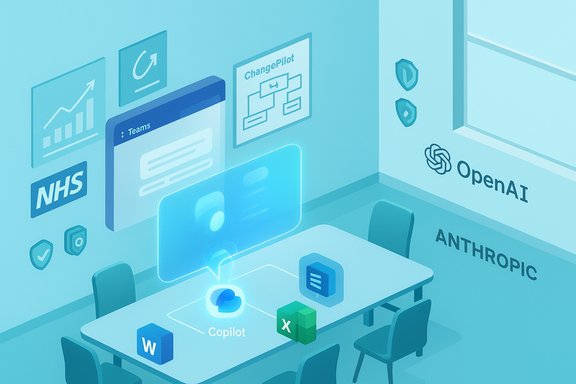
Microsoft’s Teams ecosystem took another big step toward becoming the default hub for hybrid work this month, with a packed update wave that spans Teams Rooms hardware management, a multi‑model Copilot strategy, a high‑profile NHS Copilot trial, fresh security takedowns, and practical automation examples from a Norton Rose Fulbright engineer who turned Message Center noise into a Teams-driven change process. The implications are clear: Microsoft is folding AI, device management, and admin tooling tighter into Teams — delivering measurable productivity gains while forcing IT and compliance teams to manage a growing set of governance trade‑offs.
Microsoft’s product cadence for Teams in 2024–2025 has been defined by two parallel moves: (1) embedding generative AI (Copilot and agent surfaces) into everyday workflows, and (2) extending Teams’ remit from chat/meetings into managed hardware, telephony and workspace tooling. The result is a platform that now tries to be both a productivity fabric and an operational control plane — a powerful combination for organisations already invested in Microsoft 365, but one that increases data‑flow complexity and governance burden.
What changed this month—at a glance:
Key pieces IT should care about:
Practical capabilities:
Operational takeaways:
Caveats and advice:
Organisations that pair disciplined adoption playbooks (pilot → measure → govern → scale) with clear human‑in‑the‑loop rules and tenant‑level policy will capture the upside. Those that treat AI as a convenience toggle without operational guardrails risk audit, compliance and security headaches. The sensible course is a staged, instrumented rollout — pilot narrowly, require human verification for critical outputs, and keep the admin console as the single source of truth for model, agent and device enablement.
Source: UC Today Microsoft Teams Show - Teams Rooms Rollouts, Multi-Model Copilot & Special Guest Ally Ward
 Background / Overview
Microsoft’s product cadence for Teams in 2024–2025 has been defined by two parallel moves: (1) embedding generative AI (Copilot and agent surfaces) into everyday workflows, and (2) extending Teams’ remit from chat/meetings into managed hardware, telephony and workspace tooling. The result is a platform that now tries to be both a productivity fabric and an operational control plane — a powerful combination for organisations already invested in Microsoft 365, but one that increases data‑flow complexity and governance burden.What changed this month—at a glance:
- Expanded Teams Rooms features and admin portals for Pro-licensed rooms.
- A clearer, production-ready Teams Mode / Copilot Groups that lets Copilot join group chats as a shared participant.
- Announcement and field signals that Anthropic’s Claude models are now selectable inside Microsoft 365 Copilot as part of a multi‑model approach.
- Security takedowns and certificate revocations after fraudulent Teams installer campaigns delivered ransomware — Microsoft revoked certificates at scale.
- A large‑scale NHS Copilot pilot claiming substantial time savings, accompanied by methodological caveats IT leaders must heed.
- Real‑world automation from Norton Rose Fulbright’s Ally Ward: feeding Message Center updates into Teams to cut manual triage and support compliance.
Teams Rooms and meeting‑space management: admin tooling, Facilitator and Cloud IntelliFrame
What’s arrived
Microsoft continues to expand the Teams Rooms management story. The Pro Management portal gained proactive Recommended Actions, occupancy insights fed by Cloud IntelliFrame, and simplified on‑device toggles for features such as face and voice recognition — lowering the operational friction for large fleets of rooms. The new Facilitator agent can capture notes, attribute speakers, and generate action items in real time for scheduled and ad‑hoc meetings; those artifacts feed into OneDrive/Loop and Copilot workflows when transcription is enabled.Key pieces IT should care about:
- Audio recaps and Intelligent Recap popouts that make recorded meeting content actionable rather than archival.
- Multiple camera views and Cloud IntelliFrame that improve hybrid equity by creating per‑person tiles for remote attendees.
- Recommended Actions and occupancy reporting in the Teams Rooms Pro Management portal to prioritise upgrades and hygiene issues.
Strengths and operational impacts
- Better hybrid meeting fairness and improved visibility for remote users reduces the “out‑of‑frame” problem and raises meeting quality.
- Pro Management portal telemetry and recommended actions reduce surprise work for IT and give a predictable playbook for device refresh and remediation.
Risks and governance items
- Several of these features require Teams Rooms Pro or Microsoft 365 Copilot licensing; licensing complexity will be a long‑term line‑item for many estates. Plan budgets and seat mapping carefully.
- AI artifacts (Facilitator notes, audio recaps) become new records that intersect with retention, eDiscovery and DLP. Treat generated notes as drafts until validated, and bake them into retention & legal workflows.
Teams becomes a shared AI collaborator: Teams Mode / Copilot Groups
How Teams Mode changes collaboration
Microsoft has shipped a model where Copilot can join a multi‑person chat as an invitee — a shared, link‑inviteable participant that sees group context and acts as a co‑author, facilitator and extractor of action items. The feature — often surfaced in documentation as Copilot Groups or “Teams Mode” — is not a personal assistant expanded; it is a shared session model that keeps one Copilot instance, shared context, and group‑editable outputs. Exporting chat content into Word/Excel/PowerPoint (and PDFs) reduces coordination friction.Practical capabilities:
- Shared session with up to a preview cap (example: 32 participants in early previews).
- Real‑time drafting, vote tallying, summarisation and task assignment extracted from group chat.
What this means day‑to‑day
- Rapid conversion of chat discussions into structured outputs (agendas, proposals, slide starters) reduces follow‑ups and context switching.
- Copilot acting as a visible team member makes AI outputs a shared artifact rather than private assistance — this helps collaboration but raises new audit and governance needs.
Governance & admin controls
- Availability is tenant‑gated and admin‑opted; admins must plan who can add Copilot to chats and which connectors Copilot may use.
- There are message caps (deliberate guardrails) and functional limits in early previews to prevent spammy assistant behaviour.
Microsoft 365 Copilot in the wild: NHS pilot, claims of 400,000 hours saved, and what to believe
The headline numbers
A high‑profile NHS pilot reported an average saving of about 43 minutes per staff member per working day, and modelling suggested that a scaled rollout could reclaim up to ~400,000 staff hours per month across relevant NHS users. The pilot emphasised savings from meeting summarisation, email triage and template drafting. These numbers have been widely reported and are already influencing procurement and policy discussions.Methodological caution
- The 43‑minute figure primarily comes from participant self‑reports and sponsor modelling; the 400k hours is an extrapolation based on scaling assumptions about adoption, use cases and verification overhead. That makes the headline projection indicative rather than a reproducible economy‑wide ledger. Independent verification and longitudinal telemetry are required before procurement teams treat the headline as a guaranteed ROI.
Why the result is plausible — and why it can fail
- Copilot suits high‑volume admin tasks (meeting notes, email triage, template creation) that are common in health services; targeted automation can deliver real human‑hours back to frontline care.
- But the net benefit hinges on verification time: if staff must spend equivalent or greater time validating AI outputs, the net saving evaporates. Measurement frameworks must capture net time saved (including verification, rework and error correction).
- Run controlled telemetry pilots measuring before/after task times (not just self‑reported estimates).
- Mandate human sign‑off for any clinical or legal text produced by Copilot.
- Model total cost of ownership: Copilot seats, connector provisioning, governance and training.
Multi‑model Copilot: Anthropic’s Claude joins the roster — benefits and governance
What changed
Microsoft has turned Copilot into a multi‑model orchestration layer by adding Anthropic’s Claude variants (Sonnet 4, Opus 4.1) as selectable backends for Copilot surfaces such as the Researcher agent and Copilot Studio. This gives organisations the option to route specific workloads to Claude rather than OpenAI or Microsoft’s own models. Microsoft positions this change as additive — OpenAI remains available — but it’s a major strategic shift toward model choice.Why multi‑model matters
- Better workload fit: different models empirically excel at different tasks (throughput vs deep reasoning vs coding). Matching the model to the job can reduce human editing and latency.
- Vendor diversification reduces single‑supplier concentration risk and gives Microsoft negotiation leverage on cost, capacity and capability.
Critical governance implications
- Anthropic‑routed calls are commonly hosted on third‑party clouds (for example, AWS/Bedrock), which creates cross‑cloud data paths that change contractual and compliance contours for regulated tenants. Admins must review data residency, logging, and contractual terms before enabling Anthropic models.
- Treat model selection as an IT policy: pilot Anthropic on non‑mission‑critical workloads first, require per‑request logging, and instrument quality comparisons (human edit rate, hallucination incidents) against other models.
Security: fraudulent Teams installers, credential abuse, and certificate revocations
Microsoft’s defenders took visible action after attackers used fraudulently signed fake Teams installers to deliver ransomware families (e.g., Oyster, Rhysida). In a takedown response, Microsoft revoked more than 200 certificates linked to those fraudulent signing operations — an urgent reminder that adversaries will weaponise trust and supply‑chain signals.Operational takeaways:
- Do not trust installer provenance by name alone; verify signatures against firmware/OS trust stores and use vendor feeds to confirm revocations.
- Harden Teams/365 surface area: restrict external guest creation, monitor for external domain invites, and limit remote support tools where not strictly needed (Quick Assist, screen sharing). Many ransomware campaigns begin with social engineering over Teams; restricting external invites and tightening lobby/guest policies reduces attack surface.
No Teams required? Email‑to‑Chat invites and Wi‑Fi location tracking — practicality vs privacy
Two items UC Today flagged raise interesting UX and policy questions: the idea of starting a Teams chat directly from an emailed link (no Teams account required) and a Wi‑Fi Location Tracking feature that auto‑detects corporate Wi‑Fi SSIDs to set a user’s work location in Teams. Both have potential to change how organisations think about presence and entry friction.Caveats and advice:
- The “email‑to‑chat” / live‑chat features broadly line up with Microsoft’s push to reduce friction for external collaboration and for SMB customer chat widgets in Teams; however, any feature that allows non‑tenant participants into a conversational context must be gated by admin controls to avoid data leaks and impersonation risks.
- The Wi‑Fi location detection idea raises privacy trade‑offs: corporate Wi‑Fi‑based location inference can be valuable for desk booking and hybrid analytics, but it also becomes a surveillance vector if used without opt‑in, transparency and retention limits. UC Today reported the capability, but independent verification and tenant‑level controls should be confirmed before enabling. Treat the Wi‑Fi auto‑location claim as reported and subject to admin opt‑in and legal review.
Special guest case study: Ally Ward and ChangePilot — practical change management via Teams
The show’s guest, Ally Ward (M365 Product & Platform Services Manager at Norton Rose Fulbright), shared a hands‑on example of making Microsoft 365 work for IT operations: her team automated Message Center updates into Teams using a pipeline called ChangePilot. The core benefits were simple but high‑impact:- Message Center posts are surfaced automatically in a designated Teams channel, eliminating manual triage.
- Automation reduced errors and ensured compliance evidence was preserved (audit trail in Teams), while saving hours per week in manual checks.
- The practical glue (connectors + bot + a short verification workflow) turns vendor bulletin noise into an auditable, assignable task system inside the place where operational work happens — Teams — lowering friction and improving traceability.
- Subscribe to Microsoft 365 Message Center feed for your tenant.
- Post Message Center entries into a dedicated Teams channel via a service principal and a small connector function.
- Add an approval/triage adaptive card that routes to appropriate owners, stores decisions in a compliance log (SharePoint or a governed archive), and links back to the original Message Center item.
- Retain the chat/artifacts to satisfy audit and eDiscovery requirements.
Practical recommendations for organisations planning Teams + Copilot rollouts
- Pilot deliberately and instrument results. Start small on high‑value scenarios (meeting recaps, email triage, standard document drafts), measure baseline vs outcome with telemetry, and iterate governance.
- Map licensing and costs up front. Copilot entitlements, Teams Premium, Teams Rooms Pro and device certification bundles can cascade into large TCO changes. Model expected usage, seat tiers and agent meters.
- Treat AI outputs as drafts: enforce human sign‑off for regulated, clinical or legal content and embed verification steps in workflows.
- Build multi‑model governance. If you enable Anthropic/Claude or other third‑party models, inventory data flows, confirm hosting arrangements, and require per‑request logging for auditability.
- Harden Teams security posture. Limit external invites, lock down remote support flows, enable tenant DLP and monitor for suspicious external binaries or installer signatures. Use revocation feeds and vendor advisories proactively.
Conclusion — measured optimism, active governance
This month’s Teams wave tightens the integration between collaboration, device management and AI in ways that are tactically useful and strategically consequential. The combination of Teams Rooms improvements, group Copilot participation, multi‑model Copilot selection, and operational automation examples like Ally Ward’s ChangePilot shows real productivity potential. At the same time, the security takedowns, certificate revocations, cross‑cloud model hosting and self‑reported pilot metrics underline a persistent theme: the gains are real, but they must be earned through disciplined pilot design, governance, and continuous measurement.Organisations that pair disciplined adoption playbooks (pilot → measure → govern → scale) with clear human‑in‑the‑loop rules and tenant‑level policy will capture the upside. Those that treat AI as a convenience toggle without operational guardrails risk audit, compliance and security headaches. The sensible course is a staged, instrumented rollout — pilot narrowly, require human verification for critical outputs, and keep the admin console as the single source of truth for model, agent and device enablement.
Source: UC Today Microsoft Teams Show - Teams Rooms Rollouts, Multi-Model Copilot & Special Guest Ally Ward
