

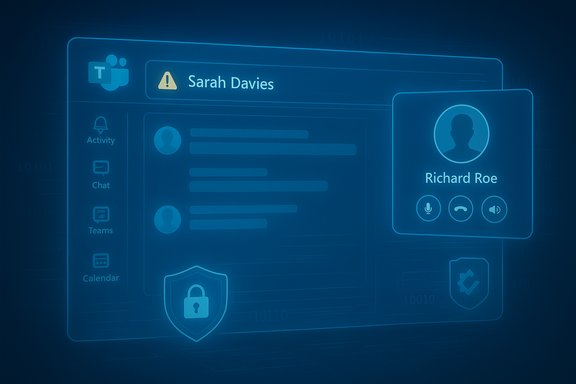
Microsoft Teams — one of the world’s most widely used collaboration platforms — was shown to contain a set of trust‑breaking flaws that could let attackers impersonate executives, spoof notifications, rewrite chat history silently, and even forge caller identities in voice/video calls; Check Point Research disclosed the findings and Microsoft has issued fixes, including an iOS patch tracked as CVE‑2024‑38197.
Background / Overview
Microsoft Teams sits at the heart of many organizations’ daily workflows, with Microsoft reporting more than 320 million monthly active users across chat, meetings, calling, and collaboration services. That scale makes any integrity or identity weakness in Teams a high‑impact problem: a single successful impersonation or manipulated message can trigger financial loss, leak of intellectual property, or fraud. On November 4, 2025, Check Point Research published an in‑depth analysis that identified multiple, conceptually related vulnerabilities across Teams’ messaging, notification, chat‑topic, and call‑initiation mechanisms. The research describes techniques attackers could use to manipulate what victims see — not by breaking encryption or stealing credentials, but by altering the user‑facing signals that people trust when they act on a Teams message or incoming call. Microsoft acknowledged the reported issues, assigned (or linked) at least one CVE — CVE‑2024‑38197 — for a Teams iOS spoofing issue, and rolled out fixes over the course of 2024–2025.What Check Point found: technical highlights
Invisible message editing (silent history rewriting)
Check Point’s researchers demonstrated that Teams’ message system can reuse internal identifiers in a way that enables an attacker to replace the content of previously sent messages without triggering the usual “Edited” UI indicator. The consequence is a silent rewrite of chat history: what users see in a conversation can be changed after the fact while the message appears to be the original. This is not a simple formatting trick — it targets the integrity of records people rely on for approvals, instructions, or transaction verification.Spoofed notifications and executive impersonation
Notifications are designed to cut through clutter and prompt immediate attention. Check Point showed callers and chat notifications can be manipulated so the notification displays a trusted executive’s or colleague’s name — even when the underlying sender is a guest or attacker-controlled account. The result is a classic social‑engineering amplifier: a high‑priority, trusted‑looking notification that encourages rushed, trust‑based actions.Altering display names via conversation topics
By abusing a chat topic update endpoint, researchers found it was possible to change the displayed conversation name in private (one‑to‑one) chats. Because both sides see the conversation name reflecting the altered topic, the UI can mislead participants about who they’re speaking to or what the thread is about, undermining contextual awareness and trust. Check Point demonstrated this using Teams’ documented PUT/POST endpoints for thread properties and conversation metadata.Forged caller identity in voice/video calls
In the call initiation flow, a JSON payload includes a displayName attribute for participants; Check Point showed that manipulating the call initiation payload could make incoming call notifications and in‑call displays present any chosen caller name to the recipient. This allows attackers to masquerade as internal teams or executives and escalates social‑engineering risk from chat into synchronous audio/video channels.The official tracking, scope, and timeline
- Check Point Research reports it responsibly disclosed the issues to Microsoft on March 23, 2024, and worked with Microsoft as fixes were developed.
- Microsoft and vulnerability databases track a related iOS spoofing issue as CVE‑2024‑38197; the CVE was published in August 2024 and carries a CVSS v3.1 base score of 6.5 (Medium), describing a UI misrepresentation/spoofing weakness in Microsoft Teams for iOS. Microsoft’s update guidance indicates fixed builds of the Teams iOS client (security updates associated with release 7.13.0 and later) remediate the tracked spoofing issue.
- Check Point’s public write‑up and demonstrations were published in early November 2025, and the company states the final fixes for the demonstrated call‑forgery issues were pushed by Microsoft by the end of October 2025. Security researchers and patch‑tracking outlets covering Microsoft’s October 2025 Patch Tuesday corroborate a broad set of Teams and Microsoft component fixes in that cycle.
Why these failures matter: trust, not just code
The issues are conceptually significant because they attack trust signals rather than cryptographic protections. Collaboration platforms rely heavily on simple UI cues — sender display name, notification text, “edited” flags, and conversation titles — to help humans make rapid decisions. Attackers who can manipulate those cues can create highly credible social‑engineering scenarios with low technical complexity.Concrete consequences include:
- Business Email Compromise (BEC) and invoice fraud — a spoofed message or call appearing to come from finance or the CEO can be used to request wire transfers.
- Policy/evidence tampering — invisible edits to chat content can undermine audit trails and compliance records for approvals, HR decisions, or legal agreements.
- Credential or malware delivery — spoofed notifications from trusted senders can increase click‑through rates for malicious links or attachments.
Assessing exploitability and real‑world risk
Technical complexity: Check Point characterizes many of these manipulations as low complexity when the attacker can act as an external guest or malicious insider and craft requests to Teams’ APIs. CVE trackers and vulnerability databases give the iOS notification spoofing issue a medium severity (CVSS 6.5), reflecting a network attack vector with low complexity and no privileges required. Exploit availability: As of public reporting, there is no widely circulated proof‑of‑concept exploit kit tied to these specific Teams vulnerabilities, and security databases note “no evidence of active exploitation” for CVE‑2024‑38197. That said, the techniques rely on logic and API misuse rather than exotic memory corruption, which means motivated attackers with access to a guest account or the ability to initiate calls could attempt similar manipulations. The absence of a known worm or mass exploit does not reduce the targeted abuse risk. Attack scenarios that raise the odds of success:- Attackers inside partner tenants or as invited guests in a tenant where guest policies are broad.
- Organizations that allow unlimited guest capabilities, unmonitored external access, or lax app update policies on managed devices.
- High‑pressure business workflows (finance, procurement, legal) where people habitually act on brief messages or calls without cross‑checking.
What was patched — and where admins must focus
Microsoft’s official guidance and vulnerability entries point to fixes rolled into Teams client updates (particularly on iOS for CVE‑2024‑38197) and broader server/client changes applied through late‑2024 and during the October 2025 update cycle. Administrators should treat the following as immediate operational priorities:- Update Microsoft Teams clients across all platforms to the latest vendor‑released builds. For the iOS spoofing issue tracked as CVE‑2024‑38197, patched versions are associated with Teams releases at or above 7.13.0 on iOS. Verify app store and managed‑app inventories and enforce an update policy.
- Ensure automatic or managed app updates via your MDM (Intune or third‑party) so mobile users receive critical fixes promptly.
- Review and restrict guest access and external access settings in the Teams Admin Center and Azure AD / Microsoft Entra where appropriate; minimize guest privileges and only invite external users following an approved lifecycle and removal process. Microsoft’s admin documentation provides explicit guidance for configuring and auditing guest access.
- Enable Data Loss Prevention (DLP) and Microsoft Purview controls for Teams chat and channel messages to detect and block sharing of sensitive data or anomalous transfers. Use sensitivity labels and DLP policies to limit risky information flow across external participants.
- Integrate Teams telemetry with your SIEM/XDR (Microsoft Sentinel, Splunk, Elastic, etc. to flag anomalous behavior patterns: unusual message edits, rapid topic changes, calls from unexpected identities, or guest accounts initiating high‑value workflows.
- Enforce Multi‑Factor Authentication (MFA) and conditional access policies for privileged accounts and for users who are allowed to add guests or change tenant settings. Use just‑in‑time/least‑privilege access for administration.
Practical detection and incident response steps
- Inventory: produce a current list of Teams client versions in use across endpoints and mobile devices (managed via MDM/Intune). Prioritize updating any devices running versions identified as vulnerable.
- Audit guest presence: run regular reviews of guest accounts and their membership in teams; establish a guest lifecycle policy that includes time‑boxed access and automated removal.
- Monitor: collect Teams audit logs, call metadata, and message activity; create SIEM rules for unusual conversation topic changes, sudden displayName changes in calls, and message edit events that conflict with UI flags. Correlate with identity anomalies (unusual IPs, device posture).
- Quarantine and verify: if a suspicious message or call prompts a high‑risk action (wire transfer, credential handover), pause and verify via an out‑of‑band channel (phone call to a known number, company directory confirmation), and retain forensic copies of the relevant Teams logs.
- Post‑incident hardening: after any detection, review tenant policies (guest access, lobby settings, meeting policies), tighten DLP/retention rules, and conduct user re‑education campaigns focused on verification practices.
Mitigations users and organizations can apply today
- Apply vendor updates immediately for Teams clients and related Microsoft 365 services, and enforce managed app update policies.
- Limit guest/ external access and apply policy controls that prevent guests from creating meetings, editing topics, or performing actions that confuse identity signals.
- Enable Microsoft Purview DLP for Teams to help detect outbound sensitive data and block risky content flow.
- Integrate Defender for Cloud Apps / Defender for Office 365 and use real‑time URL/file scanning for links and attachments sent through Teams.
- Configure conditional access to require compliant devices and MFA for any user performing high‑risk operations.
- Train users to treat urgent financial or credential requests as out‑of‑band verification events, and to report suspicious notifications or unexpected display name changes to IT/security teams.
Strengths and limitations of the fixes
Microsoft’s patches and client updates address the specific API and UI validation weaknesses researchers identified, and the public CVE record confirms at least one tracked spoofing issue was remediated in iOS builds. The broad October 2025 patch cycles also demonstrate Microsoft’s ability to roll wide‑ranging fixes into customer update channels. However, some limitations remain:- Patch coverage and client update lag: mobile and unmanaged devices are the usual weak link in wide enterprise fleets. If users don’t update promptly, they remain exposed. Administrators must enforce updates via MDM, not rely on user behavior.
- Attack surface beyond a single CVE: the underlying problem category — UI misrepresentation and API misuse — is not unique to a single client or OS. Fixes that harden one API/path do not eliminate the need for architectural controls (DLP, logging, anomaly detection) and organizational policies. Check Point’s report explicitly calls for layered defenses for this reason.
- Attribution and transparency: while researchers published concrete techniques, vendors and CVE trackers sometimes assign fixes without a one‑to‑one CVE mapping for every research item. That complicates publicly reconciling researcher demonstrations with official advisories; security teams should treat the researcher report as actionable threat intelligence and verify vendor updates directly.
Critical analysis: what this episode teaches IT leaders
- Collaboration apps are the new high‑value attack surface. As organizations move workflows out of email and into chat/meetings, attackers follow. The psychology of trust — fast decisions, compressed context, and default belief in a colleague’s identity — amplifies risk. Check Point’s findings are a practical demonstration of this transition.
- Patching alone is insufficient. Patching an API or client is necessary, but the root cause is an ecosystem dependence on simple UI trust markers. Effective defense requires layered controls: identity and device posture, DLP and content inspection, anomaly detection, and clear operational policies for guest access and high‑risk actions.
- Visibility and telemetry are essential. Detecting attempts to manipulate conversation metadata or caller display names requires ingesting Teams logs into SIEM/XDR and building behavioral detection rules that look for odd patterns rather than only known exploit signatures.
- Vendor collaboration and disclosure timelines matter. Check Point’s disclosure timeline (reported to Microsoft in March 2024, with public publication Nov 4, 2025) highlights the long windows that can exist between discovery, remediation, and public write‑up — underscoring why organizations must assume partial exposure until updates are verified.
Bottom line and recommended checklist for Windows and Teams administrators
For organizations that rely on Microsoft Teams for confidential workflows, the practical bottom line is clear: treat collaboration platforms like an identity and integrity boundary and harden them with a mix of vendor updates, tenant policy configuration, data protection, and monitoring.Immediate checklist (operational priorities):
- Update Teams clients (desktop, web, mobile) to vendor‑recommended builds; prioritize mobile devices tied to CVE fixes (iOS >= 7.13.0 where applicable).
- Enforce managed app updates via Intune or other MDM solutions.
- Review and tighten guest and external access policies in Teams and Microsoft Entra.
- Deploy DLP and sensitivity labels for Teams; configure policies that block or quarantine suspicious file types and data exfiltration.
- Instrument Teams logs with your SIEM/XDR and create detection rules for topic/name changes and anomalous call initiation metadata.
- Institute an out‑of‑band verification policy for financial or sensitive requests and conduct a user awareness campaign highlighting spoofing and impersonation risks.
Conclusion
Check Point Research’s findings on Microsoft Teams exposed a fundamental class of weaknesses: the ability to manipulate the signals users trust inside a collaboration app. Microsoft’s patches — including the fix tracked as CVE‑2024‑38197 for Teams iOS — remove concrete attack paths, but the broader lesson persists: trust in UI cues must be reinforced by tenant policy, device hygiene, data protection, and active detection. Organizations that treat collaboration platforms with the same rigor as identity or email systems — applying updates, enforcing guest controls, deploying DLP, and instrumenting telemetry — will be best positioned to blunt the next wave of social‑engineering attacks that seek to weaponize trust.Source: Windows Report Researchers Warn of Eye-Opening Vulnerabilities Within Microsoft Teams; Patched as of Now
