

Microsoft Teams spent March 2026 doing what it has increasingly made a habit of doing: layering convenience, AI, and admin control into the same product without fully slowing down its march toward a more integrated workspace. The result is a release cycle that feels less like a single feature drop and more like a deliberate reshaping of how Teams handles identity, collaboration, and information hygiene. For users, the headline is smoother cross-account work, smarter meeting support, and a stronger privacy posture. For IT admins and enterprise buyers, the more important story is that Teams is quietly tightening its grip on the modern productivity stack.
Microsoft’s March 2026 Teams updates fit neatly into a pattern that has been building for several release cycles: reduce friction, surface context faster, and make AI feel native rather than bolted on. The company has spent the past two years turning Teams from a chat-and-meetings client into a broader work hub, and the new changes extend that strategy into account management, threaded collaboration, and meeting intelligence. Microsoft’s own release notes and support documentation show that several of the most user-visible March items were focused on drafts, cross-tenant activity, and meeting protections. (learn.microsoft.com)
That broader direction did not appear overnight. The redesign of the chat and channels experience in late 2024 set the stage by consolidating navigation and making conversation handling more fluid. In 2025, Teams accelerated with features such as intelligent recap, message forwarding improvements, cross-device calling intelligence, and more flexible meeting controls. By early 2026, the product had moved into a phase where the key differentiator was not whether it could do more, but whether it could do more without making the user do more.
The March 2026 recap also reflects a subtle but important change in Microsoft’s priorities. Some features are clearly aimed at consumers and small teams, such as Drafts quick view and image browsing improvements. Others, like activity across multiple organizations, pinned tenants, and Admin Center control points, are unmistakably enterprise-first. That split matters because Teams has become one of Microsoft’s most strategic products precisely by serving both audiences at once, even when their needs are not identical. That tension is now visible in the feature set itself.
At the same time, Teams is absorbing more AI capability into everyday workflows. Microsoft has continued to unify Copilot across chats, channels, meetings, and calls, while the February and March 2026 updates show that the company is leaning harder into context-aware summarization, structured note-taking, and agent-like assistance. The practical implication is that Teams is becoming a place where the work product is increasingly generated inside the conversation flow, not just discussed there.
This is a meaningful shift because multi-tenant work is no longer a niche scenario. Consultants, contractors, MSPs, university staff, and enterprise users who straddle subsidiaries or joint ventures all spend real time hopping between tenants. The old experience forced a lot of context switching. The new one reduces that tax and makes Teams feel more like a unified operating surface across organizational boundaries. That is especially valuable when the same user must monitor several active communities, projects, or client environments in a single day.
There is also a competitive angle here. Microsoft is effectively closing a usability gap that has long favored more lightweight collaboration tools. By making multi-account work less annoying, Teams becomes more practical for consultants and federated businesses that would otherwise default to email, browser tabs, or third-party chat systems. In a market where convenience often beats theoretical capability, that is not trivial.
For admins, the main question is whether users will adopt the feature in a disciplined way or use it to blur boundaries that should stay visible. Teams can make cross-tenant work easier, but it cannot make cross-tenant policy disappear. That will remain the responsibility of IT teams, especially in regulated or security-sensitive environments.
The Drafts quick view is especially welcome because unfinished messages tend to get buried in busy workspaces. Users often compose replies, abandon them, and then forget where they left off. A dedicated way to retrieve drafts reduces that friction and nudges Teams closer to the behavior people expect from modern messaging apps. This is the kind of feature that seems small until it saves you ten times a week. (learn.microsoft.com)
There is also a broader design lesson here. Teams has spent years alternating between chat-centric and channel-centric experiences, and Microsoft is now trying to make the two feel less like separate products. Features such as forwarded message links, improved Shared tabs, and message scheduling have all moved in this direction. March’s updates continue that arc by reducing the number of places users have to search for partially completed work. (support.microsoft.com)
That emphasis on friction reduction may sound mundane, but it speaks to a product under pressure to remain the default collaboration layer for enterprises. Teams cannot win purely on AI if the basic message workflow still feels clumsy. Microsoft seems to understand that the little things are what decide whether people tolerate the platform or actually prefer it. (learn.microsoft.com)
The language expansion for audio recap is important because it broadens the feature’s real-world usefulness. Multilingual workforces do not simply need translation; they need a way to catch up quickly and accurately on what happened. Microsoft’s multilingual speech and recap work has increasingly framed language support as a productivity feature, not just an accessibility one. That is a smart repositioning because it aligns AI with business efficiency rather than optional polish.
This matters because live-call AI changes how people think about the call itself. Instead of treating the conversation as a transient exchange, users can now expect summaries, action items, and contextual follow-up to be generated during or immediately after the call. That pushes Teams closer to an assistant model, where the product helps organize work as it happens rather than only memorializing it afterward. That is a substantial conceptual shift. (techcommunity.microsoft.com)
Still, there is a risk in overreliance on AI-generated summaries. Users may begin to trust recap artifacts more than they should, especially in fast-moving or high-stakes meetings. AI can accelerate recall, but it can also flatten nuance. That is why Microsoft’s continued emphasis on transcript support, language detection, and controlled rollout matters.
The value here is twofold. First, it allows presenters to control exactly what attendees see, which is particularly useful in client demos, classrooms, and sensitive internal discussions. Second, it reduces the need to share an entire screen just to collaborate visually, which lowers the risk of accidental disclosure. That makes annotation not just more convenient, but more defensible from a security standpoint.
The broader trend is clear across Microsoft’s collaboration stack: the company wants to make content portable, visible, and editable without making it overly open. That philosophy appears in recap, in shared files, in images, and now in annotations. In a platform as large as Teams, those details become the difference between a secure collaboration system and an overexposed one. (support.microsoft.com)
This is one of the quieter strengths of Teams right now: Microsoft is knitting together the artifacts of collaboration. Images, drafts, calls, recaps, and annotations are all being pulled into a single experience where the boundary between “during the meeting” and “after the meeting” is getting thinner. That is exactly where enterprise productivity software is heading. (support.microsoft.com)
This type of feature is easy to overlook, but it is exactly the kind of default protection that enterprises want. Security policies that depend on user memory are always fragile. By removing metadata at the platform level, Microsoft reduces exposure without asking users to learn anything new. That is how good privacy defaults should work.
This may seem minor, but unreliable presence creates real friction in distributed teams. A status light that is wrong is often worse than no status light at all because it encourages users to make decisions based on bad assumptions. Better web presence behavior is therefore a small but meaningful improvement in workflow trust. (support.microsoft.com)
The important point is that Microsoft is not simply adding “security features” in isolation. It is tying them to normal user behavior. People share images, join meetings in browsers, and move between contexts constantly. Teams is becoming more secure not by making those behaviors rare, but by making them safer by default.
The key enterprise takeaway is that Microsoft wants IT departments to manage complexity from the center while users experience simplicity at the edge. That is why features such as pinned tenants, drafts, and cross-account activity matter so much. They are user-facing conveniences built on top of a growing administrative framework. In other words, the polish is being underwritten by policy.
For large customers, that could become a decisive advantage. Unified governance across communication, automation, and AI reduces fragmentation and can lower the cost of compliance. But it also creates dependence on Microsoft’s policy model, which means organizations have less room to customize the stack outside the vendor’s architecture.
That is a strategic play. If Microsoft can make the device and software layers feel indivisible, then Teams becomes harder to replace and easier to standardize. Once again, the value is not merely in the feature itself, but in the ecosystem lock-in it reinforces. (learn.microsoft.com)
There is also a good chance that cross-tenant and multi-account management becomes even more central. As organizations keep operating in federated, partner-heavy, and acquisition-heavy structures, the ability to navigate multiple identities without losing context will stop being a premium convenience and become a baseline requirement. Microsoft appears to be building for that reality now, not later.
Source: Windows Report https://windowsreport.com/microsoft-teams-feature-recap-heres-what-was-added-in-march-2026/
 Overview
Microsoft’s March 2026 Teams updates fit neatly into a pattern that has been building for several release cycles: reduce friction, surface context faster, and make AI feel native rather than bolted on. The company has spent the past two years turning Teams from a chat-and-meetings client into a broader work hub, and the new changes extend that strategy into account management, threaded collaboration, and meeting intelligence. Microsoft’s own release notes and support documentation show that several of the most user-visible March items were focused on drafts, cross-tenant activity, and meeting protections. (learn.microsoft.com)That broader direction did not appear overnight. The redesign of the chat and channels experience in late 2024 set the stage by consolidating navigation and making conversation handling more fluid. In 2025, Teams accelerated with features such as intelligent recap, message forwarding improvements, cross-device calling intelligence, and more flexible meeting controls. By early 2026, the product had moved into a phase where the key differentiator was not whether it could do more, but whether it could do more without making the user do more.
The March 2026 recap also reflects a subtle but important change in Microsoft’s priorities. Some features are clearly aimed at consumers and small teams, such as Drafts quick view and image browsing improvements. Others, like activity across multiple organizations, pinned tenants, and Admin Center control points, are unmistakably enterprise-first. That split matters because Teams has become one of Microsoft’s most strategic products precisely by serving both audiences at once, even when their needs are not identical. That tension is now visible in the feature set itself.
At the same time, Teams is absorbing more AI capability into everyday workflows. Microsoft has continued to unify Copilot across chats, channels, meetings, and calls, while the February and March 2026 updates show that the company is leaning harder into context-aware summarization, structured note-taking, and agent-like assistance. The practical implication is that Teams is becoming a place where the work product is increasingly generated inside the conversation flow, not just discussed there.
Cross-Account Collaboration Becomes a First-Class Workflow
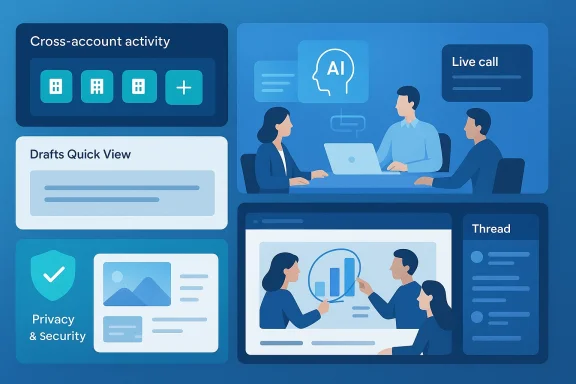
The most consequential collaboration change in March is the improved ability to view and manage activity across multiple accounts and organizations. Microsoft’s support documentation explains that users can now see missed activity from other accounts and orgs in a consolidated panel, then open notifications in a separate window without switching the main app context. Pinned accounts can also be placed on the sidebar for faster access, with up to three accounts pinned for quick switching.This is a meaningful shift because multi-tenant work is no longer a niche scenario. Consultants, contractors, MSPs, university staff, and enterprise users who straddle subsidiaries or joint ventures all spend real time hopping between tenants. The old experience forced a lot of context switching. The new one reduces that tax and makes Teams feel more like a unified operating surface across organizational boundaries. That is especially valuable when the same user must monitor several active communities, projects, or client environments in a single day.
Why this matters for enterprises
For enterprises, the obvious upside is productivity, but the deeper benefit is governance. When a platform makes cross-org activity easier to monitor, it also makes it easier to standardize how employees respond to external communication. That can improve responsiveness while still keeping tenant boundaries intact, because the activity panel does not collapse identities into one account. Instead, it creates a controlled view across accounts.There is also a competitive angle here. Microsoft is effectively closing a usability gap that has long favored more lightweight collaboration tools. By making multi-account work less annoying, Teams becomes more practical for consultants and federated businesses that would otherwise default to email, browser tabs, or third-party chat systems. In a market where convenience often beats theoretical capability, that is not trivial.
- Cross-tenant activity can now be monitored more fluidly.
- Notifications open in separate windows without forcing a tenant switch.
- Pinned accounts reduce repetitive navigation.
- The feature is especially useful for hybrid roles and external collaboration.
- It supports the reality of modern work, where one person often belongs to several workspaces.
The user experience tradeoff
The tradeoff is that more consolidated identity surfaces can create confusion if users do not understand which tenant they are acting in at any moment. Microsoft appears to have anticipated this by preserving the distinction between pinned accounts and the broader activity panel, but the mental model is still more complex than a single-account app. Convenience always comes with a little more room for mistakes.For admins, the main question is whether users will adopt the feature in a disciplined way or use it to blur boundaries that should stay visible. Teams can make cross-tenant work easier, but it cannot make cross-tenant policy disappear. That will remain the responsibility of IT teams, especially in regulated or security-sensitive environments.
Drafts, Threads, and Message Handling Get Less Friction
Microsoft’s March release notes also highlight a set of smaller but genuinely useful workflow refinements. The Drafts quick view now makes it easier to find unsent messages, edit them, and send them later. In parallel, threaded channels gained a live meeting indicator, helping people see at a glance when a discussion is active and time-sensitive. Those are not flashy changes, but they directly address everyday pain points that slow people down. (learn.microsoft.com)The Drafts quick view is especially welcome because unfinished messages tend to get buried in busy workspaces. Users often compose replies, abandon them, and then forget where they left off. A dedicated way to retrieve drafts reduces that friction and nudges Teams closer to the behavior people expect from modern messaging apps. This is the kind of feature that seems small until it saves you ten times a week. (learn.microsoft.com)
Why threaded channels are still evolving
The live meeting indicator in threaded channels is another sign that Microsoft is trying to make channel conversations feel more temporal and less static. Threads have always been good at preserving context, but they can also become stale if users cannot tell whether discussion is ongoing. A visible indicator helps connect the asynchronous thread model with the synchronous meeting culture that dominates enterprise work. (support.microsoft.com)There is also a broader design lesson here. Teams has spent years alternating between chat-centric and channel-centric experiences, and Microsoft is now trying to make the two feel less like separate products. Features such as forwarded message links, improved Shared tabs, and message scheduling have all moved in this direction. March’s updates continue that arc by reducing the number of places users have to search for partially completed work. (support.microsoft.com)
- Drafts quick view helps users recover unfinished messages quickly.
- Live meeting indicators make threaded channels feel more dynamic.
- These features support async collaboration without losing urgency.
- Smaller UI improvements often have outsized productivity impact.
- Teams is clearly optimizing for catch-up, not just real-time chat.
Interaction details matter more than big announcements
Other message-handling tweaks reinforce that point. The image viewer now lets users scroll through all shared visuals and jump back to the original messages, which is exactly the kind of navigation aid that turns a cluttered chat into a searchable work stream. Microsoft has also continued to expose more keyboard and interaction controls, including the ability to change how Enter behaves in chat and a shortcut to mark all messages as read. (learn.microsoft.com)That emphasis on friction reduction may sound mundane, but it speaks to a product under pressure to remain the default collaboration layer for enterprises. Teams cannot win purely on AI if the basic message workflow still feels clumsy. Microsoft seems to understand that the little things are what decide whether people tolerate the platform or actually prefer it. (learn.microsoft.com)
AI-Powered Meetings Move Further Into the Workflow
If there is a single theme running through the March 2026 Teams recap, it is that Microsoft wants AI to appear where work is already happening. Audio recap now expands into additional languages, and Copilot during live phone calls is pushing deeper into context-aware summaries. Those additions follow a broader pattern established throughout 2025, when Microsoft steadily extended Copilot from post-meeting summaries into live call assistance, mobile support, and richer meeting recap experiences.The language expansion for audio recap is important because it broadens the feature’s real-world usefulness. Multilingual workforces do not simply need translation; they need a way to catch up quickly and accurately on what happened. Microsoft’s multilingual speech and recap work has increasingly framed language support as a productivity feature, not just an accessibility one. That is a smart repositioning because it aligns AI with business efficiency rather than optional polish.
Copilot and call intelligence
The more ambitious part of the March story is Copilot’s role in live calls on Teams phones. Microsoft has already been moving in this direction, with earlier updates allowing Copilot use during Teams calls without retaining transcripts or audio recordings. By 2026, the company is clearly treating call intelligence as a mainstream workflow, not a premium novelty. (techcommunity.microsoft.com)This matters because live-call AI changes how people think about the call itself. Instead of treating the conversation as a transient exchange, users can now expect summaries, action items, and contextual follow-up to be generated during or immediately after the call. That pushes Teams closer to an assistant model, where the product helps organize work as it happens rather than only memorializing it afterward. That is a substantial conceptual shift. (techcommunity.microsoft.com)
- Audio recap is becoming more globally useful.
- Copilot in live calls reduces the burden of manual note-taking.
- Phone-device intelligence extends Teams beyond desktop meetings.
- AI is increasingly embedded in the work itself, not just the aftermath.
- Microsoft is making recap a workflow, not a feature page checkbox.
The competitive backdrop
The competitive implication is straightforward: Microsoft is defending Teams against tools that market themselves as simpler, smarter, or more focused. If Teams can deliver helpful AI without forcing users into separate transcription tools or external meeting assistants, it weakens the case for alternatives. It also creates a higher switching cost, because more of the user’s work memory lives inside Microsoft’s ecosystem. (techcommunity.microsoft.com)Still, there is a risk in overreliance on AI-generated summaries. Users may begin to trust recap artifacts more than they should, especially in fast-moving or high-stakes meetings. AI can accelerate recall, but it can also flatten nuance. That is why Microsoft’s continued emphasis on transcript support, language detection, and controlled rollout matters.
Meeting Annotations and Shared Content Get More Controlled
Another March update worth noting is meeting annotation support on a single shared window across Windows, macOS, and mobile. The practical goal is to let participants mark up shared content without exposing the full desktop, which is a notable improvement for privacy and focus. This fits Microsoft’s larger pattern of making collaborative meeting features more precise and less intrusive.The value here is twofold. First, it allows presenters to control exactly what attendees see, which is particularly useful in client demos, classrooms, and sensitive internal discussions. Second, it reduces the need to share an entire screen just to collaborate visually, which lowers the risk of accidental disclosure. That makes annotation not just more convenient, but more defensible from a security standpoint.
Why this is more than a UI tweak
Teams has long offered meeting and screen-sharing features, but the subtle improvement is that annotation is becoming more context-specific. Microsoft is moving away from all-or-nothing screen sharing toward a model where a presenter can expose only the precise surface needed for collaboration. That helps enterprises with confidentiality concerns and gives users a cleaner mental model during meetings.The broader trend is clear across Microsoft’s collaboration stack: the company wants to make content portable, visible, and editable without making it overly open. That philosophy appears in recap, in shared files, in images, and now in annotations. In a platform as large as Teams, those details become the difference between a secure collaboration system and an overexposed one. (support.microsoft.com)
- Annotation is now more privacy-aware.
- A single shared window reduces accidental desktop exposure.
- The update is useful for demos, training, and client sessions.
- Microsoft is pushing granular sharing instead of broad desktop sharing.
- Controlled visibility is becoming a recurring design principle.
Related improvements in shared visuals
The upgraded image viewer complements this change well. When users can browse shared visuals, jump to original messages, and keep context close at hand, shared content becomes easier to review after the fact. That matters because modern meetings do not end when the call ends; they continue in chat, follow-up messages, and recap workflows. (support.microsoft.com)This is one of the quieter strengths of Teams right now: Microsoft is knitting together the artifacts of collaboration. Images, drafts, calls, recaps, and annotations are all being pulled into a single experience where the boundary between “during the meeting” and “after the meeting” is getting thinner. That is exactly where enterprise productivity software is heading. (support.microsoft.com)
Privacy and Security Harden in the Background
The privacy story for March 2026 is more interesting than it first appears. Teams now strips EXIF metadata from images shared in chats and channels, which means location data and device details do not automatically travel with the image. That is a practical protection, not a theoretical one, because people routinely share mobile photos or screenshots without realizing they may contain sensitive metadata.This type of feature is easy to overlook, but it is exactly the kind of default protection that enterprises want. Security policies that depend on user memory are always fragile. By removing metadata at the platform level, Microsoft reduces exposure without asking users to learn anything new. That is how good privacy defaults should work.
Presence tracking and web behavior
Microsoft also improved presence tracking on Teams for the web so status remains more accurate even when users switch tabs. That matters because presence is one of the most commonly misread signals in enterprise chat. If Teams can keep that signal more reliable in browser workflows, it reduces false assumptions about whether someone is available. (support.microsoft.com)This may seem minor, but unreliable presence creates real friction in distributed teams. A status light that is wrong is often worse than no status light at all because it encourages users to make decisions based on bad assumptions. Better web presence behavior is therefore a small but meaningful improvement in workflow trust. (support.microsoft.com)
- EXIF stripping reduces accidental leakage of location and device data.
- Presence accuracy improves trust in browser-based collaboration.
- Platform-level privacy beats user-dependent caution.
- Small security defaults can have broad enterprise impact.
- Teams is shifting from reactive control to preventative protection.
Meeting protection as a product strategy
These updates sit comfortably alongside Microsoft’s broader meeting protection investments, including watermarking options and related premium controls surfaced in release notes. The company is clearly treating collaborative content as something that must be both usable and containable. That combination is vital in regulated sectors where screenshots, recordings, and shared visuals can become compliance liabilities. (learn.microsoft.com)The important point is that Microsoft is not simply adding “security features” in isolation. It is tying them to normal user behavior. People share images, join meetings in browsers, and move between contexts constantly. Teams is becoming more secure not by making those behaviors rare, but by making them safer by default.
Admin Control and Enterprise Governance Keep Expanding
Teams has always had an admin story, but the March 2026 updates reinforce that governance is now central to the product roadmap. Microsoft’s release notes and Teams documentation continue to expose more tenant, account, and meeting-level controls, while the surrounding Copilot and trust features show the company is also thinking about app and agent governance. This is not an accident; it is a sign that Microsoft sees administration as part of the user experience. (learn.microsoft.com)The key enterprise takeaway is that Microsoft wants IT departments to manage complexity from the center while users experience simplicity at the edge. That is why features such as pinned tenants, drafts, and cross-account activity matter so much. They are user-facing conveniences built on top of a growing administrative framework. In other words, the polish is being underwritten by policy.
Governance is becoming more visible
The release notes for March 2026 also show new admin-side thinking around Trust Score for apps and agents in Teams admin center. Even where the end-user impact is indirect, the message is obvious: Microsoft expects organizations to use Teams as a platform for both people and AI components, then govern them with comparable rigor. That is a major step in how enterprise software is being managed.For large customers, that could become a decisive advantage. Unified governance across communication, automation, and AI reduces fragmentation and can lower the cost of compliance. But it also creates dependence on Microsoft’s policy model, which means organizations have less room to customize the stack outside the vendor’s architecture.
- Admin control is increasingly tied to AI adoption.
- Trust evaluation is becoming systematic rather than ad hoc.
- User convenience and IT governance are being designed together.
- The more Teams expands, the more its policy model matters.
- Microsoft is positioning the platform as a governed work OS.
Cross-device calling remains part of the same strategy
A good example is the continued support for Better Together experiences on Teams phones and displays, which allow calling across devices in a coordinated way. Microsoft has been steadily improving the handoff between PC and device experiences because enterprise communications increasingly span desks, meeting rooms, and mobile environments. This kind of integration makes Teams feel less like a single app and more like a managed communication layer. (learn.microsoft.com)That is a strategic play. If Microsoft can make the device and software layers feel indivisible, then Teams becomes harder to replace and easier to standardize. Once again, the value is not merely in the feature itself, but in the ecosystem lock-in it reinforces. (learn.microsoft.com)
Strengths and Opportunities
The March 2026 updates show Microsoft executing on a clear playbook: make Teams easier to use across accounts, richer in AI, and safer by default. That combination is attractive because it addresses the three biggest objections people have historically raised about Teams—complexity, information overload, and privacy concerns—without forcing a wholesale redesign of the platform. The opportunity is that Microsoft can keep deepening utility while preserving the familiar surface that millions of users already know.- Cross-account activity reduces context switching.
- Drafts quick view improves message recovery.
- Audio recap expansion makes AI more globally useful.
- Annotation on a single shared window improves privacy.
- EXIF stripping adds quiet but meaningful protection.
- Presence improvements make browser use more trustworthy.
- Admin Trust Score work strengthens enterprise governance.
- Device integration supports more realistic hybrid work patterns.
Risks and Concerns
The biggest risk is that Teams may become more capable while also becoming harder to mentally model. Every new cross-tenant panel, AI summary layer, and admin control adds value, but it also adds another place where users can misunderstand scope or context. In a product already known for surface area, Microsoft must be careful not to trade friction reduction for conceptual overload. A cleaner workflow is not always a simpler one.- Cross-tenant visibility can confuse identity boundaries.
- AI-generated recaps may be over-trusted.
- More features can increase training burden for admins.
- Privacy defaults still require organizational policy alignment.
- Consolidation can deepen vendor dependence.
- Mobile and web parity may lag in some feature areas.
- Global rollout timing can create uneven user experiences.
Looking Ahead
The most likely next step is continued convergence. Microsoft has been steadily unifying Copilot experiences across chat, channels, and meetings, and that trajectory suggests the company will keep blending live assistance with post-event recap and message drafting. Expect more work to happen inside the conversation stream itself, with Teams acting less like a venue and more like an intelligent layer above the work.There is also a good chance that cross-tenant and multi-account management becomes even more central. As organizations keep operating in federated, partner-heavy, and acquisition-heavy structures, the ability to navigate multiple identities without losing context will stop being a premium convenience and become a baseline requirement. Microsoft appears to be building for that reality now, not later.
- Deeper Copilot integration across calls and meetings
- More granular admin trust and policy controls
- Expanded multilingual support for recap and transcription
- Continued refinement of multi-account navigation
- Additional privacy-by-default features for shared media
Source: Windows Report https://windowsreport.com/microsoft-teams-feature-recap-heres-what-was-added-in-march-2026/
