

Microsoft this month pushed a wide slate of AI-first updates to Teams — from turning one-to-one Copilot chats into collaborative team conversations to giving Channel Agents access to third‑party work systems — signalling a clear shift from assistance to integrated, action-oriented automation inside the chat surface.
Microsoft Teams has evolved from a group chat and meeting client into a platform that embeds automation, bots, devices, security, and admin tooling. The November 2025 refresh — announced around Microsoft Ignite — bundles updates across three broad vectors: Copilot and agents, platform and admin controls, and meeting & device experiences. Many features are shipping in public preview or private preview, while others are rolling out generally; most of the new Copilot-driven capabilities require a Microsoft 365 Copilot license. This release is notable for two reasons. First, it consolidates Copilot behavior across chats, channels, and meetings so that AI assistance becomes consistent and context-aware across the collaboration lifecycle. Second, Microsoft is connecting those AI agents to real work systems — for example, enabling Channel Agents to query and act against Asana, Atlassian (Jira), and GitHub via MCP servers — which turns agents from passive summarizers into workflow actors. Both moves accelerate productivity but also raise new governance challenges.
Caveat: context breadth is a double-edged sword. The same capability that lets Copilot reference calendar events and transcripts also increases the scope of data the AI can access, which raises governance and data‑leakage concerns for regulated organisations. Admins should treat the rollout as a policy decision, not a pure productivity win.
Risk profile and admin control: Teams Mode introduces new sharing boundaries. Even though the feature lets users selectively share messages, once Copilot is in a team chat, collaborative prompts may expose internal knowledge. Organisations must set explicit policies and educate users on what belongs in private prompts versus what can be shared. Ensure logging and retention settings are in place before enabling this feature tenant‑wide.
Security and compliance concerns:
Limitation: AI‑drafted documents still need factual verification and human editing — the speed gain should not replace governance on deliverable quality, especially on client‑facing materials.
Procurement note: buyers should verify firmware support windows and security patch policies from OEMs and ensure that device management and Teams Room Pro compatibility meet internal standards.
Organisations that treat these features as controlled experiments with explicit policy guardrails will capture value fastest. Those that flip everything on without updating consent, DLP, and audit practices will likely face the same false‑starts and compliance headaches that accompanied earlier waves of SaaS automation. The release provides both the capability and the controls; IT’s job now is to match the two safely.
Source: Neowin Here are all the new features Microsoft added to Teams in November 2025
 Background
Microsoft Teams has evolved from a group chat and meeting client into a platform that embeds automation, bots, devices, security, and admin tooling. The November 2025 refresh — announced around Microsoft Ignite — bundles updates across three broad vectors: Copilot and agents, platform and admin controls, and meeting & device experiences. Many features are shipping in public preview or private preview, while others are rolling out generally; most of the new Copilot-driven capabilities require a Microsoft 365 Copilot license. This release is notable for two reasons. First, it consolidates Copilot behavior across chats, channels, and meetings so that AI assistance becomes consistent and context-aware across the collaboration lifecycle. Second, Microsoft is connecting those AI agents to real work systems — for example, enabling Channel Agents to query and act against Asana, Atlassian (Jira), and GitHub via MCP servers — which turns agents from passive summarizers into workflow actors. Both moves accelerate productivity but also raise new governance challenges. What changed: Overview of the November 2025 Teams updates
- Unified Copilot experience across chats, channels and meetings, with the ability to analyze chat history, meeting transcripts, and calendar content.
- Teams Mode for Microsoft 365 Copilot (public preview): convert a private Copilot session into a group chat that includes human coworkers and Copilot as a participant.
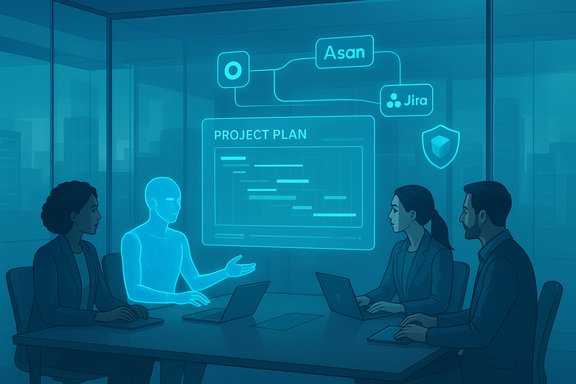
- Channel Agent enhancements (public preview): create channel status reports, generate workback plans, and connect agents to Asana, Atlassian, and GitHub to run workflows with Model Context Protocol (MCP) servers.
- External collaboration improvements (public preview): “chat with anyone” using email invites, share files or Loop components externally, trust indicators for external participants, and an admin presets page for open vs controlled collaboration models.
- UX productivity additions: pop out core Teams functions (calendar, chats, calls) into separate windows, click-through links to original forwarded messages, and a searchable Settings menu.
- Platform and security additions: agents and bots can use Microsoft Entra for secure authentication; admins gain more visibility into app/agent privilege levels and compliance info; trust-based filters streamline app reviews; and new protections like weaponizable file type protection and malicious URL warnings.
- Meetings: customizable meeting recap templates (public preview in December), enhanced Facilitator Agent skills (agenda detection, live progress tracker, drafting documents), branded reactions (private preview), and improved Mac native screen/window sharing flows.
- Certified devices: a new cohort of Teams‑certified devices and Express Install kits — from Yealink MP66W and MAXHUB XBar W70 to Logitech Rally Bar Mini kits and Owl Labs/Lenovo bundles.
Chat and collaboration: Copilot becomes a teammate
Unified Copilot across chats, channels, and meetings
Microsoft says the Copilot experience is now consistent across one‑to‑one chats, channels, and meetings and can use context from chat history, meeting transcripts, and calendar content to create smart recaps and surface decisions and tasks. This is intended to reduce time spent catching up and to make generated outputs more contextually accurate for the team. Availability varies by platform and feature: chat and channels are generally available, while meeting integrations are rolling into public preview. Why this matters: a coherent Copilot experience reduces friction — users don’t need to learn multiple behaviors in different contexts. For example, an AI summary generated during a meeting should align with the thread-based summary the same Copilot would produce in the channel afterward. That continuity improves traceability and reduces contradictory outputs.Caveat: context breadth is a double-edged sword. The same capability that lets Copilot reference calendar events and transcripts also increases the scope of data the AI can access, which raises governance and data‑leakage concerns for regulated organisations. Admins should treat the rollout as a policy decision, not a pure productivity win.
Teams Mode for Microsoft 365 Copilot (public preview)
Teams Mode lets a user turn their private Copilot chat into a group chat that includes coworkers and Copilot itself, giving teams a shared workspace where everyone can interact with the assistant. The originator selects which messages to include from their private conversation, keeping other prompts and responses private if desired. Once the group is created, any member can invoke Copilot within the group chat by addressing it. The UX design — copying a private Copilot session forward into a team chat — is sensible: it lets an employee draft work privately, then expose the output for collective review. This supports workflows like collaborative drafting, research, or brainstorming with AI as a live participant.Risk profile and admin control: Teams Mode introduces new sharing boundaries. Even though the feature lets users selectively share messages, once Copilot is in a team chat, collaborative prompts may expose internal knowledge. Organisations must set explicit policies and educate users on what belongs in private prompts versus what can be shared. Ensure logging and retention settings are in place before enabling this feature tenant‑wide.
Channel Agent: from domain expert to workflow executor
Channel Agent — an AI agent that "owns" a channel’s context — gained two practical features: status report updates (post a channel report on demand) and Workback Plan generation (turn an objective and deadline into sequenced tasks with suggested due dates). Importantly, Channel Agents can now reach out to third‑party tools via Model Context Protocol (MCP) servers to query and act against Asana, Atlassian (Jira), and GitHub. That capability moves agents from summarizers to active project coordinators. Practical uses:- Instantly generate a status update based on channel activity and files.
- Create a workback plan that can be reviewed and then pushed into Planner or other task systems.
- Ask a Channel Agent for blockers in Jira or GitHub issues and get synthesized mitigation suggestions.
External collaboration: easier, but not risk‑free
“Chat with anyone”, trust indicators, and admin presets
Microsoft introduced a friction‑reduced external collaboration set aimed especially at small and mid‑sized businesses: start a Teams chat by typing a recipient’s email and inviting them as a guest, share Loop components and files directly, and use trust indicators to label external participants as external‑familiar, external‑unfamiliar, guest, or unverified. Admins get an External Collaboration presets page to choose open or controlled modes or fine‑tune settings. Business upside: this dramatically lowers friction for external collaboration. SMBs and customer/supplier interactions frequently fail because of account and tenant switching friction; the new flow can shorten negotiation cycles and speed onboarding of external collaborators.Security and compliance concerns:
- Guest access still needs to respect MFA, conditional access, DLP and allowable sharing policies.
- The new flow increases the need for trust signals and vigilant admin defaults because users can easily invite external emails — potentially raising impersonation and phishing risks.
- Admins should use the controlled preset when meeting regulatory or data residency requirements.
Practical suggestions for rollout
- Pilot the "chat with anyone" experience with a small partner group and keep external sharing toggles off by default.
- Configure trust indicators and automated labels to surface unfamiliar external accounts.
- Use tenant‑level DLP rules to prevent sensitive file types or classified content from being shared in external chats.
Platform and developer additions
Entra authentication, app privilege visibility, and trust-based filters
Agents and bots in group chats can now use Microsoft Entra for secure authentication. If an agent requires an Entra token and the user hasn’t installed the app, Teams will send a private install/consent message to the user to guide them through granting permissions. Admins also gain new visibility into each app/agent’s permissions, permission risk rating, and a privilege level — which should speed safer approvals. Trust‑based filters let administrators screen apps by certifications like SOC 2, ISO 27001, HIPAA, and GDPR. Why this matters: the combination of Entra-based auth and administrative visibility reduces accidental escalations and provides a clearer audit trail of what agents can access. Trust filters are a practical time‑saver for large app inventories.Developer Portal improvements and mobile performance auditing
Microsoft expanded analytics for custom engine agents in the Developer Portal, helping creators track adoption and refine agent behavior in real time. A new Performance Audit tool for Teams Mobile surfaces metrics like app load latency and paint times, with recommended thresholds and guidance for optimization. These additions aim to raise the baseline quality of Teams apps and agents. Implication for IT and dev teams: invest in the Developer Portal analytics and mobile performance tooling as part of CI/CD for agents — poor-performing agents degrade user trust quickly.Meetings, webinars, and town halls — smarter, branded, and more structured
Facilitator Agent enhancements
Facilitator continues to mature: it can detect a meeting agenda shared in chat, build a live progress tracker, nudge invitees who have been mentioned twice but not joined, and draft documents in Word or Loop based on meeting discussion. The drafting and task capture capabilities are in public preview and were slated to reach general availability in early December. Real consequence: Facilitator turns meetings into action engines rather than time sinks. The live progress bar aligns expectations and helps hosts keep to agenda items.Limitation: AI‑drafted documents still need factual verification and human editing — the speed gain should not replace governance on deliverable quality, especially on client‑facing materials.
Customizable meeting recap templates and branded reactions
Microsoft introduced meeting recap templates — two ready‑made options (Speaker Summary and Executive Summary) and the ability to craft custom templates via a free‑text prompt. These templates will be available in public preview across desktop and mobile in December. In a separate private preview, branded reactions let organisations upload custom reaction icons for meetings. These features focus on consistency (recaps in a known format) and brand cohesion (reactions aligned with corporate identity). They are small but useful refinements for large organizations that run recurring, templated meetings and town halls.Mac native picker and immersive 3D events
Other meeting-focused updates include Mac users getting native screen/window pickers for sharing, and Microsoft continuing to expand immersive 3D event capabilities in Teams, now including broader device support. The overall goal is frictionless sharing and richer event experiences.Certified devices: new hardware to simplify deployment
Microsoft listed a broad set of new or newly certified devices ranging from portable Wi‑Fi Teams phones to room videobars and turnkey Express Install kits:- Yealink MP66W (Wi‑Fi Teams device)
- MAXHUB XBar W70 videobar (Windows Teams videobar)
- Owl Labs + Lenovo ThinkSmart bundles with Meeting Owl 4+ and ThinkSmart Tiny Kit
- Logitech Express Install kits: Rally Bar Mini (Android/Windows configurations), MeetUp 2 kits, Rally Bar Huddle with stands
- Yealink LinkHub smart dock (undergoing certification)
- Logitech Zone Wired 2 and Wireless 2ES headsets for Business.
Procurement note: buyers should verify firmware support windows and security patch policies from OEMs and ensure that device management and Teams Room Pro compatibility meet internal standards.
Security and compliance: deeper controls, but complexity increases
New protections: file type blocking and malicious URL warnings
Teams now includes weaponizable file type protection which can automatically detect and block high‑risk file types (executables, scripts) before delivery, plus enhanced malicious URL detection and in‑context user reporting for false positives. These features are on by default across desktop and mobile platforms for most tenants. Recommendation: combine these features with tenant classification labels and DLP policies to align blocking behavior with organisational risk appetite. Test false‑positive rates in a pilot before broad enforcement.Admin tooling: Copilot in Teams admin center and Teams Admin Agent
Microsoft added Copilot in Teams admin center to help admins with common tasks, and introduced a Teams Admin Agent (in TAP) to automate administrative workflows and troubleshooting. New meeting troubleshooting flows and meeting‑quality VDI diagnostics aim to shorten mean time to resolution for audiovisual issues. Operational impact: these admin‑facing AI assistants can speed incident triage and surface misconfigurations, but organisations must control which admin roles can use Copilot for admin tasks and monitor the audit logs.Practical rollout checklist for IT leaders
- Inventory and map: Identify which teams will benefit from Copilot and agent features (product teams, support, legal) and which are restricted by regulation.
- Pilot group: Enable Teams Mode for Copilot, Channel Agent connections, and external chat only in a pilot tenant or targeted pilot groups.
- Admin presets: Configure External Collaboration presets and default to a controlled posture until you’ve validated trust indicators and DLP exceptions.
- Entra & app governance: Require Entra app consent and use the new admin visibility to review app privileges and risk ratings before approvals.
- Device strategy: Choose Teams‑certified devices that support your room types and define a firmware/patching SLA with the vendor.
- Training & playbooks: Publish clear guidance on what to put in private Copilot prompts versus shared team chats; provide templates for meeting recaps and workback plans.
- Audit and monitoring: Configure logging for agent access and Entra consent, and monitor for unusual cross‑tenant activity introduced by external collaboration changes.
Risks, unknowns, and caveats
- Licensing and cost: Many Copilot features require a Microsoft 365 Copilot license. Organisations must model cost versus productivity gains. The blog emphasised license gating; confirm entitlements before planning a rollout.
- Data exposure: Agents pulling data from multiple sources (chat, calendar, files, third‑party systems) increase the potential blast radius for data leakage or accidental disclosure. Ensure DLP, retention, and access controls are updated accordingly.
- Accuracy and hallucination risk: AI‑generated summaries, workback plans, and draft documents are productivity multipliers only when verified. Teams must retain human review for legal, financial, and client deliverables.
- Consent and Entra flows: While Entra authentication is an important control, the UX of consent prompts must be tightly controlled to avoid over-permissioning. Confirm default consent policies in Azure AD and enforce admin consent where required.
- Third‑party connectors: Channel Agents acting on Asana, Jira, or GitHub data blur tool boundaries and can create coupling between vendors. Audit scope and API token lifetimes carefully, and place connectors behind least‑privilege service principals.
Verdict: useful features, but governance is the gating factor
The November 2025 Teams updates accelerate Microsoft’s strategy of embedding agents that do work — not just summarise it. Features such as Teams Mode for Copilot and Channel Agents connecting to Asana/Jira/GitHub signal a move toward conversational automation that can run project workflows from inside a chat window. That promise is compelling: less tool‑switching, faster handoffs, and AI that scaffolds common project management tasks. However, the deciding factor for most organisations won’t be technical capability; it will be governance. Data scope, consent management, auditability, cost, and model accuracy determine whether these features stay in pilots or graduate to organization‑wide use. The update gives administrators new tools (Entra auth, privilege visibility, trust filters) — but these controls must be configured proactively to prevent surprises.Quick reference: prioritized actions (for IT and security teams)
- Confirm Microsoft 365 Copilot licensing coverage for pilot users.
- Toggle external sharing defaults to off during testing and use the admin presets to lock policies.
- Require admin consent for agent connectors that reach vendor APIs; rotate tokens and set short lifetimes.
- Establish a template and review cadence for AI‑generated meeting recaps and workback plans.
- Add audit rules for agent activity and Entra consent events; export logs to SIEM for correlation.
- Pilot certified devices in representative rooms and verify firmware update workflows with OEMs.
Closing analysis
The November 2025 Teams release is a major step toward collaborative, agent-driven work where AI participates alongside humans rather than acting purely as a personal assistant. The practical additions — Teams Mode for Copilot, Channel Agent integrations, meeting recap templates, and admin tooling — together make a cohesive story: Microsoft is moving the AI layer from “assist” to “operate”. That shift offers real productivity potential but requires commensurate investment in governance, lifecycle management, and change management.Organisations that treat these features as controlled experiments with explicit policy guardrails will capture value fastest. Those that flip everything on without updating consent, DLP, and audit practices will likely face the same false‑starts and compliance headaches that accompanied earlier waves of SaaS automation. The release provides both the capability and the controls; IT’s job now is to match the two safely.
Source: Neowin Here are all the new features Microsoft added to Teams in November 2025
