

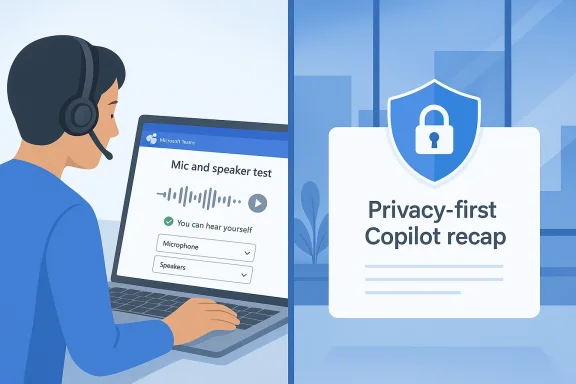
Microsoft Teams is heading toward two fixes that land on opposite sides of the meeting experience: one helps you avoid the awkward “can you hear me?” dance before a call begins, and the other gives organizations tighter control over what AI remembers after the meeting ends. The first is a pre-join microphone and speaker test that lets users record a short sample and play it back before entering a meeting, while the second is a privacy-first Copilot recap path designed to work without storing recordings or transcripts. Together, they show Microsoft trying to polish Teams at both the front door and the back office, which is exactly where many of its most persistent frustrations live.
Teams has spent years evolving from a straightforward collaboration app into a dense platform where calling, meetings, transcription, recap, compliance, and AI all overlap. That evolution has created real power for enterprises, but it has also made basic experiences feel oddly fragmented. Users still start meetings with the same old audio checks, even as Microsoft layers in sophisticated Copilot features that can summarize conversations, extract action items, and surface highlights.
The irony is obvious. The more advanced Teams gets, the more visible its mundane failure points become. A poor microphone selection, a silent speaker route, or a muted headset can still derail a meeting faster than any AI feature can save it. Microsoft has already offered audio troubleshooting tools in various places, including test calls and device settings, yet those options have not fully eliminated the pre-join scramble that so many users know by heart.
At the same time, Microsoft has been steadily pushing Copilot deeper into meetings and recap workflows. Official documentation shows that Copilot in Teams can operate in different modes, including “during and after the meeting” and “only during the meeting,” with the latter relying on temporary speech-to-text processing that is not saved after the meeting ends. Microsoft also explains that admins can manage this behavior through Teams policies, while recording and transcription settings still play a central role in what is retained and what powers recap.
That matters because meeting data is not just a convenience issue anymore; it is a governance issue. For some organizations, the default model of storing transcripts and recordings is acceptable, even desirable. For others, the idea of preserving that data creates legal, privacy, retention, or security headaches that make AI summaries harder to deploy at scale. Microsoft’s documentation on intelligent recap makes clear that recap data inherits organizational compliance policies, and that transcripts can be stored in Exchange Online and OneDrive when recording and transcription are enabled.
So the significance of these coming Teams updates goes beyond the novelty of a new button. Microsoft appears to be addressing two of the most common objections to meeting software: making it easier to trust your audio before you speak, and making it easier to use AI without leaving an audit trail that some companies would rather avoid. That combination is likely to resonate differently with consumers, SMBs, and large regulated enterprises.
For users, the value is immediate. The most embarrassing meeting failures are usually not dramatic technical disasters; they are tiny mistakes that should have been caught earlier. The wrong input device, a Bluetooth headset that silently latched onto the laptop mic, or a speaker route that went to the monitor instead of the headphones can all create a few seconds of confusion that feel much longer in front of coworkers. A short playback test solves that before the meeting turns into an awkward sound check.
There is also a psychological element here. A lot of meeting anxiety comes from uncertainty, not from the hardware itself. If you can hear your own voice and confirm the right device is active, you enter the call with more confidence and less hesitation. That may sound minor, but in hybrid work, small friction compounds quickly.
For everyday users, the benefit is mostly about time and embarrassment. For IT teams, it may reduce help-desk noise from low-level audio complaints that turn out to be configuration errors. In that sense, the update is not just a UX improvement; it is a support workload reducer.
That distinction matters because many enterprise software problems are not solved by capability alone. They are solved when the capability is moved into the exact place where users naturally look. Teams has often required users to know where to dig for settings, and that is not ideal when the issue is simple human attention rather than technical sophistication.
This also fits Microsoft’s broader push toward making Teams feel more self-diagnosing. If the platform can surface device, audio, and identity cues earlier in the flow, it becomes easier for users to recover on their own. That is valuable in hybrid work, where people are often remote from IT support and need the app to help them help themselves.
This is where Teams starts to look less like a meeting app and more like a compliance platform with meeting features attached. Microsoft’s existing documentation already shows that Copilot can operate in a mode where data is used temporarily during the meeting and not saved afterward. The new recap direction appears to extend that philosophy into post-meeting summarization, which could make the feature more acceptable in environments where storing recordings is either undesirable or disallowed.
The logic is straightforward: if you can get a useful AI recap without storing a lasting recording or transcript, the feature becomes much easier to approve. That does not remove every concern, but it narrows the gap between “this is useful” and “this is allowed.” In enterprise software, that gap is often the whole battle.
That is a more mature enterprise story, and probably a more durable one. Companies do not only want smarter AI; they want predictable data handling. If Microsoft can deliver useful recaps with minimal retention, it will be better positioned against third-party tools that promise flexibility but complicate governance.
The company is also making a subtle statement about where it believes Teams should compete. On one side is friction reduction, where ease of use and reliability matter. On the other is governance, where compliance, retention, and AI controls matter. Microsoft wants Teams to be both the easiest place to join a meeting and the safest place to summarize one.
It also reflects a broader market reality. Meeting software is no longer judged only on video quality or chat integration. It is judged on how well it handles the messy human parts of collaboration, including interruptions, device confusion, and information governance. Microsoft is leaning into those realities rather than pretending they do not exist.
That does not guarantee dominance. But it does mean rivals need to explain why their meeting prep or recap workflows are better, safer, or easier. In enterprise software, that is often enough to change buying conversations.
That matters because it shapes who will benefit first. The microphone test is likely to be broadly available and immediately useful. The recap feature, by contrast, is gated by both policy and spend. Microsoft is clearly signaling that the privacy story is a premium business capability, not a general-purpose freebie.
This is consistent with how Microsoft has positioned other AI features in Microsoft 365. Rather than collapsing all policy controls into a single consumer-like toggle, the company tends to preserve admin oversight. That approach may be less elegant, but it is more believable in regulated environments.
It is worth noting that policy clarity is often as valuable as the feature itself. When IT teams know exactly how a recap is generated, what it stores, and which levers control it, they are much more likely to green-light deployment. Microsoft’s current direction seems designed to make that approval process easier.
Teams has long been part of that problem because it sits at the top of a long chain of hardware, drivers, OS settings, and app-level preferences. A user may think they are choosing the right mic, while Windows is routing audio elsewhere, or a dock is holding onto the old device path. A pre-join playback test is not a cure-all, but it gives users a faster way to verify reality before they are on stage.
That is why this update is likely to feel more important than its size suggests. A small improvement that saves face can generate outsized goodwill. Teams users will remember the day they did not have to ask, “Can you hear me now?”
This is also consistent with Microsoft’s own documentation on intelligent recap, which ties those experiences to recording, transcription, and the organization’s compliance framework. The company has already made clear that meeting data lives within tenant and policy boundaries, and that recap inherits those controls. The new approach appears to reduce how much content has to be preserved in order for AI to be useful.
Still, it is worth keeping expectations grounded. Privacy-first does not mean privacy-free of tradeoffs. Organizations will still need to understand how summaries are generated, what temporary data exists during processing, and how policy settings interact with organizational controls. The promise is narrower, not magical.
What will matter most is whether the company keeps pushing in this direction. If Teams can become a platform that is easier to trust both before and after a meeting, Microsoft will have done more than add features; it will have addressed two of the app’s most persistent liabilities. In a market where collaboration tools increasingly compete on reliability, governance, and AI usefulness, that is a meaningful place to be.
Source: Digital Trends Microsoft Teams is about to fix an utterly embarrassing daily problem in meetings
 Background
Teams has spent years evolving from a straightforward collaboration app into a dense platform where calling, meetings, transcription, recap, compliance, and AI all overlap. That evolution has created real power for enterprises, but it has also made basic experiences feel oddly fragmented. Users still start meetings with the same old audio checks, even as Microsoft layers in sophisticated Copilot features that can summarize conversations, extract action items, and surface highlights.The irony is obvious. The more advanced Teams gets, the more visible its mundane failure points become. A poor microphone selection, a silent speaker route, or a muted headset can still derail a meeting faster than any AI feature can save it. Microsoft has already offered audio troubleshooting tools in various places, including test calls and device settings, yet those options have not fully eliminated the pre-join scramble that so many users know by heart.
At the same time, Microsoft has been steadily pushing Copilot deeper into meetings and recap workflows. Official documentation shows that Copilot in Teams can operate in different modes, including “during and after the meeting” and “only during the meeting,” with the latter relying on temporary speech-to-text processing that is not saved after the meeting ends. Microsoft also explains that admins can manage this behavior through Teams policies, while recording and transcription settings still play a central role in what is retained and what powers recap.
That matters because meeting data is not just a convenience issue anymore; it is a governance issue. For some organizations, the default model of storing transcripts and recordings is acceptable, even desirable. For others, the idea of preserving that data creates legal, privacy, retention, or security headaches that make AI summaries harder to deploy at scale. Microsoft’s documentation on intelligent recap makes clear that recap data inherits organizational compliance policies, and that transcripts can be stored in Exchange Online and OneDrive when recording and transcription are enabled.
So the significance of these coming Teams updates goes beyond the novelty of a new button. Microsoft appears to be addressing two of the most common objections to meeting software: making it easier to trust your audio before you speak, and making it easier to use AI without leaving an audit trail that some companies would rather avoid. That combination is likely to resonate differently with consumers, SMBs, and large regulated enterprises.
The Pre-Join Audio Problem
The first update is simple enough to sound almost trivial, but that is exactly why it matters. Microsoft is preparing a pre-join mic and speaker test that lets people record a brief sample and play it back before entering a call. According to the current rollout plan, it is expected to begin in May 2026 on desktop and Mac, with broad deployment across standard worldwide tenants as well as GCC High and DoD.For users, the value is immediate. The most embarrassing meeting failures are usually not dramatic technical disasters; they are tiny mistakes that should have been caught earlier. The wrong input device, a Bluetooth headset that silently latched onto the laptop mic, or a speaker route that went to the monitor instead of the headphones can all create a few seconds of confusion that feel much longer in front of coworkers. A short playback test solves that before the meeting turns into an awkward sound check.
Why This Feels Overdue
Microsoft has already long offered device testing in Teams, but it has often lived in settings rather than in the exact moment users need it most. The pre-join screen is where people make their final decisions about camera, audio, and meeting entry, so it is the most natural place to surface a quick voice check. In practice, that should reduce the number of people who join muted, on the wrong device, or with a speaker path that makes them think Teams itself is broken.There is also a psychological element here. A lot of meeting anxiety comes from uncertainty, not from the hardware itself. If you can hear your own voice and confirm the right device is active, you enter the call with more confidence and less hesitation. That may sound minor, but in hybrid work, small friction compounds quickly.
The Real User Gain
The feature is especially useful because it tests both microphone and speaker behavior in one flow. That means it can catch the mismatch cases that basic device selectors sometimes miss, such as output going to a dock, input coming from an external webcam, or playback being routed to the wrong endpoint. It is a practical fix, not a flashy one.For everyday users, the benefit is mostly about time and embarrassment. For IT teams, it may reduce help-desk noise from low-level audio complaints that turn out to be configuration errors. In that sense, the update is not just a UX improvement; it is a support workload reducer.
- It should catch wrong-input mistakes before a meeting begins.
- It may reduce “Can you hear me?” exchanges in the first minute.
- It can help diagnose device routing issues faster than a live meeting can.
- It may lower support tickets tied to simple user-side misconfiguration.
- It gives users a confidence check right where they are most likely to need it.
How It Fits Microsoft’s Teams Audio Strategy
This update does not arrive in a vacuum. Microsoft has already invested in multiple audio and device guidance flows for Teams, including settings-based adjustments and test calls. Support documentation also points users toward a “Make a test call” option and pre-join speaker controls, which shows the company has already acknowledged how central audio setup is to call success. The new feature appears to be less about inventing something new than about making the existing workflow more obvious and more immediate.That distinction matters because many enterprise software problems are not solved by capability alone. They are solved when the capability is moved into the exact place where users naturally look. Teams has often required users to know where to dig for settings, and that is not ideal when the issue is simple human attention rather than technical sophistication.
A Better Pre-Flight Checklist
The metaphor here is aviation, not software. A pre-join audio test acts like a pre-flight checklist: it does not make the plane faster, but it lowers the chance of an avoidable mistake. That is especially important in organizations where meetings begin immediately after people jump from another call, join from a noisy environment, or use different headsets depending on where they are working.This also fits Microsoft’s broader push toward making Teams feel more self-diagnosing. If the platform can surface device, audio, and identity cues earlier in the flow, it becomes easier for users to recover on their own. That is valuable in hybrid work, where people are often remote from IT support and need the app to help them help themselves.
Consumer vs Enterprise Impact
For consumers and small businesses, the feature is likely to be appreciated as a convenience. It removes a little friction and a little embarrassment, and that is enough to make it popular. For enterprises, the savings are more operational: fewer recurring support issues, fewer meeting delays, and fewer productivity losses from troubleshooting that should never have reached the meeting room.- Consumers gain confidence before one-off calls.
- SMBs reduce setup mistakes without needing extra training.
- Enterprises reduce basic audio-related support overhead.
- Regulated users get the same benefit across approved deployment types.
- IT admins may see fewer tickets for routine device routing problems.
The New Copilot Recap Direction
The second update is more strategically important, even if it is less universally relatable. Microsoft is preparing privacy-first Copilot recaps that allow organizations to generate AI meeting summaries without storing recordings or transcripts. That rollout is reportedly set to begin next month, with broader availability expected in June 2026. For companies that have hesitated to adopt AI summaries because of data retention concerns, that could be a meaningful shift.This is where Teams starts to look less like a meeting app and more like a compliance platform with meeting features attached. Microsoft’s existing documentation already shows that Copilot can operate in a mode where data is used temporarily during the meeting and not saved afterward. The new recap direction appears to extend that philosophy into post-meeting summarization, which could make the feature more acceptable in environments where storing recordings is either undesirable or disallowed.
Why This Is a Big Deal for Regulated Organizations
This matters most in enterprises that operate under strict retention, privacy, or legal review rules. Public sector tenants, defense-adjacent organizations, healthcare environments, financial services, and multinational companies often need careful control over how meeting data is handled. The fact that the roadmap entry is said to cover standard worldwide deployments as well as GCC High and DoD suggests Microsoft is aiming squarely at those needs.The logic is straightforward: if you can get a useful AI recap without storing a lasting recording or transcript, the feature becomes much easier to approve. That does not remove every concern, but it narrows the gap between “this is useful” and “this is allowed.” In enterprise software, that gap is often the whole battle.
A Different Kind of AI Promise
Most AI meeting tools have leaned on more data, not less. Microsoft’s move is notable because it reframes privacy as a feature rather than a compromise. Instead of saying, “Trust us with more content so the summary can be better,” the pitch becomes, “You can still get value even when retention is constrained.”That is a more mature enterprise story, and probably a more durable one. Companies do not only want smarter AI; they want predictable data handling. If Microsoft can deliver useful recaps with minimal retention, it will be better positioned against third-party tools that promise flexibility but complicate governance.
- It lowers the barrier to AI adoption in regulated sectors.
- It aligns better with corporate retention and legal hold policies.
- It may make Copilot easier to approve at the tenant level.
- It supports organizations that want recap value without long-term storage.
- It signals that Microsoft sees privacy as a product differentiator.
What Microsoft Is Really Changing
These two updates together are more revealing than they first appear. The audio test improves the front end of meetings, while the privacy-first recap improves the back end. In other words, Microsoft is trying to remove the first annoyance you feel before speaking and the last concern you have after leaving. That is a smart strategic pairing because it addresses the entire meeting lifecycle rather than a single feature gap.The company is also making a subtle statement about where it believes Teams should compete. On one side is friction reduction, where ease of use and reliability matter. On the other is governance, where compliance, retention, and AI controls matter. Microsoft wants Teams to be both the easiest place to join a meeting and the safest place to summarize one.
The Product Philosophy Behind the Move
This is not just about fixing bugs. It is about making Teams feel more intentional. The app has sometimes been criticized for feature sprawl, but these additions suggest a clearer thesis: practical utility first, AI value second, and enterprise trust always. That ordering is important because many organizations are more comfortable buying software that solves a visible pain point than software that merely promises transformation.It also reflects a broader market reality. Meeting software is no longer judged only on video quality or chat integration. It is judged on how well it handles the messy human parts of collaboration, including interruptions, device confusion, and information governance. Microsoft is leaning into those realities rather than pretending they do not exist.
How Rivals Are Affected
Competing platforms will likely feel pressure in two areas. The first is basic meeting hygiene, where Google Meet, Zoom, and Webex already compete on simplicity. The second is AI recap governance, where the winner is not the one with the boldest summary but the one with the most defensible controls. Microsoft’s move raises the bar on both fronts.That does not guarantee dominance. But it does mean rivals need to explain why their meeting prep or recap workflows are better, safer, or easier. In enterprise software, that is often enough to change buying conversations.
- Front-end usability is becoming a competitive differentiator.
- AI recap governance is becoming a procurement issue.
- Microsoft is broadening Teams’ appeal across user classes.
- Competitors may need similar privacy-preserving recap options.
- The meeting platform battle is shifting from feature count to trust.
The Licensing and Policy Picture
As useful as these features may be, they are not equally accessible. Microsoft’s official guidance makes clear that Copilot in Teams depends on licensing and on the meeting’s transcription and recording configuration. The newer privacy-first recap path is still tied to a commercial Microsoft 365 Copilot license, which is priced at $30 per user per month. That keeps it firmly in the enterprise and upper-mid-market camp rather than the mass consumer space.That matters because it shapes who will benefit first. The microphone test is likely to be broadly available and immediately useful. The recap feature, by contrast, is gated by both policy and spend. Microsoft is clearly signaling that the privacy story is a premium business capability, not a general-purpose freebie.
Admin Control Still Matters
Microsoft’s documentation shows that admins can manage Copilot and transcription behaviors through Teams policies and the Teams admin center. That means the recap feature does not remove governance; it works within it. In fact, the broader message appears to be that Microsoft wants organizations to keep control at the tenant level while still gaining the practical benefits of AI.This is consistent with how Microsoft has positioned other AI features in Microsoft 365. Rather than collapsing all policy controls into a single consumer-like toggle, the company tends to preserve admin oversight. That approach may be less elegant, but it is more believable in regulated environments.
What This Means for IT Teams
For IT and compliance teams, the likely win is flexibility. They can permit recap workflows without necessarily committing to broad recording retention. They can also align meeting behavior more closely with local policy or business-unit rules. That does not eliminate the work of governance, but it gives admins better tools to balance productivity and control.It is worth noting that policy clarity is often as valuable as the feature itself. When IT teams know exactly how a recap is generated, what it stores, and which levers control it, they are much more likely to green-light deployment. Microsoft’s current direction seems designed to make that approval process easier.
Why Users Keep Getting the Same Audio Mistakes Wrong
The embarrassing reality is that meeting audio is still harder than it should be. People switch headsets, docks, displays, USB mics, and Bluetooth devices constantly, often in the few minutes between meetings. The result is a steady stream of tiny failures that feel random to the user but are usually just the inevitable consequence of modern device complexity.Teams has long been part of that problem because it sits at the top of a long chain of hardware, drivers, OS settings, and app-level preferences. A user may think they are choosing the right mic, while Windows is routing audio elsewhere, or a dock is holding onto the old device path. A pre-join playback test is not a cure-all, but it gives users a faster way to verify reality before they are on stage.
The Human Factor
The biggest issue is rarely the technology by itself. It is the fact that users are under time pressure and assume the default configuration will behave. Audio problems become embarrassing because they happen publicly, often in front of managers or clients, and because they create an instant sense that the speaker has somehow failed at a basic task. A quick playback test reduces that social cost.That is why this update is likely to feel more important than its size suggests. A small improvement that saves face can generate outsized goodwill. Teams users will remember the day they did not have to ask, “Can you hear me now?”
The Support Angle
Help desks should also pay attention. Many audio issues are not deep faults; they are one-time setup errors that get resolved after a confusing back-and-forth. If the new pre-join test catches more of those cases before the meeting starts, support teams may see a drop in low-value tickets. That frees them to focus on the issues that actually need escalation.- Wrong input devices are still a common source of confusion.
- Bluetooth and dock switching often creates silent audio routing problems.
- Users are more likely to fix issues before a meeting than during one.
- A quick pre-join test is easier than live troubleshooting.
- Preventing embarrassment is itself a productivity gain.
Privacy, Compliance, and the AI Tradeoff
The privacy-first recap update is the more serious business story because it speaks directly to the core tension in enterprise AI. Organizations want the advantages of AI summarization, but they do not want every meeting to become a long-lived content artifact. Microsoft’s effort to separate recap value from persistent storage is therefore a strategic response to a market need, not just a feature tweak.This is also consistent with Microsoft’s own documentation on intelligent recap, which ties those experiences to recording, transcription, and the organization’s compliance framework. The company has already made clear that meeting data lives within tenant and policy boundaries, and that recap inherits those controls. The new approach appears to reduce how much content has to be preserved in order for AI to be useful.
A Better Story for the Privacy-Conscious Buyer
For privacy-conscious buyers, that is a better sales pitch than “just record everything and sort it out later.” It acknowledges that some organizations do not want the permanence of a transcript or recording even if they want the utility of a recap. That is a subtle but important concession, and one that could unlock more deployments.Still, it is worth keeping expectations grounded. Privacy-first does not mean privacy-free of tradeoffs. Organizations will still need to understand how summaries are generated, what temporary data exists during processing, and how policy settings interact with organizational controls. The promise is narrower, not magical.
Enterprise vs Consumer Reality
Consumers may barely notice the distinction between this and conventional recap behavior, because most consumers do not manage retention policies at the tenant level. Enterprises, however, will read this as a meaningful compliance accommodation. That gap explains why Microsoft is likely emphasizing commercial licensing and tenant controls rather than consumer simplicity.- Privacy-first recap lowers adoption friction for enterprises.
- It may not matter much to casual consumer users.
- It is more likely to influence procurement than everyday usage.
- Compliance teams will still need to review policy behavior.
- Microsoft is clearly targeting business trust, not just feature novelty.
Strengths and Opportunities
Microsoft’s pair of Teams updates is strong because it addresses immediate usability and long-term governance at the same time. That is a rare combination, and it gives the company multiple ways to create value across user groups. The opportunity is not just to make Teams feel better; it is to make Teams feel more dependable in the moments that matter most.- The pre-join audio test attacks a universal pain point with very little friction.
- The privacy-first Copilot recap could broaden adoption in regulated industries.
- The roadmap covers desktop, Mac, GCC High, and DoD, which suggests wide enterprise reach.
- The changes support both help-desk reduction and compliance approval.
- Microsoft is reinforcing Teams as a platform that works before, during, and after meetings.
- The updates may improve perceptions of Teams as practical, not just feature-rich.
- They create a cleaner story for Microsoft’s broader AI-in-Office strategy.
Risks and Concerns
The biggest concern is that Microsoft may still be solving problems piecemeal in a product that remains complex for many users. A better pre-join test is helpful, but it does not remove the underlying device chaos of modern work. Likewise, a privacy-first recap is promising, but organizations may still struggle with the policy details, licensing requirements, and internal approval process.- The audio test may be useful but not intuitive enough if Microsoft buries it in the flow.
- Copilot recap still depends on expensive licensing, limiting reach.
- Enterprises may find the policy matrix difficult to interpret.
- Privacy claims will need to be documented clearly to satisfy legal and security teams.
- The feature may not fully solve recording/transcription concerns in all jurisdictions.
- Users could expect the recap to work like a traditional transcript when it does not.
- Microsoft risks confusing customers if the new AI flow behaves differently from existing recap experiences.
Looking Ahead
The next few months will show whether Microsoft can translate these ideas into a smoother Teams experience or whether they remain niche improvements that most users never notice. The audio test should be the easier win, because its value is obvious the first time it prevents a bad join. The Copilot recap will take longer to judge, because its success depends on licensing, policy design, and how confidently Microsoft communicates the privacy model.What will matter most is whether the company keeps pushing in this direction. If Teams can become a platform that is easier to trust both before and after a meeting, Microsoft will have done more than add features; it will have addressed two of the app’s most persistent liabilities. In a market where collaboration tools increasingly compete on reliability, governance, and AI usefulness, that is a meaningful place to be.
- Watch for how prominently the new pre-join audio test appears in the join flow.
- Watch for whether Microsoft explains the privacy-first recap in plain language.
- Watch for tenant-level policy options and how they interact with organizer controls.
- Watch for any differences between standard commercial and public-sector rollouts.
- Watch for competing platforms responding with similar pre-join or privacy-preserving features.
Source: Digital Trends Microsoft Teams is about to fix an utterly embarrassing daily problem in meetings
