

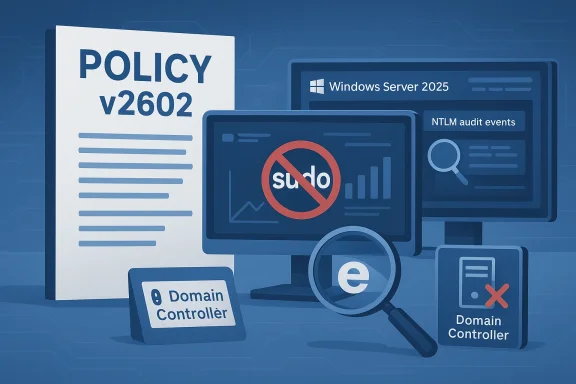
Microsoft’s February 2026 security baseline (v2602) for Windows Server 2025 marks a clear step toward a more secure, legacy‑resistant default posture — but it also forces operations teams to confront compatibility and telemetry realities before an enterprise‑wide rollout.
Security baselines are Microsoft’s vetted, opinionated collections of Group Policy and registry settings intended to give organizations a hardened, consistent starting point for deploying Windows at scale. The v2602 revision — published for Windows Server 2025 and distributed via the Microsoft Security Compliance Toolkit — updates those recommendations to reflect recent attack patterns, cryptographic guidance, and the vendor’s multi‑phase plan to phase out legacy authentication behaviors such as NTLM.
This update is not a single fix: it is a policy package designed to be tested, tailored, and phased into production after validation. The most attention‑grabbing changes in v2602 are the default recommendation to disable the Windows implementation of the sudo command, expanded NTLM auditing and logging, prevention controls around Windows Hello for Business (WHfB) keys affected by the ROCA vulnerability, and multiple small but operationally impactful legacy‑behavior removals (for example, preventing IE11 from being launched via COM automation and changing how Mark‑of‑the‑Web tags are applied).
What follows is a practical, in‑depth breakdown of what changed, why it matters, the operational impacts you must plan for, and an actionable rollout and validation plan for enterprise administrators.
Plan: run key‑inventory and cleanup using vendor tooling (Microsoft provides WHfBTools guidance), plan a staged revocation and re‑provisioning of keys, and schedule communications for impacted user groups.
Plan: inventory COM automation usage, contact app owners, and test replacements or modernization paths.
Applied thoughtfully — with lab validation, SIEM tuning, remediation sprints, and measured exception handling — the v2602 baseline will harden Windows Server estates without unacceptable disruption. Applied hastily, it will generate noise, outages, and emergency rollbacks. The right balance is a methodical rollout: discover, test, remediate, pilot, then enforce. That is how organizations turn Microsoft’s recommended security posture into sustained platform resilience.
Source: Petri IT Knowledgebase Windows Server 2025 Baseline Update Disables Sudo, Expands NTLM Auditing
 Background
Security baselines are Microsoft’s vetted, opinionated collections of Group Policy and registry settings intended to give organizations a hardened, consistent starting point for deploying Windows at scale. The v2602 revision — published for Windows Server 2025 and distributed via the Microsoft Security Compliance Toolkit — updates those recommendations to reflect recent attack patterns, cryptographic guidance, and the vendor’s multi‑phase plan to phase out legacy authentication behaviors such as NTLM.This update is not a single fix: it is a policy package designed to be tested, tailored, and phased into production after validation. The most attention‑grabbing changes in v2602 are the default recommendation to disable the Windows implementation of the sudo command, expanded NTLM auditing and logging, prevention controls around Windows Hello for Business (WHfB) keys affected by the ROCA vulnerability, and multiple small but operationally impactful legacy‑behavior removals (for example, preventing IE11 from being launched via COM automation and changing how Mark‑of‑the‑Web tags are applied).
What follows is a practical, in‑depth breakdown of what changed, why it matters, the operational impacts you must plan for, and an actionable rollout and validation plan for enterprise administrators.
What changed in v2602 — the technical summary
High‑impact policy moves (what Microsoft recommends by default)
- Disable the sudo command on Member Servers and Domain Controllers. The baseline recommends configuring the “Configure the behavior of the sudo command (System)” policy so that the maximum allowed sudo mode is Disabled. Microsoft’s rationale is straightforward: sudo for Windows can be a privilege‑escalation vector when misused or left enabled in broad contexts.
- Expanded NTLM auditing. The baseline turns on broad NTLM auditing to expose legacy authentication usage:
- Audit incoming NTLM traffic on Member Servers and Domain Controllers.
- Audit NTLM authentication in the domain (on Domain Controllers).
- Audit outgoing NTLM traffic to remote servers (on Member Servers and Domain Controllers).
These settings are intended to produce comprehensive eventing so teams can map dependencies before future enforcement phases. - Block ROCA‑vulnerable Windows Hello for Business keys on Domain Controllers. Domain Controllers should Block WHfB keys identified as vulnerable to the ROCA (Return of Coppersmith’s Attack) cryptographic weakness. Administrators are directed to validate and clean up orphaned or vulnerable keys before enforcement to avoid authentication outages.
- Prevent launching IE11 via COM automation. Baseline settings disable programmatic COM launches of IE11 to reduce attack surface tied to legacy browser automation paths.
- Mark‑of‑the‑Web (MotW) behavior changed to increase scrutiny. The baseline disables the legacy policy that prevented MotW tags from being applied when files are copied from untrusted sources, ensuring files that originate externally receive the higher scrutiny MotW provides (SmartScreen, Office macro blocking, etc.).
- Remove “Prevent downloading of enclosures” setting. Microsoft removed this policy from the Windows Server 2025 baseline because it does not apply to the platform; administrators should not assume previous behavior tied to that setting remains available.
Why these changes now? The security rationale
Microsoft’s v2602 baseline follows two broad security trends:- Remove or limit legacy attack surfaces. Features like programmatic IE11 launches and permissive MotW behavior are frequently weaponized in modern attack chains. By shifting default recommendations to block these mechanisms, Microsoft reduces the number of easy paths attackers can leverage without relying on kernel or patch changes.
- Expose and eliminate NTLM dependencies before enforcement. NTLM has decades of backwards‑compatibility baggage and known weaknesses (replay, relay, and weak cryptography in older modes). Microsoft’s strategy is phased: first expand auditing so organizations can inventory usage, then deliver platform features to reduce breakage, and eventually ship Windows with network NTLM blocked by default unless an enterprise explicitly re‑enables it. The v2602 baseline is the auditing and telemetry step in that phased plan.
Immediate operational impacts — what admins will notice
Breakage risk: tools and scripts that depend on sudo for Windows
Many organizations adopted the Windows sudo implementation in administrative automation, orchestration scripts, or thin‑client remote tools to run elevation without interactive UAC. Disabling sudo by default will:- Break scripts and workflows that call sudo without explicit permission.
- Prevent delegated users from performing previously‑permitted tasks via sudo, potentially increasing helpdesk calls.
- Expose gaps in onboarding and runbook automation where sudo acted as an elevation shortcut.
Audit noise: a surge in NTLM event logging
Turning on comprehensive NTLM auditing means security logs will spike. Expect:- Large volumes of Security event log entries related to incoming/outgoing NTLM events.
- Temporary strain on SIEM ingestion pipelines, storage, and compliance retention quotas.
- New alerts for legacy services and appliances that still use NTLM (print servers, older application servers, network appliances with SMB/CIFS integrations).
WHfB key blocking: real authentication failures without cleanup
Blocking WHfB keys flagged as ROCA‑vulnerable on Domain Controllers may cause failed interactive or passwordless logons for users with vulnerable keys still registered.Plan: run key‑inventory and cleanup using vendor tooling (Microsoft provides WHfBTools guidance), plan a staged revocation and re‑provisioning of keys, and schedule communications for impacted user groups.
Legacy apps that invoke IE via COM will fail
Applications built to automate IE via COM or legacy web‑embedding will see functional failures. While the baseline prevents IE11 COM launches for security, it does not change the presence of IE‑mode for enterprise edge compatibility (test to confirm behavior). Expect integration testing and potential refactoring requests from app owners.Plan: inventory COM automation usage, contact app owners, and test replacements or modernization paths.
What this means for NTLM deprecation and longer‑term planning
Microsoft’s baseline update is a pivot point in a broader multi‑phase strategy to make Kerberos the default, Kerberos‑first authentication mechanism in Windows environments. The sequence is intentional:- Audit (now): v2602 expands auditing so you can find who and what still uses NTLM.
- Platform features (coming): Microsoft plans to add features (IAKerb, Local KDC, other mitigations) to reduce NTLM pain points.
- Secure‑by‑default (future): Network NTLM will be disabled by default in upcoming Windows releases, with explicit re‑enablement policies for backwards compatibility.
Strengths of the v2602 baseline
- Better defaults for privileged operations. Disabling sudo and strengthening UAC‑adjacent behaviors reduces common privilege escalation and lateral movement vectors.
- Comprehensive NTLM telemetry. The new auditing gives security teams the visibility they need to map legacy dependencies without blind spots.
- Cryptographic hygiene for WHfB. Blocking ROCA‑vulnerable keys removes a class of attack — but only after administrators validate and clean up impacted keys.
- Reduction of IE‑era attack surface. Preventing COM automation of IE11 eliminates a long‑abused automation vector.
- Testable and customizable delivery model. The baseline is shipped via the Security Compliance Toolkit so teams can import, test, and tweak policies before pushing to production.
Risks, tradeoffs, and where to be cautious
- Operational disruption if deployed without testing. The baseline touches authentication, privilege elevation, and legacy interop — areas where unintended outages are costly.
- SIEM and logging overload. Expanded NTLM auditing without corresponding ingestion and retention planning will generate noise and possible missed detections if thresholds or filters are not updated.
- Compatibility with third‑party appliances and legacy services. Many non‑Windows devices or older middleware still rely on NTLM or browser COM automation. These will require remediation or explicit policy exceptions.
- User friction and helpdesk load. Blocking or removing previously available elevation paths (sudo) can increase tickets unless alternative, documented paths are provided.
- False sense of security if only partially implemented. Applying the baseline on some servers but not across critical paths (e.g., leaving Domain Controllers untested) can create a mismatched posture and operational risk.
Practical rollout checklist — how to pilot and deploy v2602 safely
Follow a staged approach that treats the baseline as a policy project, not a one‑click update.1. Inventory and discovery (Discovery window: 2–4 weeks)
- Run an environment scan to find:
- Systems using the sudo feature (scripts, scheduled tasks, automation).
- Sources of NTLM traffic (application servers, print/file appliances, network devices).
- WHfB keys and devices that may contain legacy/vulnerable keys.
- Applications invoking IE11 through COM automation.
- Tools to use: baseline reports from the Security Compliance Toolkit, Windows Admin Center Security Baseline compliance view, SIEM historical logs, and targeted packet captures where needed.
2. Lab testing (Pilot window: 2–6 weeks)
- Import the v2602 baseline into a lab or staging OU using the Security Compliance Toolkit.
- Run functional tests on representative workloads:
- Domain Controllers, application servers, print/file servers, and any appliances that authenticate against AD.
- Automation that uses sudo or COM automation.
- Validate that NTLM auditing events are generated and captured by your SIEM.
3. Remediation and migration (Remediation window: variable)
- For sudo dependencies:
- Convert critical automation to least‑privilege service accounts with constrained permissions.
- Replace ad‑hoc sudo calls with scheduled tasks or orchestration runbooks that maintain audit trails.
- For NTLM:
- Replace NTLM‑dependent services with Kerberos‑capable configurations where possible.
- For third‑party vendors, request Kerberos support or plan compensating controls (isolation, segmentation, or dedicated exception policies).
- For WHfB ROCA keys:
- Use WHfBTools to identify and revoke vulnerable keys.
- Re‑provision keys using vendor‑recommended flows.
- For IE COM automation:
- Work with application owners to replace IE automation with supported web engines or modern APIs. Where replacement is not feasible, document and isolate exceptions.
4. Pilot OU rollout (2–8 weeks)
- Apply the policy set in a small, non‑critical OU or pilot group.
- Monitor helpdesk tickets, authentication failures, NTLM log volumes, and SIEM alerts.
- Adjust GPO scoping and exceptions based on observed breakage.
5. Production phased rollout
- Expand scope progressively (50% → 75% → 100%) while monitoring the same telemetry.
- Keep an operational rollback plan: know which GPOs or settings to reverse quickly and have a communications playbook for affected teams.
6. Post‑deployment verification (ongoing)
- Monitor NTLM reduction metrics, authentication success rates, and security events.
- Track any exception rules you created and set an expiration review date for each.
Recommended technical controls and monitoring practices
- Prepare SIEM to accept increased Security event log volume; implement aggregation and suppression rules to avoid alert fatigue.
- Tag exceptions with expiration dates. Every policy exception should be a time‑boxed engineering task, not a permanent workaround.
- Use Windows Admin Center security baseline compliance dashboards to track GPO drift and remediations.
- Leverage WHfBTools to identify and clean up vulnerable WHfB keys prior to enabling block modes on Domain Controllers.
- Instrument application owners. Make app teams responsible for testing and documenting compatibility; require remediation tickets for legacy dependencies.
- Network segmentation. Consider isolating legacy NTLM‑reliant systems while you remediate them to reduce lateral movement risk.
Example prioritization — which systems to remediate first
- Domain Controllers and identity infrastructure. Any authentication failures here are highest risk; validate WHfB and Kerberos behaviors before pushing baseline to DCs.
- Edge and perimeter services (VPN, NPS, SSL VPN appliances). These often interact with AD and sometimes emit NTLM; prioritize compatibility checks.
- High‑volume NTLM emitters (file servers, print servers). Address the biggest sources first to reduce logging noise and dependency counts.
- Critical automation pipelines that currently use sudo. Replace or re‑engineer high‑value runbooks to avoid disruption.
- Business‑critical legacy apps invoking IE via COM. Engage app owners early and define migration timelines.
Decision‑ready matrix for executives and security leaders
- Security posture improvement: High — baseline reduces attack surface and accelerates NTLM discovery.
- Operational disruption risk: Medium to High — depends on org’s legacy footprint; planning and testing lower the risk.
- Cost to remediate: Variable — small for modernized environments, substantial where legacy appliances or bespoke apps remain.
- Time horizon to full compliance: Weeks to many months — discovery and remediation timelines will vary by organization complexity.
Quick mitigation recipes if you encounter outages
- Sudo‑related breakage: Re‑enable the specific sudo policy for an OU as a short‑term emergency measure, then immediately track and fix the underlying automation that relied on sudo.
- Unexpected authentication failures from WHfB key blocking: Revert the WHfB blocking policy on DCs temporarily; run WHfBTools to inventory and revoke vulnerable keys; re‑apply block mode after re‑provisioning.
- SIEM overwhelmed by NTLM logs: Throttle ingestion via forwarder filters, then backfill important event types for forensic completeness while refining long‑term SIEM rules.
- Legacy application that depended on IE COM: Create an isolated compatibility host that preserves older automation while prioritizing app modernization.
Final recommendations — how to treat v2602 in your environment
- Treat v2602 as a policy program, not an emergency patch. It is prescriptive guidance that must be tested, scoped, and customized.
- Use the Security Compliance Toolkit to import the baseline into test OUs and run thorough functional validation against identity, automation, and legacy app owners.
- Start NTLM discovery and remediate high‑volume emitters immediately; auditing now buys you time to migrate prior to enforcement in later platform updates.
- Prioritize Domain Controller validation for WHfB key blocking and prepare communications for any phased user impacts.
- Maintain time‑boxed exceptions and track every deviation from the baseline in a centralized change log with an owner and due date.
Conclusion
The v2602 security baseline for Windows Server 2025 crystallizes Microsoft’s push toward a more secure, modern default configuration: fewer legacy escape hatches, better telemetry for hardening, and a pragmatic, phased approach to removing NTLM as a network authentication fallback. For defenders, the baseline is a welcome lever to reduce risk. For operators, it is an operational program that demands inventory, testing, and remediation.Applied thoughtfully — with lab validation, SIEM tuning, remediation sprints, and measured exception handling — the v2602 baseline will harden Windows Server estates without unacceptable disruption. Applied hastily, it will generate noise, outages, and emergency rollbacks. The right balance is a methodical rollout: discover, test, remediate, pilot, then enforce. That is how organizations turn Microsoft’s recommended security posture into sustained platform resilience.
Source: Petri IT Knowledgebase Windows Server 2025 Baseline Update Disables Sudo, Expands NTLM Auditing
