

Microsoft has admitted that Windows 11’s update cadence and feature-first push created too much friction for users, and has announced a year‑long pivot in 2026 to prioritize stability, reliability, and measurable fixes over headline features.
Windows 11 arrived with a clear design and engineering agenda: refreshed UI, deeper cloud hooks, and heavy investment in Copilot and on‑device AI. That ambition produced real innovations, but it also increased the risk surface for everyday workflows. Over the last 12–18 months users and IT admins reported recurring regressions — from sluggish UI interactions to update‑related brelaints intensified into a broad community backlash by late 2025.
Two calendar facts make this moment especially consequential. First, Microsoft has said Windows 11 runs on roughly one billion devices, meaning even low‑probability bugs affect large numbers of people. Second, mainstream sended on October 14, 2025, which raised migration pressure and the expectation that Windows 11 be solid for both consumers and enterprises. Those dynamics turned patch‑quality into a business imperative, not just a product nicety.
When telemetry and field reports continued to surface problems, Microsoft issued an out‑of‑band emergency update on January 17 (KB5077744) intended to address the most urgent failures, including Remote Desktop sign‑in problems and Azure Virtual Desktop issues. That package itself was updated and supplemented by a second out‑of‑band cumulative update on January 24 (KB5078127) to fix additional regressions (for example, cloud‑storage file I/O that caused Outlook or apps to hang). Microsoft’s release pages and release‑health notices list those updates and the resolved/known issues for Windows 11 versions 24H2 and 25H2.
Independent reporting and community investigations amplified the operational impact: help‑desk spikes, paused rollouts, and, in some cases, manual recovery steps when devices could not boot normally. Some users also reported broken legacy modem drivers and other peripheral regressions tied to the same update window. The cascade of Patch Tuesday → emergency OOB → consolidated OOBather than routine servicing, and that was the proximate cause for Microsoft’s public pledge to redirect engineering priorities.
For consumers and power users:
Microsoft’s 2026 pivot, if carried through with discipline, could preserve Windows’ centrality by reaffirming a core truth: users value a predictable, snappy, and unobtrusive desktop experience more than a steady parade of under‑validated features. If Microsoft fails to show measurable progress, the cost is not only lost goodwill; it’s deferred upgrades, slower enterprise adoption of new features, and potential shifts among enthusiast communities toward alternatives.
But be pragmatic: swarming and device gating are necessary tactical responses — not a full cure. Long‑term reliability will require process changes, clearer telemetry governance, better partner coordination, and above all, measurable outcomes that users and IT can verify. Microsoft must publish and sustain those metrics for trust to be rebuilt.
For Windows users who rely on the platform daily, 2026 could be the year Windows 11 stops feeling experimental and starts behaving like a mature, dependable desktop OS — if Microsoft follows the words with concrete, transparent progress. Until then, adopt conservative update practices, insist on clear communications from vendors, and measure Microsoft’s credibility by delivered stability rather than marketing.
Source: WinCentral Microsoft Focuses on Fixing Windows 11 in 2026 After Backlash
 Background: why this matters now
Windows 11 arrived with a clear design and engineering agenda: refreshed UI, deeper cloud hooks, and heavy investment in Copilot and on‑device AI. That ambition produced real innovations, but it also increased the risk surface for everyday workflows. Over the last 12–18 months users and IT admins reported recurring regressions — from sluggish UI interactions to update‑related brelaints intensified into a broad community backlash by late 2025. Two calendar facts make this moment especially consequential. First, Microsoft has said Windows 11 runs on roughly one billion devices, meaning even low‑probability bugs affect large numbers of people. Second, mainstream sended on October 14, 2025, which raised migration pressure and the expectation that Windows 11 be solid for both consumers and enterprises. Those dynamics turned patch‑quality into a business imperative, not just a product nicety.
What went wrong: a short, verifiable timeline of January 2026
Microsoft’s servicing model saw a dramatic stress test in January 2026. On January 13 the regular Patch Tuesday cumulative — tracked as KB5074109 — introduced a set of fixes that, in some configurations, caused high‑impact regressions such as authentication failures, shutdown/hibernate behavior issues, and compatibility problems with certain drivers. Microsoft acknowledged the problems and documented known issues on the support pages.When telemetry and field reports continued to surface problems, Microsoft issued an out‑of‑band emergency update on January 17 (KB5077744) intended to address the most urgent failures, including Remote Desktop sign‑in problems and Azure Virtual Desktop issues. That package itself was updated and supplemented by a second out‑of‑band cumulative update on January 24 (KB5078127) to fix additional regressions (for example, cloud‑storage file I/O that caused Outlook or apps to hang). Microsoft’s release pages and release‑health notices list those updates and the resolved/known issues for Windows 11 versions 24H2 and 25H2.
Independent reporting and community investigations amplified the operational impact: help‑desk spikes, paused rollouts, and, in some cases, manual recovery steps when devices could not boot normally. Some users also reported broken legacy modem drivers and other peripheral regressions tied to the same update window. The cascade of Patch Tuesday → emergency OOB → consolidated OOBather than routine servicing, and that was the proximate cause for Microsoft’s public pledge to redirect engineering priorities.
Microsoft’s 2026 plan: what they say they’ll do
Microsoft has framed 2026 as a “repair year” for Windows 11, and its public commitments cluster around four concrete changes:- Fewer risky platform changes in monthly cumulative updates. Microsoft says it will avoid deep system modifications in the regular monthly LCU/SSU stream that raise the chance of widespread, lower‑risk servicing will be preferred for broad rollouts.
- Stronger testing before public release, with heavier reliance on Insider channels. The company will collect targeted telemetry and use the Release Preview and selected Insider channels to validate fixes more thoroughly before staging mass deployment.
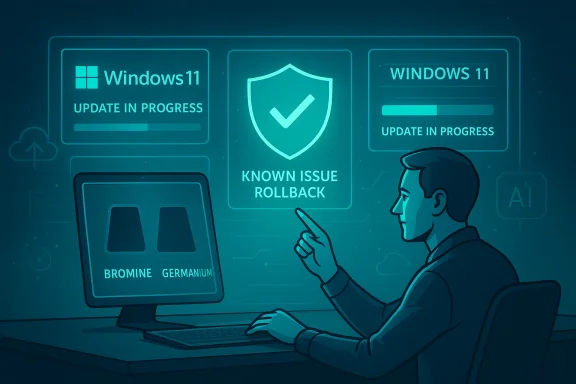
- Faster, targeted hotfixes when regressions occur. Microsoft has promised quicker out‑of‑band patches and improved rollbacks using Known Issue Rollback (KIR) where appropriate. The January sequence already demonstrated use of KIR and special Grofor enterprises.
- A stronger feedback loop: Feedback Hub, enterprise telemetry, and real‑world usage data will carry more weight in prioritization decisions. Microsoft says it will “listen” to Insiders and the broader user community to triage the most visible pain points first.
The device‑gated two‑track approach: Bromine and Germanium
A notable tactical move is the split of platform work into two device‑gated branches: an early platform release (reportedly codenamed Bromine, targeted at next‑gen Arm and Copilot+ devices as Windows 11 version 26H1) and a broader consumer‑facing release (reportedly Germanium, expected to be 26H2) for the wider installed base later in 2026. The idea is to enable new silicon and device‑specific optimizations without exposing the entire installed base to risky kernel or scheduler changes. This device‑gating reduces blast radius but creates lifecycle complexity for enterprises and power users managing mixed fleets. Note: the Bromine/Germanium codenames and the precise gating rules are being reported by multiple outlets and community captures; some details remain internal and subject to change.What users actually experienced (Symptoms and examples)
The most visible failures that pushed Microsoft into this posture are concrete and reproducible:- Remote Desktop and cloud‑session authentication failures after the January 13 cumulative update — mitigated by KB5077744 then resolved in KB5078127. These primarily affected enterprise and managed environments.
- Apps freezing or hanging when accessing cloud‑stored files (OneDrive, Dropbox) and Outlook PST scenarios stored on cloud‑backed folders; addressed in the January 24 OOB.
- **Shutdown or hibernati with certain Secure Launch configurations, causing systems to restart instead of powering down. Microsoft flagged these as known issues and applied mitigations.
- **Peripheral and driveuding the intentional removal of very old modem drivers for security reasons that nonetheless broke modem‑dependent workflows for some users. Microsoft classified that driver removal as intentional (security‑driven), which sparked a separate debate about communication and legacy support.
Critical analysis: strengths of Microsoft’s new posture
- Engineering focus on high‑impact user pain has an immediate ROI. Concentrating cross‑disciplinary teams to “swarm” reproducible, high‑frequency bugs (kernel, update servicing, drivers, telemetry, QA) shortens time‑to‑fix and improves root‑cause handling. This is an established incident response model adapted to pron executed well it yields measurable wins.
- Device gating is a pragmatic risk reduction strategy. Allowing platform changes to land only on qualifying new hardware (Bromine) protects the mass market from low‑level changes that might break older drivers or OEM firmware. For OEM partners and silicon vendors, this also provides a cleaner testing surface.
- Public acknowledgement and clearer priorities rebuilds trust if followed by measurable outcomes. Saying “we’ll focus on performance, reliability and the daily experience” is only the start — but it aligns Microsoft’s message with the tangible, testable improvements power users and IT demand.
- Faster hotfix pathways and KIR use reduce blast radius. Known Issue Rollback (KIR) and targeted Group Policy mitigations givel options to contain regressions without compromising the entire security posture. Microsoft already used these tools in January. (support.microsoft.com)
Risks, limitations, and open questions
- Swarming is tactical; it’s not a substitute for structural process change. Swarms can resolve the immediate b, but if release gates, partner validation, and telemetry governance remain unchanged the same classes of bugs can recur. Microsoft must pair swarming with lalidation, regression testing and clearer partner SLAs.
- Device‑gated branches add lifecycle complexity for IT. Having Bromine on some devices and Gers fleets can behave differently depending on hardware. That increases testing burden, complicates driver certification, and may force admins to maintain multiple deployment policies. Enterprises will need clear guidance and tooling from Microsoft to manage mixed streams.
- Communication and transparency remain weak spots. The modem‑driver removal example shows that security decisions—even when warranted—need clearer advance notice and migration guidance for users who still rely on legacy hardware. Poor communication drives the perception that Microsoft prioritizes feature marketing over practical continuity. (windowscentral.com)
- Trust must be earned with measurable metrics, not promises. Users and admins will judge Microsoft on objective measures: fewer emergency OOB patches, improved SLOs for Explorer responsiveness and update success, and published time‑to‑fix stats for Severity‑1 regressions. Without that data, a rhetorical pivot will be dismissed as window dressing.
What success should look like: concrete metrics to watch
If Microsoft is serious, these are the objective signals to expect in the coming months:- A sustained decline in the frequency of emergency out‑of‑band updates versus the prior 12 months.
- Published Service‑Level Objectives (SLOs) and baseline telemetry for Explorer cold‑start latency, Start/menu responsiveness, and window‑switch timings — and public progress against those SLOs.
- Clear enterprise controls and Group Policy templates that provide opt‑out and rollback options for agentic AI features (Copilot) and for major platform changes.
- Fewer regression‑related helpdesk spikes during monthly rollouts — and a demonstrable reduction in rolles after cumulative updates.
- Transparent release notes that acknowledge remaining risks and provide targeted mitigations for affected configurations (rather than terse boilerplate).
Practical guidance: what consumers, power users, and IT admins should do now
Microsoft’s repair effort will take months to materially lower the noise floor. Until then, adopt a conservative, test‑driven approach.For consumers and power users:
- Pause non‑critical updates for a week or two after Patch Tuesday if you rely on an older or production machine. Use Settings > Windows Update’s pause options when appropriate.
- Keep a current image backup (full disk image or File History plus cloud backups) so you can recover quickly if a bad update lands.
- If you experiment with Insider builds, limit testing to secondary hardware and contribute detarts (with repro steps and traces) when bugs appear. Good telemetry speeds fixes.
- Establish pilot rings and broaden them slowly. Start with a small percentage of non‑critical endpoints.
- Use driver and firmware whitelisting; require vendor‑signed driver testing before mass deployment.
- Keep Known Issue Rollback and special Group Policy mitigations in your runbook. Microsoft published explicit policies and downloads tied to the January incident that demonstrate how to apply mitigations at scale.
- Demand measurable SLOs from vendors when you accept new platforms or Copilot‑style agentic features into production.
- Prioritize vendor‑published GPU drivers validated against the latest Windows Insider or release images you plan to run.
- If you maintain a high‑uptime, low‑latency gaming box, defer major cumulative updates until Microsoft publishes explicit stability notes for gaming scenarios. Microsoft has signaled attention to session‑mode and power/scheduler tweaks for gaming, but the partner ecosystem must align for improvements to land reliably.
Why this matters beyond Windows: platform economics and user trust
Windows is not just an OS; it’s a platform for an ecosystem — OEMs, game studios, and enterprises. When the platform is perceived as unreliable, that ripple affects hardware sales, customer support costs, and even the strategic calculus of migrating to alternative platforms.Microsoft’s 2026 pivot, if carried through with discipline, could preserve Windows’ centrality by reaffirming a core truth: users value a predictable, snappy, and unobtrusive desktop experience more than a steady parade of under‑validated features. If Microsoft fails to show measurable progress, the cost is not only lost goodwill; it’s deferred upgrades, slower enterprise adoption of new features, and potential shifts among enthusiast communities toward alternatives.
Final assessment: cautious optimism — but the proof will be in the metrics
Microsoft’s public acknowledgements and tactical pivots are the right first moves. Redirecting engineers to “swarm” high‑impact regressions, using device‑gated platform branches to reduce blast radius, and promising better pre‑release validation establishes a credible foundation for recovery. The January 2026 servicing saga exposed real weaknesses, and Microsoft has shown it can respond with rapid hotfixes and rollback tools — the next step is demonstrating a steady decline in these incidents.But be pragmatic: swarming and device gating are necessary tactical responses — not a full cure. Long‑term reliability will require process changes, clearer telemetry governance, better partner coordination, and above all, measurable outcomes that users and IT can verify. Microsoft must publish and sustain those metrics for trust to be rebuilt.
For Windows users who rely on the platform daily, 2026 could be the year Windows 11 stops feeling experimental and starts behaving like a mature, dependable desktop OS — if Microsoft follows the words with concrete, transparent progress. Until then, adopt conservative update practices, insist on clear communications from vendors, and measure Microsoft’s credibility by delivered stability rather than marketing.
Source: WinCentral Microsoft Focuses on Fixing Windows 11 in 2026 After Backlash
