Microsoft’s recent security push for Windows 11 stitches together long‑running platform hardening with a clear push toward crypto‑agility, improved telemetry for defenders, and tighter controls over drivers, apps and networking — a package aimed at reducing catastrophic outages while preparing enterprises for an era of quantum threats and ubiquitous AI. The announcements Portlanded at Ignite and reinforced across Microsoft security channels cover everything from Post‑Quantum Cryptography APIs and a new passkey provider model to tighter driver rules, Zero Trust DNS and Wi‑Fi 7 enterprise support — but some of the more headline‑grabbing items remain early or partially documented and deserve cautious reading.
Microsoft framed these changes inside two linked programs: the Secure Future Initiative (SFI) — its multi‑year effort to future‑proof core security controls — and the Windows Resiliency Initiative (WRI), a set of platform changes motivated in part by last year’s large‑scale endpoint incident and focused on recovery, reliability and vendor deployment practices. Together they drive three practical goals for enterprise IT:
Actionable priorities for IT leaders:
Source: Petri IT Knowledgebase Microsoft Unveils Windows 11 Security, Resilience Features
 Background / Overview
Microsoft framed these changes inside two linked programs: the Secure Future Initiative (SFI) — its multi‑year effort to future‑proof core security controls — and the Windows Resiliency Initiative (WRI), a set of platform changes motivated in part by last year’s large‑scale endpoint incident and focused on recovery, reliability and vendor deployment practices. Together they drive three practical goals for enterprise IT:- Reduce systemic single‑point failures (fewer kernel crashes and safer AV behaviour).
- Improve recovery and patching (hotpatching, Quick Machine Recovery).
- Prepare for future threats (PQC support, crypto agility) while improving identity and network controls.
Post‑Quantum Cryptography (PQC) APIs — what’s announced and why it matters
What Microsoft announced
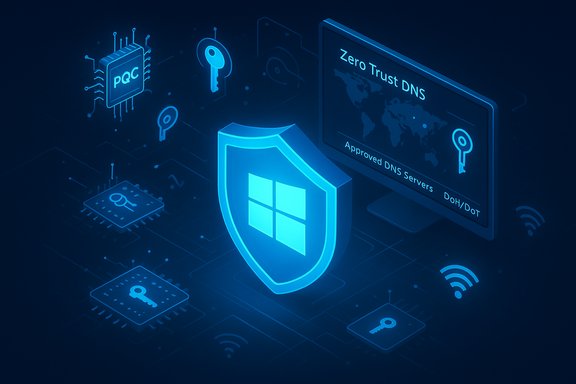
Microsoft made PQC primitives available for early testing in Windows Insider builds and in SymCrypt, its foundational cryptographic library. The platform additions expose NIST‑selected PQC algorithms (the CRYSTALS family rebranded in Microsoft messaging as ML‑KEM/ML‑DSA and related hybrids) through standard Windows crypto surfaces (CNG / Cryptography API: Next Generation) so developers and administrators can begin migrating to quantum‑resistant primitives. The update first appeared in Canary Insider builds (Build 27852+).Independent verification
- Microsoft Security blog and Tech Community posts document the SymCrypt updates and the initial Windows Insider availability.
- Press and specialist outlets (Ars Technica, TechPowerUp, Redmond Magazine) independently reported the Build releases and noted the algorithms map to NIST’s PQC selections and to the wider industry guidance on hybrid TLS transitions.
Why this matters for enterprises
- Harvest‑now, decrypt‑later is real. Data encrypted today may be harvested and decrypted when large quantum devices exist. Early support enables organizations to test hybrid TLS and certificate flows to reduce that long‑term risk.
- Practical migration path. Microsoft exposing PQC at the CNG layer lets existing Windows apps call quantum‑safe algorithms with minimal app redesign, but crypto agility practices will still be required (key rotation, algorithm negotiation, and certificate lifecycle planning).
Caveats and practical risks
- PQC algorithms produce larger keys and ciphertexts and sometimes impose measurable CPU and bandwidth cost increases. Early experiments showed increases in certificate sizes and handshake payloads; realistic performance testing and inventory analysis are necessary before production rollout.
- Standards will evolve. Microsoft’s work is explicitly staged — these APIs let you start testing now, not flip a production switch. Treat early PQC as experimental but essential planning work.
BitLocker “hardware acceleration” and silicon‑level key protection — claims and verification
The claim
Reports (and summary pieces based on Microsoft briefings) describe an upcoming BitLocker enhancement that offloads cryptographic operations to dedicated SoC/CPU hardware — described as hardware‑accelerated BitLocker with keys wrapped and isolated at the silicon level. Some outlets and secondary press reporting place general availability of this enhanced protection on new Windows 11 devices around Spring 2026. Petri’s coverage repeated this language as part of the broader security briefing.What’s verifiable right now
- BitLocker already uses hardware acceleration where present: AES‑NI on modern CPUs and OPAL/self‑encrypting drive pathways on supported SSDs. Multiple hardware vendors (Intel, AMD, SSD OEMs) and Microsoft docs document existing hardware crypto offload for disk encryption.
- Microsoft has announced tighter hardware security baselines and deeper chip‑level protections (TPM, Pluton enhancements) across Copilot+ and modern Windows devices, which supports the strategic direction of stronger hardware key protections.
What remains unverified / flagged
- The specific product name “hardware‑accelerated BitLocker” and the exact promise of silicon‑level key wrapping with a Spring 2026 GA target appears in secondary reporting and commentary but lacks a single, clear Microsoft product page or KB note tying that capability to an exact release and hardware list at the time of writing. The Verge and other outlets referenced hardware acceleration in coverage but did not publish a formal Microsoft spec sheet with dates. Treat those calendar claims as provisional until Microsoft publishes a direct hardware requirements or feature page that lists supported SoCs, driver models and rollout timing.
Practical guidance
- Inventory current drives and controllers; test BitLocker performance with software vs hardware encryption on representative workloads before changing fleet defaults.
- Watch OEM release notes and Windows release KBs for explicit “hardware‑accelerated BitLocker” feature entries and driver/firmware prerequisites.
- Prepare recovery and key‑escrow workflows: when keys are hardware‑wrapped, recovery becomes dependent on vendor firmware and cloud escrow systems — plan backup and incident‑response steps accordingly.
Passkey manager integration with Windows Hello — a major, verifiable change
What Microsoft shipped
Microsoft moved passkeys to an OS‑level model by exposing a passkey provider plugin API so packaged credential managers (MSIX) can register as system passkey providers. Microsoft Password Manager (Edge) was packaged as a native provider and third‑party vendors including 1Password and Bitwarden implemented integrations. The Windows Settings UI gained a Passkeys page (Settings > Accounts > Passkeys > Advanced options) where registered providers can be enabled after Windows Hello verification. This capability went into a cumulative update in November 2025 for 24H2/25H2 and was broadly reported and confirmed by vendors and independent press.Independent corroboration
- Vendor announcements and community reports confirm 1Password’s MSIX build registers as a system provider and Bitwarden made preview builds available. Tech outlets (TechSpot, Digital Trends) documented the user flow and the Settings UI changes.
- Microsoft’s service notes and update KBs tied the feature to the November cumulative update (KB5068861) and explained the split responsibilities (Windows Hello remains local authenticator; the manager handles discovery and sync).
Benefits and risks
- Benefits: phishing resistance and user choice (use preferred password manager as vault), consistent UX across apps and browsers, easier cross‑device recovery if manager supports it.
- Risks: Vendor packaging requirements (MSIX builds) are mandatory for registration, meaning older unpackaged desktop apps cannot participate. Enterprises must validate third‑party provider packaging, update and recovery procedures, and ensure admin policies (App Control for Business / Intune managed installer) align with the new registry flow.
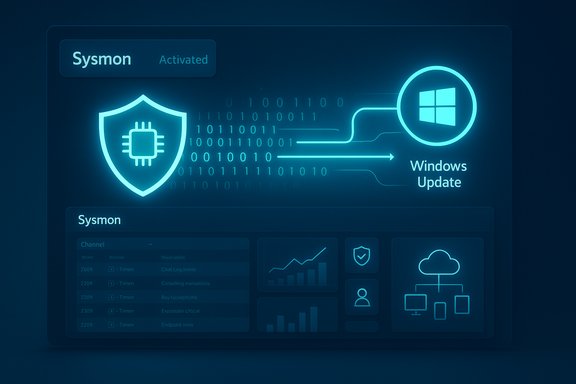
Sysmon in Windows — increased telemetry or premature claim?
The Petri claim
Some coverage states Microsoft will integrate Sysmon functionality directly into Windows 11 and Windows Server 2025 to simplify deployment and give security teams deeper process/event visibility. Petri relayed that Sysmon would be introduced in‑box.Verification check
- Microsoft documentation and Tech Community posts strongly recommend Sysmon for forensic and detection use and publish sample rules for use with the standalone Sysmon tool. There are clear Microsoft guidance pieces on using Sysmon and on shipping Sysmon configurations via Intune or other management tooling. However, at the time of writing there is no definitive Microsoft support page or KB that explicitly says “Sysmon will be included in the Windows image as an in‑box component” for both Windows 11 and Windows Server 2025. Microsoft has published guidance that leverages Sysmon for detection (for example, for VBScript deprecation detection) but a full in‑box integration announcement is not clearly present in official release notes.
Conclusion / caution
- The increased emphasis on Sysmon‑style telemetry and shipping richer eventing is verifiable and real. The specific, productized promise of an in‑box Sysmon in core Windows requires a direct Microsoft feature page or release‑note confirmation before being treated as GA. Mark the Petri claim partially verified (tooling will be encouraged/packaged) but not fully validated as “Sysmon becomes a Windows component” in all editions.
Network security: Zero Trust DNS and Wi‑Fi 7 for Enterprise
Zero Trust DNS (ZTDNS)
Microsoft announced Zero Trust DNS to enforce outbound DNS resolution only through approved Protective DNS servers (DoH/DoT), integrating DNS client logic with the Windows Filtering Platform to block traffic that wasn’t resolved by the approved resolver. Microsoft published a public preview and deployment instructions in the Tech Community; detailed guidance is now available for testing in Insider and preview channels. This is an enterprise‑focused control that maps to Zero Trust guidance (NIST SP 800‑207, OMB M‑22‑09) and promises to reduce data exfiltration and lateral C2 by allowing only DNS‑approved name resolution. Practical considerations:- ZTDNS is stricter than simple DoH encryption — it relies on a managed list of allowed resolvers and may require exceptions for mDNS and local network name flows. Admins should expect operational caveats for local services (LLMNR, UPnP) and plan exceptions in enterprise networks.
Wi‑Fi 7 for Enterprise
Microsoft extended Wi‑Fi 7 (802.11be) support into enterprise scenarios, emphasizing WPA3‑Enterprise as the default authentication baseline and enterprise roaming improvements (OKC, 802.11r integration) for seamless campus mobility. The Windows support page documents Wi‑Fi 7 features and links to enterprise readiness notes; separate Tech Community posts describe Wi‑Fi 7 for enterprise and the requirement for drivers/OEM readiness. Microsoft’s Windows 11 documentation and IT Pro blog entries confirm the direction and detail per‑feature behaviour. Cross‑check:- Microsoft Support clarifies that Wi‑Fi 7 consumer features landed earlier and the enterprise model (WPA3‑Enterprise enforced) is now part of the 24H2/25H2 enterprise guidance; vendor drivers (Intel et al. have matching support documents.
Antivirus, drivers and kernel‑level resilience — substantive architectural moves
Key verified changes
Microsoft has committed to reduce kernel‑level exposure by:- Shifting antivirus enforcement and some security processing out of kernel mode into safer user‑mode models or hardened frameworks to limit system‑wide crashes caused by security product bugs. Microsoft published the WRI guidance and is offering private previews for partners to move AV functions out of the kernel.
- Raising driver signing and certification bar: higher certification requirements, in‑box drivers and stricter signing/verification policies to reduce the prevalence of vulnerable third‑party kernel drivers.
- Driver isolation, compiler constraints and DMA remapping to contain faults and reduce the impact of driver failures on system stability. These items are part of the WRI materials and Microsoft’s Secure‑by‑Design messaging.
Why this is important
Kernel bugs and poorly tested AV or driver code have historically produced the worst‑case outcomes (mass crashes, supply‑chain incidents). Moving heavy logic out of the kernel reduces the blast radius when third‑party code fails. Microsoft’s demands on partners (MVI 3.0 / safe deployment practices) aim to avoid the “all‑or‑nothing” rollouts that can cause broad disruption.Risks and migration pain
- Some legacy line‑of‑business drivers and certified AV integrations rely on kernel callbacks; migrating these to new user‑mode designs will require vendor work and careful validation. Expect enterprise compatibility testing windows and staged rollouts.
- The timeframe and vendor readiness will vary; organizations should join Microsoft previews and coordinate with endpoint security vendors to confirm feature parity.
How IT teams should act now — an operational checklist
- Inventory and prioritize: identify critical data classes, existing encryption usage and which apps rely on kernel drivers or legacy authentication.
- Start PQC testing: run PQC workloads in test/Canary builds, measure performance and compatibility, and plan hybrid TLS transitions where feasible.
- Passkey rollout plan: evaluate third‑party providers (1Password, Bitwarden), require MSIX packaging for enterprise deployments, update Intune/App Control policies to allow selected providers, and test enrollment/recovery paths.
- Zero Trust DNS pilot: run ZTDNS in a segmented test environment and prepare exceptions for local name resolution protocols.
- Driver and AV compatibility testing: work with vendors to confirm user‑mode AV behaviour and request test builds for driver isolation features. Use hotpatch preview guidance to understand restart‑less servicing constraints.
- Track hardware feature lists: don’t assume every PC will support claimed silicon‑level BitLocker key wrapping — require OEM/HW validation before enabling new defaults. (Claim flagged: hardware‑accelerated BitLocker GA timings still need direct vendor confirmation.
Critical analysis — strengths, gaps and enterprise risks
Notable strengths
- Comprehensive posture: Microsoft’s program ties chip, OS and cloud protections together (TPM/Pluton, Windows platform changes, Azure protections for passkey sync), which reduces siloed security gaps.
- Practical PQC path: exposing PQC via CNG and SymCrypt gives developers concrete APIs to test, rather than vague roadmaps — a pragmatic, staged approach.
- Operational improvements: Quick Machine Recovery, hotpatching, and safer AV models address real‑world operational disasters and reduce mean time to recovery for large fleets.
Gaps and open questions
- Hardware dependency and timing clarity: items like “silicon‑level BitLocker” require OEM lists, firmware requirements and clear GA dates. Public Microsoft docs have not yet published one canonical “BitLocker hardware acceleration” spec to fully validate the media language. Treat this as directional until Microsoft publishes detailed hardware/driver guidance.
- Sysmon in‑box ambiguity: guidance repeatedly recommends Sysmon and demonstrates deep integration with detection guidance, but claims of Sysmon being baked into Windows images across server and client editions need explicit release‑note confirmation.
- Vendor packaging and enterprise admin surface: passkey providers require MSIX packaging to integrate fully; many enterprise apps and internal tools may not be ready for this packaging model without vendor work. Admins should resist treating passkeys as a turnkey replacement for existing authentication without a migration plan.
Risk summary (short)
- Premature enablement risks: switching on new defaults (e.g., system‑level passkey provider or experimental PQC in production) without testing can break workflows or lock out accounts.
- Supply chain/firmware dependencies: hardware‑wrapped keys or in‑silicon features depend on OEM/firmware updates — recovering from a firmware bug is costly.
- Vendor coordination: AV and driver vendors must adopt new models; until they do, enterprises remain in transitional risk where vendor updates may be buggy.
Final assessment — what’s real and what to watch next
Microsoft’s announcements represent a substantial and sensible security roadmap: move risky functions out of the kernel, give defenders better signals and recovery tools, and begin the hard work of preparing for quantum threats while making passwordless authentication practical. The technical direction aligns with industry expectations — PQC readiness, platform‑level passkey plumbing, Zero Trust DNS and enterprise Wi‑Fi 7 are all verifiable priorities. However, several high‑impact claims — particularly the precise rollout cadence for hardware‑accelerated BitLocker and the assertion that Sysmon becomes a built‑in Windows component across client and server — are currently supported by secondary reporting and enterprise blog summaries but lack a single canonical Microsoft feature page or KB entry that confirms devices, driver prerequisites, and GA timelines. Treat those items as planned direction with vendor dependencies, not immediate enterprise defaults.Actionable priorities for IT leaders:
- Begin PQC testing and plan crypto‑agility strategies now.
- Evaluate and pilot OS‑level passkey providers where vendor packaging and recovery flows are validated.
- Pilot Zero Trust DNS in controlled segments and prepare operational exceptions for local names.
- Coordinate with hardware vendors before relying on any claimed silicon‑level BitLocker protections; wait for explicit OEM/HW specs before fleet‑wide enablement.
Source: Petri IT Knowledgebase Microsoft Unveils Windows 11 Security, Resilience Features