

This week’s Microsoft story cycle read like a case study in modern tech PR: a single phrase from a Windows executive sparked a broad, public backlash; a short Copilot ad turned into an accessibility and messaging fiasco; and beneath the noise Microsoft quietly shipped a stack of important fixes and platform updates that will matter to admins, developers, and power users alike. The headlines — from an “agentic OS” tweet that was quickly restricted, to an out‑of‑band ESU enrollment patch, to native passkey hooks for 1Password and Bitwarden — capture a company sprinting toward an AI‑first Windows while still wrestling with basic usability, rollout mechanics, and trust issues.
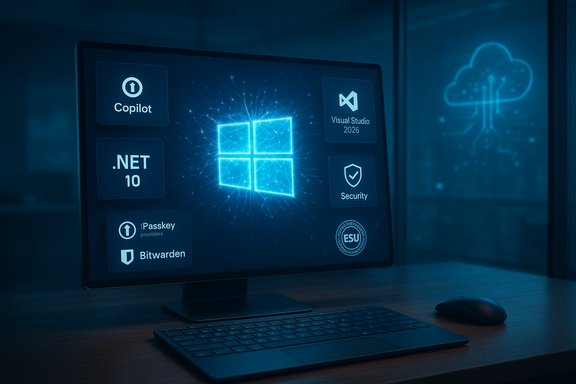
Microsoft’s public narrative this autumn has two simultaneous strands. One is the engineering and developer story: Windows is being recast as an AI‑native platform with on‑device inference, agent primitives, and a developer surface for secure model interactions that Microsoft describes with technologies such as the Windows AI Foundry and the Model Context Protocol. The other is the consumer story: Copilot everywhere, Copilot branding on everything, and an expanding menu of prompts and in‑OS nudges that many users perceive as monetization and bloat rather than help. The tension between those strands became visible this week when Windows leadership’s short preview message — “Windows is evolving into an agentic OS” — landed in broad consumer channels and was met with swift, scathing responses. Beneath the headlines, Microsoft shipped several significant, non‑sexy changes: emergency fixes for Windows 10 ESU enrollment, Media Creation Tool repairs, expanded passkey provider APIs, preview bits in Insider builds (including a haptic signals setting), and major developer platform refreshes with .NET 10 and Visual Studio 2026. Those moves matter in practice for security, deployability, and how quickly organizations can adopt the company’s AI vision.
Source: Neowin Microsoft Weekly: People roast Microsoft executives and lame Copilot ads
 Background / Overview
Microsoft’s public narrative this autumn has two simultaneous strands. One is the engineering and developer story: Windows is being recast as an AI‑native platform with on‑device inference, agent primitives, and a developer surface for secure model interactions that Microsoft describes with technologies such as the Windows AI Foundry and the Model Context Protocol. The other is the consumer story: Copilot everywhere, Copilot branding on everything, and an expanding menu of prompts and in‑OS nudges that many users perceive as monetization and bloat rather than help. The tension between those strands became visible this week when Windows leadership’s short preview message — “Windows is evolving into an agentic OS” — landed in broad consumer channels and was met with swift, scathing responses. Beneath the headlines, Microsoft shipped several significant, non‑sexy changes: emergency fixes for Windows 10 ESU enrollment, Media Creation Tool repairs, expanded passkey provider APIs, preview bits in Insider builds (including a haptic signals setting), and major developer platform refreshes with .NET 10 and Visual Studio 2026. Those moves matter in practice for security, deployability, and how quickly organizations can adopt the company’s AI vision. The “Agentic OS” Moment: What was said and why it mattered
The post, the reaction, the context
Pavan Davuluri, head of Windows and Devices, published a short message ahead of Ignite stating that “Windows is evolving into an agentic OS, connecting devices, cloud, and AI to unlock intelligent productivity and secure work anywhere.” That concise PR line — intended for partners and Ignite attendees — propagated into consumer social channels and became a lightning rod for decades‑old grievances about Windows: perceived regressions in stability, intrusive telemetry, in‑OS upsells, and the specter of an assistant that “acts on your behalf” without clear controls. The replies were harsh enough that the original post’s replies were soon restricted. Why “agentic” triggered such a reaction is straightforward. The word implies initiative — that software will take action proactively instead of being strictly reactive. For many users, that raises immediate questions about control, auditability, data retention, and privacy. Those concerns are not just emotive: an agentic model implies memory, cross‑app context, and the ability to perform multi‑step tasks — all of which need robust permissioning, discoverable controls, and enterprise governance to be safe and trustworthy. The community threads this week clustered around those precise technical and governance questions.What “agentic” means in practical terms
The technical plan Microsoft describes is plausible and concrete: local runtimes for small models, hybrid cloud offload for heavy inference, NPUs for low‑latency on‑device features, and platform APIs that let tools and apps interoperate with agents. Microsoft’s Copilot+ device tier, with an often‑quoted 40+ TOPS NPU guidance, is the hardware side of that plan. But the implementation complexity is high, and choices around defaults, memory retention, and telemetry will decide whether the vision becomes widely adopted or broadly resisted. Independent coverage this week documented both the technical pillars and the social fallout.The Copilot ad that backfired: a short clip, big optics problem
What the ad showed
Microsoft posted a short influencer clip to promote Copilot’s ability to “resize text like a pro,” but the clip highlighted two problems that amplified a broader narrative: first, Copilot directed the user to the global Scale setting instead of the dedicated Text size accessibility control that would have been the correct, least‑disruptive fix; second, the assistant recommended choosing “150%” even though the UI in the video already showed 150% selected — a state‑awareness failure. That sequence made the assistant look both inaccurate and unaware of the current UI state. The clip quickly became a meme and a talking point for critics who argue that Copilot is still more marketing than maturity.Why this matters beyond embarrassment
A small misstep in a promotional clip would be forgivable — if the product were a weekend toy. But Copilot is being positioned as a central, everyday assistant that can see, act, and remember across the OS. When the assistant confuses accessibility and scaling controls, two things happen:- Accessibility concerns: A visually impaired user could be steered toward a change (global scaling) that negatively affects layout or truncates content, rather than the safer text‑only control they need.
- Trust erosion: If a public ad demonstrates mismatch between intent and action, it feeds skepticism that Copilot is not ready for broad, unsupervised use — precisely when Microsoft is asking customers to imagine an OS that can act proactively.
Patch Tuesday, ESU and reliability work: security updates that matter
Windows 10 ESU enrollment fix — KB5071959
Shortly after Windows 10 reached end of free support, Microsoft shipped an out‑of‑band update — KB5071959 — to fix enrollment failures that prevented some users from signing up for the Extended Security Updates (ESU) program. The bug produced generic “Something went wrong” errors for affected users and blocked enrollment in some regions; KB5071959 restored the enrollment flow so eligible devices can receive ESU patches. This was an emergency, targeted fix rather than a reopening of free updates — the patch’s scope is enrollment. Why administrators should care:- If you were blocked from ESU enrollment, install KB5071959 and verify enrollment status in your admin portals.
- Receiving the patch does not mean Windows 10 mainstream updates resumed — ESU requires enrollment or purchase, and it’s strictly security‑only by design.
November cumulative updates and quality fixes
Alongside the emergency patching for Windows 10 ESU, Microsoft released regular November cumulative rollups for supported Windows 11 versions. Those updates included security improvements plus fixes for persistent user pain points like File Explorer slowdowns, Group Policy quirks, and reliability issues in Device Manager and other platform subsystems. The new Media Creation Tool binary was also updated to address a regression that had broken MCT on some hosts and Arm64 devices. If you rely on imaging and recovery workflows, double‑check the MCT version and related KB notes before building media at scale.Passkeys and system authenticator support: a practical win for security
Native passkey provider API, and third‑party integration
This week Microsoft finalized pieces of its passkey story in Windows 11 by shipping a passkey provider plugin API and Settings integration that allow third‑party managers to register as system passkey providers. That means packaged credential managers like 1Password and Bitwarden can now act as the system authenticator for WebAuthn flows — no more browser extension tricks or QR pairing for basic cross‑device scenarios. Microsoft’s developer blog laid out the plugin approach last year, and this rollout marks the practical realization: 1Password published an MSIX package that registers as the system provider, and Bitwarden is available in beta/preview with the same intent.How to enable and what to expect
- Ensure your PC has the latest November cumulative/security update so Settings > Accounts > Passkeys exposes the Advanced options.
- Configure Windows Hello (PIN/fingerprint/face).
- Install the vendor’s recommended package (1Password requires an MSIX build to register as the system provider).
- In Settings > Accounts > Passkeys > Advanced, authenticate and toggle your preferred provider on.
Insider notes: haptic feedback, preview builds, and other small‑but‑meaningful changes
Haptic signals: OS‑level tactile cues
Insider sleuths found a new Settings entry in Dev/Beta builds for Haptic signals — a global toggle and an intensity slider that promises subtle vibrations for actions such as snapping windows, aligning objects, and dragging files. The UI is hardware‑gated (it only appears on devices that report compatible haptic actuators), and the feature is not yet fully functional for most testers, but the setting signals Microsoft’s intention to add a non‑visual confirmation layer to many UI interactions. For laptops with haptic trackpads (including newer Surface models), this could be a meaningful UX improvement — provided the implementation is respectful and optional. Why this is interesting:- Haptics can reduce reliance on on‑screen confirmations, improving accessibility and speed for many interactions.
- If rolled out without user control, haptic feedback can be intrusive; the hardware gating and intensity slider are therefore good design defaults.
Other Insider fixes and previews
Microsoft shipped small preview builds that fixed File Explorer slowdowns, Country and Operator Settings assets, and Group Policy/Configuration bugs in the Release Preview Channel. These workaday fixes are the sort of foundation that matters when organizations need predictable behavior, even if they rarely make headlines.Developer platform: .NET 10 and Visual Studio 2026
The developer story this week was a clear contrast to consumer noise: Microsoft launched .NET 10 as an LTS release and pushed Visual Studio 2026 to GA with a focus on performance, AI tooling, and stability. .NET 10 brings hardware acceleration improvements, NativeAOT enhancements, C# 14 features, and a stronger emphasis on AI integration via an agent framework for multi‑agent applications. Visual Studio 2026 lands with deeper Copilot integration, new profiler agents, and a promise that hundreds of community feature requests were implemented — a developer productivity play that is likely to land well with professional audiences. Why this matters:- Enterprises and ISVs planning multi‑year roadmaps should treat .NET 10 as an LTS baseline.
- Visual Studio 2026’s improvements — if realized in practice — reduce friction for large solutions and help teams adopt AI‑assisted workflows more safely via telemetry controls and workspace‑level privacy options.
Ecosystem and community: Valve, tiny11, Flyoobe, and gaming news
- Valve revealed a trio of new hardware in a surprise announcement — a compact Steam Machine console, a new Steam Controller, and the Steam Frame VR headset — with an early‑2026 timeframe. The family expands Valve’s hardware footprint beyond the Steam Deck and reintroduces Valve into the home console and VR hardware conversation. Initial coverage and hands‑on impressions focused on the Steam Machine’s claimed multi‑teraflop performance and the Frame’s standalone VR ambitions. Independent outlets captured the announcement and the mixed initial reaction.
- Community projects continue to fill gaps for power users: tiny11 updated its prepatched images to include November’s cumulative baseline (so users can install a debloated 25H2 image with the latest security rollup and Start menu redesign baked in), and Flyoobe issued UI and workflow refinements in recent updates that continue to offer OOBE bypass and customization tools. These projects solve immediate pain points — for example, keeping older hardware usable or creating leaner images — but they carry serviceability and support risks that organizations must weigh carefully.
- Xbox Cloud Gaming expanded into India, bringing cloud streaming to a large new market as part of various Game Pass tiers — a strategic move for Microsoft’s gaming expansion and a clear win for accessibility to console‑quality titles on lower‑cost devices.
Critical analysis: strengths, weaknesses, and the road ahead
Notable strengths
- Microsoft is shipping platform plumbing that matters: native passkey provider APIs, platform hooks for on‑device models, and a more cohesive developer stack (.NET 10 + Visual Studio 2026). Those are durable, technical wins that meaningfully reduce friction for secure authentication, AI integration, and enterprise app modernization.
- The company shows operational maturity on reliability: rapid out‑of‑band fixes (KB5071959) and Media Creation Tool updates demonstrate responsiveness to breakages that would otherwise block migrations and security enrollment. That willingness to roll emergency patches is a practical asset for admins.
- Microsoft is leaning into cross‑platform developer tooling and AI assistance in a way that could improve developer productivity at scale — if the new tools respect privacy controls and telemetry boundaries.
Key risks and unresolved issues
- Messaging vs reality: The “agentic OS” phrase shows how fragile public perception is. Even accurate, forward‑looking engineering plans can be undermined by shorthand marketing that fails to explain safeguards or opt‑in controls. Microsoft must communicate intent, controls, and governance clearly — particularly around memory, audit logs, and revocation for agentic features — or face long‑term trust deficits.
- UX and accessibility fragility: The Copilot ad demonstrated a real risk: assistants must be precise in accessibility contexts. A single high‑visibility error can set back adoption. Microsoft should invest in accessibility‑first test suites for Copilot scenarios and publish clear guidance about which assistant actions are safe for visually impaired or low‑vision workflows.
- Two‑tier experience hazards: The Copilot+ hardware tier and 40+ TOPS messaging create an implicit hardware divide. If key agentic features are gated behind high‑performance NPUs, Microsoft risks fragmenting the ecosystem and complicating support for the long tail of devices. Clear compatibility matrices, fallbacks, and predictable developer contracts are essential.
- Community tooling and legal/operational risk: Projects such as tiny11 and Flyoobe meet real user needs, but modified images and OOBE bypasses risk breaking updates and violate official support boundaries. Organizations should avoid deploying such images in production unless they can fully validate and accept the serviceability trade‑offs.
Practical takeaways and actions for readers
- For admins: verify ESU enrollment status now if you depend on Windows 10 security updates — install KB5071959 if you experienced enrollment failures and audit your update pipeline for November cumulative rollups.
- For security teams: plan to adopt passkeys via the new system provider model — test 1Password’s MSIX build or Bitwarden’s preview now and document recovery flows for devices that use third‑party passkey providers. Make Windows Hello configuration mandatory before enabling provider toggles.
- For developers: treat .NET 10 as the LTS baseline and evaluate migration timing carefully; adopt Visual Studio 2026 in pilot projects to validate Copilot‑driven workflows and profiler agents under your telemetry policies.
- For power users and enthusiasts: watch the phased Start menu redesign and haptic signals rollout; if you rely on subtle workflows, validate how haptic cues and new Start menu behaviors interact with your tooling before enabling wide deployments. For those considering tiny11 or Flyoobe, recognize the serviceability and compliance trade‑offs.
Conclusion
This week’s headlines capture a company in full transition: Microsoft is moving hard toward an AI‑native Windows and investing in developer tooling and platform primitives that promise real productivity and security benefits. At the same time, the social reaction to a short phrase and an awkward ad shows the limits of buzzwords and the persistent importance of trust, clarity, and reliability. The technical pieces — passkey provider APIs, .NET 10, Visual Studio 2026, Emergency ESU fixes, and Insider previews for haptics — are the scaffolding of a modern platform. The next challenge is social and product governance: making agentic functionality safe, transparent, and opt‑in, while fixing the basics that users still care about. That balance will determine whether the agentic promise becomes a practical productivity gain or another flashpoint in Windows’ long history of change.Source: Neowin Microsoft Weekly: People roast Microsoft executives and lame Copilot ads
