

Title: Microsoft isn’t killing Word, Excel or PowerPoint — but it is pulling the plug on several Windows desktop apps and pushing everything to the web
By: [Your Name], Senior IT Writer — WindowsForum.com
Date: January 8, 2026
Lede
Microsoft is accelerating a multi-year push to web-first productivity. Recent Microsoft notices show the company is retiring a number of Windows desktop clients and on‑premises web‑hosting products, and encouraging customers to use the web versions hosted under the Microsoft 365 umbrella. That trend — not an immediate shuttering of the mainstream Office desktop apps — is the clearest explanation behind headlines that say Microsoft is “killing” free Windows Office desktop apps and “moving entirely to web.” The reality is more nuanced: specific desktop clients are being retired (for example, the Sway Windows app), the on‑prem browser-hosting product Office Online Server (OOS) has a set retirement date, and Microsoft is testing new access models (including ad‑supported clients in limited markets). Here’s what’s actually happening, on what timeline, and what it means for end users and IT pros. What was reported — and what was meant
Several recent stories (including the Neowin piece that kicked this conversation off) framed the news as “Microsoft killing a free Windows 11/10 Office desktop app to move entirely to the web.” That headline bundles together a few different Microsoft moves into one dramatic claim. Factually:
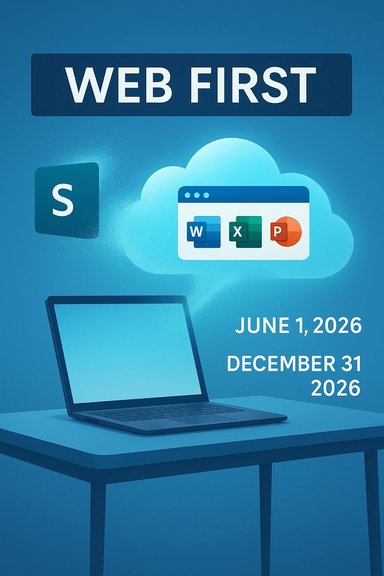
- Microsoft announced the retirement of the Sway Windows desktop app (Win32) — retirement effective June 1, 2026. Users will be asked to use the web version at sway.cloud.microsoft. This is an explicit deprecation of that desktop client.
- Microsoft has announced that Office Online Server (the on‑premises server that provides browser‑based Word/Excel/PowerPoint for organizations that self‑host) will be retired and reach end of support on December 31, 2026. This pushes customers toward Microsoft 365 cloud offerings for browser-based editing.
- Separately, Microsoft has been testing a free, ad‑supported version of the Office apps on Windows in limited markets — a very different move from “removing” desktop apps. That test shows Microsoft is exploring alternate access models (ad‑supported or freemium) while keeping cloud-hosted and subscription options front and center.
Contrary to some interpretations, Microsoft is not announcing an immediate, global end to the full Office desktop suite (Word, Excel, PowerPoint) for paid customers. Those mainstream, fully featured desktop applications continue to exist under Microsoft 365 subscriptions and perpetual releases where supported; Office LTSC and Microsoft 365 Apps remain available for organizations that need offline or long‑term license models. Microsoft’s public guidance around migrating from older standalone releases (Office 2016/2019) also points customers to Microsoft 365 Apps or Office LTSC 2024 as supported alternatives — not to a cessation of desktop Office itself. Timeline: key dates you should know (all dates verified)
- October 14, 2025 — Microsoft ended mainstream support for Office 2016 and Office 2019 (security updates and technical support ceased). If you’re still on those older suites, Microsoft has been recommending migration paths.
- October 21, 2025 — Microsoft announced the retirement of Office Online Server (OOS), with the retirement/end‑of‑support date set for December 31, 2026. After that date OOS will not receive security updates or fixes.
- January 6, 2026 — Microsoft published Message Center notice MC1213784 announcing retirement of the Sway Windows desktop (Win32) app on June 1, 2026. The guidance instructs users to transition to the web version (sway.cloud.microsoft).
- Ongoing (2024–2026) — Microsoft has been consolidating “Office” web experiences into the Microsoft 365 app/portal and rebranding elements of the web experience (office.com → microsoft365.com) as part of a long term web/cloud-first strategy.
Microsoft’s public explanation emphasizes a few recurring themes:
- Modernization and consistency: A single web platform simplifies feature delivery, accessibility, and cross‑platform parity (web updates reach users faster than staggered desktop app updates). For apps like Sway, Microsoft says the web experience already contains the features users need and that the web is easier to maintain and update.
- Security and supportability: For OOS customers, Microsoft argues that consolidating browser‑editing into Microsoft 365 reduces fragmentation and improves security patching and supportability. Retiring OOS forces a choice: migrate to Microsoft 365 cloud or maintain costly, unsupported on‑prem versions after the cutoff.
- Business model alignment: Microsoft has been steadily moving revenue toward subscription cloud services (Microsoft 365 + Copilot). Consolidating experiences into Microsoft 365 also makes it easier to offer AI features and premium services tied to cloud accounts. The ad‑supported Windows Office test shows Microsoft is experimenting with alternative access hooks that could bring low‑cost access while steering customers to cloud storage and services.
It helps to separate three buckets:
1) Small/secondary desktop clients being retired
- Sway (Win32 desktop client) — retirement June 1, 2026; web replacement available. This is a true “desktop app retirement” case.
- Office Online Server (OOS) — retirement / end of support on December 31, 2026. This affects organizations that used self‑hosted web editing (often for strict compliance or data residency reasons).
- Office.com → Microsoft365.com rebranding and consolidation of web experiences; continued rollout since 2022.
- Testing of ad‑supported, free Office desktop apps in select markets (limited builds in India), not a global shutdown of desktop apps.
End users (consumers and small business)
- If you use Sway via the desktop app, you’ll need to use the web version. For casual users, the transition should be straightforward; Sway content remains available. Microsoft notes there are no feature losses in the web version. Still, some users prefer native desktop apps for offline workflows or consistent integration with the OS. Plan to transition before June 1, 2026.
- The OOS retirement is the biggest operational headache: organizations running OOS to provide browser‑based editing inside an intranet or behind strong firewalls will need a migration plan because OOS will not be updated or patched after December 31, 2026. Options are to migrate to Microsoft 365 (cloud), switch to Office LTSC 2024 for a more static offline model, or evaluate third‑party on‑premises solutions if cloud-hosting is not an option. Start planning now — Microsoft’s message was explicit about the December 31, 2026, cutoff.
- OOS was often used by organizations that could not or would not put document editing in a cloud environment for compliance/data sovereignty reasons. For these organizations the retirement will force policy‑level decisions: accept Microsoft 365 cloud (with compliance controls), invest in alternative on‑prem platforms, or freeze functionality. This is a nontrivial planning exercise with potential procurement and legal implications.
- For most small offices and consumers, the biggest practical effect will be the increased emphasis on web experiences and on Microsoft 365 subscription features. If you use older Office perpetual releases (2016/2019), note that Microsoft ended support for those on October 14, 2025, which raises security risks if you keep using those old suites. Upgrade options include Microsoft 365 Apps or Office LTSC 2024.
- Use the web versions: For Sway and for typical document editing, Microsoft’s web experiences are the suggested path (sway.cloud.microsoft; office/microsoft365 web portals).
- Microsoft 365 migration: Move mail, SharePoint, OneDrive, and file collaboration to Microsoft 365 cloud to preserve integrated browser editing. That is the official Microsoft recommendation for OOS customers.
- Office LTSC 2024: If you need a fully offline, supported desktop product with a fixed lifecycle, Microsoft’s Office LTSC is the supported alternative and was explicitly offered as an option in Microsoft’s guidance around desktop lifecycle. (Office LTSC 2024 has a different support model than Microsoft 365 Apps.
- Third‑party on‑prem solutions: For heavily regulated customers unwilling to adopt the cloud, there are third‑party vendors still offering on‑premises document editing stacks — but evaluate carefully for security and long‑term viability, and account for migration effort and data access patterns. (Microsoft’s public messaging strongly nudges toward cloud.
For end users
- Check whether you use the Sway desktop client. If yes, test your Sway content in the web version at sway.cloud.microsoft and update bookmarks and workflows before June 1, 2026.
- If you’re running Office 2016 or Office 2019, plan an upgrade — security updates stopped on October 14, 2025. Evaluate Microsoft 365 (subscription) vs. Office LTSC 2024 (perpetual with fixed support window).
- Inventory: Identify any use of Office Online Server (OOS) and any internal dependencies on the OOS-hosted editing experience. If you rely on OOS, create a migration plan now — the retirement date is December 31, 2026.
- Policy & compliance: For regulated data, run a compliance review of what moving to Microsoft 365 cloud would imply for your data residency and contractual commitments. If cloud is not acceptable, evaluate alternative architectures and vendors.
- Training & documentation: Update internal docs to remove references to deprecated clients (Sway desktop) and to promote the new web workflows. Prepare helpdesk scripts to handle user questions during the cutover windows.
- Cost modeling: Compare TCO for Microsoft 365 cloud vs. maintaining complex on‑prem infrastructure (including security patches, staff time, and risk factors). Microsoft’s public messaging indicates cloud is their preferred choice for new investments.
- Watch the Microsoft 365 Message Center and Tech Community posts for more MC IDs and product‑level notices; the Sway retirement was published as MC1213784 on January 6, 2026. If you’re an admin, subscribe to Message Center alerts to avoid surprises.
- Keep an eye on Microsoft’s experiments in access models: the ad‑supported Office test in India shows Microsoft is trialing models beyond pure subscription, which could change pricing/usage dynamics for consumers in some markets. That test does not equal a global withdrawal of paid desktop apps, but it is a sign Microsoft is experimenting.
- Track OOS retirement plans closely if you use on‑prem browser editing. Third‑party coverage and community commentary (Windows Central, The Register) have already begun to analyze the downstream impact for regulated sectors and older installations.
- Myth: “Microsoft is deleting desktop Word/Excel/PowerPoint.” False. Microsoft is not announcing a global shutdown of those full desktop applications for paid customers. What’s changing is the set of smaller desktop wrappers and on‑prem hosting options; the core Office apps remain supported under Microsoft 365 or perpetual license products.
- Myth: “All Office users must move to the cloud immediately.” Not true — but there are calendar dates you must respect. OOS customers must plan for December 31, 2026. Users of Sway’s desktop app should move to the web by June 1, 2026. Older Office perpetual releases (2016/2019) lost support on October 14, 2025 — which is a security concern if you still rely on them.
- Myth: “Microsoft will stop supporting on‑premises installs for everything.” Microsoft will continue to offer some on‑prem options (for example, Office LTSC and on‑premises server products with their own lifecycle policies), but it is reducing investment in certain on‑prem browser hosting and retiring specific desktop clients. The pattern is a push toward cloud where Microsoft invests most heavily.
Microsoft’s recent notices and product changes confirm a deliberate, multi‑pronged tilt toward web and cloud delivery for productivity. That shift includes retiring some smaller desktop clients (Sway) and on‑prem browser hosting (OOS) on concrete timelines, while experimenting with new access models (ad‑supported Office tests). For most WindowsForum readers this means planning and communication rather than panic: inventory your environment, test web alternatives, plan migrations where necessary, and stay subscribed to Microsoft’s Message Center for admin‑level announcements. Microsoft isn’t shutting off the mainstream desktop Office apps today — but the vendor is drawing a firmer line under web‑first, cloud‑centric delivery. Sources and further reading (selected)
- Microsoft 365 Message Center: MC1213784 — Retirement of the Sway Windows Desktop App (Published Jan 6, 2026).
- Microsoft blog / Community Hub: Announcing the retirement for Office Online Server (Published Oct 21, 2025).
- Windows Central coverage: “No escape: Microsoft flatlines Office Online Server — it’s now Microsoft 365 cloud or nothing.”
- The Verge: Microsoft testing free, ad‑supported Office for Windows in select markets.
- Microsoft official support notice: End of support for Office 2016 and Office 2019 (effective Oct 14, 2025).
- The Register analysis of OOS retirement and implications.
- I can prepare a short migration checklist you can distribute to your helpdesk or users (one‑page printable) with dates and action items.
- If you manage a business or tenant, tell me whether you use OOS or the Sway desktop client and I’ll draft a targeted migration plan (high level) with estimated effort and recommended next steps.
Source: Neowin https://www.neowin.net/news/microso...0-office-desktop-app-to-move-entirely-to-web/
