

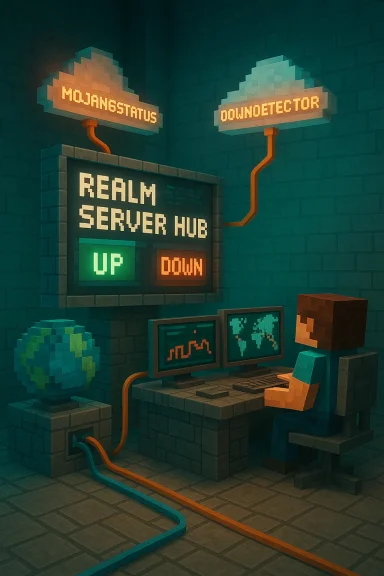
Minecraft Realms can and does go down — sometimes for planned maintenance, sometimes because of authentication hiccups, and occasionally because of large cloud-network failures — but there are clear, verifiable ways to check the Realms status and proven troubleshooting steps to get you back in the world quickly.
Background / Overview
Minecraft Realms is Mojang’s official hosted server service that offers a simple, private multiplayer experience without the setup or maintenance overhead of third‑party hosts. Realms comes in two main consumer flavors: the basic Realms plan (small group) and Realms Plus (larger groups plus the Marketplace Pass). The service supports persistent worlds, automatic backups, and, for Bedrock Realms Plus, a rolling catalog of Marketplace content that is described by Mojang as “150+ pieces” and refreshed regularly. The convenience of Realms means Mojang handles the heavy lifting — but that also puts parts of your play experience behind centralized infrastructure and identity systems (Microsoft/Xbox sign‑in and Microsoft Entra identity flows). When those systems misbehave — from a simple token refresh error to an edge‑network configuration mistake at a cloud provider — Realms may appear “down” even while local gameplay or single‑player continues to work. Recent large-scale incidents tied to Azure Front Door illustrate how upstream cloud routing or identity failures can leave players unable to authenticate and join Realms for hours.What “Minecraft Realms down” actually means
[LISTIST][*]Full service outage — Mojang’s Realms backend is unavailable globally or regionally, usually visible on official status channels and outage trackers.
[*]Authentication failures — your client cannot obtain or validate the Microsoft account token the Realm requires; this looks like “failed to verify username” or “authentication servers are down.”
[*]Partial or localized issues — connectivity problems that affect some ISPs, regions, or device platforms; some players connect while others can't.
[*]Client-side / network issues — local NAT, firewall, VPN, or router problems that keep a perfectly healthy Realm unreachable to a particular player.
[/LIST]
Distinguishing between these categories is the first diagnostic step: if Realms is down for everyone, waiting or checking official channels is the correct course; if the outage is local, targeted fixes usually restore access.
How Realms is packaged (pricing and limits)
- Realms (standard): roughly $3.99 USD/month; intended for small private sessions with up to 2 additional players (owner + 2).
- Realms Plus (Bedrock only): roughly $7.99 USD/month; supports up to 10 players at once plus the Realm owner, and includes the Marketplace Pass (access to 150+ rotating Marketplace items). Realms Plus also unlocks social features like Realms Stories on Bedrock.
Where to check if Minecraft Realms is down right now
- Official Mojang / Minecraft status pages and the @MojangStatus account on X (formerly Twitter) — primary source for service announcements and maintenance notices.
- Xbox / Microsoft service status pages — Realms and Bedrock cross‑play rely on Xbox Live services for some flows on consoles; outages there can affect Realms.
- Outage aggregators (DownDetector, Down for Everyone or Just Me) — community-sourced spikes and maps that quickly show widespread reporting trends. These are directional rather than authoritative but useful for early detection.
- Minecraft and Realms community channels — official forums, the Minecraft Discord, Reddit (r/Minecraft, r/realms), and Realms‑specific community threads often surface problems and workarounds before catalog sites update.
The Azure Front Door incident: a recent, instructive example
On October 29, 2025, a global routing/edge control‑plane configuration change inside Azure Front Door (AFD) provoked widespread service disruptions across many Microsoft properties — including Xbox services, Microsoft 365, and Minecraft Realms. Microsoft acknowledged an inadvertent configuration change and performed a rollback to a “last known good” state while recovering nodes and rebalancing traffic; remediation took hours and produced uneven regional recovery as DNS caches converged. Independent reporting, status feeds, and post‑incident summaries confirmed the root cause and the broad blast radius such a control‑plane error can create. This event is a practical reminder that Realms availability is not only about game servers — it depends on global identity, routing, and TLS termination layers. When those fronting layers fail, game clients can no longer validate entitlements or receive tokens, and Realms will refuse connections even if game backends are healthy. The technical chain is complex; the visible symptom is simple: “Realms down.”Quick, verified troubleshooting checklist (practical steps)
The list below consolidates official guidance and community‑validated fixes into a short, sequential workflow for the most common Realms issues.- Confirm whether Realms is down globally:
- Check @MojangStatus on X and the Minecraft.net Realms status page.
- Look at DownDetector or similar outage aggregators for user reports.
- If Realms looks up for others but not you, perform local checks:
- Restart Minecraft and the game launcher; log out and back into your Microsoft account. Token refreshes often fix transient auth failures.
- Reboot your PC/console and router/modem to clear network state and DNS caches. Use an Ethernet connection if possible.
- Temporarily disable VPN, antivirus, or firewall rules to test connectivity — these can block the ports or proxied connections Realms uses.
- Confirm port and NAT requirements (verified guidance):
- Mojang/Microsoft guidance and official support threads identify that Realms (and related Xbox Live flows) require outbound access that typically uses HTTP(S) plus a range of additional ports. Practical troubleshooting often recommends ensuring the following are not blocked: ports 26000–28000 (UDP/TCP) and 80 / 443 (HTTP/HTTPS); NAT type should be Open or Moderate. This advice appears on Microsoft help threads and community troubleshooting pages and is consistent with Microsoft support guidance for Xbox/Minecraft connectivity. If you change DNS settings, ensure they are valid and test afterwards.
- Update game and platform:
- Ensure Minecraft is on the latest version and your console/PC OS is up to date; mismatches can cause compatibility problems with Realms.
- If you still can’t connect:
- Try joining the Realm from another device or from a mobile hotspot — if that works, the problem is almost certainly your local network/ISP.
- Export or backup your world if you are the owner; Realms retains backups for a period, but keeping a local copy is good practice.
- Contact support with diagnostic details:
- If multiple devices and networks fail, open a ticket with Minecraft Support and include timestamps, platform, Minecraft version, and exact error messages. Official support can check tenant/Realms health on Mojang’s backend.
Deep dive: common root causes and how to think about them
1) Authentication and entitlement failures
Realms requires token validation from Microsoft’s identity surfaces. When token issuance or Entra endpoints are disrupted, clients cannot authenticate and the game will block multiplayer access. Short token windows and clock skew on devices can also cause apparent auth failures; ensure device time is set to automatic.2) Edge routing / CDN control‑plane failures
When a global edge fabric like Azure Front Door receives an invalid configuration, many frontends can adopt broken state simultaneously. That can make healthy backends appear unreachable. These failures are rare but high impact; rollback and DNS convergence are part of remediation and often take hours. The October 2025 AFD incident is the canonical recent example.3) Regional ISP or carrier issues
Local ISPs can have route blackholes or DNS problems that make specific cloud endpoints unreachable for subsets of players. Testing with mobile data or a VPN (careful with policy compliance) can isolate ISP-level faults.4) Client or local network misconfiguration
Firewalls, VPNs, parental controls, or console privacy settings (particularly for child accounts) can block multiplayer features like Realms Stories or joining cross‑platform sessions. Verify Xbox/Microsoft family settings and allow multiplayer/clubs where required for Realms Stories on Bedrock.Realms Plus, Realms Stories and the Marketplace Pass — verified feature notes
- Realms Plus includes a rolling catalog (Marketplace Pass) of 150+ Marketplace items (skins, worlds, packs) that are refreshed monthly; Realms Plus subscribers host a private server for up to 10 concurrent friends and get shared access to those items while playing in the Realm. Mojang’s official pages and Marketplace content posts explicitly state the “150+” catalog figure. This number is a catalog snapshot and can change as items rotate in and out.
- Realms Stories is an in‑game social feed for Bedrock Realms that aggregates screenshots, short posts, member lists, and a timeline of activity. It’s built into the Bedrock Realms UI and is a deliberate social-layer addition for persistent Realms communities. Realms Stories is not available on Java Edition.
Critical analysis: strengths, tradeoffs, and long-term risks
- Strengths:
- Simplicity and safety — Realms removes server administration overhead, automatic backups reduce data-loss risk, and invitations/whitelists keep communities private and moderated. These are the core reasons many families and casual groups choose Realms.
- Cross-device convenience (Bedrock) — Bedrock Realms enables true cross‑platform play across consoles, mobile, and PC when using Bedrock; that’s powerful for mixed-device households.
- Bundled value (Realms Plus) — the Marketplace Pass bundled content makes premium skins/mini‑games accessible without per-item purchases, which is attractive for casual players and families.
- Tradeoffs and risks:
- Centralized dependency — Realms depends heavily on Microsoft/Mojang cloud identity and routing. As demonstrated by the Azure Front Door incident, a single misconfiguration in a global edge fabric can create a broad outage that prevents access to paid services. This centralization simplifies life for users but concentrates systemic risk.
- Limited player caps and flexibility — the 2‑player and 10‑player caps make Realms unsuitable for large communities or heavily modded servers; serious modding and large communities will still prefer dedicated hosts. Feedback channels show demand for higher Realms caps.
- Feature fragmentation (Bedrock vs Java) — the split between Bedrock and Java (different features, different subscription models) continues to cause confusion; families should plan which edition they’ll standardize on before subscribing.
- Operational suggestions for Mojang/Microsoft:
- Increase transparency around post‑incident root causes and remediation timelines so communities can plan around outages.
- Consider tiered Realms sizes (additional paid tiers) and optional regional failover modes for education and institutional customers who need higher availability.
- Improve the client‑side resilience of auth flows (graceful offline tokens, queued reconnection behavior) to reduce perceived downtime during short identity blips.
Practical contingency planning for Realm owners
- Keep local exports/backups of your active world on a regular cadence; Realms backups are useful but local copies are the lowest‑risk recovery tool.
- For scheduled community events, plan a fallback (local LAN session, private hosted server, or offline activities) in case Realms or authentication systems are unavailable.
- If your Realm is mission-critical (classroom, club, or regular community events), explore a hybrid approach: Realms for convenience, and a low-cost third‑party host for failover during extended outages.
Conclusion
Minecraft Realms is a polished, low‑friction option for private multiplayer that solves many headaches for casual players and families. Its major strengths are convenience, cross‑device play (on Bedrock), and bundled Marketplace content with Realms Plus. But the convenience of a managed service comes with centralized dependencies: identity systems and global edge fabrics run by Microsoft and cloud providers create single points of failure that can make Realms look “down” for reasons outside Mojang’s game servers. The October 2025 Azure Front Door incident is a recent example of exactly how that happens, and it underlines why having verified status checks, a clear troubleshooting checklist, and basic contingency planning are essential for anyone who relies on a Realm for regular play. If Realms appears down, the correct first move is to verify global status via Mojang/Microsoft official channels and outage trackers; if the issue is local, the verified step‑by‑step checklist in this article covers the most common fixes. For communities that need higher availability or larger player counts, consider a dedicated host or hybrid approach as a long‑term strategy.Source: AddictiveTips Minecraft Realms Down? Check Server Status Quickly
