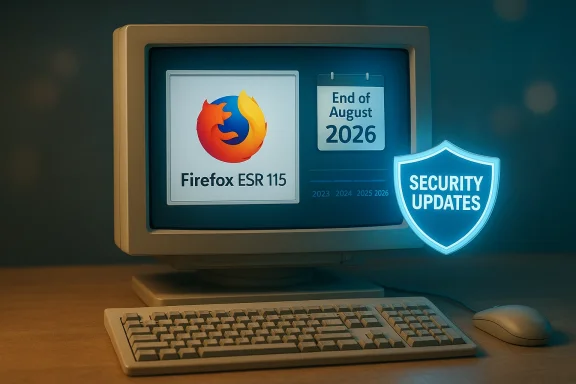
Mozilla's latest posture on legacy Windows is a study in trade-offs: the organization will continue shipping security patches for Firefox 115 ESR to machines still running Windows 7, Windows 8, and Windows 8.1 — but it admits doing so is increasingly expensive, fragile, and ultimately risky for users who remain on unsupported platform kernels.
For more than three years platform lifecycles have pushed a steady migration away from Windows 7 and its successors. Microsoft ended mainstream and extended support for Windows 7 on January 14, 2020, and Windows 8.1 lost official security updates on January 10, 2023. Most major browser vendors moved quickly after those deadlines: Chrome and Edge ceased delivering new builds to these older Windows releases, leaving a hole for users who could not or would not upgrade their operating systems.
Mozilla took a different approach. After shipping
In recent months the ESR maintenance window has been re-evaluated several times. Mozilla now says it will continue providing security updates for
1. Short-term: keep
For readers who depend on legacy Windows desktops, the imperative is clear and urgent: treat the ESR runway as temporary, not a sanctuary. The path that maximizes long-term security and access to modern web features is to migrate to a supported Windows release or to a maintained Linux distribution. Organizations should use the ESR period to plan and execute migrations methodically; individuals should evaluate hardware capability and choose the least disruptive upgrade path.
Running an up-to-date browser remains one of the highest-impact actions an end user can take to stay safer online — but in a layered threat landscape, the operating system matters just as much. Mozilla’s ESR lifeline softens the landing; it does not eliminate the need to move to a supported platform. The message from both Mozilla and the broader industry is candid: legacy OS users have time, but not forever — and the smarter route is an orderly migration while the ESR safety net is still available.
Source: Windows Central Mozilla still supports Firefox on Windows 7, but admits it's "risky"
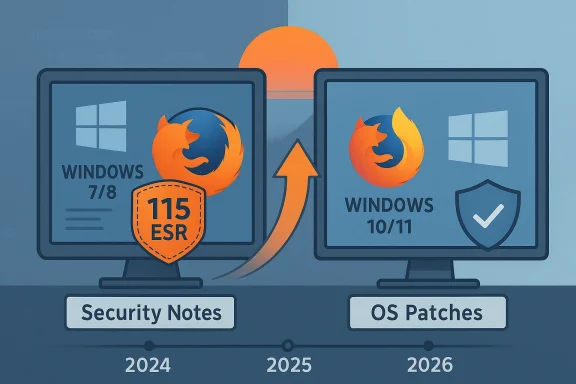 Background / Overview
For more than three years platform lifecycles have pushed a steady migration away from Windows 7 and its successors. Microsoft ended mainstream and extended support for Windows 7 on January 14, 2020, and Windows 8.1 lost official security updates on January 10, 2023. Most major browser vendors moved quickly after those deadlines: Chrome and Edge ceased delivering new builds to these older Windows releases, leaving a hole for users who could not or would not upgrade their operating systems.Mozilla took a different approach. After shipping
Firefox 115 in July 2023 as the last full-feature release compatible with Windows 7/8/8.1, Mozilla kept those users on an Extended Support Release — Firefox 115 ESR — and backported critical security fixes to that branch to keep legacy installs safer than they otherwise would have been. That decision bought time for users and organizations that cannot immediately migrate, but it has never been indefinite.In recent months the ESR maintenance window has been re-evaluated several times. Mozilla now says it will continue providing security updates for
Firefox 115 ESR on older Windows builds through the extended maintenance period announced on its support pages — a runway that the project describes as temporary and costly to sustain. At the same time, Mozilla has been clear: unsupported operating systems lack OS-level security updates, and running any browser — even a patched ESR — on an unpatched kernel and driver stack compounds risk.What Mozilla is doing and why it matters
The concrete change
Firefox 115is the last Firefox release that will ever receive official support on Windows 7, Windows 8, and Windows 8.1. Systems running newer Firefox releases require a supported Windows version.- Mozilla placed affected installs on the
Firefox 115 ESRchannel so the team could selectively backport high-impact security fixes while avoiding the regular rapid release cadence. - That ESR maintenance has been extended multiple times to smooth transitions, but Mozilla now warns that continuing support is not free: backporting security fixes is “increasingly painful” because the ESR branch diverges over time from the mainline codebase.
Why a browser vendor keeps supporting an old OS
At a high level there are three reasons:- Practical safety: a modern browser with current security patches reduces the attack surface for web-based exploits even if the underlying OS lacks current patches.
- Real-world usage: telemetry (and anecdotal enterprise reports) shows a non-trivial number of Firefox users still run older Windows. For many, the alternative is replacing perfectly serviceable hardware.
- Reputation and stewardship: Mozilla positions itself as defending users’ privacy and security; offering an ESR for legacy OSes is an extension of that mission, with an explicit sunset.
Why it’s not a perfect fix
- Browser updates can only do so much. When the OS kernel, drivers, or low-level cryptographic libraries are unpatched, attackers have more avenues to escalate from a browser exploit to full system compromise.
- The ESA approach consigns legacy users to a static feature set:
Firefox 115 ESRwill receive only security and critical stability fixes, not new features or modern web platform changes. - Backports are expensive. Fixes developed against the modern codebase must be adapted to older APIs, older libraries, and different build toolchains; that work requires engineering time and extensive testing.
The technical reality: why maintenance costs grow over time
Supporting any complex software on a platform that is no longer maintained by its vendor requires a continuing investment in compatibility engineering. The broader the gap between the current mainline browser code and the legacy build you must maintain, the more painful backporting becomes.Key technical friction points
- Dependency drift: Newer Firefox releases depend on updated system libraries, runtime behavior, and platform APIs. Older Windows builds may not expose those APIs or may implement them differently, requiring code paths or shims.
- Cryptography and TLS stacks: Web encryption evolves. New cipher suites, TLS versions, and platform integrations sometimes assume OS-level crypto primitives, which are absent or outdated on old Windows versions. Maintaining secure defaults on older stacks often requires bespoke patches and additional testing.
- Telemetry and crash reporting: Modern diagnostic hooks expect platform features that may not exist on older systems, complicating the ability to validate whether a patch actually fixes a real-world issue.
- Testing matrix explosion: Each supported build multiplies the combination of browser version, OS version, hardware variation, and installed drivers that need to be tested. Keeping a trustworthy CI (continuous integration) pipeline for legacy builds is costly.
- Vulnerabilities discovered in mainline code: A vulnerability fixed in the current release train might interact with new or refactored subsystems. Mapping that fix back into an older tree is non-trivial and sometimes impossible without rewriting large parts of the legacy code.
Security implications for users who stay on legacy Windows
For non-technical readers the bottom line is simple: the web browser is the avenue to the internet; the operating system is the foundation. Patching the browser helps, but it does not erase the larger problems of an unsupported OS.- Reduced protection against kernel/driver exploits: Countless high-severity vulnerabilities exist at the OS and driver level. An updated browser cannot fix an exploitable kernel surface or an insecure driver.
- Compatibility and modern web features: Websites progressively adopt newer platform features and security expectations. Over time
Firefox 115 ESRmay render fewer modern web apps correctly or be blocked by stricter server-side policy choices (for example, minimum TLS versions). - False sense of security: An up-to-date browser can lull users into thinking their machine is secure. In truth, without OS updates, certain attack classes remain open and may be exploited in chains that a browser patch cannot disrupt.
- Third-party software churn: Banking sites, anti-fraud systems, and enterprise security stacks sometimes stop supporting older client environments. Users can find themselves locked out of services even if their browser stays patched.
Practical advice: what readers should do next
For anyone still running Windows 7, 8, or 8.1 and relying onFirefox 115 ESR, here are practical, prioritized options — from least to most disruptive — annotated with pros, cons, and critical steps.1. Short-term: keep Firefox 115 ESR up to date and reduce exposure
- What to do
- Ensure your
Firefox 115 ESRinstall is set to receive updates (ESR security updates are the only path for legacy Windows). - Use strong browser hygiene: enable phishing/malware protection, keep add-ons to a minimum, and avoid risky sites and downloads.
- Use a modern, well-updated antivirus/endpoint product that supports legacy Windows if you can obtain one.
- Why it helps
- Reduces immediate risk while you plan a migration.
- Why it’s insufficient
- This is temporary protection. OS-level vulnerabilities remain unpatched.
2. Medium-term: migrate the machine to a supported Windows release if the hardware allows
- What to check
- Run Microsoft’s Windows compatibility tools to confirm if your hardware meets Windows 10 or Windows 11 minimums.
- If aiming for Windows 11, confirm TPM 2.0, Secure Boot capability, and CPU family compatibility.
- Upgrade paths
- In-place upgrade to Windows 10 (if still supported in your environment) or Windows 11 where supported.
- Clean install is often cleaner and avoids cruft; back up data and browser profile before wiping.
- Key migration steps
- Backup Firefox profile or enable Firefox Sync (bookmarks, passwords, history) ahead of migration.
- Export bookmarks and saved passwords as a secondary safeguard.
- Reinstall Firefox on the upgraded OS and restore your profile or sign into Sync.
- Why this is best
- Restores a supported platform with ongoing OS-level security updates, enabling access to the latest browser releases.
3. Medium-to-long term alternative: install a modern Linux distribution
- Why Linux
- Most mainstream Linux distributions ship or make available current Firefox builds and receive timely security updates.
- Linux can breathe new life into older hardware by being lighter-weight and still receiving maintained browser updates.
- Suggested distros for migrating Windows 7-era hardware
- Linux Mint (user-friendly, Windows-like desktop), Ubuntu LTS (wide hardware support), Debian (stability), or lightweight options like Xubuntu or Lubuntu for very old machines.
- Migration checklist
- Backup files from Windows.
- Try a live USB session to test hardware compatibility without installing.
- Use Firefox or another modern browser on Linux and restore your Firefox Sync account to rehydrate bookmarks/passwords.
- Caveats
- Certain proprietary Windows applications may not have native Linux equivalents; virtualization or Wine may be needed for those apps.
- Hardware vendors’ drivers (e.g., some Wi‑Fi or graphics adapters) may have limited Linux support on very old devices.
4. Enterprise / large fleet options
- Options
- Enroll in Microsoft Extended Security Updates (ESU) if eligible and cost-effective.
- Isolate legacy machines on segmented networks, limiting internet access to essential services and placing strict gateway filtering in front of them.
- Use virtual desktops or VDI: run a modern OS in a controlled VM while using the old desktop as a thin client.
- Why plan now
- Procurement cycles, budget approvals, and application compatibility testing take time. Treat the ESR sunset as a firm planning milestone.
How to move your Firefox data safely
Whether you upgrade Windows, migrate to Linux, or rebuild a machine, preserving your browser data is essential. Use a two-pronged approach:- Firefox Sync
- Create or sign in to a Firefox Account.
- Enable Sync for bookmarks, passwords, history, and open tabs.
- After migration, sign into the same Firefox Account to restore data.
- Local profile backup
- Locate your Firefox profile folder (commonly under
%APPDATA%\Mozilla\Firefox\Profiles\on Windows). - Copy the entire profile folder to external storage.
- After installing Firefox on the new system, use the profile manager or copy the profile into the new profile location. If Firefox reports profile incompatibility, create a new profile and import bookmarks/passwords via HTML/CSV export or Sync.
Strengths and risks of Mozilla’s approach — critical analysis
Notable strengths
- Short-term user protection: By extending
Firefox 115 ESRMozilla reduced immediate risk for users who have no practical upgrade path. A patched browser is meaningfully safer than an unpatched one. - Realism and transparency: Mozilla has communicated the engineering burden and signaled clear intent to limit the extension period, allowing users and IT teams to plan.
- Choice-preserving: For hobbyists, embedded devices, and legacy-app-dependent users, this buys breathing room to plan a migration without being cut off abruptly.
Key risks and limits
- Partial mitigation, not elimination: A patched browser cannot replace OS patches; sophisticated attackers can chain unpatched kernel or driver bugs with in-browser exploits.
- Rising cost and fragility: The longer ESR maintenance continues, the more likely unanticipated incompatibilities will appear — increasing the chance of missed fixes or regressions.
- Ecosystem fragmentation: Service providers (banks, streaming, corporate SSO portals) may harden policies that block or throttle legacy clients, producing functional breakage even if security patches are applied.
- User confusion and false confidence: Messaging must be precise: an updated
Firefox 115 ESRis safer than nothing, but still an inferior long-term posture compared to a supported OS with a modern browser.
What the roadmap implies for the ecosystem
Mozilla’s ESR strategy reveals several truths about modern software ecosystems:- Vendors can, and sometimes do, extend life for legacy users — but the task is fundamentally an engineering and economic choice.
- End-user and enterprise migration strategies must consider the whole stack: hardware, OS, browser, and networking controls.
- When all mainstream browsers stop updating old OSes, the practical pressure to upgrade intensifies: fewer secure browsing options translate quickly into business and security risk.
Migration checklist for individuals and small IT teams
- Inventory: list all machines still running Windows 7/8/8.1 and note which applications they require.
- Prioritize: identify machines that handle sensitive data or connect to critical services and prioritize them for migration.
- Backup: ensure full data backups and specifically back up browser profiles or enable Firefox Sync.
- Test path: for each candidate machine, test a Windows 10/11 upgrade path and a Linux live USB to confirm hardware compatibility.
- Execute: perform upgrades, clean installs, or Linux deployments in batches. Reconfirm that security controls (antivirus, disk encryption, firewall) are re-enabled after migration.
- Decommission: once migrated, isolate and securely wipe the legacy machines or repurpose them in segregated offline roles.
Final assessment and recommendations
Mozilla’s decision to keepFirefox 115 ESR available for Windows 7/8/8.1 users is a pragmatic one: it reduces immediate web-exposure for a cohort of users who otherwise would be forced offline or to use unmaintained browsers. The company’s candor about the cost and difficulty of backporting security fixes is welcome; it sets a realistic expectation that this is a finite stopgap, not a permanent service.For readers who depend on legacy Windows desktops, the imperative is clear and urgent: treat the ESR runway as temporary, not a sanctuary. The path that maximizes long-term security and access to modern web features is to migrate to a supported Windows release or to a maintained Linux distribution. Organizations should use the ESR period to plan and execute migrations methodically; individuals should evaluate hardware capability and choose the least disruptive upgrade path.
Running an up-to-date browser remains one of the highest-impact actions an end user can take to stay safer online — but in a layered threat landscape, the operating system matters just as much. Mozilla’s ESR lifeline softens the landing; it does not eliminate the need to move to a supported platform. The message from both Mozilla and the broader industry is candid: legacy OS users have time, but not forever — and the smarter route is an orderly migration while the ESR safety net is still available.
Source: Windows Central Mozilla still supports Firefox on Windows 7, but admits it's "risky"