

When Microsoft ended support for Windows 10 on October 14, 2025, a lot of perfectly usable PCs suddenly entered a strange limbo: still fast enough for everyday work, but officially too old for the operating system that had carried them for a decade. That is exactly the kind of machine MX Linux is built for, and it is why this mid-weight Debian-based distro has become one of the smartest “keep it alive” options for aging hardware. The appeal is not just that it runs on older PCs; it is that it gives them a stable, polished, and surprisingly modern second act. MX Linux’s own feature set — from its repository tools to its live-boot flexibility and XFCE/KDE/Fluxbox choices — shows why it sits in a very practical middle ground between ultra-light nostalgia distros and heavyweight modern desktops
The story here is bigger than one reviewer’s personal migration from CachyOS to MX Linux. It is part of a broader post-Windows 10 hardware conversation that has been building for years: what do you do with a PC that still works well, but no longer fits Microsoft’s support model? Microsoft has made the timeline explicit, and October 14, 2025 is the hard cutoff for mainstream Windows 10 support on standard consumer editions, which is why so many owners of older systems are now evaluating Linux as a practical alternative
That matters because not all old hardware is “old” in the same way. A Pentium III-era box from the early 2000s needs an entirely different class of Linux than a mid-2010s machine with a proper SSD, UEFI firmware, and enough memory to feel comfortable on a modern desktop. The user’s article makes that distinction clearly: ultra-light distros are for genuinely ancient computers, while mid-weight systems like MX Linux are meant for the 2014-2016 sweet spot where the hardware is still very usable but no longer a target for the mainstream operating system cycle.
MX Linux’s design philosophy lines up almost perfectly with that gap. It is built on Debian Stable, includes the project’s own utilities, and ships with desktop choices that range from the familiar XFCE to the more configurable KDE and the minimalist Fluxbox environment. The official MX site also highlights its repo manager, live-boot enhancements inherited from antiX, and a package mix that spans Debian Stable, Debian Testing, backports, Flatpaks, and MX-specific packages in dedicated repos
For people who just want a machine to stop fighting them, that combination is powerful. The more stripped-down the distro, the more likely you are to spend your time repairing the desktop around the operating system instead of using the computer. MX Linux flips that script: it gives you enough polish to feel like a full desktop without piling on the sort of aggressive design churn that often makes newer distributions feel brittle on older machines.
The user’s reasoning is practical rather than ideological. They wanted stability more than novelty after an Arch-based setup broke from a random update. That is the key lesson for anyone trying to revive an older PC: the best distro is not the one with the newest kernel or the flashiest compositor, but the one that consistently behaves itself. Debian Stable under MX Linux is designed around that idea, and the project’s feature pages lean hard into ease of maintenance and preinstalled tools rather than a “build everything manually” ethos
There is also a psychological advantage to a distro like MX Linux. Users coming from Windows 10 often want a system that feels orderly, not experimental. The distro’s emphasis on graphical utilities and sane defaults lowers the barrier to entry, especially for people who do not want to treat their PC like a hobby project. That “just works” expectation is not glamorous, but it is the difference between a machine that gets used daily and one that gets abandoned after a week.
Key reasons MX Linux fits this use case:
This is where the contrast with rolling-release distributions becomes sharp. Rolling systems can be exciting, and they often feel wonderfully fresh on newer hardware. But the reward for that freshness is occasional maintenance drama, and older PCs tend to reveal that drama more quickly. A distro update that changes compositor behavior, driver assumptions, or kernel interactions can be the difference between a quiet desktop and a machine that suddenly starts acting like it has a hardware fault.
That is not to say stable distros are perfect. They can feel slower to adopt the newest kernel, desktop, or package versions, and some users will miss the convenience or polish of newer stacks. But on an older PC, the main objective is to avoid failure modes. Stability often has a better real-world ROI than novelty.
Important takeaways:
The distro also offers multiple desktop environments, which helps users make a sensible compromise based on their hardware. The user chose XFCE, and that remains the most sensible default for many older PCs. KDE is attractive for people who want more bells and whistles, while Fluxbox is for users who are comfortable building a more minimal environment around a window manager instead of a fully curated desktop.
Fluxbox, by contrast, is almost too spartan for most former Windows users. It can be fast, but it also shifts a lot of configuration burden onto the user. That makes it better for experts than for someone who wants their old PC to become dependable again. KDE is perfectly reasonable if the machine has enough headroom, but XFCE is the path of least resistance for this class of hardware.
A simple installation hierarchy for older PCs often looks like this:
That fan behavior deserves attention. When a desktop environment or compositor starts consuming more CPU or GPU cycles than expected, the effect is rarely confined to benchmark charts. You hear it in the cooling system, see it in thermals, and feel it in responsiveness. A quiet machine is often a sign of good software-hardware alignment, and that is one of the hidden benefits of a mid-weight distro tuned for older systems.
This is where MX Linux’s design choices become visible in daily use. It is not trying to impress you with animated excess. It is trying to remain usable while leaving enough resources free for applications and multitasking. That restraint is especially valuable on laptops and older desktops that were never built for the GPU demands of modern eye candy.
Benefits the user implicitly gained:
The article highlights MX Repo Manager, MX Cleanup, a disk analyzer, and MX Boot Options as particularly useful tools. That is a good reminder that distro quality often lives in the edges: the update helper, the cleanup utility, the boot configuration panel, and the little helper apps that remove friction from routine tasks. These are not flashy features, but they are the kind that reduce the chance a normal user will break something while trying to optimize it.
The repo manager is particularly valuable because mirror selection is one of those unglamorous tasks that can significantly affect package performance. Debian users often know the pain of suboptimal mirrors, and MX Linux smoothing that over with a GUI is a real quality-of-life improvement. It saves time, reduces guesswork, and makes the system feel curated rather than assembled.
Notable MX utility advantages:
That is a serious distinction for users migrating from Windows 10. People coming from a mainstream desktop often want some degree of visual familiarity or at least visual comfort. They may not need a Mac-style aesthetic, but they do want a desktop that feels intentional. MX Linux lets them do that without turning the entire operating system into a science project.
Picom is a good example of that balance. The user swapped XFCE’s default compositor for Picom to get blur and transparency effects, which suggests the system has enough headroom to support a few visual enhancements. The key is that these choices are additions, not necessities. MX Linux remains usable even without them, which is exactly how optional customization should work.
What this tells us about MX Linux:
Mint has a strong reputation for stability and accessibility, but the user ran into Wi-Fi and desktop glitching on this particular hardware. Zorin, meanwhile, was dismissed not because it is bad, but because the user did not want a GNOME-centric experience. That is a legitimate preference, and it highlights the fact that desktop familiarity is not universal. A distro can be excellent on paper and still feel wrong in practice.
That makes it especially compelling for older hardware owners who have already learned that not every polished distro behaves well on every machine. Sometimes the “popular” answer is not the answer that boots cleanly, handles network devices correctly, and stays quiet under load. In those cases, a less hyped but better matched distro wins.
A simple comparison lens:
For organizations with noncritical workstations, lab PCs, kiosk-style machines, or low-risk office tasks, a stable Linux distro can extend hardware value significantly. The same logic applies to home users who are not ready to spend money on a replacement but still need a reliable browser, office suite, and file-management environment. MX Linux’s inclusion of LibreOffice, media players, file tools, package managers, and Timeshift makes it especially well suited to this category
The risk, of course, is that enterprises may underestimate the training and compatibility work involved in a Linux migration. Even a friendly distro is still a new operating system, and users need at least some onboarding. But for limited-scope deployments, especially on hardware that is already out of Windows 11 range, the value proposition is compelling.
Enterprise-relevant strengths:
There is also a larger cultural shift at work. The old assumption that a PC must be replaced when the vendor stops supporting it is weaker than it used to be. Linux distros like MX Linux make a strong counterargument: if the hardware is still useful, the software should adapt to it, not the other way around. That is a practical philosophy, and it is likely to become even more compelling as more Windows 10 systems age out.
What to watch next:
Source: How-To Geek This Linux distro will give your old Windows 10 PC a new lease on life
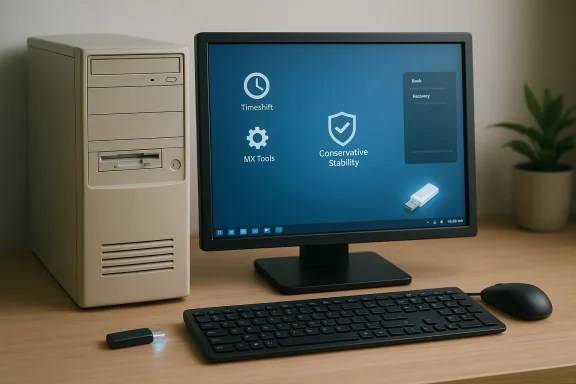 Overview
The story here is bigger than one reviewer’s personal migration from CachyOS to MX Linux. It is part of a broader post-Windows 10 hardware conversation that has been building for years: what do you do with a PC that still works well, but no longer fits Microsoft’s support model? Microsoft has made the timeline explicit, and October 14, 2025 is the hard cutoff for mainstream Windows 10 support on standard consumer editions, which is why so many owners of older systems are now evaluating Linux as a practical alternativeThat matters because not all old hardware is “old” in the same way. A Pentium III-era box from the early 2000s needs an entirely different class of Linux than a mid-2010s machine with a proper SSD, UEFI firmware, and enough memory to feel comfortable on a modern desktop. The user’s article makes that distinction clearly: ultra-light distros are for genuinely ancient computers, while mid-weight systems like MX Linux are meant for the 2014-2016 sweet spot where the hardware is still very usable but no longer a target for the mainstream operating system cycle.
MX Linux’s design philosophy lines up almost perfectly with that gap. It is built on Debian Stable, includes the project’s own utilities, and ships with desktop choices that range from the familiar XFCE to the more configurable KDE and the minimalist Fluxbox environment. The official MX site also highlights its repo manager, live-boot enhancements inherited from antiX, and a package mix that spans Debian Stable, Debian Testing, backports, Flatpaks, and MX-specific packages in dedicated repos
For people who just want a machine to stop fighting them, that combination is powerful. The more stripped-down the distro, the more likely you are to spend your time repairing the desktop around the operating system instead of using the computer. MX Linux flips that script: it gives you enough polish to feel like a full desktop without piling on the sort of aggressive design churn that often makes newer distributions feel brittle on older machines.
Why MX Linux Fits the Mid-2010s PC
A 10-year-old Windows 10 PC is not a museum piece. In most cases, it is a machine with a decent CPU, a working SSD or at least a cheap upgrade path, and hardware that still compares favorably with budget systems sold today. What it lacks is not raw capability but long-term software alignment. That is exactly why MX Linux makes sense: it is conservative enough to be reliable, but not so barebones that it feels like a compromise.The user’s reasoning is practical rather than ideological. They wanted stability more than novelty after an Arch-based setup broke from a random update. That is the key lesson for anyone trying to revive an older PC: the best distro is not the one with the newest kernel or the flashiest compositor, but the one that consistently behaves itself. Debian Stable under MX Linux is designed around that idea, and the project’s feature pages lean hard into ease of maintenance and preinstalled tools rather than a “build everything manually” ethos
The middle-ground problem
Mid-2010s systems are awkward for Linux marketing. They are too new for retro-hardware niche projects and too old to get the full attention of desktop hype cycles. That creates a real usability problem, because many distros optimize either for very low resource usage or for high-end, fast-moving desktop stacks. MX Linux is attractive precisely because it does neither to an extreme.There is also a psychological advantage to a distro like MX Linux. Users coming from Windows 10 often want a system that feels orderly, not experimental. The distro’s emphasis on graphical utilities and sane defaults lowers the barrier to entry, especially for people who do not want to treat their PC like a hobby project. That “just works” expectation is not glamorous, but it is the difference between a machine that gets used daily and one that gets abandoned after a week.
Key reasons MX Linux fits this use case:
- Debian Stable gives a predictable base.
- XFCE offers a balanced desktop footprint.
- MX Tools reduce the need for terminal-heavy maintenance.
- Timeshift adds confidence during updates and recovery.
- Repo management is easier than on many comparable distros.
- Older hardware support remains practical without feeling obsolete.
Stability Versus Rolling Release Anxiety
The most revealing part of the switch is not that MX Linux felt faster; it is that it felt predictable. That is a much bigger deal than benchmark numbers. On an older machine, performance that stays consistent over time matters more than peak speed, because you are trying to preserve a known-good baseline rather than chase novelty.This is where the contrast with rolling-release distributions becomes sharp. Rolling systems can be exciting, and they often feel wonderfully fresh on newer hardware. But the reward for that freshness is occasional maintenance drama, and older PCs tend to reveal that drama more quickly. A distro update that changes compositor behavior, driver assumptions, or kernel interactions can be the difference between a quiet desktop and a machine that suddenly starts acting like it has a hardware fault.
Why conservative updates matter
MX Linux’s Debian Stable foundation is an old-fashioned virtue in a modern desktop world. It does not try to reinvent your environment every few weeks, and for many users that restraint is a feature, not a limitation. The reviewer’s fear of “an update breaking my PC again” is one of the most relatable reasons to favor a stable distro when the hardware is no longer young.That is not to say stable distros are perfect. They can feel slower to adopt the newest kernel, desktop, or package versions, and some users will miss the convenience or polish of newer stacks. But on an older PC, the main objective is to avoid failure modes. Stability often has a better real-world ROI than novelty.
Important takeaways:
- Stable branches reduce surprise breakage.
- Older hardware benefits from conservative driver and kernel choices.
- Rollback tools become more valuable as systems age.
- Visual effects should be optional, not central.
- A quiet system usually indicates good thermal and software balance.
Installation and First Impressions
One of MX Linux’s quiet strengths is that its installation story is reassuringly ordinary. Download the ISO, write it to a USB drive, boot into the live environment, and use the graphical installer. That sounds boring, but boring is what many Windows refugees want after a bad experience with a flaky update or an overcomplicated Linux experiment. The less friction there is in the install process, the easier it is to treat the new operating system as a serious replacement.The distro also offers multiple desktop environments, which helps users make a sensible compromise based on their hardware. The user chose XFCE, and that remains the most sensible default for many older PCs. KDE is attractive for people who want more bells and whistles, while Fluxbox is for users who are comfortable building a more minimal environment around a window manager instead of a fully curated desktop.
Desktop choice as a performance decision
Choosing XFCE was not just about tradition; it was a performance strategy. On older hardware, every background service, compositing feature, and animation layer has a cost. XFCE tends to keep those costs low while still feeling like a complete desktop, which is exactly what mid-2010s hardware needs.Fluxbox, by contrast, is almost too spartan for most former Windows users. It can be fast, but it also shifts a lot of configuration burden onto the user. That makes it better for experts than for someone who wants their old PC to become dependable again. KDE is perfectly reasonable if the machine has enough headroom, but XFCE is the path of least resistance for this class of hardware.
A simple installation hierarchy for older PCs often looks like this:
- Try XFCE first if you want a full desktop with modest overhead.
- Use KDE if the machine has extra RAM and you prefer richer customization.
- Reserve Fluxbox for users who actually want to assemble their environment manually.
- Test from the live USB before committing to a full install.
- Verify Wi-Fi and graphics during the live session, not after.
Hardware Recognition and Daily Reliability
For older PCs, the real measure of a Linux distro is not how it looks in screenshots but whether the hardware behaves normally day after day. In the user’s case, MX Linux delivered where both Windows 10 and CachyOS were more troublesome. No driver issues, no network headaches, and no constant fan noise are exactly the sort of practical wins that turn an OS from “interesting” into “preferred.”That fan behavior deserves attention. When a desktop environment or compositor starts consuming more CPU or GPU cycles than expected, the effect is rarely confined to benchmark charts. You hear it in the cooling system, see it in thermals, and feel it in responsiveness. A quiet machine is often a sign of good software-hardware alignment, and that is one of the hidden benefits of a mid-weight distro tuned for older systems.
The value of calm thermals
Users often underestimate how much heat and fan noise shape the perceived quality of a PC. Even a modest performance penalty can feel like a major quality-of-life regression if the machine sounds like it is under constant stress. The move from a graphics-heavy environment to a more restrained one can make an old system feel years younger.This is where MX Linux’s design choices become visible in daily use. It is not trying to impress you with animated excess. It is trying to remain usable while leaving enough resources free for applications and multitasking. That restraint is especially valuable on laptops and older desktops that were never built for the GPU demands of modern eye candy.
Benefits the user implicitly gained:
- Lower thermal load on aging cooling systems.
- More predictable responsiveness during normal tasks.
- Fewer audio distractions from constantly ramping fans.
- Better battery or power behavior on portable systems.
- Less pressure on integrated graphics and older chipsets.
MX Tools and the Case for Convenience
One of the strongest arguments for MX Linux is that it packages a lot of useful administration into graphical utilities. That matters because older-PC users are often not looking for a learning project. They want their machine to be manageable without needing a notebook full of commands or a constant dependency on terminal shortcuts. MX Linux’s utilities turn common maintenance tasks into point-and-click actions, which is a very underrated form of polish.The article highlights MX Repo Manager, MX Cleanup, a disk analyzer, and MX Boot Options as particularly useful tools. That is a good reminder that distro quality often lives in the edges: the update helper, the cleanup utility, the boot configuration panel, and the little helper apps that remove friction from routine tasks. These are not flashy features, but they are the kind that reduce the chance a normal user will break something while trying to optimize it.
Why GUI utilities matter more than they seem
On paper, it is easy to dismiss distro-specific tools as convenience layers. In practice, they often determine whether the OS feels approachable or technical. If a machine is meant for everyday use, having a graphical mirror selector, cleanup tool, and boot manager is not a luxury. It is what prevents routine maintenance from becoming an obstacle.The repo manager is particularly valuable because mirror selection is one of those unglamorous tasks that can significantly affect package performance. Debian users often know the pain of suboptimal mirrors, and MX Linux smoothing that over with a GUI is a real quality-of-life improvement. It saves time, reduces guesswork, and makes the system feel curated rather than assembled.
Notable MX utility advantages:
- MX Repo Manager simplifies mirror selection.
- MX Cleanup removes cached and obsolete files.
- Disk analysis tools help reclaim storage.
- Boot options tools reduce GRUB tinkering.
- Timeshift integration improves recoverability.
- Package management helpers make updates less intimidating.
Desktop Customization Without Fragility
The user eventually customized MX Linux with a Gruvbox theme, custom icons, Picom for blur and transparency, and an XFCE panel tuned to their preferred widgets. That tells you something important about the distro: it is flexible enough for personalization, but not so fragile that customization becomes a gamble. A lot of desktop environments can be themed heavily; fewer remain dependable after you do it.That is a serious distinction for users migrating from Windows 10. People coming from a mainstream desktop often want some degree of visual familiarity or at least visual comfort. They may not need a Mac-style aesthetic, but they do want a desktop that feels intentional. MX Linux lets them do that without turning the entire operating system into a science project.
Customization as ownership
A good desktop is one that becomes yours quickly. If the panel, icons, window effects, and shortcuts can be tuned without destabilizing the system, the user starts trusting the platform. Trust, in turn, is what makes a Linux switch sustainable rather than temporary.Picom is a good example of that balance. The user swapped XFCE’s default compositor for Picom to get blur and transparency effects, which suggests the system has enough headroom to support a few visual enhancements. The key is that these choices are additions, not necessities. MX Linux remains usable even without them, which is exactly how optional customization should work.
What this tells us about MX Linux:
- It supports a range of aesthetic styles.
- It tolerates post-install customization well.
- It does not force one rigid desktop vision.
- It preserves system comfort while allowing flair.
- It scales from plain utility to personal workspace.
MX Linux Versus the Usual Alternatives
The user briefly considered the two obvious alternatives: Linux Mint and Zorin OS. That comparison is instructive because both distros are frequently recommended for Windows refugees. Mint is often the first answer for “make Linux easy,” while Zorin is usually marketed as the friendliest transition for people leaving Windows. Yet the right recommendation depends heavily on the machine in question, not just the user’s comfort level.Mint has a strong reputation for stability and accessibility, but the user ran into Wi-Fi and desktop glitching on this particular hardware. Zorin, meanwhile, was dismissed not because it is bad, but because the user did not want a GNOME-centric experience. That is a legitimate preference, and it highlights the fact that desktop familiarity is not universal. A distro can be excellent on paper and still feel wrong in practice.
What MX Linux does differently
MX Linux occupies a less crowded lane. It is not pitched as the most beginner-friendly choice in the abstract, and it is not trying to be a clone of Windows. Instead, it focuses on being a dependable, resource-conscious Linux desktop that still gives users enough control to adapt it to their workflow.That makes it especially compelling for older hardware owners who have already learned that not every polished distro behaves well on every machine. Sometimes the “popular” answer is not the answer that boots cleanly, handles network devices correctly, and stays quiet under load. In those cases, a less hyped but better matched distro wins.
A simple comparison lens:
- Linux Mint: excellent for many users, but hardware-dependent results can vary.
- Zorin OS: friendly and polished, but desktop preferences may not suit everyone.
- Debian alone: powerful, but requires more self-configuration.
- MX Linux: a middle path with tools, stability, and lighter overhead.
The Enterprise and Consumer Angle
The consumer case for MX Linux is obvious: save a still-functional PC, avoid the cost of a new machine, and keep everyday tasks moving. But there is also a quieter enterprise and small-business angle. Older endpoint hardware does not disappear when Windows support ends. It becomes a liability if unmanaged, or a useful tool if repurposed intelligently.For organizations with noncritical workstations, lab PCs, kiosk-style machines, or low-risk office tasks, a stable Linux distro can extend hardware value significantly. The same logic applies to home users who are not ready to spend money on a replacement but still need a reliable browser, office suite, and file-management environment. MX Linux’s inclusion of LibreOffice, media players, file tools, package managers, and Timeshift makes it especially well suited to this category
Different needs, same principle
Consumers usually care about convenience, cost, and whether the machine feels good to use. Businesses care about predictability, recoverability, and how much support overhead a platform will create. MX Linux speaks to both by emphasizing stability and lowering the maintenance burden. That makes it more than a hobbyist recommendation.The risk, of course, is that enterprises may underestimate the training and compatibility work involved in a Linux migration. Even a friendly distro is still a new operating system, and users need at least some onboarding. But for limited-scope deployments, especially on hardware that is already out of Windows 11 range, the value proposition is compelling.
Enterprise-relevant strengths:
- Stable base for long-lived endpoints
- Low hardware requirements
- Useful built-in recovery tools
- Reduced licensing pressure
- Potential e-waste reduction
- Viable for secondary workstations
Strengths and Opportunities
MX Linux’s greatest strength is that it solves a real, current problem without forcing users into an ideological choice. It is not just a “Linux distro for old PCs”; it is a carefully balanced operating system for people who want reliability, manageable hardware demands, and a desktop they can actually live with every day.- Strong fit for mid-2010s hardware
- Debian Stable foundation for confidence
- XFCE option keeps overhead reasonable
- MX Tools reduce terminal dependence
- Good live-USB experience for testing
- Useful preinstalled desktop utilities
- Easy path to customization without instability
Risks and Concerns
MX Linux is not perfect, and any honest evaluation needs to acknowledge its tradeoffs. Stability can mean slower-moving packages, and the Debian base can feel less nimble to users who want the newest kernel, application versions, or hardware enablement stack. That is a reasonable price for predictability, but it is still a price.- Not ideal for users chasing the latest software
- Some hardware may still need manual tuning
- KDE or Fluxbox can be too much or too little
- Package freshness may lag rolling distros
- Visual polish is good, but not ultra-modern
- Users may still need backup discipline
- Migration friction remains real for Windows newcomers
Looking Ahead
The next phase of the Windows 10 afterlife will likely be defined by two trends: more users trying Linux on older machines, and more distros refining the balance between stability and usability. MX Linux already sits in the right place for that shift. It is stable enough to inspire confidence, but friendly enough that most users can get productive quickly.There is also a larger cultural shift at work. The old assumption that a PC must be replaced when the vendor stops supporting it is weaker than it used to be. Linux distros like MX Linux make a strong counterargument: if the hardware is still useful, the software should adapt to it, not the other way around. That is a practical philosophy, and it is likely to become even more compelling as more Windows 10 systems age out.
What to watch next:
- How MX Linux handles future hardware enablement
- Whether more users migrate from Windows 10 support endings
- How well Debian Stable keeps pace with desktop needs
- Whether MX utilities continue to outshine generic tools
- How much attention mid-weight distros receive versus lightweights
Source: How-To Geek This Linux distro will give your old Windows 10 PC a new lease on life
