

Microsoft’s attempt to finally turn User Account Control into a real security boundary nearly unraveled before many users even saw the new design: Google Project Zero’s James Forshaw documented nine distinct bypasses against Windows 11’s new Administrator Protection during its insider-preview phase, and Microsoft had to scramble fixes and then temporarily pause the rollout amid broader compatibility concerns.
Windows’ elevation story is nearly as old as modern Windows itself. User Account Control (UAC) was introduced as a compromise: reduce accidental system changes while still allowing user-driven administrative actions. Over time, however, compatibility concessions and an implicit acceptance that UAC was not a hard security boundary left multiple, practical bypasses in place. Forshaw’s work attacks exactly that legacy: Administrator Protection was designed to stop those bypasses by creating a true separation between day-to-day user activity and elevated code execution.
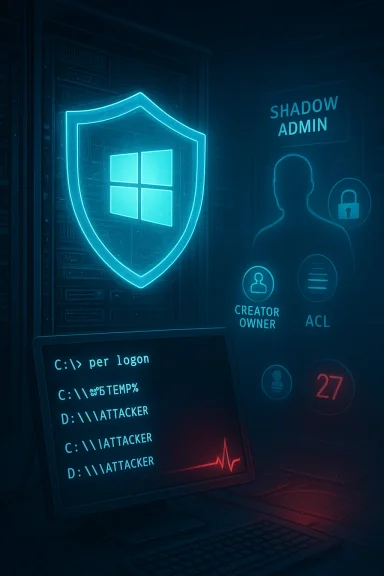
Microsoft described Administrator Protection as a shift away from UAC’s split-token model to a shadow administrator model. When an elevation is required, Windows should spawn a hidden, profile-separated admin account and issue a short-lived admin token to the requesting process; once the elevated operation finishes, that token disappears. The idea: make elevations just-in-time and credential-protected (Windows Hello integration), and keep elevated code isolated from the interactive user profile. Microsoft’s documentation and release notes describe this approach as an attempt to create an actual security boundary rather than a mere consent prompt.
Yet the devil is in the legacy details. Forshaw’s analysis shows that changing the token/logon-session model interacts with many long-standing kernel behaviors in surprising ways, and those interactions are what produced the bypasses.
Two short, high‑value takeaways from Forshaw’s disclosure:
In November 2025 Microsoft temporarily paused broader rollout steps while it continued telemetry and application compatibility assessment; Forshaw and Project Zero later noted that, as of December 1, 2025, Administrator Protection had been disabled while Microsoft addressed a separate compatibility issue. The Project Zero post and Microsoft documentation agree that the fixes for the specific bypasses Forshaw reported were implemented either in the preview KB or in subsequent security updates.
Independent media outlets and community forums tracked the same sequence: initial insider rollouts, responsible disclosure, targeted patches, and then a temporary hold to avoid breaking real‑wn underscores how security rollouts in an OS as broadly used as Windows must balance risk mitigation with compatibility.
Forshaw’s disclosure doesn’t invalidate the design; rather, it reframes the threat model:
Key lessons for platform vendors and enterprise defenders:
For Windows users and administrators the practical advice remains unchanged: run with least privilege, keep systems patched, and treat new elevation surfaces as priority monitoring points. Administrator Protection is a step forward, but security is an arms race — the OS community must continue to test, harden, and iterate until the new model’s promise is fully realized.
Source: Cyber Kendra Windows 11's New Security Feature Had 9 Vulnerabilities: Researcher Details the Flaws
 Background
Windows’ elevation story is nearly as old as modern Windows itself. User Account Control (UAC) was introduced as a compromise: reduce accidental system changes while still allowing user-driven administrative actions. Over time, however, compatibility concessions and an implicit acceptance that UAC was not a hard security boundary left multiple, practical bypasses in place. Forshaw’s work attacks exactly that legacy: Administrator Protection was designed to stop those bypasses by creating a true separation between day-to-day user activity and elevated code execution.Microsoft described Administrator Protection as a shift away from UAC’s split-token model to a shadow administrator model. When an elevation is required, Windows should spawn a hidden, profile-separated admin account and issue a short-lived admin token to the requesting process; once the elevated operation finishes, that token disappears. The idea: make elevations just-in-time and credential-protected (Windows Hello integration), and keep elevated code isolated from the interactive user profile. Microsoft’s documentation and release notes describe this approach as an attempt to create an actual security boundary rather than a mere consent prompt.
Yet the devil is in the legacy details. Forshaw’s analysis shows that changing the token/logon-session model interacts with many long-standing kernel behaviors in surprising ways, and those interactions are what produced the bypasses.
What Forshaw Found: Nine Paths, One Theme
Forshaw’s Project Zero write‑up is methodical: he reported a family of nine distinct bypass techniques targeting Administrator Protection. The core theme across them is consistent: reusing or manipulating legacy kernel semantics (especially per‑t directories and object‑creation semantics) to make an elevated process resolve file paths or DLL names to attacker-controlled locations. That lets a local, limited user escalate to full administrator context without the user’s additional consent.Two short, high‑value takeaways from Forshaw’s disclosure:
- These are elevation-of-privilege primitives (local, post‑compromise primitives), not remote code execution holes. They presume an initial foothold or malicious local code.
- The bypasses are not single-line bugs but choreographies of legitimate OS behaviors — five or more normal behaviors must align to produce a complete exploit chain. That complexity is both the reason the bugs were subtle and why they were exploitable in practice.
The Shadow Account and the DOS Device Directory Weakness (Explained)
One of the most illustrative bypasses Forshaw reconstructed — and the one he details step‑by‑step — used the way Windows maps drive letters (the kernel’s DOS device object directories) and how those mappings are created per logon session.How the mechanism is supposed to work
Administrator Protection creates a fresh logon session for each shadow admin token. Windows maintains per‑logon‑session device namespaces (think the kernel object namespace entries for C:, D:, and so on). For compatibility, the kernel checks a session‑specific DOS devices directory before falling back to the global namespace. In normal operation, that per‑session directory is either pre‑initialized or inherited safely; Administrator Protection’s per‑elevation, ephemeral sessions changed the timing of that initialization.Where the timing window opens
Forshaw showed a practical attack sequence: when a new elevated process is created, it may be started in a suspended state before its per‑logon DOS device directory is fully initialized. A concurrently running limited process can:- Obtain a handle to the suspended elevated process and duplicate its token (as an identification or impersonation token).
- While impersonating that token, cause the kernel to create the per‑logon DOS devices directory — but because of the nuanced token owner/ACL semantics in kernel object creation, the created directory inherits an owner/ACL that grants the attacker write access.
- The attacker writes a symlink (or DOS device symbolic link) in that per‑logon directory that redirects C: to an attacker-controlled namespace.
- The elevated process is resumed; when it opens files or loads DLLs using paths that begin with C:, the kernel resolves C: via the attacker-controlled symlink and ends up loading attacker data in an admin context.
phy — Step‑by‑Step
Forshaw’s reconstruction is valuable because it turns the abstract into a clear sequence. Below is a condensed, technically accurate sequence that mirrors his reconstruction, presented as numbered steps for clarity.- Trigger an elevation so Windows spawns a shadow admin process (often created suspended during initialization).
- Openlevated process and duplicate its primary token as an identification token.
- Impersonate that identification token in the attacker process and force the kernel to create the per‑logon DOS devices directory for the elevated session. Due to token/owner semantics and Nt/Zw creation semantics, this directory gets created with an owner that grants the attacker write privileges.
- Create DOS in that per‑logon namespace that redirect C: to attacker-controlled paths (for example, to a folder in %TEMP%).
- Resume the suspended elevated process. When it performs file or DLL loads, the kernel resolves paths like C:\Windows\System32... through the newly created per‑logon namespace and ends up opening attacker-supplied files, yielding code execution in the admin token.
How Microsoft Responded
Forshaw performed this research during Administrator Protection’s insider preview cycle and responsibly disclosed the issues to Microsoft. According to Forshaw’s write-up and subsequent vendor communications, Microsoft addressed many of the reported issues before the wider release via the optional October 2025 non‑security preview update KB5067036, and patched additional issues in subsequent security bulletins. Microsoft’s public guidance acknowledges that the October preview changes were reverted for general rollout and that Administrator Protection’s distribution would be staggered or deferred while rollout and compatibility were evaluated.In November 2025 Microsoft temporarily paused broader rollout steps while it continued telemetry and application compatibility assessment; Forshaw and Project Zero later noted that, as of December 1, 2025, Administrator Protection had been disabled while Microsoft addressed a separate compatibility issue. The Project Zero post and Microsoft documentation agree that the fixes for the specific bypasses Forshaw reported were implemented either in the preview KB or in subsequent security updates.
Independent media outlets and community forums tracked the same sequence: initial insider rollouts, responsible disclosure, targeted patches, and then a temporary hold to avoid breaking real‑wn underscores how security rollouts in an OS as broadly used as Windows must balance risk mitigation with compatibility.
What This Means for Users and Administrators
- Administrator Protection is an improvement in concept over legacy UAC: when enabled correctly it does raise the bar by isolating admin tokens and requiring strong interactive authorization. Forshaw himself acknowledged the potential security gains while criticizing certain design conservatisms.
- The reported bypasses are local elevation primitives: an attacker needs an initial foothold. That makes these flaws post‑compromise multipliers — dangerous if the mated or an attacker has local code execution. In practice, modern malware often obtains that foothold through phishing, malicious downloads, or vulnerable third‑party software, so the practical risk remains meaningful.
- Microsoft issued fixes, but the feature rollout remains cautious: the October preview KB and subsequent security updates addressed many of Forshaw’s findings, and Microsoft paused or reverted portions of the rollout pending compatibility work. Administrators should treat Administrator Protection as a major security capability once it’s fully validated and enabled by default, but until then continue to rely on defense‑in‑depth and principle‑of‑least‑privilege practices.
- Do not run daily workloads as a built‑in admin account. Use standard users and just‑in‑time elevation where possible. Forshaw’s advice stands: never run Windows as an administrator if you can avoid it.
- Keep systems patched. The vulnerabilities discussed were fixed in preview and security updates; patching reduces the risk window.
- Monitor vendor guidance before enabling new platform features at scale. If your environment relies on older, poorly maintained applications, new hard boundaries can trigger compatibility failures; that’s why Microsoft paused Administrator Protection rollout in some channels.
Strengths, Risks, and the Hard Engineering Tradeoffs
Administrator Protection is an honest, necessary engineering attempt to finally treat elevation as a security boundary, and the design has clear strengths:- Strong separation of profiles and tokens mitigates credential theft and token abuse vectors that made UAC bypasses so effective.
- Windows Hello/strong authentication integration raises the bar for silent elevation.
- Just‑in‑time ephemeral tokens reduce persistent elevated state and therefore the attack surface.
- Legacy behavior entanglement. Windows is a massive, decades‑old codebase where subtle kernel semantics (object creation, token impersonation levels, per‑logon device namespaces) are relied upon by thousands of drivers and apps.
- Timing and kernel API semantics can be weaponized. The exploit chains show how legitimate kernel behavior can be composed into post‑compromise escalation primitives.
- Compatibility vs. security tradeoffs. Hardening an OS sometimes breaks old apps. Microsoft’s need to delay or roll back features partly reflects the real‑world cost of creating new security boundaries inside a compatibility-first ecosystem.
How This Changes the Threat Model
Before Administrator Protection, many local elevation bypasses relied on token sharing and profile linkage in UAC’s split‑token model. With Administrator Protection, Microsoft aimed to change the game: even if malware had access to user data or could impersonate a logged‑in admin, the shadow admin token was intended to be a separate vault.Forshaw’s disclosure doesn’t invalidate the design; rather, it reframes the threat model:
- New elevation tokens and logon sessions create new high‑value state that attackers will attempt to influence.
- Adversaries who already have local execution will prioritize primitives that change the elevated process’s filesystem or namespace view (e.g., DOS device redirection).
- Defenders must treat the elevation gate itself as a high‑value target to monitor and protect: logs, process creation sequences, and unusual manipulations of kernel namespaces should be high‑priority telemetry for endpoint detection.
The Big Picture: Security Engineering at Scale
Windows is an ecosystem of OS internals, third‑party drivers, legacy apps, and billions of endpoints. Security design that looks clean on paper often collides with this reality. Administrator Protection is an essential, long‑overdue attempt to tighten the elevation model, but Forshaw’s investigation shows how well‑intentioned changes can surface new, subtle attack surfaces when they intersect with legacy behavior.Key lessons for platform vendors and enterprise defenders:
- Invest in adversarial review early and repeatedly. Forshaw’s access during preview helped Microsoft harden the feature before a full release — that is the right model.
- Treat new elevation flows as high‑value attack surfaces and build aggressive telemetry around them.
- Communicate clearly with admins and enterprises about the compatibility tradeoffs; provide simple configuration paths to rollback for affected environments. Microsoft’s Known Issue Rollback mechanisms and targeted group‑policy mitigations exemplify this approach.
Conclusion
Administrator Protection represents a meaningful evolution of Windows elevation security: the design is conceptually stronger than legacy UAC and, if broadly and carefully deployed, will make privilege escalation harder for attackers. James Forshaw’s Project Zero disclosure — nine separate bypass techniques — is a sober reminder that changing the shape of privilege requires deep, adversarial testing against the OS’s long tail of legacy behaviors. Microsoft responded quickly with fixes in preview and security updates and paused wider rollout to protect compatibility; that careful approach is the right one.For Windows users and administrators the practical advice remains unchanged: run with least privilege, keep systems patched, and treat new elevation surfaces as priority monitoring points. Administrator Protection is a step forward, but security is an arms race — the OS community must continue to test, harden, and iterate until the new model’s promise is fully realized.
Source: Cyber Kendra Windows 11's New Security Feature Had 9 Vulnerabilities: Researcher Details the Flaws
