

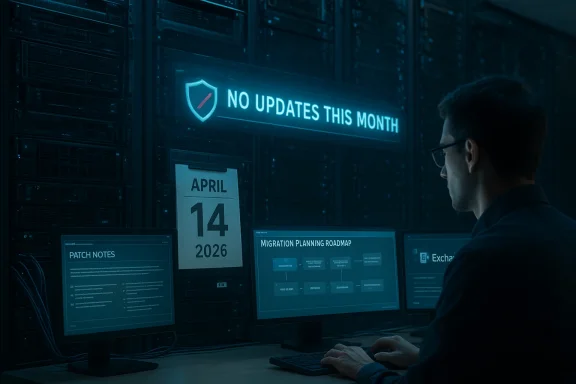
Microsoft’s Exchange engineering team has told administrators there are no security updates for on‑premises Exchange Server this month — an explicit, scheduled announcement that matters because a subset of customers remain on the vendor’s short, paid Extended Security Update (ESU) runway that ends in April 2026. ([techcommunity.micrchcommunity.microsoft.com/blog/exchange/released-february-2026-exchange-server-security-updates/4494076)
Microsoft signalled a time‑boxed lifeline for Exchange Server 2016 and 2019 in mid‑2025: an optional, paid six‑month Extended Security Update (ESU) program that runs through April 14, 2026. That ESU is not an extension of mainstream lifecycle support — it only offers Critical and Important security updates if Microsoft elects to release them during the ESU window. Microsoft made enrollment available viaams and warned there would be no guarantee any SUs would be required or released.
The Exchange Team has also adopted a transparent cadence during the ESU window: each Patch Tuesday the team will explicitly state whether Exchange Server security updates are being released — and when there are none, they will publish a short “no updates that monthly confirmation practice first appeared in late 2025 and continued into 2026, giving administrators a simple, unambiguous signal when no packaged security update was issued for on‑prem Exchange channels.
A quick sanity check of February 2026 shows Microsoft did publish Exchange Server security updates for that month to eligible channels, demonstrating that the team will still distribute fixes when a critical or important issue is identified and requires an SU. That makes a “no update” bulletin meaningful: it’s an active confirmation that, for the month in question, Microsoft did not identify and release any SUs for on‑prem Exchange.
However, the structural reality is unchanged: Exchange 2016 and 2019 are at end of lifecycle; ESU is a one‑time, limited safety net that expires on April 14, 2026. Every month without a security release buys time — but it is time only, not immunity. Organizations that use “no updates this month” as evidence they can defer migration will face an abrupt cliff when ESU ends.
If your group is responsible for Exchange availability and security: treat this announcement as a clear operational signal to double down on inventory, hardening, and migration execution. Verify your installed updates now, validate backups, and use the remaining weeks of ESU (if you have it) to finish the work that leaves you on a supported, auditable platform.
Acknowledgement and verification note
This article drew on Microsoft’s Exchange Team advisories and on the documented ESU terms for Exchange Server 2016/2019, and it cross‑checked February 2026 Exchange SU deliveries and community reporting to build its technical guidance. In the event that specific Microsoft community posts are temporarily inaccessible, administrators should rely on the Exchange Team’s official community announcements and Microsoft Support KBs as the definitive source for the month’s update status and for KB numbers that correspond to any SUs.
Conclusion
A “no security updates” announcement for a Patch Tuesday month is not cause for complacency — it is a prompt. Use it to validate posture, harden, and accelerate the migration work that will put your mail infrastructure back on a supported, maintainable lifecycle before the ESU runway closes in April 2026.
Source: Microsoft Exchange Team Blog No Exchange Server Security Updates for March 2026 | Microsoft Community Hub
 Background
Microsoft signalled a time‑boxed lifeline for Exchange Server 2016 and 2019 in mid‑2025: an optional, paid six‑month Extended Security Update (ESU) program that runs through April 14, 2026. That ESU is not an extension of mainstream lifecycle support — it only offers Critical and Important security updates if Microsoft elects to release them during the ESU window. Microsoft made enrollment available viaams and warned there would be no guarantee any SUs would be required or released.The Exchange Team has also adopted a transparent cadence during the ESU window: each Patch Tuesday the team will explicitly state whether Exchange Server security updates are being released — and when there are none, they will publish a short “no updates that monthly confirmation practice first appeared in late 2025 and continued into 2026, giving administrators a simple, unambiguous signal when no packaged security update was issued for on‑prem Exchange channels.
A quick sanity check of February 2026 shows Microsoft did publish Exchange Server security updates for that month to eligible channels, demonstrating that the team will still distribute fixes when a critical or important issue is identified and requires an SU. That makes a “no update” bulletin meaningful: it’s an active confirmation that, for the month in question, Microsoft did not identify and release any SUs for on‑prem Exchange.
What Microsoft’s “no update” announcement actually means
- It does not mean Microsoft has abandoned Exchange security engineering. It simply says: for this Patch Tuesday, there were no newly classified Critical or Important Exchange vulnerabilities that required a formal security update package for any on‑prem channel.
- For customers on the ESU program, it means no ESU‑only SU was pushed this month. ESU customers should still check their private update delivery channels and Microsoft account team communications, because ESU deliveries are handled differently from public Download Center releases.
- For organizations running Exchange Server Subscription Edition (SE) or fully supported on‑prem releases, this is simply a confirmation that normal Patch Tuesday did not include Exchange SUs this month — still, standard patch hygiene and verification remain essential.
Verification and an important caveat
I attempted to cross‑check the March 2026 Exchange Team bulletin directly; the Exchange Team has a clear, recurring practice of publishing a monthly status message and the January / November "no updates" posts are publicly visible as examples of that pattern. The ESU program terms and the February 2026 security release are documented in Microsoft’s community and support channels, and those facts are independently corroborated by multiple community and technical reporting threads. Administrators should treat the Exchange Team’s monthly advisory as the definitive, authoritative signal about that month’s deliveries.Risk assessment: why a “no update” month still matters
A month with no Exchange security update reduces near‑term operational workload, but it also raises distinct operational and security considerations:- Attackers do not pause. Threat actors scanning for Exchange‑specific 0‑day vectors or weaponizing previously disclosed weaknesses continue to operate regardless of Microsoft’s monthly release cadence. Publicly known, unpatched exposures elsewhere in your estate can still be exploited to reach Exchange servers. Proactive hardening and monitoring remain essential.
- ESU is a short bridge, not a destination. ESU provides a temporary window for Critical/Important fixes only; beyond April 14, 2026, Exchange Server 2016 and 2019 — regardless of prior ESU enrollment — will stop receiving security updates. The security risk profile of remaining on unsupported code increases with every month past that end date.
- No SU ≠ no risk. Some exposures are mitigated by configuration, network segmentation, or compensating controls and therefore do not require a Microsoft SU to defend. But compensating controls can erode over time if not actively maintained, audited, and tested.
- Operational complacency is the enemy. Teams that use “no update” as a cue to relax monitoring, patch verification, or backup validation quickly increase their mean time to detection and recovery.
Practical checklist for Exchange administrators (what to do now)
Every environment is different; treat the following as a prioritized, pragmatic set of actions you should complete within the next 7–30 days. Performing these steps will reduce your risk even when Microsoft did not publish an SU this month.- Confirm your inventory and licensing state
- Enumerate every on‑prem Exchange instance and record product version, build number and cumulative update (CU) baseline. Confirm whether any Exchange 2016/2019 servers are enrolled in the ESU program. This is the single most important source of truth for decisions about patching and migration prioritization.
- Verify the latest applied security updates
- Cross‑check installed KBs and SUs against Microsoft’s published Security Update Guide and the Exchange Team’s monthly release posts or KB articles (for example, the February 2026 SUs have distinct KB numbers and descriptions you should match against your inventory). If you find a server claiming “up to date” but missing KBs, investigate immediately.
- Ensure backups and restore tests are current
- Verify application‑consistent backups for mailbox databases and system state (AD backup for small orgs where appropriate), and run at least one restore rehearsal from the most recent backup window to validate recovery procedures.
- Harden network exposure for Exchange
- Block all unnecessary inbound paths to Exchange. Restrict external access to OWA, EAC and ActiveSync to trusted edge controls (reverse proxy, WAF, or VPN). If you must permit internet connectivity, use strong TLS configuration, CA‑based certificates, and restrict admin interfaces to management‑only networks. If you can, route external traffic through a modern proxy/WAF that can apply IDS/IPS signatures for Exchange‑specific exploit attempts.
- Protect and rotate credentials
- Ensure all Exchange administrators use strong, MFA‑protected accounts (preferably using FIDO2 or hardware MFA). Reset and rotate service accounts and any long‑lived secrets used by Exchange hybrid components or application integrations. Attackers frequently re‑use stolen service credentials to move laterally.
- Audit hybrid and service‑principal use
- If you run hybrid connectivity or the Exchange hybrid app / shared service principal, review Microsoft’s guidance for credentials and shared service principals following previous threat advisories (reset or rotate the principal where advised). Hybrid artifacts are frequent targets in exploitation chains.
- Harden mail‑flow components and content scanning
- Review AV/antimalware scanner integration points (transport agents, AV scanning directories) and verify they follow vendor guidance. Historically, malformed files passed to scanning engines have been an exploitable path for Exchange vulnerabilities.
- Tune and validate detection telemetry
- Verify Exchange‑relevant logging is shipped to your SIEM: IIS logs, Exchange message tracking logs, setup logs, and PowerShell/management platform events. Build or enable detection rules for suspicious web shell activity, unexpected mailbox moves, high volume EWS/API usage, and anomalous admin PowerShell activity.
- Accelerate migration planning
- ESU is finite. If you must remain on‑prem, create a runbook to upgrade to Exchange Server Subscription Edition (SE) or migrate to Exchange Online. Microsoft and partners have published migration patterns; start an accelerated program of validation, testing, and phased migration now.
Technical validation: confirm your patch posture now
- Check Microsoft’s support KB pages for the latest security updates that were actually released for the builds you run. If your servers are Exchange 2016 CU23 or Exchange 2019 CU14/CU15, ESU eligibility historically demanded those baselines; verify that baseline and any post‑CU SUs you expect are installed.
- If you host only management tools (Exchange Management Tools) and have no Exchange servers, treat the management workstation as a high‑value admin endpoint and keep it patched and MFA protected. Microsoft’s update guidance includes special cases for environments where the management tooling is present but engines are not.
- If you rely on third‑party vendors for patching or ESU enrollment, confirm their delivery channel and proof of installation: ESU‑only SUs are generally distributed via private channels coordinated through Microsoft account teams and the organization’s commercial relationship; an absence of a public SU does not abg your ESU channel is correctly configured and functioning.
Incident‑ready mitigations and quick wins
- Isolate high‑risk Exchange servers behind segmented networks and jump hosts. Place Exchange control plane interfaces (EAC, RPC/HTTPS admin endpoints) on management VLANs accessible only through bastion hosts with MFA and Just‑In‑Time elevation.
- Use forward proxy controls and egress filtering to limit unexpected outbound calls from Exchange servers. Many exploit chains depend on command‑and‑control callbacks or cloud token exchanges that are blocked by strict egress policies.
- Advocate for “zero trust” admin models: avoid direct RDP to Exchange hosts, require privileged access workstations, and use conditional access and session monitoring for admin tasks.
- If you use Exchange hybrid features, confirm that any cloud‑facing credentials, connectors, or service principals are not used as long‑lived access tokens; treat them as first‑class secret objects that require rotation and monitoring.
- Where available, enable Microsoft’s recommended Exchange emergency mitigation services and follow vendor guidance if Microsoft publishes targeted mitigation scripts or configuration hardening recommendations.
Migration options: practical routes off unsupported releases
Organizations have three mainstream migration choices; pick the one that fits your operational model and timeline.- Move to Exchange Server Subscription Edition (SE)
- Exchange SE is Microsoft’s modern on‑prem follow‑on to Exchange Server 2019, intended to provide a rolling, supported on‑prem path. In many situations, moving 2019 instances to SE can be done in‑place from a supported baseline, and Microsoft has emphasized in‑place upgrade paths and migration tooling to ease the transition.
- Migrate mailboxes to Exchange Online (Microsoft 365)
- Exchange Online eliminates on‑prem patch overhead and shifts responsibility for platform security to Microsoft. Cloud migration planning must balance data residency, compliance, and feature parity considerations while validating identity and licensing alignment.
- Hybrid or staged migrations
- Many enterprises adopt hybrid models and gradual cutovers, pairing mailbox moves with staged decommissioning and validation. Hybrid can be a pragmatic intermediate approach but carries hybrid‑specific security obligations that must be monitored (service principals, connectors, and hybrid agents).
What to tell leadership and stakeholders
- Keep messaging crisp and risk‑focused. Explain that a “no update” month is an operational status — not a permanent security guarantee — and ESU simply reduces immediate exposure for a very short, well‑defined period.
- Put a hard calendar date on the roadmap: April 14, 2026 is the last day Microsoft’s one‑time ESU program covers Exchange 2016/2019. That date must drive migration milestones, testing windows, and budget approvals.
- Quantify residual risk: map legacy Exchange servers to business owners, affected services and compliance obligations. Use that data to prioritize which mailboxes or departmental flows get moved first.
- Budget for third‑party risk mitigations where necessary: WAF, advanced mail gateways, SOAR/SIEM detection tuning and external penetration testing can be faster to buy than a major in‑house migration program — but they are compensations, not long‑term substitutes for supported software.
Longer‑term considerations and vendor strategy
- Use the ESU runway to harden and migrate purposefully. The experience of forced, rushed migrations typically produces brittle outcomes; treat the ESU period as the last chance to do staged, tested work.
- Reassess hybrid dependencies and minimize attack surface from integrated services. Some of the highest‑impact Exchange incidents in recent years relied on hybrid or management plane misconfigurations to escalate privileges.
- Continue to monitor Microsoft’s Exchange Team advisories, the Microsoft Security Response Center, and public guidance from national CERTs/CISA for any emergent Exchange‑related threat intelligence or retrospective mitigations.
Final analysis: opportunity within constraint
Microsoft’s decision to publish explicit monthly confirmation even when there is no SU is a small but valuable operational improvement: it removes guesswork for busy admins during a tight ESU runway. That transparency helps security teams focus on threat hunting and hardening rather than chasing a non‑existent patch.However, the structural reality is unchanged: Exchange 2016 and 2019 are at end of lifecycle; ESU is a one‑time, limited safety net that expires on April 14, 2026. Every month without a security release buys time — but it is time only, not immunity. Organizations that use “no updates this month” as evidence they can defer migration will face an abrupt cliff when ESU ends.
If your group is responsible for Exchange availability and security: treat this announcement as a clear operational signal to double down on inventory, hardening, and migration execution. Verify your installed updates now, validate backups, and use the remaining weeks of ESU (if you have it) to finish the work that leaves you on a supported, auditable platform.
Acknowledgement and verification note
This article drew on Microsoft’s Exchange Team advisories and on the documented ESU terms for Exchange Server 2016/2019, and it cross‑checked February 2026 Exchange SU deliveries and community reporting to build its technical guidance. In the event that specific Microsoft community posts are temporarily inaccessible, administrators should rely on the Exchange Team’s official community announcements and Microsoft Support KBs as the definitive source for the month’s update status and for KB numbers that correspond to any SUs.
Conclusion
A “no security updates” announcement for a Patch Tuesday month is not cause for complacency — it is a prompt. Use it to validate posture, harden, and accelerate the migration work that will put your mail infrastructure back on a supported, maintainable lifecycle before the ESU runway closes in April 2026.
Source: Microsoft Exchange Team Blog No Exchange Server Security Updates for March 2026 | Microsoft Community Hub
