

Noteastic’s arrival matters because it finally treats Windows handwriting as a first-class scenario rather than an afterthought — a lean, native, pen-first notebook built for Surface users, students, and anyone who’s tired of fighting OneNote’s infinite canvas or using web-wrapped “native” apps on a 2-in-1. (noteastic.app)
Handwritten note-taking on Windows has been a slow, uneven story for years. Microsoft’s OneNote remains the default for many users, but it was designed around a flexible, freeform canvas that favors typed content and mixed media — and in practice that layout often gets in the way of structured, fast handwriting workflows. Meanwhile, several popular handwriting apps that dominated the iPad ecosystem have either arrived on Windows as Progressive Web Apps (PWAs) or never came at all, leaving Surface and pen users to choose between clunky ports and desktop apps that weren’t designed for pen-first input. GoodNotes, for example, leaned on a PWA-based delivery for Windows rather than a fully native build — a decision that has real implications for input latency and integration.
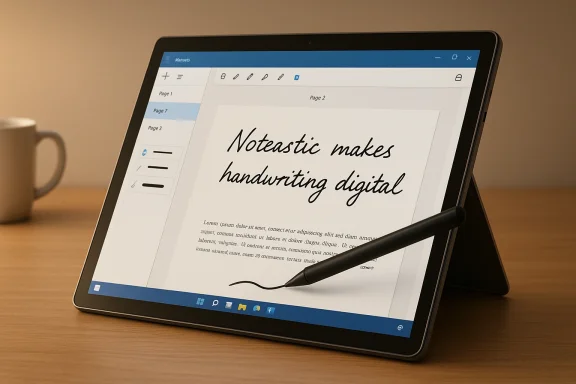
Into that gap has stepped Noteastic: a Windows-exclusive, native note-taking app that bills itself as “handwritten notes on Windows, made right.” It’s built and maintained by a small team aiming specifically at lecture-style workflows, PDF annotation, and pen-first writing on 2-in-1 devices. The app’s makers emphasize that it’s native to Windows (optimized for Surface-style hardware), stores notes locally by default, and focuses on smooth inking and simple organization rather than a laundry list of ancillary features. (noteastic.app)
A quick reality check: “native” doesn’t automatically equal perfect. Hardware drivers, stylus firmware, and OS-level ink support all interact; but a native app removes several layers of potential lag and gives developers more control over rendering, file access, and system integrations (for example, better use of GPU resources or optimized file I/O). Noteastic is intentionally optimized for MPP 2.0+ styluses and Surface-like two-in-ones, which is exactly the target audience that benefits most from those native touches. (noteastic.app)
One operational security point: the app’s protected folder and database approach means you cannot simply browse note files as individual PDFs or images. That improves file integrity and reduces accidental corruption, but it also means note portability relies on the app’s export tools. If you plan long-term archival, export PDFs periodically and store backups outside the app’s protected store. (noteastic.app)
That said, it is not a one-size-fits-all replacement for OneNote or iPad-first ecosystems. If you require robust cloud sync today, advanced typed-text workflows, extensive color/pen customization, or enterprise-grade distribution options, Noteastic remains a complement rather than a complete replacement. The company’s transparent roadmap—text boxes, multi-window support, pro sync—points toward a fuller product over time, but the timing and execution of those features will determine whether Noteastic becomes the go-to handwriting app for a wider audience. (noteastic.app)
If you own a Surface Pro or another Windows 2-in-1 and your priority is smooth pen input, tight PDF workflows, and a clean page-based organization, try Noteastic now: it’s free, lightweight, and built for the Windows pen experience. If your needs include cross-device sync and advanced typed-note features, test it alongside your primary toolchain and follow the app’s updates closely; those features are on the roadmap but not yet fully shipped. (noteastic.app)
Noteastic doesn’t pretend to replace every note-taking tool on the market — it stakes out a narrow but valuable position: a Windows-native, handwriting-first notebook that behaves like a first-class citizen on Surface hardware. For users who've long accepted compromises on Windows handwriting, that focus alone is a meaningful leap forward. If the developers can deliver the planned Pro features and tighten stability in the coming updates, Noteastic has a realistic shot at becoming the default handwriting app on Windows rather than a niche curiosity. For now, it’s a smart, practical option for students and pen-first professionals who want their handwriting experience to feel like it was built for Windows — because, in this case, it was. (noteastic.app)
Source: MakeUseOf Finally, a note-taking app that feels like it was made for Windows
 Background
Handwritten note-taking on Windows has been a slow, uneven story for years. Microsoft’s OneNote remains the default for many users, but it was designed around a flexible, freeform canvas that favors typed content and mixed media — and in practice that layout often gets in the way of structured, fast handwriting workflows. Meanwhile, several popular handwriting apps that dominated the iPad ecosystem have either arrived on Windows as Progressive Web Apps (PWAs) or never came at all, leaving Surface and pen users to choose between clunky ports and desktop apps that weren’t designed for pen-first input. GoodNotes, for example, leaned on a PWA-based delivery for Windows rather than a fully native build — a decision that has real implications for input latency and integration.Into that gap has stepped Noteastic: a Windows-exclusive, native note-taking app that bills itself as “handwritten notes on Windows, made right.” It’s built and maintained by a small team aiming specifically at lecture-style workflows, PDF annotation, and pen-first writing on 2-in-1 devices. The app’s makers emphasize that it’s native to Windows (optimized for Surface-style hardware), stores notes locally by default, and focuses on smooth inking and simple organization rather than a laundry list of ancillary features. (noteastic.app)
Why a native handwriting app still matters
When it comes to inking, two technical realities matter most: input latency (how fast strokes appear after your stylus moves) and rendering consistency at high zoom levels. Web-wrapped apps and some cross-platform frameworks can introduce additional input stacks and compositing layers that increase perceived latency, whereas a native Windows app that uses WinUI/UWP APIs can talk directly to the system’s inking pipeline and benefit from GPU acceleration and native compositing. Noteastic’s creators explicitly built the app with Windows-native toolchains to take advantage of those benefits. The developer has confirmed Noteastic uses Microsoft’s native platform (UWP & WinAppSDK), a detail that helps explain why many users report a smoother pen experience than with web-based ports. (reddit.com)A quick reality check: “native” doesn’t automatically equal perfect. Hardware drivers, stylus firmware, and OS-level ink support all interact; but a native app removes several layers of potential lag and gives developers more control over rendering, file access, and system integrations (for example, better use of GPU resources or optimized file I/O). Noteastic is intentionally optimized for MPP 2.0+ styluses and Surface-like two-in-ones, which is exactly the target audience that benefits most from those native touches. (noteastic.app)
What Noteastic gets right: performance, simplicity, and a student-first workflow
Smooth inking and fast startup
From early reviews and the developer’s own documentation, Noteastic prioritizes low-latency pen input and fast app loading. Users consistently mention that strokes render cleanly and continuous lines don’t “stutter” when you write quickly. Because the app is distributed through the Microsoft Store and implements a Windows-first stack, it launches quickly and behaves like a native app rather than a browser wrapper. These are concrete, observable differences for people who use a pen all day. (noteastic.app)Practical, focused toolset
Noteastic deliberately avoids feature bloat. The current toolset includes:- Pen with pressure support and multiple thicknesses
- Highlighter with proper layering
- Eraser and selection tools
- Shape tool for neat geometric shapes and resizing/rotation
- PDF import and page-by-page annotation
- Export of pages or entire notebooks to PDF
- Local backup/export (.ntcbak) and restore workflows
Organization by library and notebooks
Unlike OneNote’s infinite canvas that lets items float anywhere (which many users find messy), Noteastic adopts a page-based notebook model with a visual library, folders, and notebook covers. That structure matches physical study habits: lecture slides become editable pages, pages can be exported together, and everything lives in a searchable library. The app stores its notes in a protected app folder and offers manual backup to a single export format, giving users control over their data. (noteastic.app)Where Noteastic still needs work
Noteastic is young. The small-team model and a focused roadmap explain many of the app’s limitations, but they’re important to call out for anyone considering it as a primary solution.Missing typed text features and advanced organization
There is currently no robust text-box tool: typed annotations and formatted text are limited or absent. The developers say text boxes and richer typed support are planned for a future Noteastic Pro tier, but for now users are limited to handwriting, basic shapes, and the shape tool’s limited text handling. That’s a functional gap for users who mix heavy typing with handwriting—common among researchers, teachers, and power users. (noteastic.app)Limited color and pen customization
Power users who rely on dozens of colors or custom pen styles will find the palette restrictive—Noteastic lets you pin only a few favorite colors, and pen styles are intentionally minimal at present. For handwriting-centric note-takers this may be tolerable, but for visual note-takers or designers it’s constraining. User requests on the project’s subreddit routinely include requests for more pen styles and palette expansion. (noteastic.app)Drag-and-drop and multi-window workflows
A pen-first app should make it easy to move handwriting or images between pages with gestures or drag-and-drop. Noteastic currently relies on copy/paste for moving content between pages; native drag-and-drop between pages and multi-tab/multi-window support are on the roadmap, but not shipped yet. Those omissions reduce workflow efficiency for heavy users who reference multiple notebooks simultaneously. (noteastic.app)No built-in cloud sync (yet)
Noteastic stores everything locally and exports a .ntcbak backup file; multi-device sync is planned as a Pro feature. Local-first storage is a feature for privacy-conscious users, but it’s also a major limitation for people who move between tablet and laptop daily and expect seamless sync. The developer’s roadmap includes cloud sync for Noteastic Pro, but until that arrives the app is single-device by design. That makes it a poor fit for users who require real-time syncing across devices. (noteastic.app)Stability and import/export glitches
Several users have reported occasional PDF import quirks (pages stretching or distorting while scrolling) and export crashes, particularly with large exports. The developers acknowledge these issues and are issuing fixes, but they represent real-world friction for students who depend on stable PDF workflows. Community threads and bug reports reflect intermittent issues that can interrupt study sessions. Until the stability updates fully land and widespread testing proves them resolved, treat the app as promising but not yet rock-solid for heavy, mission-critical workloads.Technical verification and platform claims
Noteastic’s website and developer statements make specific technical claims that we can verify:- Windows exclusivity and local-first storage: confirmed on the official site; Noteastic explicitly stores notes locally and is a Windows Store app for Windows 11 (x64 and ARM) optimized for MPP 2.0+ styluses. (noteastic.app)
- Native development stack: the developer has stated publicly that the app is built using Microsoft’s native platform (UWP & WinAppSDK / WinUI 3). That claim comes directly from the developer’s Reddit post and is consistent with the app’s native behavior and Store distribution. Native builds allow lower-level access to ink APIs than a web wrapper and explain many of the performance benefits users report. (reddit.com)
- PDF import/export and backup format: the site documents PDF import and export and the .ntcbak backup format for full backups. The developer FAQ clarifies that exported PDFs can be shared and that backups are manual exports. That’s an important privacy and workflow detail: Noteastic keeps you in control but requires explicit backup for cross-device portability. (noteastic.app)
How Noteastic compares to the alternatives
OneNote
- Strengths of OneNote: deep integration with Microsoft 365, cloud sync across devices, and a mature feature set for typed content, embedded content, and collaboration.
- Weaknesses for handwriting users: the infinite canvas model and floating text containers can create layout and alignment headaches for fast, lecture-style handwriting. OneNote can feel like a typed-notes-first app that supports pen input, rather than the other way around. Noteastic deliberately inverts that priority.
GoodNotes (on Windows)
- GoodNotes’ arrival on Windows arrived as a web-native experience and, in practice, acts like a PWA/wrapper rather than a fully native app. That delivery model can compromise pen latency and platform integration compared to a native UWP/WinAppSDK build. If you value native responsiveness and tight OS integration, Noteastic can feel notably faster on Windows devices with pen input.
Notability and other iPad-first apps
- Notability remains an iPad-first experience with some web/desktop presence via cloud and web features. Desktop experiences are rarely as seamless as native iPad apps for handwriting. Windows users looking for a handwriting-first, native note-taking tool have been underserved — Noteastic directly targets that audience.
Open-source and cross-platform alternatives
- Apps like Xournal++, Joplin, and others offer varying degrees of PDF annotation and note storage; many are cross-platform and community-driven. They can be powerful but often lack the polish and optimized ink pipeline that a native WinUI app can deliver on Surface hardware. Noteastic’s trade-off is platform exclusivity for a more focused, optimized experience.
Practical workflows: how to use Noteastic effectively today
If you’re a Surface Pro student or researcher trying Noteastic for the first time, here’s a pragmatic workflow that plays to the app’s strengths:- Create a library folder for each course or project and import lecture slides as PDFs into a dedicated notebook. Noteastic treats each PDF page as an editable page, easing slide-by-slide annotations. (noteastic.app)
- Use one pen style for main notes and the highlighter for marginal emphasis; save three pin colors for your most-used color set to reduce time spent switching. The app currently limits pinned colors, so plan your color usage strategically. (noteastic.app)
- Export entire notebooks to PDF at the end of each study session to create a versioned archive. Also make an explicit .ntcbak backup from Settings > Backup before switching devices or installing updates. Local backups are how you move content today. (noteastic.app)
- If you rely on cross-device sync, use a third-party syncing workflow as an interim solution (for example, manually copying backups between devices or using a file-sync tool you control), and watch for Noteastic Pro’s planned sync feature. Treat the app as single-device by default until cloud sync ships. (noteastic.app)
Security, privacy, and data portability
Noteastic’s local-first model is excellent from a privacy perspective: notes are stored in a protected app folder and are not uploaded to a vendor cloud by default. That reduces surface area for unwanted data collection and keeps sensitive material on your device. However, local-first also becomes a risk if you don’t actively back up. The app provides an explicit .ntcbak export for full backups, but without an automated cloud sync you must adopt a backup habit to avoid data loss. The developers have been transparent about the current trade-offs: privacy and control now, sync later via a Pro feature. (noteastic.app)One operational security point: the app’s protected folder and database approach means you cannot simply browse note files as individual PDFs or images. That improves file integrity and reduces accidental corruption, but it also means note portability relies on the app’s export tools. If you plan long-term archival, export PDFs periodically and store backups outside the app’s protected store. (noteastic.app)
Risks and long-term considerations
- Small-team development: Noteastic is developed by a compact team. That explains the tight focus and quick updates, but it also makes the app vulnerable to slower feature rollout and potential sustainability risks if the lead dev moves on. Community-driven engagement is strong, but corporate-level support and enterprise features are unlikely in the near term. (noteastic.app)
- Store-only distribution concerns: the app is shipped via the Microsoft Store. Some users prefer standalone installers or package managers; the dev team has acknowledged this and said standalone MSIX or other installers might be considered in the future. For now, the Store is the primary distribution channel. If that matters for your deployment environment (corporate devices, locked-down machines), test installation workflows first. (reddit.com)
- Stability dents during heavy use: community reports of PDF import distortions and export crashes indicate that heavy, edge-case workflows (very large PDFs, unusual PDF encodings, or resource-constrained machines) can still trip the app. The dev team is active and responsive on Reddit, but if you need mission-critical, guaranteed stability in the next 30–90 days, consider testing Noteastic on less critical materials first.
- Sync roadmap uncertainty: cloud sync is planned as a paid Pro feature. That introduces potential vendor lock-in considerations — once you rely on cloud sync, moving off the platform can be harder. The developers say core features will remain free, but the final design of Pro sync, pricing, and data export policy will matter a lot for long-term trust. Keep an eye on how they implement export and account portability. (noteastic.app)
Final analysis and recommendation
Noteastic is one of the most promising Windows-native handwriting apps to appear in several years. It addresses a clear, long-standing pain point for Surface and two-in-one users by delivering a pen-first, page-based notebook with thoughtful PDF handling and fast inking. For students and tablet-focused professionals who prioritize handwriting and PDF annotation, Noteastic already offers a substantial productivity boost over web-wrapped handwriting apps and, in many workflows, over OneNote’s freeform approach. (noteastic.app)That said, it is not a one-size-fits-all replacement for OneNote or iPad-first ecosystems. If you require robust cloud sync today, advanced typed-text workflows, extensive color/pen customization, or enterprise-grade distribution options, Noteastic remains a complement rather than a complete replacement. The company’s transparent roadmap—text boxes, multi-window support, pro sync—points toward a fuller product over time, but the timing and execution of those features will determine whether Noteastic becomes the go-to handwriting app for a wider audience. (noteastic.app)
If you own a Surface Pro or another Windows 2-in-1 and your priority is smooth pen input, tight PDF workflows, and a clean page-based organization, try Noteastic now: it’s free, lightweight, and built for the Windows pen experience. If your needs include cross-device sync and advanced typed-note features, test it alongside your primary toolchain and follow the app’s updates closely; those features are on the roadmap but not yet fully shipped. (noteastic.app)
Quick checklist: Is Noteastic right for you?
- You should try Noteastic if:
- You use a Surface Pro or MPP 2.0+ stylus and want the best native inking experience on Windows. (noteastic.app)
- You primarily do handwritten notes and PDF annotation, and you prefer local-first storage. (noteastic.app)
- You want a clean, distraction-free UI with fast page loading and export tools. (noteastic.app)
- Be cautious if:
- You need automatic cloud sync across devices today. Noteastic stores everything locally and relies on manual backups for portability. (noteastic.app)
- You rely heavily on typed text boxes, multi-document windowing, or complex pen customizations. Those features are planned but not yet delivered. (noteastic.app)
- You require guaranteed export stability for very large PDFs in production use; test first and monitor updates for fixes.
Noteastic doesn’t pretend to replace every note-taking tool on the market — it stakes out a narrow but valuable position: a Windows-native, handwriting-first notebook that behaves like a first-class citizen on Surface hardware. For users who've long accepted compromises on Windows handwriting, that focus alone is a meaningful leap forward. If the developers can deliver the planned Pro features and tighten stability in the coming updates, Noteastic has a realistic shot at becoming the default handwriting app on Windows rather than a niche curiosity. For now, it’s a smart, practical option for students and pen-first professionals who want their handwriting experience to feel like it was built for Windows — because, in this case, it was. (noteastic.app)
Source: MakeUseOf Finally, a note-taking app that feels like it was made for Windows
