

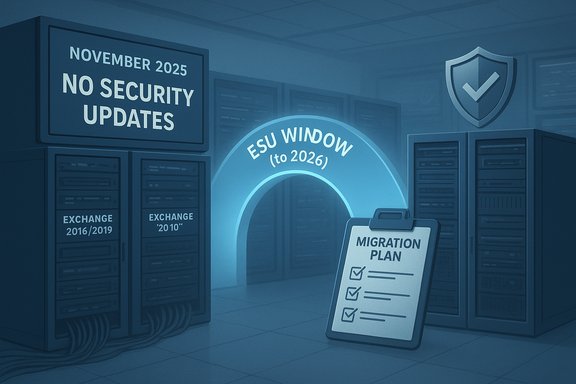
Microsoft’s Exchange Team has confirmed that there are no security updates for any version of Exchange Server in November 2025, including Exchange Server Subscription Edition (SE) and Exchange Server 2016/2019 instances covered by the one‑time Extended Security Update (ESU) program; the team also said it will continue to issue explicit announcements each month through the ESU period (which runs through April 14, 2026), even when there are no releases to deliver.
Microsoft set a firm timeline for Exchange Server in 2025: Exchange Server 2016 and Exchange Server 2019 reached end of support on October 14, 2025, and Microsoft made a one‑time, six‑month Extended Security Update (ESU) program available to eligible customers beginning August 1, 2025. The ESU covers only Critical and Important security fixes and is explicitly not a support lifecycle extension — it does not reinstate technical support for the product outside of security updates provided under the program. The ESU window closes on April 14, 2026, after which no security updates for Exchange 2016 or 2019 will be issued to non‑SE customers.
This month’s Exchange Team post clarifies two operational facts that every Exchange administrator needs to understand right now:
Key implications:
Microsoft’s monthly communication this November was unambiguous and procedural: no Exchange Server security releases were required this month across SE and ESU‑covered environments. That status simplifies immediate patch planning but should not be mistaken for diminished risk. The end of support for Exchange 2016 and 2019 is already in effect, the ESU window is strictly temporary, and the only sustainable, long‑term strategy for most organizations is to migrate to a supported platform and harden in place during the transition. The clock is running; prioritize inventory, hardening, and migration work now.
Source: Microsoft Exchange Team Blog No Exchange Server Security Updates for November 2025 | Microsoft Community Hub
 Background
Microsoft set a firm timeline for Exchange Server in 2025: Exchange Server 2016 and Exchange Server 2019 reached end of support on October 14, 2025, and Microsoft made a one‑time, six‑month Extended Security Update (ESU) program available to eligible customers beginning August 1, 2025. The ESU covers only Critical and Important security fixes and is explicitly not a support lifecycle extension — it does not reinstate technical support for the product outside of security updates provided under the program. The ESU window closes on April 14, 2026, after which no security updates for Exchange 2016 or 2019 will be issued to non‑SE customers.This month’s Exchange Team post clarifies two operational facts that every Exchange administrator needs to understand right now:
- There are no Exchange security updates being released in November 2025 for any supported channel (SE) or for systems enrolled in the Exchange 2016/2019 ESU program.
- Microsoft will continue to publish a clear statement each month during the ESU period indicating whether updates were released, even when the statement is simply that there were no updates.
Why Microsoft may not release updates every month
Exchange Server security updates are not delivered on a rigid monthly cadence; they're released when Microsoft identifies Critical or Important product fixes that must be distributed. That means:- Patch Tuesday is the cadence for potential releases, but no Patch Tuesday guarantee exists for Exchange updates — Microsoft will only issue SUs (security updates) when there’s a validated, necessary fix.
- The ESU program is intentionally scoped to provide time‑bound, selective security coverage. Microsoft has emphasized that ESU is a bridge for migration, not a long‑term substitute for staying current on supported releases.
What this means for organizations running Exchange today
Short version: lack of an update in November does not equal safety — it is a neutral status that still requires active defense and migration planning.Key implications:
- Exchange SE customers continue on the supported channel and should keep applying patches when released and maintaining standard security hygiene.
- Customers enrolled in Exchange 2016/2019 ESU will get updates only if Microsoft determines a Critical or Important fix is necessary; November simply had no such fixes to publish.
- Organizations still on Exchange 2016 or 2019 that did not enroll in ESU have no guarantee of receiving fixes after October 14, 2025. These systems are effectively unsupported and represent a higher security and compliance risk.
Technical verification and current state (what was confirmed)
- Exchange 2016 and Exchange 2019 reached end of support on October 14, 2025.
- Microsoft opened ESU enrollment and delivery processes beginning August 1, 2025, for eligible customers who had the required baseline cumulative updates installed (Exchange 2016 CU23 or Exchange 2019 CU14/CU15 at the time of program announcement).
- The ESU program is six months long, ending April 14, 2026; Microsoft has stated the ESU window will not be extended.
- For November 2025, Microsoft’s Exchange Team explicitly announced there are no security updates for any Exchange Server versions for that month and reiterated the recommendation to migrate to Exchange SE.
Risk assessment: why “no updates” can still be risky
Even when Microsoft does not issue a security update, organizations face several consistent risks:- Zero‑day threats or active exploit campaigns can emerge between Patch Tuesdays and may be discovered after Microsoft has evaluated the environment. In that case, a subsequent out‑of‑band fix might be required, and only enrolled ESU customers (or SE customers) will receive it.
- Unsupported versions (i.e., Exchange 2016/2019 after ESU expiry) will no longer receive fixes, leaving any future vulnerabilities permanently unpatched unless the organization migrates or isolates the service.
- Hybrid configurations and service principals used for Exchange hybrid connectivity can create privilege escalation vectors between on‑prem and Exchange Online if on‑prem software is compromised; securing hybrid accounts and credentials remains critical.
- Administrative procedures and tooling differences between older CUs and Exchange SE can create accidental misconfigurations during coexistence or upgrade windows.
Recommended immediate actions (what to do this week)
- Inventory and verify:
- Run a full inventory of on‑prem Exchange servers and record exact builds and cumulative update levels (CU numbers).
- Confirm which servers are enrolled in ESU (if any) and document the scope of ESU entitlement (per‑server coverage).
- Monitor and prioritize:
- Keep continuous monitoring of security feeds, EDR alerts, and log sources for indicators of compromise affecting Exchange service accounts or IIS frontends.
- Prioritize any alerts tied to authentication anomalies, unusual mailbox access patterns, or service principal usage.
- Harden hybrid and admin touchpoints:
- Rotate and secure the hybrid service principal credentials and reduce permissions to least privilege.
- Ensure multi‑factor authentication is enforced for all admin accounts that can manage Exchange, including global and Exchange‑administrative roles.
- Apply compensating controls:
- Limit network exposure: restrict Exchange management ports to trusted admin subnets and jump hosts.
- Implement output filters and mail flow protections to detect and block anomalous outbound mail spikes.
- Accelerate migration planning:
- If you are not yet on Exchange SE, create a concrete migration timeline that finishes before April 14, 2026 (ESU expiry) or sooner if possible.
- If you have enrolled in ESU, use that time to perform final migrations, testing, and decommissioning.
Migration guidance: upgrading to Exchange SE (practical roadmap)
Exchange Server Subscription Edition (SE) is Microsoft’s on‑premises successor to Exchange 2019 with an evergreen servicing model. For organizations moving from Exchange 2016/2019 to Exchange SE, follow this high‑level roadmap:- Preparation
- Verify current CU baseline and update to the minimum required CU (e.g., Exchange 2019 CU14/CU15 or Exchange 2016 CU23 as applicable).
- Backup Exchange servers and system state; validate restores in a lab if possible.
- Test and validate
- Deploy a test Exchange SE instance in a controlled lab or pilot environment.
- Run Exchange Health Checker and your standard post‑update validation scripts.
- Transition
- Use the supported in‑place upgrade path where applicable, or follow staged server replacement if preferred.
- Validate mail flow, hybrid connectivity, and client access (Outlook and mobile) after upgrade.
- Decommission and harden
- Remove legacy server entries from AD where appropriate, and ensure certificates and URLs point to new servers.
- Reapply hardened configurations and monitoring baseline.
Operational checklist for November and the ESU window
- Confirm which Exchange servers are covered by ESU and retain enrollment documentation.
- Run Exchange Health Checker to verify CU and SU levels across all servers.
- Validate backup and restore procedures for all Exchange roles (Mailbox and Edge).
- Harden hybrid configurations (rotate keys, enforce conditional access for hybrid accounts).
- Limit administrative access and enforce MFA and privileged access workstations (PAWs).
- Monitor Microsoft’s monthly Exchange Team announcements and check for out‑of‑band advisories.
- Test incident response playbooks specifically for mail‑server incidents (mail‑flow diversion, mailbox isolation, domain controller isolation scenarios).
- Establish a migration timeline that finishes before ESU expiration if you are not moving to Exchange SE permanently.
Security operations: detection and response priorities
Even without a November SU, defenders must focus on detecting and stopping common attack patterns around Exchange:- Hunt for anomalous RPC/EWS/OAuth token usage and sudden increases in service principal activity.
- Inspect IIS logs and OWA endpoints for suspicious POSTs or authentication bypass attempts.
- Use memory and file integrity monitoring on Exchange binaries and the scripts that interact with Exchange Management Shell.
- Look for lateral movement patterns, such as attempts to enumerate AD objects tied to Exchange or excessive use of Exchange management cmdlets from unexpected workstations.
Policy and compliance considerations
Organizations subject to regulatory controls should be particularly mindful that running unsupported server versions creates compliance gaps. Key considerations:- Document the business justification and risk mitigation for any system running beyond vendor support.
- Ensure compensating controls (network isolation, enhanced monitoring, EDR) are in place and evidence is collected for auditors.
- If ESU was purchased, retain proof of enrollment and details about which updates were privately delivered in case an auditor requests evidence of security maintenance actions.
What to expect in the remainder of the ESU period
- Microsoft will continue the practice of announcing whether or not a release is made each month during the ESU window.
- Updates will be issued only when Microsoft determines a Critical or Important product fix is required. Organizations should not assume a monthly cadence of SUs.
- ESU is a temporary bridge; the strategic objective remains migration to Exchange SE or moving mailboxes to Exchange Online.
Strengths and limitations of Microsoft’s approach
Strengths:- The ESU program provides a practical, time‑boxed bridge for organizations that need a little more migration runway.
- By publishing a monthly “no release” announcement when applicable, Microsoft helps administrators maintain clarity on whether action is necessary that month.
- Focusing updates on Critical and Important fixes reduces churn and concentrates attention on high‑impact vulnerabilities.
- The ESU model is per‑server and private; updates delivered to enrolled customers may not be publicly replicable or auditable in the same way as public patches, complicating third‑party or internal tracking.
- Organizations that delay migration and rely on ESU are accepting a limited, stopgap posture that may not be suitable for long‑term security or compliance.
- The lack of public monthly releases for 2016/2019 means community tooling and public advisories may have less information to work from for threat hunting and validation.
Final recommendation (concise action plan)
- Treat November’s “no updates” notice as an operational status, not a security guarantee.
- If you have not already done so, finalize your plan to migrate to Exchange SE or to move mailboxes to Exchange Online — aim to complete migration well before April 14, 2026.
- If enrolled in ESU, use the remaining time to perform risk‑reducing activities: rotate hybrid credentials, reduce attack surface, and run full monitoring and incident response exercises.
- Maintain a hardened posture for on‑prem Exchange: MFA, restricted management access, network segmentation, and continuous telemetry collection.
Microsoft’s monthly communication this November was unambiguous and procedural: no Exchange Server security releases were required this month across SE and ESU‑covered environments. That status simplifies immediate patch planning but should not be mistaken for diminished risk. The end of support for Exchange 2016 and 2019 is already in effect, the ESU window is strictly temporary, and the only sustainable, long‑term strategy for most organizations is to migrate to a supported platform and harden in place during the transition. The clock is running; prioritize inventory, hardening, and migration work now.
Source: Microsoft Exchange Team Blog No Exchange Server Security Updates for November 2025 | Microsoft Community Hub
