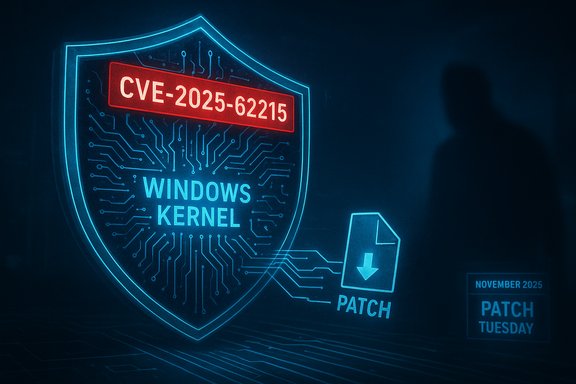
Microsoft has shipped the November 2025 security rollup and an urgent out‑of‑band (OOB) patch that fixes a bug which prevented some Windows 10 PCs from enrolling in the consumer Extended Security Updates (ESU) program — a release that also closes an actively exploited Windows kernel zero‑day and irons out a troublesome Task Manager regression introduced in an October preview build.
Microsoft’s monthly security cadence — “Patch Tuesday” — landed on November 11, 2025 (UTC), delivering the regular set of cumulative updates for supported Windows branches alongside a targeted emergency fix for consumer Windows 10 ESU enrollment issues. This Patch Tuesday bundle addresses 63 CVEs across Microsoft’s product stack and includes one actively exploited zero‑day in the Windows kernel tracked as
The zero‑day in context (
The Windows 10 emergency:
Technical analysis —
Source: GIGAZINE Today is the monthly 'Windows Update' day, and a patch to fix a bug that prevented Windows 10 from registering for extended updates is being distributed.
 Background
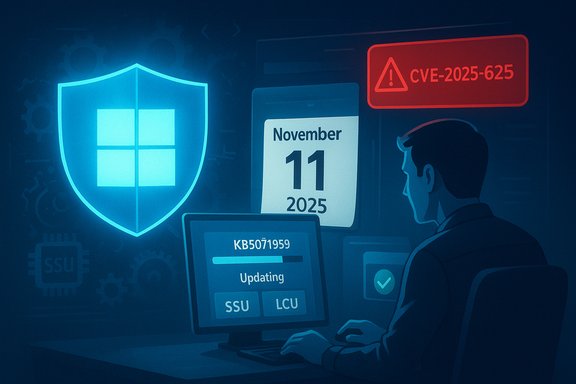
Microsoft’s monthly security cadence — “Patch Tuesday” — landed on November 11, 2025 (UTC), delivering the regular set of cumulative updates for supported Windows branches alongside a targeted emergency fix for consumer Windows 10 ESU enrollment issues. This Patch Tuesday bundle addresses 63 CVEs across Microsoft’s product stack and includes one actively exploited zero‑day in the Windows kernel tracked as CVE‑2025‑62215. Windows 10 reached its mainstream end of support on October 14, 2025. Microsoft offered a one‑year Consumer Extended Security Updates (ESU) program to keep eligible 22H2 devices receiving security fixes through October 13, 2026, but enrollment for some consumer devices failed due to a bug in the in‑OS enrollment wizard — a failure that effectively blocked those PCs from receiving ESU rollups. Microsoft responded by publishing an out‑of‑band cumulative package, KB5071959, specifically targeted at affected consumer devices. What Microsoft shipped in November 2025
High‑level highlights
- Security coverage for 63 unique CVEs across Windows, Office, Azure and development tools.
- One actively exploited kernel zero‑day:
CVE‑2025‑62215(local elevation of privilege). - An out‑of‑band fix for Windows 10 consumer ESU enrollment:
KB5071959. - The standard November monthly cumulatives for supported Windows branches (e.g.,
KB5068861for Windows 11 builds), which include both security fixes and the non‑security preview fixes back‑ported from recent optional updates (including the Task Manager fix).
The zero‑day in context (CVE‑2025‑62215)
CVE‑2025‑62215 is an elevation‑of‑privilege vulnerability in the Windows kernel that Microsoft and multiple security vendors flagged as actively exploited in the wild. Public reporting and vendor advisories describe the flaw as a concurrency‑related memory corruption (race condition and double‑free behavior), which can be leveraged by a local attacker who already has foothold access to escalate privileges to SYSTEM. While exploitation requires local access or a prior foothold, the vulnerability is a classic post‑compromise escalation vector used by advanced attackers and ransomware operators to expand control on a breached host. Patch this one promptly on exposed administrative workstations, jump hosts, and servers where local compromise could be leveraged. The Windows 10 emergency: KB5071959 (Out‑of‑Band)
What it fixes
KB5071959 is an out‑of‑band cumulative update for Windows 10, version 22H2, that advances affected systems to OS Build 19045.6466. Its stated purpose is narrow and operational: it corrects an issue where the Windows 10 Consumer ESU enrollment wizard may fail during enrollment, producing vague errors like “Something went wrong” or region‑specific “temporarily unavailable” messages. The package also bundles the October LCU to ensure devices that were blocked don’t miss prior security fixes, and Microsoft pairs it with a servicing stack update (SSU KB5071982) to reduce install failures. Who gets it and how it’s delivered
- Target: consumer devices running Windows 10 22H2 that are not already enrolled in consumer ESU and that are flagged by Microsoft’s update delivery logic as having enrollment failures.
- Delivery: Offered automatically through Windows Update for qualifying devices. If Windows Update does not surface it, the MSU/CAB is available in the Microsoft Update Catalog for manual install (SSU first when required).
Practical install steps (concise)
- Open Settings → Update & Security → Windows Update → Check for updates.
- If offered, install
KB5071959and reboot to complete the SSU + LCU sequence. - After restart: return to Settings → Windows Update → Enroll now and follow the wizard to link an ESU entitlement to a Microsoft account.
- If not offered, download
KB5071959and the SSUKB5071982from the Microsoft Update Catalog and install (SSU first), then reboot and enroll.
Why Microsoft pushed an OOB update
The enrollment wizard is the gating mechanism: if eligible devices cannot complete enrollment they will not receive ESU‑delivered security updates. Waiting a month (the normal cadence) would leave blocked systems exposed to new or already published high‑severity fixes. Bundling the SSU with the OOB cumulative reduces the chance of installation failures, a pragmatic engineering trade that favors reliability over an uncontrollable staggered fix.Windows 11 rollup and the Task Manager regression
The November cumulatives for Windows 11 (for example,KB5068861) include typical security fixes plus a patch to address the Task Manager issue introduced by an October preview (KB5067036) where closing the Task Manager window did not fully terminate the process and could leave hidden background instances consuming memory and CPU. Microsoft’s cumulative repairs explicitly call out that closing Task Manager with the Close button now ends the process correctly. Independent reporting documented the bug’s reproducible behavior and impact; the November rollup contains the corrective fix. Technical analysis — CVE‑2025‑62215
Nature and exploitation
Public technical summaries and vendor write‑ups characterizeCVE‑2025‑62215 as arising from improper synchronization in kernel code — a race condition possibly coupled with double‑free semantics — that can corrupt kernel memory under concurrent threads and lead to elevation of privilege. The exploit scenario typically requires initial (local) execution capability; successful exploitation yields SYSTEM privileges and can serve as a staging step for lateral movement or persistence tools. Because this vulnerability is actively exploited, defenders should assume it’s valuable to attackers and prioritize remediation on high‑value assets. Mitigations before patching
- Limit local login capabilities on critical servers and administrative workstations.
- Enforce least privilege: remove unnecessary admin rights and use privileged access workstations for management tasks.
- Monitor for post‑compromise indicators: unusual attempts to load unsigned drivers, anomalous process injection, or privilege escalation tool activity.
- Ensure robust EDR/endpoint monitoring and rule sets that flag kernel exploitation patterns or abnormal memory operations. Note: these mitigations are compensating controls and do not replace the fix.
What this means for administrators and consumers
For consumers (Windows 10 22H2)
- If you attempted to enroll in ESU and saw failures, install
KB5071959as soon as it appears and complete the Enrollment wizard; without enrollment your device will miss November ESU rollups. If the update isn’t offered, download from the Update Catalog and install the SSU then the cumulative.
For enterprises and IT teams
- Treat
CVE‑2025‑62215and other elevation‑of‑privilege or remote code execution CVEs as high priorities for systems that could be leveraged post‑compromise (domain controllers, jump hosts, RDP‑exposed servers). - If you use WSUS, ConfigMgr (SCCM), or Intune, synchronize catalogs and pilot the November cumulative on a representative ring before wide deployment.
- Remember that combined SSU+LCU packages sometimes cannot be fully rolled back because the SSU is semi‑permanent; plan rollouts with robust backups and BitLocker recovery keys accessible. Microsoft’s documentation warns that uninstalling the combined package will not remove the SSU.
Patch sequencing and manual installs
- When manually applying MSUs/CABs from the Microsoft Update Catalog, follow Microsoft’s guidance: install the servicing stack update (SSU) first if the KB specifies it, then the LCU.
- For
KB5071959manual installs, ensure you choose the correct architecture and build match for the device to avoid mismatched package errors.
Strengths of Microsoft’s response — and the trade‑offs
Notable strengths
- Rapid OOB action: Microsoft pushed
KB5071959the same week the November rollups shipped, closing a critical distribution gap for consumer ESU eligibility. That security‑first approach ensured enrollment blockages didn’t prevent delivery of urgent patches. - Bundling SSU+LCU reduces chained failures: shipping the servicing stack alongside the cumulative reduces the classic install failure scenario where an outdated SSU blocks newer LCUs.
- Transparent acknowledgements: Microsoft’s KBs and release notes explicitly describe the ESU enrollment issue and the Task Manager regression fix, helping admins and users triage quickly.
Trade‑offs and potential risks
- SSU permanence: combined SSU+LCU packages are harder to roll back; administrators must validate before large deployments to avoid long‑running remediation cycles.
- Enrollment complexity and regional gating: the consumer ESU enrollment experience depends on account links, region rollout timing, and device state (enterprise‑managed devices follow different purchase paths). The OOB patch fixes the wizard bug but may not resolve all configuration cases (e.g., Azure‑AD or work/school account ties). That leaves some edge cases requiring manual intervention.
- Visibility: Microsoft has not published telemetry counts of how many devices were affected by the enrollment failure. Any specific estimates are therefore speculative until Microsoft publishes data; treat unverified impact figures with caution.
Action checklist — immediate steps for admins and power users
- Inventory and prioritize:
- Identify devices in scope (Windows 11 branches, Windows Server 2019/2022/2025, Windows 10 22H2 enrolled in ESU).
- Patch key hosts first:
- Patch domain controllers, jump hosts, EDR servers, and administrative workstations for
CVE‑2025‑62215and other critical CVEs. - For Windows 10 consumer‑class devices blocked from ESU:
- Install
KB5071959if offered; reboot and complete Enrollment → Windows Update → Enroll now. - If not offered, download
KB5071959and SSUKB5071982from the Microsoft Update Catalog and install SSU first, then LCU. - Pilot and stage:
- Pilot the November cumulative on representative devices and monitor update history, CBS logs, and BitLocker recovery requests before mass deployment.
- Monitor:
- Watch for exploit indicators and EDR alerts that suggest post‑compromise privilege escalation activity.
- Backup and rollback readiness:
- Ensure backups, system images, and BitLocker recovery keys are accessible prior to wide installs. Remember SSUs are not always removable.
Flags and unverifiable claims
- Microsoft’s KBs and vendor reports confirm the enrollment bug and the
KB5071959remedy, and multiple security advisories reportCVE‑2025‑62215as actively exploited. However, Microsoft has not released a device‑count or detailed telemetry on how many consumer PCs were affected by the ESU wizard failure; any specific numbers should be treated as speculative until Microsoft provides telemetry or a follow‑up advisory. - Technical writeups characterize the kernel bug as a race condition/double‑free class issue; precise vulnerable kernel component names are not always publicly disclosed in initial advisories to avoid giving attackers an easy fingerprint. Treat vendor technical summaries as guidance, and rely on Microsoft’s patches as the authoritative mitigation.
Longer‑term considerations
- ESU is a bridge, not a destination: consumer ESU provides a temporary safety net; organizations and individuals should plan migrations to supported platforms (e.g., Windows 11) or adopt long‑term commercial ESU arrangements where necessary.
- Update pipeline resilience matters: the enrollment incident underscores that update delivery mechanics — wizards, SSUs, and catalog logic — are mission‑critical infrastructure. Vendors and IT teams should treat those delivery paths as first‑class operational dependencies, with test harnesses and visibility into enrollment flows.
- Security posture remains layered: patch quickly, but combine timely updates with least‑privilege controls, strong endpoint monitoring, and secure administration practices to limit the impact of both novel exploits and post‑compromise escalation chains.
Conclusion
November’s Windows security update cycle delivered a compact but consequential set of fixes: 63 CVEs, including a Windows kernel zero‑day (CVE‑2025‑62215), routine cumulatives for supported branches, and a targeted OOB package (KB5071959) that closes an operational gap blocking consumer ESU enrollment. Microsoft’s choice to ship an out‑of‑band cumulative that includes the October LCU and a servicing‑stack update reflects a pragmatic, security‑first posture — one that balances rapid remediation with installation reliability. At the same time, the episode highlights operational fragility around update delivery and the ongoing requirement for disciplined patch sequencing, robust backups, and careful testing before enterprise rollouts. Apply the November patches promptly, follow the recommended install sequence for SSUs/LCUs, and treat the ESU enrollment fix as a high‑priority task for any Windows 10 consumer device that must remain supported. Source: GIGAZINE Today is the monthly 'Windows Update' day, and a patch to fix a bug that prevented Windows 10 from registering for extended updates is being distributed.