

NVIDIA’s GeForce Game Ready Driver 442.59 is a genuine release from March 2020, originally published as a WHQL-certified package and intended to deliver day‑one optimizations for titles such as Call of Duty: Warzone — but by 2026 the technical and security context around that package has changed dramatically, especially for Windows 7 users, making “discount” or third‑party copies a risky route that requires careful verification, isolation, or an operating‑system upgrade.
GeForce Game Ready Driver 442.59 shipped on March 10, 2020 as a WHQL release and was distributed to address specific game‑compatibility issues and stability bugs present at that time. The vendor release notes and independent hardware outlets recorded the package’s release date and primary purpose — game optimizations and a handful of fixes.
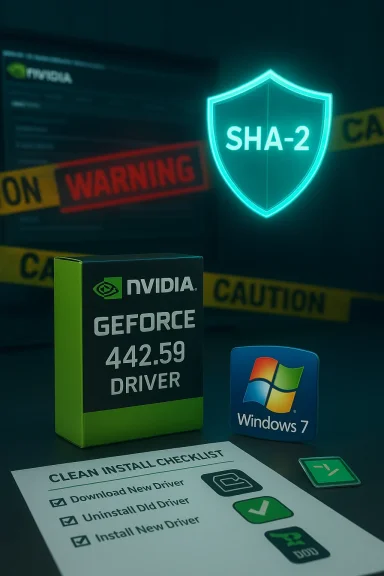
NVIDIA historically provided both Windows 10 and Windows 7 variants for many releases in that era. The 442.59 build was notable for adding a Windows 7 installer check to ensure a system had the Microsoft SHA‑2 certificate support patches installed before continuing, a precaution aimed at avoiding installation and post‑install code‑signing errors on older OS installations. That SHA‑2 check is explicitly documented in vendor and industry coverage from 2020.
While 442.59 was legitimate and useful in its moment, the driver’s lifecycle must be viewed against NVIDIA’s evolving support policies and Microsoft’s ongoing OS support timeline. By 2026, running an archived driver intended for a 2020 environment — particularly on a retired OS like Windows 7 — requires a careful risk assessment and concrete mitigation steps.
By 2025 NVIDIA extended Windows 10 Game Ready Driver support through October 2026 and set a cadence for quarterly security updates for some older architectures through 2028; this extension is explicitly tied to Windows 10 and to certain GPU families (Maxwell, Pascal, Volta). Windows 7 was not covered by the same long tail and effectively exited regular vendor support earlier, with critical security updates for Windows 7 GeForce drivers scheduled only through September 2024. Running Windows 7 in 2026 therefore means that vendor‑delivered driver security updates have ceased.
For readers who must proceed with an archived NVIDIA installer: prepare a backup, confirm hardware and operating system compatibility, use a clean‑install workflow, and verify the package cryptographically before executing it. These steps minimize install‑time regressions and reduce the security surface when dealing with legacy drivers in a modern threat environment.
Source: Born2Invest https://born2invest.com/?b=style-230062212/
 Background / Overview
GeForce Game Ready Driver 442.59 shipped on March 10, 2020 as a WHQL release and was distributed to address specific game‑compatibility issues and stability bugs present at that time. The vendor release notes and independent hardware outlets recorded the package’s release date and primary purpose — game optimizations and a handful of fixes. NVIDIA historically provided both Windows 10 and Windows 7 variants for many releases in that era. The 442.59 build was notable for adding a Windows 7 installer check to ensure a system had the Microsoft SHA‑2 certificate support patches installed before continuing, a precaution aimed at avoiding installation and post‑install code‑signing errors on older OS installations. That SHA‑2 check is explicitly documented in vendor and industry coverage from 2020.
While 442.59 was legitimate and useful in its moment, the driver’s lifecycle must be viewed against NVIDIA’s evolving support policies and Microsoft’s ongoing OS support timeline. By 2026, running an archived driver intended for a 2020 environment — particularly on a retired OS like Windows 7 — requires a careful risk assessment and concrete mitigation steps.
What 442.59 actually is (technical verification)
Release metadata and intent
- Version: 442.59 (WHQL).
- Release date: March 10, 2020.
- Primary Game Ready target: Call of Duty: Warzone (day‑one optimizations).
Windows 7 variant and SHA‑2 dependency
- The Windows 7 installer for drivers of this era commonly required Microsoft’s SHA‑2 signing support patches to be present on the system; NVIDIA explicitly implemented an installer check in the 442.59 family to prevent the install from continuing on Windows 7 systems lacking those patches. That requirement was intended to prevent "publisher verification" errors and Code 52 device errors related to signature verification.
File size and packaging notes
Vendor driver pages list package sizes and platform-specific bundles; for example, 442.59’s Windows 10 desktop bundle was several hundred megabytes (the desktop 442.59 build is logged at roughly 575 MB on NVIDIA’s site), with separate notebook builds produced where necessary. These details matter when selecting the correct installer for a desktop versus laptop / OEM system.The 2026 context: support, security and lifecycle
NVIDIA’s shifting support policy (what matters in 2026)
NVIDIA changed its support model for older OSes and architectures in the 2021–2025 window. Game Ready Driver updates for Windows 7/8.x were effectively retired in 2021 and replaced by limited security update drivers that were issued for a time after that deprecation. NVIDIA released a series of security‑only drivers (the 473.x/474.x family) to provide critical patches for Windows 7/8.x systems through September 2024. Those security drivers do not include Game Ready features or performance optimizations — they aim solely to close specific security holes.By 2025 NVIDIA extended Windows 10 Game Ready Driver support through October 2026 and set a cadence for quarterly security updates for some older architectures through 2028; this extension is explicitly tied to Windows 10 and to certain GPU families (Maxwell, Pascal, Volta). Windows 7 was not covered by the same long tail and effectively exited regular vendor support earlier, with critical security updates for Windows 7 GeForce drivers scheduled only through September 2024. Running Windows 7 in 2026 therefore means that vendor‑delivered driver security updates have ceased.
What that means for 442.59 users in 2026
- If you’re on Windows 7 in 2026 and considering 442.59, know that the vendor’s follow‑on security updates have ended and older drivers will not receive ongoing CVE patches from NVIDIA after the policy cutoff. That makes any kernel‑mode driver on an unpatched OS a higher security liability than it was when the driver was current.
- A 2020 Game Ready driver like 442.59 will not include later security patches introduced in the 473/474 security driver series; it also won’t receive hotfixes or mitigations added in later security updates. For critical or internet‑exposed machines, this is an increased risk.
“Discount” driver offers and third‑party mirrors: precise dangers
Why “discount” or repackaged driver bundles are risky
Third‑party sites that advertise “discount”, “clearance”, or bundled driver archives often repack installers, alter INF files, or bundle unrelated software. Kernel drivers run at the highest privilege level; a tampered driver can break signature enforcement, introduce persistence malware, or cause system‑wide instability. Community archives and Windows support professionals repeatedly warn against trusting repackagers unless you can cryptographically verify the binary.- Signature tampering: An altered driver can break Microsoft or NVIDIA code‑signatures and force users to disable secure boot or driver signature enforcement to install it — a dangerous step that degrades platform security.
- INF edits & OEM mismatches: Repackagers sometimes edit INF tables to add or remove device IDs. That can make an installer appear to support a device it did not originally target and can lead to mismatched power/thermal/firmware behavior on notebooks.
- Bundled or hidden extras: Some mirrors include telemetry, telemetry‑blocking tools, or adware. Kernel‑level changes may not be obvious until you experience crashes, corruption, or a compromised system.
The Born2Invest link and unverifiable claims
The specific Born2Invest URL that was supplied with the original query could not be reliably retrieved or validated by verification checks and community archival passes. Material that exists only on unstable or unreachable pages must be treated as unverified. Any unique binary or “discount” installer available only from such a page should be considered suspect until proven otherwise by checksums or vendor confirmation.Safe acquisition and verification: step‑by‑step
When you absolutely must obtain an archived driver like 442.59, follow this checklist to minimize risk and ensure correct installation.- Prefer the vendor or OEM archives: always search NVIDIA’s official driver archive or your laptop/desktop OEM’s support portal first. If you have a branded laptop, the OEM package is normally safer than a generic NVIDIA notebook package.
- Verify package metadata: compare the listed file size and any vendor‑published checksum (SHA‑256) against the file you download. Some package managers and archives publish checksums for historical builds; Chocolatey’s community package for 442.59, for example, lists a SHA‑256 checksum for the 442.59 desktop installer — a useful cross‑check if you use that channel. Always prefer the vendor’s checksum when available.
- Confirm OS and product match: confirm that you pick the correct desktop vs notebook build and the proper OS variant (Windows 7 x64 vs Windows 10 x64). The installer’s “Operating System” field on vendor pages is authoritative. Installing a desktop package on a vendor‑locked notebook model can fail or produce suboptimal behavior.
- Use a clean‑install workflow:
- Create a full system backup or at least a Windows restore point.
- If you have known driver corruption or a history of installation failures, use DDU (Display Driver Uninstaller) in Safe Mode to remove existing NVIDIA drivers cleanly before installing the archived package.
- Choose custom install options: select Custom (Advanced) and tick Perform a clean installation when running the NVIDIA installer. Uncheck GeForce Experience and other optional components if you want a driver‑only install and want to avoid optional telemetry.
- Validate after install: open Device Manager → Display adapters and the NVIDIA Control Panel → System Information to confirm the driver build number and verify the INF/hardware ID match. Run representative workloads to test stability.
- If the installer refuses to run on Windows 7, check SHA‑2 support: install Microsoft’s SHA‑2 code‑signing patches (for example KB4474419 and KB4490628) and reboot; then retry installation. Vendor guidance and support docs reference these KBs for Windows 7 driver installs.
If you’re still on Windows 7 in 2026: practical choices
Option A — Upgrade the OS
Upgrade to Windows 10 or Windows 11 where feasible. Upgrading restores access to modern Game Ready drivers and the vendor’s active support pipeline; NVIDIA explicitly tied ongoing Game Ready feature and performance support to newer OS families. For gamers and creators who need current performance and security, OS upgrade plus a current driver build is the recommended path.Option B — Isolate and harden the Windows 7 machine
If upgrade isn’t possible (legacy software, hardware dependencies), apply the following mitigations:- Install latest SHA‑2 and security patches available for Windows 7 (including the KBs that enable SHA‑2 code signing).
- Install the latest NVIDIA security‑only driver series that were published for Windows 7 (for example the late 473.x / 474.x security drivers), but accept that those drivers’ security updates ended with the vendor’s published window in September 2024.
- Remove internet access where possible, or place the machine behind strict network segmentation and compensating controls (firewalls, endpoint monitoring) to reduce exposure.
Option C — Virtualize the legacy app
If a legacy application forces you to run Windows 7, consider moving the app into a virtual machine that is isolated and has minimal device exposure to the host. Use the host OS (Windows 10/11) for internet access and modern drivers, and accept the VM as an offline or air‑gapped execution environment where practical.Practical example: installing 442.59 safely (concise workflow)
- Step 1: Confirm GPU model in Device Manager and note Hardware Ids.
- Step 2: Download 442.59 only from NVIDIA’s official archive page or OEM site and verify file size/checksum if provided.
- Step 3: If running Windows 7, ensure SHA‑2 patches are installed (KB4474419 / KB4490628) before running the installer.
- Step 4: Use DDU in Safe Mode if you want a truly clean swap; otherwise create a restore point.
- Step 5: Run the NVIDIA installer → Custom → Clean Install → Uncheck GeForce Experience if desired. Reboot and validate.
Strengths, limitations and the bottom line
- Strengths of 442.59 as a historical release: It is a legitimate WHQL Game Ready driver that solved real 2020‑era compatibility issues and was correctly documented by NVIDIA and independent outlets. If you’re running hardware and software from that era, the package can be useful.
- Critical limitations in 2026: Vendor security updates for Windows 7 drivers concluded with the security driver cadence that ended in September 2024; therefore using an archived 2020 driver on Windows 7 in 2026 leaves you without vendor‑supplied security fixes. Third‑party “discount” installers and unstable mirrors are an unacceptable additional risk for kernel drivers.
- Practical recommendation: For any production, internet‑facing, or security‑sensitive system, upgrade the OS to a supported platform (Windows 10/11) and use current vendor drivers. If that’s impossible, restrict network exposure, apply available SHA‑2 and security updates, and install only vendor‑published security drivers — never an unverified “discount” repackager.
Conclusion
GeForce Game Ready Driver 442.59 is a legitimate 2020 NVIDIA release with a documented Windows 7 installer requirement for SHA‑2 support, but by 2026 the security and lifecycle context has changed: Windows 7 no longer receives routine Game Ready or broad security driver updates from NVIDIA, and vendor guidance points to security‑only driver releases that were time‑limited. Downloading a “discount” or unverified mirror copy of 442.59 is a high‑risk approach for kernel‑level software; instead, obtain drivers from NVIDIA’s official archive or your OEM, verify signatures or checksums, apply required Microsoft SHA‑2 patches for Windows 7, and prefer OS upgrade or virtualization where possible. The Born2Invest page cited with the original query could not be validated during verification, and any claims or binaries sourced only from that URL should be regarded as unverified until proven by vendor checksums or mirrored vendor pages.For readers who must proceed with an archived NVIDIA installer: prepare a backup, confirm hardware and operating system compatibility, use a clean‑install workflow, and verify the package cryptographically before executing it. These steps minimize install‑time regressions and reduce the security surface when dealing with legacy drivers in a modern threat environment.
Source: Born2Invest https://born2invest.com/?b=style-230062212/
