

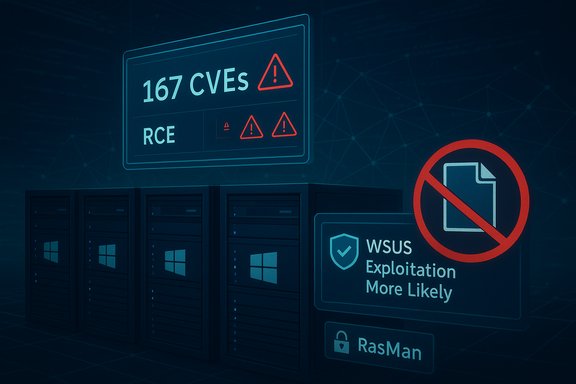
Microsoft’s October 2025 Patch Tuesday delivered one of the largest and most consequential security refreshes of the year: Microsoft released fixes covering roughly 167 CVEs in a single update cycle, patched two zero-day elevation-of-privilege (EoP) bugs that were exploited in the wild, and closed a near‑perfect 9.8 CVSS remote code execution (RCE) in Windows Server Update Services (WSUS) that Microsoft assessed as “Exploitation More Likely.”
October’s updates (published October 14, 2025) span a broad swath of Windows and Microsoft server/cloud components — from kernel-mode drivers and Windows core services to Office, Azure services, and Microsoft’s update infrastructure. Multiple major security vendors and incident responders characterized this as one of Microsoft’s largest Patch Tuesdays in 2025, with headline items that require immediate operational attention: the removal of a legacy in‑box modem driver (ltmdm64.sys), a WSUS deserialization RCE, and a Remote Access Connection Manager (RasMan) EoP that was observed exploited in the wild. Key topline metrics publicly reported by multiple vendors include:
Microsoft’s October 2025 Patch Tuesday is a reminder that platform security and operational compatibility are often in tension. The vendor closed dangerous attack surfaces, including removing an in‑box kernel driver and patching a severe WSUS deserialization RCE, but those actions place a premium on rapid asset inventory, staged patching, and migration planning. Organizations that treat update infrastructure and legacy drivers as first‑class security risks — and that allocate resources to inventory, isolation, and phased migration — will both reduce their immediate exposure and be better positioned for the next large‑scale Patch Tuesday event.
Source: Security Boulevard Microsoft’s October 2025 Patch Tuesday Addresses 167 CVEs (CVE-2025-24990, CVE-2025-59230)
 Background / Overview
October’s updates (published October 14, 2025) span a broad swath of Windows and Microsoft server/cloud components — from kernel-mode drivers and Windows core services to Office, Azure services, and Microsoft’s update infrastructure. Multiple major security vendors and incident responders characterized this as one of Microsoft’s largest Patch Tuesdays in 2025, with headline items that require immediate operational attention: the removal of a legacy in‑box modem driver (ltmdm64.sys), a WSUS deserialization RCE, and a Remote Access Connection Manager (RasMan) EoP that was observed exploited in the wild. Key topline metrics publicly reported by multiple vendors include:- Total CVEs: roughly 167 (counts vary by tracker depending on whether third‑party/Chromium/cloud advisories are included).
- Severity split: headline reporting identifies several critical RCEs (including a 9.8 in WSUS) and a large number of important-level EoP flaws; one vendor summary listed 7 critical, 158 important, 2 moderate for the Microsoft product CVEs in this cycle.
- Vulnerability types: Elevation of Privilege (EoP) made up a large slice of the set — nearly half of the fixes in some tallies — while Remote Code Execution (RCE) vulnerabilities, although fewer numerically, carry outsized operational risk when they affect network services or update infrastructure.
The zero‑days: CVE‑2025‑24990 and CVE‑2025‑59230
CVE‑2025‑24990 — Agere modem driver (ltmdm64.sys) removal and impact
Microsoft identified an untrusted pointer dereference style EoP in a third‑party Agere soft‑modem driver historically shipped as ltmdm64.sys in Windows images. Rather than ship a vendor-supplied in‑place patch, Microsoft removed the driver from updated Windows images delivered with the October cumulative updates; systems that still depend on that specific driver will lose modem/fax functionality once the update is applied. Microsoft and multiple trackers warned that all supported Windows versions that carried the driver were vulnerable prior to the removal. Why Microsoft removed the driver instead of patching:- The driver is legacy third‑party kernel code with limited or no upstream maintenance, and kernel drivers pose a high‑impact attack surface. Removing the component eliminates the attack vector immediately, but the tradeoff is operational disruption for environments that still rely on analog modem hardware.
- Inventory: locate hosts with ltmdm64.sys (e.g., check C:\Windows\System32\drivers\ltmdm64.sys and enumerate modem-class PnP devices).
- If the modem is non‑essential: apply the October updates to close the vulnerability. If the modem is essential: plan a controlled deferral while migrating to supported alternatives (cloud fax services, SIP/VoIP fax gateways, or actively maintained hardware with signed drivers).
- For regulated workflows (healthcare, legal, government) that still rely on on‑prem faxing, prepare an isolated legacy host with strict segmentation and compensating controls as a temporary stopgap while replacing the hardware.
- Public technical details for the Agere driver exploitation chain were limited at disclosure; vendors emphasized the removal action and operational guidance rather than providing a full exploit write‑up. Treat detailed exploit mechanics as unverified until independent technical analyses are published.
CVE‑2025‑59230 — Remote Access Connection Manager (RasMan) EoP (exploited in the wild)
CVE‑2025‑59230 is an improper access control vulnerability in Windows Remote Access Connection Manager (RasMan) that Microsoft confirmed had been exploited in the wild. The vulnerability allows a local, authenticated attacker to escalate privileges to SYSTEM on affected hosts. RasMan has been patched repeatedly over recent years, but this October disclosure marks the first public RasMan CVE confirmed as exploited as a zero‑day. Why this matters:- RasMan is present on many Windows builds and frequently appears in Patch Tuesday advisories; a local escalation in RasMan is particularly dangerous because it can be chained to remote footholds (e.g., a web application or service RCE), turning a minor intrusion into full system compromise. Prioritize patching of hosts that expose remote access services or that are used for administrative tasks.
- Hunt for suspicious local privilege escalation attempts and RasMan-related process anomalies in EDR telemetry. If patching is delayed, consider restricting access to RasMan via host firewall rules and limiting local account privileges on high‑value systems. Maintain forensic artifacts if compromise is suspected.
CVE‑2025‑59287 — WSUS Remote Code Execution (Critical; CVSS 9.8)
Perhaps the single most urgent server-side fix in October’s rollup is CVE‑2025‑59287, a critical RCE in Windows Server Update Services (WSUS). Microsoft described the issue as unsafe deserialization of untrusted data that could lead to remote code execution when a crafted event is sent to a WSUS server. Because WSUS is a trusted channel for distributing updates across enterprise environments, a successful exploit could allow an attacker to push arbitrary code across a patch‑management infrastructure — a scenario with potential for large‑scale, rapid lateral movement and persistence. Microsoft assigned a CVSSv3 score of 9.8 and categorized the issue as “Exploitation More Likely.” Why WSUS RCE is uniquely dangerous:- WSUS has high trust and broad reach inside enterprise networks; attackers that compromise WSUS can deliver malicious updates that many clients will accept as legitimate.
- The flaw is exploitable over the network without authentication (per vendor descriptions), which lowers attacker effort.
- Prioritize patching of all WSUS servers and any systems that host update/patch distribution roles.
- If you operate internet‑facing WSUS endpoints or replicate WSUS over untrusted networks, isolate those interfaces and restrict access immediately.
- Validate WSUS integrity post‑patch: check update catalogs, WSUS signing artifacts, and logs for unexplained changes or unexpected package metadata.
- If WSUS cannot be patched immediately, consider temporary mitigations: block incoming traffic to WSUS management endpoints at the perimeter and harden access to the WSUS admin console.
Other high‑impact fixes and trend analysis
October’s rollup includes multiple other high‑severity RCEs and security‑feature bypasses across Microsoft’s stack:- Microsoft Office: Several critical RCEs in Office that can be weaponized via malicious documents (note: Preview Pane was called out as an attack vector for some Office CVEs).
- ASP.NET Core: High‑severity request parsing / security bypass issues affecting web‑facing services.
- Graphics and Client Components: Critical vulnerabilities in Microsoft Graphics that enable remote compromise in targeted scenarios.
- EoP dominance in numbers, RCEs dominate risk. EoP vulnerabilities were the most numerous category patched, but RCEs — especially those affecting network‑facing and infrastructure components — present the highest immediate danger.
- Legacy third‑party kernel code remains a systemic risk. The Agere driver removal demonstrates Microsoft’s willingness to withdraw in‑box legacy code when vendor remediation is impractical, accelerating the need for organizations to inventory and replace aging dependencies.
- Patch counts will vary by tracker. Different vendors report slightly different totals (167 vs 175 vs 175+), depending on inclusion rules for Chromium/Edge, cloud advisories, and third‑party components. For compliance and automation, map CVEs to Microsoft’s Security Update Guide and KB numbers — those are authoritative for patch mapping.
Windows 10 End of Support — immediate context for October 14, 2025
Coincident with this Patch Tuesday, Windows 10 reached end of support on October 14, 2025. Microsoft’s official guidance confirms that after that date free standard support and regular security updates for Windows 10 cease unless systems are enrolled in the Extended Security Updates (ESU) program. Organizations that continue to run Windows 10 without ESU will be increasingly exposed to new vulnerabilities discovered after EOL. Practical consequences for administrators:- Inventory Windows 10 devices and determine ESU eligibility or upgrade paths to Windows 11 or supported server/client SKUs.
- If you must retain Windows 10 systems for business reasons, enroll in the ESU program or isolate and harden those hosts pending migration.
Practical remediation playbook (priority order)
The October 2025 Patch Tuesday requires both immediate triage and a medium‑term remediation plan. Implement the following prioritized steps:- Emergency triage (first 24–72 hours)
1. Patch public‑facing systems and update management infrastructure (WSUS, SCCM, Intune connectors) first. WSUS servers are high‑value, high‑impact targets — apply CVE‑2025‑59287 fixes immediately. 2. Patch or isolate systems known to run RasMan services and remediate CVE‑2025‑59230 promptly. 3. Inventory drivers and detect presence of ltmdm64.sys; communicate to business units about potential device loss if October updates are applied. - Operational stabilization (week 1)
- Validate update deployments and WSUS server integrity.
- Run asset scans for unpatched systems and track remediation in your ticketing system.
- Apply compensating controls where patches are delayed (network segmentation, firewall rules, account restrictions).
- Follow‑up (2–6 weeks)
- Replace or migrate legacy modem-dependent systems; retire unsupported drivers from images and provisioning workflows.
- Harden update pipelines: review WSUS/patch deployment permissions, signing, and monitoring to reduce the blast radius of any future exploitation.
- Long‑term hygiene (quarterly)
- Maintain an inventory of third‑party kernel drivers and their vendor lifecycles; remove or replace drivers that are end‑of‑life.
- Reassess Windows 10 fleet and migration timelines to Windows 11 or other supported platforms.
Detection, logging, and hunt guidance
- WSUS: Monitor for unusual catalog modifications, unexpected package publications, or WSUS service anomalies. Use file integrity monitoring on update binaries and watch for anomalous network connections to WSUS management endpoints.
- RasMan / Local EoP: Hunt for suspicious process creations from RasMan, unexpected privilege escalations, or unusual local user behavior. Tune EDR to capture LUID/token creation events and SYSTEM privilege gains.
- Legacy drivers: Use centralized driver inventory (SCCM, Intune hardware inventory, or PowerShell enumerations) to find devices using ltmdm64.sys and correlate to support tickets or device owners to identify impacted workflows.
What Microsoft’s action choices reveal about platform security
Microsoft’s decision to remove a legacy in‑box kernel driver rather than patch it is notable and instructive. It signals a platform vendor willing to accept compatibility loss to reduce systemic risk when:- The upstream vendor no longer supports the code, or
- The driver’s architecture is incompatible with modern kernel mitigations and a safe rework would be impractical.
Strengths and risks of Microsoft’s October 2025 response
Strengths:- Microsoft proactively addressed high‑impact infrastructure issues (WSUS) and took decisive action to remove a dangerous legacy kernel component. The vendor’s explicit guidance on driver removal and the inclusion of affected CVEs in CISA’s KEV list make prioritization clearer for defenders.
- The removal of ltmdm64.sys will break functionality for organizations that still rely on analog modems and fax hardware, potentially disrupting regulated workflows if not remediated promptly.
- WSUS RCE raises the specter of supply‑chain style compromise inside enterprise patching pipelines; organizations that delay patching their update infrastructure increase systemic risk for their entire estate.
- Public reporting still lacks detailed exploit chains for some zero‑days, increasing uncertainty about indicators of compromise and limiting immediate detection fidelity. Where vendor advisories withhold technical detail, defenders must rely on operational mitigations and robust telemetry collection.
- Several community write‑ups speculated on exploit mechanics for the Agere driver and other kernel bugs, but Microsoft’s public advisories focused on remediation and operational guidance rather than detailed exploitation steps. Treat any highly technical claims (exact heap/IOCTL primitives, PoC availability) as unverified until independent researchers publish verified technical analyses.
Final assessment and recommended priorities (concise)
- Patch WSUS servers immediately and verify integrity; treat WSUS as a top‑tier priority.
- Patch and/or isolate endpoints with RasMan or apply compensations; investigate evidence of local exploitation.
- Inventory and remediate systems depending on ltmdm64.sys — decide whether to accept the removal (apply updates) or to migrate/maintain temporary isolated hosts for legacy hardware.
- Accelerate Windows 10 migration or ESU enrollment for systems that cannot move immediately; unsupported systems will not receive the October fixes and will be increasingly exposed.
Microsoft’s October 2025 Patch Tuesday is a reminder that platform security and operational compatibility are often in tension. The vendor closed dangerous attack surfaces, including removing an in‑box kernel driver and patching a severe WSUS deserialization RCE, but those actions place a premium on rapid asset inventory, staged patching, and migration planning. Organizations that treat update infrastructure and legacy drivers as first‑class security risks — and that allocate resources to inventory, isolation, and phased migration — will both reduce their immediate exposure and be better positioned for the next large‑scale Patch Tuesday event.
Source: Security Boulevard Microsoft’s October 2025 Patch Tuesday Addresses 167 CVEs (CVE-2025-24990, CVE-2025-59230)
