

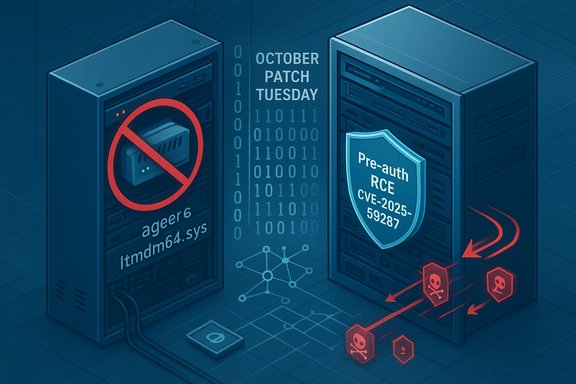
Windows administrators and security teams are facing an urgent, two‑pronged wake‑up call after October’s Patch Tuesday: Microsoft shipped a massive set of updates that both removes a decades‑old in‑box modem driver and closes a critical, pre‑authentication remote code execution (RCE) in Windows Server Update Services (WSUS) — a combination that exposes operational risk and highlights the lasting danger of legacy components in modern infrastructure.
October’s security roll‑up was one of the largest Microsoft has released in recent memory, covering well over a hundred vulnerabilities across Windows, Server components, Office, and ancillary products. Buried inside that torrent of fixes are at least three items that demand immediate operational response from Windows administrators:
Separately, Microsoft patched a deserialization‑style vulnerability in WSUS (tracked as a critical RCE). Because WSUS is often network‑accessible within enterprise environments and acts as a trusted distribution channel for updates, the vulnerability is high‑impact: an unauthenticated attacker could, in the worst case, deliver malicious payloads through WSUS to many managed endpoints.
Key technical takeaways:
Organizations must act on two fronts: rapidly remediate and harden (patch WSUS, restrict access, monitor for abuse) while simultaneously managing the business impact (inventory legacy dependencies and plan for migration). In practical terms, this means giving WSUS and other update distribution points the highest operational priority for security patching and isolation; treating kernel drivers and legacy firmware as first‑class security assets; and building operational playbooks that assume patches can both remedy and disrupt — so teams can react quickly, safely, and with minimal downtime.
The October updates are not simply a monthly housekeeping exercise — they are a reminder that old code and trusted services are prime targets. Remediate quickly, test carefully, and treat your update and driver inventories as mission‑critical infrastructure.
Source: The Stack Windows users hacked due to legacy fax modem driver
 Background
October’s security roll‑up was one of the largest Microsoft has released in recent memory, covering well over a hundred vulnerabilities across Windows, Server components, Office, and ancillary products. Buried inside that torrent of fixes are at least three items that demand immediate operational response from Windows administrators:- A high‑profile removal of the legacy Agere modem driver (ltmdm64.sys), tracked as an elevation‑of‑privilege (EoP) vulnerability and observed in active exploitation campaigns.
- A critical, pre‑authentication RCE in Windows Server Update Services (WSUS) (CVSS 9.8) that Microsoft rates as exploitation more likely and which could be leveraged to deliver arbitrary code through the update channel.
- Multiple other exploited or notable bugs including an Elevation of Privilege (EoP) in Remote Access Connection Manager and a Secure Boot bypass originating in an IGEL OS component that can affect Windows trust chains.
Overview: what changed and why it matters
What Microsoft did in October’s update
Microsoft’s October cumulative updates both disabled and removed the legacy Agere modem driver (ltmdm64.sys) rather than issue an in‑place replacement. That decision closes the immediate vulnerability by removing the code from the operating system payloads, but it also renders any hardware that depended on that driver inoperable after the update is installed.Separately, Microsoft patched a deserialization‑style vulnerability in WSUS (tracked as a critical RCE). Because WSUS is often network‑accessible within enterprise environments and acts as a trusted distribution channel for updates, the vulnerability is high‑impact: an unauthenticated attacker could, in the worst case, deliver malicious payloads through WSUS to many managed endpoints.
Why these actions were necessary
- Kernel‑mode drivers (like legacy modem drivers) run with high privilege. If they contain exploitable memory‑safety or pointer flaws, attackers can escalate privileges to the kernel and completely compromise a host. When such a driver is old, unsupported by the original vendor, or hard to safely rework for modern kernel mitigations, removal is often the safest path.
- WSUS occupies a unique place in enterprise trust: it is responsible for the distribution of updates and is trusted by managed clients. A pre‑auth RCE in WSUS is a potential avenue for an attacker to pivot from the edge into the core of patch management and propagate malicious updates — a scenario with “wormable” potential that could rapidly increase blast radius.
The Agere modem driver (ltmdm64.sys): removal, implications, and context
What was the issue?
A third‑party modem driver — commonly referred to by its filename ltmdm64.sys and historically associated with Agere/Lucent modem stacks — was found to contain an elevation‑of‑privilege weakness (untrusted pointer dereference). Microsoft elected to remove the driver from Windows images in the cumulative update rather than ship a signed patched driver.Operational impact
- Immediate functional loss for legacy hardware: Systems that rely on Agere‑based modem hardware (for analog fax, dial‑up telephony, or specialized telecom attachments) will see those devices stop functioning once the update is applied.
- Most organizations are unaffected: Most modern endpoints and servers no longer use analog modems; for those environments the removal is functionally invisible and reduces attack surface.
- Legacy and regulated workflows are exposed: Healthcare, legal, financial, or industrial workflows that still use fax via an attached modem will need a transition plan immediately to avoid business disruption.
Why Microsoft removed the driver rather than patching it
Removing an in‑box kernel driver is an atypical but deliberate mitigation path when:- The driver is obsolete and upstream vendor support is lacking.
- The driver code predates modern secure‑coding practices and cannot be safely reworked in a timely fashion.
- The risk of leaving the driver in place outweighs the operational cost of breaking legacy hardware.
Practical notes and caveats
- There are conflicting public attributions for who discovered or publicly discussed the driver flaw; differing names and handles appear in reportage. That discrepancy does not affect the technical fact that Microsoft removed ltmdm64.sys from the OS after confirming the issue.
- If your environment includes specialized hardware that depends on ltmdm64.sys, planning is required — do not apply the October update blindly without assessing impact on those systems.
WSUS pre‑auth RCE (CVE-2025-59287): a true emergency for patch management
What is the vulnerability?
WSUS contains a deserialization vulnerability that allows an unauthenticated, remote attacker to send crafted data which triggers unsafe object deserialization in a legacy serialization mechanism. The result can be remote code execution in the context of the WSUS server — without any prior authentication or user interaction.Key technical takeaways:
- Pre‑authentication: The flaw does not require credentials, increasing attacker accessibility.
- Network‑exposed risk: WSUS servers that are reachable across networks (including poorly segmented internal networks or misconfigured external exposure) are at high risk.
- High severity (CVSS 9.8): Microsoft has classified the exploitability as more likely, signaling that active exploitation or credible exploit techniques exist or are expected.
Why WSUS RCE is uniquely dangerous
- Trust and propagation: WSUS is a trusted update distributor. If an attacker controls a WSUS instance, they can potentially sign or deliver malicious updates that clients will install automatically — turning the update channel into a malware distribution vector.
- Scale: Many enterprises centralize updates via a small number of WSUS servers. Compromise of one server can affect tens of thousands of clients.
- Possible wormability: Because an unauthenticated attacker can reach and compromise other WSUS servers (if exposed), the vulnerability has worm‑like propagation potential across networks that have WSUS servers communicating with one another.
Immediate mitigation urgency
This is a critical patch for organizations that operate WSUS. The proper order of operations for any WSUS admin should be:- Validate and test the WSUS fix in a controlled environment immediately.
- Deploy the patch rapidly to WSUS servers, starting with internet‑facing or high‑trust systems.
- If you cannot patch immediately, restrict network exposure to WSUS (firewall rules, network ACLs) and enforce strict access control around the service.
Other notable actively exploited and related flaws
Remote Access Connection Manager (RasMan) EoP (CVE-2025-59230)
- Another exploited EoP that allows an attacker with limited privileges to elevate to SYSTEM.
- Significant because the Remote Access Connection Manager interacts with networking and remote access — attackers use such EoP bugs as second‑stage components once they gain footholds.
IGEL OS Secure Boot bypass (CVE-2025-47827)
- A Secure Boot bypass in certain IGEL OS components allows unverified SquashFS images to be mounted, enabling an attacker with physical or local access to subvert Secure Boot expectations.
- This bug demonstrates how non‑Windows firmware or signed third‑party components can undermine Secure Boot protections for Windows machines that trust the same signing authorities.
Critical analysis: strengths, blind spots, and risk trade‑offs
Notable strengths in Microsoft’s response
- Aggressive removal of a vulnerable kernel driver reduces attack surface for the large majority of systems that do not need legacy modem hardware.
- Fast patching of WSUS and clear guidance on exploitability signals that Microsoft prioritized a high‑impact, pre‑auth server vulnerability.
- The October update shows Microsoft is willing to make operationally painful decisions (driver removal) in favor of improving baseline security for most customers.
Potential risks and operational blind spots
- Legacy breakage: Removing in‑box drivers without viable replacement pathways will break legitimate business workflows, especially where faxing or dial‑up is still required for regulatory or supplier reasons.
- Patch deployment risk: Large, monolithic updates carry operational risk — rushed rollouts often produce unanticipated regressions. Admins must balance speed with staged testing.
- WSUS as a single point of failure: Many orgs rely heavily on on‑premises WSUS. The existence of a critical pre‑auth RCE underlines the fragility of centralized, trusted services if they are not isolated or hardened properly.
- Supply‑chain and third‑party trust: The IGEL Secure Boot issue illustrates the systemic risk introduced when widely trusted certificates or third‑party components are vulnerable; revocation and trust chain management are complex and can leave systems exposed even if the primary vendor issues a patch.
Structural lessons for IT and security teams
- Regularly inventory hardware dependencies (even obscure ones) and treat driver and firmwares as first‑class security assets.
- Minimize internet or broad‑network exposure of critical services (WSUS, SCCM, update servers).
- Prepare rollback and business‑continuity plans for updates that remove legacy functionality.
Practical, step‑by‑step guidance for admins (what to do now)
1. Prioritize and patch WSUS servers immediately
- Test the WSUS update in a lab or staging environment to confirm no operational regressions.
- Apply the security update to each WSUS server, starting with internet‑facing or high‑privilege servers.
- After patching, validate WSUS functionality: check synchronization, client check‑ins, and update approvals.
Suggested quick checks:
- Confirm WSUS service status: run Get-Service -Name wsus or inspect the console.
- Check WSUS network ports (default HTTP 8530, HTTPS 8531) and block external access to those ports at edge firewalls or network ACLs.
2. If you cannot patch WSUS immediately, reduce exposure
- Restrict network access to WSUS servers to trusted management subnets only.
- Apply firewall rules to block inbound connections to WSUS endpoints from untrusted segments.
- Use network segmentation to isolate WSUS from general user traffic.
3. Inventory and remediate the Agere modem driver exposure
- Search for presence of the driver file:
- Test-Path "C:\Windows\System32\drivers\ltmdm64.sys"
- Or run: Get-ChildItem -Path C:\ -Filter ltmdm64.sys -Recurse -ErrorAction SilentlyContinue (use carefully and with appropriate scope)
- For devices that show the driver present:
- If the modem is non‑essential: plan to remove the hardware or migrate to a supported, actively maintained alternative.
- To remove the driver package: identify the OEM INF with pnputil /enum-drivers and remove with pnputil /delete-driver oemXX.inf /uninstall /force (test in lab).
- For offline Windows images, use DISM to enumerate and remove driver packages from the image.
4. Detect and hunt for indicators of compromise (IOC)
- On WSUS servers, review:
- WSUS event logs for anomalous approvals, update imports, or unexpected synchronization events.
- IIS logs for unexpected POSTs or anomalies on WSUS endpoints.
- System logs for new or modified scheduled tasks, unusual child processes, or new persistence artifacts.
- Across endpoints, check for:
- Unexpected recent updates originating from WSUS at odd hours.
- Unexplained changes to configuration management tooling or installed packages.
5. Harden update distribution and validation
- Enforce code signing validation for updates and validate update catalogs post‑patch.
- Audit and monitor WSUS approvals: require approval workflows and limit who can approve new updates.
- Log and alert on changes to WSUS configuration, content import, or update approvals.
6. Communicate and plan for affected business units
- Notify business owners that apply the October cumulative update may disable legacy modem hardware.
- Provide migration options: cloud faxing services, network fax gateways, or dedicated legacy appliances isolated from the domain.
- Prepare a rollback or mitigation plan for critical functions that cannot immediately transition.
Longer‑term recommendations: policy, architecture, and culture
Asset hygiene and driver governance
- Maintain a living inventory of hardware and driver dependencies. Treat kernel‑mode drivers as critical assets requiring lifecycle planning.
- Implement a driver management policy: require vendor support commitment and signed drivers for production hardware.
Reduce reliance on single, high‑trust services
- Consider modern alternatives to on‑premises WSUS for widely distributed environments (where suitable) such as managed update services or cloud update management that offer stronger isolation and improved telemetry.
- If WSUS must be used, architect it with segmentation, redundancy, and strict network controls — assume that the service itself could be targeted.
Adopt a least‑privilege approach to update pipelines
- Limit the number of principals who can approve or import updates.
- Require multi‑party validation for any change to the update pipeline in critical environments.
Strengthen firmware and third‑party trust management
- Track the vendor trust chains used by Secure Boot and UEFI. If third‑party components are trusted by default, maintain awareness of their patch status and revocation procedures.
- Maintain a firmware‑update program that includes third‑party components, OS shim signers, and bootloader providers.
Detection playbook and sample commands
- Check for the presence of the modem driver:
- PowerShell: Test-Path 'C:\Windows\System32\drivers\ltmdm64.sys'
- Driver query: driverquery /v | findstr /i ltmdm
- Enumerate installed third‑party driver packages:
- Command prompt (Admin): pnputil /enum-drivers
- Remove a driver package (test first in lab):
- Identify the published name from pnputil output, then:
- pnputil /delete-driver oemXX.inf /uninstall /force
- Check WSUS server registry settings and version:
- PowerShell: Get-ItemProperty -Path 'HKLM:\SOFTWARE\Microsoft\Update Services\Server\Setup' -Name Version -ErrorAction SilentlyContinue
- Review WSUS logs and IIS activity:
- IIS logs location (by default): %SystemDrive%\inetpub\logs\LogFiles
- WSUS event logs: Event Viewer → Applications and Services Logs → Microsoft → Windows → WindowsUpdateServices
Closing analysis: balancing security and continuity
The October security updates underline a central tension of modern IT operations: keeping systems secure often requires breaking legacy functionality. Microsoft’s removal of the Agere modem driver is an uncomfortable but defensible stance — it eliminates a high‑impact kernel attack vector broadly and fast. The simultaneous appearance of a critical WSUS pre‑auth RCE, however, is a stark reminder that patch management infrastructure cannot be assumed to be infallible.Organizations must act on two fronts: rapidly remediate and harden (patch WSUS, restrict access, monitor for abuse) while simultaneously managing the business impact (inventory legacy dependencies and plan for migration). In practical terms, this means giving WSUS and other update distribution points the highest operational priority for security patching and isolation; treating kernel drivers and legacy firmware as first‑class security assets; and building operational playbooks that assume patches can both remedy and disrupt — so teams can react quickly, safely, and with minimal downtime.
The October updates are not simply a monthly housekeeping exercise — they are a reminder that old code and trusted services are prime targets. Remediate quickly, test carefully, and treat your update and driver inventories as mission‑critical infrastructure.
Source: The Stack Windows users hacked due to legacy fax modem driver
Last edited:
