

October's Patch Tuesday closed a decade-long chapter: Microsoft shipped the final standard monthly update for Windows 10 while simultaneously delivering a mammoth security payload that touched nearly every slab of the platform ecosystem — a single release that corrected over 170 distinct vulnerabilities, removed a risky built-in driver, and sealed multiple actively exploited holes. For Windows 11 users the month also delivered the newest feature-first updates — AI actions in File Explorer, reshuffled on-screen indicators, and other usability and security tweaks — underscoring where Microsoft is investing after Windows 10’s end of mainstream support.
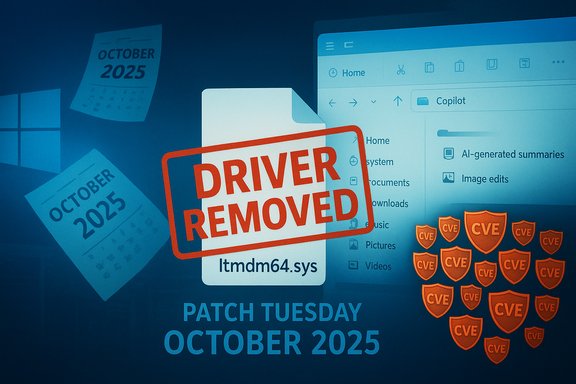
Microsoft’s October 2025 roll-up was notable for three intersecting reasons: it was the final routine Patch Tuesday that includes Windows 10 as a supported consumer OS, it carried an unusually large security burden across Microsoft and third‑party code, and it included an uncommon remediation step — the outright removal of a legacy driver (ltmdm64.sys) from supported builds because of a deeply rooted, actively exploited vulnerability. Administrators and enthusiasts saw both the closing of an era and an urgent set of remediation tasks land in one night.
The release is consequential in practical terms: enterprises that postpone patching face real, documented exploitation; consumers who stick with unsupported Windows 10 installations must enroll in the Extended Security Updates (ESU) program if they want a one‑year safety bridge; and organizations still relying on legacy fax modem hardware have an immediate compatibility problem because Microsoft removed the Agere modem driver to neutralize an elevation‑of‑privilege vector.
For administrators, the path forward is clear: prioritize patches by exploitation risk, inventory and remediate legacy driver dependencies, and treat ESU as a temporary bridge while executing an upgrade and modernization strategy. For home users, enroll in ESU if you cannot upgrade immediately, but plan to migrate: staying on an unsupported OS is a growing security liability.
The cumulative lesson is familiar but pressing: patching remains the most effective immediate defense, but software ecosystems must also balance long‑term maintenance, supply chain resilience, and principled deprecation to reduce these braking points in the months and years ahead.
Source: ZDNET Windows 10's final update is a big one - with a record 173 bug fixes
 Background / Overview
Microsoft’s October 2025 roll-up was notable for three intersecting reasons: it was the final routine Patch Tuesday that includes Windows 10 as a supported consumer OS, it carried an unusually large security burden across Microsoft and third‑party code, and it included an uncommon remediation step — the outright removal of a legacy driver (ltmdm64.sys) from supported builds because of a deeply rooted, actively exploited vulnerability. Administrators and enthusiasts saw both the closing of an era and an urgent set of remediation tasks land in one night.The release is consequential in practical terms: enterprises that postpone patching face real, documented exploitation; consumers who stick with unsupported Windows 10 installations must enroll in the Extended Security Updates (ESU) program if they want a one‑year safety bridge; and organizations still relying on legacy fax modem hardware have an immediate compatibility problem because Microsoft removed the Agere modem driver to neutralize an elevation‑of‑privilege vector.
What changed this month: The security tally and why it matters
October’s updates addressed a very large set of vulnerabilities across Windows and related Microsoft products. The headline numbers IT teams will remember:- Total Microsoft CVEs patched in the October roll-up: around 173.
- Critical‑severity items: in the single‑digit range (fewer than a dozen).
- Multiple zero‑day vulnerabilities were closed; several were confirmed as actively exploited in the wild.
- Some CVEs were accompanied by public proof‑of‑concept (PoC) exploit code prior to or shortly after patches were published.
Why the raw count is not the only metric
A raw CVE total is easy to quote but hides nuance. Severity, exploitability, and the presence of working exploit code are the critical triage signals. This October’s release included:- Several Elevation of Privilege (EoP) vulnerabilities that allow an attacker with local access to escalate to SYSTEM or Administrator.
- Remote Code Execution (RCE) and memory‑corruption fixes in components that are commonly exposed by browsers or network services.
- Actively exploited flaws that prompted agencies and vendors (including federal vulnerability lists) to flag urgent remediation windows.
The ltmdm64.sys driver removal: technical facts and operational impact
One of the most unusual actions this month was the removal of the Agere modem driver (ltmdm64.sys) from cumulative updates rather than releasing a traditional patch to fix the code. Microsoft concluded that the driver’s underlying design could not be remediated safely without breaking functionality, and the update packages therefore prevent the driver from loading.What this means technically
- The vulnerable driver was a third‑party modem driver included with Windows distributions. It contained an untrusted pointer dereference bug that allows local privilege escalation — a classic EoP vector that attackers can chain after gaining low‑privileged access.
- Microsoft’s mitigation removed the driver from supported OS images. The driver does not receive a hotfix; the only practical remediation is to stop the driver from being present or used.
- Because the component was shipped as part of Windows, the removal protects the majority of systems — but it also severs backward compatibility with hardware that depends on that exact driver.
Operational impact (who will feel it)
- Organizations and users still running physical fax modem hardware tied to ltmdm64.sys will see that hardware stop working after applying the update.
- Industries that historically rely on fax infrastructure — certain medical, legal, and industrial control environments — must inventory affected endpoints and plan a migration or isolated use strategy.
- Many modern deployments have already retired analog modems; for organizations that haven’t, immediate mitigation options include replacing the hardware with a supported modem/driver, moving to cloud or IP‑based fax services, or isolating the affected endpoints.
Recommended short‑term steps
- Inventory: identify devices with active fax/modem drivers (search for ltmdm64.sys and related vendor strings).
- Isolate: if replacement or virtualized faxing is not immediately possible, restrict network access to affected endpoints and monitor for suspicious local activity.
- Migrate: evaluate IP‑fax or cloud fax gateways; consider virtual appliances or vendor‑supported modem drivers if hardware must remain in place.
- Patch: apply Microsoft’s updates promptly to remove the vulnerable driver from systems that don’t need the hardware.
Other notable fixes and quality updates
Beyond the driver removal, October’s updates addressed a variety of functional and security issues:- PowerShell Remoting / WinRM: fixes for timeouts and command failures in long‑running remote management sessions (previously timing out at roughly the 10‑minute mark in some configurations).
- Input and UI: a Chinese IME bug related to GB18030 private Unicode characters; USER32 Edit control problems where surrogate pair handling displayed incorrectly at field limits.
- Chromium‑based browsers: a fix that resolved a print‑preview crash in Chrome and Edge.
- Gaming and sign‑in: an odd issue where using only a Gamepad at the lock screen caused sign‑in methods like fingerprint to malfunction and resulted in apps becoming unresponsive.
- Windows Hello: multiple fixes including improved setup behavior with USB infrared camera modules.
- Copilot and AI integrations: patches and improvements to Copilot’s file‑analysis hooks, particularly how AI Actions in File Explorer interact with OneDrive and Microsoft 365 files.
Windows 11: new features and the post‑Windows‑10 feature stream
With Windows 10’s support window closing, Microsoft’s feature investment is squarely on Windows 11. This October’s builds introduced multiple user‑facing changes, most of them targeting productivity and AI workflows.AI Actions in File Explorer and Copilot integration
- You can now select files in File Explorer and invoke Ask Copilot (context menu or Shift+F10) to get AI‑generated summaries, image analysis, or suggestions for document actions.
- For JPG/PNG images, Copilot can search the web for contextual information, blur backgrounds, erase objects via the Photos app, and remove backgrounds via Paint — accelerating routine image edits without leaving Explorer.
- Copilot integrations extend into Microsoft 365: summaries for OneDrive and SharePoint documents are now accessible from the File Explorer context.
Notification Center and hardware indicator positioning
- The Notification settings now let users reposition hardware indicators (brightness, volume, airplane mode) across the screen (bottom center, top left, top center). This small UI change is a response to user feedback about indicator overlap and workflow interruption.
Windows Share and Click to Do
- Windows Share now supports pinning favorite apps for quicker file sharing.
- Click to Do added more tags for task categorization and improved the Summarize Action command to produce shorter, more focused outputs.
Security and accessibility enhancements
- Passkeys received broader support including third‑party passkey providers, enabling passwordless third‑party integrations (for example, sign‑on via commercially available password managers).
- Narrator improvements and new Braille Viewer features strengthen accessibility for visually impaired users.
- The Taskbar and Copilot AI agent surfaces also received incremental polish: expect smoother behavior, faster context transitions, and security‑focused tweaks for app elevation workflows.
How to update and what to prioritize now
Immediate patching is the simplest and most effective defense. Practical steps for different audiences:For home users on Windows 10 (consumer ESU considerations)
- Check whether your device is eligible for the consumer ESU program — Windows 10 devices must be on version 22H2 and have the latest cumulative updates installed.
- Enrollment options (consumer ESU) include:
- Free enrollment via syncing PC settings (Windows Backup) to a Microsoft Account.
- Redeem 1,000 Microsoft Rewards points.
- One‑time purchase (approximately $30 USD; regional pricing may vary).
- Enroll by going to Settings → Update & Security → Windows Update and selecting the Enroll now wizard if it’s visible.
- Note: ESU provides security‑only updates through a one‑year window; it is not a substitute for a migration plan.
For IT administrators and security teams
- Inventory exposure: identify systems with legacy fax/modem hardware (search for ltmdm64.sys), domain controllers, internet‑facing servers, and unmanaged endpoints.
- Patch prioritization:
- First: systems affected by actively exploited CVEs and any items listed in known‑exploited catalogs.
- Second: externally facing services and domain controllers.
- Third: endpoints running sensitive workloads (finance, patient data, critical infrastructure).
- Apply Microsoft’s cumulative updates and servicing stack updates promptly. Validate that update packages (SSUs and LCU) install cleanly before broad deployment.
- Compensating controls: where patches cannot be applied immediately (e.g., legacy hardware that can’t be replaced), consider isolation, removal of driver dependencies, or virtualized replacement services.
- Monitor: deploy EDR/endpoint telemetry to watch for lateral movement, privilege escalation attempts, and suspicious process creation tied to newly disclosed CVEs.
Critical analysis: strengths and risks in Microsoft’s approach
Strengths
- Rapid response to active exploitation: Microsoft prioritized removing the driver when the vulnerability was being used in the wild. That decisiveness prevents a scenario where a fragile patch slips into environments but the exploit continues.
- Clear remediation options for consumers: offering a consumer ESU pathway and multiple enrollment mechanisms reduces the immediate pressure for users who cannot upgrade hardware.
- Consolidated monthly updates: bundling so many fixes in a single maintenance window makes it easier for administrators to schedule a single, comprehensive patch campaign.
Risks and problems
- Operational disruption from driver removal: organizations with legacy fax hardware face immediate compatibility loss. Removing a driver rather than offering a mitigated patch reflects a trade‑off that can be costly to some industries.
- The increasing role of third‑party components: many platform vulnerabilities now stem from vendor drivers and bundled third‑party libraries. Supply‑chain complexity increases the attack surface and slows the fix lifecycle when vendors are no longer actively maintaining drivers.
- The sheer volume of fixes can overwhelm smaller IT teams: 173 CVEs in one month is a heavy load. Without automated patch orchestration and prioritized triage, organizations risk missing high‑impact items.
- Public PoCs and LLM‑generated exploits: the availability of proof‑of‑concept code — increasingly easier to generate with modern code‑capable LLMs — raises the speed at which attackers can weaponize new disclosures. This fundamentally shortens the window between disclosure and exploitation.
A note of caution about “record” claims
Some outlets characterized the October total as a record number for the year. The monthly CVE totals fluctuate; January and other months earlier in the year also saw high counts. Describing the release as a “record” should be taken as shorthand for “one of the largest in recent months” rather than an absolute historical maximum. The more important metric for defenders is not the absolute count but the nature of the exploits (actively exploited, RCE, EoP, PoC availability).Practical mitigation and long‑term actions
Short term:- Patch fast for exploited and high‑impact CVEs.
- Use inventory and endpoint management tools to locate obsolete drivers and legacy hardware drivers like ltmdm64.sys.
- Where possible, remove or block unneeded drivers and services via policy (AppLocker/SRP) and group policy.
- Migrate away from unsupported hardware interfaces such as analog fax modems to managed cloud or virtual solutions.
- Harden remote management interfaces (WinRM, PowerShell Remoting) and reduce the attack surface for local privilege escalation chains.
- Adopt staged, automated patching with rollback capability and thorough telemetry to detect post‑patch regressions.
- Re‑evaluate procurement and lifecycle policies: insist vendors ship signed drivers, maintain a responsible disclosure schedule, and provide a clear deprecation path for legacy components.
- Invest in endpoint detection and response (EDR) and rapid rollback strategies. The speed of PoC circulation makes a strong detection posture as important as patching cadence.
- Reassess reliance on supported operating systems and form a sustainable migration plan. ESU is a short bridge, not a permanent solution.
Conclusion
This October’s Patch Tuesday was a watershed moment: the final standard update cycle supporting Windows 10 and a big, urgent set of fixes that exposed the tension between security and backward compatibility. Microsoft’s decision to remove the vulnerable Agere modem driver was decisive from a security perspective but painful for organizations that still depend on legacy hardware. The large number of patched CVEs — including multiple zero‑days and public proofs of concept — underscores the accelerating pace of vulnerability discovery and exploitation.For administrators, the path forward is clear: prioritize patches by exploitation risk, inventory and remediate legacy driver dependencies, and treat ESU as a temporary bridge while executing an upgrade and modernization strategy. For home users, enroll in ESU if you cannot upgrade immediately, but plan to migrate: staying on an unsupported OS is a growing security liability.
The cumulative lesson is familiar but pressing: patching remains the most effective immediate defense, but software ecosystems must also balance long‑term maintenance, supply chain resilience, and principled deprecation to reduce these braking points in the months and years ahead.
Source: ZDNET Windows 10's final update is a big one - with a record 173 bug fixes
