

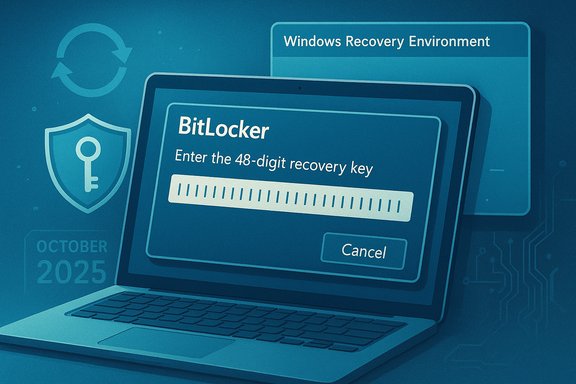
Microsoft’s October servicing wave has once again produced a bitter aftertaste: a subset of Windows 11 and Windows 10 installs can be forced into the BitLocker recovery screen after the October 14, 2025 cumulative updates, and in many of the same cases the Windows Recovery Environment (WinRE) refused to accept USB keyboard or mouse input — a combination that can leave users effectively locked out of their own encrypted drives until Microsoft’s emergency fixes or manual recovery steps are applied.
BitLocker has long been Microsoft’s built-in full-disk encryption for Windows, designed to protect data by tying decryption to measured platform state (TPM, firmware, boot measurements). When the pre-boot environment changes in ways BitLocker interprets as a possible tamper event, it intentionally refuses to auto-unlock the OS volume and instead demands the device’s 48‑digit recovery key. That security posture is deliberate, but it also makes BitLocker hypersensitive to servicing changes that touch the boot chain or the components used by the recovery environment.
In mid-October 2025 Microsoft distributed its monthly cumulative updates (the servicing wave originating on October 14, 2025). Field reports — corroborated quickly by Microsoft’s Release Health updates — showed two high-impact symptoms appearing together on a subset of devices:
Independently, BitLocker monitors measured boot state via TPM and the pre-boot environment. If the update path changes the pre-boot measurements BitLocker expects — or if BitLocker was incorrectly suspended and not re-enabled across a reboot — BitLocker will treat the difference as a potential tamper and demand the recovery key at next boot. On some Intel-based devices implementing Modern Standby (Connected Standby), the update sequence and the platform’s low-power resume semantics appear to have increased the chance of such a measurement mismatch. Microsoft described the affected subset as “mostly Intel PCs,” but did not publish a line-by-line root-cause breakdown at the engineering level.
The next critical step for the ecosystem is not merely another emergency fix; it’s an operational upgrade in how pre‑boot tooling is validated and how recovery paths are rehearsed — because when the guardrails that keep attackers out also risk locking owners out, prevention must be as operational as protection.
Source: hi-Tech.ua BitLocker is failing again. Microsoft warns of possible data loss in Windows 11 and 10
 Background
BitLocker has long been Microsoft’s built-in full-disk encryption for Windows, designed to protect data by tying decryption to measured platform state (TPM, firmware, boot measurements). When the pre-boot environment changes in ways BitLocker interprets as a possible tamper event, it intentionally refuses to auto-unlock the OS volume and instead demands the device’s 48‑digit recovery key. That security posture is deliberate, but it also makes BitLocker hypersensitive to servicing changes that touch the boot chain or the components used by the recovery environment.In mid-October 2025 Microsoft distributed its monthly cumulative updates (the servicing wave originating on October 14, 2025). Field reports — corroborated quickly by Microsoft’s Release Health updates — showed two high-impact symptoms appearing together on a subset of devices:
- Machines booting directly to the BitLocker recovery prompt and asking for the 48‑digit recovery key.
- WinRE not responding to USB keyboards and mice on many affected systems, preventing users from typing the recovery key or navigating recovery options.
What happened (technical overview)
The trigger: pre-boot and Safe OS changes
The October update wave replaced or refreshed components used by the Windows Recovery Environment (the compact Safe OS image often embodied by winre.wim). WinRE intentionally ships with a minimal driver set to keep the recovery environment small and deterministic. When the servicing path refreshes the Safe OS image or modifies the runtime used by WinRE, the new image must still contain compatible low-level drivers for the device’s USB host controllers and input devices. If WinRE’s driver surface changes so that it can’t enumerate USB controllers or HID devices, keyboards and mice appear non-functional in recovery — even if they work fine in the full Windows session.Independently, BitLocker monitors measured boot state via TPM and the pre-boot environment. If the update path changes the pre-boot measurements BitLocker expects — or if BitLocker was incorrectly suspended and not re-enabled across a reboot — BitLocker will treat the difference as a potential tamper and demand the recovery key at next boot. On some Intel-based devices implementing Modern Standby (Connected Standby), the update sequence and the platform’s low-power resume semantics appear to have increased the chance of such a measurement mismatch. Microsoft described the affected subset as “mostly Intel PCs,” but did not publish a line-by-line root-cause breakdown at the engineering level.
The worst-case combination
Two related regressions together create the worst-case outcome: the system asks for the 48‑digit BitLocker recovery key, but WinRE is incapable of accepting USB input so the user cannot type the key even if they have it. That leaves encrypted data inaccessible and — in the absence of stored recovery keys or alternate input methods — potentially unrecoverable without reinstalling Windows and wiping the drive. Microsoft’s emergency KB5070773 specifically addressed the WinRE USB input failure as a priority because of this lockout risk.Who is affected
OS builds and KBs involved
- Windows 11 versions 24H2 and 25H2 — the October 14, 2025 cumulative update identified broadly as KB5066835 is the primary origin point called out by Microsoft.
- Windows 10 servicing paths — field reports and Microsoft Q&A threads show similar behavior after the October 14, 2025 cumulative update for Windows 10 (KB5066791) in certain branches. Admins reported BitLocker prompts after installing KB5066791, particularly on older Windows 10 servicing chains.
Hardware patterns
Telemetry and community reproduction attempts converged on a pattern: the issue appears disproportionately on Intel-based machines that implement Modern Standby / Connected Standby. These platforms have different low-power and resume sequences that can affect TPM and pre-boot measurements, increasing the odds that a servicing change will trip BitLocker’s integrity checks. That correlation is plausible and repeated across field reports but, until Microsoft publishes an engineering postmortem, treat the Modern Standby linkage as a strong operational correlation rather than a fully public, line-by-line root cause.Business vs. consumer installs
Enterprises are especially exposed when BitLocker is enforced by policy (for example, Windows 11 Enterprise which often enables BitLocker by default when devices join Azure AD or are imaged with corporate images). However, consumer machines are not immune: automatic device encryption flows in Windows 11 can enable encryption silently in OOBE when a user signs in with a Microsoft account, and user reports confirm Home and Pro PCs have also been caught by similar regressions in prior incidents. The current October incident has shown both managed and unmanaged devices can be affected in practice.Microsoft’s response and fixes
Microsoft followed a multi-track remediation path:- Public advisory and Release Health entries were posted describing the issue and the originating KBs.
- An out‑of‑band cumulative update, KB5070773, was released on October 20, 2025 to restore USB input functionality in WinRE and refresh Safe OS artifacts. Microsoft advises affected devices to install the update via Windows Update or Microsoft Update Catalog.
- For managed environments that require immediate neutralization without a full reinstallation, Microsoft published Known Issue Rollback (KIR) artifacts and Group Policy packages IT administrators can use to mitigate the regression while preserving security fixes. The support pages include KIR guidance and enterprise remediation downloads.
Practical steps for users and administrators
The immediate operational imperative is simple: confirm recovery key escrow, ensure recovery paths exist, and apply Microsoft’s fixes. Below is a prioritized checklist for both home users and IT teams.For every user (consumer or small business)
- Verify where your BitLocker recovery key is stored now.
- If you use a Microsoft account, check your Microsoft account’s BitLocker recovery keys online.
- If your device belongs to an organization, check Azure AD / Intune or on‑prem Active Directory key escrow for the recovery key.
- If you can still boot into Windows, run the command as administrator to check BitLocker status:
- Open an elevated command prompt and run: manage-bde -status
This shows the encryption status and attached protectors for each drive. - Create and validate a Windows recovery USB drive or WinPE rescue media and store it separately from the device.
- If you are running Windows 11 Enterprise or any configuration where BitLocker is enabled by default, ensure recovery key backup is centrally recorded and reachable.
- Install Windows Update and accept the October 20, 2025 out‑of‑band update (KB5070773) if your device shows available updates. Reboot after updates.
For IT administrators and enterprise fleets
- Inventory devices that applied the October 14, 2025 updates (KB5066835 / KB5066791). Prioritize devices that implement Modern Standby and Intel-based models.
- Confirm BitLocker key escrow across Azure AD / Entra ID, Intune, or Active Directory and perform retrieval drills with helpdesk staff.
- Apply the Known Issue Rollback (KIR) packages if immediate neutralization is required and test in a pilot ring first. Microsoft’s support pages include Group Policy-based KIR downloads and deployment guidance.
- Validate WinRE functionality (keyboard and mouse response) on representative hardware in the pilot ring before broad deployment.
- Consider operational process changes: suspend BitLocker (via Suspend-BitLocker or manage-bde protectors commands) before firmware or low-level driver updates on critical devices, then resume after validation in controlled maintenance windows.
- Maintain pre-staged rescue media (WinPE images or validated winre.wim snapshots) for emergency recovery; some administrators have reported success restoring a known-good winre.wim to recover input functionality when Microsoft’s OOB fix isn’t reachable.
How to check and retrieve BitLocker recovery keys
- Personal Microsoft account: recovery keys created by automatic device encryption are often backed up to the signing-in Microsoft account. Visit the account recovery key page (signin required) and search for the device’s recovery key ID shown on the BitLocker recovery screen.
- Azure AD / Intune: administrators can retrieve escrowed BitLocker keys from the Azure portal or Intune console for enrolled devices.
- Active Directory (on‑prem): keys escrowed during BitLocker enablement are typically visible on the AD computer object and can be retrieved by admins.
- If you cannot find the recovery key: be explicit — Microsoft cannot generate a valid recovery key for you because BitLocker keys are cryptographic secrets not reproduced by Microsoft. If the key is truly lost, the only supported remediation is to reformat or replace the encrypted volume, which destroys the data. Several community threads emphasize this harsh reality and the need for proactive key escrow.
Critical analysis — strengths and risks
Strengths in Microsoft’s response
- Rapid triage and remediation: Microsoft released an out‑of‑band fix (KB5070773) within six days of the October 14 wave, restored WinRE USB input, and provided KIR options for managed environments. That speed reduced the immediate outage risk for many organizations and users.
- Clear advisories and KB pages: Microsoft documented the affected builds and advised enterprise mitigations (KIR and Group Policy artifacts) which helped reduce broad panic for managed fleets.
Ongoing risks and structural concerns
- Recurrence of a class of regression: This episode isn’t isolated. Similar BitLocker recovery prompts surfaced in mid-2024 and earlier, showing a persistent fragility when updates touch pre-boot tooling or Safe OS artifacts. The October incident highlights a structural testing gap around OEM diversity and low-power platform semantics (Modern Standby).
- Recovery fragility equals potential data loss: BitLocker’s strict integrity checks are intentional for security, but they create a single point of failure if key custody and recovery paths are not managed rigorously. Casual or uninformed users risk catastrophic data loss—especially on large secondary drives that may have been encrypted automatically by device encryption flows. Real-world stories of multi-terabyte backup drives becoming inaccessible after Windows reinstalls are not theoretical.
- Testing and OEM coverage: The minimalism of WinRE is a double-edged sword. It keeps recovery small and resilient in common cases, but WinRE’s narrow driver surface must match the diversity of shipping device drivers across OEMs. Microsoft and OEMs must deepen pre-release testing matrices to include Modern Standby variants, USB host controller variants, and actual winre.wim permutations shipped by vendors. Community reproductions that solved the problem by restoring a validated winre.wim strongly point to packaging or driver mismatches in the Safe OS image as the proximate cause.
Recommendations — immediate and strategic
Immediate (for users & admins)
- Verify and centralize recovery keys now. Don’t assume your key is in the cloud; perform the retrieval checks and store copies in a secure secondary location.
- Patch to KB5070773 (or later cumulative updates that include the fix) and confirm WinRE USB behavior in test devices before broad rollout.
- Create an externally bootable WinPE recovery USB and keep it in a safe location separate from the device.
Operational (for IT teams)
- Treat updates that touch Safe OS, WinRE, or pre-boot components as high risk and pilot them across representative hardware classes before broad deployment.
- Include BitLocker suspend/resume and recovery-key validation as standard steps in firmware or driver maintenance SOPs.
- Maintain a recovery playbook that includes KIR deployment steps and pre-staged WinPE rescue images.
Strategic (for Microsoft and OEMs)
- Expand pre-release testing coverage to include Modern Standby permutations and real OEM winre.wim driver matrices.
- Improve telemetry transparency for high-impact regressions so enterprises can triage risk by model and platform class rather than broad directional guidance alone.
- Re-examine packaging and delivery mechanisms that combine SSUs and LCUs in a way that complicates simple rollback when Safe OS artifacts are changed.
Final assessment
The October 2025 incident is a blunt reminder that security and recoverability are tightly coupled: the very measures that protect data — BitLocker and strict pre-boot integrity checks — can become weapons of self-lockout when updates change the measured environment or when the recovery environment loses input capability. Microsoft’s emergency OOB update (KB5070773) and KIR artifacts mitigated immediate damage, but the recurrence of similar failures across update waves points to a systemic validation problem at the intersection of servicing, OEM diversity, and Modern Standby semantics. For users and administrators, the on-the-ground takeaway is straightforward and uncompromising: centralize and verify your BitLocker recovery keys, test recovery procedures now, and treat updates that touch the boot chain as maintenance windows that demand careful piloting.The next critical step for the ecosystem is not merely another emergency fix; it’s an operational upgrade in how pre‑boot tooling is validated and how recovery paths are rehearsed — because when the guardrails that keep attackers out also risk locking owners out, prevention must be as operational as protection.
Source: hi-Tech.ua BitLocker is failing again. Microsoft warns of possible data loss in Windows 11 and 10
