

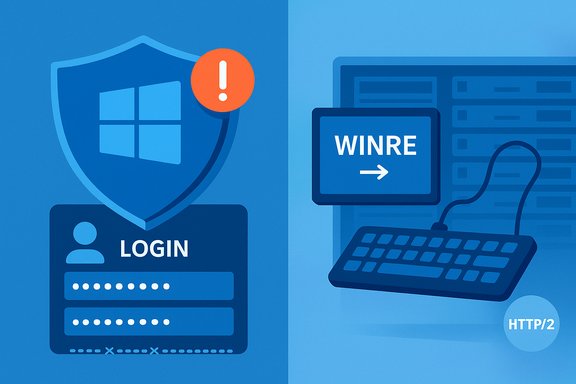
Microsoft has confirmed that a recent wave of cumulative updates has been linked to widespread login and recovery failures across multiple Windows versions, with the October servicing rollup in particular producing a cluster of regressions that affect sign‑in, the Windows Recovery Environment (WinRE), localhost developer workflows, and SMB/NTLM authentication in enterprise environments.
Microsoft’s monthly cumulative updates bundle a variety of security hardenings, bug fixes, and quality improvements into combined packages that can include both a Servicing Stack Update (SSU) and a Latest Cumulative Update (LCU). That packaging approach improves delivery speed but also complicates rollback and increases the blast radius for any regression. Multiple community reports and vendor acknowledgements show that October’s cumulative — shipped as KB5066835 for Windows 11 builds — is associated with several distinct, high‑impact regressions.
The incidents surfaced quickly after rollout: users and administrators reported failures ranging from repeated credential prompts and failed logons, to WinRE becoming non‑interactive, to local IIS/localhost HTTP/2 connections failing for developers. Microsoft marked the most critical items as Confirmed on its Windows Release Health / Known Issues pages and indicated engineers were preparing targeted fixes.
Why this matters: WinRE is the last‑resort toolkit for on‑device repair — tools like Safe Mode, Startup Repair, Reset this PC, and firmware access rely on it. If WinRE cannot accept input, built‑in recovery paths become unusable on many modern USB‑only devices, pushing users and support teams toward external media and full reinstalls.
Microsoft’s communications emphasized that some failures stem from combined SSU+LCU packaging, which changes rollback behavior and complicates removal of the SSU portion. That fact has significant operational consequences for administrators attempting to recover at scale.
Immediate recommendations for administrators and power users:
The situation remains dynamic: engineers have acknowledged the problems and are issuing mitigations, but until the vendor publishes final fixes and a full technical post‑mortem, organizations must treat update windows as high‑risk periods and plan accordingly.
Source: Cyber Press Microsoft Confirms Recent Updates Causing Login Issues Across Windows Versions
Source: BetaNews Microsoft says Windows update may have caused login problems
 Background
Microsoft’s monthly cumulative updates bundle a variety of security hardenings, bug fixes, and quality improvements into combined packages that can include both a Servicing Stack Update (SSU) and a Latest Cumulative Update (LCU). That packaging approach improves delivery speed but also complicates rollback and increases the blast radius for any regression. Multiple community reports and vendor acknowledgements show that October’s cumulative — shipped as KB5066835 for Windows 11 builds — is associated with several distinct, high‑impact regressions.The incidents surfaced quickly after rollout: users and administrators reported failures ranging from repeated credential prompts and failed logons, to WinRE becoming non‑interactive, to local IIS/localhost HTTP/2 connections failing for developers. Microsoft marked the most critical items as Confirmed on its Windows Release Health / Known Issues pages and indicated engineers were preparing targeted fixes.
Overview of confirmed symptoms
WinRE: recovery rendered unusable on affected machines
A prominent symptom tied to the October cumulative is that USB keyboards and mice stop responding in the Windows Recovery Environment (WinRE). The recovery UI appears but input is ignored — the same devices continue to function normally once the full OS boots. Community reproductions and vendor guidance point to a mismatch or change inside the Safe OS/WinRE image (winre.wim) or a missing/incompatible USB host controller driver in that minimal environment. Microsoft listed this as a Confirmed issue shortly after reports appeared.Why this matters: WinRE is the last‑resort toolkit for on‑device repair — tools like Safe Mode, Startup Repair, Reset this PC, and firmware access rely on it. If WinRE cannot accept input, built‑in recovery paths become unusable on many modern USB‑only devices, pushing users and support teams toward external media and full reinstalls.
Localhost / HTTP.sys: developer workflows break
Developers and CI systems reported immediate failures when connecting to local web servers. Connections to localhost using HTTP/2 could fail with immediate resets or protocol errors, breaking IIS, IIS Express, and other local HTTP servers that rely on HTTP.sys, the kernel‑mode HTTP listener. Because HTTP.sys terminates sessions in kernel space, these resets occur before user‑mode servers receive traffic. Community reproductions suggest an HTTP/2 negotiation or TLS handling regression in the updated HTTP.sys implementation.Sign‑in and authentication anomalies
Separate but related hardening changes rolled out across recent updates have tightened identity validation and SMB/NTLM behaviors. Administrators reported repeated credential prompts, “username or password is incorrect” messages despite valid credentials, and inaccessible SMB shares — symptoms that in many cases map back to stricter server‑side checks and interactions with duplicate machine SIDs in imaged environments. In some instances, these changes exposed fragile imaging practices (non‑Sysprep generalized images) and legacy SMBv1 devices.Windows Hello / PIN / reset scenarios
Earlier in the year, other cumulatives produced regressions affecting Windows Hello after certain reset scenarios. For example, KB5055523 (April) caused PIN/face sign‑in failures after “Reset this PC (Keep my files)” for devices with advanced security features enabled. While not the same update as October’s, it is illustrative of systemic risks when updates touch authentication surfaces. Those incidents required re‑enrollment of Windows Hello components as a workaround.Technical anatomy — what likely went wrong
SSU + LCU packaging increases rollback complexity
One recurring theme is that combined SSU+LCU packages are harder to roll back. SSUs harden the servicing stack and, once applied, cannot be removed via the usual wusa uninstall. When a combined package introduces behavioral changes in the Safe OS image or servicing stack, simple uninstall maneuvers do not restore a pre‑update state — making recovery harder, especially at scale. Multiple incident write‑ups emphasize this packaging hazard.Safe OS / WinRE image changes and driver mismatches
WinRE runs a minimal driver set. If the update replaces or repackages winre.wim with an image that lacks correct USB host controller/xHCI variants for certain hardware, USB input will fail inside WinRE while working normally in the full desktop (which loads richer drivers). Community reproductions that restore a pre‑update winre.wim frequently restore input, pointing strongly to a Safe OS image mismatch rather than general hardware failure.HTTP.sys regression in kernel networking
The kernel‑mode HTTP listener (HTTP.sys) is shared across IIS, IIS Express, and many administrative consoles. A subtle change in HTTP/2 negotiation, TLS handling, or loopback processing at kernel level can produce brittle failures visible as ERR_HTTP2_PROTOCOL_ERROR or instant connection resets. The symptom profile (errors before user‑mode servers receive data) matches a kernel‑level regression. Workarounds (disabling HTTP/2 or rolling back the update) have helped some environments but are inconsistent and carry trade‑offs.Authentication hardening and duplicate SIDs
Security hardening across Kerberos, NTLM, and SMB introduced stricter checks and audit→enforce paths. While these changes reduce attack surface, they also reduce tolerance for legacy or misconfigured environments. One widely observed failure mode arises when multiple devices share identical machine SIDs (a consequence of improper imaging). The updated logic can detect ambiguous identity bindings and deny authentication, causing repeated credential prompts and inaccessible resources until identities are corrected. This behavior was documented by community diagnostics and tracked in Microsoft advisories tied to earlier updates.What Microsoft has acknowledged and the vendor response
Microsoft added the most severe symptoms from the October rollup to its Release Health known‑issues and marked some as Confirmed, while engineering teams prepared fixes and Known Issue Rollback (KIR) measures. The vendor provided mitigation guidance in support threads and suggested targeted hotfixes and KIR activations for managed environments, though not all problems had a one‑click remediation at the time of initial acknowledgement.Microsoft’s communications emphasized that some failures stem from combined SSU+LCU packaging, which changes rollback behavior and complicates removal of the SSU portion. That fact has significant operational consequences for administrators attempting to recover at scale.
Impact analysis — who is hurt most
- Home users with single machines: risk of losing built‑in recovery options and being forced to use external installation media or vendor support for recovery. Devices that rely solely on USB input (common in modern ultraportables) are especially vulnerable.
- Developers and CI pipelines: local debugging and developer servers using IIS/IIS Express or HttpListener can break, stalling day‑to‑day development workflows and automated builds.
- Small businesses and SMBs: legacy NAS, printers, and embedded devices using SMBv1 or NetBIOS can lose access to shares; insufficient imaging hygiene (duplicate SIDs) compounds the risk.
- Enterprises and managed fleets: complexity of rollback and the need to preserve recoverability make the October regressions an operational headache — broad redeployments require careful pilot testing and war‑room coordination.
Practical mitigations and workarounds
The following mitigations are drawn from vendor guidance, community triage, and reproducible field fixes. They carry trade‑offs and should be applied conservatively in production.- Pause wide deployment:
- Halt automatic rollout of the suspect cumulative to recovery‑critical endpoints and developer machines until fixes are validated.
- Prepare external recovery media:
- Create and validate bootable Windows installation USB media and ensure BitLocker recovery keys are exported and stored securely. This is the fastest path back to a working system when WinRE is non‑interactive.
- Preserve validated winre.wim images:
- Maintain offline copies of a known‑good winre.wim for each hardware profile; replacing a broken winre.wim has restored input in community reproductions. Proceed carefully and document the process.
- Use Known Issue Rollback (KIR) and vendor hotfixes:
- Apply Microsoft’s KIR activations or the targeted hotfix when offered. For managed environments, KIR MSI packages and group policy controls are available in some cases.
- Developer‑side workarounds:
- Temporarily disable HTTP/2 at the OS layer for affected dev machines or bind services explicitly to 127.0.0.1 and use Kestrel or other user‑mode servers that avoid the kernel path — acknowledging performance and feature trade‑offs.
- Authentication and SMB triage:
- For authentication anomalies, inspect machine SIDs in imaged devices and run Sysprep where required; for SMBv1 devices, consider temporary compatibility workarounds while planning for replacement of legacy devices.
Recommended playbook for IT teams (step‑by‑step)
- Inventory and prioritize devices:
- Identify recovery‑critical endpoints (kiosks, field devices, laptops without spare input), developer fleets, and legacy SMB devices.
- Pause automatic deployment:
- Use deployment tooling (WSUS, ConfigMgr, Intune) to hold or pause KB5066835 (and related cumulatives) on high‑risk groups.
- Create and validate recovery media:
- Produce bootable USB media for Windows and test it on at least one representative device per hardware profile.
- Backup winre.wim and recovery partitions:
- Extract and archive verified winre.wim images. Document a tested replacement procedure if the Safe OS image is corrupted.
- Test hotfix/KIR in a pilot ring:
- Deploy any Microsoft hotfix or KIR to a small pilot group, validate WinRE input, local IIS connectivity, and authentication flows before broader rollout.
- Communicate and prepare support staff:
- Update helpdesk scripts and escalation paths. Ensure frontline techs know how to use external media and when to escalate to image replacement.
- Remediate imaging hygiene:
- For enterprise environments, ensure images are generalized appropriately (Sysprep) and that duplicate SIDs are eliminated to prevent SID‑related auth failures.
Strengths, trade‑offs and systemic lessons
Strengths of Microsoft’s approach
- Bundled updates simplify delivery of security hardenings and critical fixes to a very large installed base.
- The ability to deliver KIRs and targeted hotfixes allows Microsoft to roll out mitigations without waiting for the next monthly cumulative.
Trade‑offs and systemic weaknesses
- Combined SSU+LCU packages raise rollback complexity and prolong exposure when regressions are introduced.
- Safe OS testing coverage appears to be a systemic blind spot: WinRE’s minimal driver set magnifies the impact of small mismatches.
- Kernel‑mode regressions (HTTP.sys) highlight the fragility of shared OS subsystems that touch many workflows simultaneously.
Operational lessons for organizations
- Treat recovery tooling and WinRE images as first‑class testing assets in update validation matrices.
- Maintain pilot rings that include real hardware diversity (USB‑only devices, legacy NAS/printers, developer machines).
- Invest in image hygiene and lifecycle replacement for legacy SMB devices rather than short‑term compatibility patches.
Unverifiable or open claims — cautionary notes
- Precise binary blame: while community reproductions and winre.wim rollbacks point to Safe OS image or driver mismatches, a line‑by‑line vendor attribution naming a single driver binary as the root cause had not been published at the time these reports were consolidated. Treat detailed binary‑level root‑cause statements as provisional until Microsoft releases a definitive technical post‑mortem.
- Scope and population metrics: community reports and forum threads provide strong signals of broad impact, but independent telemetry counts and the percentage of systems affected across all Windows deployments are not publicly available in the materials reviewed. Organizations should assume risk until validated in a pilot.
Final assessment and recommendations
The October servicing wave underscores a core tension in modern OS maintenance: the imperative to ship security hardenings quickly versus the operational need for predictable recoverability. The incidents tied to KB5066835 reveal that even well‑intentioned servicing changes can cascade into multiple unrelated subsystems — from WinRE input to kernel networking to authentication — when shared platform components are altered.Immediate recommendations for administrators and power users:
- Pause mass deployment of the suspect cumulative on recovery‑critical systems and developer endpoints.
- Create and validate recovery media and back up trusted winre.wim images.
- Apply Microsoft’s KIR or targeted hotfixes only after pilot validation, and follow vendor guidance for managed rollouts.
- For development fleets, consider temporary user‑mode server strategies or OS‑level HTTP/2 toggles until a stable fix is confirmed.
The situation remains dynamic: engineers have acknowledged the problems and are issuing mitigations, but until the vendor publishes final fixes and a full technical post‑mortem, organizations must treat update windows as high‑risk periods and plan accordingly.
Source: Cyber Press Microsoft Confirms Recent Updates Causing Login Issues Across Windows Versions
Source: BetaNews Microsoft says Windows update may have caused login problems
