

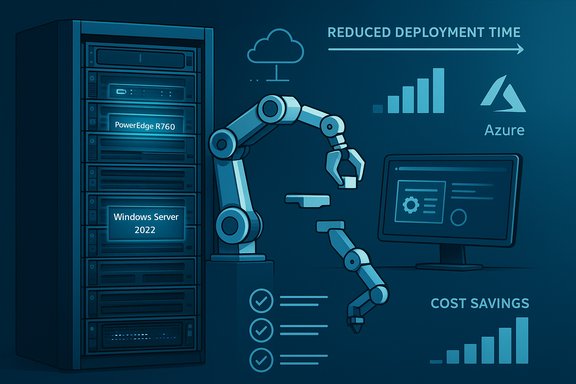
In a crowded market of vendor claims and vendor-led studies, a recent body of analysis—most notably a Prowess Consulting white paper commissioned by Dell and reproduced across industry outlets—offers a concrete, testable claim: deploying Windows Server 2022 preinstalled on Dell PowerEdge hardware can dramatically shorten server rollout time, cut operational steps, and materially reduce cost and risk for IT modernization projects.
Background / Overview
Modern IT leaders face a persistent operational tension: keep mission-critical services running while also funding modernization projects that deliver automation, hybrid cloud connectivity, and AI-ready infrastructure. The argument advanced by Dell and validated in tests by Prowess Consulting is straightforward: buying servers with Windows Server preinstalled under OEM licensing removes manual imaging steps, reduces hands-on kit time, and accelerates time-to-production—freeing scarce engineering hours for higher-value work. Those tests report a headline result—deployment time reductions of up to 84% and an asserted reduction of 59 steps in the provisioning workflow when organizations use OEM-preinstalled Windows Server 2022 versus a manual, volume-license installation. That result is the central claim of the white paper and the basis for the marketing and financial models that follow. This feature examines the evidence, generalizes the practical implications for IT transformation programs, evaluates strengths and risks, and provides a pragmatic playbook for teams considering this approach. The goal is to deliver an evidence-based, actionable guide that separates demonstrable benefits from marketing spin.Why this matters now
Enterprises today must deliver capacity for AI, edge compute, and hybrid-cloud services while managing smaller, leaner IT teams. Reducing routine provisioning overhead is a force-multiplier: saved hours multiply across rollouts, refresh cycles, and disaster-recovery events. Prowess’ testing is therefore timely because it quantifies operational savings that reverberate through cost, risk, and time-to-value models. At the same time, Windows Server 2022 introduced features that are attractive to organizations modernizing for security and hybrid operations—Secured-core server capabilities, improved TLS and SMB encryption, and tighter integration with Azure management services. Preinstalling that OS on vendor hardware creates a combined hardware + software baseline that can simplify validation, compliance, and lifecycle updates. Microsoft’s documentation and product announcements describe these capabilities as core features of the 2022 release.What the Prowess testing actually says (summary of the material)
The test design — two paths compared
Prowess compared two deployment flows for the Dell PowerEdge R750:- Path A: Dell PowerEdge R750 servers shipped with Windows Server 2022 preinstalled under OEM licensing (the “out‑of‑the‑box” setup).
- Path B: The same server hardware provisioned via manual installation using Windows Server volume licensing (full manual install, imaging, driver/firmware updates, validation, etc..
Headline findings
- Up to 84% faster per-server deployment using OEM preinstallation compared with manual installation.
- 59 fewer discrete workflow steps in the provisioning process when OEM-preinstalled images are used.
- Quantified time and cost savings in the white paper and an associated calculator that models savings across fleet sizes and licensing configurations.
Business framing
The white paper positions the savings as more than incremental efficiency. It frames OEM preinstallation as a mechanism to:- Reduce operational toil and free system administrators for strategic tasks.
- Lower risk during mass rollouts and lifecycle refreshes (fewer manual steps = fewer points of failure).
- Simplify licensing logistics by standardizing on OEM licenses tied to hardware purchases.
Technical context: Dell PowerEdge R750 and Windows Server 2022 — capabilities that matter
PowerEdge R750 — hardware profile
The PowerEdge R750 is a 2U enterprise server designed for dense, general-purpose compute workloads. Key technical attributes relevant to modernization and AI/edge use include:- Support for up to two 3rd‑generation Intel Xeon Scalable processors and high core counts, enabling heavy virtualization and AI preprocessing workloads.
- Large memory capacities (dozens of DDR4 DIMM slots with TB-class maximums in many configs).
- Flexible NVMe and SAS storage layouts for high-throughput I/O; numerous front bay and NVMe options.
- Integrated systems management (iDRAC) and telemetry to support automated firmware and driver lifecycle operations.
Windows Server 2022 — relevant features
Windows Server 2022 introduced several capabilities that make it attractive as a baseline OS:- Secured‑core server protections (firmware and hardware-rooted defenses).
- Improved encrypted connectivity (TLS 1.3 default, stronger SMB encryption options).
- Hybrid management integrations (Windows Admin Center + Azure Arc, Azure Automanage options) that simplify cross‑site orchestration.
- Enhanced container and virtualization improvements, plus better storage features foundational for modern server stacks.
Strengths: What’s convincing about the approach
- Measurable operational savings. Prowess provides concrete, measurable results (percentage time savings and step-count reduction) that are easy to plug into TCO models. Those figures are useful for financial justification and FinOps conversations.
- Reduced human error and faster standardization. Preinstalled images reduce the number of manual touchpoints—driver installs, patch sequencing, imaging steps—thereby lowering the probability of misconfiguration during mass rollouts and simplifying inventory standardization.
- Vendor-aligned lifecycle path. OEM shipping ties firmware, drivers, and an OS baseline together. When coupled with vendor lifecycle tools (iDRAC, Dell Update Catalogs), it creates a cleaner patch/update path that’s attractive for smaller teams or distributed edge deployments.
- Hybrid-ready OS features. Windows Server 2022’s hybrid integrations (Azure Arc, Windows Admin Center) make these preinstalled servers naturally easier to incorporate in Azure‑hybrid management models, enabling central policy and monitoring across on‑prem and cloud assets.
- Scalable ROI. The gains stack over fleet size—minutes saved per server multiply quickly during refresh cycles, new site deployments, or DR rebuilds. The white paper and the online calculator demonstrate how even modest per-server time savings convert to substantial labor cost reductions at scale.
Risks, caveats, and what to validate before committing
No vendor-led study is neutral. The Prowess work is solid as a practical comparison, but there are important caveats that need explicit validation:- Commissioning and selection bias. The study was commissioned to demonstrate a benefit that aligns with Dell’s product and commercial messaging. Independent replication or an internal proof-of-concept (PoC) is advised before enterprise-wide rollout. Treat the 84% figure as a plausible upper bound, not a guaranteed outcome across all environments.
- Environment-specific variability. Time saved depends heavily on existing processes. Organizations with mature automation, custom imaging pipelines, or advanced configuration management may realize smaller relative gains. Conversely, teams still using fully manual installs will see the largest benefits.
- Licensing tradeoffs. OEM licenses are tied to hardware and can be cheaper for many deployments, but they also carry constraints (transferability, upgrade paths, and enterprise volume-license discounts in certain scenarios). Validate long-term license lifecycle and any contractual implications for mobility, HA failover licensing, or hardware replacement strategies.
- Hidden integration work. Preinstalled OSes reduce initial setup steps, but they do not eliminate downstream integration tasks: active directory join, security baseline hardening, application validation, backup/DR setup, and orchestration with existing config management still require time and expertise.
- Dependency on vendor images. Relying on vendor-provided images may introduce patch sequencing or image-cadence considerations. Confirm the update cadence, rollback processes, and validation responsibilities between hardware vendor and OS vendor in your support agreements. Dell provides documentation and lifecycle tools but SLAs and responsibility share vary by contract.
- Security posture & supply chain considerations. Preinstallation improves consistency, but organizations with strict supply-chain validation (air‑gapped images, custom signed binaries, specific firmware baselines) may need to retain manual validation steps that reduce some of the time-savings.
Practical checklist: How to evaluate OEM-preinstalled servers in your environment
- Define the scope and goals: number of servers, target workloads (VMs, containers, databases, AI inference), and expected deployment cadence.
- Run a two-node PoC: deploy one server from OEM preinstalled image and an identical one via your standard manual/volume process and measure:
- Hands-on time (human time) for each step.
- End-to-end time to first usable workload.
- Number of discrete manual steps and variance.
- Validate support and SLAs: confirm Dell’s firmware/driver update cadence, Dell ProSupport options, and Microsoft support implications for OEM v. volume licensing.
- Audit licensing constraints: check transferability, core licensing counts, and any caveats for failover or replacement hardware.
- Confirm configuration baselines: ensure your security baselines (CIS or custom) can be applied consistently to vendor images, and confirm automation hooks (SCCM/Intune/MDM/Ansible) operate post-setup.
- Plan for image lifecycle management: determine how you will handle periodic re-imaging, post-sale hotfixes, and image rollbacks.
- Model the economics: use conservative time savings in your TCO model (e.g., 30–50% of claimed savings) and include non-recurring integration costs.
- Prepare runbooks for edge or remote site scenarios: test recovery and re-provisioning with the OEM approach where network connectivity is limited.
A short, realistic deployment playbook
Phase 1 — Assess (2–4 weeks)
- Inventory candidate servers and workloads.
- Identify current provisioning step counts and time-per-step.
- Build a time-tracking baseline for manual installs.
Phase 2 — Pilot (2–6 weeks)
- Procure a small batch of PowerEdge R750 (or targeted model).
- Deploy one via OEM-preinstalled image and one via standard manual image.
- Measure human time, automated tasks, and failure points.
Phase 3 — Validate (2–4 weeks)
- Run application smoke tests, performance baselines, and security scans.
- Validate backups, monitoring, and patch workflows.
- Confirm support escalation paths with Dell/Microsoft.
Phase 4 — Scale (ongoing)
- Roll out phased production deployments using runbooks refined from pilot.
- Apply FinOps guardrails and tagging for cost visibility.
- Monitor and record realized time savings for continuous improvement.
Cross-checks and verification performed
To ensure the recommendations are grounded in verifiable information, the analysis cross-referenced:- The Prowess Consulting white paper and supporting materials that describe the test methodology and headline results.
- Independent reporting and syndication by industry outlets (ITPro, DemandBytes) that summarized the study and made the white paper accessible to readers.
- Dell’s official setup and support documentation on preinstalled Windows Server 2022 imaging and lifecycle procedures (Dell Support / Set Up Preinstalled Windows Server 2022).
- Multiple vendor datasheets and product pages that establish the PowerEdge R750 hardware capabilities (processor support, memory and storage configurations, and management tools).
- Microsoft product announcements and Windows Server 2022 documentation describing feature sets such as Secured‑core server and Azure/hybrid integrations.
Final assessment: who should consider this approach?
- High-value benefit: Organizations running frequent hardware refresh cycles, distributed edge rollouts, or large data center expansions will likely realize the greatest savings because time-per-unit scales multiplicatively.
- Moderate benefit: Teams with modest automation who still depend on manual imaging will see clear improvements in time-to-production and reduced human error.
- Low incremental benefit: Organizations that already operate mature, highly-automated provisioning pipelines (infrastructure as code, Golden AMI pipelines, or image-service automation) may see smaller relative gains and should focus on orchestration and lifecycle integration instead of solely relying on OEM preinstallation.
Conclusion
The Prowess study and vendor documentation together make a persuasive case that buying Dell PowerEdge servers with Windows Server 2022 preinstalled under OEM licensing can shorten provisioning time, reduce manual steps, and simplify lifecycle management—advantages that are particularly significant for lean operations, edge rollouts, and organizations behind the automation curve. Those benefits are tangible, measurable, and repeatable—but they are not a panacea.A cautious, data-driven approach is warranted: run a short internal PoC, validate licensing and support implications, and model savings conservatively. When incorporated into a broader modernization program—one that includes governance, FinOps, and application validation—the OEM-preinstall path can be a powerful lever to streamline IT transformation and let teams focus on innovation rather than repetitive configuration tasks.
Appendix: Quick reference (what to validate during PoC)
- Confirm per-server hands-on minutes vs. manual install baseline.
- Validate driver/firmware versions match your security baseline; record update cadence.
- Test hybrid management hooks (Azure Arc, Windows Admin Center) for central policy enforcement.
- Check licensing portability rules for disaster recovery and hardware replacement scenarios.
Source: Techfunnel Looking to Streamline IT Transformation? Here's How.
