

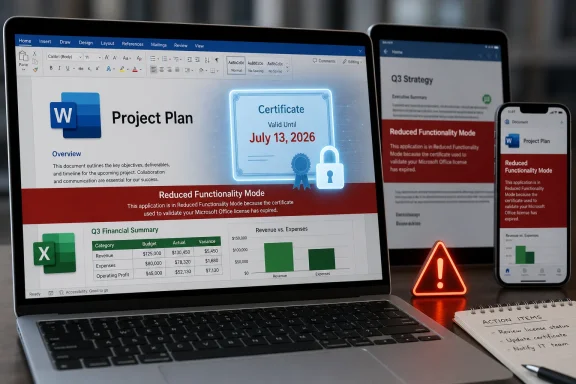
Microsoft says some Office apps on macOS, iPhone, and iPad will lose the ability to create, edit, or save files starting July 13, 2026, unless they are updated to versions carrying a renewed license-validation certificate. The sharpest impact lands on Office 2019 for Mac, which is already out of support and cannot receive the required update. That makes this less a routine maintenance notice than a reminder that “perpetual” software increasingly depends on infrastructure the vendor still controls. For users who bought Office to avoid subscriptions, the certificate clock is now the real licensing authority.
The proximate cause is mundane: a digital certificate used to validate Office licensing is expiring. Microsoft has renewed the certificate, but the fix is delivered through newer Office app versions rather than through a special one-off patch for retired software. Supported Microsoft 365 and Office 2021 users can avoid the problem by updating their apps and, where necessary, their operating systems.
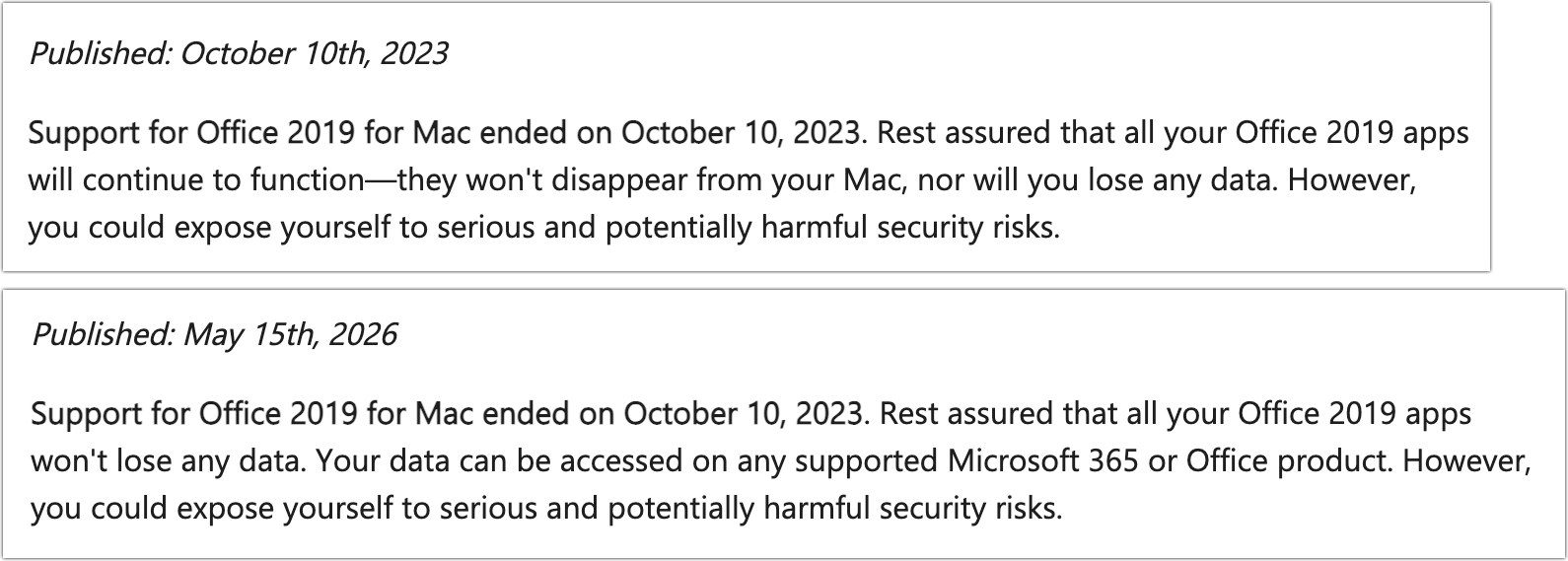
Office 2019 for Mac users are in a different category. Microsoft ended support for that suite on October 10, 2023, and the company’s current guidance says updating or reinstalling Office 2019 for Mac will not resolve the issue. Once the certificate deadline arrives, affected copies of Word, Excel, PowerPoint, Outlook, and OneNote can still open and print files, but they will no longer create, edit, or save them.
That is the kind of technical explanation that is accurate and still unsatisfying. A certificate expiring is not a novel event; it is a predictable calendar problem. The controversy is not that Microsoft needed to rotate trust material, but that the rotation is functionally ending editing support for a one-time-purchase product that many customers reasonably understood as usable indefinitely on compatible hardware.
Microsoft would argue that Office 2019 for Mac already had a defined support lifecycle and that unsupported products cannot expect ongoing patches. That position is coherent in the language of enterprise lifecycle management. It is much harder to defend in the language of ordinary software ownership, where “unsupported” has historically meant “no fixes if it breaks,” not “a known date will deliberately push core features into read-only mode.”
For Word and Excel, that distinction matters immediately. A family budget spreadsheet, a school assignment, a local business invoice template, a club newsletter, or an archived legal letter remains accessible, but not meaningfully usable inside the software that created it. The files are not encrypted, destroyed, or held hostage. But the workflow is broken at the point where Office’s value actually lives: editing and saving.
The same issue can hit certain Office apps on iPhone and iPad that cannot be updated to the required version. Microsoft’s published guidance says iOS and iPadOS users need app version 2.93 on iOS 17 or later, while Mac users need version 16.83 or later on macOS 12 Monterey or newer. Those requirements pull operating-system support into what looks, on the surface, like an Office licensing issue.
That is one reason this story will resonate beyond the shrinking population of Office 2019 for Mac users. Modern application trust chains span the app, the operating system, the app store, the license service, and the certificate authority. When one piece ages out, the vendor can say the product is merely following its support policy. The user experiences something simpler: yesterday the app edited documents, tomorrow it does not.
Perpetual software has never meant infinite support. Security updates, compatibility fixes, cloud integrations, and helpdesk assistance have always had end dates. But the old bargain was legible: the vendor stopped improving the product, and the customer accepted the risk of continuing to use it. The software might become insecure or incompatible over time, but it did not usually encounter a vendor-controlled credential that made editing unavailable on a fixed future date.
This is the difference between decay and enforcement. Old software naturally decays as operating systems move on, file formats change, and hardware disappears. A certificate expiry is different because it is not an accidental incompatibility; it is a predictable dependency built into the product’s ability to prove that it is licensed. That makes the support lifecycle feel less like a warranty period and more like a fuse.
Microsoft’s defense is likely to rest on security and licensing integrity. Certificates expire for good reasons, and vendors should not casually keep old trust chains alive forever. But the company’s decision not to provide a narrow certificate update for Office 2019 for Mac transforms a security hygiene issue into a customer-rights argument. The apps are not being disabled because they cannot run. They are being disabled because Microsoft will not update the licensing component that lets them continue running fully.
But this is precisely why the optics are poor. When a paid perpetual product loses editing capability and the official path forward points toward a subscription, customers do not see lifecycle management; they see an upsell enforced by infrastructure. Even if the certificate problem is technically genuine, the commercial direction is impossible to miss.
Microsoft has spent more than a decade shifting Office from boxed software to a service. The company has largely succeeded because Microsoft 365 is genuinely useful: constant updates, cloud storage, multi-device installs, collaboration features, and security improvements are real benefits. For organizations, the subscription model also simplifies deployment and compliance in ways old perpetual licensing never did.
Still, there is a meaningful difference between making the subscription better and making the old perpetual product worse. The former wins customers through value. The latter risks confirming the suspicion that local software ownership has become a polite fiction whenever activation and licensing checks remain tethered to vendor-maintained systems.
Windows administrators already live with this reality. They manage certificate lifetimes, token expiration, device compliance, identity providers, conditional access policies, and update rings. They know that a modern desktop is less a sealed appliance than a bundle of negotiated permissions. What makes the Office 2019 for Mac case striking is that the same logic is now visible to ordinary users who thought they bought a traditional productivity suite.
For IT departments, the practical response is inventory. Any organization still running Office 2019 for Mac should identify those installations well before July 13, 2026, especially in departments where Macs are lightly managed or personally owned. The danger is not data loss but operational surprise: users discovering during a deadline that Word can open a document but not save changes.
There is also a device-lifecycle issue. Microsoft’s supported path requires newer Office versions and newer Apple operating systems. Some Macs and iPads that are perfectly serviceable for light productivity may not meet those requirements. That turns an Office certificate event into a hardware planning problem, especially for schools, nonprofits, and small businesses that stretch devices beyond corporate refresh cycles.
That reassurance matters, but it does not fully answer the problem. A document that can only be viewed inside the user’s chosen editor is not equivalent to a document that remains editable in the environment where templates, macros, fonts, formatting, and habits live. Migration is possible, but migration is work. It also carries risk for complex spreadsheets, heavily formatted documents, and presentations that do not translate cleanly outside Office.
The distinction is especially important for users who bought Office 2019 precisely because they wanted local software. Many such users are not anti-Microsoft absolutists; they simply prefer a stable, offline-capable tool that does not require an annual subscription. For them, the promise of local productivity is that the app remains there when the network, the account system, or the vendor’s current business model is not.
That promise is now narrower than it looked. Office 2019 for Mac will not become useless overnight, but it will stop being Office in the way most people mean the word. A read-only Word is not a word processor. A read-only Excel is not a spreadsheet application. A read-only PowerPoint is not a presentation tool for anyone still assembling slides at 11 p.m.
The messy middle is different. Small businesses, independent professionals, churches, volunteer groups, local governments, and home users often buy perpetual software because it is predictable. They may not follow Microsoft lifecycle pages. They may not know which Office build they have. They may not discover the problem until the first time an app drops into reduced functionality mode.
That creates a support burden far outside Microsoft. Local IT consultants, managed service providers, Apple repair shops, family tech helpers, and forum communities will be the ones explaining why reinstalling Office does not help. They will also be the ones sorting out whether a machine can run macOS 12 or later, whether an iPad can run iOS 17, whether Microsoft 365 web apps are sufficient, or whether LibreOffice, Apple iWork, Google Docs, or another suite is a better fit.
The most frustrating cases will involve users who have done nothing wrong. Their license was legitimate. Their files are intact. Their hardware may still work. But the software’s licensing trust chain has reached a date the product can no longer survive without an update it will not receive.
The company can say support ended in 2023. It can say customers had years to move. It can say supported Office versions have a fix. All of that is true. None of it changes the fact that July 13, 2026, will feel to affected users like a switch being thrown remotely on software they already paid for.
This is where Microsoft’s enterprise discipline collides with consumer expectation. Lifecycle charts make sense to procurement departments. They do not map neatly onto the cultural memory of shrink-wrapped software, where the final supported version might be frozen in amber but would keep working until the operating system itself broke it. Microsoft is not alone in this shift, but Office is important enough that it becomes the example everyone understands.
The company also has to contend with its own success. Office file formats are embedded in decades of personal, educational, and business workflows. When Microsoft changes the terms of access to editing, even indirectly through certificate policy, it is not merely retiring an old app. It is altering the practical accessibility of work habits built around one of the most dominant software suites ever sold.
For individual users, the first step is simple: check the Office version and the macOS or iOS version. If the apps can be updated to the supported builds Microsoft specifies, do it. If the device cannot support the required operating system or the Office product is Office 2019 for Mac, the user needs a replacement plan.
For organizations, the better response is to stop treating old Office installs as harmless leftovers. They are now a measurable risk with a calendar date. That risk belongs in asset management, helpdesk scripting, user communications, and budget planning.
The alternatives are familiar, but none are perfectly neutral. Microsoft 365 preserves compatibility and minimizes user retraining, but it moves the customer into subscription licensing. Microsoft 365 web apps reduce cost but may not cover advanced workflows. Office 2021 and newer perpetual editions may appeal to subscription holdouts, but they too live inside defined support windows. Non-Microsoft suites can work well, but file fidelity and macro compatibility need testing before a mass switch.
That does not make certificates bad. Expiring credentials are a cornerstone of secure computing, and indefinite trust is its own risk. But vendors choose how to handle predictable expirations. They can design products to fail gracefully, issue narrow updates, publish long lead times, or separate license validation from critical offline functionality in older perpetual software.
Microsoft has chosen a support-bound answer. Supported customers get the renewed certificate through updates. Unsupported Office 2019 for Mac customers do not. From Redmond’s perspective, that is a clean lifecycle policy. From the user’s desk, it looks like the border between software and service has moved again.
The irony is that this may push some users away from the very trust Microsoft needs for subscriptions. Microsoft 365 depends on customers believing that ongoing payment buys reliability, continuity, and reduced surprises. If the lesson customers absorb is instead that Microsoft can redefine the usefulness of old purchases through licensing infrastructure, the subscription pitch becomes more efficient but less beloved.
 Microsoft Turns a Certificate Deadline Into a Product Deadline
The proximate cause is mundane: a digital certificate used to validate Office licensing is expiring. Microsoft has renewed the certificate, but the fix is delivered through newer Office app versions rather than through a special one-off patch for retired software. Supported Microsoft 365 and Office 2021 users can avoid the problem by updating their apps and, where necessary, their operating systems.Office 2019 for Mac users are in a different category. Microsoft ended support for that suite on October 10, 2023, and the company’s current guidance says updating or reinstalling Office 2019 for Mac will not resolve the issue. Once the certificate deadline arrives, affected copies of Word, Excel, PowerPoint, Outlook, and OneNote can still open and print files, but they will no longer create, edit, or save them.
That is the kind of technical explanation that is accurate and still unsatisfying. A certificate expiring is not a novel event; it is a predictable calendar problem. The controversy is not that Microsoft needed to rotate trust material, but that the rotation is functionally ending editing support for a one-time-purchase product that many customers reasonably understood as usable indefinitely on compatible hardware.
Microsoft would argue that Office 2019 for Mac already had a defined support lifecycle and that unsupported products cannot expect ongoing patches. That position is coherent in the language of enterprise lifecycle management. It is much harder to defend in the language of ordinary software ownership, where “unsupported” has historically meant “no fixes if it breaks,” not “a known date will deliberately push core features into read-only mode.”
The Words “Reduced Functionality” Do a Lot of Work
Microsoft calls the post-deadline state reduced functionality mode, a phrase longtime Office users may remember from activation failures and expired subscriptions. It sounds clinical, almost harmless. In practice, it means the apps become viewers for the documents they were purchased to produce.For Word and Excel, that distinction matters immediately. A family budget spreadsheet, a school assignment, a local business invoice template, a club newsletter, or an archived legal letter remains accessible, but not meaningfully usable inside the software that created it. The files are not encrypted, destroyed, or held hostage. But the workflow is broken at the point where Office’s value actually lives: editing and saving.
The same issue can hit certain Office apps on iPhone and iPad that cannot be updated to the required version. Microsoft’s published guidance says iOS and iPadOS users need app version 2.93 on iOS 17 or later, while Mac users need version 16.83 or later on macOS 12 Monterey or newer. Those requirements pull operating-system support into what looks, on the surface, like an Office licensing issue.
That is one reason this story will resonate beyond the shrinking population of Office 2019 for Mac users. Modern application trust chains span the app, the operating system, the app store, the license service, and the certificate authority. When one piece ages out, the vendor can say the product is merely following its support policy. The user experiences something simpler: yesterday the app edited documents, tomorrow it does not.
Office 2019 Becomes a Case Study in Conditional Ownership
The Mac version of Office 2019 was sold as a perpetual license, not a Microsoft 365 subscription. That distinction is the emotional center of the backlash. Buyers did not expect new features forever, but many expected the local apps to keep performing their original functions as long as the computer and operating system could run them.Perpetual software has never meant infinite support. Security updates, compatibility fixes, cloud integrations, and helpdesk assistance have always had end dates. But the old bargain was legible: the vendor stopped improving the product, and the customer accepted the risk of continuing to use it. The software might become insecure or incompatible over time, but it did not usually encounter a vendor-controlled credential that made editing unavailable on a fixed future date.
This is the difference between decay and enforcement. Old software naturally decays as operating systems move on, file formats change, and hardware disappears. A certificate expiry is different because it is not an accidental incompatibility; it is a predictable dependency built into the product’s ability to prove that it is licensed. That makes the support lifecycle feel less like a warranty period and more like a fuse.
Microsoft’s defense is likely to rest on security and licensing integrity. Certificates expire for good reasons, and vendors should not casually keep old trust chains alive forever. But the company’s decision not to provide a narrow certificate update for Office 2019 for Mac transforms a security hygiene issue into a customer-rights argument. The apps are not being disabled because they cannot run. They are being disabled because Microsoft will not update the licensing component that lets them continue running fully.
The Subscription Strategy Is the Unavoidable Subtext
Microsoft recommends that affected users move to the free Microsoft 365 web apps or upgrade to a supported Microsoft 365 subscription. That recommendation is predictable, and in many cases practical. The web apps are good enough for light editing, and Microsoft 365 is the product Microsoft wants consumers and businesses to standardize on.But this is precisely why the optics are poor. When a paid perpetual product loses editing capability and the official path forward points toward a subscription, customers do not see lifecycle management; they see an upsell enforced by infrastructure. Even if the certificate problem is technically genuine, the commercial direction is impossible to miss.
Microsoft has spent more than a decade shifting Office from boxed software to a service. The company has largely succeeded because Microsoft 365 is genuinely useful: constant updates, cloud storage, multi-device installs, collaboration features, and security improvements are real benefits. For organizations, the subscription model also simplifies deployment and compliance in ways old perpetual licensing never did.
Still, there is a meaningful difference between making the subscription better and making the old perpetual product worse. The former wins customers through value. The latter risks confirming the suspicion that local software ownership has become a polite fiction whenever activation and licensing checks remain tethered to vendor-maintained systems.
Mac Users Feel the Pain First, but Windows Users Should Pay Attention
This episode is specific to macOS and iOS Office apps, but Windows users should not treat it as a Mac-only oddity. The broader lesson applies across platforms: software that depends on online activation, license validation, certificates, or cloud entitlement checks can lose core functionality for reasons unrelated to the user’s files or hardware.Windows administrators already live with this reality. They manage certificate lifetimes, token expiration, device compliance, identity providers, conditional access policies, and update rings. They know that a modern desktop is less a sealed appliance than a bundle of negotiated permissions. What makes the Office 2019 for Mac case striking is that the same logic is now visible to ordinary users who thought they bought a traditional productivity suite.
For IT departments, the practical response is inventory. Any organization still running Office 2019 for Mac should identify those installations well before July 13, 2026, especially in departments where Macs are lightly managed or personally owned. The danger is not data loss but operational surprise: users discovering during a deadline that Word can open a document but not save changes.
There is also a device-lifecycle issue. Microsoft’s supported path requires newer Office versions and newer Apple operating systems. Some Macs and iPads that are perfectly serviceable for light productivity may not meet those requirements. That turns an Office certificate event into a hardware planning problem, especially for schools, nonprofits, and small businesses that stretch devices beyond corporate refresh cycles.
The Files Are Safe, but the Workflow Is Not
Microsoft is right to emphasize that documents remain safe. The certificate validates the Office license; it does not alter the underlying files or make stored documents insecure. Users should still be able to open, view, print, copy, and migrate their files.That reassurance matters, but it does not fully answer the problem. A document that can only be viewed inside the user’s chosen editor is not equivalent to a document that remains editable in the environment where templates, macros, fonts, formatting, and habits live. Migration is possible, but migration is work. It also carries risk for complex spreadsheets, heavily formatted documents, and presentations that do not translate cleanly outside Office.
The distinction is especially important for users who bought Office 2019 precisely because they wanted local software. Many such users are not anti-Microsoft absolutists; they simply prefer a stable, offline-capable tool that does not require an annual subscription. For them, the promise of local productivity is that the app remains there when the network, the account system, or the vendor’s current business model is not.
That promise is now narrower than it looked. Office 2019 for Mac will not become useless overnight, but it will stop being Office in the way most people mean the word. A read-only Word is not a word processor. A read-only Excel is not a spreadsheet application. A read-only PowerPoint is not a presentation tool for anyone still assembling slides at 11 p.m.
The Real Cost Falls on the Least Managed Machines
Large enterprises are probably the least vulnerable group here. They tend to run supported Microsoft 365 Apps, manage update channels, and track software lifecycle dates. If they still have Office 2019 for Mac deployed, this notice becomes another item in a migration plan.The messy middle is different. Small businesses, independent professionals, churches, volunteer groups, local governments, and home users often buy perpetual software because it is predictable. They may not follow Microsoft lifecycle pages. They may not know which Office build they have. They may not discover the problem until the first time an app drops into reduced functionality mode.
That creates a support burden far outside Microsoft. Local IT consultants, managed service providers, Apple repair shops, family tech helpers, and forum communities will be the ones explaining why reinstalling Office does not help. They will also be the ones sorting out whether a machine can run macOS 12 or later, whether an iPad can run iOS 17, whether Microsoft 365 web apps are sufficient, or whether LibreOffice, Apple iWork, Google Docs, or another suite is a better fit.
The most frustrating cases will involve users who have done nothing wrong. Their license was legitimate. Their files are intact. Their hardware may still work. But the software’s licensing trust chain has reached a date the product can no longer survive without an update it will not receive.
Microsoft’s Lifecycle Logic Is Consistent and Still Customer-Hostile
It is tempting to frame this as Microsoft simply “bricking” Office 2019 for Mac. That captures the anger but not the full mechanism. The apps retain some function, and Microsoft has been clear that the underlying documents are unaffected. The more precise criticism is that Microsoft is allowing a known licensing dependency to strip core functionality from a perpetual product rather than issuing a minimal compatibility update.The company can say support ended in 2023. It can say customers had years to move. It can say supported Office versions have a fix. All of that is true. None of it changes the fact that July 13, 2026, will feel to affected users like a switch being thrown remotely on software they already paid for.
This is where Microsoft’s enterprise discipline collides with consumer expectation. Lifecycle charts make sense to procurement departments. They do not map neatly onto the cultural memory of shrink-wrapped software, where the final supported version might be frozen in amber but would keep working until the operating system itself broke it. Microsoft is not alone in this shift, but Office is important enough that it becomes the example everyone understands.
The company also has to contend with its own success. Office file formats are embedded in decades of personal, educational, and business workflows. When Microsoft changes the terms of access to editing, even indirectly through certificate policy, it is not merely retiring an old app. It is altering the practical accessibility of work habits built around one of the most dominant software suites ever sold.
A July 2026 Deadline That Admins Should Treat Like a Migration Project
The prudent move is to treat July 13, 2026, as a hard operational deadline, not as a vague advisory. If Office 2019 for Mac is still installed anywhere important, the question is not whether it will be pleasant to replace. The question is whether the replacement happens before users are forced into read-only mode.For individual users, the first step is simple: check the Office version and the macOS or iOS version. If the apps can be updated to the supported builds Microsoft specifies, do it. If the device cannot support the required operating system or the Office product is Office 2019 for Mac, the user needs a replacement plan.
For organizations, the better response is to stop treating old Office installs as harmless leftovers. They are now a measurable risk with a calendar date. That risk belongs in asset management, helpdesk scripting, user communications, and budget planning.
The alternatives are familiar, but none are perfectly neutral. Microsoft 365 preserves compatibility and minimizes user retraining, but it moves the customer into subscription licensing. Microsoft 365 web apps reduce cost but may not cover advanced workflows. Office 2021 and newer perpetual editions may appeal to subscription holdouts, but they too live inside defined support windows. Non-Microsoft suites can work well, but file fidelity and macro compatibility need testing before a mass switch.
The Certificate Story Exposes the Hidden Plumbing of Modern Apps
The deeper lesson is that modern software ownership is increasingly mediated by invisible infrastructure. Certificates, activation services, app-store policies, account entitlements, and cloud-backed identity systems are now part of the product, even when the product looks like a traditional local application. The executable on disk is only one piece of the thing the customer thinks they own.That does not make certificates bad. Expiring credentials are a cornerstone of secure computing, and indefinite trust is its own risk. But vendors choose how to handle predictable expirations. They can design products to fail gracefully, issue narrow updates, publish long lead times, or separate license validation from critical offline functionality in older perpetual software.
Microsoft has chosen a support-bound answer. Supported customers get the renewed certificate through updates. Unsupported Office 2019 for Mac customers do not. From Redmond’s perspective, that is a clean lifecycle policy. From the user’s desk, it looks like the border between software and service has moved again.
The irony is that this may push some users away from the very trust Microsoft needs for subscriptions. Microsoft 365 depends on customers believing that ongoing payment buys reliability, continuity, and reduced surprises. If the lesson customers absorb is instead that Microsoft can redefine the usefulness of old purchases through licensing infrastructure, the subscription pitch becomes more efficient but less beloved.
The Practical Reading of Microsoft’s Office Clock
The immediate response should be calm, not complacent. This is not a file-destruction event, and panic migration is unnecessary. But anyone still relying on Office 2019 for Mac should assume that the editing deadline is real.- Office 2019 for Mac is the product most clearly trapped because it is out of support and cannot receive the renewed certificate update.
- Supported Microsoft 365 and Office 2021 installations can avoid reduced functionality mode by updating to the required app and operating-system versions.
- Reinstalling Office 2019 for Mac is not a workaround because the issue is tied to an expiring license-validation certificate and the absence of updates.
- The affected files remain accessible, but users may need another editor or a newer Office version to continue creating and saving work.
- IT teams should inventory Macs, iPhones, and iPads running older Office builds before July 13, 2026, rather than waiting for helpdesk tickets after the switch flips.
- Users who bought perpetual Office to avoid subscriptions should evaluate alternatives now, while they can still compare compatibility on their own schedule.
References
- Primary source: The Mac Observer
Published: Tue, 02 Jun 2026 17:09:27 GMT
Loading…
www.macobserver.com - Official source: support.microsoft.com
Update Microsoft 365 or Office on your macOS or iOS device - Microsoft Support
 support.microsoft.com
- Related coverage: macrumors.com

Microsoft Office 2019 for Mac Will Soon Stop Letting You Edit Documents
Microsoft will prevent Office 2019 for Mac owners from editing their documents from July 13, a restriction the company is attributing to the productivity suite's expiring digital certificate. The Office 2019 apps affected include Word, Excel, PowerPoint, Outlook, and OneNote. Once the... www.macrumors.com
- Official source: learn.microsoft.com

Certificate update for Microsoft 365 apps on managed macOS and iOS devices - Microsoft 365 Apps
A licensing update for Microsoft 365 apps on macOS and iOSlearn.microsoft.com - Related coverage: tidbits.com
Office 2019 for Mac Goes Read-Only on 13 July 2026 - TidBITS
On 13 July 2026, an expiring security certificate will force Office 2019 for Mac into read-only mode. Microsoft has shown no interest in releasing a fix, leaving users to upgrade or switch to alternatives. tidbits.com
- Related coverage: gearbriefly.com

Your Office For Mac May Go View-Only On July 13. Here Is Who Has To Act
Office for Mac goes view-only July 13, 2026 as a licensing certificate expires. Office 2021 and Microsoft 365 update for free; Office 2019 for Mac has no fix.gearbriefly.com