

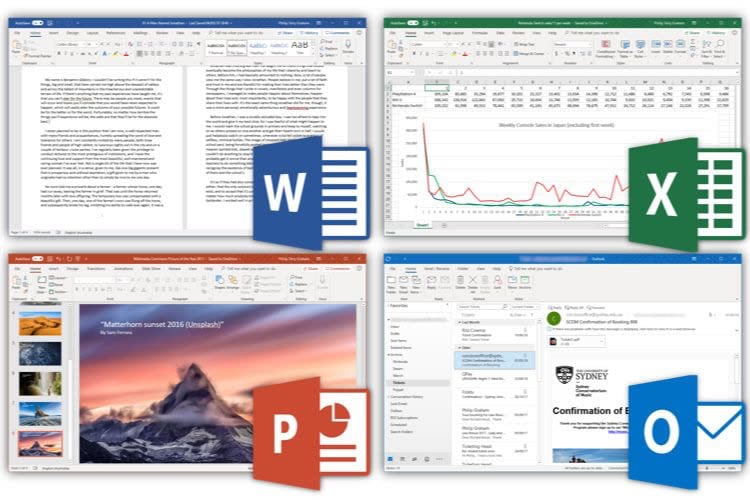
Microsoft says Office 2019 for Mac installations that cannot receive the required certificate update will enter reduced functionality mode on July 13, 2026, leaving Word, Excel, PowerPoint, Outlook, and OneNote able to open and print files but unable to create, edit, or save them. That is not the ordinary afterlife users expect from a perpetual software license. It is a sharp reminder that in 2026, “owned” software can still depend on a vendor-controlled chain of trust, update eligibility, and lifecycle policy. The result is a small certificate story with much larger implications for anyone trying to keep stable productivity software running past the subscription era’s preferred expiration date.
The immediate mechanics are straightforward. Microsoft’s Office apps on macOS and iOS depend on a certificate used in the licensing and validation process, and the current certificate expires on July 13, 2026. Apps updated to a supported build include the renewed certificate and continue working normally. Apps that cannot be updated far enough do not.
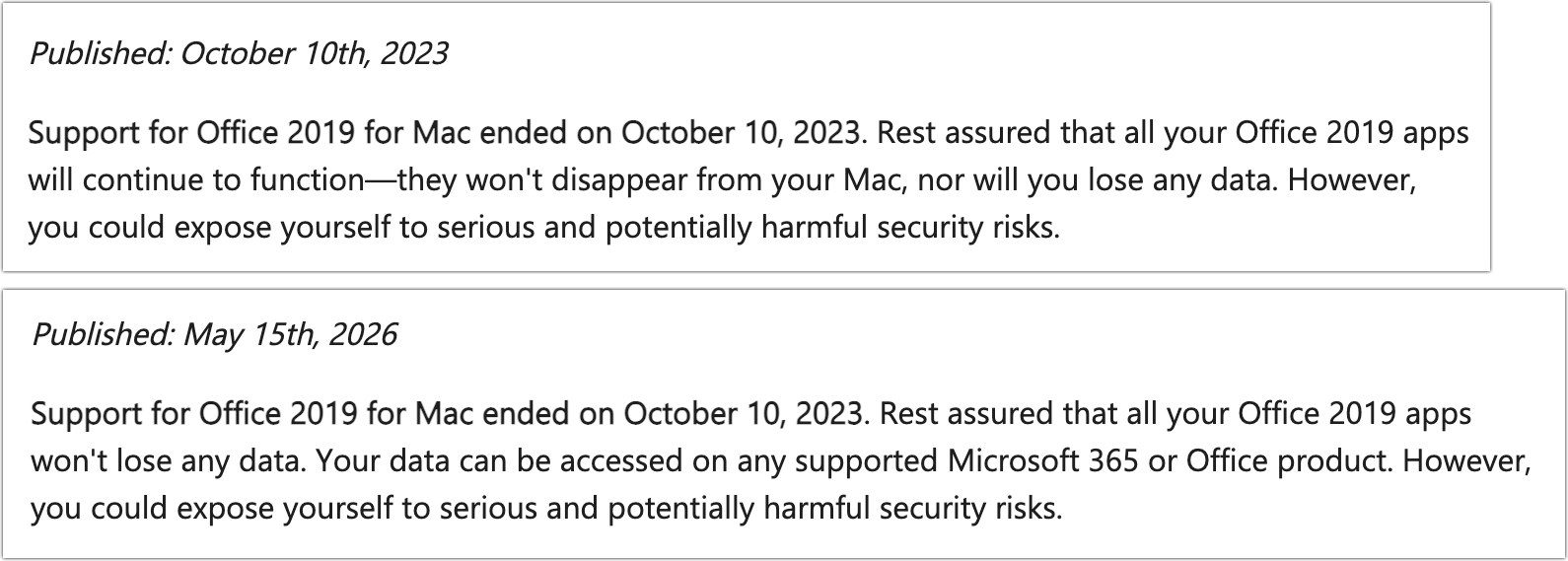
That distinction is where Office 2019 for Mac falls through the trapdoor. Microsoft ended support for Office 2019 for Mac on October 10, 2023, which means it no longer receives the kind of update that would carry the renewed certificate. The software is not suddenly forgetting how to edit a spreadsheet or save a Word file; it is being placed into reduced functionality mode because the licensing infrastructure around it no longer satisfies the platform’s expectations.
For users, the difference between “unsupported” and “disabled” will feel academic. A product can be out of support and still function for years, especially in environments that value predictability over novelty. What is new here is the practical consequence: a paid, perpetual Office suite becomes a document viewer unless the user moves to something newer.
Microsoft is not hiding the operational effect. The company’s support guidance says affected apps will still open and print files, but editing, saving, creating new documents, and access to full features will stop. That phrasing matters because it frames the event not as a bug, not as a corrupted installation, and not as a user error, but as a lifecycle boundary enforced by the product itself.
Microsoft’s legal and support language has always left itself room to maneuver. Software activation, licensing checks, certificates, online services, and operating system trust stores all sit between the user and the executable. The old boxed-software fantasy of a program that can run indefinitely in splendid isolation has been fading for decades.
Still, this case cuts differently from the usual end-of-support warning. When an unsupported version stops receiving security fixes, the risk shifts to the customer. When a future macOS release breaks an old application, the blame is shared between platform churn and vendor lifecycle policy. Here, the trigger is neither a new Office feature nor a newly discovered security flaw; it is a certificate expiration that Microsoft has already addressed for supported builds.
That is why this story has landed so badly among Mac users. The technical fix exists, but Office 2019 is outside the update channel that would receive it. Microsoft can truthfully say the product is out of support. Customers can truthfully say the software they bought is being made materially less useful by a vendor-controlled dependency.
But consumer trust is not governed only by lifecycle charts. A retiree using Word for letters, a small nonprofit maintaining Excel rosters, or a student with an old MacBook may not care about modern collaboration, Copilot hooks, or the newest Outlook architecture. They bought a desktop suite because they wanted local tools with a clear cost.
The practical experience on July 13 will not be “Microsoft no longer provides updates.” It will be “Microsoft Office will not let me save my document.” That is a different emotional and operational category.
This is the uncomfortable line Microsoft is walking. The company wants the industry to accept that unsupported software should be replaced, but it also wants customers to continue trusting the idea of a one-time Office purchase. Office 2024 still exists as a non-subscription option. Yet every story like this makes the next perpetual license feel less like ownership and more like a longer rental with better marketing.
On macOS, the compatibility chain is not just “does the app launch?” It is whether the operating system still supports the app, whether the app can update, whether the license validation components are current, and whether the certificate chain remains trusted. If any link is too old, the user can end up with a product that technically runs but refuses to perform its most valuable actions.
The same issue extends to older Office apps on iPhone and iPad that cannot be updated to the required versions. That matters because iOS and iPadOS users are even more dependent on the App Store update path. If a device is too old to run the required operating system, the app may be trapped below the certificate-renewal build.
This is not unique to Microsoft. The entire software industry has moved toward signed code, cloud validation, subscription entitlements, and fast-moving platform baselines. But Office is not a niche utility. It is the default document language of business, education, government, and countless households. When Office changes the definition of “still works,” the blast radius is unusually broad.
But it would be equally naïve to pretend the business model is irrelevant. Microsoft 365 is the company’s preferred future for Office: constantly updated apps, cloud storage, collaboration, identity integration, security controls, and increasingly AI-driven features. The subscription model creates recurring revenue and gives Microsoft a much tighter grip on supported configurations.
Office 2019 belongs to a different era. It was a snapshot release, not a living service. It did not promise the continuous feature stream of Microsoft 365, and it was never going to be the platform for Microsoft’s newest productivity ambitions. The certificate deadline simply reveals how little independence a “snapshot” product has when its licensing still depends on modern validation infrastructure.
That is the source of the anger. Users are not only reacting to lost editing rights. They are reacting to the feeling that the old bargain has been quietly rewritten after purchase. A perpetual license may survive the marketing page, but its practical durability now depends on update access that Microsoft can close.
That is an important distinction for administrators. The certificate event is not simply “all old Office for Mac versions break.” It is a compatibility and update-baseline event. If the app can reach the needed build, it should continue to function normally.
The reprieve is also temporary in a broader lifecycle sense. Office 2021 reaches end of support on October 13, 2026, only three months after the certificate deadline. That does not mean it will immediately become read-only on that date, but it does mean customers relying on Office 2021 as their escape hatch are buying time, not settling the long-term question.
Office 2024 is the cleaner one-time-purchase path for users who want to stay with Microsoft but avoid a subscription. It will not deliver the full Microsoft 365 experience, and it is still a lifecycle-bound product. But for users who dislike renting software, it is the official successor that keeps the old purchasing model alive, at least for now.
The problem is especially likely to surface in neglected corners: lab Macs, front-desk machines, shared nonprofit workstations, home-office systems outside device management, and older Macs kept alive because they still do one job well. Those machines often avoid major updates precisely because they are stable. Stability now becomes the reason they are at risk.
There is also a communication task. Users need to understand that reinstalling Office 2019 for Mac will not fix this. If the product cannot receive the certificate-renewal update, a fresh install only recreates the same unsupported state. That distinction will save hours of circular troubleshooting.
Organizations with compliance obligations should be even more direct. An unsupported Office build that can no longer edit files is both a productivity risk and a governance warning sign. If a business still depends on Office 2019 for Mac in 2026, the certificate deadline is not the beginning of the problem; it is the moment the hidden debt becomes visible.
Outside Microsoft’s ecosystem, Apple’s Pages, Numbers, and Keynote remain capable and free on modern Macs. LibreOffice remains the default open-source answer for users who want local document editing without vendor lock-in. Other suites, including cloud-first editors and open-source office packages, can handle many everyday files well enough.
The phrase “well enough” is doing heavy lifting. Office file compatibility is not just about opening a .docx or .xlsx. It is about tracked changes, complex tables, macros, pivot tables, embedded objects, corporate templates, accessibility metadata, Outlook workflows, and the countless minor formatting expectations that become major problems in professional environments.
That is why Microsoft has so much leverage. Users may resent the subscription model, but many cannot casually walk away from Office document fidelity. The deeper an organization’s history with Office files, the more expensive every alternative becomes, even if the software itself is free.
That perception matters in a market where Microsoft is still selling non-subscription Office. If the customer’s lesson is that perpetual Office can become functionally conditional years after purchase, the value proposition weakens. A one-time purchase is supposed to trade new features for predictability. If predictability disappears, the trade looks worse.
There is also a broader industry lesson. Security infrastructure is essential, but it can become a control plane. Certificates, signatures, activation servers, identity systems, and app stores are all justified as ways to protect users and developers. They also give vendors the power to change whether old software remains useful.
That tension is not going away. The more software depends on validation and services, the less meaningful the old distinction between “local app” and “cloud service” becomes. Office 2019 for Mac is being caught in that transition, and its users are discovering that local installation does not necessarily mean local autonomy.
 Microsoft’s Certificate Problem Becomes the Customer’s Deadline
The immediate mechanics are straightforward. Microsoft’s Office apps on macOS and iOS depend on a certificate used in the licensing and validation process, and the current certificate expires on July 13, 2026. Apps updated to a supported build include the renewed certificate and continue working normally. Apps that cannot be updated far enough do not.That distinction is where Office 2019 for Mac falls through the trapdoor. Microsoft ended support for Office 2019 for Mac on October 10, 2023, which means it no longer receives the kind of update that would carry the renewed certificate. The software is not suddenly forgetting how to edit a spreadsheet or save a Word file; it is being placed into reduced functionality mode because the licensing infrastructure around it no longer satisfies the platform’s expectations.
For users, the difference between “unsupported” and “disabled” will feel academic. A product can be out of support and still function for years, especially in environments that value predictability over novelty. What is new here is the practical consequence: a paid, perpetual Office suite becomes a document viewer unless the user moves to something newer.
Microsoft is not hiding the operational effect. The company’s support guidance says affected apps will still open and print files, but editing, saving, creating new documents, and access to full features will stop. That phrasing matters because it frames the event not as a bug, not as a corrupted installation, and not as a user error, but as a lifecycle boundary enforced by the product itself.
The Perpetual License Was Always Less Permanent Than It Looked
The backlash is predictable because Office 2019 was sold into a mental model that still matters to many users: pay once, install locally, keep using it. That model never promised eternal updates, eternal compatibility, or eternal support. But most buyers reasonably understood “perpetual” to mean the core application would keep doing its core job on a machine where it already worked.Microsoft’s legal and support language has always left itself room to maneuver. Software activation, licensing checks, certificates, online services, and operating system trust stores all sit between the user and the executable. The old boxed-software fantasy of a program that can run indefinitely in splendid isolation has been fading for decades.
Still, this case cuts differently from the usual end-of-support warning. When an unsupported version stops receiving security fixes, the risk shifts to the customer. When a future macOS release breaks an old application, the blame is shared between platform churn and vendor lifecycle policy. Here, the trigger is neither a new Office feature nor a newly discovered security flaw; it is a certificate expiration that Microsoft has already addressed for supported builds.
That is why this story has landed so badly among Mac users. The technical fix exists, but Office 2019 is outside the update channel that would receive it. Microsoft can truthfully say the product is out of support. Customers can truthfully say the software they bought is being made materially less useful by a vendor-controlled dependency.
End of Support Is Not the Same as End of Use
There is a defensible version of Microsoft’s position. Office 2019 for Mac has been unsupported for more than two and a half years by the time the July 2026 deadline arrives. Unsupported productivity software is a security and compliance risk, especially when it handles email attachments, macros, documents from outside parties, and corporate data. From an enterprise perspective, old Office builds are not charming antiques; they are attack surface.But consumer trust is not governed only by lifecycle charts. A retiree using Word for letters, a small nonprofit maintaining Excel rosters, or a student with an old MacBook may not care about modern collaboration, Copilot hooks, or the newest Outlook architecture. They bought a desktop suite because they wanted local tools with a clear cost.
The practical experience on July 13 will not be “Microsoft no longer provides updates.” It will be “Microsoft Office will not let me save my document.” That is a different emotional and operational category.
This is the uncomfortable line Microsoft is walking. The company wants the industry to accept that unsupported software should be replaced, but it also wants customers to continue trusting the idea of a one-time Office purchase. Office 2024 still exists as a non-subscription option. Yet every story like this makes the next perpetual license feel less like ownership and more like a longer rental with better marketing.
The Mac Makes the Weak Link Easier to See
This is a Mac story first because Apple’s platforms are strict about trust, signing, certificates, and operating system support windows. That is generally a security advantage. It is also a forcing function that exposes dependencies users never see until they fail.On macOS, the compatibility chain is not just “does the app launch?” It is whether the operating system still supports the app, whether the app can update, whether the license validation components are current, and whether the certificate chain remains trusted. If any link is too old, the user can end up with a product that technically runs but refuses to perform its most valuable actions.
The same issue extends to older Office apps on iPhone and iPad that cannot be updated to the required versions. That matters because iOS and iPadOS users are even more dependent on the App Store update path. If a device is too old to run the required operating system, the app may be trapped below the certificate-renewal build.
This is not unique to Microsoft. The entire software industry has moved toward signed code, cloud validation, subscription entitlements, and fast-moving platform baselines. But Office is not a niche utility. It is the default document language of business, education, government, and countless households. When Office changes the definition of “still works,” the blast radius is unusually broad.
Microsoft’s Subscription Strategy Sits Behind the Technical Explanation
It would be too simple to call this only a subscription push. Microsoft has legitimate reasons to avoid patching an unsupported Office branch forever. Backporting even a narrow certificate update has testing, packaging, legal, and support implications, especially across old macOS versions and older iOS devices.But it would be equally naïve to pretend the business model is irrelevant. Microsoft 365 is the company’s preferred future for Office: constantly updated apps, cloud storage, collaboration, identity integration, security controls, and increasingly AI-driven features. The subscription model creates recurring revenue and gives Microsoft a much tighter grip on supported configurations.
Office 2019 belongs to a different era. It was a snapshot release, not a living service. It did not promise the continuous feature stream of Microsoft 365, and it was never going to be the platform for Microsoft’s newest productivity ambitions. The certificate deadline simply reveals how little independence a “snapshot” product has when its licensing still depends on modern validation infrastructure.
That is the source of the anger. Users are not only reacting to lost editing rights. They are reacting to the feeling that the old bargain has been quietly rewritten after purchase. A perpetual license may survive the marketing page, but its practical durability now depends on update access that Microsoft can close.
Office 2021 Gets a Reprieve, Not a Free Pass
Office 2021 for Mac is in a better position, but not an immortal one. Microsoft’s guidance indicates that Office 2021 installations can avoid the July 2026 certificate problem if the Mac is on a supported operating system and Office is updated to the required version. For many users, that will mean updating macOS first, then updating Office.That is an important distinction for administrators. The certificate event is not simply “all old Office for Mac versions break.” It is a compatibility and update-baseline event. If the app can reach the needed build, it should continue to function normally.
The reprieve is also temporary in a broader lifecycle sense. Office 2021 reaches end of support on October 13, 2026, only three months after the certificate deadline. That does not mean it will immediately become read-only on that date, but it does mean customers relying on Office 2021 as their escape hatch are buying time, not settling the long-term question.
Office 2024 is the cleaner one-time-purchase path for users who want to stay with Microsoft but avoid a subscription. It will not deliver the full Microsoft 365 experience, and it is still a lifecycle-bound product. But for users who dislike renting software, it is the official successor that keeps the old purchasing model alive, at least for now.
Administrators Should Treat This as an Inventory Problem, Not a Help Desk Surprise
For IT departments, the worst response is to wait for users to discover the failure by trying to save a document in mid-July. The right response starts with inventory. Any managed Mac fleet should identify Office version, license type, macOS version, update channel, and whether the installed apps can reach the required build.The problem is especially likely to surface in neglected corners: lab Macs, front-desk machines, shared nonprofit workstations, home-office systems outside device management, and older Macs kept alive because they still do one job well. Those machines often avoid major updates precisely because they are stable. Stability now becomes the reason they are at risk.
There is also a communication task. Users need to understand that reinstalling Office 2019 for Mac will not fix this. If the product cannot receive the certificate-renewal update, a fresh install only recreates the same unsupported state. That distinction will save hours of circular troubleshooting.
Organizations with compliance obligations should be even more direct. An unsupported Office build that can no longer edit files is both a productivity risk and a governance warning sign. If a business still depends on Office 2019 for Mac in 2026, the certificate deadline is not the beginning of the problem; it is the moment the hidden debt becomes visible.
Alternatives Are Real, but Compatibility Still Has Gravity
The obvious alternatives are familiar. Microsoft offers free web versions of Word, Excel, and PowerPoint for users whose needs are basic and whose files can live comfortably in a browser-based workflow. Microsoft 365 provides the most complete continuity for users already invested in OneDrive, Outlook, Teams, and cross-device Office use. Office 2024 provides a one-time-purchase option for those who want desktop apps without a monthly bill.Outside Microsoft’s ecosystem, Apple’s Pages, Numbers, and Keynote remain capable and free on modern Macs. LibreOffice remains the default open-source answer for users who want local document editing without vendor lock-in. Other suites, including cloud-first editors and open-source office packages, can handle many everyday files well enough.
The phrase “well enough” is doing heavy lifting. Office file compatibility is not just about opening a .docx or .xlsx. It is about tracked changes, complex tables, macros, pivot tables, embedded objects, corporate templates, accessibility metadata, Outlook workflows, and the countless minor formatting expectations that become major problems in professional environments.
That is why Microsoft has so much leverage. Users may resent the subscription model, but many cannot casually walk away from Office document fidelity. The deeper an organization’s history with Office files, the more expensive every alternative becomes, even if the software itself is free.
The Trust Cost May Outlast the Certificate
The most damaging part of this episode is not the number of users affected. It is the precedent users will remember. Microsoft can say Office 2019 for Mac has been out of support since 2023, and that is true. But users will remember that a one-time-purchase Office suite lost editing and saving because a certificate aged out.That perception matters in a market where Microsoft is still selling non-subscription Office. If the customer’s lesson is that perpetual Office can become functionally conditional years after purchase, the value proposition weakens. A one-time purchase is supposed to trade new features for predictability. If predictability disappears, the trade looks worse.
There is also a broader industry lesson. Security infrastructure is essential, but it can become a control plane. Certificates, signatures, activation servers, identity systems, and app stores are all justified as ways to protect users and developers. They also give vendors the power to change whether old software remains useful.
That tension is not going away. The more software depends on validation and services, the less meaningful the old distinction between “local app” and “cloud service” becomes. Office 2019 for Mac is being caught in that transition, and its users are discovering that local installation does not necessarily mean local autonomy.
The July 13 Deadline Leaves Users With a Narrow Set of Sensible Moves
The path forward is not mysterious, but it does require action before the deadline. Users should confirm what version of Office they have, what version of macOS they are running, and whether their apps can update to the required build. Waiting until reduced functionality mode appears is the least efficient way to make the decision.- Office 2019 for Mac users should assume the desktop apps will become view-and-print tools on July 13, 2026, unless Microsoft changes course.
- Office 2021 for Mac users should update macOS and Office promptly if their devices can reach the required supported versions.
- Reinstalling Office 2019 for Mac is not a fix because the missing piece is an unavailable update, not a damaged installation.
- Microsoft 365 is the path of least resistance for users who need full Office compatibility and continuous updates across devices.
- Office 2024 is the official one-time-purchase replacement for users who want to avoid a subscription while staying inside Microsoft’s desktop ecosystem.
- Users moving to Pages, Numbers, Keynote, LibreOffice, or another suite should test real documents before committing, especially files with macros, complex formatting, or business-critical spreadsheets.
References
- Primary source: secnews.gr
Published: 2026-06-02T15:12:07.336402
Loading…
www.secnews.gr - Official source: support.microsoft.com
Update Microsoft 365 or Office on your macOS or iOS device - Microsoft Support
 support.microsoft.com
- Related coverage: macrumors.com

Microsoft Office 2019 for Mac Will Soon Stop Letting You Edit Documents
Microsoft will prevent Office 2019 for Mac owners from editing their documents from July 13, a restriction the company is attributing to the productivity suite's expiring digital certificate. The Office 2019 apps affected include Word, Excel, PowerPoint, Outlook, and OneNote. Once the... www.macrumors.com
- Related coverage: devdigest.org
Loading…
devdigest.org - Official source: learn.microsoft.com

Certificate update for Microsoft 365 apps on managed macOS and iOS devices - Microsoft 365 Apps
A licensing update for Microsoft 365 apps on macOS and iOSlearn.microsoft.com - Related coverage: tidbits.com
Office 2019 for Mac Goes Read-Only on 13 July 2026 - TidBITS
On 13 July 2026, an expiring security certificate will force Office 2019 for Mac into read-only mode. Microsoft has shown no interest in releasing a fix, leaving users to upgrade or switch to alternatives. tidbits.com
- Related coverage: gearbriefly.com

Your Office For Mac May Go View-Only On July 13. Here Is Who Has To Act
Office for Mac goes view-only July 13, 2026 as a licensing certificate expires. Office 2021 and Microsoft 365 update for free; Office 2019 for Mac has no fix.gearbriefly.com
- Related coverage: talk.tidbits.com
Loading…
talk.tidbits.com - Related coverage: macg.co
Office 2019 Mac sera réduit à la lecture seule à partir du 13 juillet, licences perpétuelles comprises
Vous utilisez encore Office 2019 sur Mac ou iPhone ? Malheureusement, il va falloir bientôt vous en passer : Microsoft a décidé qu’elle allait bientôt être enterrée, et y a mis les grands moyens. À partir du 13 juillet 2026, les utilisateurs de cette... www.macg.co
- Related coverage: byteiota.com
Loading…
byteiota.com - Official source: microsoft.com
Loading…
www.microsoft.com - Related coverage: bpb-us-e1.wpmucdn.com
Loading…
bpb-us-e1.wpmucdn.com - Related coverage: heise.de
Loading…
www.heise.de - Official source: techcommunity.microsoft.com
Loading…
techcommunity.microsoft.com - Related coverage: unanswered.io
Loading…
unanswered.io - Related coverage: techspot.com
Loading…
www.techspot.com - Related coverage: windowscentral.com
- Official source: download.microsoft.com