

OHM Advisors has migrated its enterprise GIS to Esri ArcGIS Enterprise 11.5 on Microsoft Azure in partnership with GEO Jobe, replacing a mixed ArcGIS Online / on‑premises footprint with a centralized, cloud‑first Web GIS designed for performance, scale, and better cross‑office collaboration.
OHM Advisors is a multidisciplinary architecture, engineering, and planning firm with offices across the U.S.; GEO Jobe is an Esri Platinum Partner focused on ArcGIS infrastructure, cloud deployments, and enterprise services. The two Esri partners began a formal engagement in November 2024 that culminated in a phased modernization and migration to ArcGIS Enterprise 11.5 running on Microsoft Azure. The public announcement describing the work was released in early January 2026 and framed the project as a partner-to-partner collaboration that aligned OHM’s GIS practice with Esri recommended architecture. This move sits inside a larger industry trend: GIS teams are consolidating scattered on‑premises services and ArcGIS Online content into enterprise‑grade, cloud‑hosted ArcGIS Enterprise deployments to gain centralized administration, consistent security controls, and scalable compute for analysis and imagery workflows. Esri’s own documentation and release notes for ArcGIS Enterprise 11.5 emphasize cloud deployment patterns, updated administration tooling, and Kubernetes and Azure guidance—making 11.5 a natural target for organizations aiming to modernize.
For organizations planning a similar move, the OHM/GEO Jobe example is a useful blueprint: choose an Esri‑supported release, design deployments according to Cloud Builder guidance, insist on pilot validation and contractual SLAs, and treat the first 6–12 months after cutover as the tuning and optimization window. Esri’s ArcGIS Enterprise 11.5 documentation and GEO Jobe’s field experience provide complementary guidance for a secure, scalable, and operationally sound migration.
The OHM Advisors and GEO Jobe effort is a clear example of a measured, partner‑led migration that pairs the latest Esri release with Azure‑native deployment patterns—an approach that checks practical technical boxes while exposing the familiar operational trade‑offs firms must manage to realize the full value of cloud GIS.
Source: Sarasota Herald-Tribune OHM Advisors Partners with GEO Jobe to Modernize ArcGIS Enterprise Environment
 Background
OHM Advisors is a multidisciplinary architecture, engineering, and planning firm with offices across the U.S.; GEO Jobe is an Esri Platinum Partner focused on ArcGIS infrastructure, cloud deployments, and enterprise services. The two Esri partners began a formal engagement in November 2024 that culminated in a phased modernization and migration to ArcGIS Enterprise 11.5 running on Microsoft Azure. The public announcement describing the work was released in early January 2026 and framed the project as a partner-to-partner collaboration that aligned OHM’s GIS practice with Esri recommended architecture. This move sits inside a larger industry trend: GIS teams are consolidating scattered on‑premises services and ArcGIS Online content into enterprise‑grade, cloud‑hosted ArcGIS Enterprise deployments to gain centralized administration, consistent security controls, and scalable compute for analysis and imagery workflows. Esri’s own documentation and release notes for ArcGIS Enterprise 11.5 emphasize cloud deployment patterns, updated administration tooling, and Kubernetes and Azure guidance—making 11.5 a natural target for organizations aiming to modernize. What OHM and GEO Jobe built
The architecture choice: ArcGIS Enterprise 11.5 on Azure
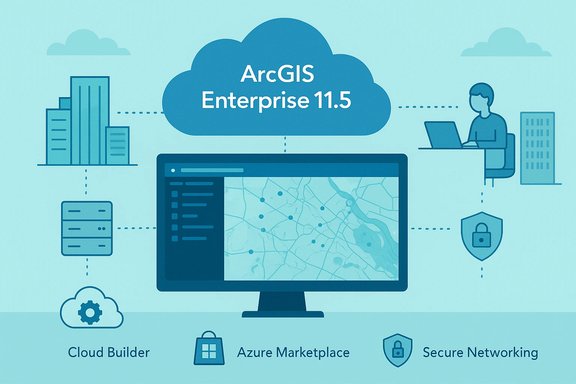
GEO Jobe recommended and implemented ArcGIS Enterprise 11.5 in Azure. The rationale described in the case materials emphasizes three practical priorities: centralized management, on‑demand scalability across offices, and operational simplicity for long‑term maintenance. The GEO Jobe write‑up and the OHM press notice both point to a Cloud Builder/Cloud VM deployment model using Esri’s Azure artifacts and operational patterns. Esri’s documentation confirms that ArcGIS Enterprise 11.5 includes explicit guidance and tooling for Microsoft Azure deployments (Cloud Builder for Microsoft Azure, ArcGIS images in the Azure Marketplace) and that administrators should enable programmatic deployment and obtain licensing via My Esri before deploying. Those steps are consistent with the deployment checklist GEO Jobe provided to OHM.Key platform components implemented
- ArcGIS Enterprise 11.5 (Portal, Server, Data Store, Web Adaptor)
- Azure infrastructure (VMs, networking, storage) configured per Esri Cloud Builder guidance
- Migration of hosted data and services from on‑premises Enterprise and ArcGIS Online to centralized Enterprise portal
- Administrative and operational playbooks, firewall and identity configuration guidance, and runbooks delivered by GEO Jobe
- User enablement for remote ArcGIS Pro access (virtual workstations) and improved internal sharing and collaboration.
Why ArcGIS Enterprise 11.5 matters
Esri’s ArcGIS Enterprise 11.5 is a significant release for organizations planning cloud modernization. The release introduces features and compatibility changes that shape migration planning:- Modern administration and tooling: 11.5 updates backup/restore tooling (WebGISDR), asynchronous reindexing, and admin APIs intended to reduce upgrade and maintenance friction.
- Cloud deployment support: Esri publishes Cloud Builder and marketplace images for Azure and explicitly documents steps like enabling programmatic deployment, which streamlines repeatable, compliant installations on Azure.
- Product lifecycle notes: 11.5 is positioned as the last release to include older JavaScript 3.x‑based apps (Map Viewer Classic, Web AppBuilder), with a push to modern app tooling (Experience Builder, Instant Apps). Organizations need to plan for application modernization alongside infrastructure migration.
- Kubernetes and large‑scale graph improvements: for organizations adopting cloud‑native containerization, 11.5 expanded Kubernetes support and administrative tooling for enterprise‑grade deployments.
Immediate benefits reported
OHM and GEO Jobe described several tangible outcomes from the migration:- Performance and reliability gains — centralized hosting in Azure reduced latency and simplified capacity planning for distributed teams.
- Scalability — cloud resources can be sized for peak workloads and expanded for new offices without forklift hardware investments.
- Improved collaboration — centralized portal and federated services made internal data access and sharing across offices more consistent.
- Operational alignment with Esri best practices — architecture, firewall, and identity guidance put the environment on a supported, repeatable baseline for future upgrades.
Critical analysis — strengths
1) Choosing a current Esri release reduces upgrade debt
Migrating to ArcGIS Enterprise 11.5 minimizes tech debt and gives OHM a supported upgrade path forward. Esri’s documentation explicitly supports direct upgrades from many 10.x releases to 11.5 and supplies Cloud Builder tooling for Azure deployments—this materially reduces the complexity and risk of a multi‑step upgrade.2) Partner‑to‑partner model speeds delivery and knowledge transfer
GEO Jobe and OHM are both Esri partners; GEO Jobe’s case study emphasizes workshops, architecture checklists, and runbooks. Engaging a partner who understands Esri product roadmaps and Azure operational patterns accelerates both the technical build and team enablement. The published case study explicitly frames this as peer collaboration and includes named practitioner voices from both organizations.3) Cloud-native platform unlocks advanced workflows
Azure hosting opens avenues for high‑I/O analysis, scalable imagery processing, remote ArcGIS Pro workstations, and integration with other Azure services (e.g., Azure SQL, Blob storage) that can support machine learning or large raster analytics. Esri’s 11.5 capabilities for raster and knowledge graph scale also align with these use cases.Critical analysis — risks and caveats
1) Cost and licensing complexity
Cloud compute, storage, network egress, and Esri software licensing combine into a multi‑dimensional cost profile. The press release does not disclose licensing models or cost assumptions. Organizations that prototype cloud GIS without a rigorous cost governance model risk overspending in the stabilization window after migration. For procurement and contracts, established guidance recommends making cost governance and rightsizing part of the contract, and budgeting for a 6–12 month tuning period after cutover.2) Data migration and legacy asset fidelity
Utilities, engineering firms, and planning organizations commonly maintain legacy or “unmapped” assets that don’t translate cleanly into modern schemas. Public forums and migration RFI analyses repeatedly flag data fidelity and legacy asset mapping as the highest‑risk element of GIS modernization. Migrating spatial and relational data—especially if historical edits, attachments, and custom workflows are involved—requires careful ETL, verification, and staged cutovers. Project teams should budget time for reconciliation and implement thorough verification processes.3) Operational ownership and SLAs
Moving to Azure changes the operational model. Responsibility for OS patching, backup verification, monitoring, and runbook execution needs to be clearly apportioned. Forum guidance and procurement best practices advise buyers to demand explicit SLAs, role RACI matrices, and an exit plan (data portability and migration assistance) as contract deliverables. The absence of clearly defined post‑delivery support terms is a common source of friction after handover.4) Application modernization and user retraining
ArcGIS Enterprise 11.5 marks a generational shift away from older JavaScript 3.x apps. Organizations that relied on Web AppBuilder or Map Viewer Classic must modernize applications to Experience Builder or Instant Apps to stay current. That application work carries UX, integration, and training cost. Esri’s release notes explicitly call out this deprecation and the need for application migration planning.5) Security, compliance, and identity integration
Centralizing the Geo‑stack in Azure requires careful identity integration (Azure AD, SAML, or enterprise identity federation), firewall and VNet design, and compliance controls for any regulated data. The GEO Jobe materials mention firewall and identity guidance, but each customer’s regulatory posture must inform architecture choices (e.g., encryption at rest/in transit, private endpoints, region choice for data residency). These are not one‑size‑fits‑all configurations.Practical checklist for organizations considering the same path
The OHM/GEO Jobe engagement is a useful template. Below is a pragmatic checklist distilled from the case study, Esri documentation, and community best practices.Planning & assessment
- Inventory existing ArcGIS assets (Portal items, on‑prem servers, ArcGIS Online content, attachments, and databases).
- Classify assets by migration complexity (simple hosted feature services vs. embedded custom workflows or Geometric Network/Utility Network transforms).
- Map identity and compliance requirements (Azure AD integration, data residency, encryption, access controls).
Technical design
- Select target ArcGIS Enterprise version (11.5 is the modern supported release in this case).
- Choose deployment model: Cloud Builder virtual machine images or Kubernetes (depending on scale and operational maturity).
- Design Azure architecture: VNet, subnets, NSGs, private endpoints, storage tiers, backup strategy, and monitoring (Azure Monitor, Log Analytics).
Execution
- Enable programmatic deployment and prepare licensing in My Esri.
- Run a representative pilot to validate latency, IOPS, authentication, and cutover playbooks—make the pilot contractual when procuring services.
- Migrate in phases: content export/import, data ETL for complex assets, service testing, and staged user onboarding.
- Execute user enablement: remote ArcGIS Pro workflows, experience builder training, and portal administration handoff.
Post‑migration operations
- Implement cost governance (tagging, budgets, monthly reviews).
- Define 24/7 support escalation paths and personnel continuity clauses where needed.
- Schedule a 6–12 month tuning window for rightsizing compute and storage.
Governance and procurement: contract items to insist on
- Pilot requirement: a pilot with success criteria for cutover readiness.
- SLA clarity: documented SLAs for onboarding, knowledge transfer, support response, and availability.
- Exit plan: contractual data portability and migration assistance to prevent lock‑in.
- Cost governance: deliverables for tagging strategies, baseline costs, and post‑migration tuning artifacts.
Where the public narrative leaves gaps (and how to fill them)
The OHM/GEO Jobe press materials and GEO Jobe case study are clear about architecture selection and benefits, but three areas lack public detail:- Cost and licensing model: the press release does not disclose Azure spend or Esri license types. Organizations should request anonymized cost modeling or a sample TCO from the partner during procurement.
- Operational handover specifics: the public materials note runbooks and guidance but do not publish the post‑deployment support model (managed service vs. OHM run by internal staff). Procurement conversations should clarify the post‑go‑live operational model.
- Migration fidelity metrics: metrics for data fidelity, cutover downtime, and user adoption rates are not disclosed. Ask for migration validation artifacts and a lessons‑learned report if comparative evidence is required.
Final assessment
The OHM Advisors modernization is a tightly aligned, technical update that follows current Esri guidance for cloud deployments and takes pragmatic advantage of Azure’s scalability. The engagement’s strengths lie in partner alignment (two Esri partners working together), deployment on a supported Esri release (ArcGIS Enterprise 11.5), and delivery of operational artifacts that accelerate adoption. The primary risks are not technical novelty but operational: cloud cost governance, data migration fidelity, application modernization, and post‑delivery SLAs. These are routine and manageable risks when addressed early through pilot programs, contractual SLAs, and a staged migration plan—exactly the playbook community best practices recommend.For organizations planning a similar move, the OHM/GEO Jobe example is a useful blueprint: choose an Esri‑supported release, design deployments according to Cloud Builder guidance, insist on pilot validation and contractual SLAs, and treat the first 6–12 months after cutover as the tuning and optimization window. Esri’s ArcGIS Enterprise 11.5 documentation and GEO Jobe’s field experience provide complementary guidance for a secure, scalable, and operationally sound migration.
Quick reference: authoritative reads and community advice
- Esri: what's new and deployment documentation for ArcGIS Enterprise 11.5 (release features, Azure Cloud Builder instructions, and upgrade paths).
- GEO Jobe: case study and practical runbook summary describing the OHM Advisors engagement and partner workflow.
- Community procurement and migration guidance: forum best practices that stress pilots, SLAs, personnel continuity, and post‑migration cost governance.
The OHM Advisors and GEO Jobe effort is a clear example of a measured, partner‑led migration that pairs the latest Esri release with Azure‑native deployment patterns—an approach that checks practical technical boxes while exposing the familiar operational trade‑offs firms must manage to realize the full value of cloud GIS.
Source: Sarasota Herald-Tribune OHM Advisors Partners with GEO Jobe to Modernize ArcGIS Enterprise Environment
