

Rugged Windows tablets are moving into the AI PC era, and ONERugged is betting that field workers need local intelligence just as much as office users do. The manufacturer has announced four Windows 11 devices—the 10.1-inch EM-I10L and M10L, plus the 12.2-inch EM-I20L and M20L—built around Intel’s Core Ultra 200V “Lunar Lake” platform. With bright touchscreens, optional 5G, configurable industrial ports, hot-swappable batteries, and claimed resistance to drops, dust, water, temperature extremes, and electrostatic discharge, the range aims to put Copilot+-class processing into factories, warehouses, vehicles, utility networks, and outdoor service operations.
Rugged tablets occupy a specialized part of the PC market where conventional consumer design priorities often work against the user. A thin chassis, edge-to-edge glass, minimal ports, and a sealed internal battery can look attractive in a showroom, but they become liabilities when a computer must survive a loading dock, construction site, maintenance bay, or emergency-response vehicle.
Windows has remained important in this category because many industrial organizations depend on established x86 applications, proprietary peripheral drivers, Active Directory or Microsoft Entra ID environments, and management tools built around the Microsoft ecosystem. Rugged Android devices have gained ground in scanning, delivery, and inventory workflows, yet Windows remains difficult to displace wherever a tablet must run full desktop software or communicate with older equipment.
That role has expanded. A modern field device may be expected to analyze camera feeds, interpret equipment data, run computer-vision models, participate in video calls, display complex maps, and synchronize large datasets while remaining usable through an entire shift. The rugged tablet is becoming a mobile edge-computing platform rather than merely a hardened data-entry terminal.
The announcement also arrives after the end of general Windows 10 support on October 14, 2025. Organizations still replacing older Windows 10 field hardware now have an opportunity to combine operating-system migration, device consolidation, and local AI experimentation in the same procurement cycle.
The resulting models are the EM-I10L, EM-I20L, M10L, and M20L. Although they share the same broad platform, the distinction between them matters because input reliability often has more operational value than a small difference in processor performance.
A stylus can also improve usability when Windows applications were designed around a mouse pointer rather than a finger. Traditional desktop interfaces frequently contain small controls, compact menus, and dense tables that remain awkward on a touchscreen, particularly when the operator is standing or holding the tablet with one hand.
Glove support is not simply an extra sensitivity setting. A useful implementation must reject accidental touches, remain predictable in wet or dirty conditions, and respond to different glove thicknesses without making the interface unstable. Independent testing will be needed to determine how well ONERugged has balanced those requirements.
The 12.2-inch versions provide more room for maps, split-screen applications, technical drawings, dashboards, and remote-desktop sessions. The trade-off will be greater weight and bulk, factors that become significant when an employee carries a device for several hours rather than moving it between a desk and meeting room.
The base Core Ultra 5 226V has eight CPU cores and eight threads, consisting of four performance cores and four low-power efficient cores. Its NPU is rated at 40 trillion operations per second, while the processor, graphics, and NPU together can deliver substantially higher aggregate AI throughput depending on the workload and supported data format.
That matters in a rugged device because performance, cooling, battery capacity, and chassis weight are tightly connected. A less efficient processor requires a larger battery or more aggressive cooling to deliver the same operating time, either of which can make an already reinforced tablet heavier.
ONERugged claims the platform can reduce power consumption by roughly 40 percent while improving CPU performance by as much as 40 percent. Those figures should be treated as workload-dependent vendor claims rather than guaranteed improvements over every previous model, but Lunar Lake’s efficiency focus is a sensible fit for mobile industrial hardware.
Potential field uses include:
However, ONERugged’s description of the products as “AI rugged tablets” does not by itself confirm every shipping configuration as a fully certified Copilot+ PC. Buyers should verify the operating-system edition, installed memory, storage capacity, firmware, drivers, and Microsoft qualification status for the exact stock-keeping unit being ordered.
A utility company cannot purchase an AI-capable tablet and expect it to recognize damaged insulators immediately. It still needs a trained model, suitable application software, integration with its asset database, a process for updating the model, and policies governing how images and predictions are stored.
The same principle applies to warehouses, transport operators, manufacturers, and public-safety agencies. The NPU is infrastructure, not an outcome.
Keeping data on the device may also reduce latency, bandwidth use, and exposure of sensitive imagery or operational information. This can be valuable when a worker handles customer records, factory layouts, medical information, vehicle diagnostics, or photographs of restricted infrastructure.
Local processing is not automatically private or secure, however. Applications may still synchronize results, telemetry, prompts, images, or metadata with cloud services, so organizations must audit actual data flows rather than relying on the presence of an NPU.
The phrase up to is doing important work. Lunar Lake packages memory alongside the processor, and memory capacity is tied to the selected processor SKU rather than installed through conventional replaceable SO-DIMM modules.
That means buyers should not assume the standard Core Ultra 5 model includes 32 GB simply because the product family supports that capacity. The 32 GB option is expected to require the Core Ultra 7 258V configuration, unless ONERugged publishes a materially different implementation.
Integrated memory has efficiency and packaging advantages, but it also eliminates post-purchase RAM upgrades. Organizations should therefore size memory for the expected service life of the tablet, not merely for the applications deployed on its first day.
Serviceability remains an open question. ONERugged has not made the same prominent claims about field-replaceable storage that it has made about replaceable batteries, so customers should confirm whether the SSD is accessible, proprietary, sealed, or considered a depot-service component.
A 700-nit panel should be noticeably more usable outdoors than the 250-to-400-nit screens common in inexpensive office tablets. It does not guarantee perfect readability under direct midday sunlight, but it represents a practical baseline for vehicle, warehouse-door, utility, and construction use.
Display coatings also matter. Reflections, air gaps, viewing angles, polarization, and fingerprint buildup can have as much effect on outdoor legibility as the nominal brightness figure. Workers wearing polarized safety glasses may encounter additional visibility issues depending on panel orientation.
That compromise is appropriate for rugged hardware. An industrial buyer usually benefits more from a bright, replaceable, impact-resistant display assembly than from the higher pixel density, HDR performance, or refresh rates emphasized by premium consumer tablets.
These specifications make the tablets considerably better suited to harsh environments than ordinary Windows convertibles. They still require interpretation, because neither IP65 nor a reference to MIL-STD-810H means a device is indestructible.
IP65 does not mean the tablets are designed for indefinite immersion. Organizations that need devices for marine work, flood response, heavy washdown, or repeated exposure to standing water should examine whether a higher ingress rating is required.
Port covers also deserve attention. A tablet may meet its ingress rating only when every protective door is properly closed, and those doors can become failure points after repeated use or contamination.
Buyers should request detailed test reports identifying how the tablets were evaluated, including the number of drops, surfaces used, operating state, temperature dwell times, vibration profiles, and whether accessories were attached. A general MIL-STD-810H claim is useful, but the underlying test configuration determines how closely it resembles real deployment conditions.
An electrostatic event does not need to destroy a device to disrupt operations. It can cause a touchscreen to misbehave, reset a peripheral, interrupt a transaction, or corrupt an active process, making electrical resilience an important part of industrial reliability.
Consumer tablet makers have largely traded removable batteries for thinner enclosures. Rugged customers often make the opposite calculation because downtime can cost more than a few millimeters of chassis thickness.
A practical deployment would follow a sequence such as:
Cold conditions can reduce available battery capacity, while prolonged heat accelerates cell aging. Buyers should evaluate runtime using their own Windows image and applications, ideally across the temperature range in which the equipment will actually operate.
That mixture of modern and legacy connectivity is one of the strongest aspects of the announcement. Field hardware frequently needs to communicate simultaneously with cloud services, contemporary USB-C accessories, and machinery designed decades earlier.
Optional 5G can keep workers connected away from corporate Wi-Fi, but coverage, carrier certification, antenna design, and data plans will determine real performance. Enterprises should also confirm whether the modem supports the bands used in each deployment region.
The presence of a Thunderbolt-capable processor does not answer every deployment question. Buyers should verify charging support, port count, display behavior, cable retention, and performance with the exact docks they intend to use.
Configurable serial connectivity can therefore make a rugged Windows tablet more useful than a consumer model paired with a chain of adapters. A properly integrated port is also less likely to disconnect or become damaged during movement.
Those specifications are modest by smartphone standards, but industrial imaging is judged differently. Reliability, autofocus behavior, low-light clarity, application access, and the ability to capture readable labels often matter more than computational photography effects.
The camera’s effectiveness will depend on more than resolution. Flash performance, stabilization, minimum focus distance, shutter speed, and image processing will determine whether it can record a serial number inside a dark enclosure or capture a moving parcel without blur.
The configurable scanner option therefore makes the tablets more credible as purpose-built operational tools. Organizations should confirm scan-engine specifications, symbology support, trigger placement, Windows integration, and whether scanning is exposed as keyboard input, a software development kit, or both.
A poorly marked NFC target can frustrate workers because they must move a card or tag repeatedly to find the reading zone. Small ergonomic decisions of this kind can have a measurable effect when repeated hundreds of times per shift.
For IT departments, that compatibility can reduce application migration costs. It can also preserve dependencies on Windows drivers, browser extensions, VPN clients, smart-card middleware, and specialized desktop applications.
Organizations should also evaluate support for Microsoft Intune, Windows Autopilot, firmware configuration, driver distribution, and remote recovery. Rugged hardware may remain in service longer than an ordinary notebook, making update commitments and image stability particularly important.
The product announcement does not provide enough detail to judge biometric options, smart-card support, privacy shutters, firmware protections, or secured-core PC status. Procurement teams should treat these as mandatory verification items rather than assuming that Windows 11 and a modern processor provide a complete security posture.
ONERugged’s challenge will be demonstrating that it can provide this lifecycle infrastructure across regions. A rugged tablet purchased for a five-year program is only as dependable as the supply chain behind its most frequently replaced accessory.
Even so, some consumers and small businesses could find the design attractive. Mobile technicians, amateur radio operators, overland travelers, photographers, drone crews, mechanics, and outdoor researchers may value replaceable batteries and robust ports more than minimal weight.
They should not be confused with gaming tablets or mobile workstations equipped with discrete GPUs. Sustained gaming, 3D rendering, and large generative-AI models may exceed the practical thermal or memory limits of the platform.
Small buyers should obtain a complete quotation rather than comparing only the base tablet price. A usable field kit may also require a spare battery, charging dock, hand strap, vehicle mount, scanner, protective port modules, and service coverage.
The new ONERugged models can still stand out if they combine competitive pricing with Lunar Lake performance, flexible I/O, and dependable support. Their strongest argument is not that rugged Windows tablets have disappeared and suddenly returned, but that modern AI-capable x86 hardware is reaching a product category that often lags behind consumer notebooks by several processor generations.
This may accelerate refresh plans where organizations have postponed upgrades because newer devices offered durability improvements without a transformative increase in compute capability. Lunar Lake makes the performance argument easier to justify.
ONERugged must therefore win on full-PC flexibility. If an organization needs only barcode capture and a web form, a Windows 11 AI tablet may introduce unnecessary cost and management complexity.
The key question is whether ONERugged has priced the tablets according to Lunar Lake’s current market position. Customers will be less forgiving of premium pricing if competing devices offer newer silicon or stronger support packages.
The distinction between the EM and M product identities should be documented beyond stylus and glove-touch support. Buyers will want exact dimensions, weights, battery capacities, charging times, mounting patterns, and environmental test details.
A tablet can pass a laboratory drop and still be unpleasant to use for an eight-hour shift. Handle design, weight distribution, button placement, scanner triggers, and accessory quality will be equally important.
It will also be important to see whether ONERugged supplies optimized drivers and development guidance for Windows ML and OpenVINO. Without a clear software path, the NPU risks becoming unused silicon attached to a marketing label.
An impressive specification sheet can win attention, but support contracts win long deployments. ONERugged’s ability to service devices several years after purchase will determine whether the company is viewed as a serious fleet supplier or a source of interesting niche hardware.
ONERugged’s EM-I10L, EM-I20L, M10L, and M20L show how quickly the Windows AI PC concept is spreading beyond premium laptops and into specialized computing. Their most valuable qualities may ultimately be the traditional rugged ones—replaceable batteries, bright screens, glove and stylus input, adaptable ports, and tolerance for hostile environments—rather than any single Copilot+ feature. If ONERugged can validate its durability claims, clarify configuration limits, deliver reliable accessories and support, and connect the NPU to practical field software, these tablets could represent a meaningful upgrade for organizations still relying on aging Windows terminals at the industrial edge.
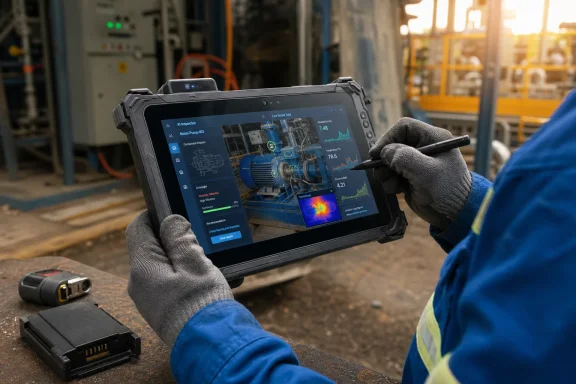 Background
Rugged tablets occupy a specialized part of the PC market where conventional consumer design priorities often work against the user. A thin chassis, edge-to-edge glass, minimal ports, and a sealed internal battery can look attractive in a showroom, but they become liabilities when a computer must survive a loading dock, construction site, maintenance bay, or emergency-response vehicle.Windows has remained important in this category because many industrial organizations depend on established x86 applications, proprietary peripheral drivers, Active Directory or Microsoft Entra ID environments, and management tools built around the Microsoft ecosystem. Rugged Android devices have gained ground in scanning, delivery, and inventory workflows, yet Windows remains difficult to displace wherever a tablet must run full desktop software or communicate with older equipment.
From clipboard replacement to mobile workstation
Early rugged tablets were frequently treated as electronic clipboards. Their primary jobs included form entry, barcode capture, asset inspection, and access to service manuals, often through applications designed for modest processors and low-resolution displays.That role has expanded. A modern field device may be expected to analyze camera feeds, interpret equipment data, run computer-vision models, participate in video calls, display complex maps, and synchronize large datasets while remaining usable through an entire shift. The rugged tablet is becoming a mobile edge-computing platform rather than merely a hardened data-entry terminal.
Why the timing matters
Intel introduced Lunar Lake as a mobile architecture focused heavily on efficiency, integrated graphics, and neural processing. ONERugged’s decision to use it reflects a wider transition in business PCs: dedicated AI acceleration is moving from an optional premium feature toward a standard component of new Windows hardware.The announcement also arrives after the end of general Windows 10 support on October 14, 2025. Organizations still replacing older Windows 10 field hardware now have an opportunity to combine operating-system migration, device consolidation, and local AI experimentation in the same procurement cycle.
Four Tablets, Two Sizes, and Two Interaction Models
ONERugged has divided the new family along two axes. Buyers can choose a 10.1-inch or 12.2-inch display, and they can select either the stylus-oriented I Series or the glove-touch-focused M Series.The resulting models are the EM-I10L, EM-I20L, M10L, and M20L. Although they share the same broad platform, the distinction between them matters because input reliability often has more operational value than a small difference in processor performance.
The I Series prioritizes precision
The EM-I10L and EM-I20L support active stylus input. That makes them the more natural choices for workflows involving signatures, annotations, diagrams, damage reports, engineering drawings, or detailed form completion.A stylus can also improve usability when Windows applications were designed around a mouse pointer rather than a finger. Traditional desktop interfaces frequently contain small controls, compact menus, and dense tables that remain awkward on a touchscreen, particularly when the operator is standing or holding the tablet with one hand.
The M Series targets gloved workers
The M10L and M20L emphasize glove-touch operation. ONERugged is positioning these models for industrial and field environments where removing protective gloves repeatedly would be inconvenient, slow, or unsafe.Glove support is not simply an extra sensitivity setting. A useful implementation must reject accidental touches, remain predictable in wet or dirty conditions, and respond to different glove thicknesses without making the interface unstable. Independent testing will be needed to determine how well ONERugged has balanced those requirements.
Choosing between 10.1 and 12.2 inches
The 10.1-inch models should be easier to carry, mount in confined spaces, and operate while walking. They are likely to suit warehouse picking, ticketing, inspections, and mobile service work where portability takes priority.The 12.2-inch versions provide more room for maps, split-screen applications, technical drawings, dashboards, and remote-desktop sessions. The trade-off will be greater weight and bulk, factors that become significant when an employee carries a device for several hours rather than moving it between a desk and meeting room.
Lunar Lake Brings AI PC Hardware into the Field
All four tablets are expected to use Intel’s Core Ultra 5 226V as the standard processor, with Core Ultra 7 256V and 258V configurations offered for customers seeking additional performance. These chips belong to Intel’s Core Ultra Series 2 family and combine CPU cores, Intel Arc graphics, and an Intel AI Boost neural processing unit.The base Core Ultra 5 226V has eight CPU cores and eight threads, consisting of four performance cores and four low-power efficient cores. Its NPU is rated at 40 trillion operations per second, while the processor, graphics, and NPU together can deliver substantially higher aggregate AI throughput depending on the workload and supported data format.
A platform designed around efficiency
Lunar Lake differs from older mobile Intel platforms in more than marketing terminology. It was engineered for low-power notebooks and tablets, with an emphasis on reducing energy consumption during light and sustained workloads.That matters in a rugged device because performance, cooling, battery capacity, and chassis weight are tightly connected. A less efficient processor requires a larger battery or more aggressive cooling to deliver the same operating time, either of which can make an already reinforced tablet heavier.
ONERugged claims the platform can reduce power consumption by roughly 40 percent while improving CPU performance by as much as 40 percent. Those figures should be treated as workload-dependent vendor claims rather than guaranteed improvements over every previous model, but Lunar Lake’s efficiency focus is a sensible fit for mobile industrial hardware.
What the NPU can actually do
The NPU is designed to execute the matrix calculations used by machine-learning models without relying entirely on the CPU or integrated GPU. Suitable workloads can therefore run with lower power consumption and less competition for the resources needed by ordinary Windows applications.Potential field uses include:
- Computer-vision software can identify objects, defects, labels, or safety equipment from camera images.
- Speech models can transcribe notes or commands without sending every recording to a remote service.
- Image-enhancement algorithms can improve scans, photographs, and video captured under poor conditions.
- Predictive-maintenance applications can analyze local sensor data for unusual patterns.
- Language models can summarize manuals, retrieve troubleshooting instructions, or structure inspection notes.
- Background effects and noise processing can improve communication between field personnel and remote experts.
Copilot+ Potential Comes with Important Caveats
Microsoft defines a Copilot+ PC as a Windows 11 system with a supported processor, at least 16 GB of memory, at least 256 GB of storage, and an NPU capable of 40 or more TOPS. Intel’s Core Ultra 200V family is among the supported processor platforms, so ONERugged’s tablets appear positioned to meet the core compute threshold.However, ONERugged’s description of the products as “AI rugged tablets” does not by itself confirm every shipping configuration as a fully certified Copilot+ PC. Buyers should verify the operating-system edition, installed memory, storage capacity, firmware, drivers, and Microsoft qualification status for the exact stock-keeping unit being ordered.
AI PC is not the same as an AI application
The distinction is especially important for enterprise buyers. An NPU provides acceleration, but it does not deliver a complete industrial solution on its own.A utility company cannot purchase an AI-capable tablet and expect it to recognize damaged insulators immediately. It still needs a trained model, suitable application software, integration with its asset database, a process for updating the model, and policies governing how images and predictions are stored.
The same principle applies to warehouses, transport operators, manufacturers, and public-safety agencies. The NPU is infrastructure, not an outcome.
Local processing has practical benefits
When properly implemented, on-device inference can address several weaknesses of cloud-dependent AI. A local model can continue working in a tunnel, remote facility, underground utility area, or congested venue where connectivity is unreliable.Keeping data on the device may also reduce latency, bandwidth use, and exposure of sensitive imagery or operational information. This can be valuable when a worker handles customer records, factory layouts, medical information, vehicle diagnostics, or photographs of restricted infrastructure.
Local processing is not automatically private or secure, however. Applications may still synchronize results, telemetry, prompts, images, or metadata with cloud services, so organizations must audit actual data flows rather than relying on the presence of an NPU.
Memory and Storage Specifications Need Careful Reading
ONERugged advertises up to 32 GB of LPDDR5x memory and as much as 1 TB of PCIe NVMe storage. Those are strong headline specifications for a rugged tablet, particularly one expected to handle multitasking, large datasets, virtualized applications, or local AI models.The phrase up to is doing important work. Lunar Lake packages memory alongside the processor, and memory capacity is tied to the selected processor SKU rather than installed through conventional replaceable SO-DIMM modules.
The processor determines the memory ceiling
Intel lists the Core Ultra 5 226V with 16 GB of integrated LPDDR5x memory. The Core Ultra 7 256V is likewise associated with a 16 GB configuration, while the Core Ultra 7 258V provides 32 GB.That means buyers should not assume the standard Core Ultra 5 model includes 32 GB simply because the product family supports that capacity. The 32 GB option is expected to require the Core Ultra 7 258V configuration, unless ONERugged publishes a materially different implementation.
Integrated memory has efficiency and packaging advantages, but it also eliminates post-purchase RAM upgrades. Organizations should therefore size memory for the expected service life of the tablet, not merely for the applications deployed on its first day.
NVMe storage is a welcome upgrade
Up to 1 TB of PCIe NVMe storage gives the tablets room for offline maps, local media, machine-learning models, equipment databases, and cached project files. NVMe performance should also improve application launches and synchronization compared with the eMMC storage still found in lower-cost industrial devices.Serviceability remains an open question. ONERugged has not made the same prominent claims about field-replaceable storage that it has made about replaceable batteries, so customers should confirm whether the SSD is accessible, proprietary, sealed, or considered a depot-service component.
The Displays Are Built for Utility, Not Luxury
The new devices use 1200-by-1920 displays rated at 700 nits. ONERugged describes the panels as Full HD-class screens, although the portrait-native resolution is more precisely expressed as 1200 by 1920 rather than the conventional 1080 by 1920 Full HD format.A 700-nit panel should be noticeably more usable outdoors than the 250-to-400-nit screens common in inexpensive office tablets. It does not guarantee perfect readability under direct midday sunlight, but it represents a practical baseline for vehicle, warehouse-door, utility, and construction use.
Brightness affects the entire power budget
High display brightness consumes significant energy. An 11-hour battery claim measured at moderate brightness may not translate into an 11-hour outdoor shift with the backlight continuously near maximum, 5G active, and a scanner or camera in regular use.Display coatings also matter. Reflections, air gaps, viewing angles, polarization, and fingerprint buildup can have as much effect on outdoor legibility as the nominal brightness figure. Workers wearing polarized safety glasses may encounter additional visibility issues depending on panel orientation.
Resolution is a reasonable compromise
The 1200-by-1920 resolution provides enough density for Windows 11, documents, photographs, and common line-of-business applications without placing the same graphics and power burden on the system as a 2.8K or 4K panel.That compromise is appropriate for rugged hardware. An industrial buyer usually benefits more from a bright, replaceable, impact-resistant display assembly than from the higher pixel density, HDR performance, or refresh rates emphasized by premium consumer tablets.
Rugged Credentials Extend Beyond a Thick Case
ONERugged says all four models carry IP65 and MIL-STD-810H credentials. The company claims they can tolerate drops from 1.22 meters and operate across temperatures ranging from minus 20 degrees Celsius to 60 degrees Celsius.These specifications make the tablets considerably better suited to harsh environments than ordinary Windows convertibles. They still require interpretation, because neither IP65 nor a reference to MIL-STD-810H means a device is indestructible.
What IP65 means
The first digit in IP65 indicates a dust-tight enclosure. The second indicates protection against water jets, which is useful for rain, splashes, dusty workshops, and cleaning routines.IP65 does not mean the tablets are designed for indefinite immersion. Organizations that need devices for marine work, flood response, heavy washdown, or repeated exposure to standing water should examine whether a higher ingress rating is required.
Port covers also deserve attention. A tablet may meet its ingress rating only when every protective door is properly closed, and those doors can become failure points after repeated use or contamination.
Understanding MIL-STD-810H
MIL-STD-810H is a collection of environmental laboratory test methods rather than a universal pass-or-fail consumer certification. Manufacturers select procedures, severities, orientations, and test conditions relevant to a product.Buyers should request detailed test reports identifying how the tablets were evaluated, including the number of drops, surfaces used, operating state, temperature dwell times, vibration profiles, and whether accessories were attached. A general MIL-STD-810H claim is useful, but the underlying test configuration determines how closely it resembles real deployment conditions.
Electrostatic discharge matters in industry
ONERugged also highlights resistance to substantial electrostatic discharge. This is more relevant than it might sound, particularly in dry warehouses, manufacturing areas, vehicle interiors, and environments where workers handle synthetic materials.An electrostatic event does not need to destroy a device to disrupt operations. It can cause a touchscreen to misbehave, reset a peripheral, interrupt a transaction, or corrupt an active process, making electrical resilience an important part of industrial reliability.
Battery Design Could Be the Operational Standout
ONERugged claims up to 11 hours of use, but the more consequential feature may be the hot-swappable battery design. A removable battery can keep a tablet running across multiple shifts without sending it to a charging station for an extended period.Consumer tablet makers have largely traded removable batteries for thinner enclosures. Rugged customers often make the opposite calculation because downtime can cost more than a few millimeters of chassis thickness.
Hot swapping changes fleet planning
If the implementation includes an internal bridge battery or other mechanism that keeps the system powered during replacement, workers should be able to exchange the main pack without closing applications. This can be valuable during long inspections, emergency operations, warehouse peaks, or transport routes.A practical deployment would follow a sequence such as:
- The organization establishes a charging area with enough spare packs for the busiest shift.
- Workers exchange batteries at scheduled intervals or when Windows reports a defined charge threshold.
- The tablet remains logged in and preserves the active workflow during the swap.
- Depleted packs enter a tracked charging and inspection rotation.
- Fleet managers retire packs when their health falls below an operationally acceptable level.
The 11-hour claim needs independent testing
Runtime will vary according to processor selection, screen brightness, radio use, temperature, attached peripherals, and AI workload. Barcode scanning and intermittent data entry are very different from continuous video analysis or sustained CPU processing.Cold conditions can reduce available battery capacity, while prolonged heat accelerates cell aging. Buyers should evaluate runtime using their own Windows image and applications, ideally across the temperature range in which the equipment will actually operate.
Connectivity Reflects Real Industrial Requirements
The tablets support Wi-Fi 6E, Bluetooth, and optional cellular connectivity, including an optional 5G configuration. Their physical interface options include Thunderbolt 4 and customizable modules for 1D or 2D barcode scanning, NFC, and serial communication.That mixture of modern and legacy connectivity is one of the strongest aspects of the announcement. Field hardware frequently needs to communicate simultaneously with cloud services, contemporary USB-C accessories, and machinery designed decades earlier.
Wi-Fi 6E and 5G improve mobility
Wi-Fi 6E can use the 6 GHz band where local regulations and infrastructure permit it, potentially reducing congestion in dense facilities. Its value depends on compatible access points, network design, and coverage, so upgrading the tablet alone will not transform an aging wireless network.Optional 5G can keep workers connected away from corporate Wi-Fi, but coverage, carrier certification, antenna design, and data plans will determine real performance. Enterprises should also confirm whether the modem supports the bands used in each deployment region.
Thunderbolt 4 expands the desktop role
Thunderbolt 4 allows a compatible tablet to connect to high-speed storage, displays, docks, Ethernet adapters, and other peripherals over a single interface. In principle, a worker could use the same rugged unit in the field and then dock it at a workstation for keyboard-and-monitor productivity.The presence of a Thunderbolt-capable processor does not answer every deployment question. Buyers should verify charging support, port count, display behavior, cable retention, and performance with the exact docks they intend to use.
Serial ports are still relevant
Serial interfaces may appear obsolete beside 5G and an NPU, but they remain common in industrial automation, diagnostics, laboratory systems, vehicle equipment, and specialized measurement tools. Replacing the connected machinery simply to eliminate a serial cable may be financially or operationally unrealistic.Configurable serial connectivity can therefore make a rugged Windows tablet more useful than a consumer model paired with a chain of adapters. A properly integrated port is also less likely to disconnect or become damaged during movement.
Cameras and Data-Capture Options Support Field Work
Every model includes a 13-megapixel autofocus rear camera. The I Series reportedly uses a 2-megapixel front camera, while the M Series raises the front resolution to 5 megapixels.Those specifications are modest by smartphone standards, but industrial imaging is judged differently. Reliability, autofocus behavior, low-light clarity, application access, and the ability to capture readable labels often matter more than computational photography effects.
Rear-camera workflows
A 13-megapixel sensor can support damage documentation, proof of service, site surveys, equipment identification, and optical character recognition. Combined with local AI, it could also enable visual inspection or automatic classification, provided that suitable software is available.The camera’s effectiveness will depend on more than resolution. Flash performance, stabilization, minimum focus distance, shutter speed, and image processing will determine whether it can record a serial number inside a dark enclosure or capture a moving parcel without blur.
Dedicated scanning remains preferable at scale
Camera-based barcode recognition is convenient for occasional use. A dedicated 1D or 2D scan module is generally better for repetitive warehouse and logistics work because it can offer faster acquisition, longer working distances, physical trigger support, and more consistent results under difficult lighting.The configurable scanner option therefore makes the tablets more credible as purpose-built operational tools. Organizations should confirm scan-engine specifications, symbology support, trigger placement, Windows integration, and whether scanning is exposed as keyboard input, a software development kit, or both.
NFC broadens identity and asset uses
Optional NFC can support badge reading, asset identification, authentication, maintenance checkpoints, and contactless transactions. Its practical value will depend on supported standards and the location of the antenna within the chassis.A poorly marked NFC target can frustrate workers because they must move a card or tag repeatedly to find the reading zone. Small ergonomic decisions of this kind can have a measurable effect when repeated hundreds of times per shift.
Enterprise Impact
The new range is most relevant to organizations that have outgrown simple handheld terminals but do not want to issue fragile laptops. Windows 11 allows the tablets to participate in existing software, identity, security, and device-management environments without requiring every workflow to be rebuilt for a mobile operating system.For IT departments, that compatibility can reduce application migration costs. It can also preserve dependencies on Windows drivers, browser extensions, VPN clients, smart-card middleware, and specialized desktop applications.
Deployment and management
The tablets’ enterprise value will depend heavily on their Windows edition and firmware support. Windows 11 Pro can provide BitLocker, Group Policy integration, Remote Desktop hosting, Windows Update for Business, domain join, and Entra ID capabilities, while more specialized deployments may require Windows 11 Enterprise or Windows IoT Enterprise.Organizations should also evaluate support for Microsoft Intune, Windows Autopilot, firmware configuration, driver distribution, and remote recovery. Rugged hardware may remain in service longer than an ordinary notebook, making update commitments and image stability particularly important.
Security at the edge
A rugged tablet can hold valuable information while spending much of its life outside controlled offices. Full-disk encryption, secure boot, TPM-backed credentials, strong sign-in methods, rapid remote lockout, and well-defined offline-access policies are essential.The product announcement does not provide enough detail to judge biometric options, smart-card support, privacy shutters, firmware protections, or secured-core PC status. Procurement teams should treat these as mandatory verification items rather than assuming that Windows 11 and a modern processor provide a complete security posture.
Lifecycle support may matter more than specifications
Enterprise customers need predictable availability of batteries, docks, hand straps, vehicle mounts, chargers, port covers, and replacement screens. They also need clear repair channels and long-term driver support.ONERugged’s challenge will be demonstrating that it can provide this lifecycle infrastructure across regions. A rugged tablet purchased for a five-year program is only as dependable as the supply chain behind its most frequently replaced accessory.
Consumer and Small-Business Relevance
These tablets are not direct substitutes for an iPad, Surface Pro, or thin Windows convertible. They will likely be heavier, thicker, and less visually refined, and their modular industrial features may carry a substantial price premium.Even so, some consumers and small businesses could find the design attractive. Mobile technicians, amateur radio operators, overland travelers, photographers, drone crews, mechanics, and outdoor researchers may value replaceable batteries and robust ports more than minimal weight.
A niche alternative to conventional Windows tablets
The Core Ultra 200V platform should provide enough performance for general productivity, media playback, light creative work, and many technical applications. Intel Arc graphics also make the devices more capable than rugged tablets based on entry-level Celeron or Atom-class processors.They should not be confused with gaming tablets or mobile workstations equipped with discrete GPUs. Sustained gaming, 3D rendering, and large generative-AI models may exceed the practical thermal or memory limits of the platform.
Price will determine accessibility
ONERugged has not established broad consumer-style retail pricing and availability for every configuration. Custom modules, cellular radios, larger storage, higher-end processors, mounts, and extended support can change the final cost considerably.Small buyers should obtain a complete quotation rather than comparing only the base tablet price. A usable field kit may also require a spare battery, charging dock, hand strap, vehicle mount, scanner, protective port modules, and service coverage.
Competitive Implications
ONERugged is entering a market that includes established rugged-computing specialists such as Getac, Panasonic, Dell, Zebra, Durabook, and others. Several competitors offer mature accessory ecosystems, certified repair networks, vehicle docks, and long enterprise deployment histories.The new ONERugged models can still stand out if they combine competitive pricing with Lunar Lake performance, flexible I/O, and dependable support. Their strongest argument is not that rugged Windows tablets have disappeared and suddenly returned, but that modern AI-capable x86 hardware is reaching a product category that often lags behind consumer notebooks by several processor generations.
Pressure on older rugged fleets
Many deployed rugged tablets still use low-power Intel processors that were adequate for forms and scanning but struggle with modern browsers, video collaboration, security software, and multitasking. A Core Ultra-based replacement could deliver a substantial responsiveness improvement even if the buyer never deploys an AI model.This may accelerate refresh plans where organizations have postponed upgrades because newer devices offered durability improvements without a transformative increase in compute capability. Lunar Lake makes the performance argument easier to justify.
The threat from Android and specialized handhelds
Windows is not the best choice for every field workflow. Android devices can be cheaper, lighter, easier to lock down for a single task, and more closely integrated with enterprise scanning ecosystems.ONERugged must therefore win on full-PC flexibility. If an organization needs only barcode capture and a web form, a Windows 11 AI tablet may introduce unnecessary cost and management complexity.
Lunar Lake is no longer Intel’s newest architecture
By July 2026, Lunar Lake is a proven platform rather than Intel’s newest mobile generation. Newer processors may offer faster graphics, CPUs, or AI engines, but rugged products often prioritize platform maturity, validated drivers, predictable thermals, and long-term availability over being first with a new architecture.The key question is whether ONERugged has priced the tablets according to Lunar Lake’s current market position. Customers will be less forgiving of premium pricing if competing devices offer newer silicon or stronger support packages.
Strengths and Opportunities
The announced family combines several features that could make it useful well beyond the “AI tablet” label.- The Core Ultra 200V platform brings a capable CPU, modern integrated graphics, and a 40-TOPS-class NPU into a rugged form factor.
- Two display sizes allow buyers to prioritize portability or workspace without moving to an entirely different hardware family.
- Stylus and glove-touch variants recognize that field workflows have materially different input requirements.
- Hot-swappable batteries could support continuous operation and extend the useful life of each tablet.
- Optional barcode, NFC, 5G, and serial modules reduce dependence on fragile external adapters.
- Thunderbolt 4 creates the possibility of using the tablet as both a mobile terminal and a docked Windows workstation.
- Bright 700-nit displays should improve usability in vehicles and outdoor environments.
- Local AI acceleration may enable low-latency analysis where cloud connectivity is unavailable, expensive, or undesirable.
- Windows 11 compatibility preserves access to established x86 applications and Microsoft enterprise-management tools.
- A maximum 1 TB NVMe configuration provides meaningful capacity for offline data and edge models.
Risks and Concerns
The announcement also leaves important questions unanswered, and enterprise customers should resolve them before committing to a fleet purchase.- The advertised 32 GB memory maximum appears tied to the Core Ultra 7 258V configuration, while the standard Core Ultra 5 226V is limited to 16 GB.
- AI performance claims do not establish how quickly real applications will run or whether customers’ existing software can use the NPU.
- The 11-hour battery estimate may fall significantly under maximum brightness, cellular connectivity, scanning, or sustained AI workloads.
- IP65 protection does not cover immersion, and the durability of frequently opened port covers remains important.
- A MIL-STD-810H reference is less informative without detailed laboratory methods and test reports.
- ONERugged must demonstrate long-term availability of batteries, docks, mounts, replacement components, drivers, and firmware.
- Security details such as biometric authentication, smart-card options, firmware controls, and secured-core certification remain unclear.
- Active cooling introduces fans and air pathways that may require maintenance in dusty or contaminated environments.
- Optional 5G will require confirmation of carrier certification, regional band support, and antenna performance.
- Pricing, warranty coverage, repair turnaround, and final availability may determine whether the devices can compete with established rugged-PC vendors.
What to Watch Next
The launch announcement establishes the broad hardware proposition, but it is not a substitute for a complete deployment specification. The next stage should reveal whether ONERugged can translate an appealing component list into dependable field equipment.Final configurations and pricing
Customers need per-model configuration tables showing processor, memory, storage, modem, operating-system edition, camera, scanner, and port options. Clear pricing will also indicate whether ONERugged is pursuing high-volume value deployments or competing directly with premium fully rugged systems.The distinction between the EM and M product identities should be documented beyond stylus and glove-touch support. Buyers will want exact dimensions, weights, battery capacities, charging times, mounting patterns, and environmental test details.
Independent endurance testing
Battery runtime, display visibility, sustained processor performance, fan behavior, and touch accuracy require testing outside a controlled product demonstration. Reviewers should also assess cold starts, hot operation, repeated drops, vibration, wet-screen behavior, and the durability of port doors.A tablet can pass a laboratory drop and still be unpleasant to use for an eight-hour shift. Handle design, weight distribution, button placement, scanner triggers, and accessory quality will be equally important.
Software that justifies the NPU
The long-term significance of the range will depend on applications that perform useful work locally. Watch for partnerships involving visual inspection, industrial diagnostics, speech recognition, warehouse automation, and offline document intelligence.It will also be important to see whether ONERugged supplies optimized drivers and development guidance for Windows ML and OpenVINO. Without a clear software path, the NPU risks becoming unused silicon attached to a marketing label.
Enterprise support commitments
Procurement teams should look for formal statements covering operating-system images, BIOS updates, security patches, driver support, repair locations, component availability, and guaranteed model longevity. Certifications for regional radio use, carriers, hazardous locations, and specific industries may also affect adoption.An impressive specification sheet can win attention, but support contracts win long deployments. ONERugged’s ability to service devices several years after purchase will determine whether the company is viewed as a serious fleet supplier or a source of interesting niche hardware.
ONERugged’s EM-I10L, EM-I20L, M10L, and M20L show how quickly the Windows AI PC concept is spreading beyond premium laptops and into specialized computing. Their most valuable qualities may ultimately be the traditional rugged ones—replaceable batteries, bright screens, glove and stylus input, adaptable ports, and tolerance for hostile environments—rather than any single Copilot+ feature. If ONERugged can validate its durability claims, clarify configuration limits, deliver reliable accessories and support, and connect the NPU to practical field software, these tablets could represent a meaningful upgrade for organizations still relying on aging Windows terminals at the industrial edge.
References
- Primary source: Phandroid
Published: 2026-07-21T19:35:40+00:00
Rugged Windows Tablets are Back: Meet ONERugged's New Windows-Powered Devices - Phandroid
The company says that the new series is aimed for use within industrial spaces.phandroid.com - Official source: learn.microsoft.com
Copilot+ PCs developer guide | Microsoft Learn
Developer guide for Windows Copilot+ PCs.learn.microsoft.com - Official source: blogs.windows.com
Expanding the Surface for Business Copilot+ PC portfolio
https://youtu.be/WUwK1Xux2J0 AI has moved from promise to reality — reshaping how organizations operate and make decisions. As today’s most advanced AI models intersect with growing economic pressures, the need for secure, high-performance, AI-rblogs.windows.com - Related coverage: store.onerugged.com
A Brief Introduction to ONERugged Rugged Windows Tablets of Various Models - ONERugged Store
ONERugged, deeply rooted in the ruggedized terminal field, has created a full-size rugged Windows Tablet matrix covering 8 inches to 20 inches, including core models such as M80J, M10J, M10A,, M14A, M20J, and M20A. store.onerugged.com
- Related coverage: onerugged.com