

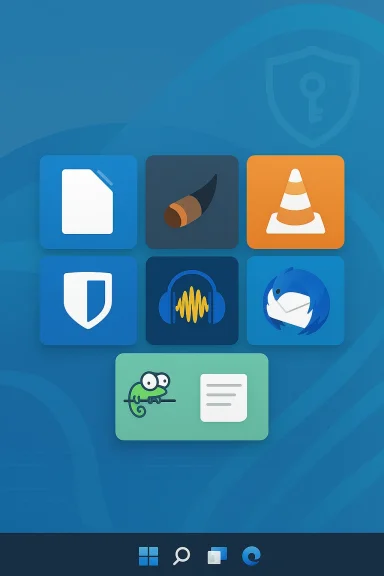
Open-source software gives you serious power: professional-grade tools, transparent development, and—most important—control over your own workflow without subscription lock-in. If you use Windows and haven't explored the open-source alternatives to everyday commercial apps, you're leaving performance, privacy, and savings on the table. This deep-dive walks through seven open-source apps every Windows user should consider, explains what they do better than their commercial cousins, and flags the practical risks and trade-offs you should know before replacing key pieces of your toolchain.
Open-source applications are built in public, which creates a different development dynamic than proprietary software. That openness usually means faster community-driven fixes, auditable security properties, and flexible deployment models—including self-hosting when you want absolute control. For Windows users, open-source tools can cover core needs: office productivity, image editing, media playback, password management, audio editing, email, and text editing. Each of the seven apps below has matured into a reliable alternative for daily use. Where appropriate, I point out compatibility caveats, privacy details, and migration tips so you can swap them into real workflows without surprises.
But openness brings responsibility: test file compatibility, keep apps updated, and choose hosting strategies that match your operational tolerance. For privacy-conscious users, forks and community projects (for example, Tenacity as an alternative to Audacity) exist where governance or telemetry have become concerns; for enterprises, vendor-supported open-source distributions provide a middle ground.
Try one app this week—set a small migration goal, validate it in parallel, and then expand. The payoff is tangible: lower costs, better privacy, and software you can inspect and adapt as your needs evolve.
Source: How-To Geek 7 open source apps for Windows you should be using
 Background / Overview
Open-source applications are built in public, which creates a different development dynamic than proprietary software. That openness usually means faster community-driven fixes, auditable security properties, and flexible deployment models—including self-hosting when you want absolute control. For Windows users, open-source tools can cover core needs: office productivity, image editing, media playback, password management, audio editing, email, and text editing. Each of the seven apps below has matured into a reliable alternative for daily use. Where appropriate, I point out compatibility caveats, privacy details, and migration tips so you can swap them into real workflows without surprises.LibreOffice — A full-featured Microsoft Office alternative
Why LibreOffice matters now
If you're tired of subscription fees or need an office suite that runs on older hardware, LibreOffice is the largest open-source office project and the most realistic desktop replacement for Microsoft Office. It bundles Writer (word processing), Calc (spreadsheets), Impress (presentations) and more, and supports the Open Document Format (ODF) natively while also reading and writing Microsoft formats like DOCX, XLSX, and PPTX. This makes it practical for sharing files with people who use Office.Strengths
- No licensing fees or telemetry in community builds; good language and accessibility support across modules.
- Format compatibility: LibreOffice intentionally supports DOCX/XLSX/PPTX for real-world interoperability with Office users. You can even set MS formats as the default save format.
- Low resource footprint: LibreOffice runs well on modest machines; documented system requirements are conservative (256–512 MB RAM recommended historically), which helps reuse older PCs. That makes it an attractive option for refurbishing older machines instead of buying new licenses.
Caveats and real-world gotchas
- Round-trip fidelity: While LibreOffice opens and saves Microsoft formats, perfect 1:1 fidelity is not guaranteed for complex, layout-heavy documents (track changes, advanced macros, complex embedded objects). The Document Foundation and community docs are explicit about cases where Office-specific features may not round-trip perfectly. If you exchange documents with heavy Word/Excel formatting (legal templates, magazine layouts, macros), test round-trips before committing.
- Enterprise support: Community releases are ideal for individuals and small teams; organizations that need guaranteed commercial support may prefer LibreOffice Enterprise offerings from ecosystem vendors.
Practical migration tips
- Start by setting LibreOffice to save in DOCX/XLSX where compatibility matters (Tools → Options → Load/Save).
- Test templates and macros: complex VBA often fails; port logic to LibreOffice Basic or Python if you need retained automation.
- Keep both suites for a short trial period—use dual-install or separate VMs while you validate workflows.
GIMP — Photoshop-level pixel control without the price tag
What GIMP delivers
GIMP (GNU Image Manipulation Program) provides layers, masks, brushes, filters, and an extensible plugin architecture—everything needed for photo retouching, UI assets, and web graphics. It’s actively maintained and offers advanced scripting and format support, making it a dependable editor for both hobbyists and professionals who prefer free tools.Strengths
- Powerful feature set: Layers, channels, high-quality anti-aliasing, non-destructive workflows via plugins, and a procedural database for automation.
- Extensible: A mature plugin ecosystem and scripting (Script-Fu, Python) let you automate repetitive image tasks.
Caveats
- Learning curve: GIMP's UI and workflow are different from Photoshop; expect to spend a few hours with tutorials to be productive.
- Color-managed workflows: For print or professional color-critical work, confirm your color management pipeline—GIMP supports ICC profiles, but setup needs attention.
Who should install it
- Web designers, students, content creators on a budget, and anyone who needs serious pixel editing without ongoing fees.
VLC Media Player — Play anything, trust the player
Why everyone still recommends VLC
VLC remains the universal tool for media on the desktop: it plays virtually every audio/video container and codec without extra codec packs, supports streaming, subtitle synchronization, hardware decoding, and contains advanced conversion and filtering tools. VideoLAN explicitly markets VLC as free from spyware, ads, and user tracking—an important privacy and usability advantage.Recent advances to watch
At CES 2025 VideoLAN showcased device-side AI subtitling and translation prototypes in VLC that can generate and translate subtitles offline, highlighting a move toward powerful local AI features that preserve privacy. If you rely on local AI processing for transcripts or translations, VLC's trajectory here is notable.Strengths
- Format support: Wide-ranging input/output support (MKV, MP4, AVI, MP3, AAC, FLAC, and many obscure legacy formats).
- Privacy-friendly: No ads, no telemetry in community builds—sensible for media players you’ll use for years.
Caveats
- Feature bloat for simple users: VLC's deep feature set can overwhelm casual users; however, defaults are sensible and most people will never need advanced filters.
- Security model: Like any codebase that parses many media formats, keep VLC updated; media parsing vulnerabilities exist across players, so use supported builds with security fixes.
Bitwarden — An open, auditable password vault with flexible hosting
Why Bitwarden is a practical default
Password managers are no longer optional. Bitwarden offers end-to-end encryption, a polished cross-platform experience, and—critically for power users—self-hosting options. The official security whitepaper describes AES-256 encryption with client-side key derivation and zero-knowledge architecture; keys are generated and kept locally while the encrypted vault syncs via Bitwarden servers (or your self-hosted instance). That combination of transparency and practical convenience is why Bitwarden is widely recommended.Strengths
- Strong cryptography and transparency: AES-256 with PBKDF2 or Argon2id KDF options, client-side encryption, and public audits.
- Cross-platform and polished: Desktop, mobile, and browser extensions with a familiar UX; the free tier is feature-rich. Independent reviewers have favored Bitwarden for its openness and price/value.
- Self-hosting and enterprise readiness: If you prefer to own the server running your vault, Bitwarden provides official self-hosting guides and Docker deployments—useful for organizations or privacy-minded individuals.
Risks and operational considerations
- Host your own vault carefully: Self-hosting gives control, but increases operational responsibility (patching, TLS, backups). The vendor-hosted cloud vault simplifies that burden while still protecting data via client-side encryption.
- Autofill reliability: Some users report intermittent autofill issues on complex web forms or mobile integrations; this is a practical headache more than a security problem. Expect occasional quirks and test your most-used sites.
Quick deployment options
- Try the hosted free account for a week to test autofill and multi-device sync.
- If you self-host, follow the official Docker install guide and set up TLS and regular backups before migrating critical credentials.
Audacity (and Tenacity) — Audio editing without studio costs
Why Audacity still matters
For recording, editing, and basic mixing, Audacity remains the go-to free audio editor: it supports multi-track editing, numerous effects, and extensibility via plug-ins (LAME, FFmpeg for imports/exports). The Audacity project has a long lineage of features that make it useful for podcasters, students, and casual musicians.Privacy and the forked landscape
Audacity’s stewardship changed in recent years and introduced a public debate about telemetry and contributor licensing. That controversy led to community forks—most notably Tenacity—which preserve Audacity’s core features while explicitly avoiding the contested telemetry proposals and CLA changes. If you’re privacy-conscious, consider Tenacity as the forked alternative; it keeps the familiar workflow but with a community governance model emphasizing privacy. Both projects remain viable; pick the one whose governance and policies you trust.Strengths
- Record and edit: Multitrack timeline, effects, scripting (Nyquist/Python), and support for common formats via FFmpeg/LAME.
- Accessibility: Longstanding support for keyboard-driven workflows and screen readers; useful for creators who need efficient keyboard control.
Caveats
- Evolving governance: The post-2021 debate changed how some community members view Audacity; monitor project statements and release notes if trust and telemetry are deciding factors for you. Consider Tenacity if you want an explicitly telemetry-free fork.
- Plug-in dependencies: For MP3 or certain container imports/exports you’ll still need external libraries like LAME or FFmpeg—common for free audio editors.
Thunderbird — Desktop email, with modern security features
Why use Thunderbird today
Thunderbird remains a powerful desktop email client for Windows: it aggregates multiple accounts, supports smart folders, filters, calendar integration (Lightning), and has built-in OpenPGP-based end-to-end encryption. Thunderbird has matured into a privacy-focused, extensible mail client with active development and a new “Release” cadence that enables more frequent updates.Strengths
- Multiple-account management: Configure Gmail, Outlook, IMAP/POP accounts in one app with unified search and quick filters.
- Encryption: OpenPGP was integrated into Thunderbird core (post-Enigmail), giving a path to end-to-end encrypted email directly in the client.
- Calendar & productivity: Calendar (Lightning) integration plus extensions for provider-specific calendars (Google Calendar) make Thunderbird useful as a day-to-day organizer.
Caveats
- Add-ons and integrations: Third-party calendar providers sometimes rely on extension compatibility; when major Mozilla platform changes occur, check that your calendar providers are supported.
- User experience: Thunderbird targets power users; newcomers may need a short learning period to configure accounts, rules, and encryption.
Notepad++ — A smarter, extensible Notepad replacement
Why Notepad++ stands out
For lightweight text editing and coding on Windows, Notepad++ is the de facto free editor: it’s fast, supports tabs, syntax highlighting for dozens of languages, macros, and a robust plugin ecosystem. Built on the Scintilla editing component and written in C++, Notepad++ is both snappy and feature-rich without being heavy.Strengths
- Speed and low memory: Native Win32 implementation makes Notepad++ quick to open and able to handle large text files with minimal overhead.
- Developer-friendly: Syntax coloring, multi-language support, regex search/replace, and plugin manager for adding features (FTP, code beautifiers, linters).
Caveats
- Windows-only: Notepad++ is primarily a Windows editor; cross-platform developers may prefer editors with broader platform parity.
- Not a full IDE: It’s excellent for quick edits and script work, but full IDE features (debugger integrations, language servers) are provided by other free tools (VS Code, Eclipse).
Practical tips for choosing and integrating open-source apps on Windows
How to evaluate compatibility before switching
- Inventory the file formats and integrations you depend on.
- Install the open-source app alongside existing tools and run a parallel workflow for 1–2 weeks.
- Test sharing and round-tripping with real collaborators (DOCX/XLSX exports, PSD rounds with GIMP, mail encryption with a colleague).
Update and security hygiene
- Use official builds or trusted package managers (store builds, installer packages signed by project maintainers, or reputable repositories).
- Configure automatic updates where available, and subscribe to project release notes for critical security patches. For anything that parses external content (email, media, archives), prompt patching is essential.
When to self-host vs. use a cloud vendor
- Self-host if you need strict data residency, compliance, or want full independence; be prepared to run TLS, backup, and patch cycles. Bitwarden and similar projects provide supported self-host guides—but responsibility for operations is yours.
Conclusion — Why open-source should be part of your Windows toolkit
Open-source applications are no longer niche projects for tinkerers: they form a robust, professional-grade ecosystem that covers most daily computing needs on Windows. From LibreOffice’s full office suite to Bitwarden’s auditable password vault and VLC’s privacy-respecting media stack, these tools combine capability with transparency.But openness brings responsibility: test file compatibility, keep apps updated, and choose hosting strategies that match your operational tolerance. For privacy-conscious users, forks and community projects (for example, Tenacity as an alternative to Audacity) exist where governance or telemetry have become concerns; for enterprises, vendor-supported open-source distributions provide a middle ground.
Try one app this week—set a small migration goal, validate it in parallel, and then expand. The payoff is tangible: lower costs, better privacy, and software you can inspect and adapt as your needs evolve.
Source: How-To Geek 7 open source apps for Windows you should be using
