

Johnson Controls has reported a vulnerability in the OpenBlue Mobile Web Application for OpenBlue Workplace — tracked as CVE‑2025‑26381 — that allows direct request (commonly called “forced browsing”) exploitation leading to unauthorized access to sensitive information; Johnson Controls recommends upgrading to patch level 2025.1.3 (or disabling the mobile app in IIS as an interim), and U.S. federal coordination via CISA has issued guidance to minimize exposure and apply the vendor fixes where available.
OpenBlue Workplace is Johnson Controls’ Integrated Workplace Management Solution (IWMS) that includes a mobile-focused interface (OpenBlue Mobile / OpenBlue Companion) used worldwide across commercial facilities, critical manufacturing, energy sites, government facilities and transportation systems. The mobile web interface is designed to expose a subset of workplace functionality — reservations, wayfinding, helpdesk interactions and limited administrative workflows — to occupants and operators. Johnson Controls publishes product security advisories centrally and has coordinated disclosure of multiple product issues to CISA and other national authorities.
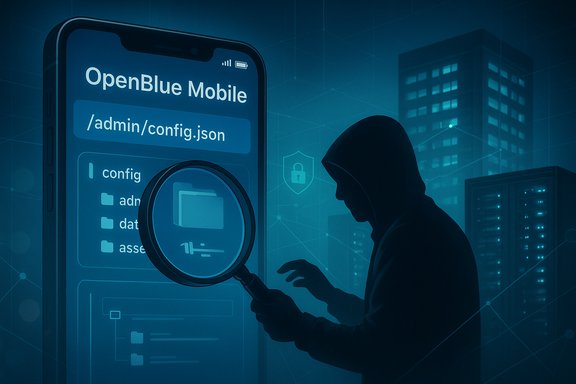
The recently disclosed issue (CVE‑2025‑26381) is described by the coordinating advisory as a Direct Request (“Forced Browsing”) vulnerability in OpenBlue Mobile Web Application for OpenBlue Workplace (versions 2025.1.2 and prior). The advisory reports a high-impact confidentiality risk and provides both a CVSS v3.1 base score of 9.3 (AV:N/AC:L/PR:N/UI:N/S:C/C:H/I:L/A:N) and a CVSS v4 base score of 6.5 (AV:N/AC:L/AT /PR:N/UI:N/VC:H/VI:L/VA:N/SC:H/SI:L/SA:N/E:U). These scores and vectors were reported in the coordinated writeup; organizations should treat the vendor and CISA advisories as authoritative for the precise scoring details and mitigation steps.
Note: at the time of writing, the vendor’s advisory listing shows Johnson Controls actively publishing product security advisories and coordinating with CISA; organizations should validate the CVE/NVD entries and any NIST/NVD enrichment separately as part of their patch validation process.
If you cannot apply the vendor patch immediately, take these prioritized steps:
Source: CISA Johnson Controls OpenBlue Mobile Web Application for OpenBlue Workplace | CISA
 Background / Overview
OpenBlue Workplace is Johnson Controls’ Integrated Workplace Management Solution (IWMS) that includes a mobile-focused interface (OpenBlue Mobile / OpenBlue Companion) used worldwide across commercial facilities, critical manufacturing, energy sites, government facilities and transportation systems. The mobile web interface is designed to expose a subset of workplace functionality — reservations, wayfinding, helpdesk interactions and limited administrative workflows — to occupants and operators. Johnson Controls publishes product security advisories centrally and has coordinated disclosure of multiple product issues to CISA and other national authorities.The recently disclosed issue (CVE‑2025‑26381) is described by the coordinating advisory as a Direct Request (“Forced Browsing”) vulnerability in OpenBlue Mobile Web Application for OpenBlue Workplace (versions 2025.1.2 and prior). The advisory reports a high-impact confidentiality risk and provides both a CVSS v3.1 base score of 9.3 (AV:N/AC:L/PR:N/UI:N/S:C/C:H/I:L/A:N) and a CVSS v4 base score of 6.5 (AV:N/AC:L/AT
/PR:N/UI:N/VC:H/VI:L/VA:N/SC:H/SI:L/SA:N/E:U). These scores and vectors were reported in the coordinated writeup; organizations should treat the vendor and CISA advisories as authoritative for the precise scoring details and mitigation steps.Note: at the time of writing, the vendor’s advisory listing shows Johnson Controls actively publishing product security advisories and coordinating with CISA; organizations should validate the CVE/NVD entries and any NIST/NVD enrichment separately as part of their patch validation process.
What the vulnerability actually is
How Direct Request / Forced Browsing works
- Forced browsing (Direct Request) occurs when an application exposes resources (URLs, files, endpoints) that are not properly access-controlled or are reachable by manipulating predictable request paths.
- Attackers can enumerate or guess these paths and fetch sensitive pages, configuration files, or API endpoints that return data because the application fails to enforce authorization checks for those direct requests.
- In web UIs this commonly appears as: hidden administrative pages accessible without authentication, endpoints returning file contents, or predictable file names/paths that reveal configuration or credentials.
Reported specifics for OpenBlue Mobile
- The advisory states OpenBlue Mobile Web Application (Workplace) versions 2025.1.2 and earlier are vulnerable to a direct request exploit that could reveal sensitive information to an unauthenticated remote attacker.
- The highest-rated impact is confidentiality loss (sensitive data disclosure), with limited integrity and availability impact recorded in the vendor-provided scoring. The CVSS v3.1 vector signals a network‑accessible, no‑privilege, no‑user interaction flaw with scope change — consistent with an information disclosure endpoint being accessible without proper authentication.
Why this matters: real-world risk and attack scenarios
OpenBlue deployments are often integrated into critical facility workflows. The practical consequences of an exposed mobile web interface include:- Data exposure: PII, facility layouts, booking calendars, badge or access metadata, or other configuration artifacts may be readable if endpoints leak information.
- Operational reconnaissance: Disclosure of internal endpoints or configuration can be used to craft follow‑on attacks (phishing against occupants, targeted credential harvesting, or weaponization against admin consoles).
- Pivoting to administration or backend systems: If disclosed files include DB connection strings, API keys or session tokens, attackers can escalate to backend systems or jump to management consoles. In ICS/OT contexts the downstream effect can be severe because building management systems often interoperate with lighting, HVAC, access control and other operational services.
- Attacker discovers an unprotected endpoint (e.g., a predictable URL path that returns a JSON export, configuration file, or user list).
- The attacker exfiltrates occupant metadata and notices administrative endpoints or tokens referenced in the returned payload.
- Using the discovered details, the attacker crafts phishing lures targeting facility staff or attempts API access against backend systems.
- If credentials or keys are present, the attacker uses them to access the primary OpenBlue Workplace web UI or integrated third-party services.
Verified facts and sources
- Johnson Controls maintains a centralized Product Security Advisory page listing its published advisories and mitigation steps; the company coordinates disclosure and publishes advisory identifiers for each issue.
- The US Cybersecurity and Infrastructure Security Agency (CISA) routinely republishes and indexes ICS advisories and recommends standard mitigations such as minimizing Internet exposure, isolating control system networks, and using secure remote access solutions when necessary. These general mitigation practices mirror the vendor recommendations for OpenBlue Mobile.
- Multiple independent ICS advisory summaries and analyst reports (industry advisories and security vendor writeups) consistently emphasize the same defensive posture for web UI and mobile interface vulnerabilities: isolate, patch, apply compensating controls, and monitor for suspicious access patterns. See the operational‑hardening and detection guidance discussed below.
Immediate mitigation checklist (what to do now)
When a vendor patch is available the straightforward option is to test and deploy it. Johnson Controls recommends upgrading to patch level 2025.1.3 or later; the advisory also lists temporary workarounds if operators cannot patch immediately, specifically disabling the mobile application in Microsoft Internet Information Services (IIS) or disabling the application pool hosting the mobile app until the patch is applied.If you cannot apply the vendor patch immediately, take these prioritized steps:
- Disable the OpenBlue Mobile application in IIS (or at the application‑pool level) to remove the vulnerable surface until the patch is installed. (Vendor‑recommended temporary control.
- Remove or block any internet‑facing NAT/port forwards and ensure the mobile endpoint is not reachable from the public Internet. Use firewall rules to deny inbound access to the management/application host. Minimize network exposure.
- Restrict access to the management plane to a short allow‑list of jump hosts, bastion systems, or trusted admin IP addresses. Require VPN + MFA for any remote admin access.
- Increase logging and monitoring on the web host and WAF (if present). Watch for:
- Repeated 404/200 patterns on administrative paths
- High‑volume GETs for configuration files or predictable URLs
- Unexpected user agents or anonymous requests to admin endpoints.
- If feasible, deploy a WAF rule to deny suspicious URL path patterns and block requestors that enumerate common admin/resource paths. Tuning is required to avoid false positives.
- Rotate API keys / service account credentials referenced by the mobile UI or backend services if they may have been exposed; treat such rotation as urgent if configuration artifacts have been disclosed.
Patch management: testing and rollout guidance
Applying the vendor patch is the long-term fix and should be prioritized, but OpenBlue often runs in production environments where downtime must be controlled. Follow a staged rollout:- Inventory — Identify every OpenBlue Workplace installation, the web host (IIS) instance, and the specific build string (e.g., 2025.1.2). Create a mapping of IPs, hosting servers, associated service accounts, and upstream integrations.
- Test environment — Stage the vendor patch (2025.1.3) in a non‑production environment that mirrors production configuration, including authentication and LDAP/SSO or SAML connectors.
- Regression tests — Validate critical workflows: user SSO login, reservations, helpdesk ticketing, push notifications, and any custom integrations that depend on the mobile app API. Test both mobile and primary Workplace web interface compatibility.
- Security verification — After patching, perform targeted application‑layer scans and a focused web pen test against the previously vulnerable paths to confirm access controls are enforced.
- Rollout — Deploy in scheduled waves; after each wave, monitor logs and user‑reported issues before proceeding.
- Post‑patch hygiene — If the advisory recommends session invalidation, revoke sessions and rotate service credentials; update change logs and CMDB records.
Detection and threat hunting for Windows and enterprise teams
Because many OpenBlue management consoles are hosted on Windows/IIS stacks and facility engineering teams frequently use Windows jump hosts, Windows‑focused teams should adopt the following detection signals and hunt queries:- Web server logs (IIS):
- Requests for hidden/admin endpoints returning 200 OK where previous baseline returned 403/404.
- GET requests for config or dot‑file names (e.g., web.config equivalents, .config, .json dumps).
- A high rate of 401 → 200 transitions that indicate session hijack or token reuse.
- Host telemetry (Windows EDR):
- Suspicious process creations spawned from w3wp.exe or IIS worker processes (unexpected command execution).
- Unexpected file writes to application directories or the presence of uploaded files in unexpected places.
- Network telemetry:
- Repeated accesses from anomalous external IPs to the mobile web host.
- Outbound connections from the web host to suspicious destinations after configuration reads (possible exfiltration).
- SIEM rules:
- Alert on new service account logins from unusual IPs or at off‑hours immediately after a sequence of forced browsing attempts.
- Correlate web logs with Windows event logs (logon events, RDP connections) to identify lateral movement attempts.
- Isolate the host, preserve forensic copies of IIS logs and the application filesystem, and capture memory if possible.
- Engage vendor support and follow incident response procedures; coordinate with national CERT/CSIRT where appropriate.
Longer-term defensive measures and architecture changes
Beyond patch and immediate mitigations, organizations should use the incident as a catalyst to harden web-facing ICS/OT and workplace applications:- Enforce strict network segmentation: isolate workplace/OT services from corporate and guest networks; allow only defined management jump hosts to reach OT app servers.
- Adopt least privilege and role‑based access for all administrative interfaces; prefer ephemeral sessions and centralized session control to allow rapid session invalidation.
- Use a Web Application Firewall (WAF) with tuned rules and anomaly detection, plus a content security policy (CSP) and secure cookie flags in IIS to limit client-side exploit impact.
- Maintain an asset inventory and CMDB that includes OpenBlue versions, patch status, and hosting details; tie this inventory to vulnerability management workflows.
- Implement regular application security testing (SAST/DAST) for vendor‑provided web apps if you host them, and require signed, integrity‑checked vendor artifacts for any updates.
- Where possible, prefer outbound-only connections for building or IoT devices and route inbound management through bastion/jump hosts with MFA and strong logging.
Operational considerations for Windows administrators
Windows teams will often be asked to act because OpenBlue mobile components run on IIS or interact with Windows‑hosted services. Practical guidance:- Treat the OpenBlue IIS host like a first‑class security asset: enforce patching, apply EDR/AV, and harden account policies.
- Use group policy to limit what engineering jump hosts can do: restrict script execution, block direct RDP from user desktops to server systems, and require MFA for all admin access.
- Maintain separate jump boxes for OT access; monitor Windows event logs for unusual activity tied to OT management tasks.
Strengths and gaps in the advisory and vendor response
Notable strengths:- Vendor and coordinating authority provided a clear recommended fix (upgrade to 2025.1.3) and pragmatic temporary mitigations (disable the mobile app in IIS), allowing organizations immediate actions.
- CISA and ICS advisory practices reiterate sensible, well‑established controls for control‑system exposures: minimize Internet exposure, isolate devices, and use secure remote‑access solutions.
- If deployments rely on the OpenBlue Mobile interface for operational workflows, disabling the mobile app may create operational friction. Organizations should plan maintenance windows and user communication carefully.
- Out‑of‑support or heavily customized OpenBlue integrations (particularly those with bespoke SSO or API glue) may require careful regression testing before applying the vendor patch.
- At the time this article was prepared, independent centralized CVE/NVD enrichment for CVE‑2025‑26381 was not located in public indexing during verification; organizations should confirm the authoritative advisory pages and NVD entries before finalizing scoring or prioritization decisions. (This is a cautionary note, not a statement that the CVE doesn’t exist.
Practical incident playbook (short version)
- If not already patched: disable the OpenBlue Mobile application in IIS or at the app‑pool level to remove the vulnerable surface.
- Block public access and enforce an allow‑list for management access.
- Snapshot logs and filesystem, preserve evidence, and collect IIS access logs and application artifacts.
- Validate and install vendor patch 2025.1.3 in test, perform regression/security checks, then schedule production rollout.
- After patching, rotate service credentials and invalidate sessions if recommended; monitor for anomalous re‑authentication attempts and exfiltration patterns.
Final takeaways
- CVE‑2025‑26381 in the OpenBlue Mobile Web Application represents a classic and dangerous class of flaw: remote, low‑complexity access to sensitive resources through direct request (forced browsing).
- The vendor has published mitigation guidance (upgrade to 2025.1.3) and practical temporary workarounds (disable mobile app in IIS) that should be implemented immediately where patching is not yet completed.
- For defenders, the priority is simple and familiar: identify exposures, isolate internet‑accessible management interfaces, apply the vendor patch, harden access controls, and monitor. CISA’s established ICS mitigations and industry hardening guides remain the baseline for response.
- Finally, confirm CVE details and patch downloads via the vendor’s product security advisory page and coordinate with your incident response and risk teams before making changes that could disrupt occupant services.
Source: CISA Johnson Controls OpenBlue Mobile Web Application for OpenBlue Workplace | CISA
